Project 2 - V&V SW Analysis II
CHALLENGE 11 : PROJECT 2
- Perform Static Code Review Analysis for “C:\**\LDRA_workarea\Examples\C_Testbed_examples\Testrain\Testrain.c” Generate Code review report and upload them.
Answer:
Static Code Review Analysis:
Static code review analysis is a process of evaluating and inspecting the source code of a software application without executing the code. The main goal of static code review analysis is to identify and fix potential defects, vulnerabilities, and coding issues early in the development process, thereby improving the overall code quality and reducing the likelihood of bugs or security breaches in the final product.
This type of analysis is performed using various static code analysis tools and techniques that analyze the code without executing it. These tools can automatically scan the source code, looking for patterns, coding conventions, potential security vulnerabilities, code smells, and other issues that might lead to runtime errors or unexpected behavior.
Some common issues that static code review analysis tools can detect include:
- Syntax errors and typos: Detecting simple errors in code that could lead to compilation failures.
- Code style violations: Enforcing coding standards and best practices to maintain a consistent coding style throughout the project.
- Security vulnerabilities: Identifying potential security flaws, such as SQL injection, cross-site scripting (XSS), and buffer overflows.
- Performance bottlenecks: Detecting inefficient algorithms or resource usage that could lead to slow or resource-intensive code.
- Code smells: Identifying design issues and anti-patterns that might indicate problematic areas in the code.
- Dead code: Detecting sections of code that are never executed, which could be removed to improve code maintainability.
These are the steps to perform static code review ananlysis:
- Start the LDRA tool.
- In LDRA tool go through this link:
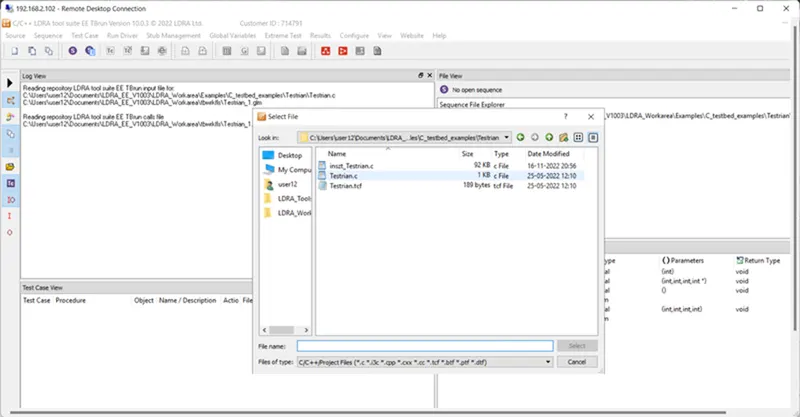
Source à single file à LDRA_workarea àexamples à C_Testbed_examples à Testrain à Testrain.c à open. (in log view all the files will run)
- Then, go to sequence à new à give any name (---) and select code coverage then continue.
- After that go to source à run static analysis.
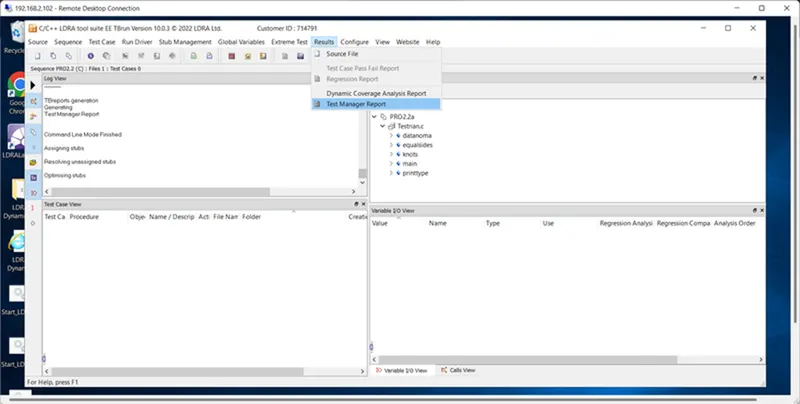
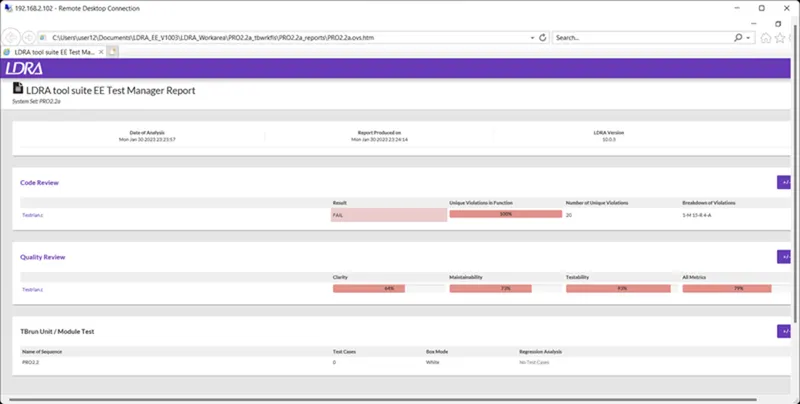
- Finally, go to results à test manager report (report will open in pdf format) (then we can see our sequence name and what type of test we have done)
Select Single file
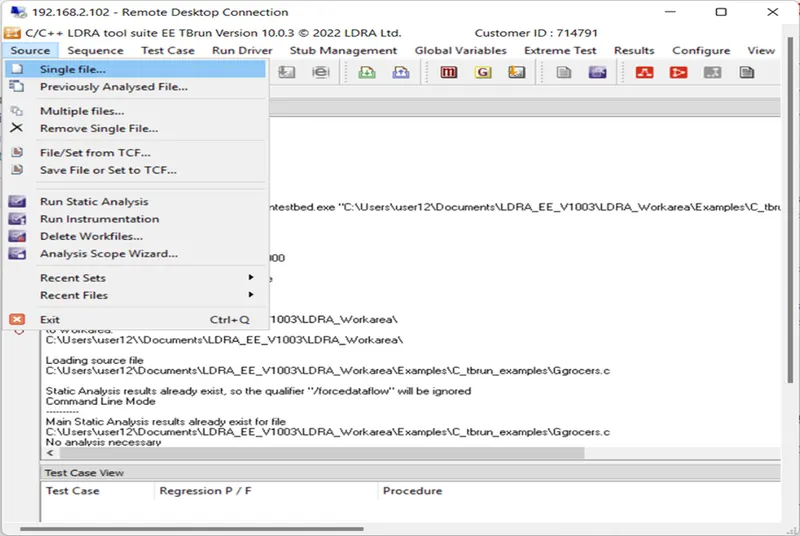
Single file --> Testrain.tcf
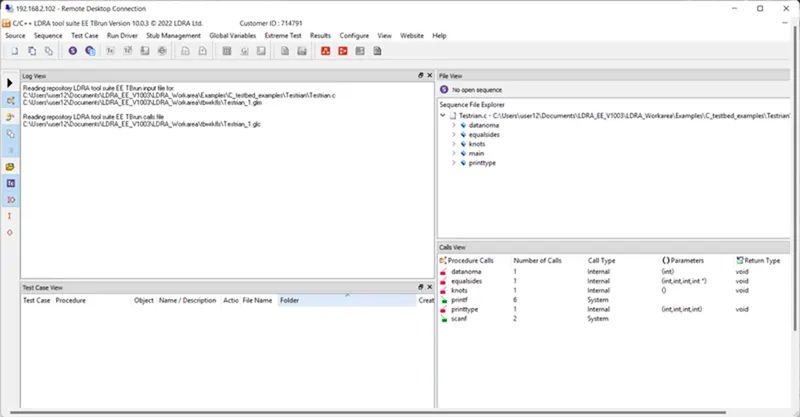
Sequence --> New
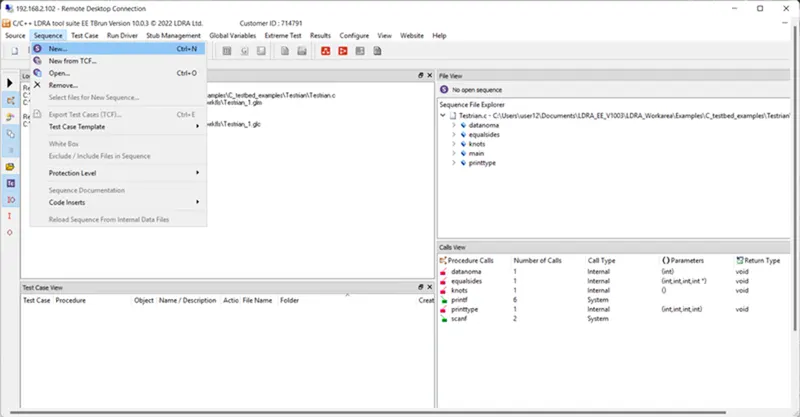
Squence Name PRO_2 then check and click continue
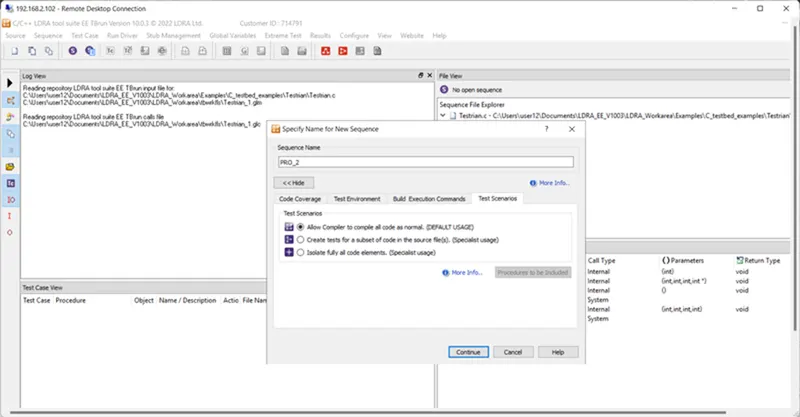
Static Code Review Analysis
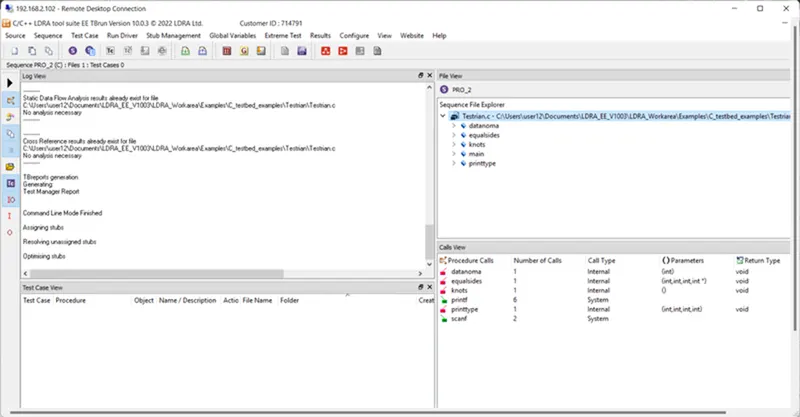
Generate Code review report
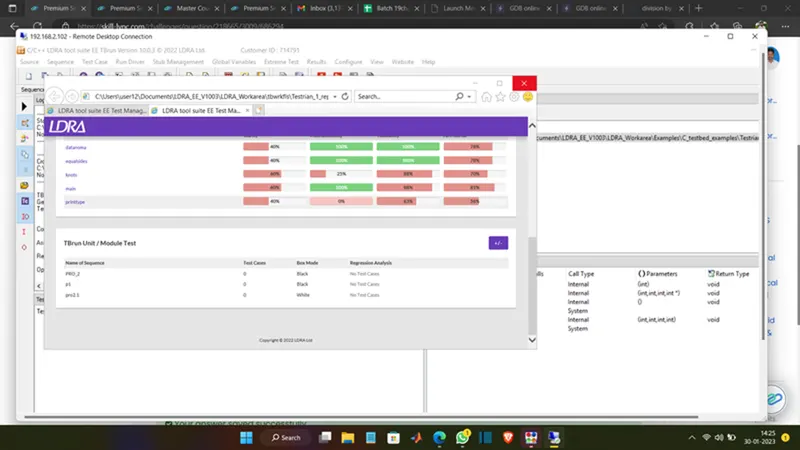
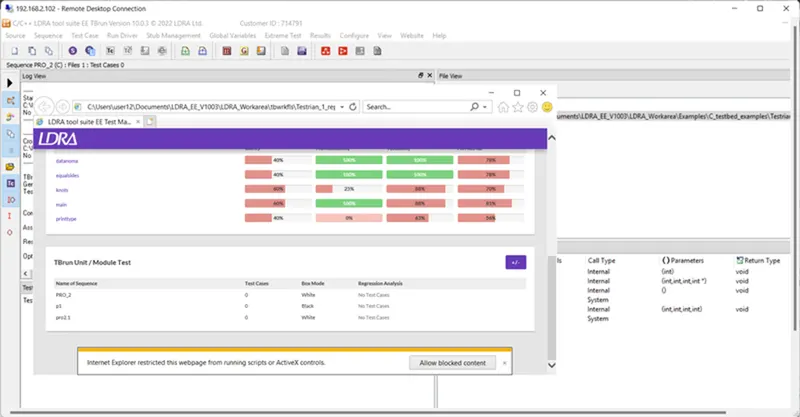
Here, we have done with the static code review analysis.
- Perform Integration testing by including all the .C files available in the folder location C:\**\LDRA_workarea\Examples\Toolsuite\Cashregister_6.0\ **
- A) Create the test cases manually as well as automatically using TBExtreme and upload the reports.
- B) Store the test cases as .tcf file. Upload the location image where the .tcf file is stored.
- A) Create the test cases manually as well as automatically using TBExtreme and upload the reports.
Answer:
Integration Testing:
Integration testing is a software testing technique that focuses on verifying the interactions between different components or modules of a software system. The primary goal of integration testing is to ensure that individual components work together as intended when integrated into the larger system.
In software development, large applications are typically divided into smaller, manageable modules or components. These components are developed independently, and integration testing is carried out to assess their cooperation and data flow when combined. The purpose is to identify and address any issues that may arise when integrating the components together.
Integration testing helps detect problems such as:
- Interface issues: Ensuring that different modules can communicate and exchange data correctly.
- Data flow problems: Verifying that data is passed between modules correctly and without corruption.
- Functionality issues: Ensuring that the integrated system behaves as expected and fulfills its intended purpose.
- Dependency issues: Identifying any conflicts or inconsistencies in the dependencies between modules.
There are different approaches to integration testing:
- Big Bang Approach: In this method, all the modules are integrated simultaneously, and the entire system is tested as a whole. While this approach can be quick, it may be challenging to pinpoint the source of issues when they arise.
- Top-Down Approach: In this approach, testing begins with the highest-level modules, and lower-level modules are gradually integrated and tested. Stubs (simplified versions of lower-level modules) may be used for testing higher-level modules.
- Bottom-Up Approach: This method starts with testing individual modules at the lowest level and then gradually integrates and tests higher-level modules. Drivers (simplified versions of higher-level modules) may be used to simulate their behavior.
- Incremental Approach: In this approach, modules are integrated one by one in small increments. After each integration, relevant tests are conducted to ensure the newly added modules work correctly with the existing ones.
Integration testing is an essential step in the software testing process as it helps identify integration-related issues early, which can save time and effort during the later stages of development and prevent more severe problems in the final product.
By using TBExtreme It automates the unit/module/integration testing processes, eliminating almost all overhead associated with bottom-up testing. For the user, it represents a fast, simple mechanism to achieve an elementary level of unit testing.
Single file --> .c file click.
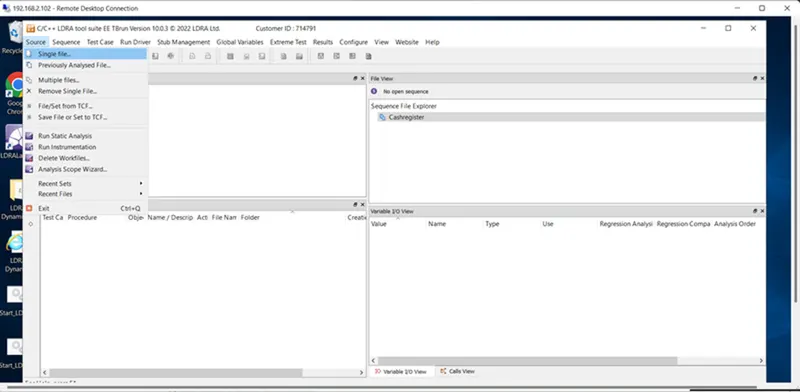
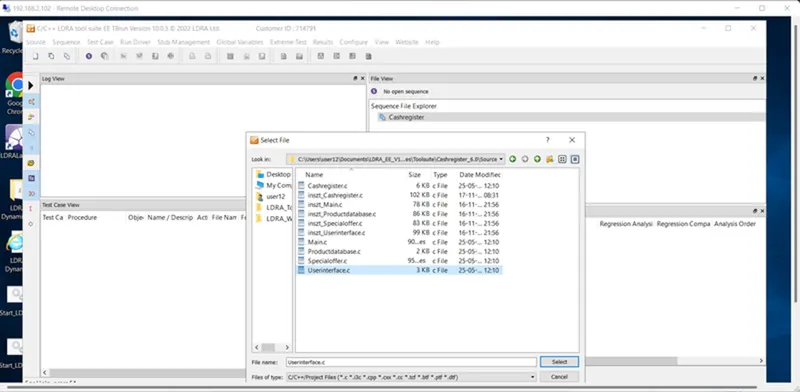
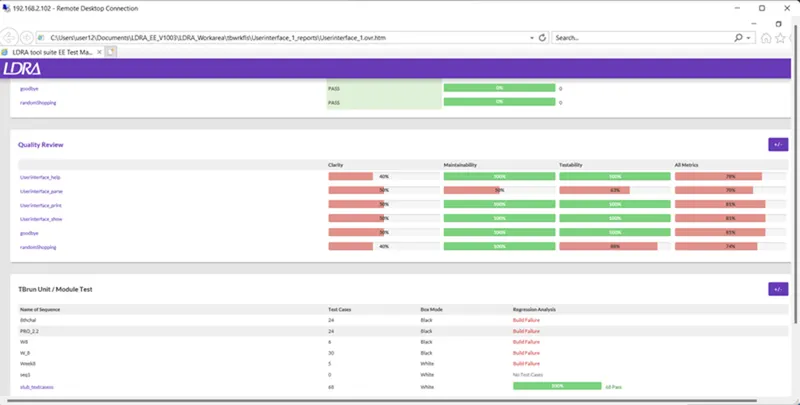
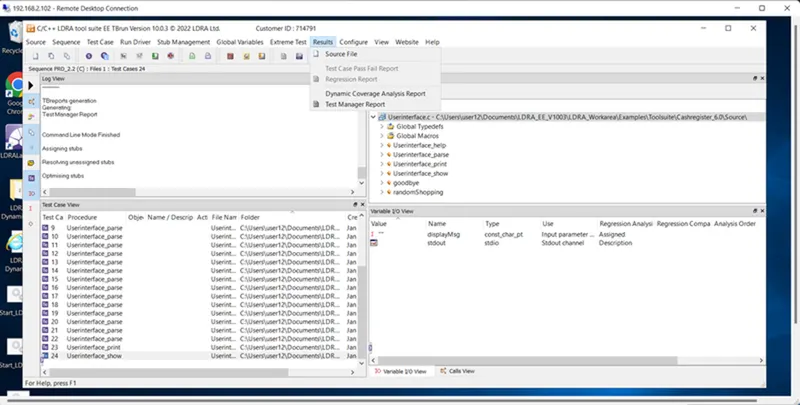
New --> Extreme Test --> Run Standard Extreme Test
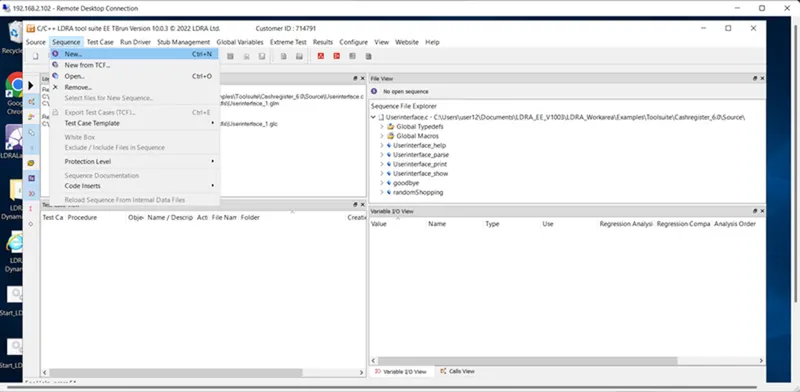
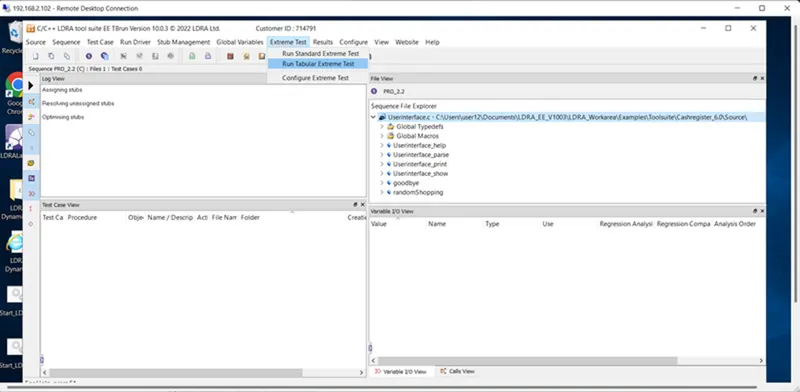
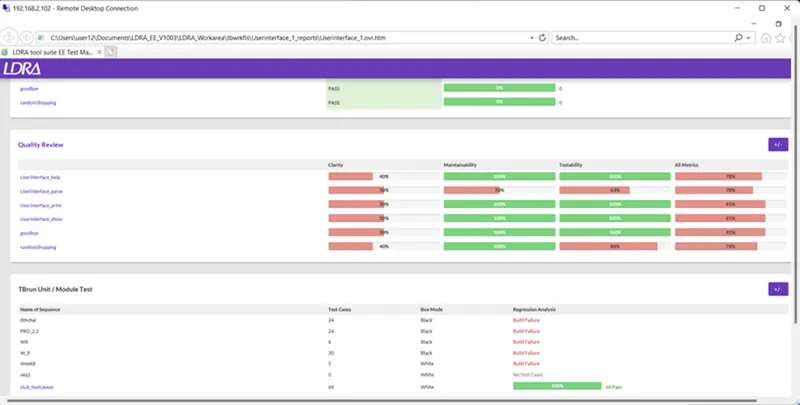
Result --> Test manager report
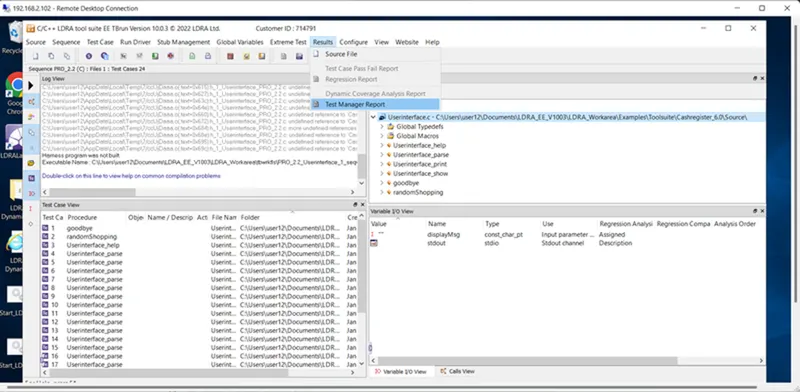
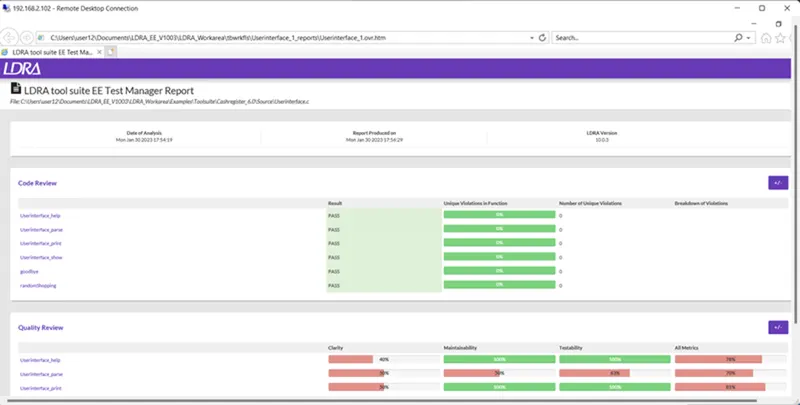
- B) Store the test cases as .tcf file. Upload the location image where the .tcf file is stored.
Answer:
LDRAunit stores groups of test cases as sequences. Exported sequences are stored in Test Case Files (TCF) which contain all the information required to re-run the test cases. TCFs can be grouped with regression reports and can be stored for regression verification.
TCFs are standard-alone files that can be easily distributed and accessed by TBrun users across the world. They can be grouped with the reports generated when they were first executed and conveniently stored for future regression verification use, perhaps using a software configuration management (SCM) system. Requirements based testing documentation complete with requirement management system “tags” can also be stored, enabling the SCM system to record whether modified code has been tested when it is checked in.
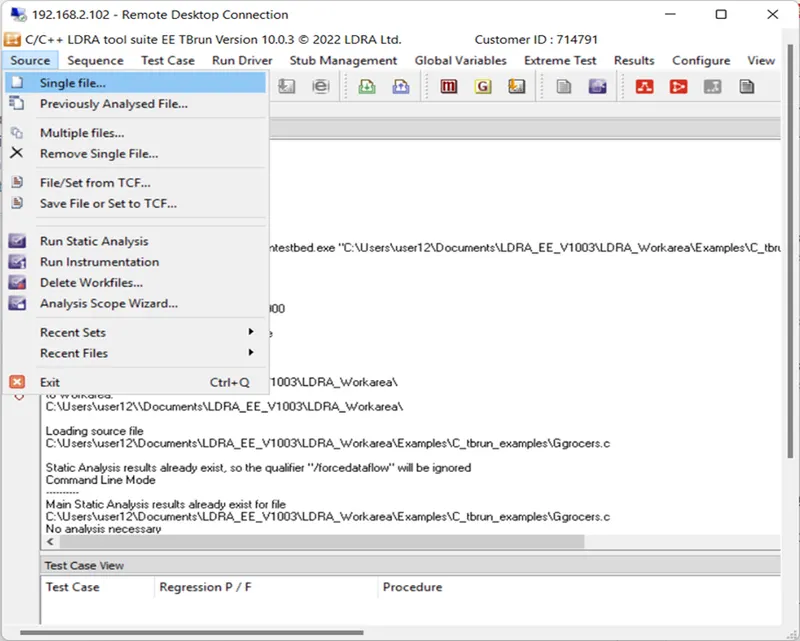
Steps to follow to store the test cases as .tcf file:
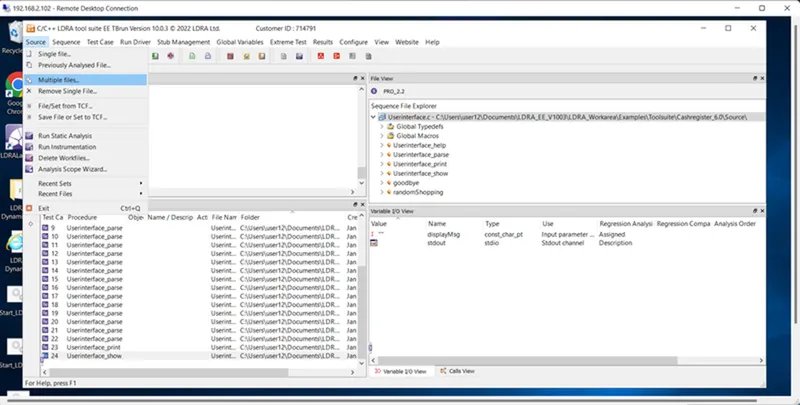
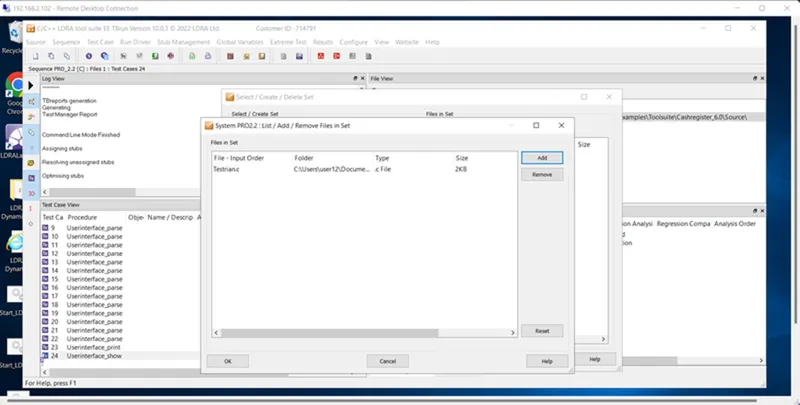
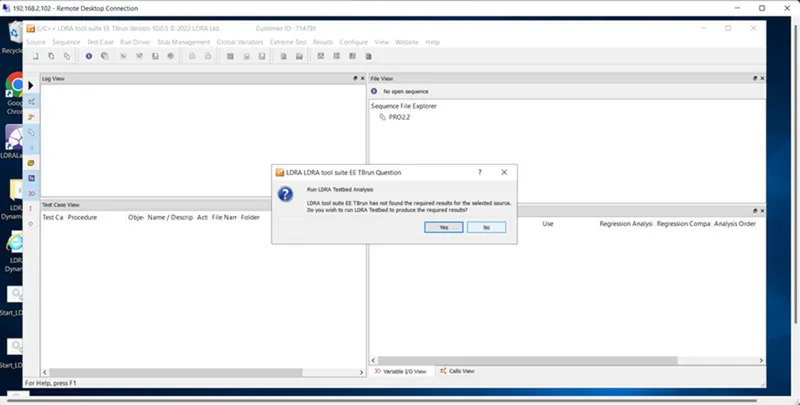
Tbrun --> Source..multiple files --> create…demo(name) --> Group..independent --> System..dependencies in files(preferred) --> Choose the .c file --> Ldra test bed..no -->
Configure..ldra test configuration..static options..path of grocers.c file --> Static analysis -->
Report.
Multiple file --> Testrain.c --> Add --> Ok
Run LDRA Trusttled analysis --> No
Result --> Test manager report