Project 2 - V&V SW Analysis II
1)(I EXPLAINED IN STEPS BECUSE LDRA TOOL IS NOT OPENING DUE TO LISENCE ISSUE)
TO PERFORM STATIC CODE ANALYSIS
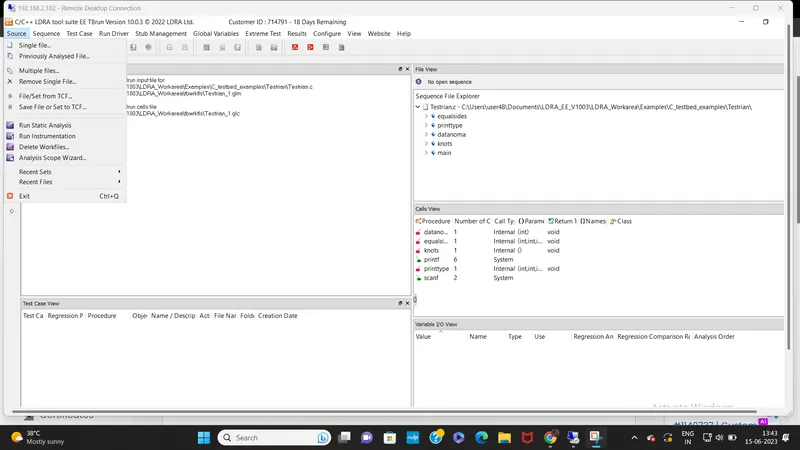
step1:open LDRA and click on source->single file and choose this file “C:\**\LDRA_workarea\Examples\C_Testbed_examples\Testrain\Testrain.c”
step2:clickon source -> click on run static code analysis
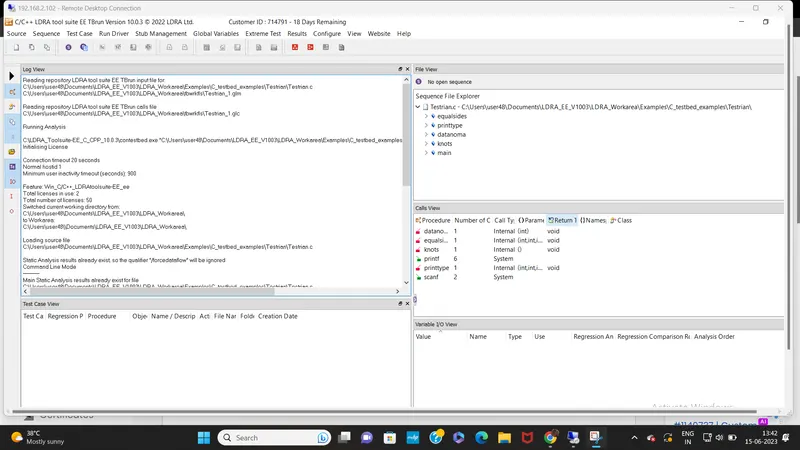
rewiew repots are gernerated on the log view
2)
TO PERFORM INTEGRATION TEST(I EXPLAINED IN STEPS BECUSE LDRA TOOL IS NOT OPENING DUE TO LISENCE ISSUE)
step1:open LDRA and click on source->multiple files
step2:name it as demo->click on create->click on system
step3:LDRA tool will ask you to run the code ->click on NO
step4:click on configure->LDRA testbed configuration options->static options
step5:select sysserch and sysppvar
step6:then run static analysis
a)FOR CREATING MANUAL TEST CASE((I EXPLAINED IN STEPS BECUSE LDRA TOOL IS NOT OPENING DUE TO LISENCE ISSUE)
step1:create a sequence->and create a new test case
step2:give the inputs and outputs
step3:click on run driver
step5:click on results and see the generated results
FOR CREATING TEST CASE USING TBEXTEME
step1:create a sequence
step2:click on the function and right click->click on run tbextreme test case
or you can choose tbextreme tabular test case(this will create all possible input and output combination for the function)
step3:click on results ->click regression test or dynamic coverage report(based on balck box or white box)
b)
STEPS TO CREATE TCF FILE
step1:go to sequence ->test case template->create test case template
->generate test case template file for a single procedure->choose that function and click ok
step2:go to that tct file where you stored that file document/LDRA_workarea/cashregister_tbwkfls
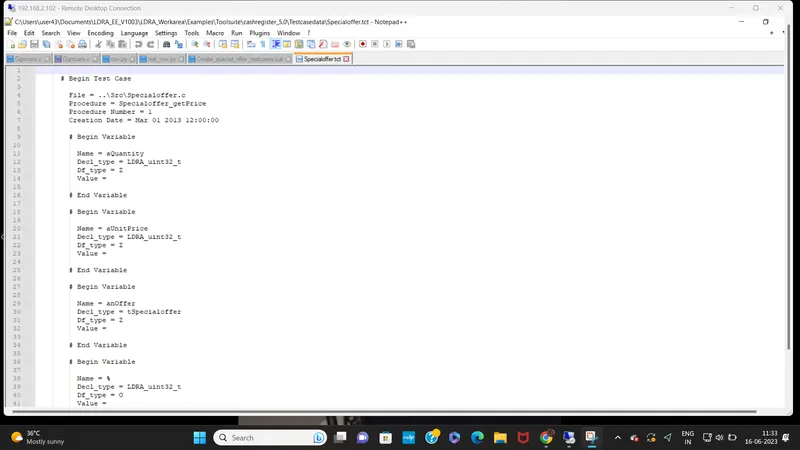
step3:open that tct in notpad and analyse the template
step4:then you can create .csv file in excel or notpad .you can give possible values ie inputs and outputs for multiple test cases
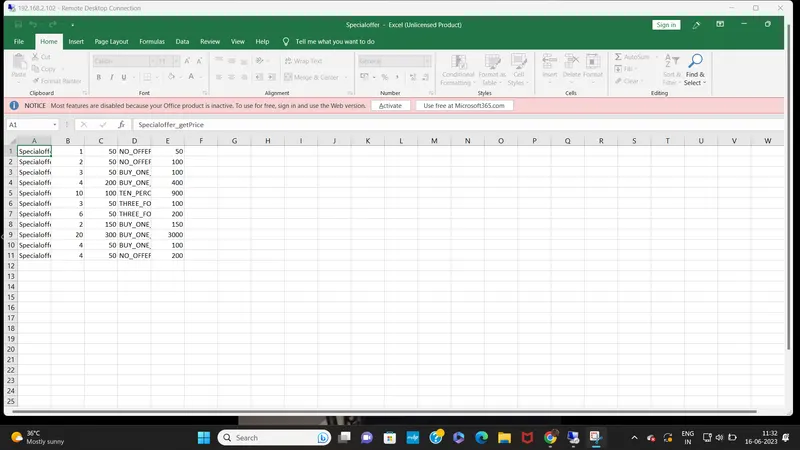
step6:go to the tcf file and open in notpad and edit the value part as $(csv1),then the next variable weather input or output as $(csv2)
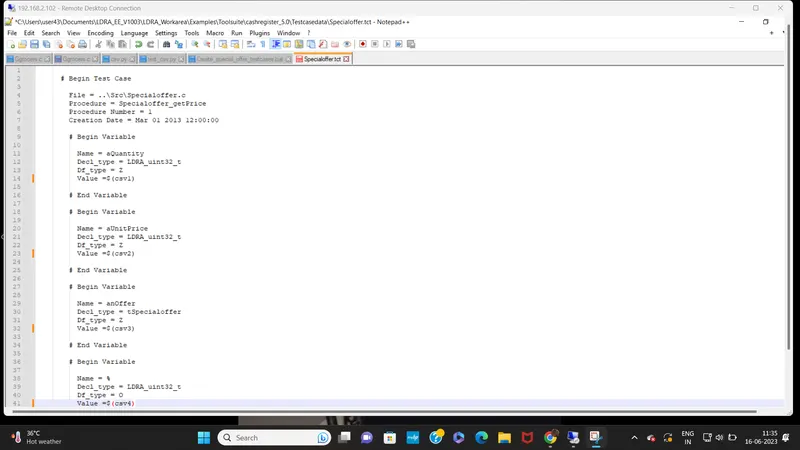
step7:open ->LDRAtoolsuite10.0.0->open csv2tcf->csv2tcf_mod->open on notpad and edit the file names
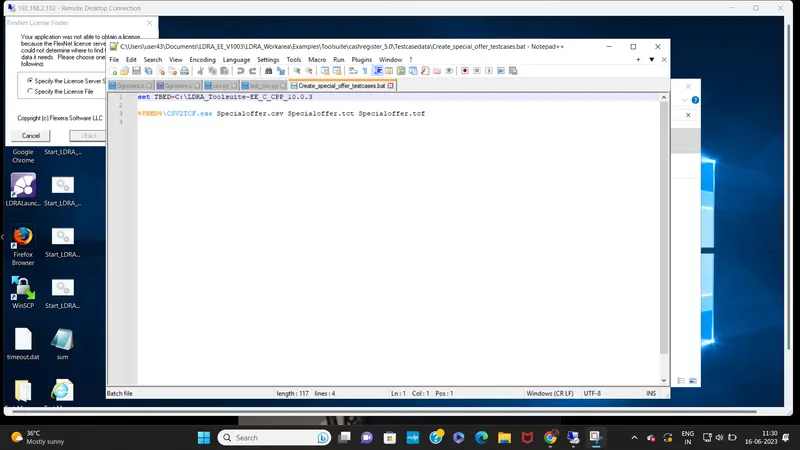
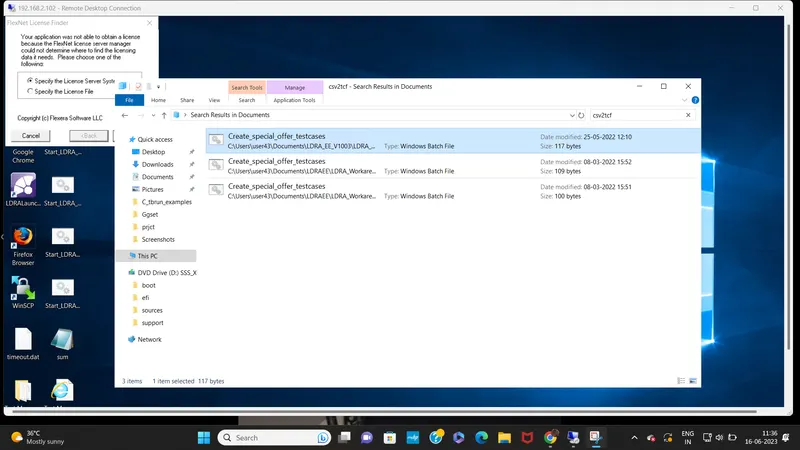
step8:double click on csv2tcf_mod.->then the tcf file will be generated by the python script
open and analyze the tcf file
step9:go to LDRA tool ->click on test case->import test case->click on import test case->click on tcf file you can create and load that file
then all the test case with respective values in csv will be loaded