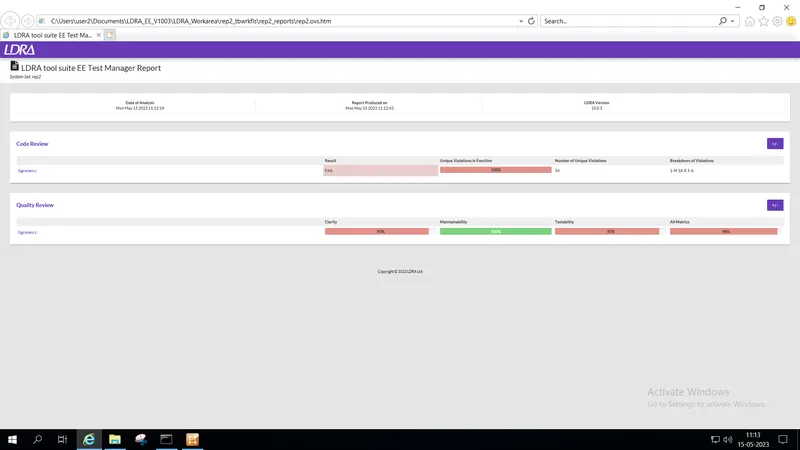
Project 2 - V&V SW Analysis II
Instructor: Abinaya Inbamani
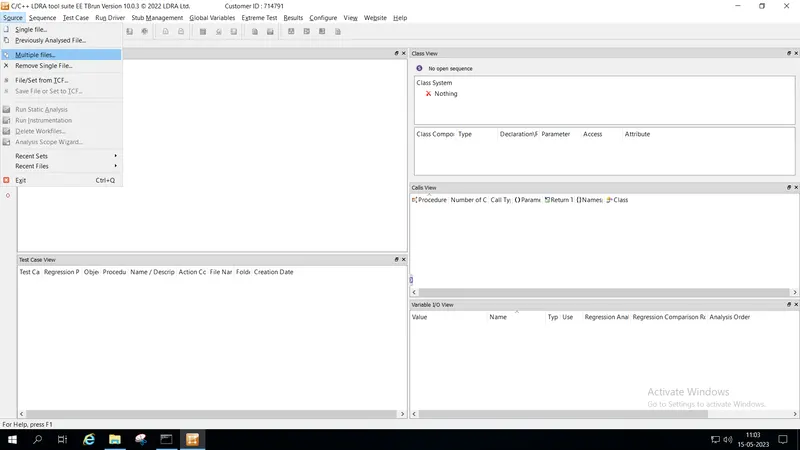
Step 1: Select "Multiple files"
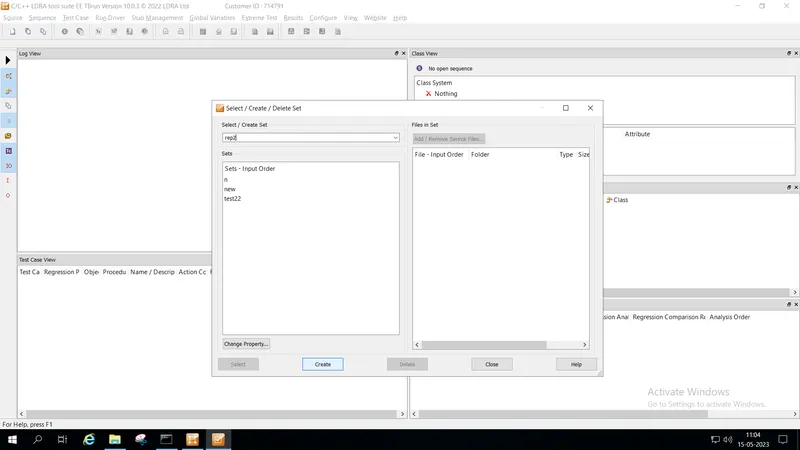
Step2: Create new set named "rep2"
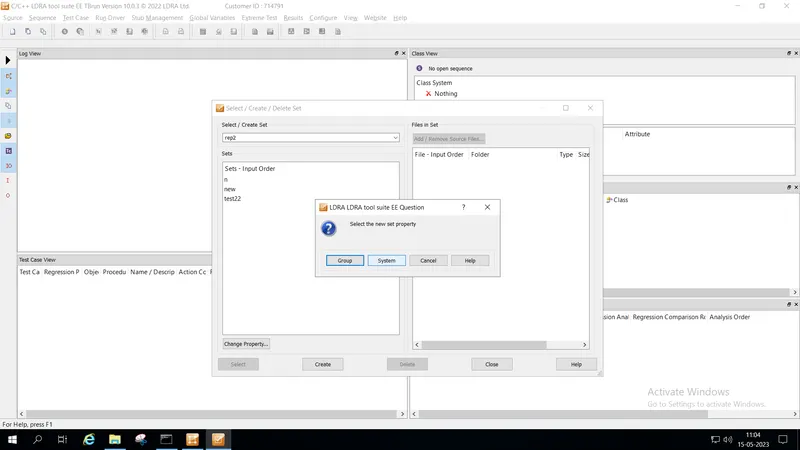
Step3: Select "Group" or "system".... group is used when independent or unit testing is required....system is used when we need to check dependency between the functions is required
Step4: choose the .c file that needs to be analysed
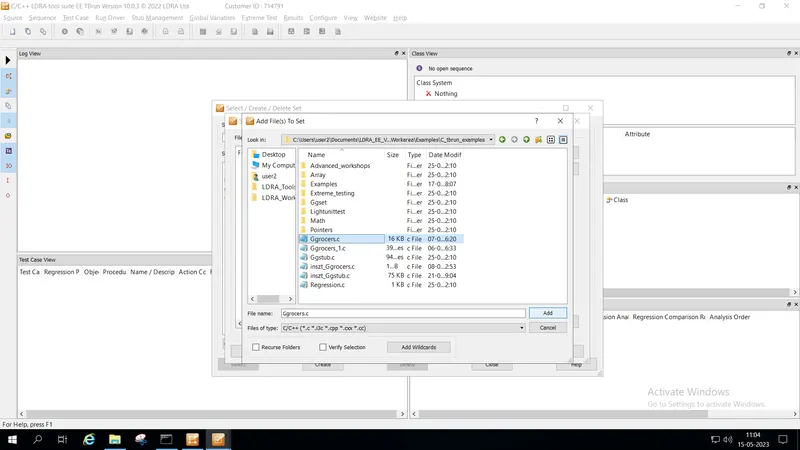
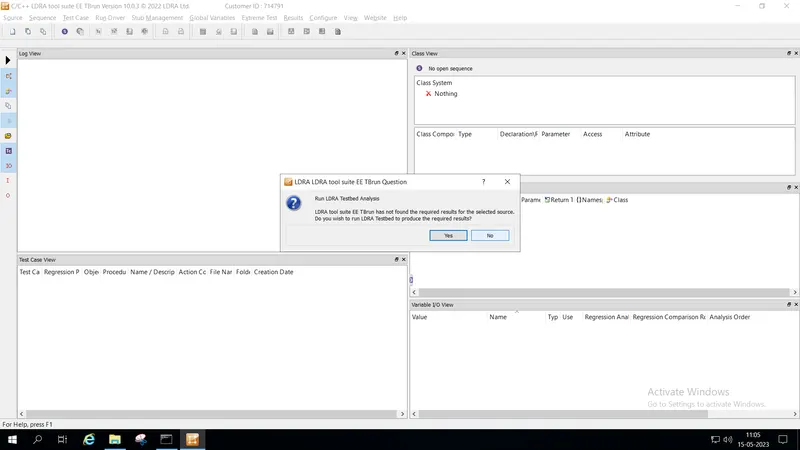
Step5: Select "No" when prompting for "run testbed analysis"....if not,when selecting "yes"...unit testing is done automatically...
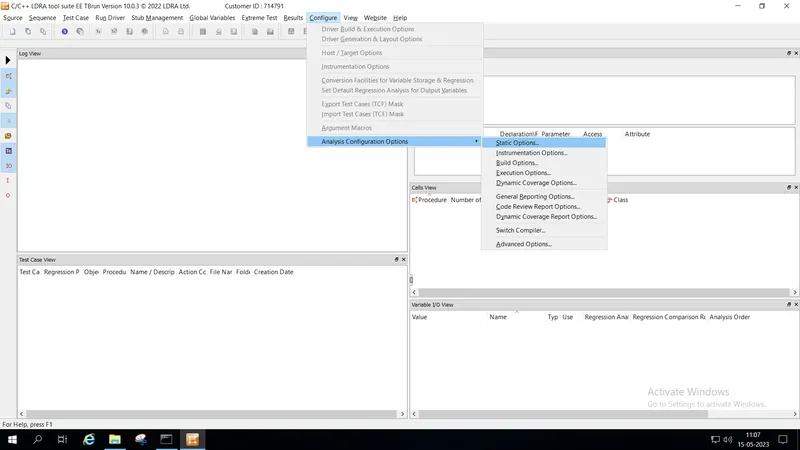
Step6: Select "Configure"--->"Analysis Configuration Options"--->"Static Options"
Step7: Under Static Analysis options select the path...
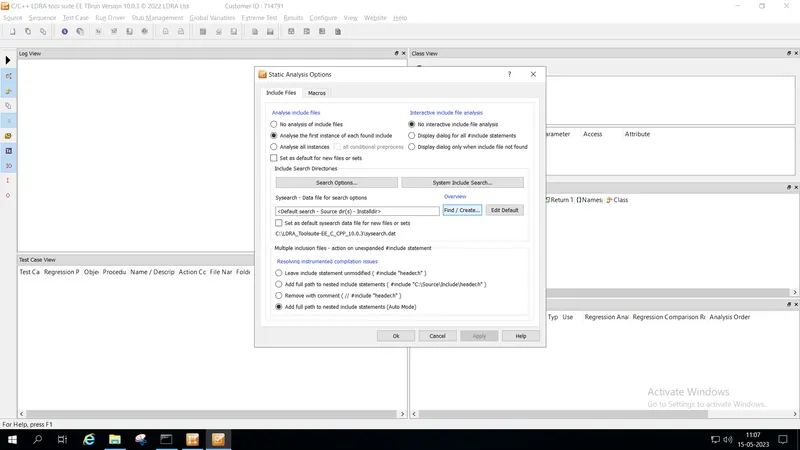
Step8: select the path..."C:\Users\user2\Documents\LDRA_EE_V1003\LDRA_Workarea\Examples".....then click "apply" and finally "ok".
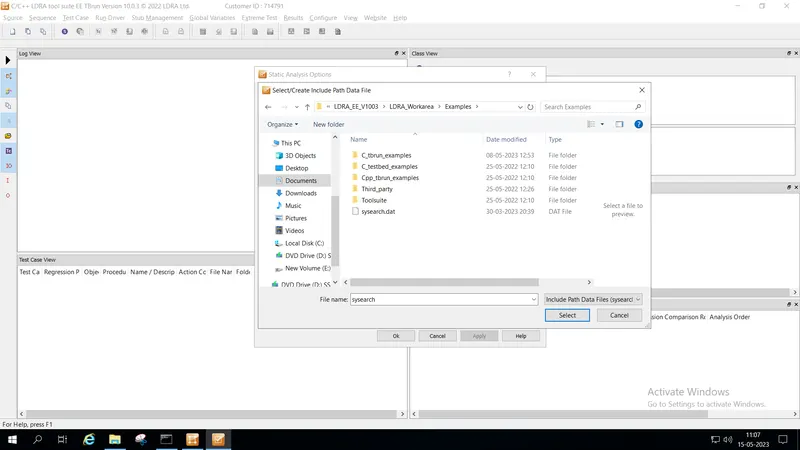
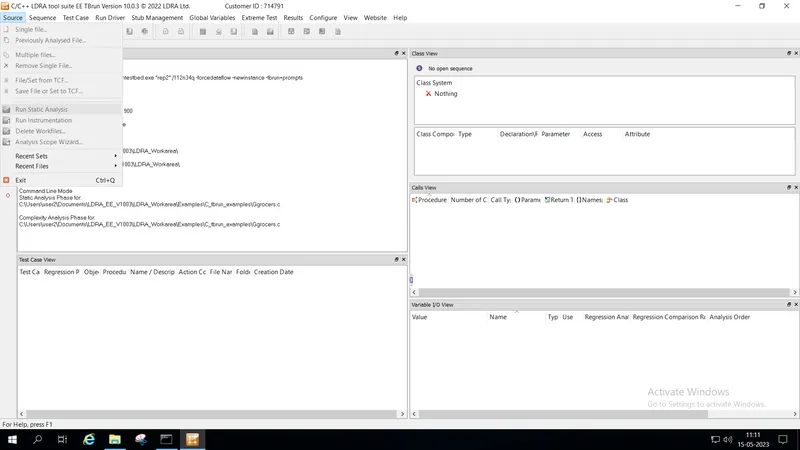
Step9: After selection of path...under "Source"--->"Run static Analysis"
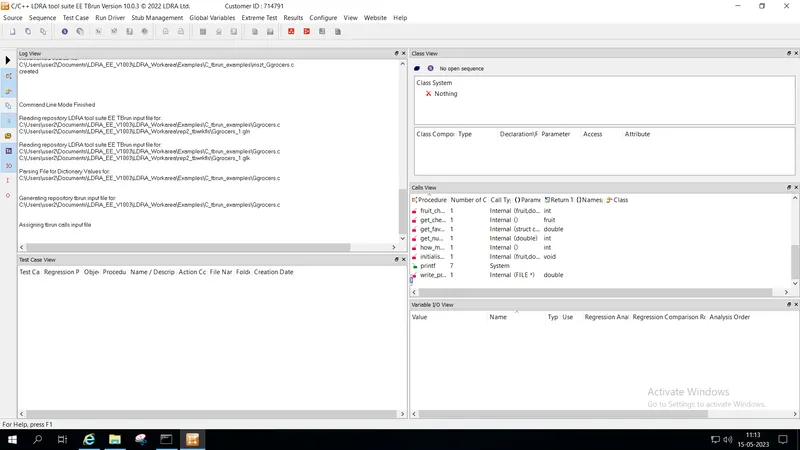
Step 10: after successful completion of static analysis...select under "results"--->"test manager report"
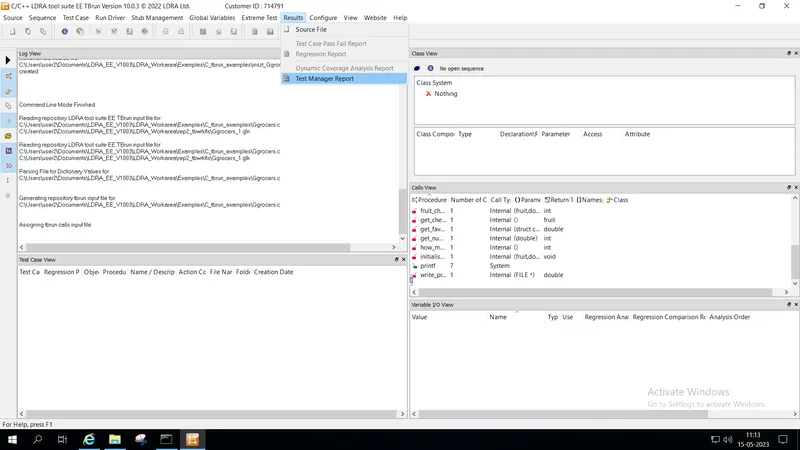
step 11:Test Manager Report is generated