Project 2 - V&V SW Analysis II
Question-1
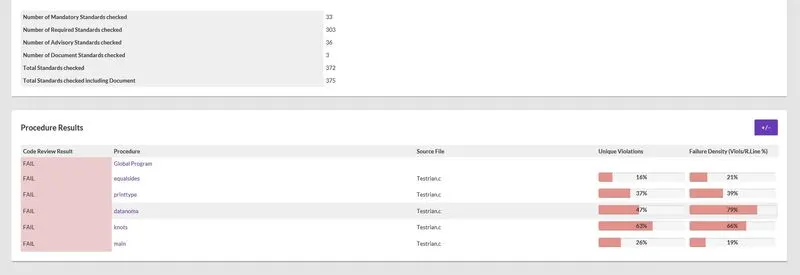
Perform Static Code Review Analysis for“C:\**\LDRA_workarea\Examples\C_Testbed_examples\Testrain\Testrain.c” Generate Code review report and upload them.
Ans)
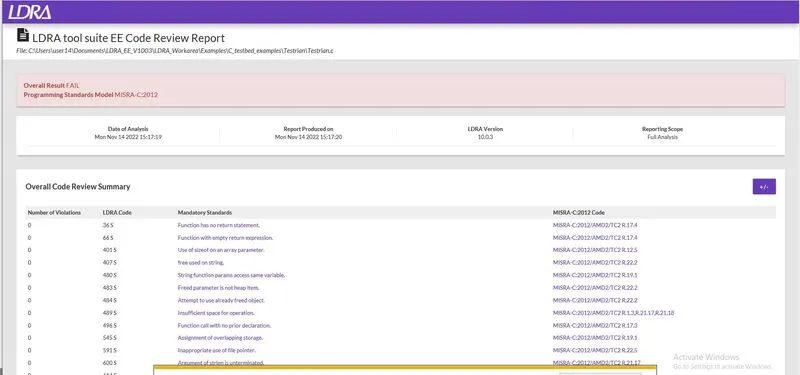
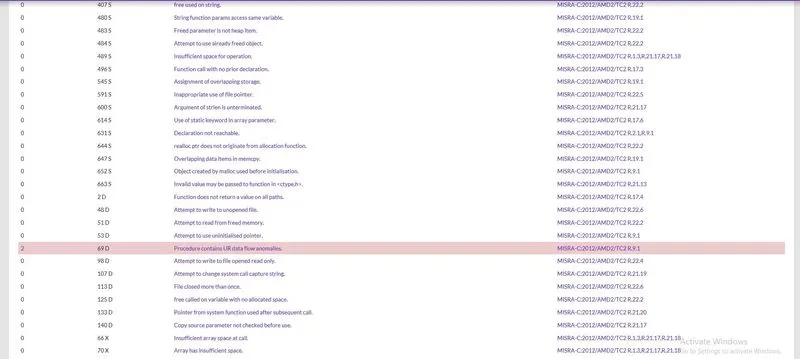
Code review report generated using LDRA tool TBvision:
1. Open TBvision and upload file by finding the.c file at locotion.
2. Name of .c file is given and location is also given.
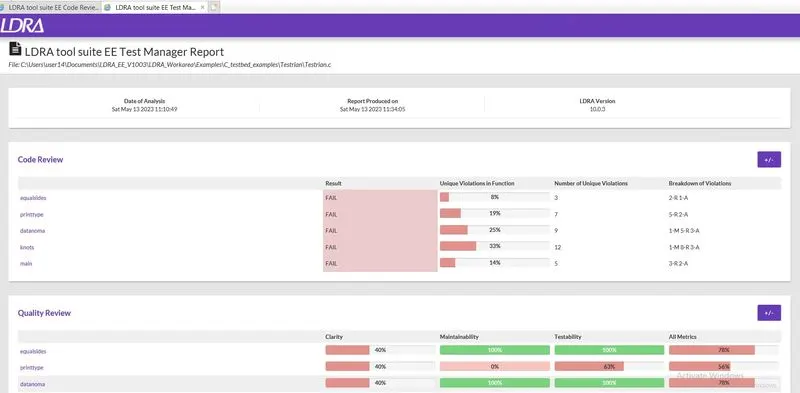
Code Review Report
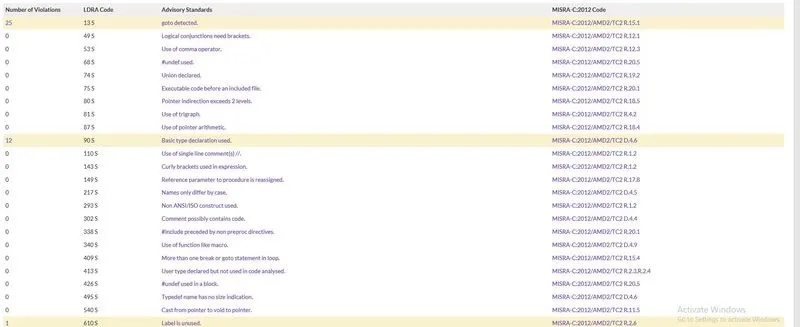
This is used to analyse the code and report on metrics for testability, maintainability, and clarity. Even beyond these metrics, LDRA helps us to identify and visually highlight areas of code which may require refactoring. We can easily configure the parameters of the overall quality model to meet the needs of our organisation or application requirements.
Advisory standards
Question-2
Perform Integration testing by including all the .C files available in the folder location C:\**\LDRA_workarea\Examples\Toolsuite\Cashregister_6.0\ **
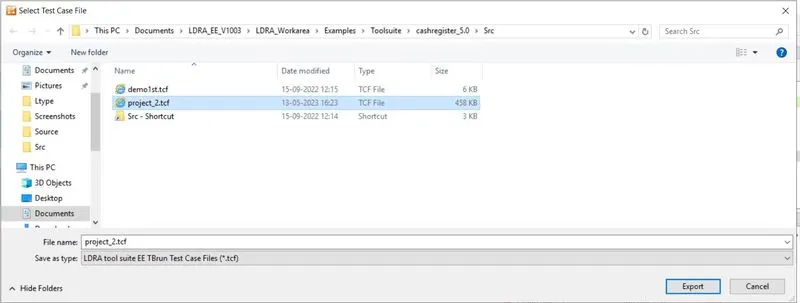
A)Create the test cases manually as well as automatically using TBExtreme and upload the reports. B)store the test cases as .tcf file. Upload the location image where the .tcf file is stored.
Ans)
Integration Testing
Integration testing is a type of software testing that aims to test the integration between different modules of an application or system. The purpose of integration testing is to identify defects that may arise from the interaction between the different modules or components of the system when they are combined.
Steps
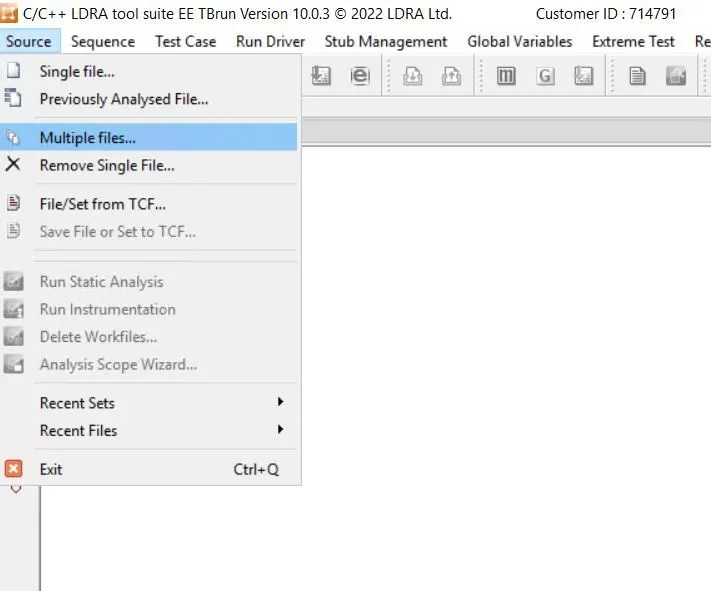
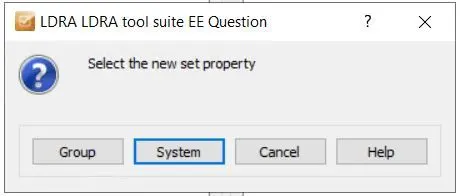
1) Create a set in LDRA TBrun:
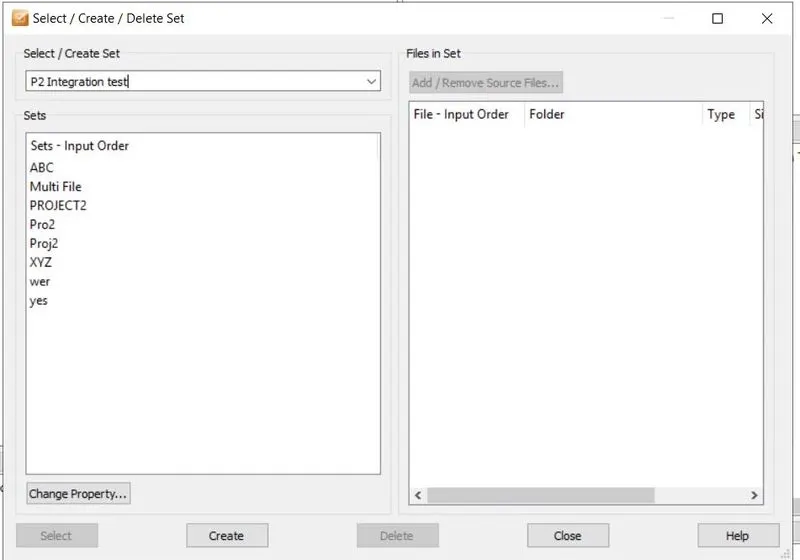
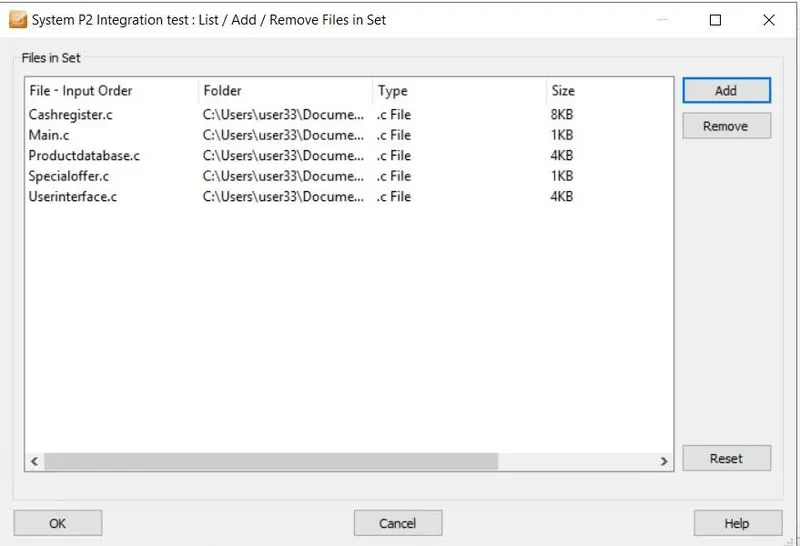
2) Add all files on which you want to do testing:
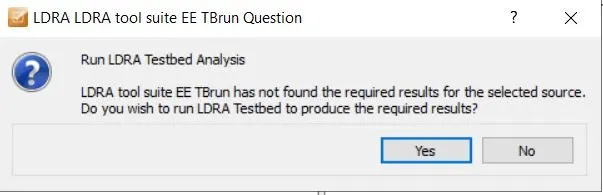
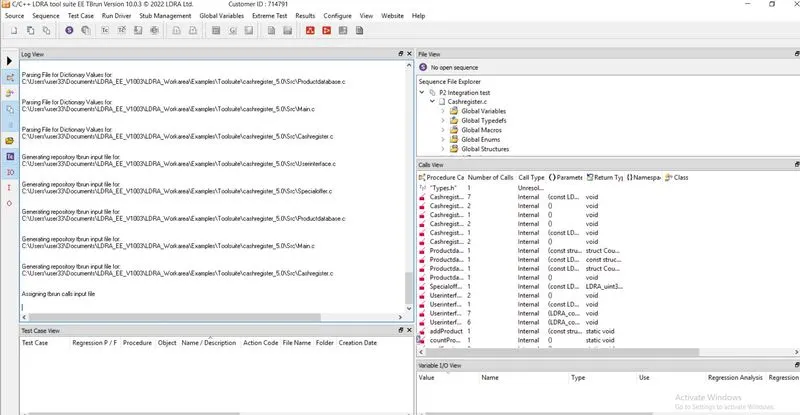
3) You can see all .c files are loading one by one:
4) To perform testing first we have to create Sequence in LDRA tool:
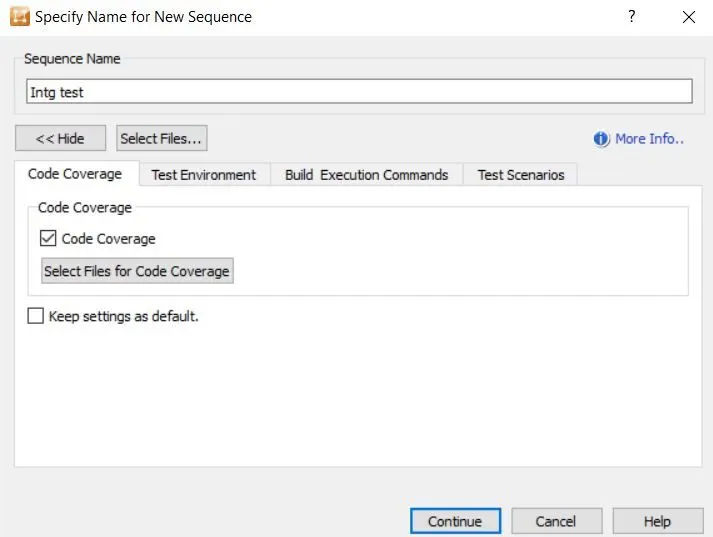
5)Create manual test cases
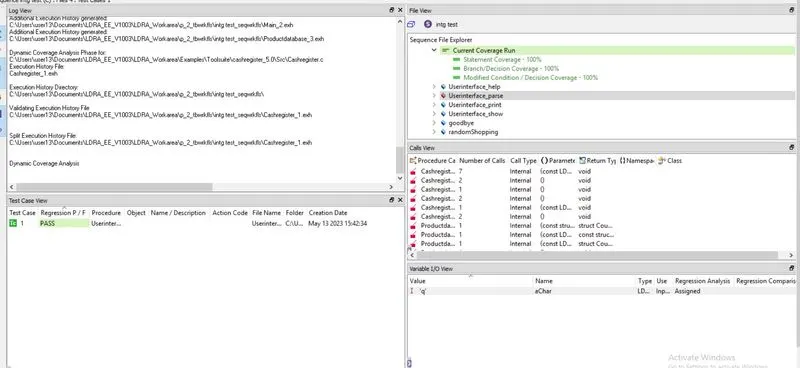
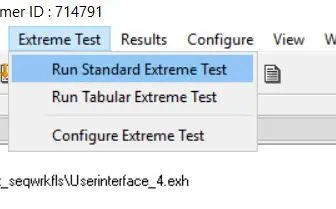
6)Create test cases automatically using TBExtreme
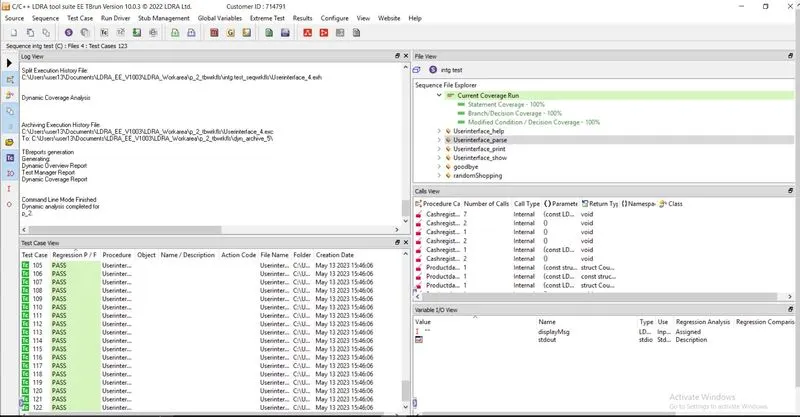
Test Report
Test Manager Report
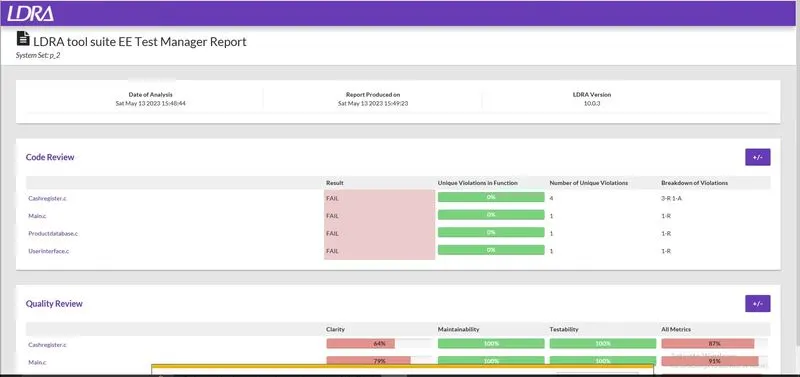
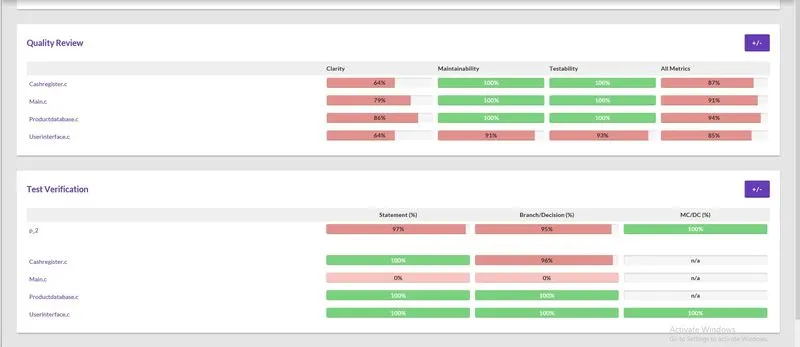

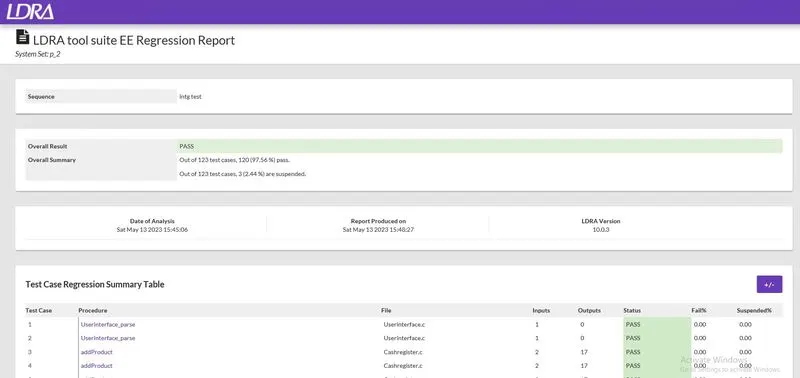
Regression Report
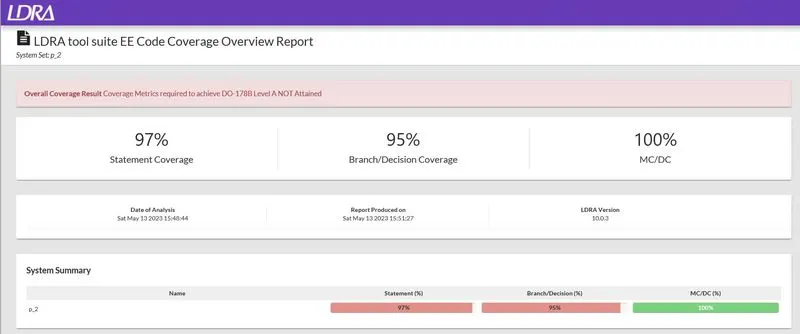
Dynamic Coverage Analysis Report
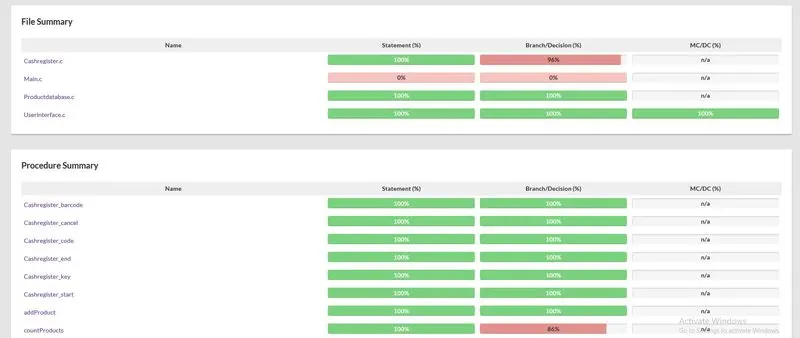
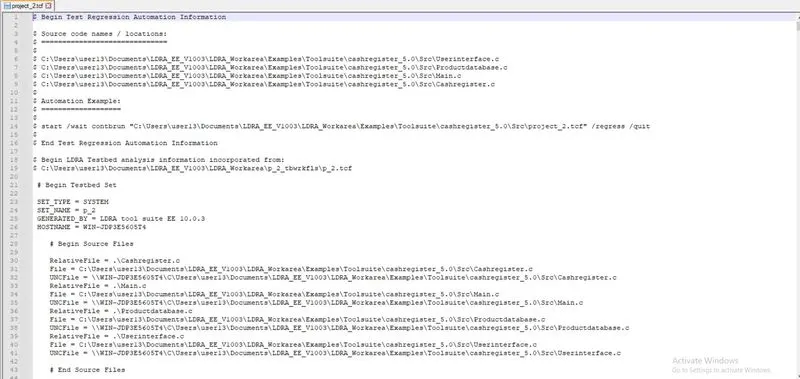
Store the test cases as .tcf file. Upload the location image where the .tcf file is stored.
1) Select Source and click on the Save file or Set to TCF
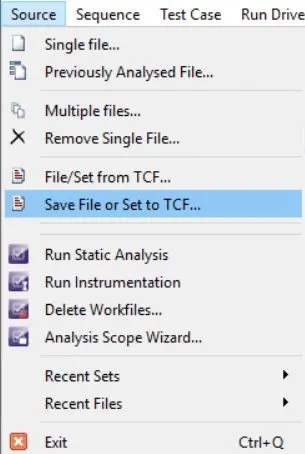
This option only stores File or set information
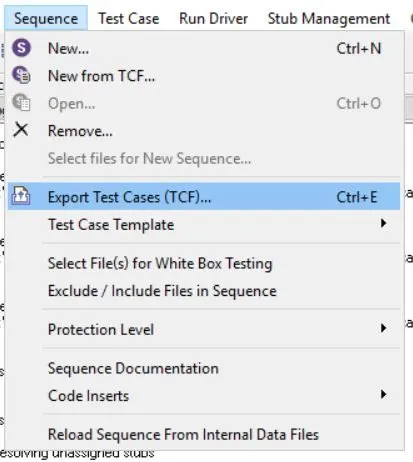
If we want to save the current sequence information ,Use Export Test Cases(TCF) in the sequence menu
2) Give a file name(project_2.tcf)
test case file (project_2.tcf) opened in wordpad+