Project 2 - V&V SW Analysis II
1:- Perform Static Code Review Analysis for “C:\**\LDRA_workarea\Examples\C_Testbed_examples\Testrain\Testrain.c”
1-Start LDRA TBrun .
2-From the LDRA page select source->single file->choose Documents-> LDRAEE -> LDRA_Workarea-> Examples-> C_Testbed_examples->Testrain> Testrain.c->open (in log view all the files run) .
3-static ananlysis in log view .
4-modify the Code to remove violations and make compliant to MISRA: C 2012 & CERT standards.
5-Generate Code review report compliant to MISRA: C 2012 Coding Standards
6-Generate Code review report compliant to CERT Coding Standards
7-Output/Reports: Code review report compliant to MISRA: C 2012 & CERT standards (2 html reports with no violations)
Dynamic Analysis :-
1-Click on sequence->new->sequrnce name(test_1)->click the box of code coverage->continue to perform white box test .
2- select functions in file view->right click->creat new test case .
3-in variable I/O view gives the input and excepted output .
4-click on run driver .
5->results->test manager report/Dynamic coverage analysis report/Regression report(report will be opened in internet like pdf)(there i can see my sequence name and what type of test i did) .
2:-Perform Integration testing by including all the .C files available in the folder location C:\**\LDRA_workarea\Examples\Toolsuite\Cashregister_6.0\ **
1-Start LDRA TBrun .
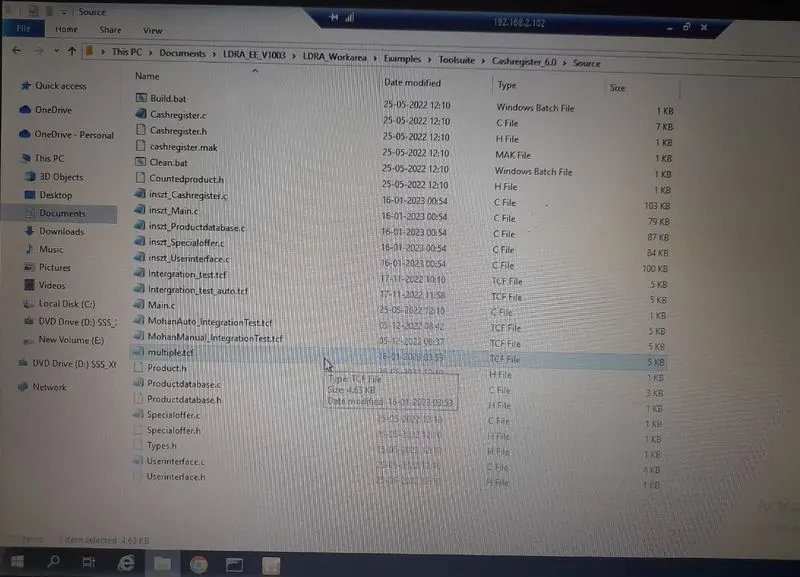
2-From the LDRA page select source->multiple files->create set->"multiple"->add all .c file from Cashregister_6.0>click select (in log view all the files run) .
3-then source->save file or set to tcf->create .tcf file "multiple.tcf" .
automatically using TBExtreme :-
1-create new sequence->"project_2-auto"->click the box of code coverage->continue to perform white box test .
2->Right click on .c file ->click run tabular extreme test
3-Results->Test manager report/Dynamic coverage analysis report/Regression report(report will be opened in internet like pdf)(there i can see my sequence name and what type of test i did)
test cases manually:-
1-create new sequence->"project_2-manual"->click the box of code coverage->continue to perform white box test .
5- select functions in file view one by one ->right click->creat new test case .
6-in variable I/O view gives the input and excepted output .
7-click on run driver .
8->results->test manager report/Dynamic coverage analysis report/Regression report(report will be opened in internet like pdf)(there i can see my sequence name and what type of test i did) .
A)The reports are upload .
B)Image location of the .tcf file .