Project-2-Meshing of Door Inner Panel Challenge
Aim / Objective :
To extract midsurface for the inner side door
To capture the doghouse and other midsurface properly
Mesh the component with proper flow and obtain quality parameters
Assign the thickness for the component
Component : Side door model
Quality Criteria :
Target Element Length = 4 Units
S.N Quality Criteria Value
1 Aspect Ratio 5
2 Skewness 45
3 Warping 15
4 Taper 0.5
5 Min. Length 2 Units
6 Max. Length 6 Units
7 Min angle Quad 45
8 Max angle Quad 135
9 Min angle Tria 20
10 Max angle Tria 120
11 Tria % 10
Procedure :
Steps 1:
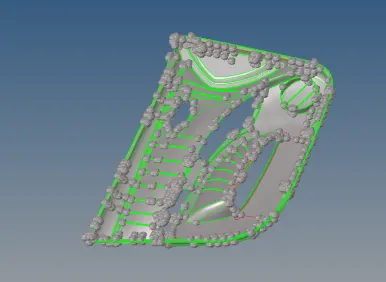
The Geometry was imported on hypermesh for midsurface extraction
Midsurface was extracted using geom surface edit offset giving the values
Once midsurface was extracted the alignment and along with the geometry checked
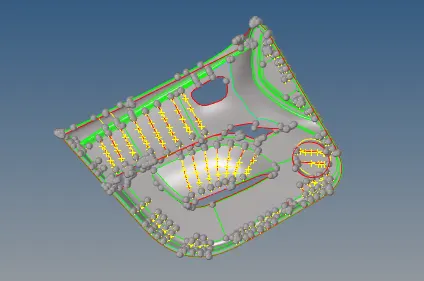
The midsurface which were not captured are then manually worked and captured
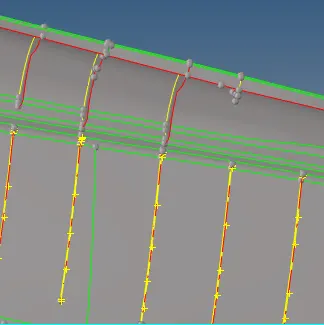
Ribs was attached by using geom surface edit trim with lines along the side edges
Steps 2 :
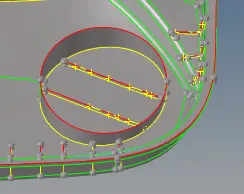
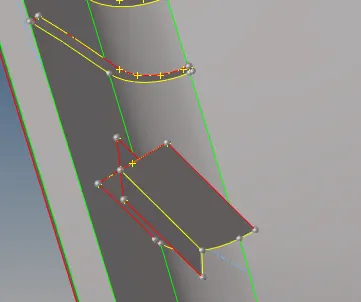
Ribs inside the door were not captured they were captured along with doghouse
For the ribs geom lines midline was used to capture the geom surface edit trim with lines for project
And doghouse was captured by using the plus sign and was projected then surface created under ruled
Then the surface was interesected using trim with surface plane they were intersected
The feature lines which were close less than minimum was toggled under geom quick edit
Steps 3 :
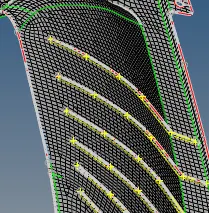
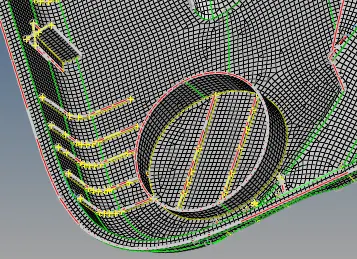
Meshing was done on the ribs using 2D automesh throughout
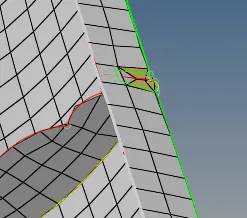
Failing elements were cleared by using rebuild mesh in those regions
Some elements failing for minimum length in the ribs could not be cleared
Failing warpage was captured using f10 save failed was done
Tool mask retrieve mask reverese adjacent was used to view and clear them
Step 4 :
The unmeshed surfaces were checked using 2D automesh and meshed
Holes on the surfaces were captured properly during meshing
Some big regions were section to small regions and meshed
Under tools edges were equivalence or cleared by using 2D replace nodes
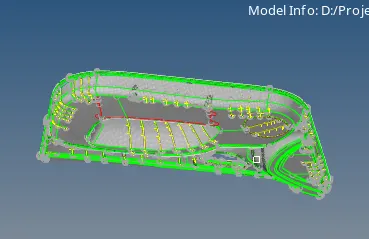
Obtained a proper meshflow and quality parameters with meshing
Step 5 :
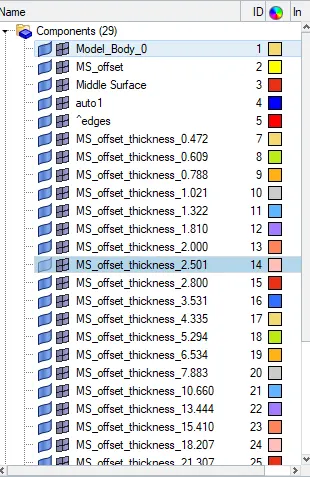
Thickness assignment was done using the automatic method
Under mesh assign Midmesh thickness was selected
Solid was replaced with surfce and the required options was selected
Thickness was assigned automatically and verified for all regions
2d elements representation was used to check Some elements were moved using tool organize
Thus thickness was assigned properly and file saved
Learning outcomes :
To extract midsurface for the plastic inner side door
Doghouse and ribs midsurface capturing by using different options
Meshing the component and rebuilding the mesh in some regions
Obtaining quality criteria mostly with proper mesh flow
Thickness assigning automatically with components created
Result :
Thus the inner side door midsurface extracted meshed with proper flow quality criteria with thickness assignment and the file is attached for reference