Project-2-Meshing of Door Inner Panel Challenge
Aim -
generate the mid and meshh the given model with respect to the quality given
procedure-
1. first import the model to hypermesh using the import option
2.after importing check on the quality and enter them in the critria file settins in the preference tab
3 .clear all the free edges in the component
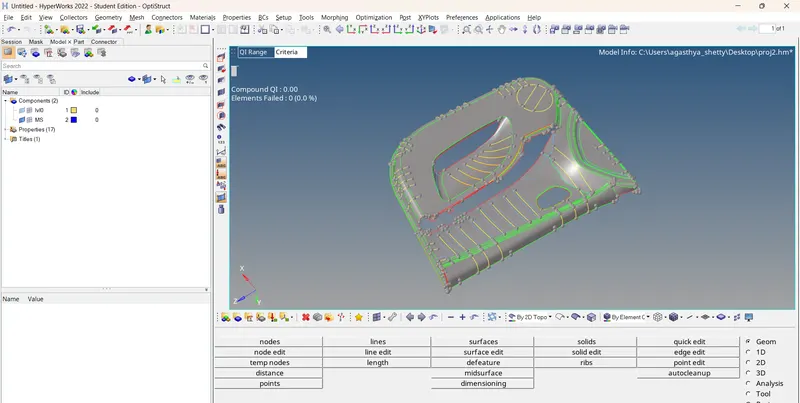
4.later on go to the geom option midsurface - extraction option - offset +planes
5. after generating the mid check for the surface and toggle the necessary lines
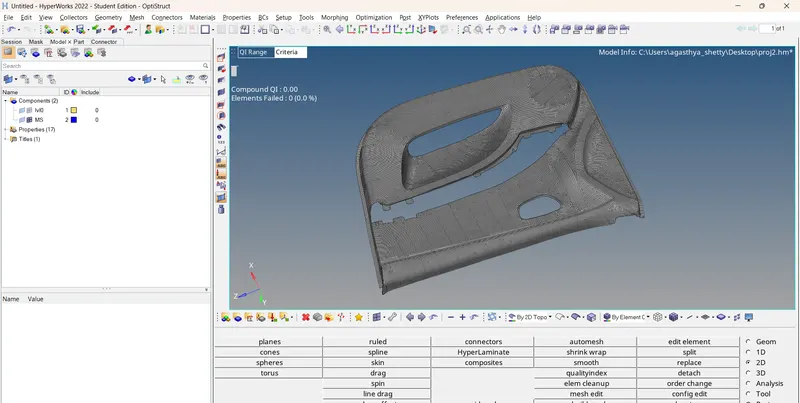
6.later on start with the mesh in the 2d - automesh type in the ele size and start meshing
7. make sure to check the flow and minimize the trias formation where ever necessary
the remesh mesh is a handy option
8.enter the quality in the prefernece tab --quality criteria
9ele clean up can be done in 2d - quality index ele optimize etc - smooth option
10. or the ele clean up option in 2d panesl
conclusion
- helped me in understanding how to generate mid a complex plastic geom and mesh the given model propely