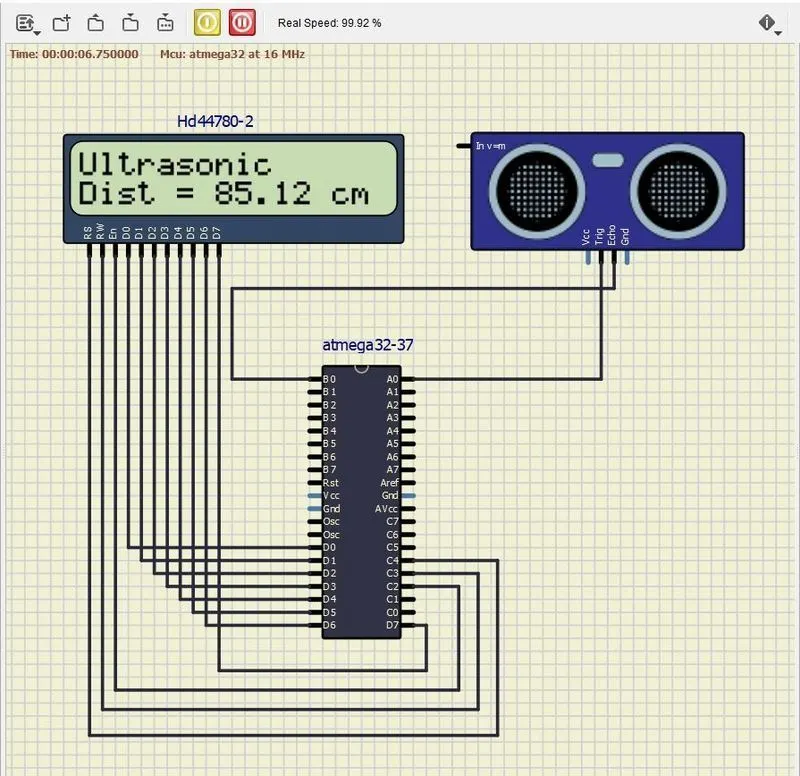
Project 2 - Measuring distance of an object using ultrasonic sensor (HC-SR04)
Project
In this project, the implementation of code for “Measuring distance of an object using ultrasonic distance sensor (HC-SR04)
Goals:
- Measuring the distance of an object using Ultrasonic Distance Sensor (HC-SR04)
- Usage of Input Capture Mode
Ultrasonic Distance Sensor (HC-SR04)
The Ultrasonic Distance Sensor HC-SR04 is a type of sensor that uses sound waves to determine the distance between the sensor and an object.
The HC-SR04 sensor works by emitting a high frequency sound wave (ultrasonic) from its transmitter, and then measuring the time it takes for the sound wave to bounce back to its receiver after hitting an object. The sensor calculates the distance between itself and the object based on the time it takes for the sound wave to travel back and forth.
t typically has four pins for connection: VCC (power), GND (ground), TRIG (trigger), and ECHO (echo). The TRIG pin is used to trigger the sound wave, and the ECHO pin is used to measure the time it takes for the sound wave to bounce back.
Calculation (distance in cm)
Sound velocity = 343.00 m/s = 34300 cm/s
The distance of the Object (in cm) = Sound velocity *Timer/2
= 32300*Timer/2
= 17150*Timer
Here we have selected an internal 8 MHz oscillator frequency for ATmega16, with No-presale for timer frequency. Then time to execute 1 instruction is 0.125 us.
So, the timer gets incremented after 0.125 us time elapse.
= 17150 x (TIMER value) x 0.125 x 10^-6 cm
= 0.125 x (TIMER value)/58.30 cm
= (TIMER value) / 466.47 cm
code
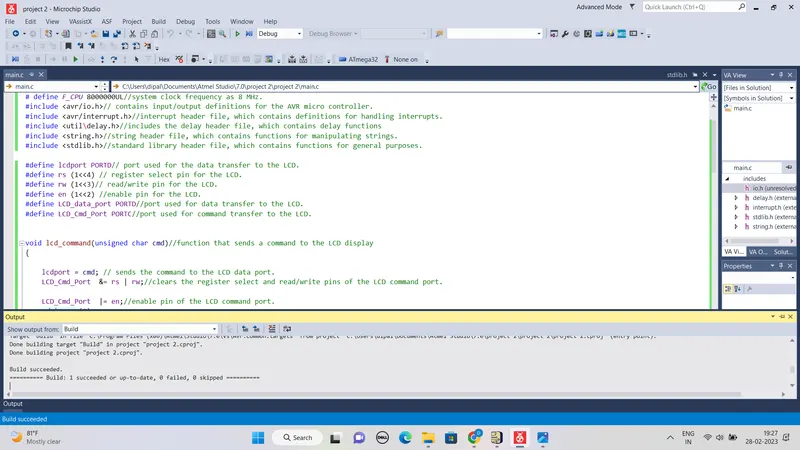
# define F_CPU 8000000UL//system clock frequency as 8 MHz.
#include <avr/io.h>// contains input/output definitions for the AVR micro controller.
#include <avr/interrupt.h>//interrupt header file, which contains definitions for handling interrupts.
#include <util\delay.h>//includes the delay header file, which contains delay functions
#include <string.h>//string header file, which contains functions for manipulating strings.
#include <stdlib.h>//standard library header file, which contains functions for general purposes.
#define lcdport PORTD// port used for the data transfer to the LCD.
#define rs (1<<4) // register select pin for the LCD.
#define rw (1<<3)// read/write pin for the LCD.
#define en (1<<2) //enable pin for the LCD.
#define LCD_data_port PORTD//port used for data transfer to the LCD.
#define LCD_Cmd_Port PORTC//port used for command transfer to the LCD.
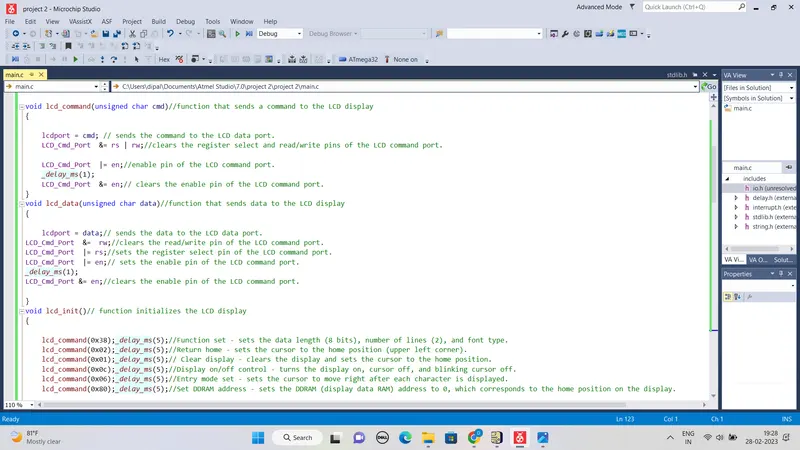
void lcd_command(unsigned char cmd)//function that sends a command to the LCD display
{
lcdport = cmd; // sends the command to the LCD data port.
LCD_Cmd_Port &= rs | rw;//clears the register select and read/write pins of the LCD command port.
LCD_Cmd_Port |= en;//enable pin of the LCD command port.
_delay_ms(1);
LCD_Cmd_Port &= en;// clears the enable pin of the LCD command port.
}
void lcd_data(unsigned char data)//function that sends data to the LCD display
{
lcdport = data;// sends the data to the LCD data port.
LCD_Cmd_Port &= rw;//clears the read/write pin of the LCD command port.
LCD_Cmd_Port |= rs;//sets the register select pin of the LCD command port.
LCD_Cmd_Port |= en;// sets the enable pin of the LCD command port.
_delay_ms(1);
LCD_Cmd_Port &= en;//clears the enable pin of the LCD command port.
}
void lcd_init()// function initializes the LCD display
{
lcd_command(0x38);_delay_ms(5);//Function set - sets the data length (8 bits), number of lines (2), and font type.
lcd_command(0x02);_delay_ms(5);//Return home - sets the cursor to the home position (upper left corner).
lcd_command(0x01);_delay_ms(5);// Clear display - clears the display and sets the cursor to the home position.
lcd_command(0x0c);_delay_ms(5);//Display on/off control - turns the display on, cursor off, and blinking cursor off.
lcd_command(0x06);_delay_ms(5);//Entry mode set - sets the cursor to move right after each character is displayed.
lcd_command(0x80);_delay_ms(5);//Set DDRAM address - sets the DDRAM (display data RAM) address to 0, which corresponds to the home position on the display.
}
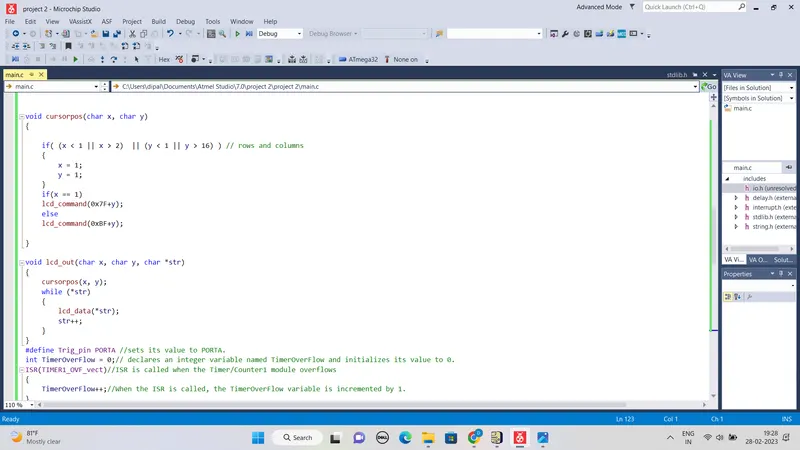
void cursorpos(char x, char y)
{
if( (x < 1 || x > 2) || (y < 1 || y > 16) ) // rows and columns
{
x = 1;
y = 1;
}
if(x == 1)
lcd_command(0x7F+y);
else
lcd_command(0xBF+y);
}
void lcd_out(char x, char y, char *str)
{
cursorpos(x, y);
while (*str)
{
lcd_data(*str);
str++;
}
}
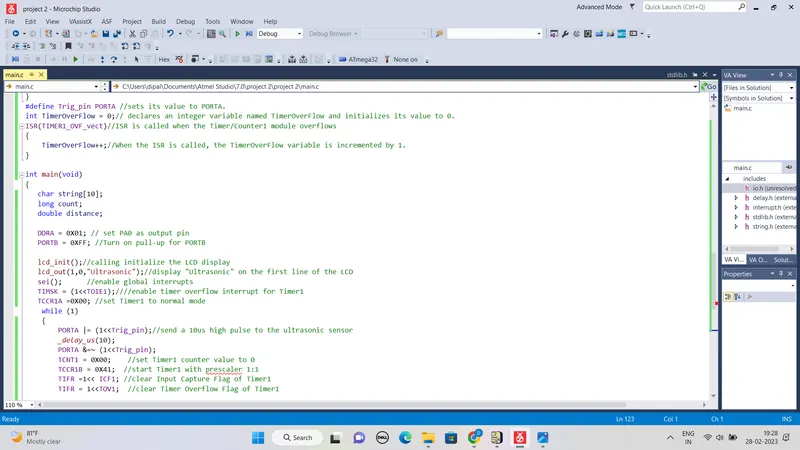
#define Trig_pin PORTA //sets its value to PORTA.
int TimerOverFlow = 0;// declares an integer variable named TimerOverFlow and initializes its value to 0.
ISR(TIMER1_OVF_vect)//ISR is called when the Timer/Counter1 module overflows
{
TimerOverFlow++;//When the ISR is called, the TimerOverFlow variable is incremented by 1.
}
int main(void)
{
char string[10];
long count;
double distance;
DDRA = 0X01; // set PA0 as output pin
PORTB = 0XFF; //Turn on pull-up for PORTB
lcd_init();//calling initialize the LCD display
lcd_out(1,0,"Ultrasonic");//display "Ultrasonic" on the first line of the LCD
sei(); //enable global interrupts
TIMSK = (1<<TOIE1);////enable timer overflow interrupt for Timer1
TCCR1A =0X00; //set Timer1 to normal mode
while (1)
{
PORTA |= (1<<Trig_pin);//send a 10us high pulse to the ultrasonic sensor
_delay_us(10);
PORTA &=~ (1<<Trig_pin);
TCNT1 = 0X00; //set Timer1 counter value to 0
TCCR1B = 0X41; //start Timer1 with prescaler 1:1
TIFR =1<< ICF1; //clear Input Capture Flag of Timer1
TIFR = 1<<TOV1; //clear Timer Overflow Flag of Timer1
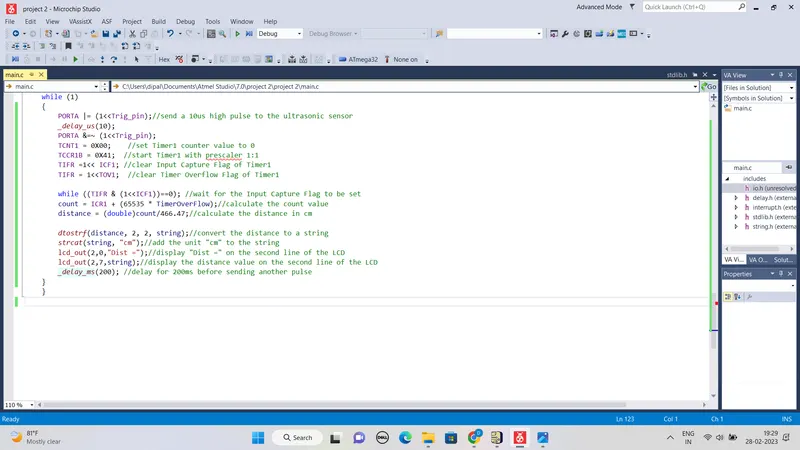
while ((TIFR & (1<<ICF1))==0); //wait for the Input Capture Flag to be set
count = ICR1 + (65535 * TimerOverFlow);//calculate the count value
distance = (double)count/466.47;//calculate the distance in cm
dtostrf(distance, 2, 2, string);//convert the distance to a string
strcat(string, "cm");//add the unit "cm" to the string
lcd_out(2,0,"Dist =");//display "Dist =" on the second line of the LCD
lcd_out(2,7,string);//display the distance value on the second line of the LCD
_delay_ms(200); //delay for 200ms before sending another pulse
}
}
Simulation Circuit