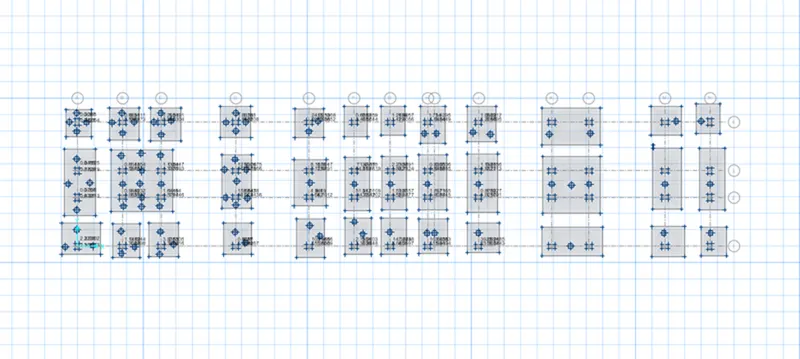
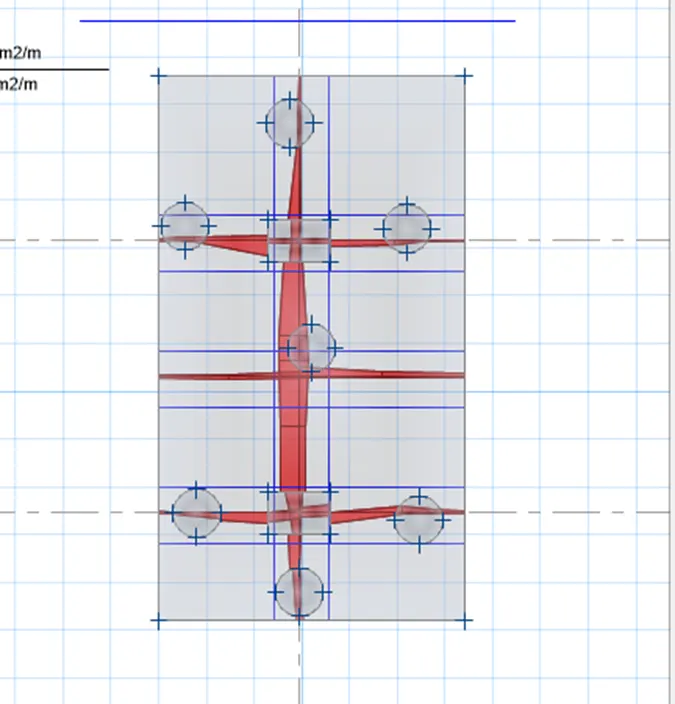
Project 2_Design & Analysis of a Hostel building at Guwahati, Assam
AIM :
To Create and Analyse the given building in ETABS 2018, the structural model has to be prepared with IS 1893 and as per IS 13920. To design the pile cap and pile R/F details , Tie beam connecting the pile caps, to sketch the column R/F, to produce the framing plan and beam detailing for ground floor.
Given :
The wall are made of AAC blocks Pile capacity -280kN, M25 Concrete Fe 500 steel, Soil type 3.
INTRODUCTIONS :
- Etabs is the software which is being used to create a structural model of given bldg.
- Firstly note down the values of grid spacing from the given structural plans.
- Secondly Create the Structural model and run the Model.
- Analyse the result and note down the result values from ETABS.
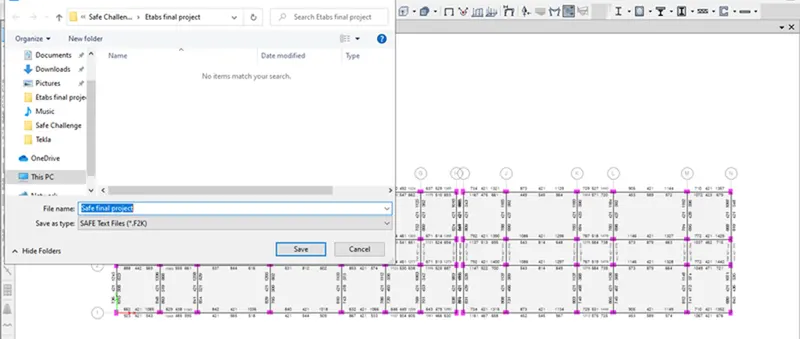
- Export the model to SAFE 2016 software in order to design the foundation.
Step 1:
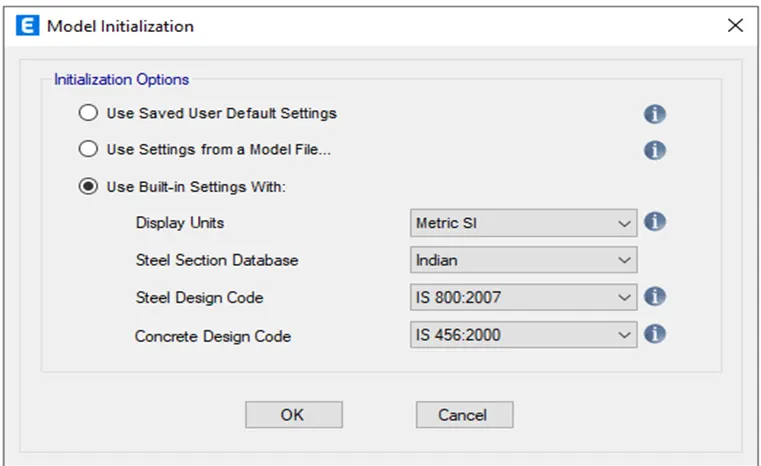
- Firstly open the etabs software go to file and click on new model. Model initialisation window will be appeared.
- Choose the metric system and IS code and click ok.
Step 2:
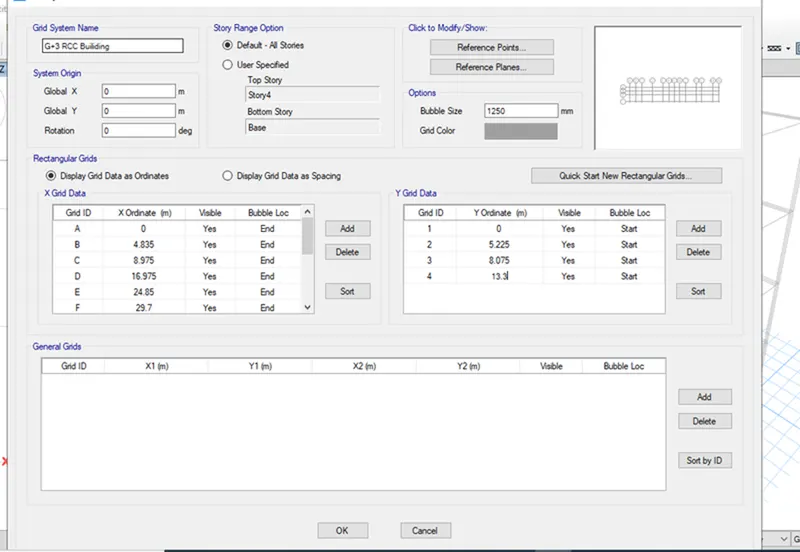
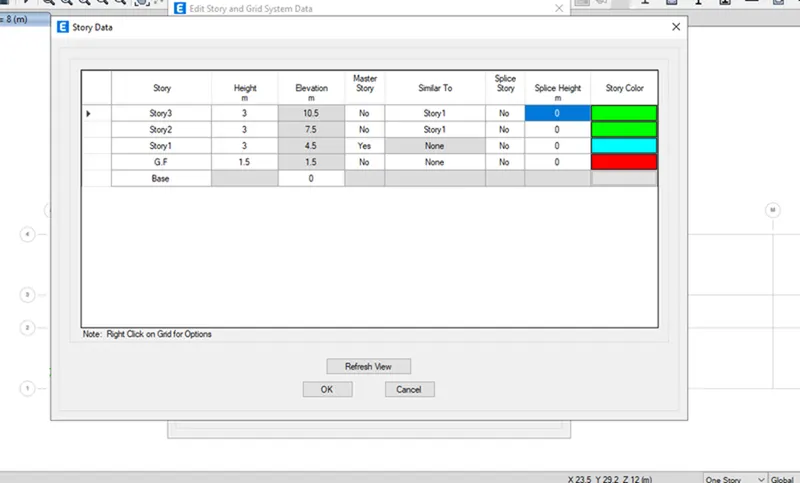
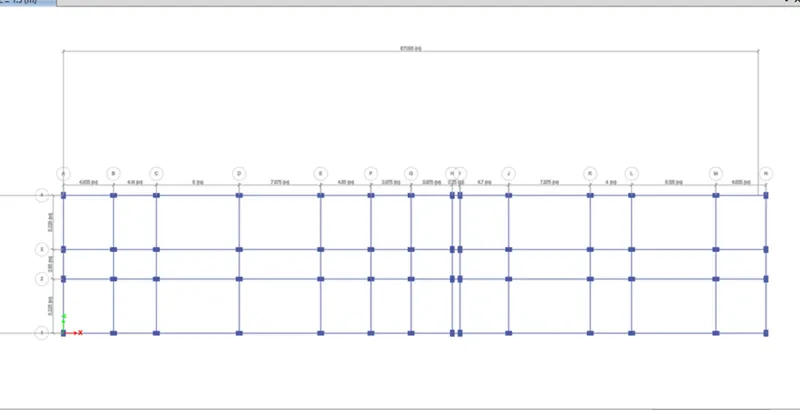
- Edit the grid data as provided in the pdf document and provide storey data.
Step 3 :
- In this step we have to define material properties.
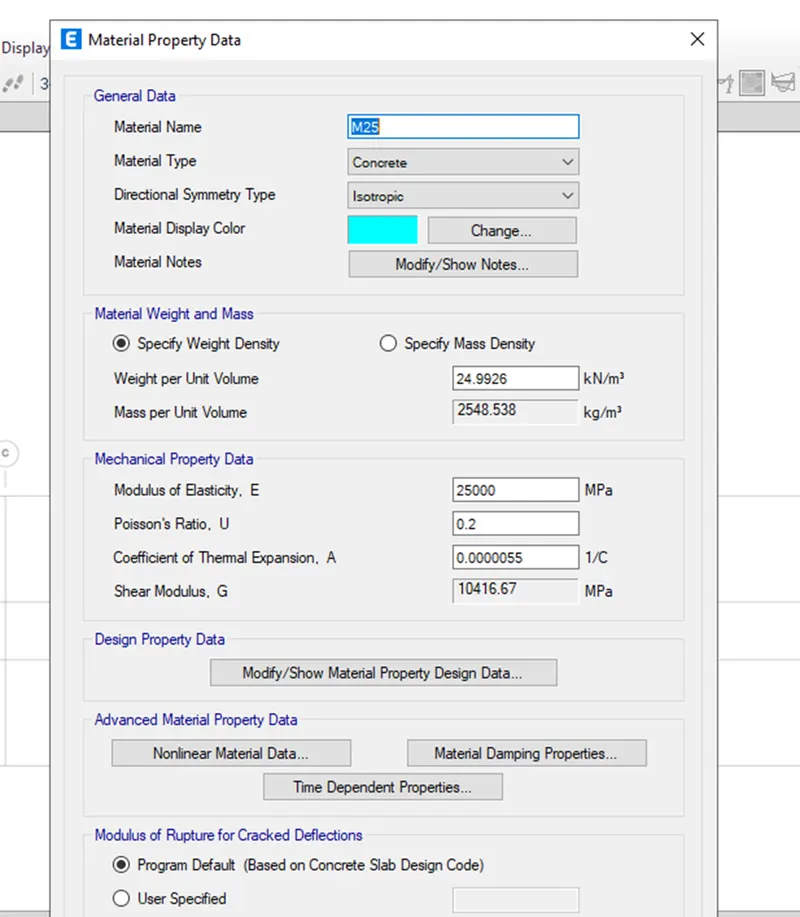
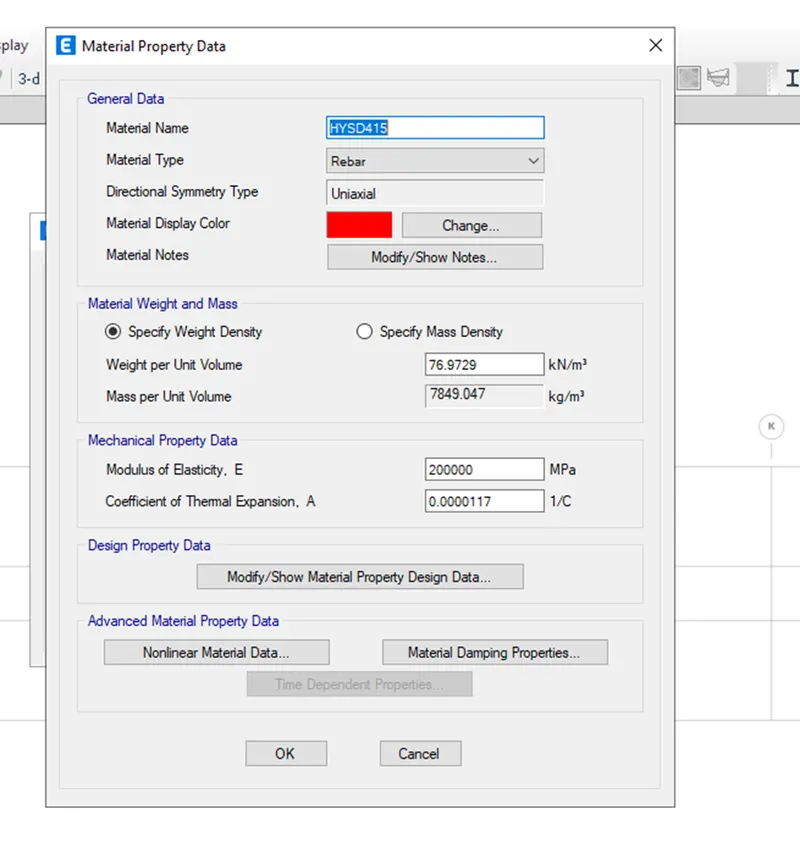
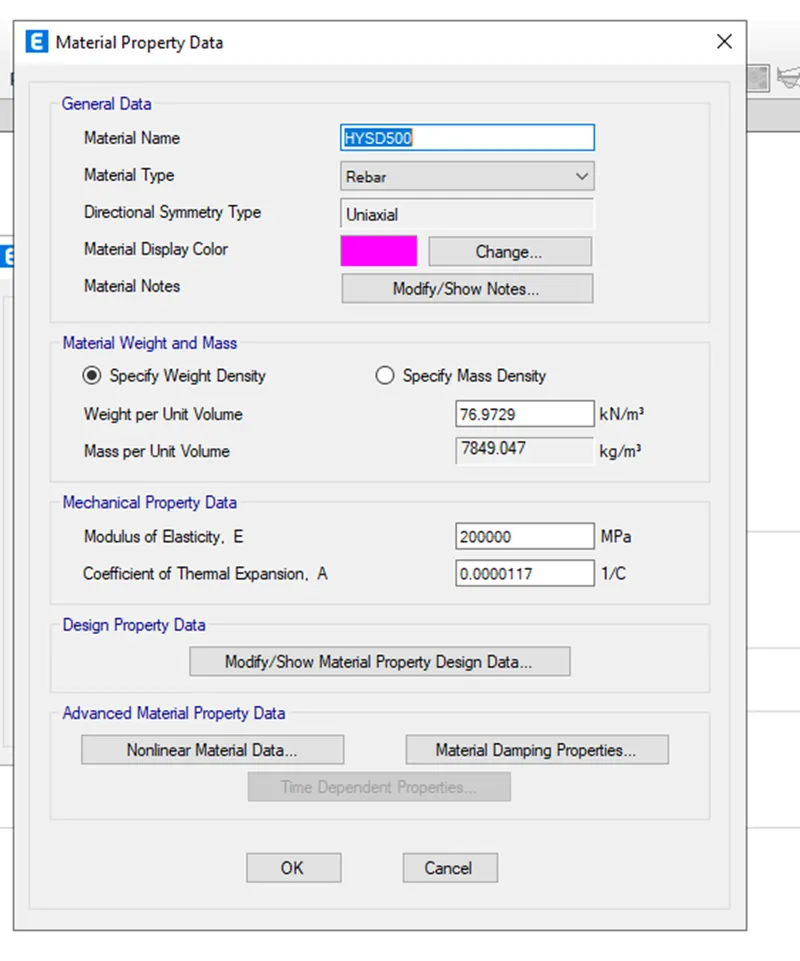
- Go to define tab click on material properties and add the concrete as well as rebar material specification.
- Create a new property as M25 for concrete and click ok.
- Create a new property as Fe415 of steel rebar for Shear reinforcement and click ok.
- Create a new property as Fe500 of steel rebar for longitudinal reinforcement and click ok.
Step 4 :
- In this step we have to define section properties.
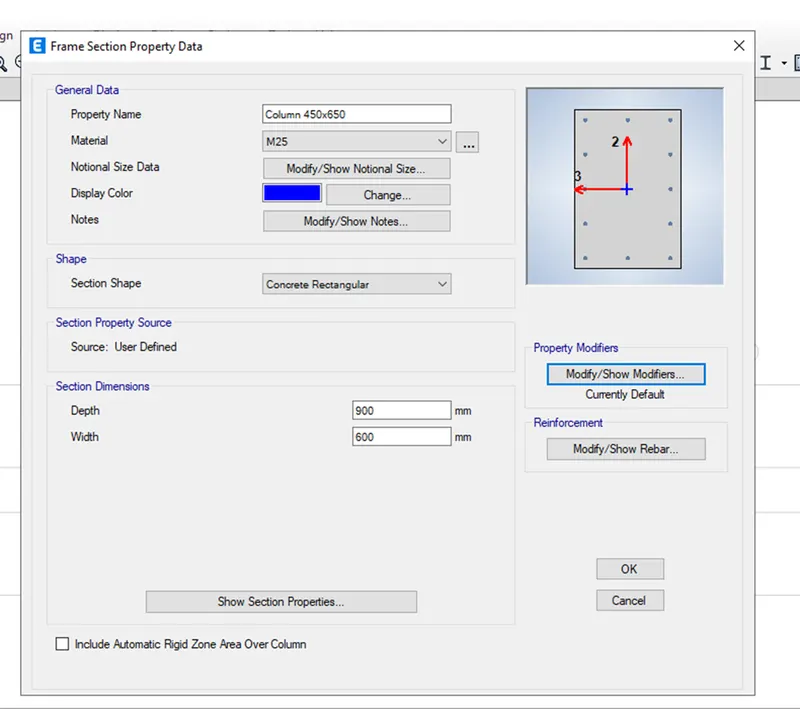
- Go to define and click on section properties and add new property as column having size 450mmX650mm.
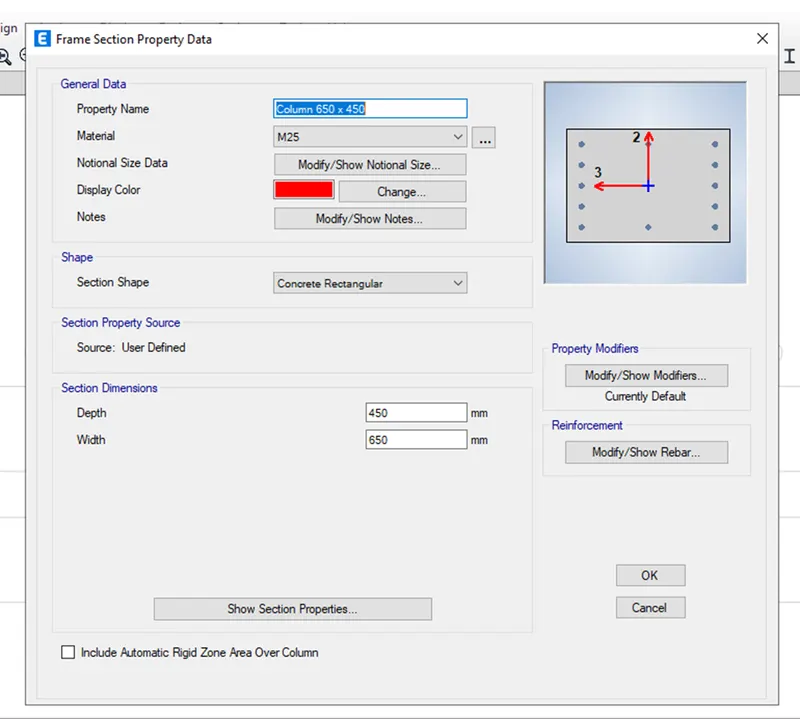
- Go to define and click on section properties and add new property as column having size 650mmX450mm.
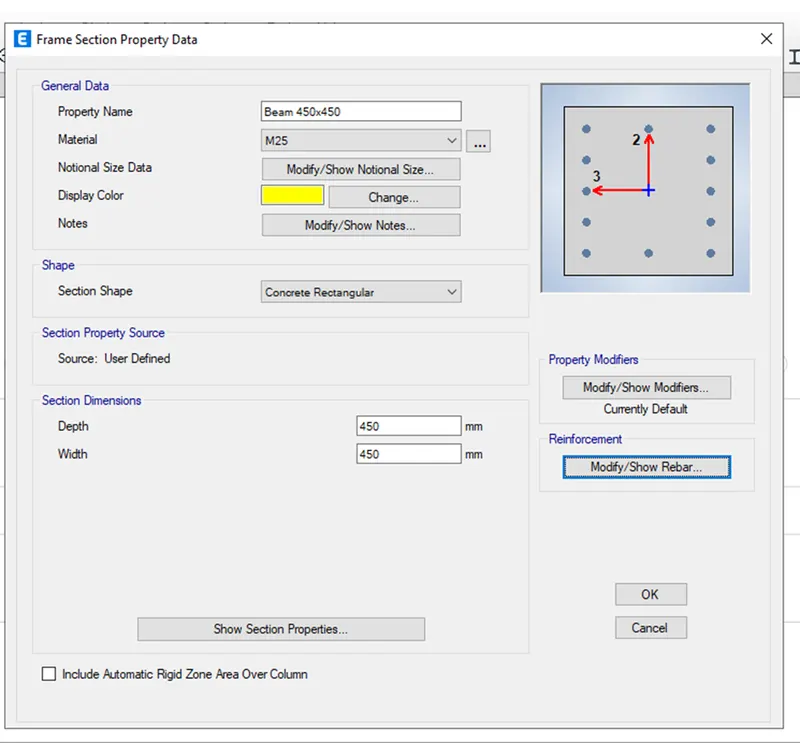
- Go to define and click on frame properties and add new property as beam having size 450mmX450mm.
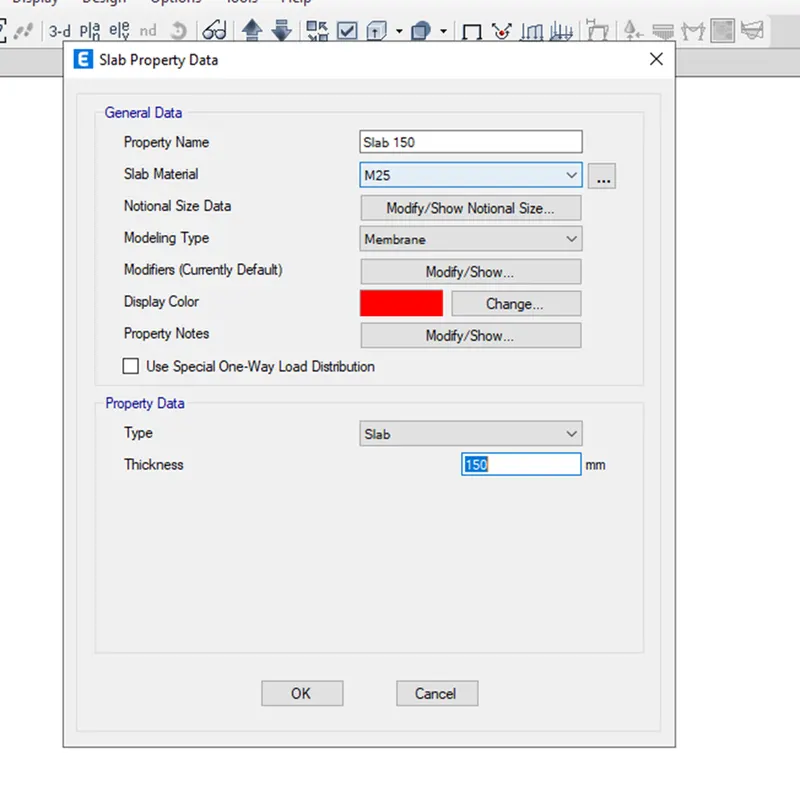
- Go to define and click on slab section properties and add new property as slab150 having 150mm thickness.
Step 5 :
- Assign the beams and columns using draw too
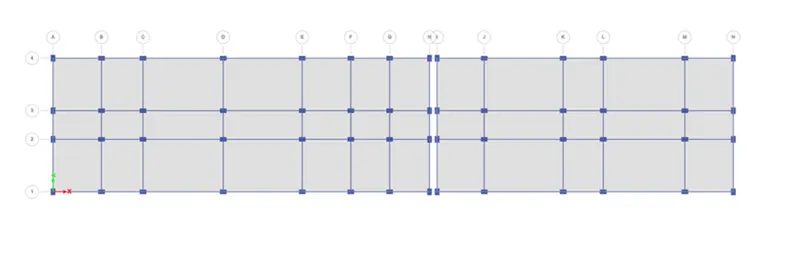
- Assign the slab.
Step 6 :
- Assign load cases
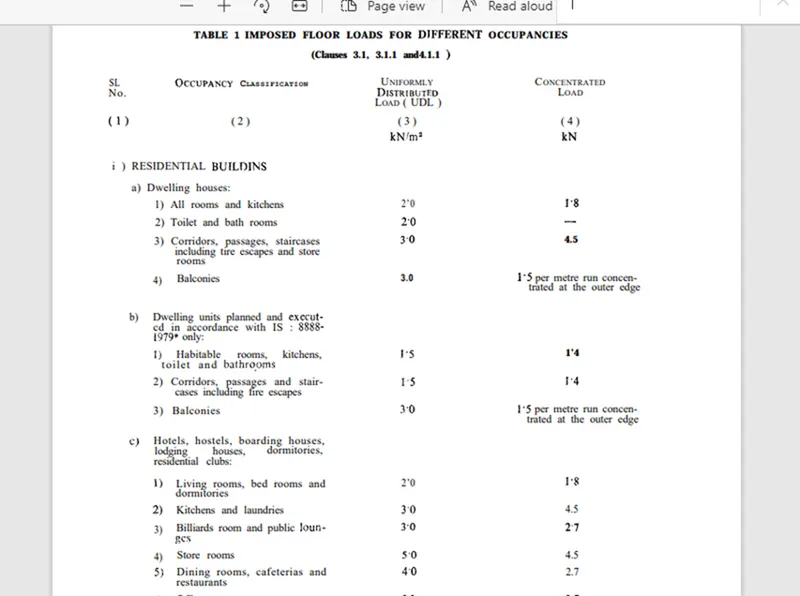
- Living Rooms, Bedrooms and dormitories 2 kN/m^2
- Kitchen and Laundries 3 kN/m^2
- Billiards and public lounges 3 kN/m^2
- Store rooms 3 kN/m^2
- Dining rooms, cafeterias and restaurant 4 kN/m^2
- Office rooms5 kN/m^2
- Bath and toilets 2 kN/m^2
- Corridors, passages, staircase 3 kN/m^2
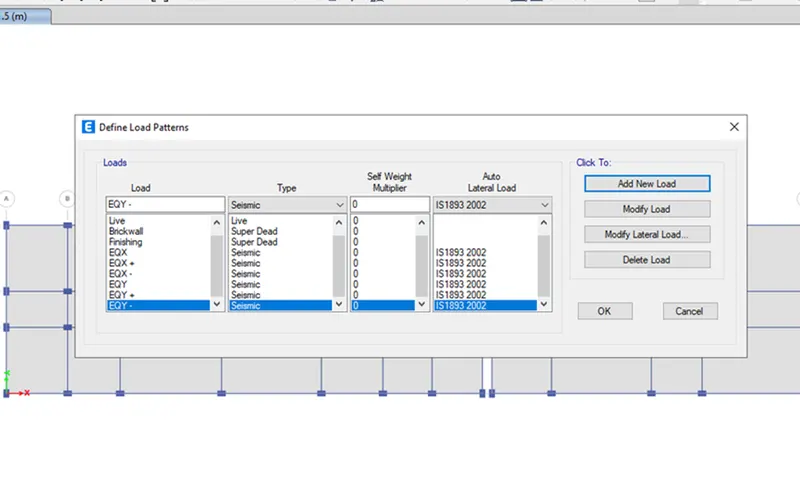
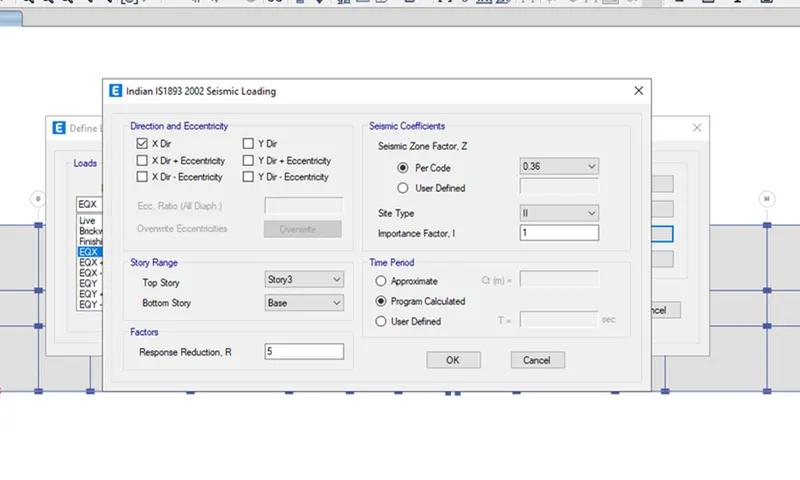
- Add new load as Brick wall, EQX with both positive and negative eccentricity as per IS 1893:2016
- Similarly add EQY with positive and negative eccentricity
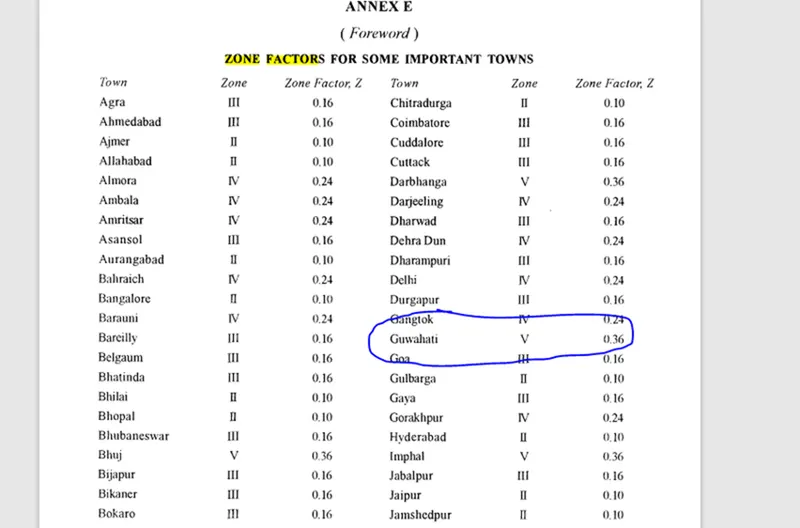
- As per IS 1893:2002, zone factor for Guwahati, Assam is 0.36 and it is 5th zone
- Modify the zone factors as per IS code
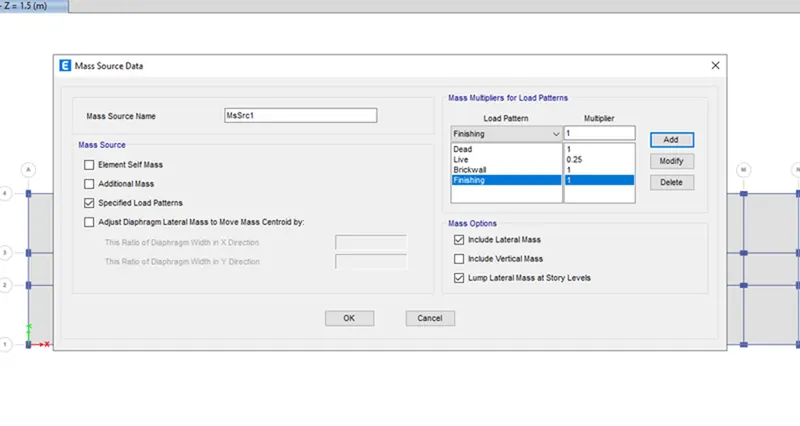
- Assign the Mass source data
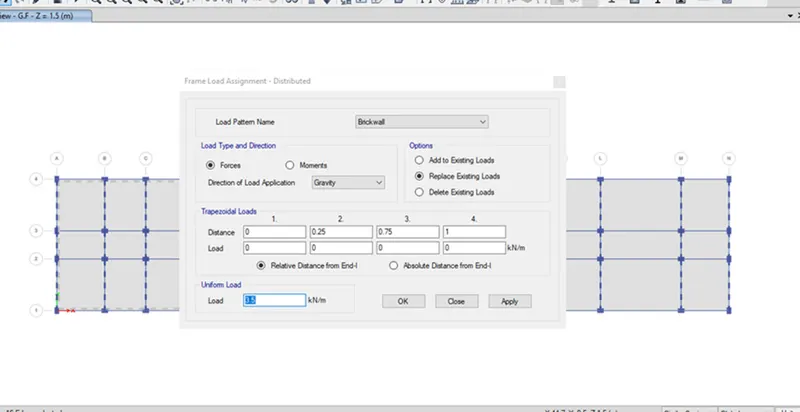
- Apply the brick wall loading into the model
- Apply the loadings into the model
- As per clause number is 875 part2 reduction factor should be applied on the imposed loads.
- Live load at the roof floor needs to be reduced hence 2 kN/m is applied.
- Floor finish on all the floors 2 kN/m is applied.
- Seismic loads should be define so as per IS 1893 Table no. 8 importance factor should be 1.2
- Time period is calculated as per clause number 7.6.2 of IS 1893
T=0.09h/sqrtd
Tx=(0.09*16.85)/(67.7)^0.5=0.184 Seconds. Or Ty=0.09*16.85/(13.3)^0.5=0.415 sec
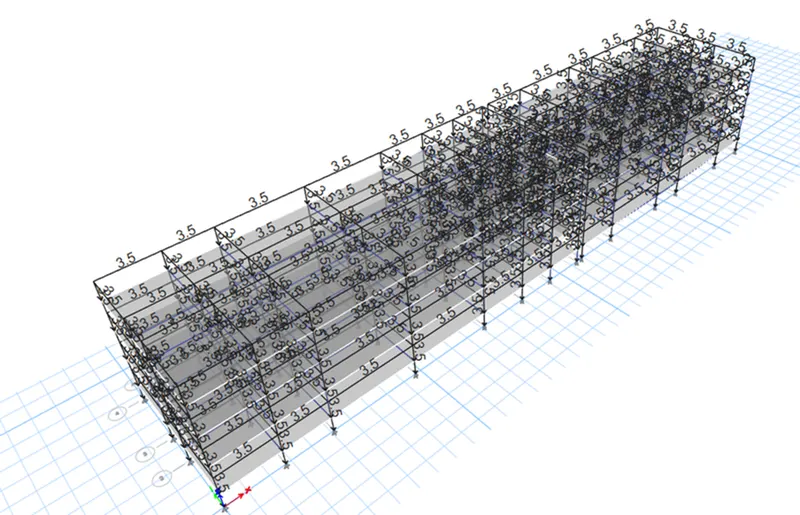
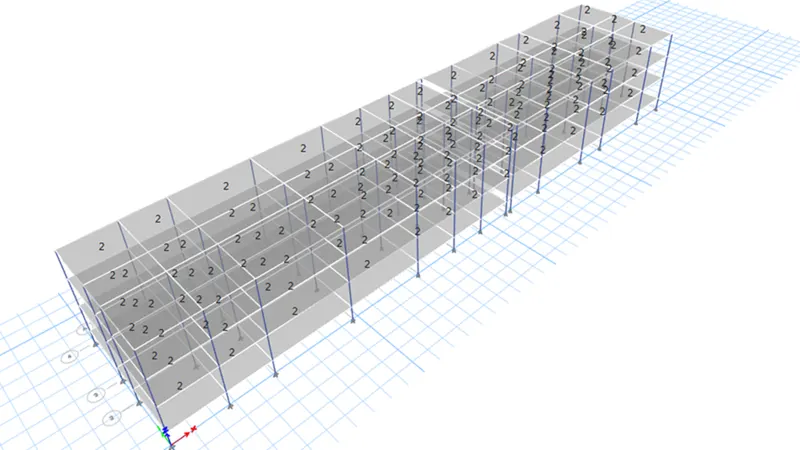
Step 7 :
- Run the analysis.
- Take the Ast values for both beam and R/F.
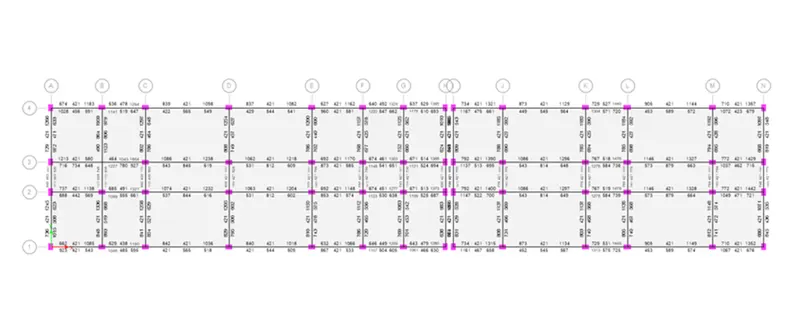
Step 8 :
- Export the Safe file from etabs model
Step 9 : Given data
- Soil type = 3
- Piles of length 10 meters
- Pile diameter = 500 mm diameter
- Load carrying capacity = 280kN
Step 10 :
- Run the analysis
- Some of the punching shear values are greater than 1.
- Need to increase the slab size.