Project 2
Hi,
Please find the below answers and screenshot's for the same.
=======================
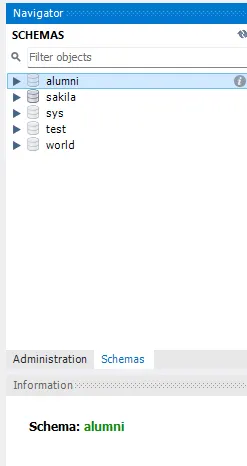
1. Create new schema as alumni.
CREATE SCHEMA alumni;
=======================
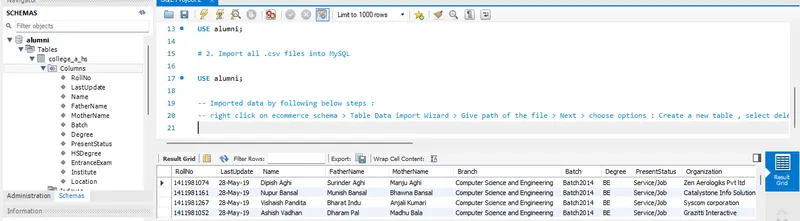
2. Import all .csv files into MySQL.
USE alumni;
-- Imported data by following below steps :
-- right click on ecommerce schema > Table Data import Wizard > Give path of the file > Next > choose options : Create a new table , select delete if exist > next > next)
=======================
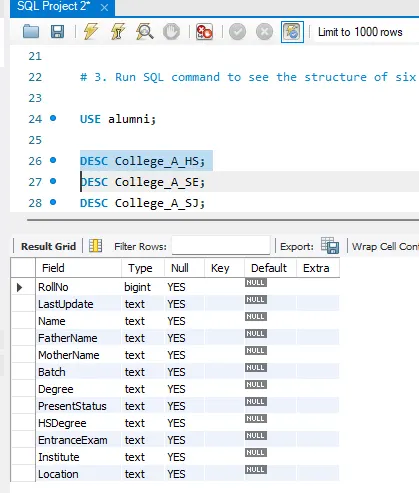
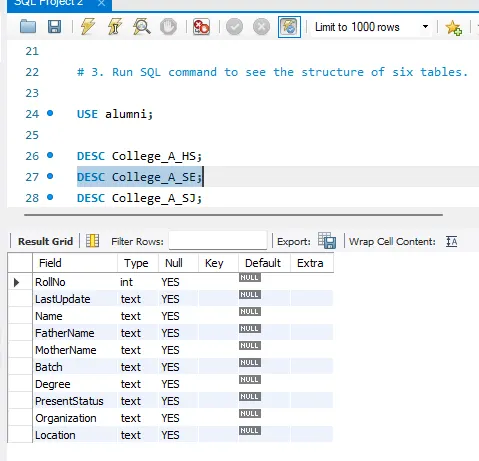
# 3. Run SQL command to see the structure of six tables.
DESC College_A_HS;
DESC College_A_SE;
DESC College_A_SJ;
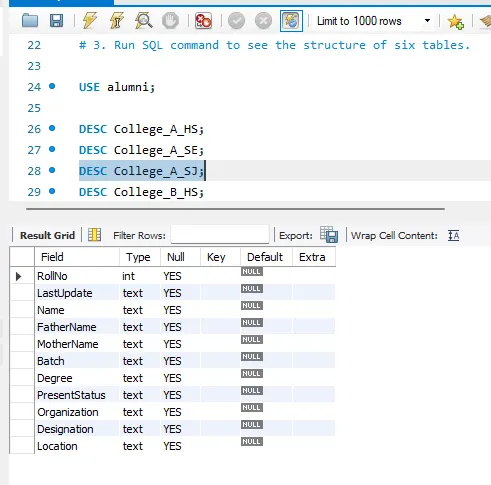
DESC College_B_HS;
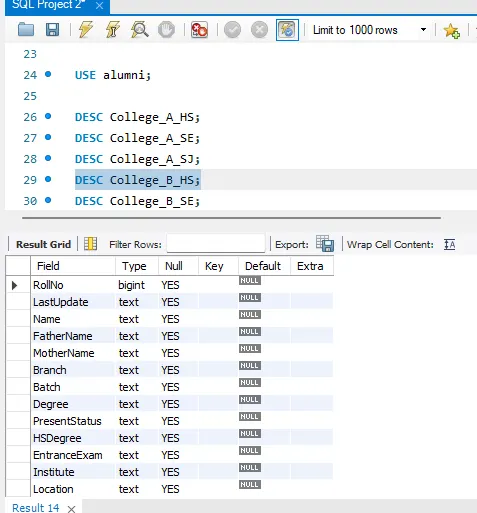
DESC College_B_SE;
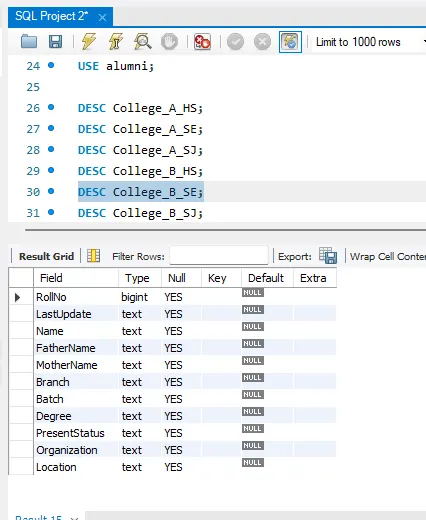
DESC College_B_SJ;
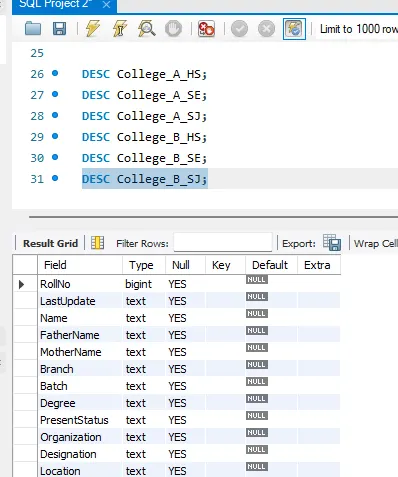
=======================
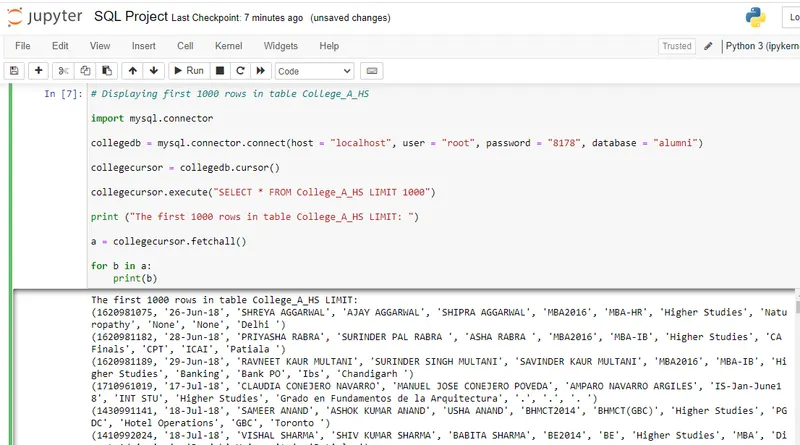
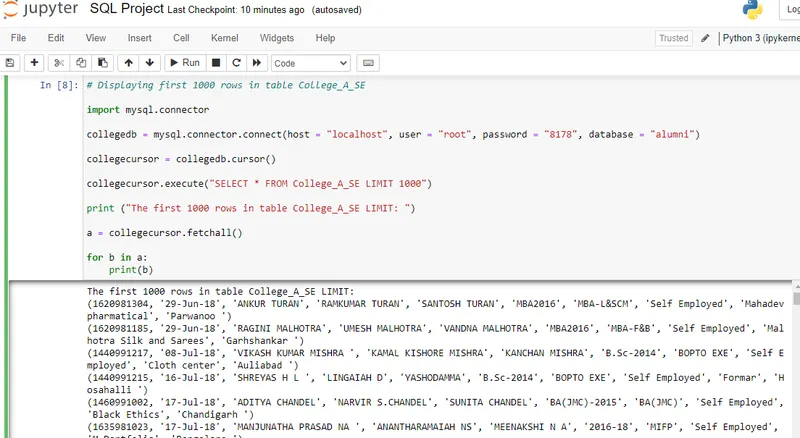
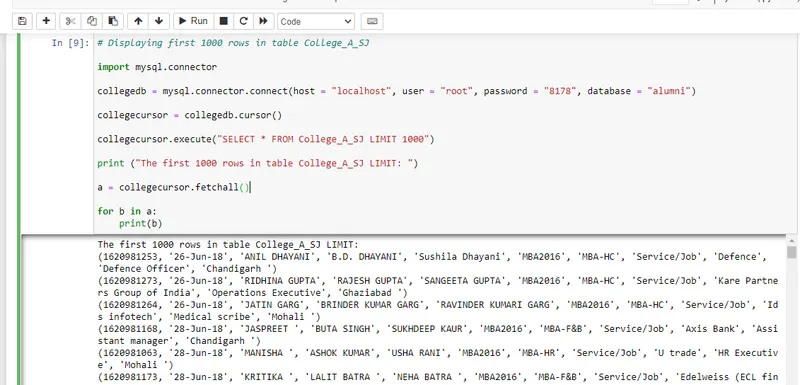
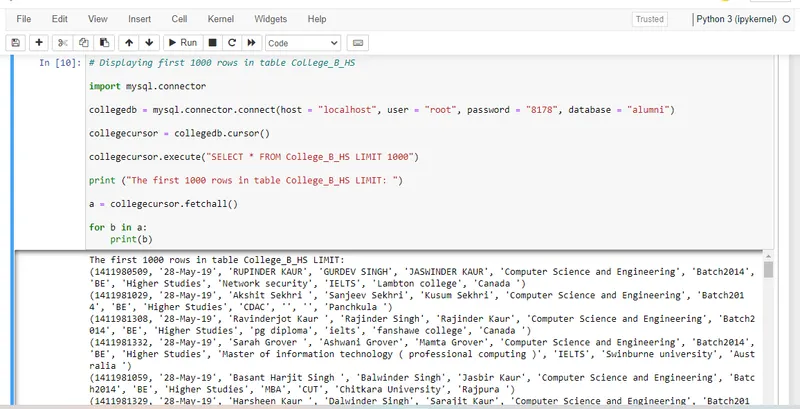
# 4. Display first 1000 rows of tables (College_A_HS, College_A_SE, College_A_SJ, College_B_HS, College_B_SE, College_B_SJ) with Python.
# Displaying first 1000 rows in table College_A_HS
import mysql.connector
collegedb = mysql.connector.connect(host = "localhost", user = "root", password = "8178", database = "alumni")
collegecursor = collegedb.cursor()
collegecursor.execute("SELECT * FROM College_A_HS LIMIT 1000")
print ("The first 1000 rows in table College_A_HS LIMIT: ")
a = collegecursor.fetchall()
for b in a:
print(b)
# Displaying first 1000 rows in table College_A_SE
import mysql.connector
collegedb = mysql.connector.connect(host = "localhost", user = "root", password = "8178", database = "alumni")
collegecursor = collegedb.cursor()
collegecursor.execute("SELECT * FROM College_A_SE LIMIT 1000")
print ("The first 1000 rows in table College_A_SE LIMIT: ")
a = collegecursor.fetchall()
for b in a:
print(b)
# Displaying first 1000 rows in table College_A_SJ
import mysql.connector
collegedb = mysql.connector.connect(host = "localhost", user = "root", password = "8178", database = "alumni")
collegecursor = collegedb.cursor()
collegecursor.execute("SELECT * FROM College_A_SJ LIMIT 1000")
print ("The first 1000 rows in table College_A_SJ LIMIT: ")
a = collegecursor.fetchall()
for b in a:
print(b)
# Displaying first 1000 rows in table College_B_HS
import mysql.connector
collegedb = mysql.connector.connect(host = "localhost", user = "root", password = "8178", database = "alumni")
collegecursor = collegedb.cursor()
collegecursor.execute("SELECT * FROM College_B_HS LIMIT 1000")
print ("The first 1000 rows in table College_B_HS LIMIT: ")
a = collegecursor.fetchall()
for b in a:
print(b)
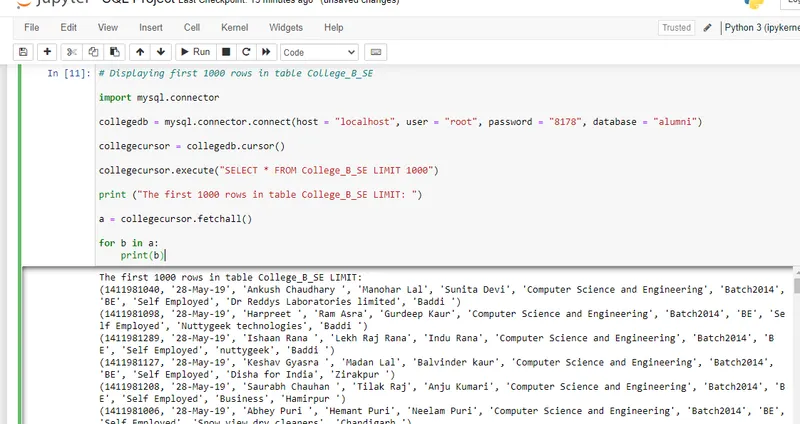
# Displaying first 1000 rows in table College_B_SE
import mysql.connector
collegedb = mysql.connector.connect(host = "localhost", user = "root", password = "8178", database = "alumni")
collegecursor = collegedb.cursor()
collegecursor.execute("SELECT * FROM College_B_SE LIMIT 1000")
print ("The first 1000 rows in table College_B_SE LIMIT: ")
a = collegecursor.fetchall()
for b in a:
print(b)
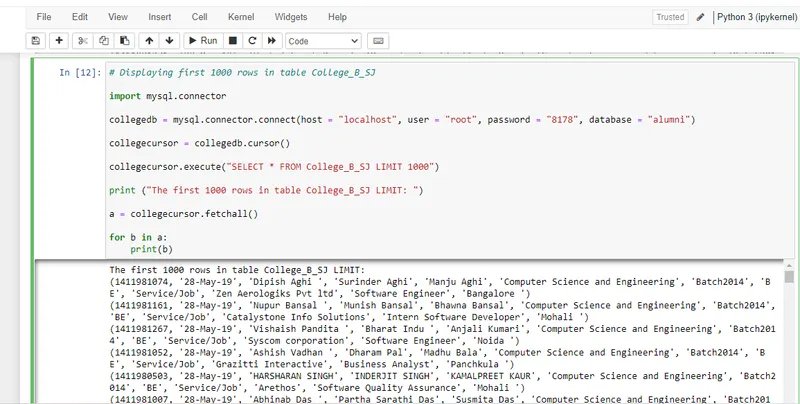
# Displaying first 1000 rows in table College_B_SJ
import mysql.connector
collegedb = mysql.connector.connect(host = "localhost", user = "root", password = "8178", database = "alumni")
collegecursor = collegedb.cursor()
collegecursor.execute("SELECT * FROM College_B_SJ LIMIT 1000")
print ("The first 1000 rows in table College_B_SJ LIMIT: ")
a = collegecursor.fetchall()
for b in a:
print(b)
=======================
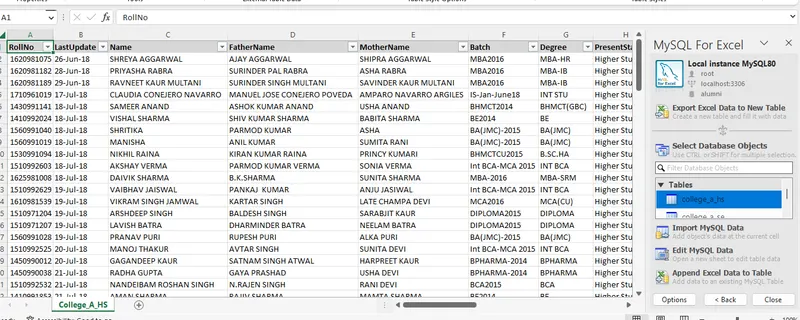
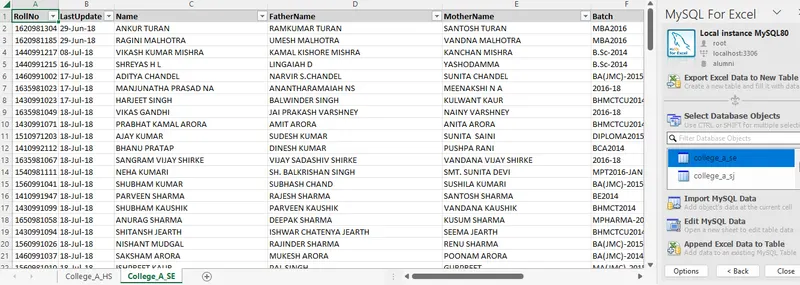
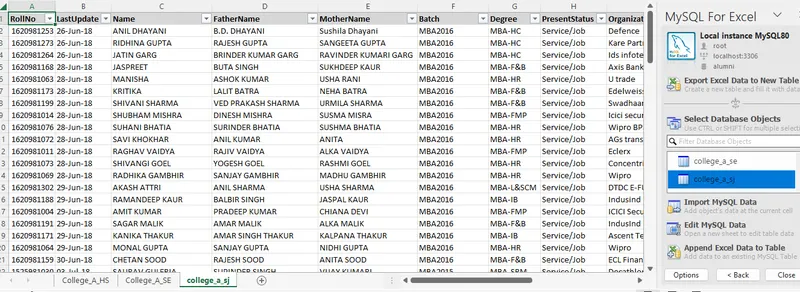
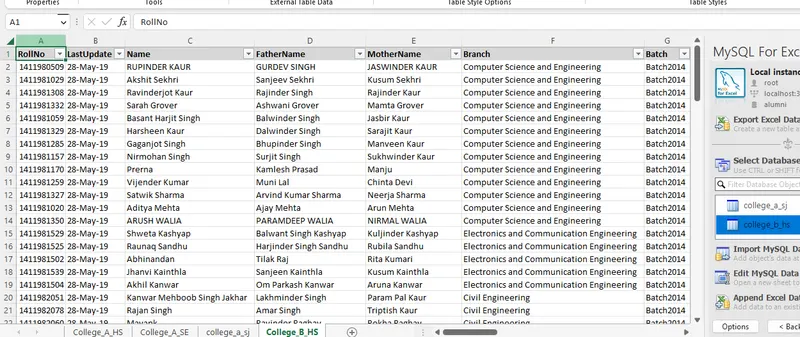
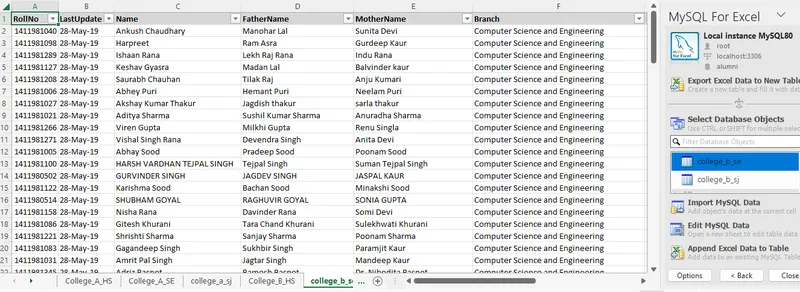
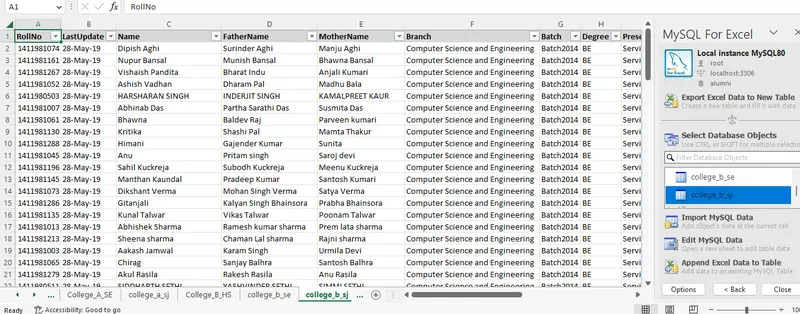
# 5. Import first 1500 rows of tables (College_A_HS, College_A_SE, College_A_SJ, College_B_HS, College_B_SE, College_B_SJ) into MS Excel.
Step 1: Open MS Excel.
Step 2: Click on 'Data' tab.
Step 3: Select 'Local instance MySQL 80' and enter the password.
Step 4: Select the schema - alumni and select table that you wish to import.
-- For College_A_HS:
-- For College_A_SE:
-- For College_A_SJ:
-- College_B_HS:
-- College_B_SE:
-- College_B_SJ:
=======================
# 6. Perform data cleaning on table College_A_HS and store cleaned data in view College_A_HS_V, Remove null values.
USE alumni;
SELECT * FROM College_A_HS WHERE RollNo IS NULL;
SELECT * FROM College_A_HS WHERE LastUpdate IS NULL;
SELECT * FROM College_A_HS WHERE Name IS NULL;
SELECT * FROM College_A_HS WHERE FatherName IS NULL;
SELECT * FROM College_A_HS WHERE MotherName IS NULL;
SELECT * FROM College_A_HS WHERE Batch IS NULL;
SELECT * FROM College_A_HS WHERE Degree IS NULL;
SELECT * FROM College_A_HS WHERE PresentStatus IS NULL;
SELECT * FROM College_A_HS WHERE HSDegree IS NULL;
SELECT * FROM College_A_HS WHERE EntraceExam IS NULL;
SELECT * FROM College_A_HS WHERE Institute IS NULL;
SELECT * FROM College_A_HS WHERE Location IS NULL;
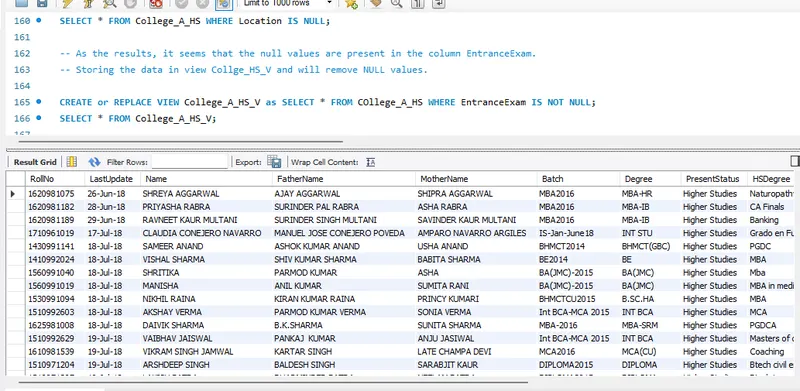
-- As the results, it seems that the null values are present in the column EntranceExam.
-- Storing the data in view Collge_A_HS_V and will remove NULL values.
CREATE or REPLACE VIEW College_A_HS_V as SELECT * FROM COllege_A_HS WHERE EntranceExam IS NOT NULL;
SELECT * FROM College_A_HS_V;
=======================
# 7. Perform data cleaning on table College_A_SE and store cleaned data in view College_A_SE_V, Remove null values.
USE alumni;
SELECT * FROM College_A_SE WHERE RollNo IS NULL;
SELECT * FROM College_A_SE WHERE LastUpdate IS NULL;
SELECT * FROM College_A_SE WHERE Name IS NULL;
SELECT * FROM College_A_SE WHERE FatherName IS NULL;
SELECT * FROM College_A_SE WHERE MotherName IS NULL;
SELECT * FROM College_A_SE WHERE Batch IS NULL;
SELECT * FROM College_A_SE WHERE Degree IS NULL;
SELECT * FROM College_A_SE WHERE PresentStatus IS NULL;
SELECT * FROM College_A_SE WHERE Organization IS NULL;
SELECT * FROM College_A_SE WHERE Location IS NULL;
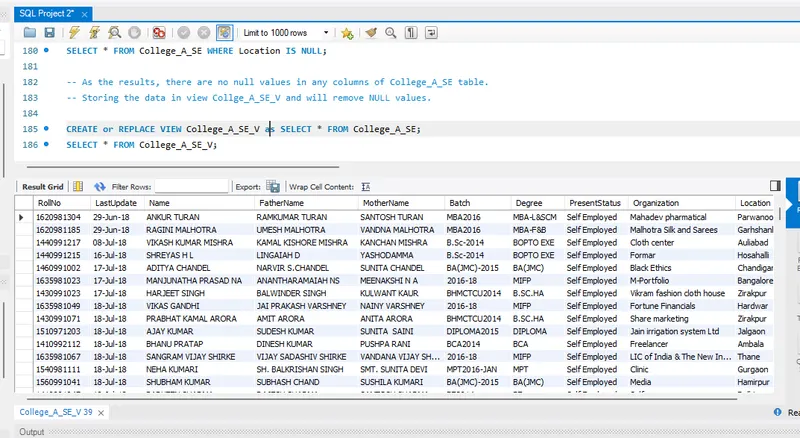
-- As the results, there are no null values in any columns of College_A_SE table.
-- Storing the data in view Collge_A_SE_V and will remove NULL values.
CREATE or REPLACE VIEW College_A_SE_V as SELECT * FROM College_A_SE;
SELECT * FROM College_A_SE_V;
=======================
# 8. Perform data cleaning on table College_A_SJ and store cleaned data in view College_A_SJ_V, Remove null values.
USE alumni;
SELECT * FROM College_A_SJ WHERE RollNo IS NULL;
SELECT * FROM College_A_SJ WHERE LastUpdate IS NULL;
SELECT * FROM College_A_SJ WHERE Name IS NULL;
SELECT * FROM College_A_SJ WHERE FatherName IS NULL;
SELECT * FROM College_A_SJ WHERE MotherName IS NULL;
SELECT * FROM College_A_SJ WHERE Batch IS NULL;
SELECT * FROM College_A_SJ WHERE Degree IS NULL;
SELECT * FROM College_A_SJ WHERE PresentStatus IS NULL;
SELECT * FROM College_A_SJ WHERE Organization IS NULL;
SELECT * FROM College_A_SJ WHERE Designation IS NULL;
SELECT * FROM College_A_SJ WHERE Location IS NULL;
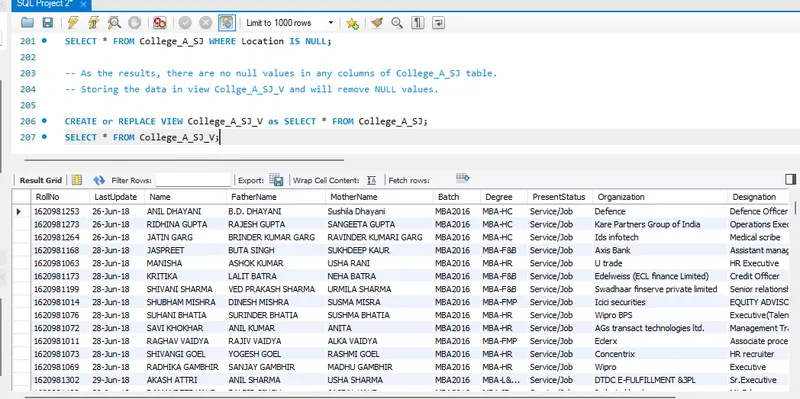
-- As the results, there are no null values in any columns of College_A_SJ table.
-- Storing the data in view Collge_A_SJ_V and will remove NULL values.
CREATE or REPLACE VIEW College_A_SJ_V as SELECT * FROM College_A_SJ;
SELECT * FROM College_A_SJ_V;
=======================
# 9. Perform data cleaning on table College_B_HS and store cleaned data in view College_B_HS_V, Remove null values.
USE alumni;
SELECT * FROM College_B_HS WHERE RollNo IS NULL;
SELECT * FROM College_B_HS WHERE LastUpdate IS NULL;
SELECT * FROM College_B_HS WHERE Name IS NULL;
SELECT * FROM College_B_HS WHERE FatherName IS NULL;
SELECT * FROM College_B_HS WHERE MotherName IS NULL;
SELECT * FROM College_B_HS WHERE Branch IS NULL;
SELECT * FROM College_B_HS WHERE Batch IS NULL;
SELECT * FROM College_B_HS WHERE Degree IS NULL;
SELECT * FROM College_B_HS WHERE PresentStatus IS NULL;
SELECT * FROM College_B_HS WHERE HSDegree IS NULL;
SELECT * FROM College_B_HS WHERE EntraceExam IS NULL;
SELECT * FROM College_B_HS WHERE Institute IS NULL;
SELECT * FROM College_B_HS WHERE Location IS NULL;
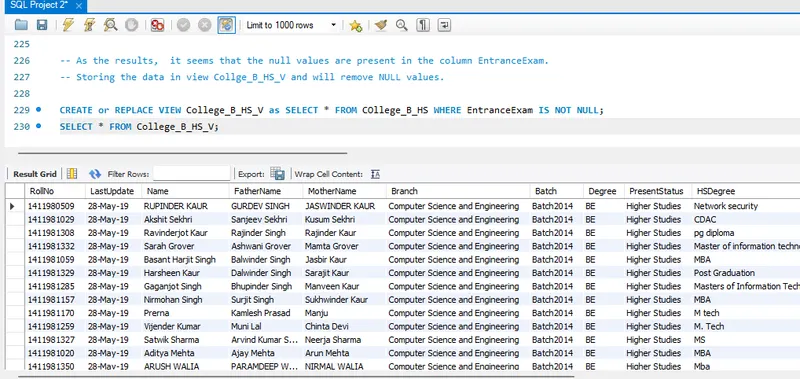
-- As the results, it seems that the null values are present in the column EntranceExam.
-- Storing the data in view Collge_B_HS_V and will remove NULL values.
CREATE or REPLACE VIEW College_B_HS_V as SELECT * FROM COllege_B_HS WHERE EntranceExam IS NOT NULL;
SELECT * FROM College_B_HS_V;
===========================
# 10. Perform data cleaning on table College_B_SE and store cleaned data in view College_B_SE_V, Remove null values.
USE alumni;
SELECT * FROM College_B_SE WHERE RollNo IS NULL;
SELECT * FROM College_B_SE WHERE LastUpdate IS NULL;
SELECT * FROM College_B_SE WHERE Name IS NULL;
SELECT * FROM College_B_SE WHERE FatherName IS NULL;
SELECT * FROM College_B_SE WHERE MotherName IS NULL;
SELECT * FROM College_B_SE WHERE Branch IS NULL;
SELECT * FROM College_B_SE WHERE Batch IS NULL;
SELECT * FROM College_B_SE WHERE Degree IS NULL;
SELECT * FROM College_B_SE WHERE PresentStatus IS NULL;
SELECT * FROM College_B_SE WHERE Organization IS NULL;
SELECT * FROM College_B_SE WHERE Location IS NULL;
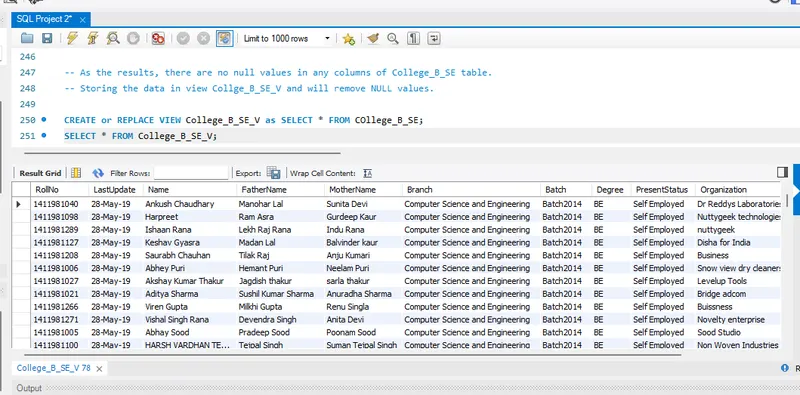
-- As the results, there are no null values in any columns of College_B_SE table.
-- Storing the data in view Collge_B_SE_V and will remove NULL values.
CREATE or REPLACE VIEW College_B_SE_V as SELECT * FROM COllege_B_SE;
SELECT * FROM College_B_SE_V;
=====================
# 11. Perform data cleaning on table College_B_SJ and store cleaned data in view College_B_SJ_V, Remove null values.
USE alumni;
SELECT * FROM College_B_SJ WHERE RollNo IS NULL;
SELECT * FROM College_B_SJ WHERE LastUpdate IS NULL;
SELECT * FROM College_B_SJ WHERE Name IS NULL;
SELECT * FROM College_B_SJ WHERE FatherName IS NULL;
SELECT * FROM College_B_SJ WHERE MotherName IS NULL;
SELECT * FROM College_B_SJ WHERE Branch IS NULL;
SELECT * FROM College_B_SJ WHERE Batch IS NULL;
SELECT * FROM College_B_SJ WHERE Degree IS NULL;
SELECT * FROM College_B_SJ WHERE PresentStatus IS NULL;
SELECT * FROM College_B_SJ WHERE Organization IS NULL;
SELECT * FROM College_B_SJ WHERE Designation IS NULL;
SELECT * FROM College_B_SJ WHERE Location IS NULL;
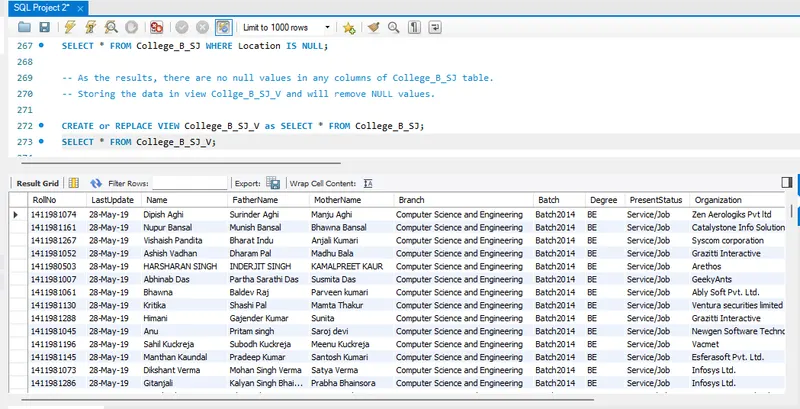
-- As the results, there are no null values in any columns of College_B_SJ table.
-- Storing the data in view Collge_B_SJ_V and will remove NULL values.
CREATE or REPLACE VIEW College_B_SJ_V as SELECT * FROM College_B_SJ;
SELECT * FROM College_B_SJ_V;
======================
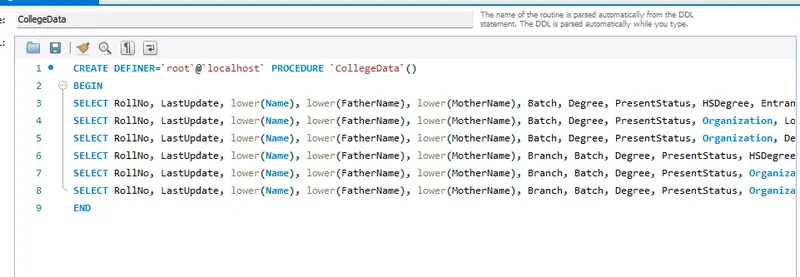
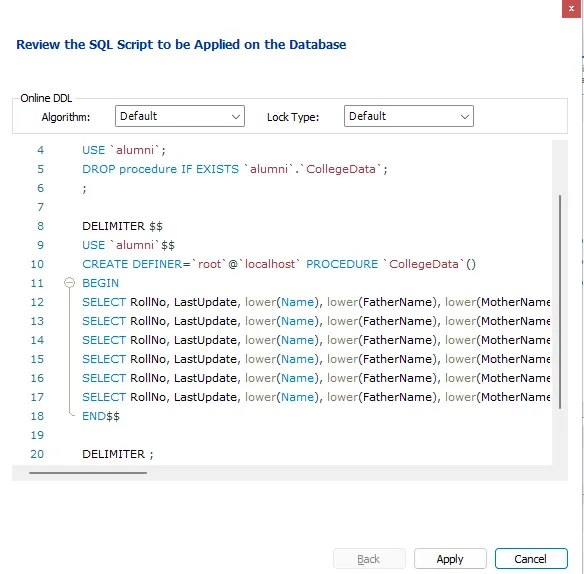
# 12. Make procedure to use string function/s for converting record of Name, FatherName, MotherName into lower case for views (College_A_HS_V, College_A_SE_V, College_A_SJ_V, College_B_HS_V, College_B_SE_V, College_B_SJ_V)
-- Creating a procedure called CollegeData includes all the views : (College_A_HS_V, College_A_SE_V, College_A_SJ_V, College_B_HS_V, College_B_SE_V, College_B_SJ_V) .
-- Using this procedure, we can covert records of Name, FatherName, MotherName into lower case for view.
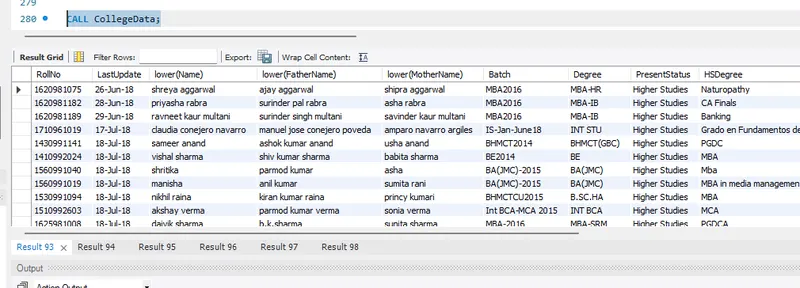
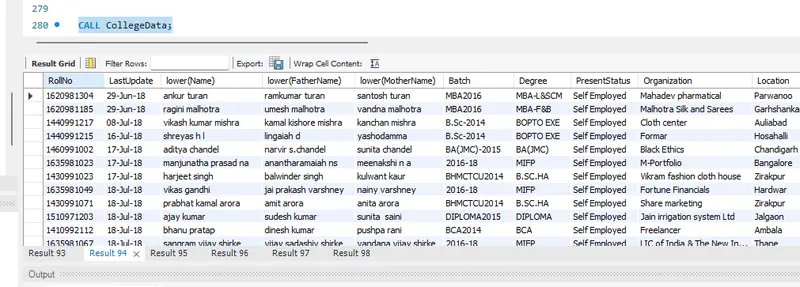
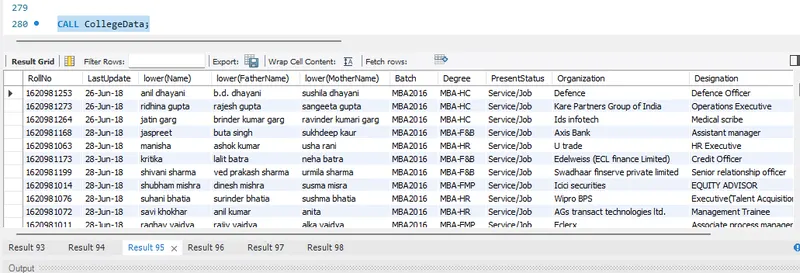
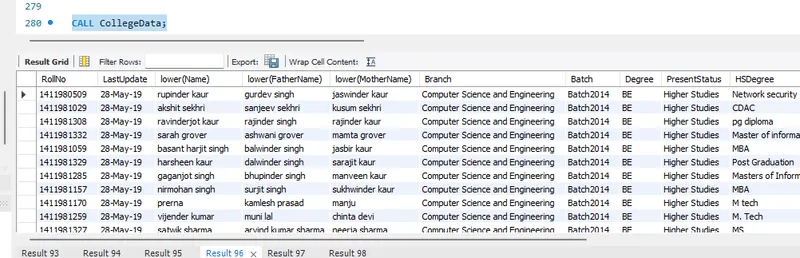
CALL CollegeData;
For College_A_HS_V:
For College_A_SE_V:
For College_A_SJ_V:
For College_B_HS_V:
For College_B_SE_V:
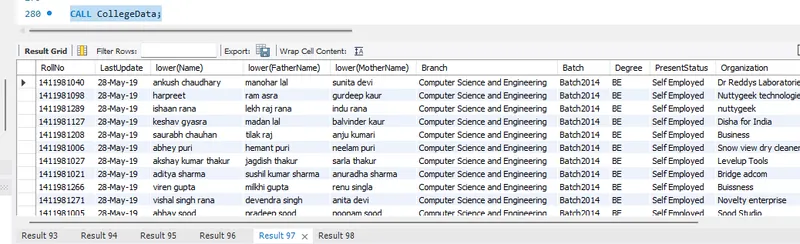
For College_B_SJ_V:
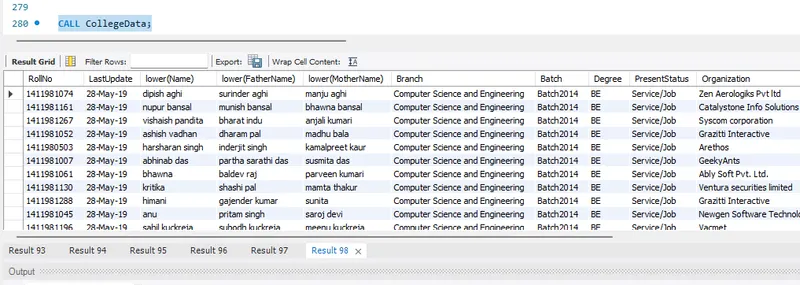
========================
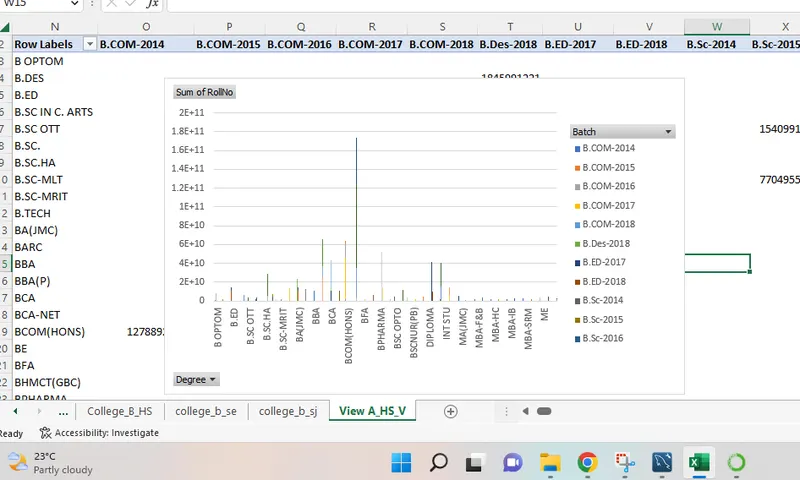
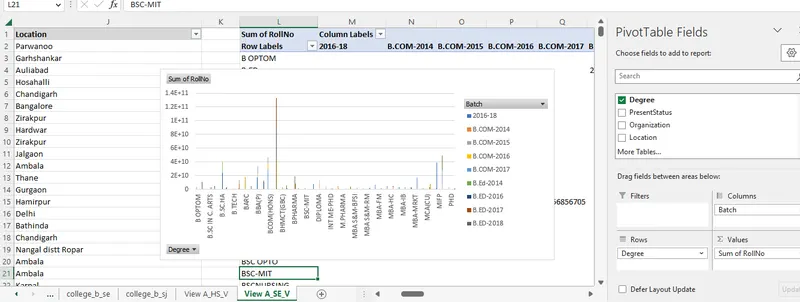
# 13. Import the created views (College_A_HS_V, College_A_SE_V, College_A_SJ_V, College_B_HS_V, College_B_SE_V, College_B_SJ_V) into MS Excel and make pivot chart for location of Alumni.
Step 1: Open MS Excel.
Step 2: Click on 'Data' tab.
Step 3: Select 'Local instance MySQL 80' and enter the password.
Step 4: Select the schema - alumni. Select Views, import the data and configure the pivot chart.
For View College_A_HS_V, data is imported and pivot chart is created:
For View College_A_SE_V, data is imported and pivot chart is created:
For View College_A_SJ_V, data is imported and pivot chart is created:
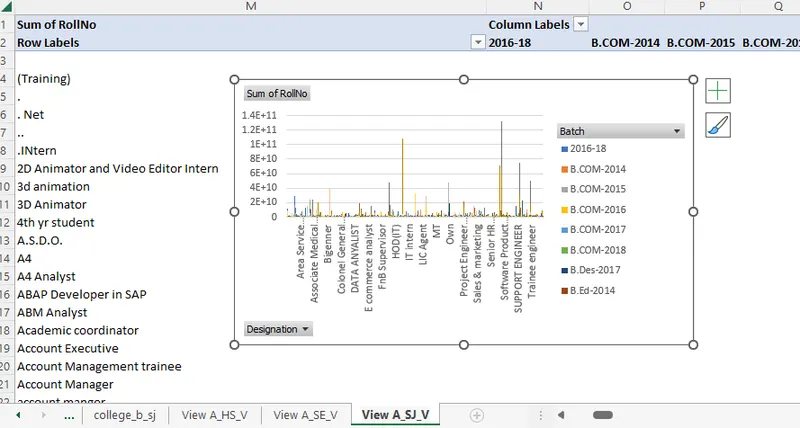
For View College_B_HS_V, data is imported and pivot chart is created:
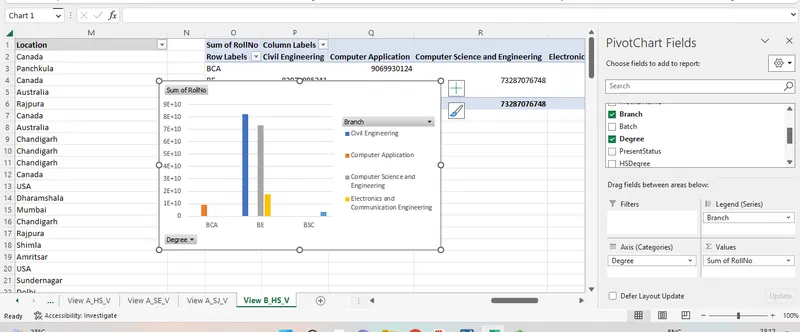
For View College_B_SE_V, data is imported and pivot chart is created:
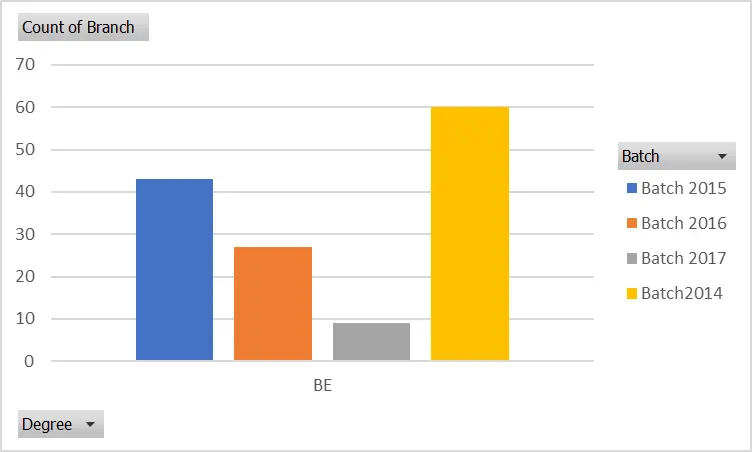
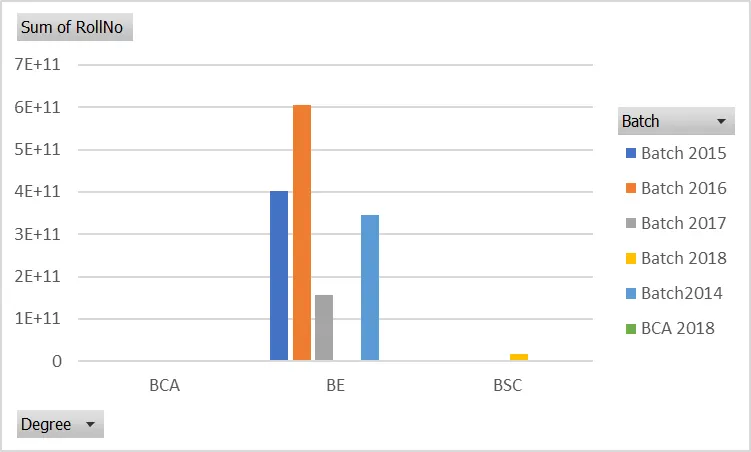
For View College_B_SJ_V, data is imported and pivot chart is created:
=====================
# 14. Write a query to create procedure get_name_collegeA using the cursor to fetch names of all students from college A.
USE `alumni`;
DROP procedure IF EXISTS `get_name_collegeA`;
DELIMITER $$
USE `alumni`$$
CREATE PROCEDURE `get_name_collegeA`(INOUT namedisplay LONGTEXT)
BEGIN
DECLARE finished INT DEFAULT 0;
DECLARE characters VARCHAR(5200) DEFAULT ' ';
DECLARE namedetail
CURSOR FOR
SELECT Name FROM College_A_HS_V UNION ALL SELECT Name FROM College_A_SE_V UNION ALL SELECT Name FROM College_A_SJ_V;
DECLARE CONTINUE HANDLER FOR NOT FOUND SET finished = 1;
OPEN namedetail;
getna:
LOOP
FETCH namedetail INTO characters;
IF finished = 1 THEN LEAVE getna;
END IF;
SET namedisplay = CONCAT(characters, " : ", namedisplay);
END LOOP
getna;
CLOSE namedetail;
END$$
DELIMITER ;
SET @namedisplay='';
CALL get_name_collegeA(@namedisplay);
SELECT @namedisplay NAMES_OF_STUDENTS_FROM_COLLEGE_A;

=====================
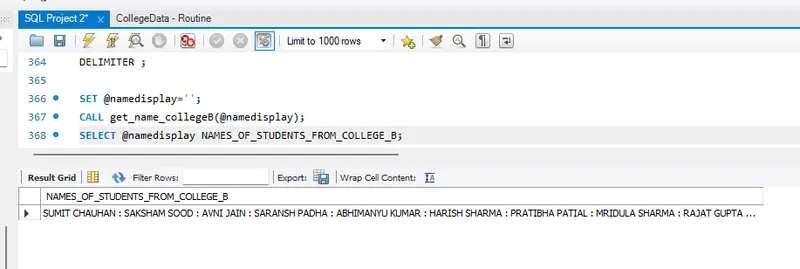
# 15. Write a query to create procedure get_name_collegeB using the cursor to fetch names of all students from college B.
USE `alumni`;
DROP procedure IF EXISTS `get_name_collegeB`;
DELIMITER $$
USE `alumni`$$
CREATE PROCEDURE `get_name_collegeB`(INOUT namedisplay LONGTEXT)
BEGIN
DECLARE finished INT DEFAULT 0;
DECLARE characters VARCHAR(5200) DEFAULT ' ';
DECLARE namedetail
CURSOR FOR
SELECT Name FROM College_B_HS_V UNION ALL SELECT Name FROM College_B_SE_V UNION ALL SELECT Name FROM College_B_SJ_V;
DECLARE CONTINUE HANDLER FOR NOT FOUND SET finished = 1;
OPEN namedetail;
getna:
LOOP
FETCH namedetail INTO characters;
IF finished = 1 THEN LEAVE getna;
END IF;
SET namedisplay = CONCAT(characters, " : ", namedisplay);
END LOOP
getna;
CLOSE namedetail;
END$$
DELIMITER ;
SET @namedisplay='';
CALL get_name_collegeB(@namedisplay);
SELECT @namedisplay NAMES_OF_STUDENTS_FROM_COLLEGE_B;
=====================
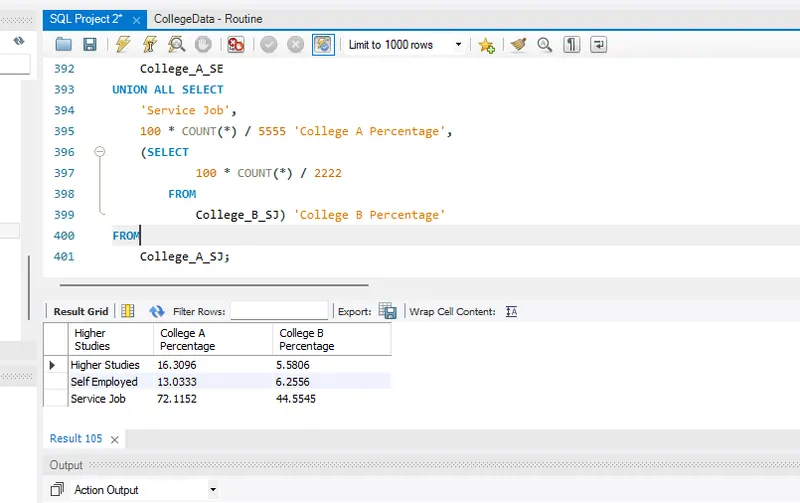
# 16. Calculate the percentage of career choice of College A and College B Alumni
-- (w.r.t Higher Studies, Self Employed and Service/Job)
Note: Approximate percentages are considered for career choices.
USE alumni;
SELECT
'Higher Studies',
100 * COUNT(*) / 5555 'College A Percentage',
(SELECT
100 * COUNT(*) / 2222
FROM
College_B_HS) 'College B Percentage'
FROM
College_A_HS
UNION ALL SELECT
'Self Employed',
100 * COUNT(*) / 5555 'College A Percentage',
(SELECT
100 * COUNT(*) / 2222
FROM
College_B_SE) 'College B Percentage'
FROM
College_A_SE
UNION ALL SELECT
'Service Job',
100 * COUNT(*) / 5555 'College A Percentage',
(SELECT
100 * COUNT(*) / 2222
FROM
College_B_SJ) 'College B Percentage'
FROM
College_A_SJ;
Thanks!