Project 2
Aim : A 100 m WBM road needs to be constructed inside the Skill Lync Education center premises to allow access to the centre for students and faculties.
Create the following Project (under same EPS/OBS as project-1) and Resource :
Project Name - Education Centre Road
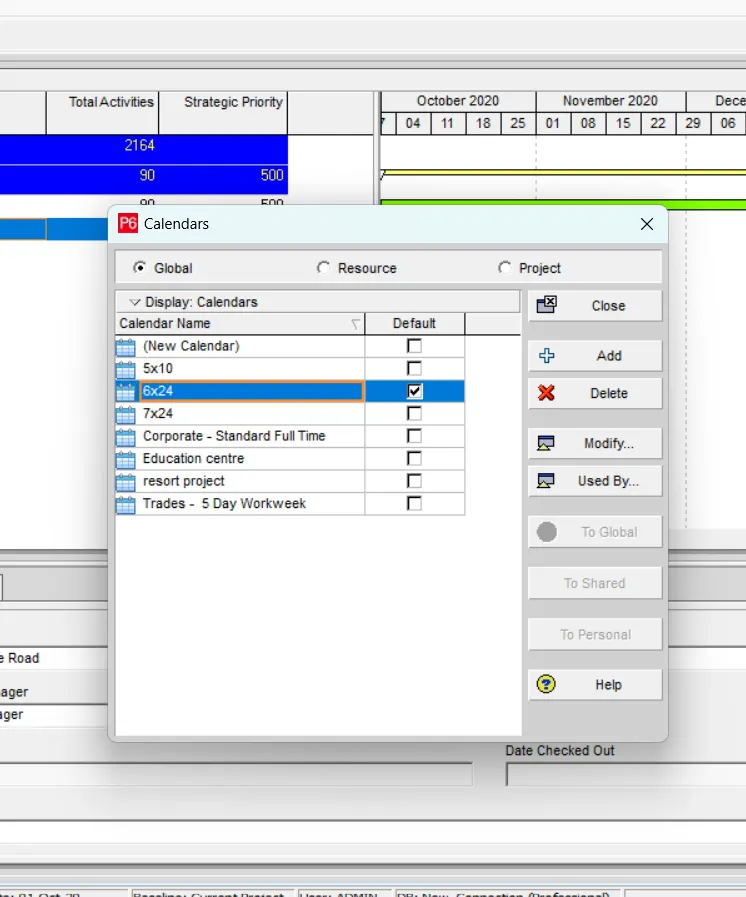
Assume - Calendar as 6 x 24 and start date on 22nd feb 2021
Procedure
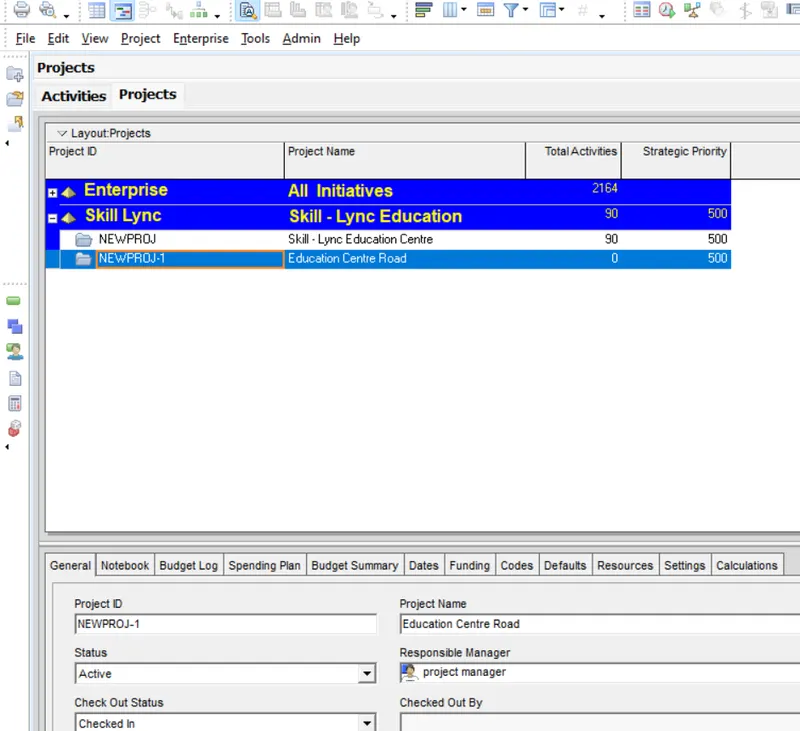
(a) create project -
EPS - skill lync education
OBS - project manager
go to enterprise > project > select skill lync education >add ( as EPS and OBS is already created)
(b) calender
go to enterprise >select calendar
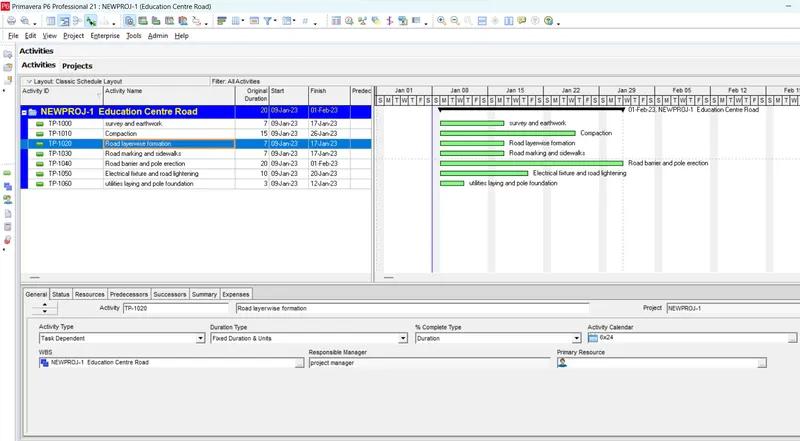
(c) add activities with durations
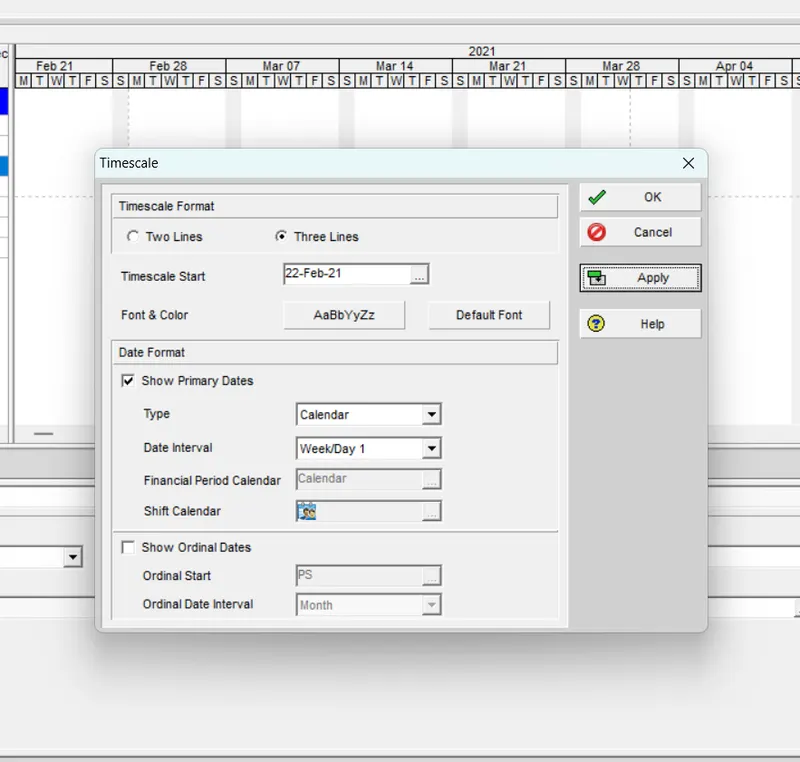
(d) use a 3-tier time scale year/month/days
go to gantt chart >( right click ) select timescale > 3 lines > apply
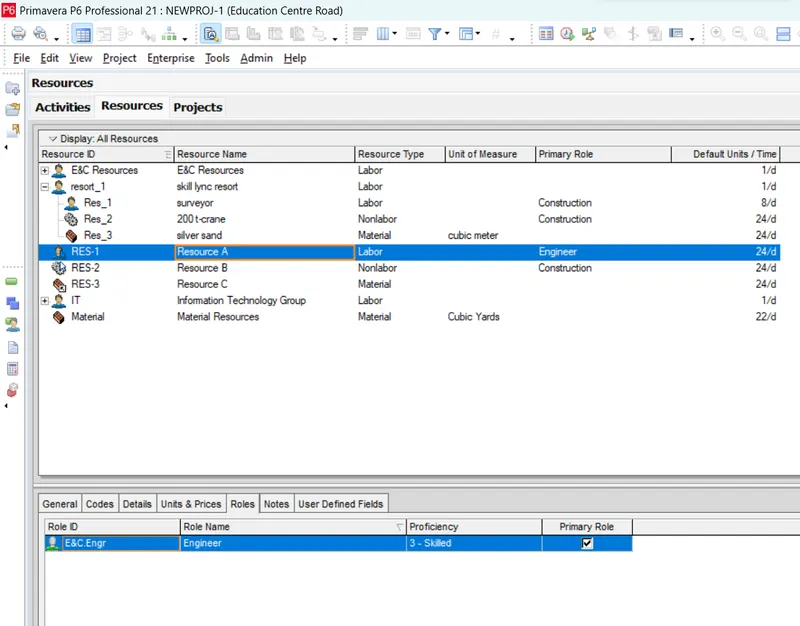
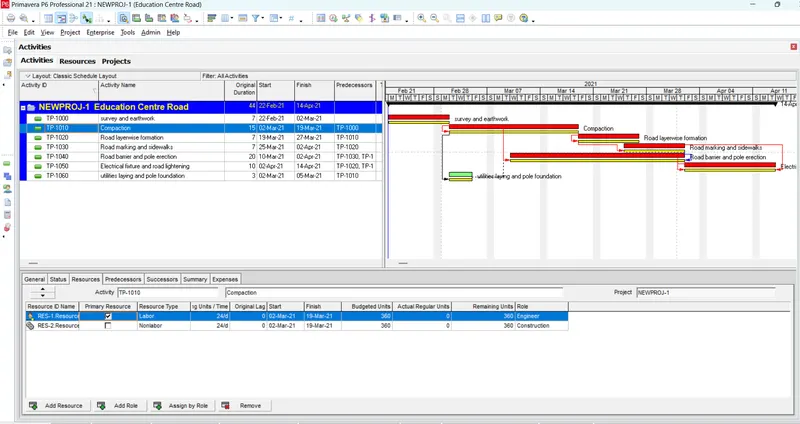
(e) add resources as mentioned
go to enterprise > resource > add new resource ( with unit/roles/price)
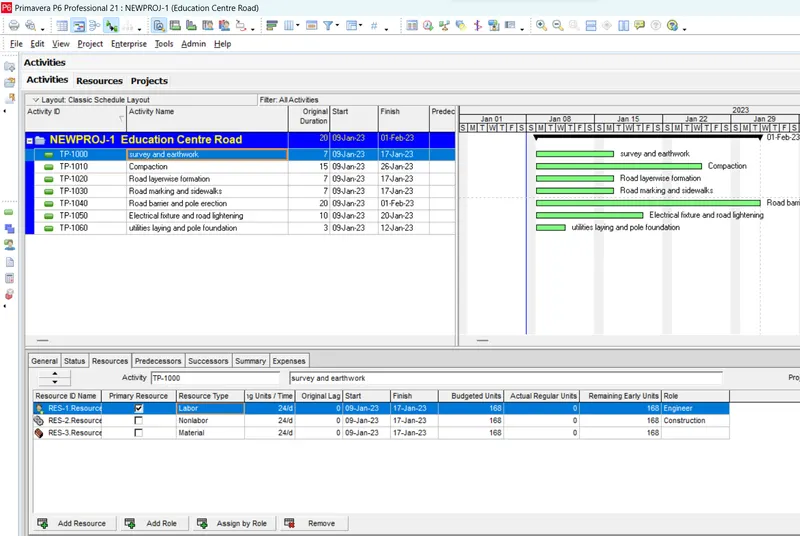
(f) assign the created resource to the activity
select activity > go to resource in detail window > assign resources
(g) give the predecessors
select activity > add predecessors
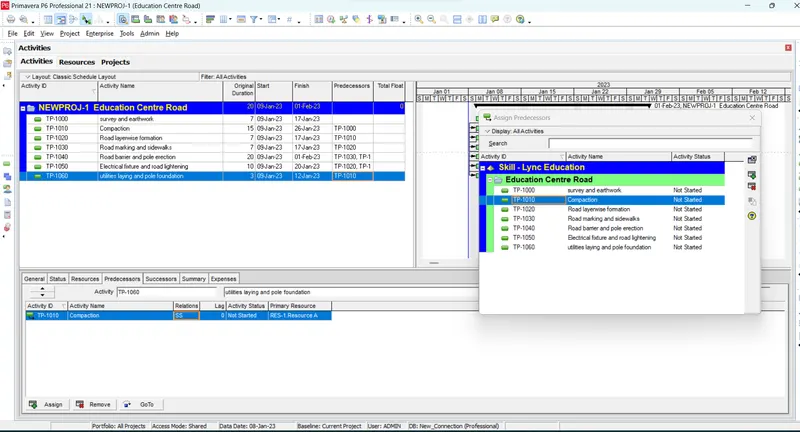
after giving the predecessors then schedule it
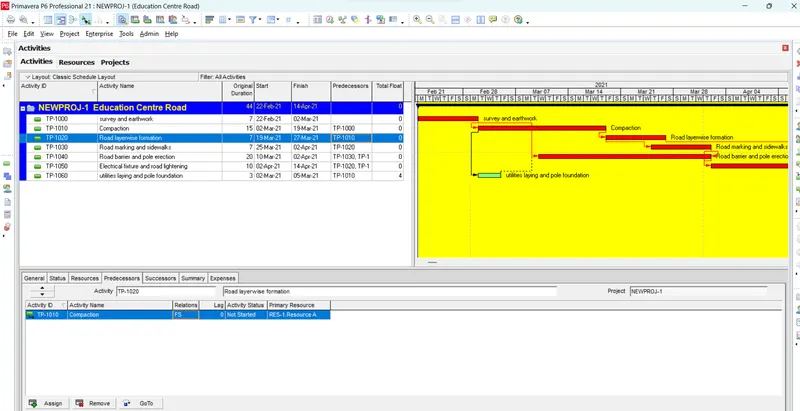
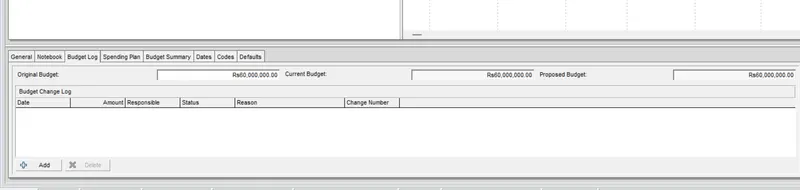
(h) add a budget - INR 6 Cr
- select project
- go to budget log
- add the original budget - 6cr
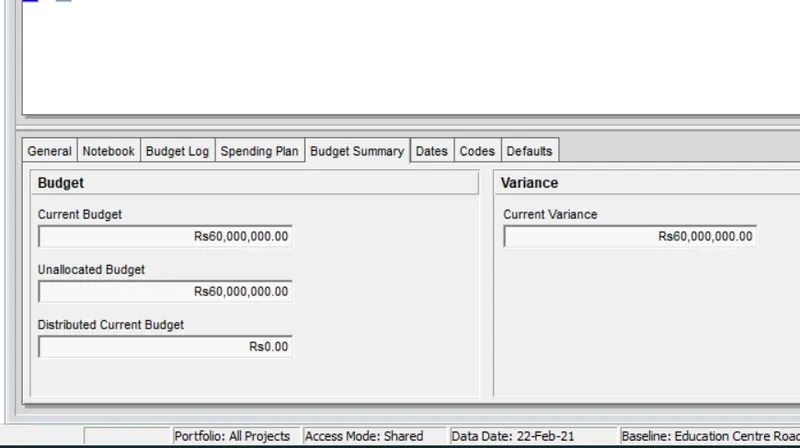
- then go to budget summary and check
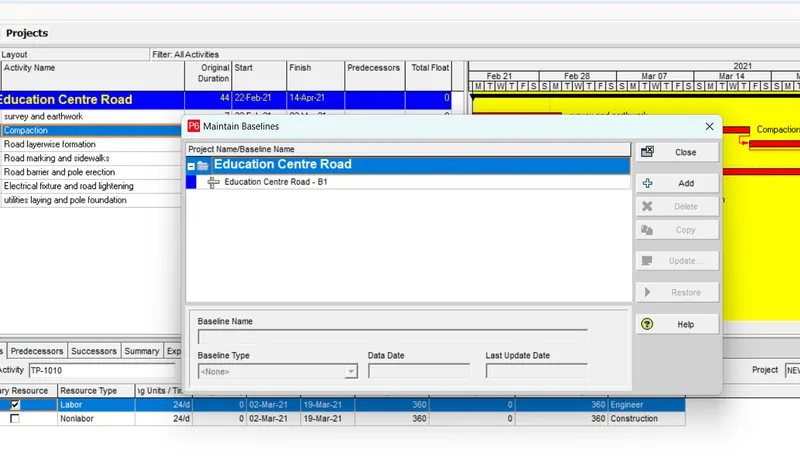
(i) assign a baseline
go to project > maintain baseline > add new > give type
go to project > assign baseline > select baseline/primary baseline/secondary baseline > apply
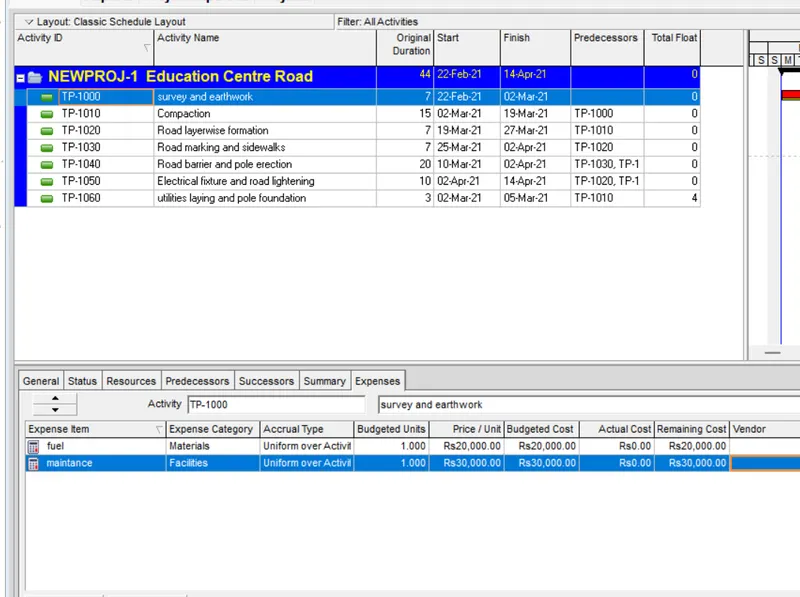
(j) expenses
fuel - 20000/-
maintenance - 30000/-
- go to project
- expences
- add the expences fuel and maintenance with details
- go to activity details
- assign the expences
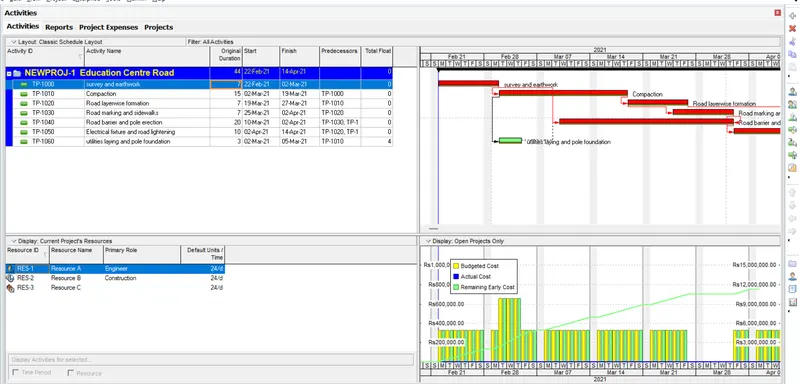
(k) generate material resource cost curve
- go to activity details
- select resource
- add curve in resource column ( right click in resource bar and customize)
- then define the type of curve
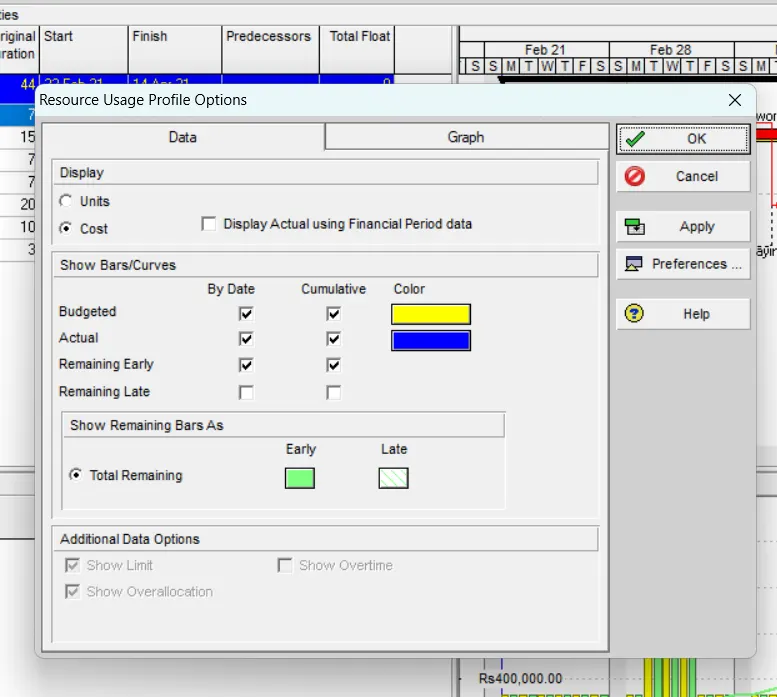
- select resource usage profile from tool bar
- after the curve shown right click and select resource usage profile and select cost
- then the resource cost curve will shown
(l) generate activity wise cost report
- go to tools
- select report
- reports
- select activity cost report
- run reports
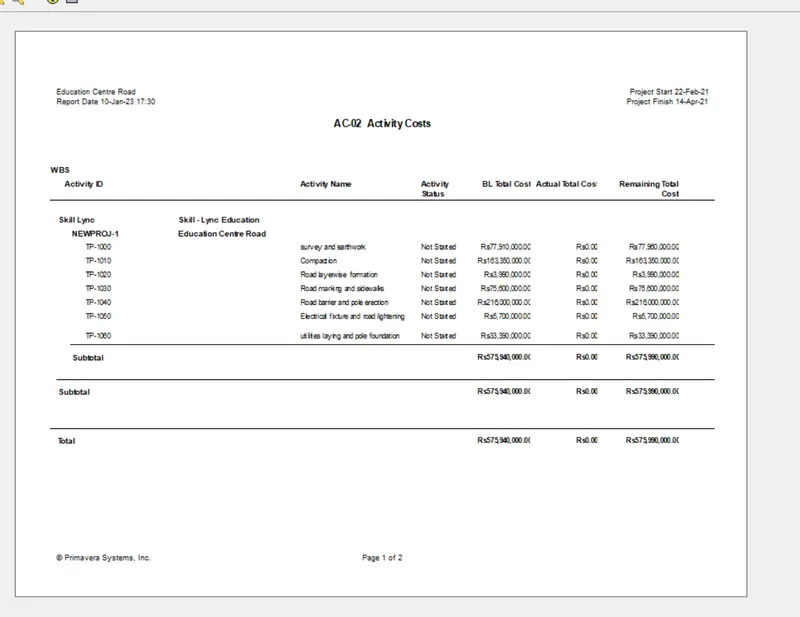
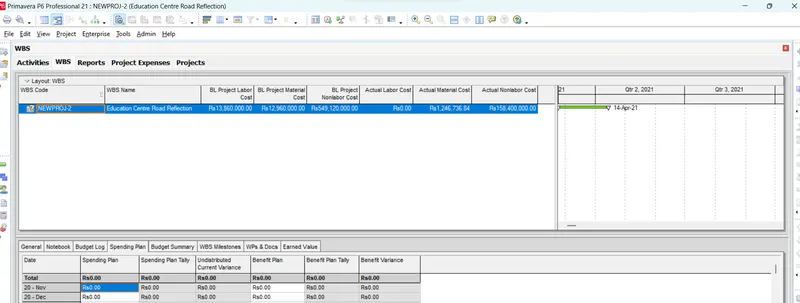
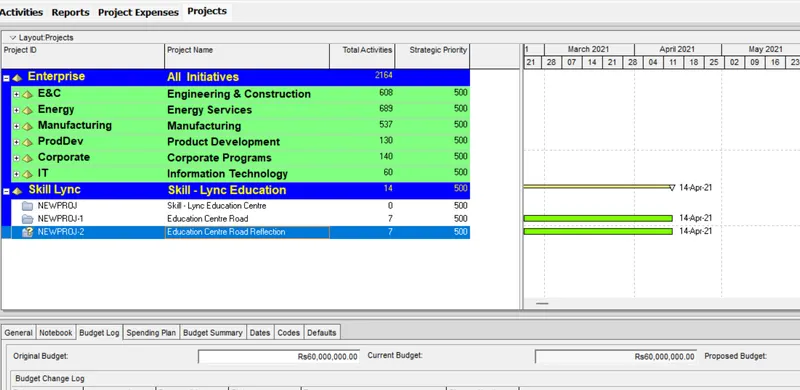
(m) create reflection
go to project > select project > (right click) create reflection > copy baseline
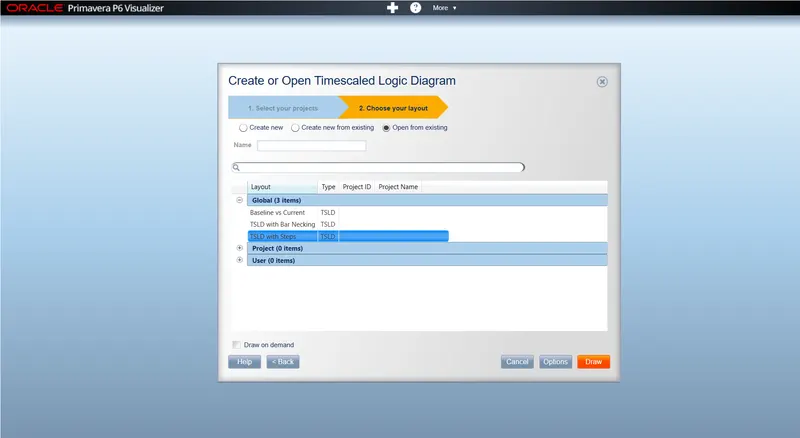
(n) open TSLD view in visualizer
go to tool > select visualizer > select TSLD > select project > TSLD with activity
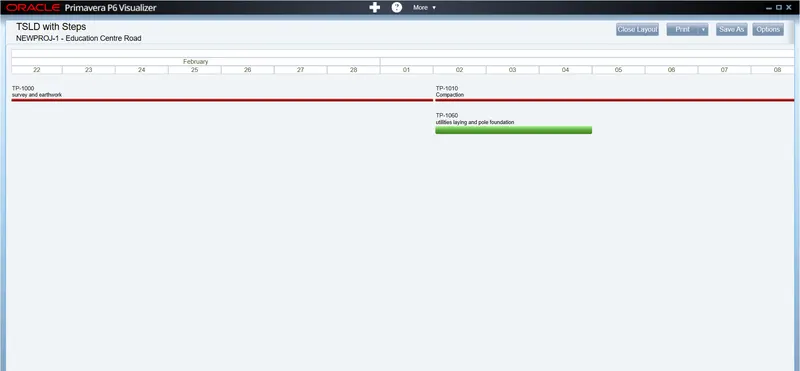
(o) add curtain up to first 15 days of the project
go to view > attachment > curtain > add curtain > select date
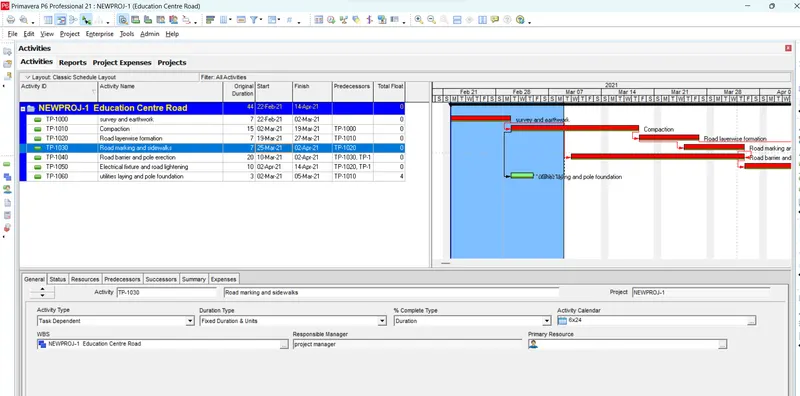
In reflection auto update the project at 15days from start
open the reflection project > tools > update progress > (change the date)
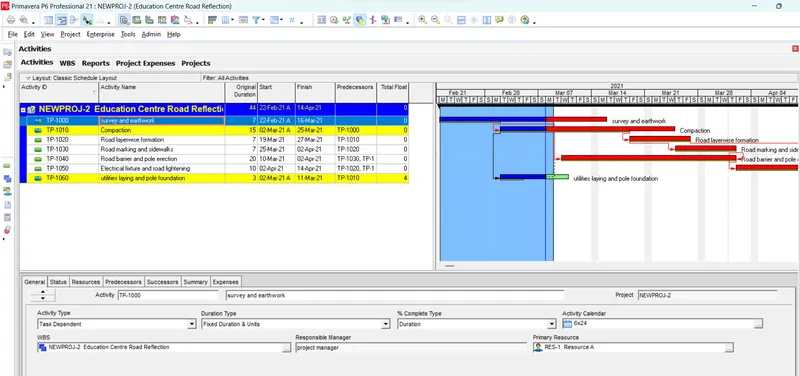
the actual cost for labour,non labour and material cost of the updated schedule