Project 1
Aim :
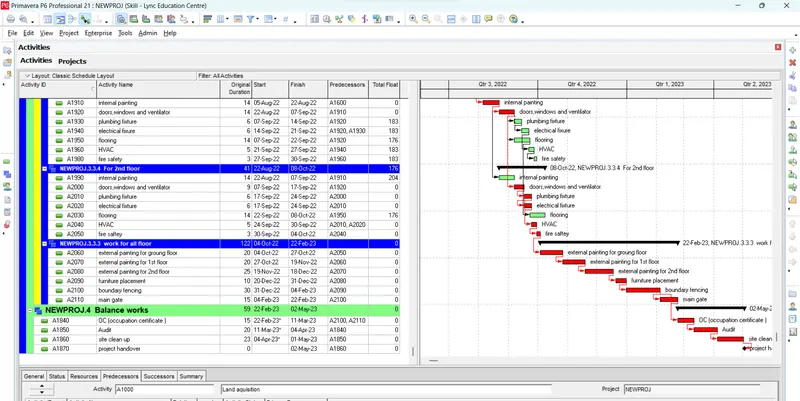
Skill-Lync wants to construct a school as a part of its corporate social objective. You are the project manager. Develop a realistic schedule to construct a main school building (G+2). It will have a parking facility with internal roads and main building complete with architectural, furniture and electrical fittings. You are required to plan the Design and Construction of the project. Also include basic electrical and plumbing activities. Project will start on 1st October 2020 and end by 30th April 2023. Work hours will be 24 hours and 6 days a week. Complete Design in 8 months.
Procedure :
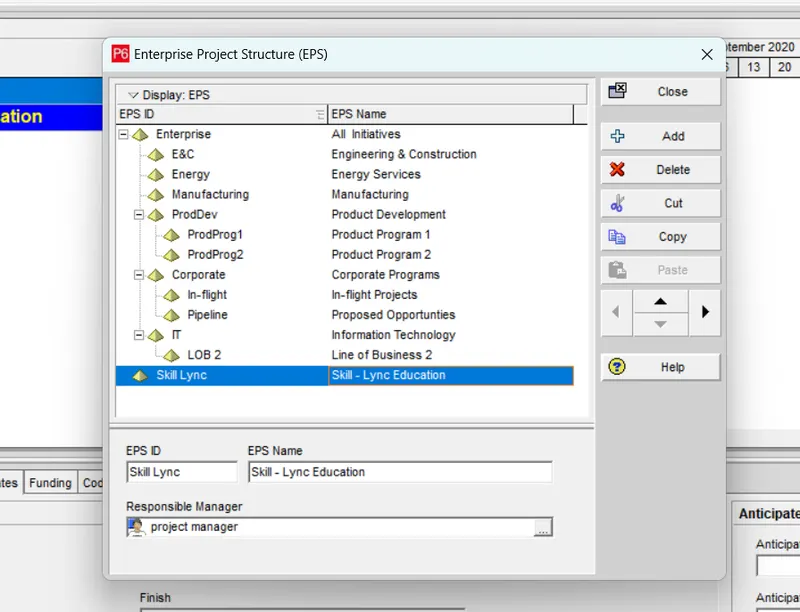
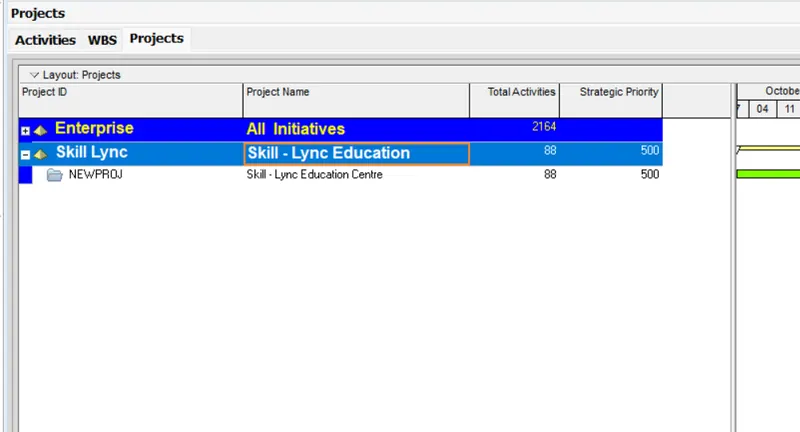
(a) Create an EPS as Skill lync Education:
Procedure- go to enterprise > EPS > Add (new EPS)
Then go to navigation bar and shift the new EPS to left.
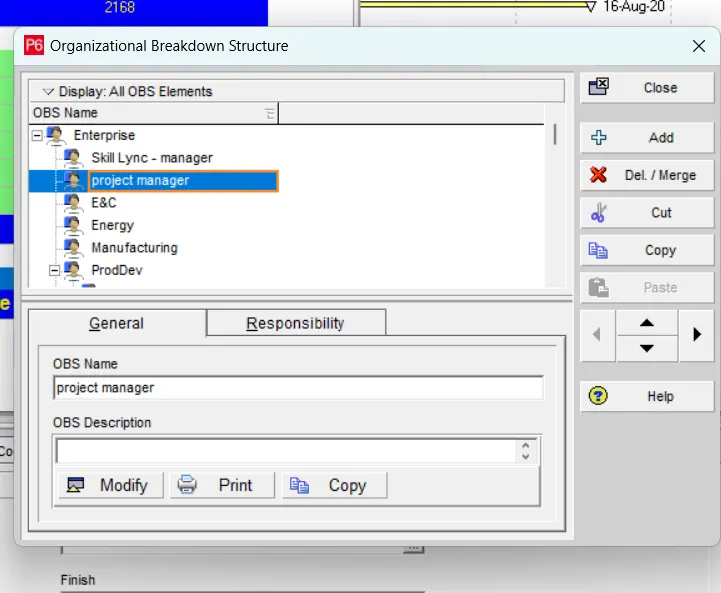
(b) create an OBS and assign a project manager
Procedure- go to enterprise > OBS > Add (then give the name project manager )
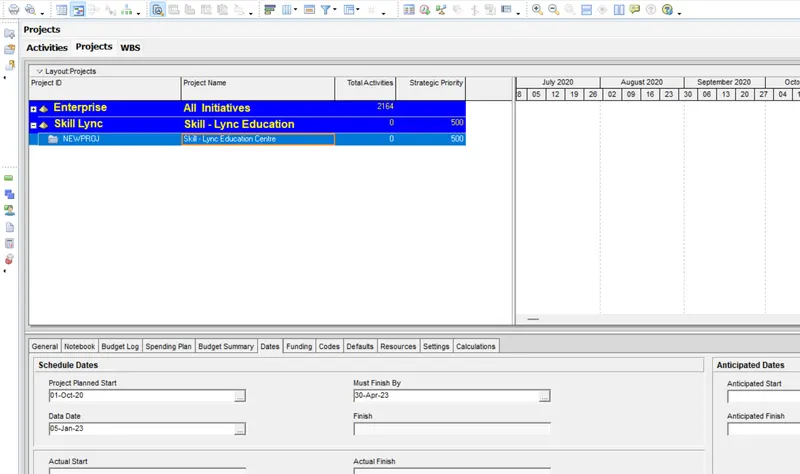
(c) Create a project name Skill Lync Education centre under the new EPS
Procedure-
- go to enterprise
- select the project icon
- ADD new project
- select EPS
- project ID- newproj Project name - Skill Lync Education Centre
- Start date- 1st oct 2020 End date- 30th april 2023
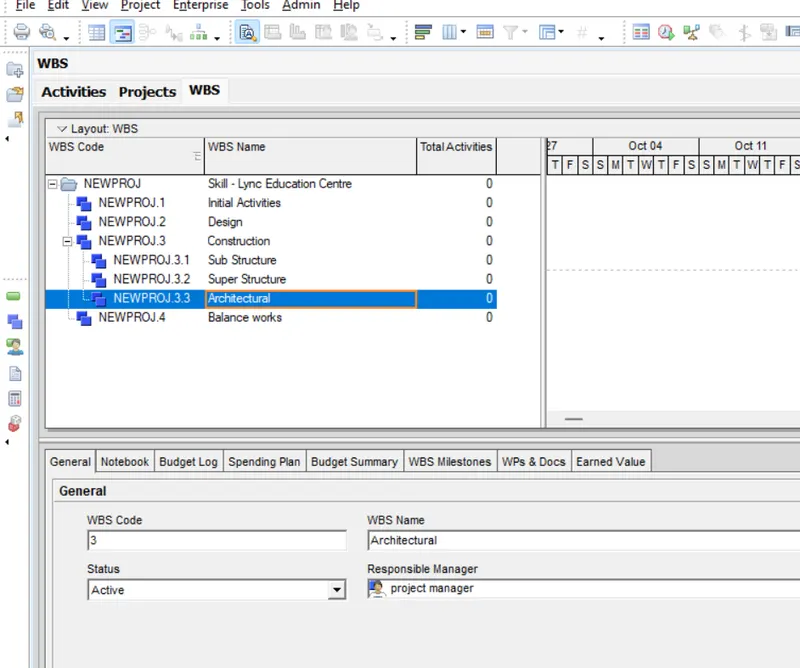
(d) Create WBS name - initial activities, design, construction, balance works
Procedure - go to project > select WBS > ADD
Then go to the graphical indicator and shift them to left to be in a same level
(e) further Breakdown construction in to - substructure, super structure, architechtural
(f) Aim : create atleast 50 activities
Procedure - go to project > activity > add
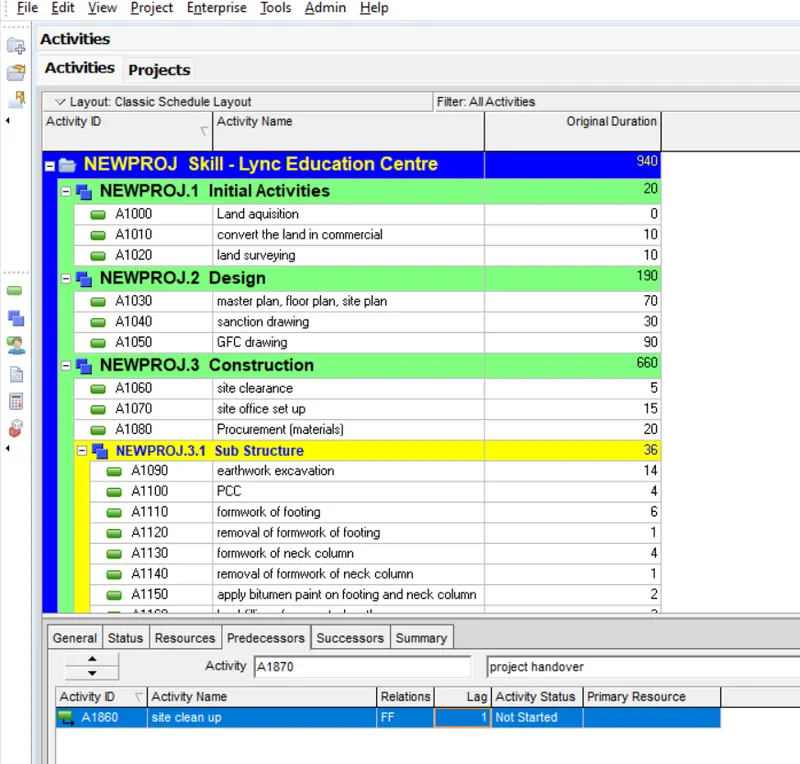
Total activity - 88
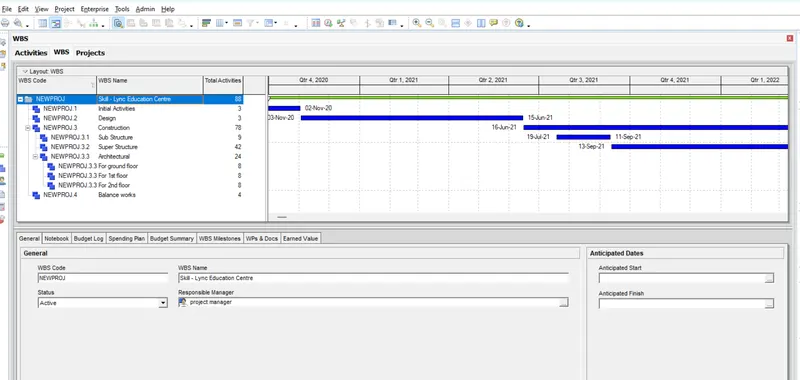
(g) Aim : further breakdown of Architectural WBS
Procedure -
- select WBS architechural
- add new breakdown
- add activity
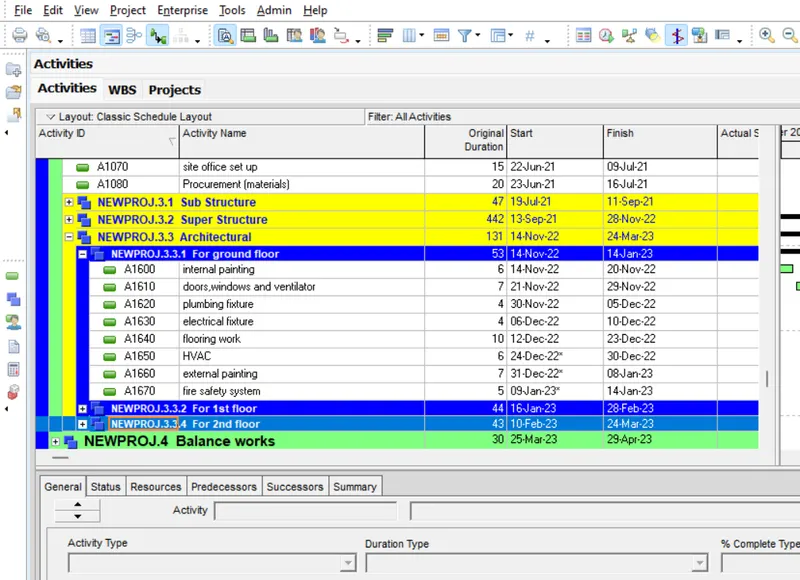
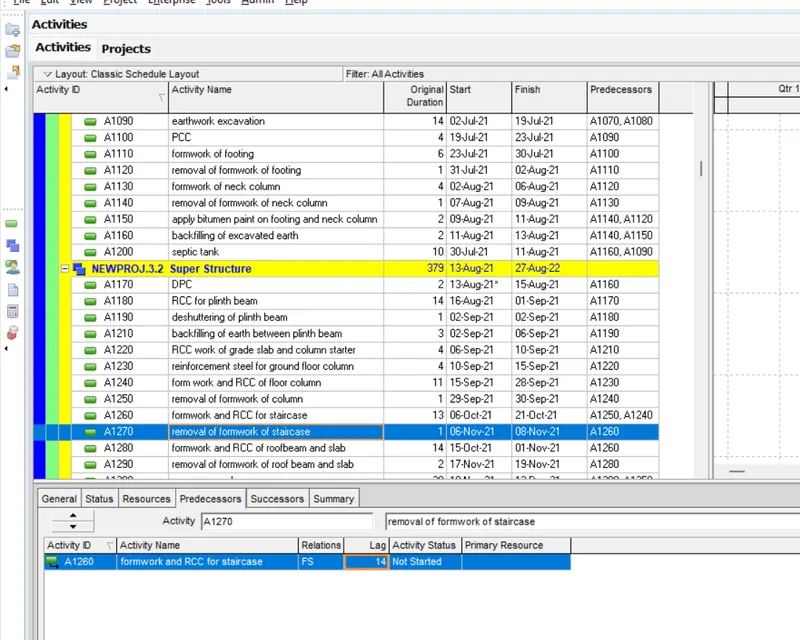
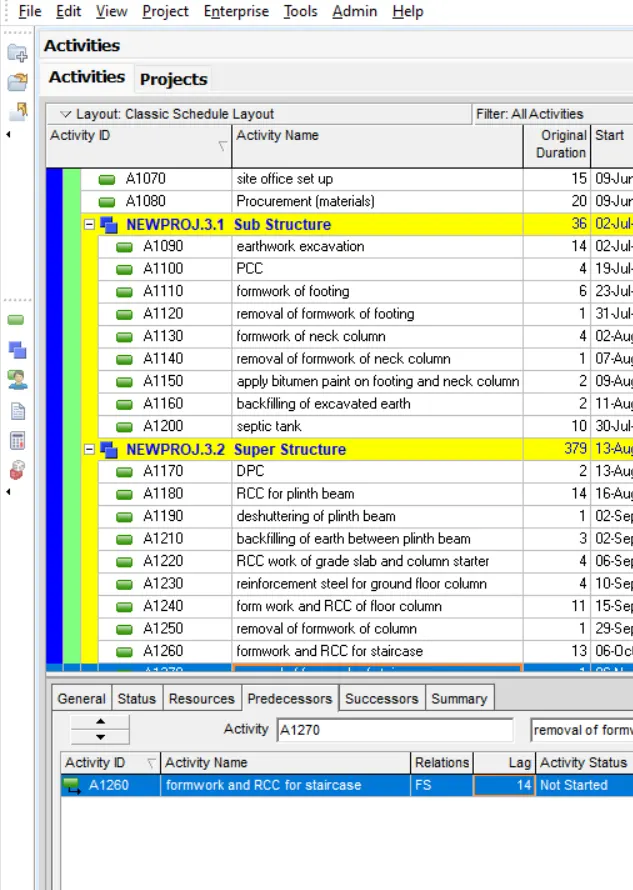
(h) Aim : use FS,SS,SF,FF and lags suitably :
Procedure : select activity > go to predecessor > add activity > select relation(FS/SS/SF/FF) > add lag
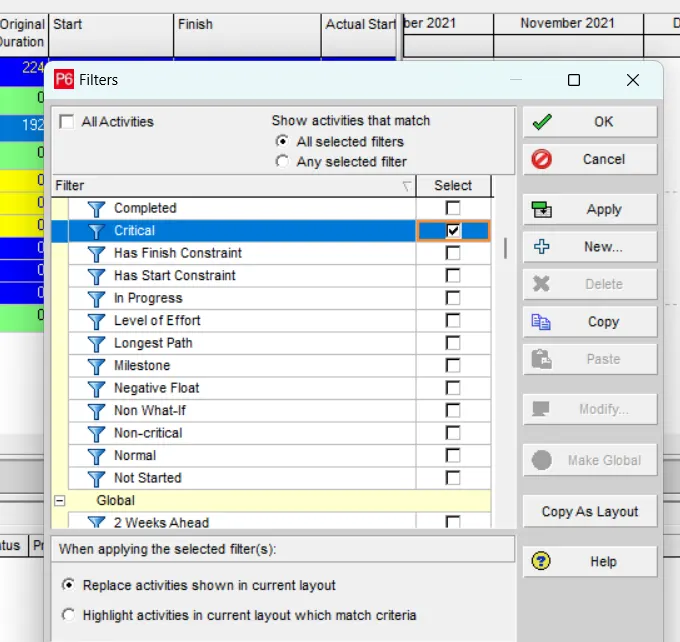
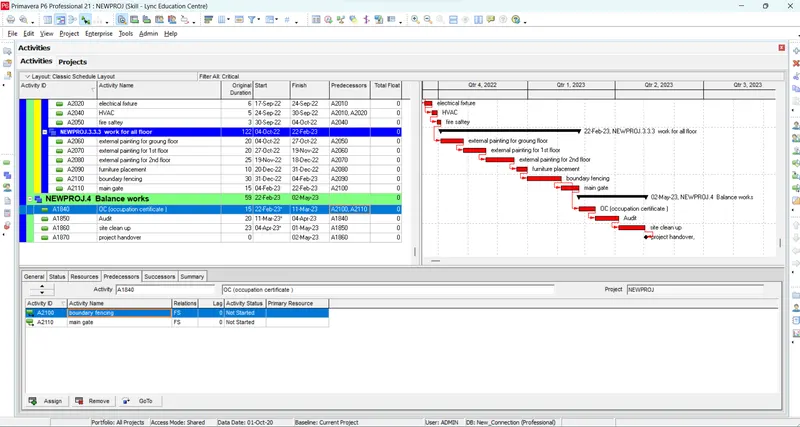
(i) filter all critical activity
procedure - go to view > filter by > critical
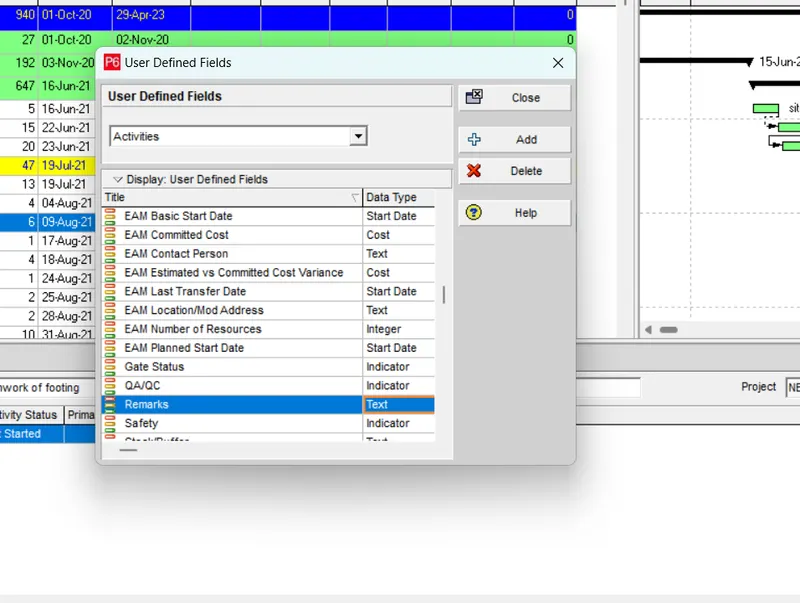
assign an user defined
procedure - enterprise >udf >select
(j) determine early/late - start/finish
procedure - right click on column tab > add early/late - start/finish > app
(k) all activity must have an interval of 10
Critical activities
Conclusion :
The project is completed with all the given requirements.