2D Meshing over the Floor panel using Hypermesh.
AIM
2D Finite element meshing over the Floor panel Using Hypermesh.
METHODOLOGY
- Import the model to hypermesh (step/IGS /hm file)
- Perform topology and geometry clean upon the geometry to remove all possible errors in the geometry.
- Shell Mesh option is used for the sheet metal part which has a thickness of less than 6 mm or measurable thickness.
- For casting / plastic part if the part having thickness more than 6 mm, solid meshing is preferred.
- Extract Mid-surface from the parent geometry using automidsurface option.
- Deploy mesh on the extracted mid-surface as per the given Quality criteria.
- Check for any Quality failure elements and eliminate it.
- Save the FE into different PIDs and assign thickness to it.
STEPS FOLLOWED
*The CAD model has to be pre-processed before solving and ANSA software is used here to mesh the model.
*Model dimension, Geometry editing and complexity reduction is done in ANSA.
1.GEOMETRY CLEANUP
*Import the model using file_open.
*The given model should be analysed properly.
*The model seems complex as it consists of many features.
*Apply topo on the selected view and check up the geometry.
*Unchecked faces or triple cons are eliminated as a part of clean up.
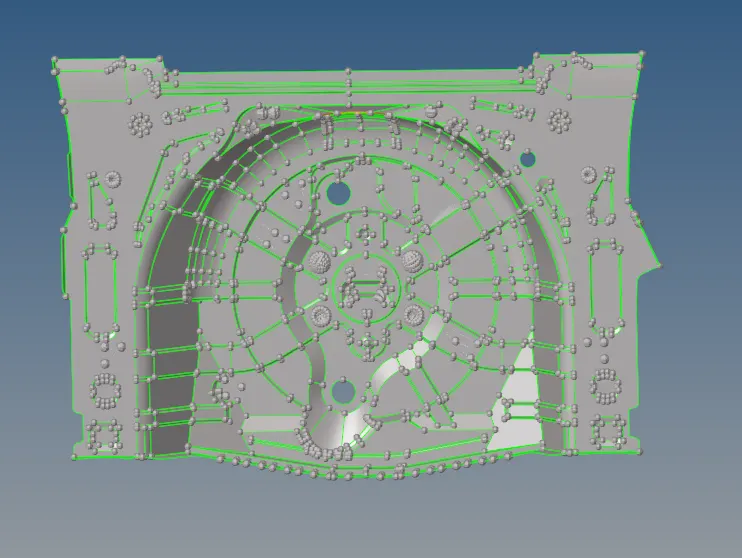
* The red lines are single cons which represents some errors in geometry or lines with no connection to its adjacent lines or surface is not available there.
* The green lines indicate the connecting surfaces and in the imported model, all the geometry is represented by green lines.
* The yellow lines indicate the triple cons means more than two lines are in contact with each other.
* The options showed below panel helps in eliminating geometry errors.

MIDSURFACE
*After Defeaturing the parent geometry the midplane is extracted from the parent geometry.
*Midsurface can be obtained manually and automatically by using Midsurf command.
*Here, midsurface is generated using offset option in surface edit under geometry deck.

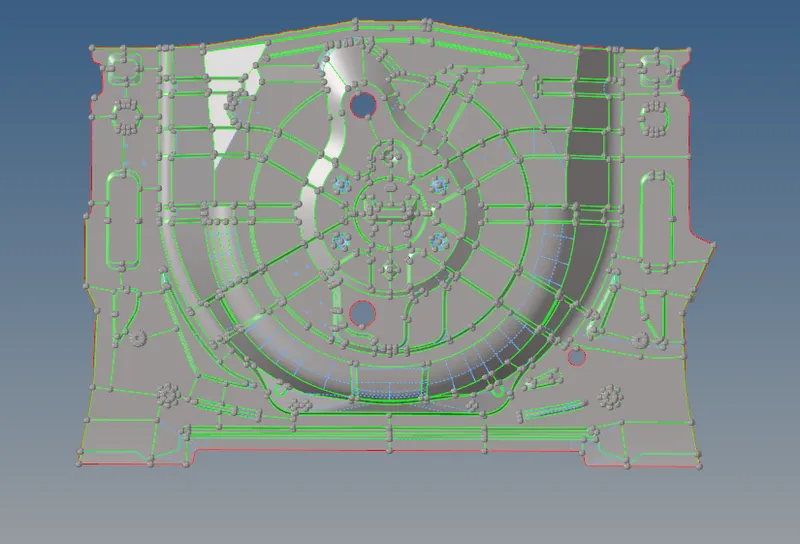
Defeaturing/ toggling MID surfaces
* After the generation of midplane from the parent geometry, the midsurface extracted is taken for geometry cleanup.
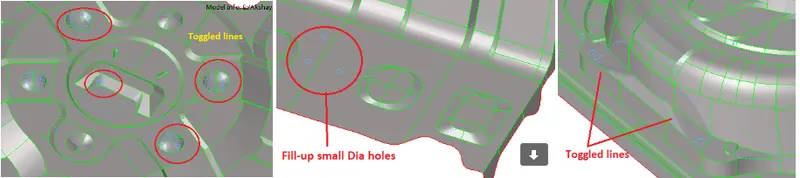
* Unnecessary construction lines are eliminated or altered to get a better mesh flow.
3.MESHING
*A mesh is a network that is formed of cells and points. It can have almost any shape in any size and is used to solve Partial differential equation.Each cell of the mesh represents an individual soultion of equation which, when combined for whole network,results in a solution of entire mesh.
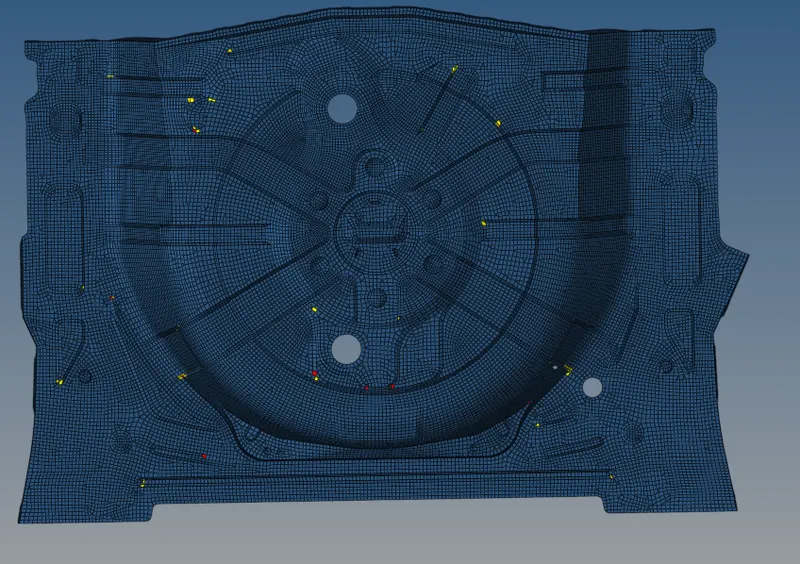
*On meshing the model element size must be consistent and so set element length in perimeters. Here as per the given details, it is 5 and here it is followed initially before geometry cleanup.
*Quality criteria should be assigned according to the given values.
*In quality criteria aspect, skewness, angle, minimum length, maximum length and warpage is considered.
*Check all the fillets before meshing to make sure it is under the minimum length given for meshing.
* Construction lines are altered to get rid of sharp edges and to maintain better mesh flow.

* For a better understanding of quality failing elements, the quality index sub-panel from the 2D mesh panel is selected and the cleanup tools helps in eliminating failing elements as well as trias.

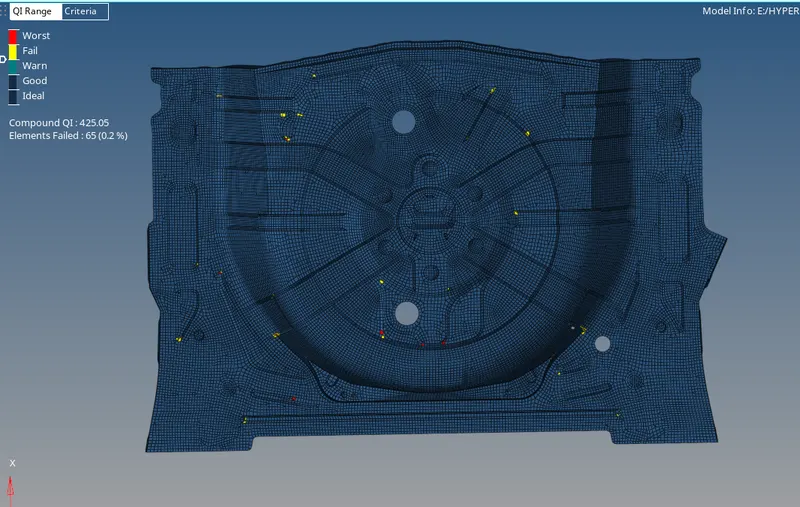
* Here at some areas the elements are failing for warpage and max length and it is because in this sort of complex model the quality is compromised for better capturing of features throughout the model.
* Define the property for assigning the thickness to the model and the 2D detailed element representation is achieved as shown below.
CONCLUSION
*In preprocessing meshing is significant as it helps in the flow of stress evenly throughout the model.
*A smooth mesh is better in weight distribution analysis.
*Meshing is done in the midplane of the model and not in the parent geometry.
* Mesh refinement may improve the modeling and analysis of regions with stress concentrations, extreme force gradients, member connections, etc.