Preprocessing of Suspension and Wheel Assembly
Objective:
- To check for the geometrical errors and mesh the given assembly with the given quality criteria. After meshing the thickness has to be assigned for mid surfaces. To use tetra elements to model non-uniform thickness components. To give appropriate connections after meshing.
- Quality Criteria for Tria Elements (Tyre and Rim):
|
S.No |
Quality Criteria |
Value |
|
1 |
Target/Average length |
6.5 |
|
2 |
Minimum Length |
5 |
|
3 |
Maximum Length |
10 |
|
4 |
Skewness |
45 |
- Quality criteria for Mixed elements (For Midsurface only):
|
S.No |
Quality Criteria |
Value |
|
1 |
Target/Average length |
4 |
|
2 |
Minimum Length |
2 |
|
3 |
Maximum Length |
6 |
|
4 |
Aspect |
3 |
|
5 |
Warpage |
15 |
|
6 |
Skewness |
45 |
|
7 |
Jacobian |
0.7 |
|
8 |
Minimum Quad Angle |
45 |
|
9 |
Maximum Quad Angle |
135 |
|
10 |
Minimum Tria Angle |
30 |
|
11 |
Maximum Tria Angle |
120 |
- Quality criteria for Tria (For other components):
|
S.No |
Quality Criteria |
Value |
|
1 |
Target/Average length |
4 |
|
2 |
Minimum Length |
2 |
|
3 |
Maximum Length |
6 |
|
4 |
Skewness |
45 |
- Common Quality Criteria for Tetra elements are:
|
S.No |
Quality Criteria |
Value |
|
1 |
Tet-collapse |
0.2 |
Introduction:
- The suspension System in a vehicle is used to isolate the road shocks and jerks subjected to a vehicle when it is traveling on a plain road or when it passes through a pit or bump. The suspension system minimizes the shocks which travel from the wheels to the passenger compartment.
- This provides comfort to the passengers in the vehicle, and along with this, it also minimizes the fatigue loads on the vehicle too. There are 2 different types of suspensions that are used in vehicles: Dependent Suspension and Independent Suspension.
- Independent suspension, the two axles of the vehicle are dependent on each other and have a direct connection between them. When one of the wheels is subjected to shocks, loads, bumps, etc., the other wheel also gets affected by it, as the shocks travel through the connecting elements to the other wheel. This system is almost eliminated over the course of time and innovations.
- In independent suspension, the two wheels do not have direct contact between them. When one wheel is subjected to shocks, the other wheel is not affected by them. The two most widely used independent suspension systems for LMVs are Double wishbone and Macpherson Strut. For heavier vehicles like trucks, buses, the leaf springs system is used.
- Out of the above two mentioned suspension systems, the MacPherson Strut system is quite cheaper than the Double Wishbone system as the number of components is less, and also the structure is less complicated.
- This project is based on the MacPherson Strut system for the rear side of a vehicle. The components of a MacPherson strut system are Coil Spring, Shock Absorber, Strut, Knuckle, Lower Ball Joint, Control Arm, and Bushings. Since in this project, the system is coupled with the wheel assembly. Therefore the rim, wheel hub, brake disc, brake caliper, tire, and anti-roll bar or stabilizer bar is also present in the model.
- All these components have to be meshed according to the above-mentioned quality criteria for crash and durability applications. Most of the components have to be 3D meshed and they are not having a uniform thickness, but some components have to be shell meshed by extracting the midsurface. Also, appropriate connections have to be deployed in the model after meshing the components.
- In product integration stage in “FEA”, connections play a very important role. After meshing all the parts and components of a product or model, they are integrated by deploying suitable connections between them before moving to the further analyzing stage of “CAE”.
- The connections to deploy are depended on the manufacturing process that would be used or the process which would be ideal for joining the final physical product. If the product has to be joined using welding, different types of weld connections are used. If it is to be bolted or riveted, those relevant connections are used.
- There are different types of 1D elements that are used as connections like, RBE2, RBE3, spotweld, bolts, CBUSH, CBAR, spring, CBEAM, etc. RBE2 is considered as a rigid, non-deformable connection. Though it may not represent the actual connection to be used, it is widely used in the industry as it gives better results. In this, the slave nodes and master nodes have to be selected to define the connection.
- The only difference between an RBE2 and RBE3 connection is, in the RBE2 connection, the slave nodes form the spider and the master node forms the central node, while in the RBE3 connection, the master nodes form the spider and the slave node forms the central node.
- The load is always applied on the master node while the slave node is depended on the master node. The loads, stresses or deformation of the slave nodes are according to the load applied on the master node.
Procedure:
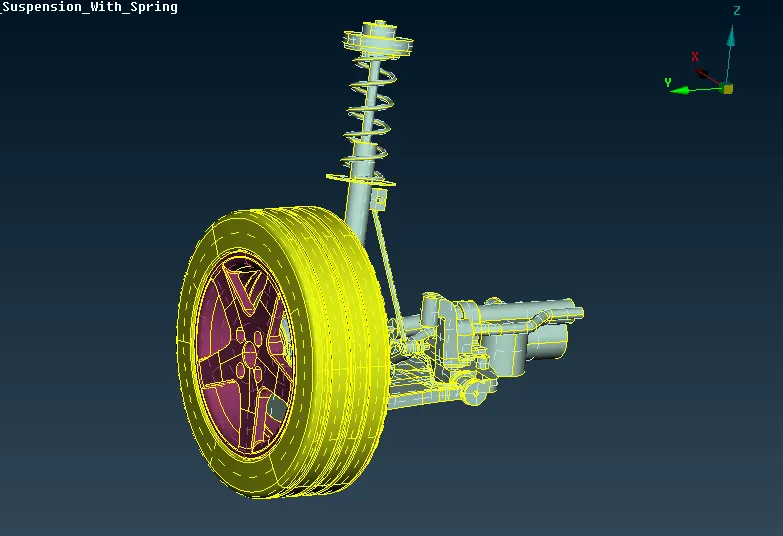
- The model was provided in the .ansa file format and was directly imported in "ANSA". The model was observed and there were three separate properties for tire, rim, and the remaining suspension system. The image below shows the model as it was.
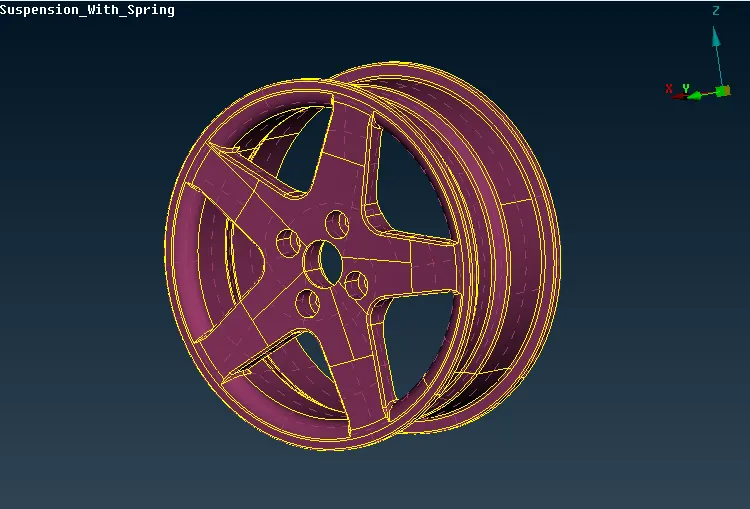
- The model was observed and it was clear that most of the components had to be meshed by 3D meshing. And hence the procedure to be followed for all the components would have to be the same. The modeling was started with the Rim of the system. All the components except the Rim were hidden. The manufacturing process for making the rim of the wheel is by casting. The thickness of the rim was not uniform and hence 3D mesh had to be deployed in it. The image below shows the rim component in PID mode.
- The rim was checked for any geometrical errors. This was done by the 'checks manager>geometry' option. All the visible entities were checked and no error was found in the component. Hence it was feasible to proceed with the meshing. Spot mesh with all tria elements was tried on the mesh with orthogonal elements on the curves. But there were a lot of failing elements in the model and it would take a lot of time to mesh all the surfaces of the rim.
- Therefore it was advantageous to go with batch mesh, as it is a time-saving technique and the model would also get defeatured properly according to the meshing requirements. For this, the component was defined as a separate model from the 'model browser'. A new 'meshing scenario' was established in the 'batch mesh' option and the 'model' for rim which was defined earlier, was selected for the meshing scenario.
- Along with this the meshing parameters and the quality criteria which were provided for the rim and tire components was defined for the meshing scenario, and the batch meshing was 'run'. After some time the meshing was completed, and upon observing the mesh, there were very less amount of failing elements found in the mesh. Also, in the curved areas, the 'ortho tria' elements were deployed properly.
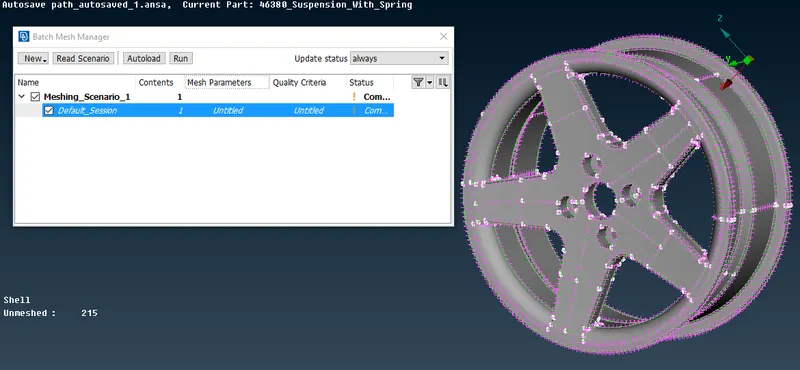
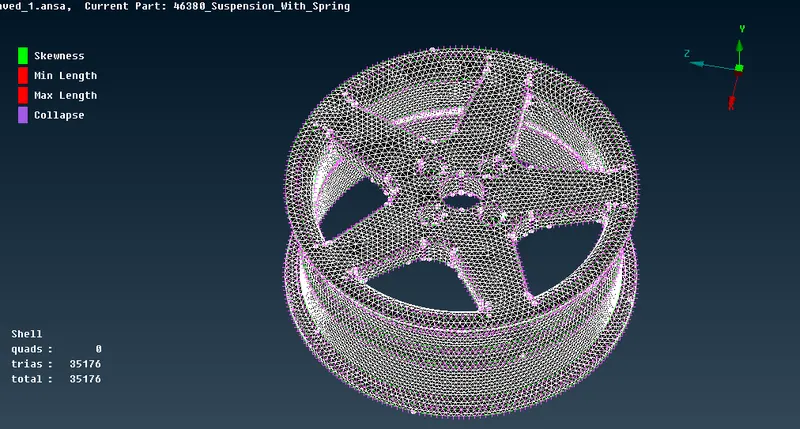
- The image below shows the meshing obtained by the batch mesh method with the failing elements.
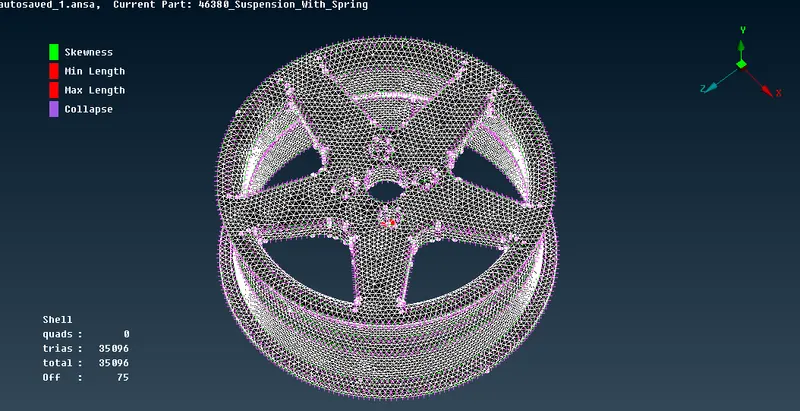
- All the failing elements have been cleared by 'splitting' the 'tria' elements and reconstructing them. By using the 'smooth' option, the mesh flow was made proper.
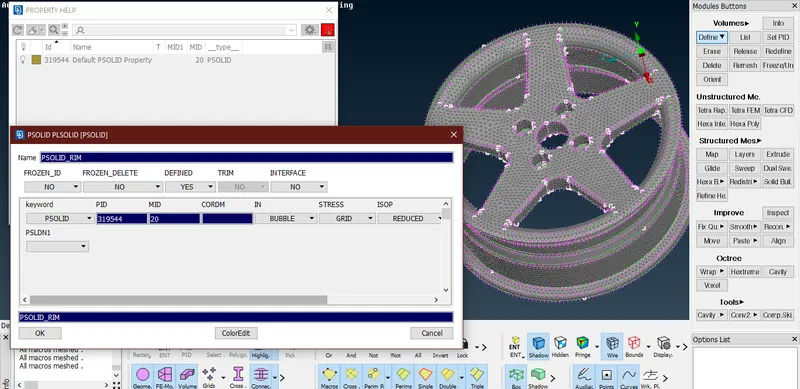
' - After the shell meshing of the rim by the batch mesh, these 2d tria elements had to be converted to 3D 'tetra' elements by volume meshing. For this, the component first had to be defined as a volume. This was done by the 'define>manual>auto' option under the 'volumes' tab in the 'volume mesh' mode. A new property 'PSOLID' was created to define the volume. The image below shows the volume definition process.
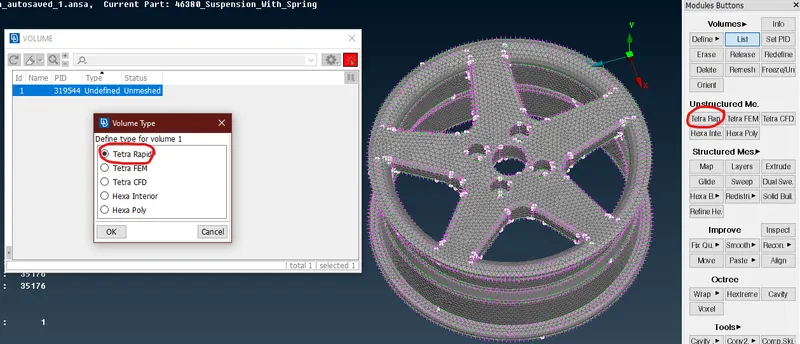
- 3D meshing is an unstructured type of meshing as the elements do not follow a specific structure, and is dependent on the growth rate of the elements. There are two different ways to do deploy a volumetric mesh. 'Tetra Rapid' and 'Tetra FEM'. These options are available under the 'Unstructured mesh' option. In this operation, the 3D mesh was deployed by selecting the volume from the 'list' and by right-clicking on the 'unmeshed' column, the 'tetra rapid' algorithm was deployed as seen in the image below.
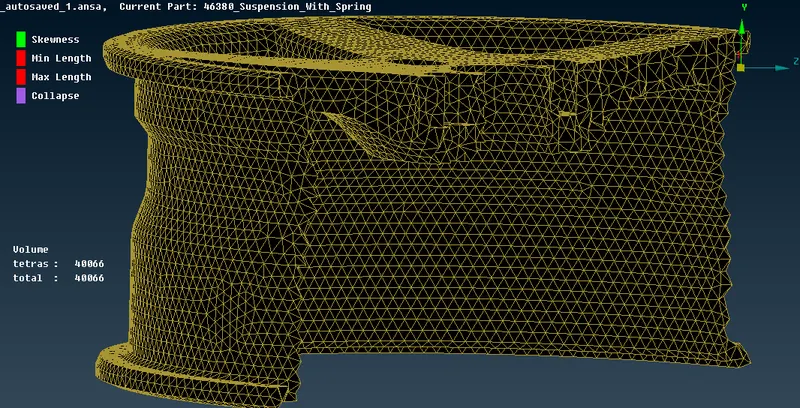
- In 3D tetra meshing, the 'tet collapse' is an important parameter that should always be looked for while meshing any component. Here the value of the 'tet collapse' was given as 0.2. Upon checking the failing elements in the 'hidden' mode, none of them were failing for the tet collapse. Upon confirming that the mesh is free of any errors, it was finalized as shown in the image below.
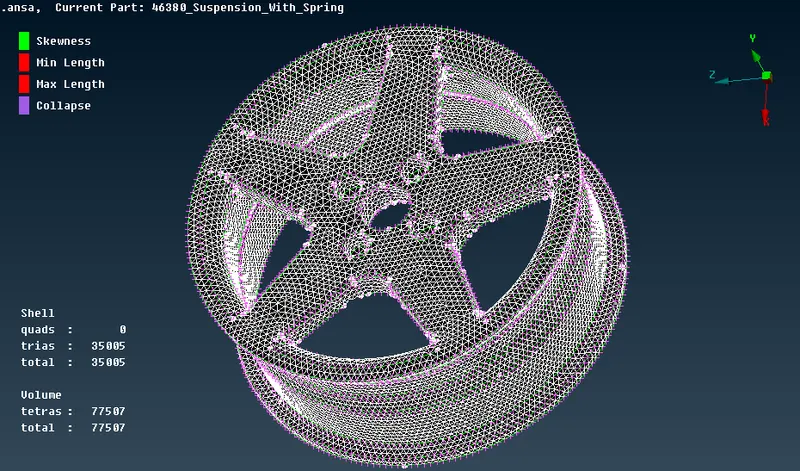
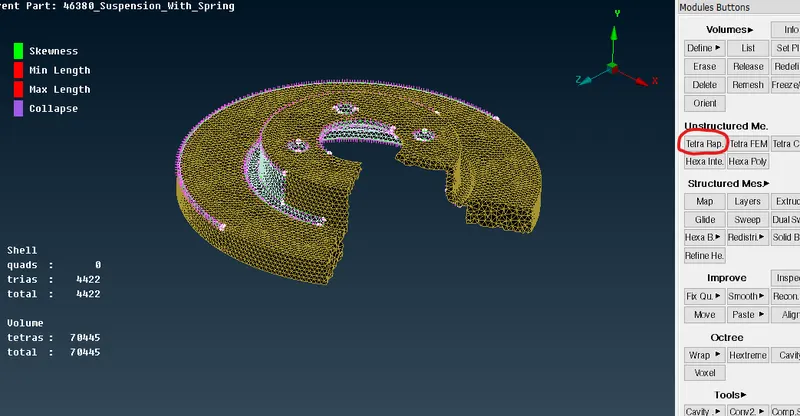
- To confirm whether the model has been volume meshed, the 'bounds' in the 'drawing styles' tab can be switched on and if there are red lines, it can be confirmed to be 3D meshed. Another way to confirm it is by using the 'NOT' option and hiding some part of the shell elements, and making a cut section as seen in the image below.
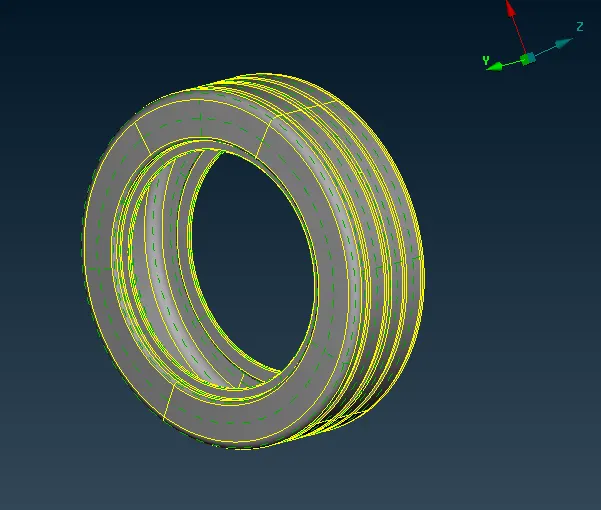
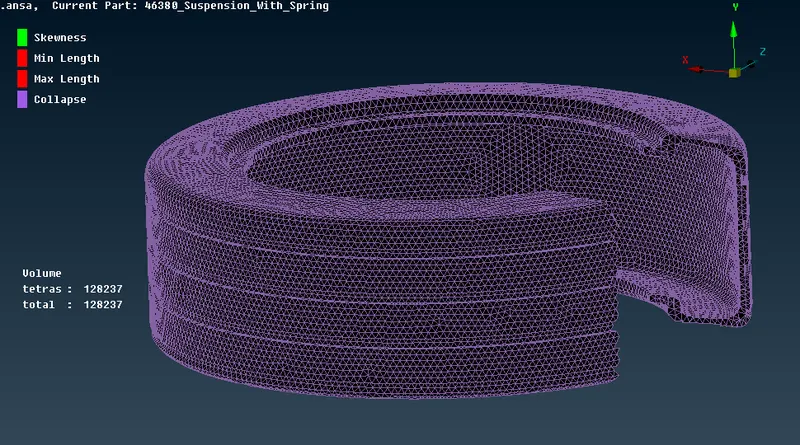
- In that similar manner, the tire was meshed. It was first checked for geometrical errors from the checks manager, then it was defined as a model, and the batch mesh command was applied. Later for 3D meshing, it was defined as a volume and this time 'Tetra FEM' algorithm was deployed. The images below shows the tire component, and the volume meshed tire component.
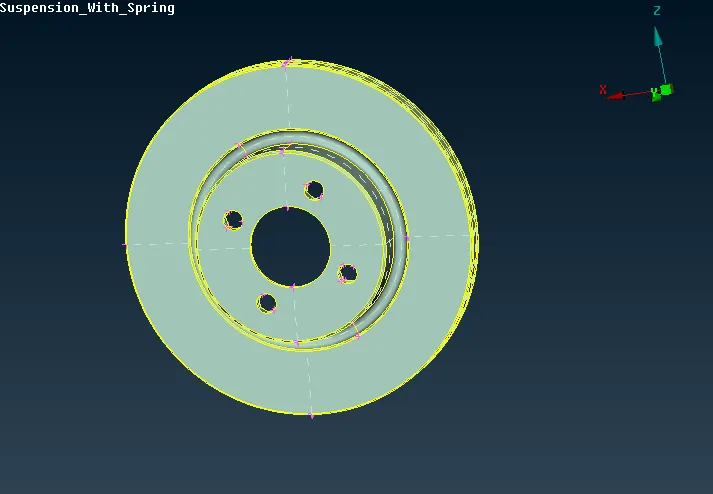
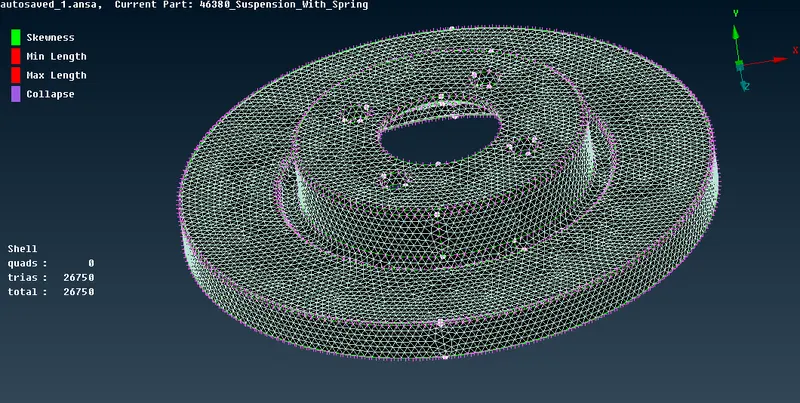
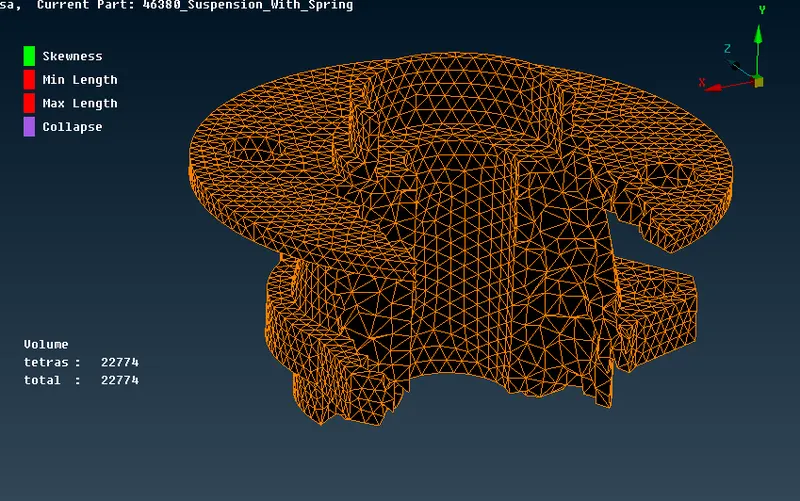
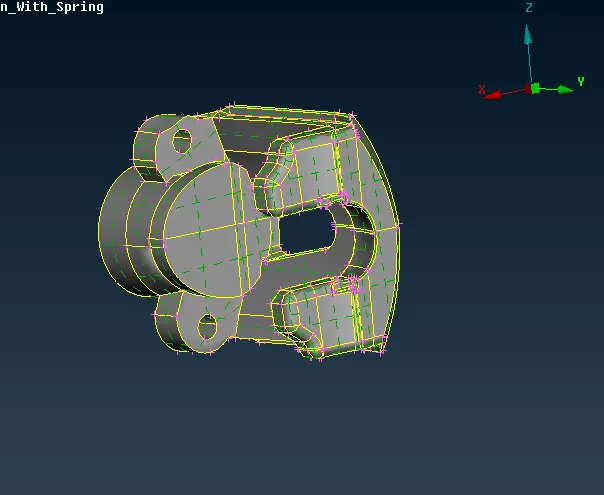
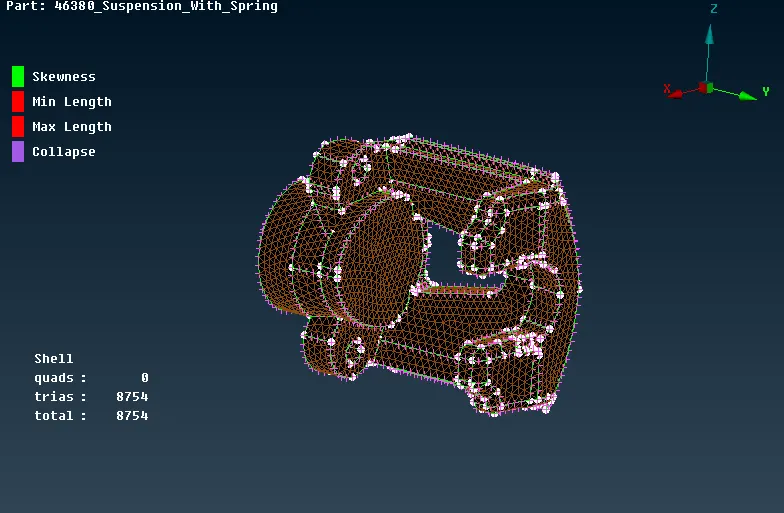
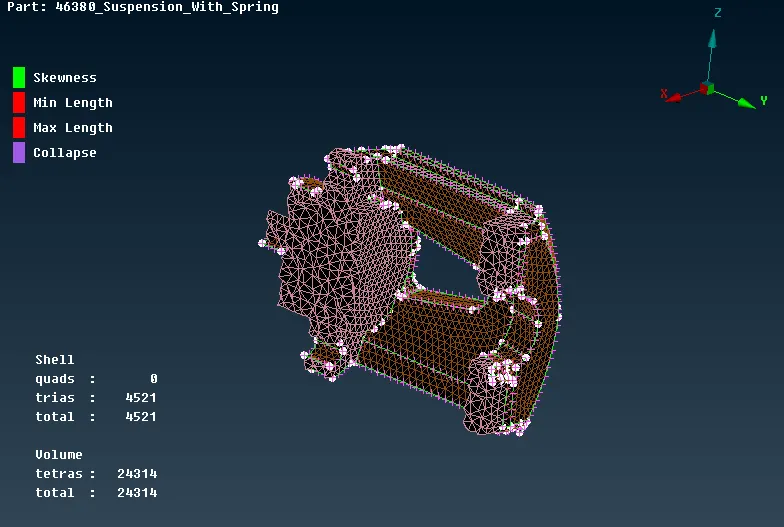
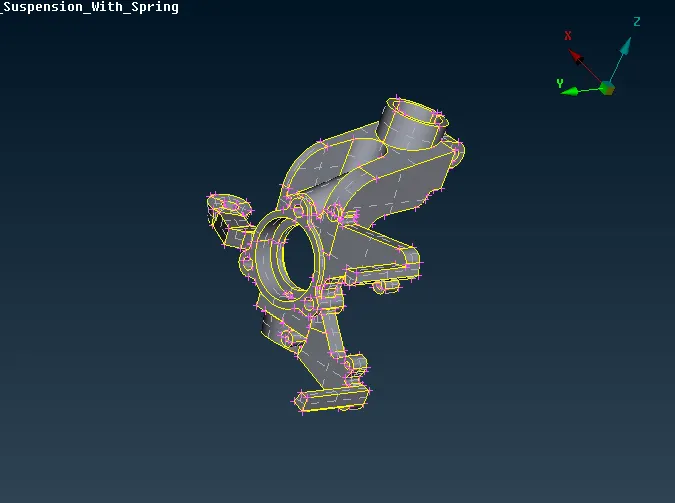
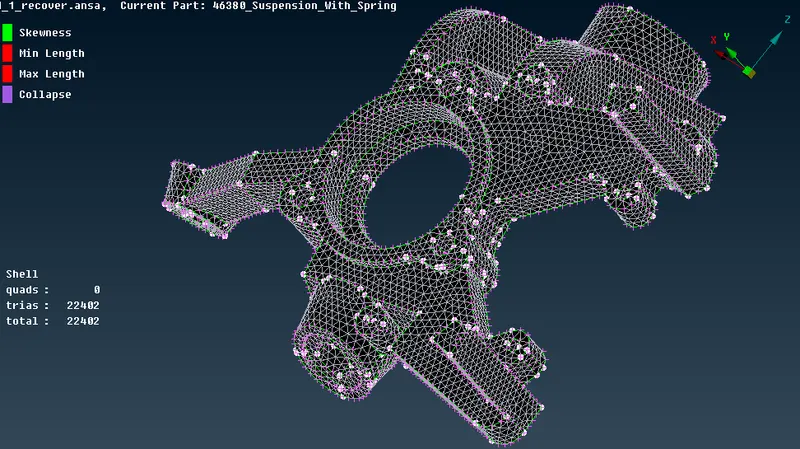
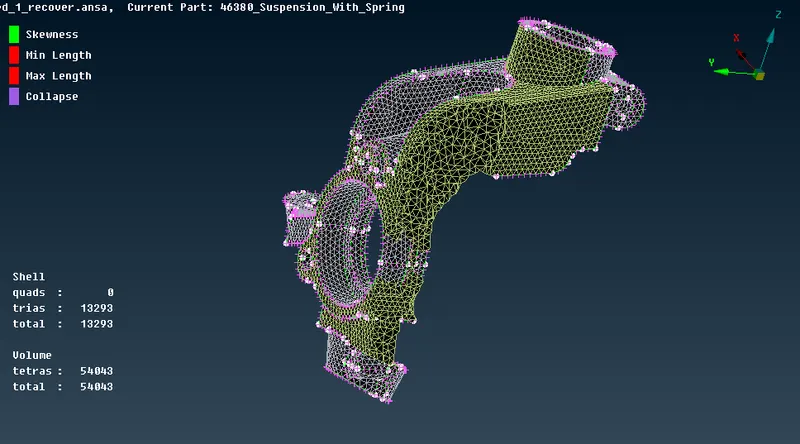
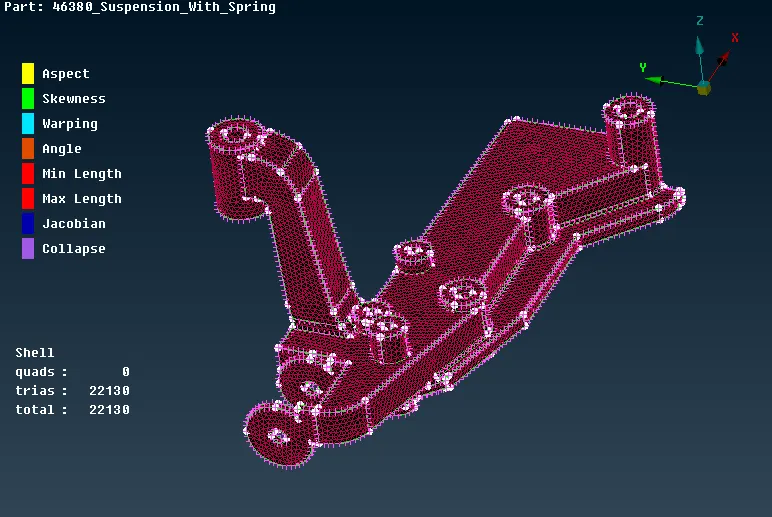
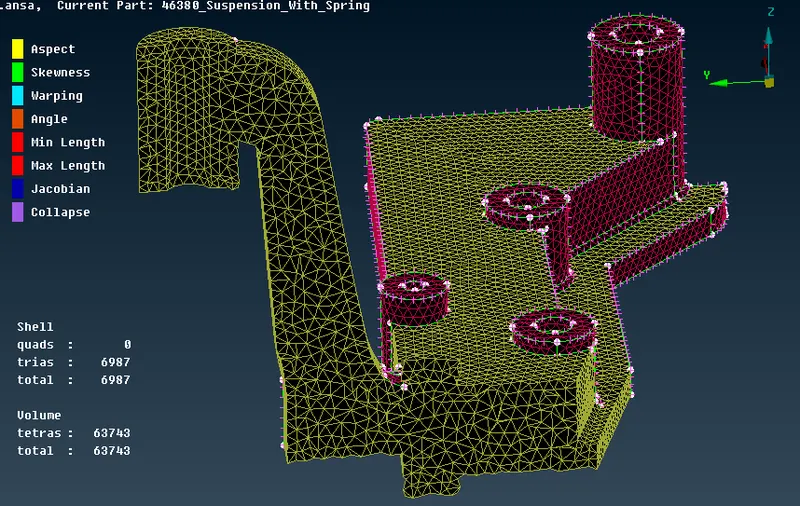
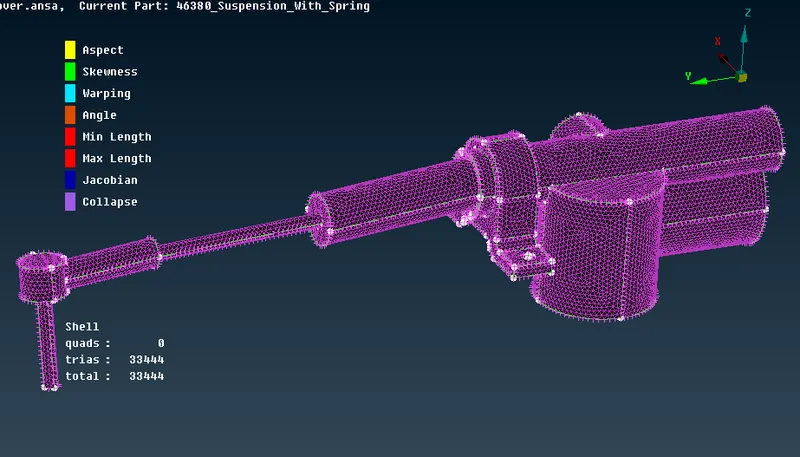
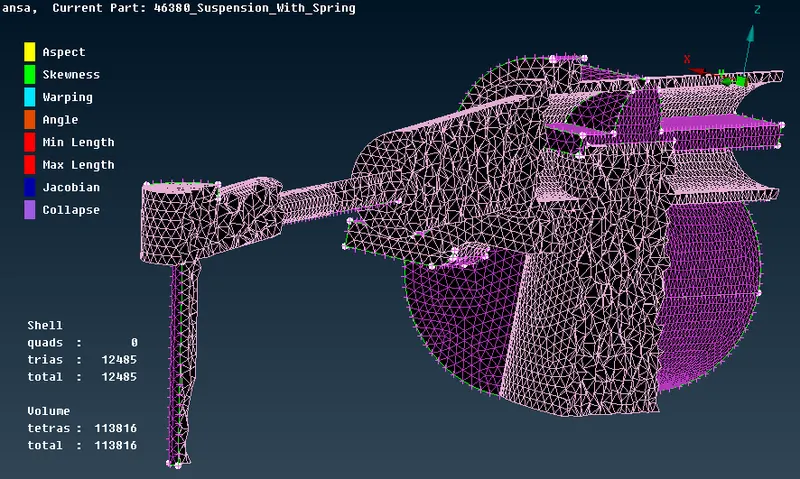
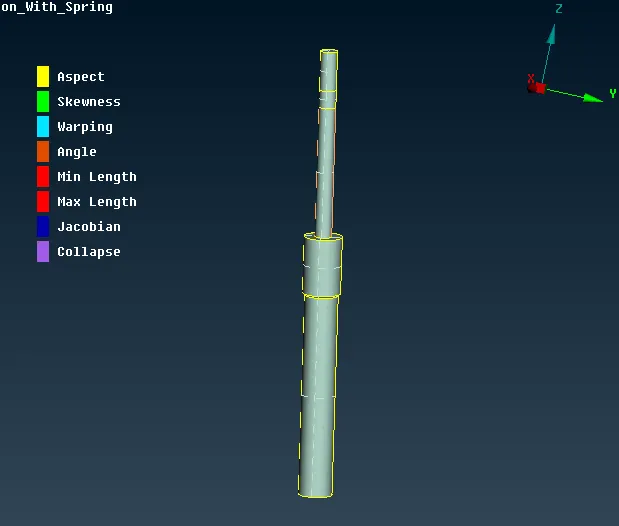
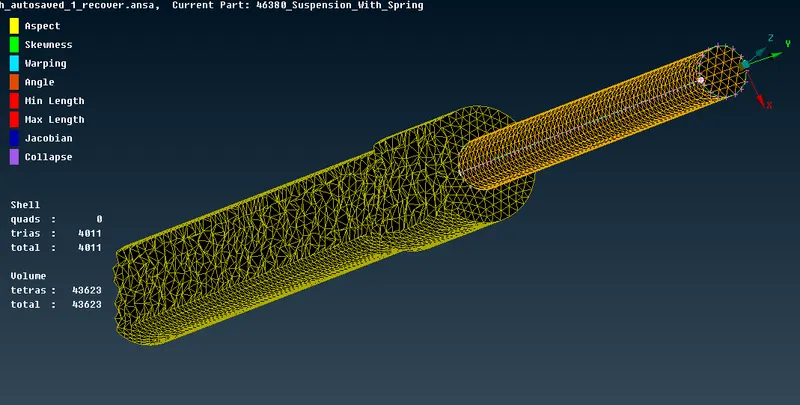
- In the similar way, all the other components were volume meshed. The following images shows them one by one.
- Brake Disc:
- Wheel Hub:
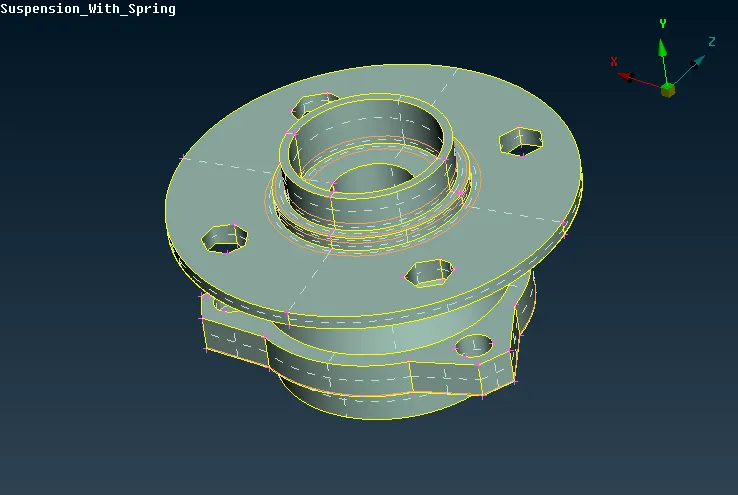
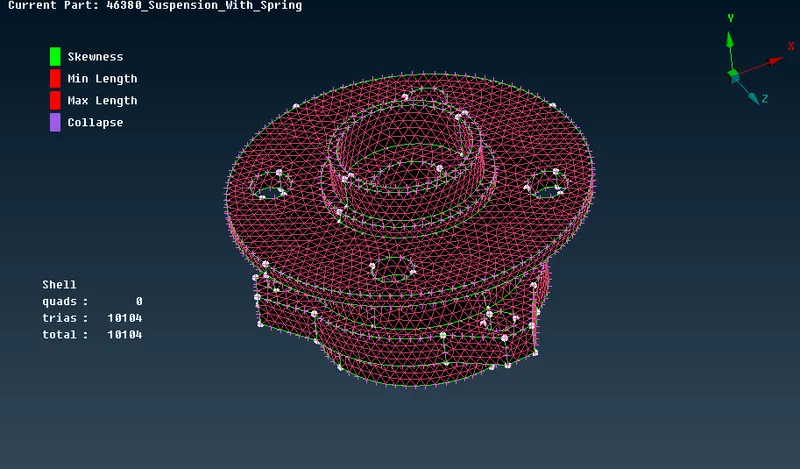
- Brake Caliper:
- Knuckle:
- Lower Ball Joint:
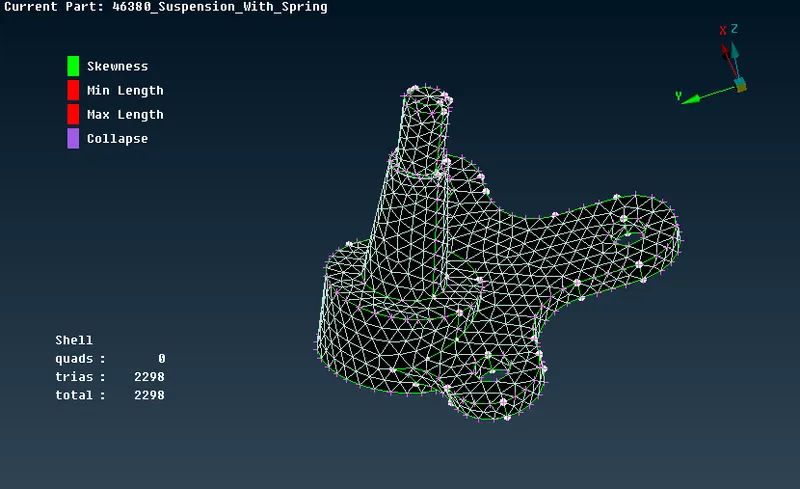
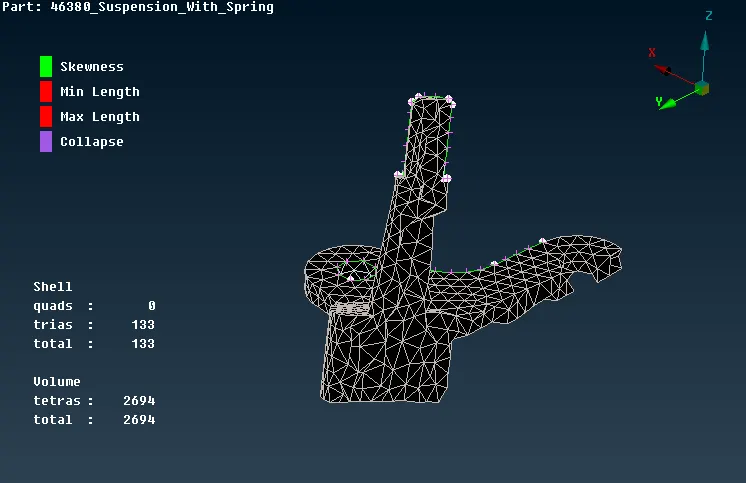
- Control Arm:
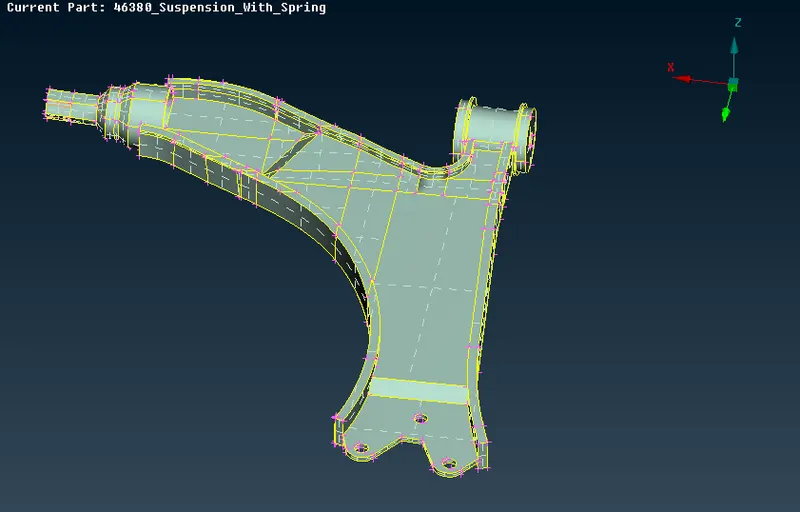
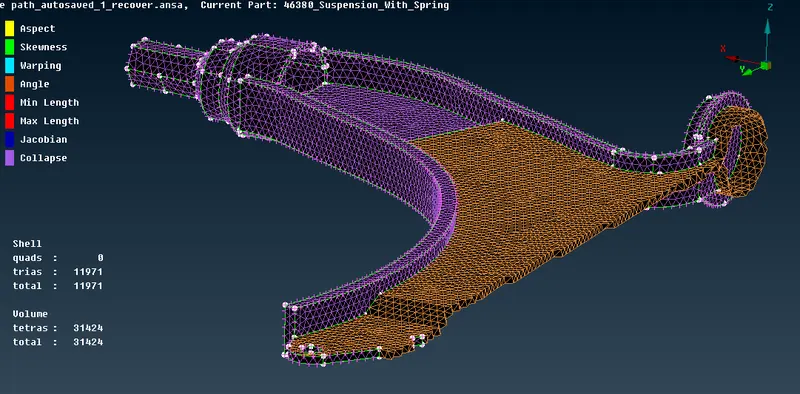
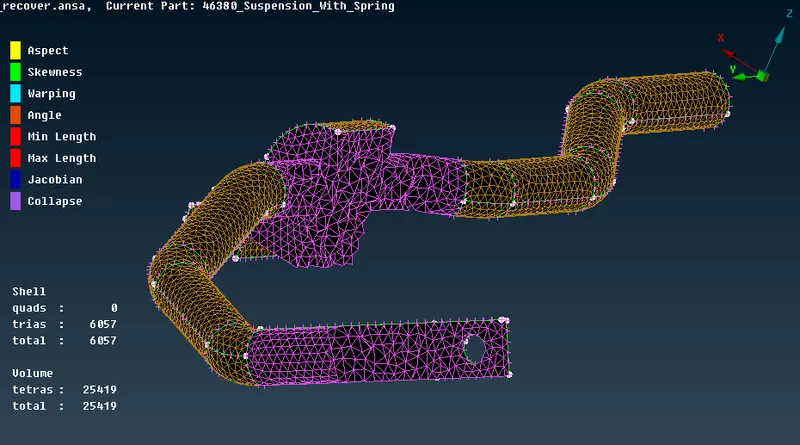
- Stabilizer Bar:
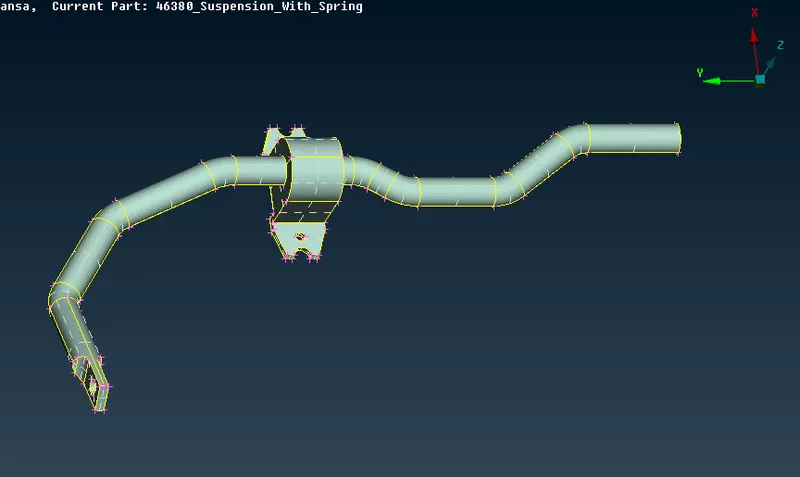
- Sub Frame:
- Tie Rod:
- Shock Absorber:
- Strut:
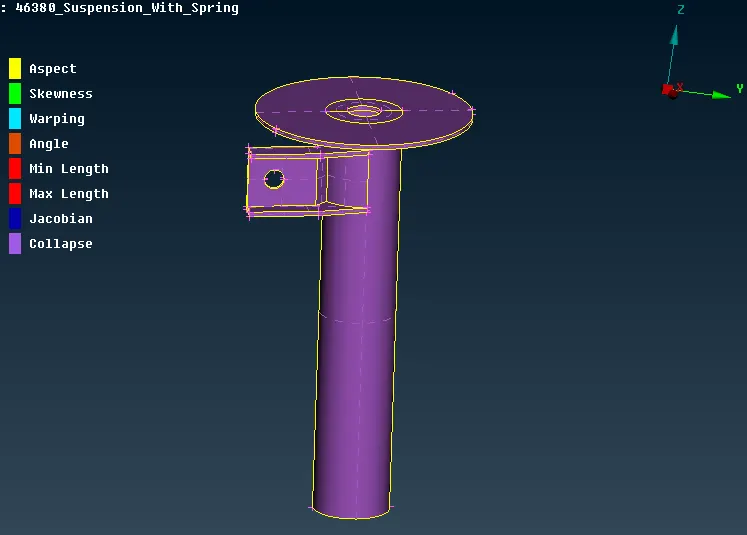
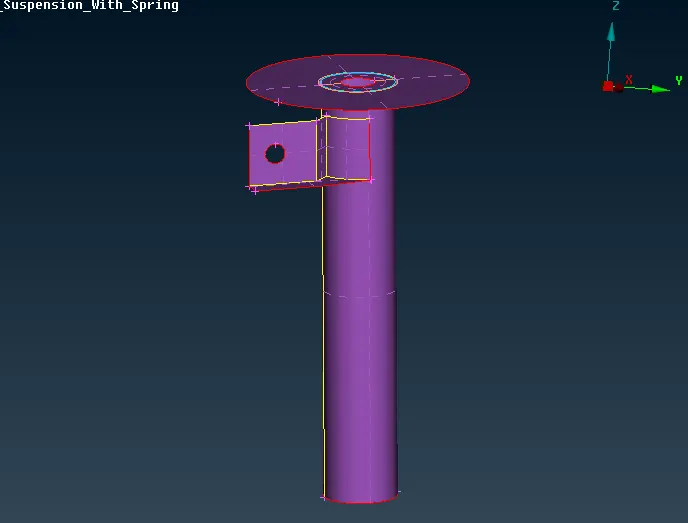
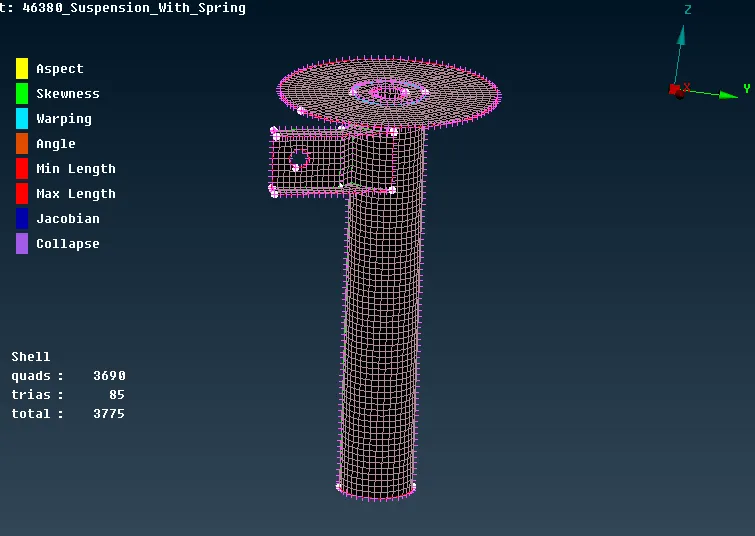
- As seen in the image above, the strut assembly of the suspension system has a uniform thickness all over. Therefore, it was feasible to go for the 2D meshing. For this, the midsurface of the component was extracted manually using the 'offset' option. Here too, the batch meshing method was used to mesh the component. The mesh parameters and the quality criteria was loaded and the elements were checked for any quality failure. All the failing elements were cleared and the mesh was finalized. Later a property was created to assign the thickness of 3mm for the strut. The images below shows the midsurface and the finalized mesh of the strut component.
Connections:
- The connections are used to connect several components together according to their manufacturing processes that would be applied for those particular parts. The connections are of 1D and 2D type which save the cost and time of computation during the analysis stage. These 1D and 2D connections represent an actual bolt, or weld for example. Connections used in this model are mostly RBE2, and a seam weld.
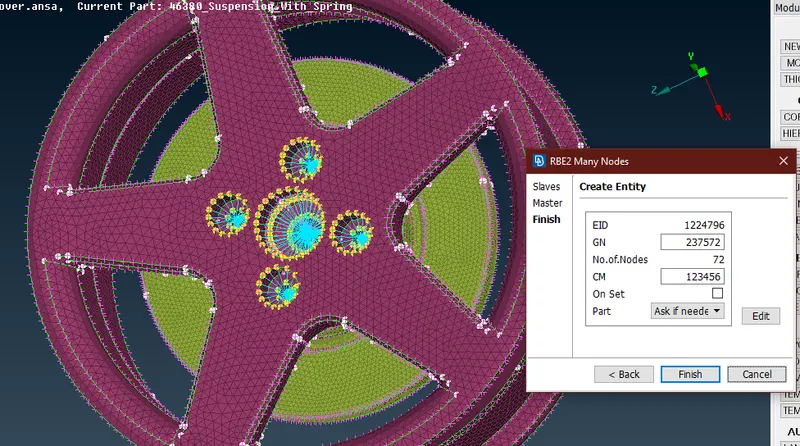
- The connections are available in the 'Nastran' deck. There are two types of RBE2 connections which are mostly used in the industries. Many node RBE2 and two node RBE2. These connections represent the actual bolts which would be used in the real manufactured product. The image below shows the RBE2 connections deployed to connect the rim and the Wheel Hub. For this, the 'many node RBE2' option was used and the nodes on the perimeter of the holes of rim, disc, and the wheel hub were selected. A master node was created at the COG of the RBE2 spider where the load would be applied, and it would be distributed to all the nodes equally. The 'CM' denotes the degrees of freedom constained for the connection. Here it is set as 123456, which means all the DOFs are constrained.
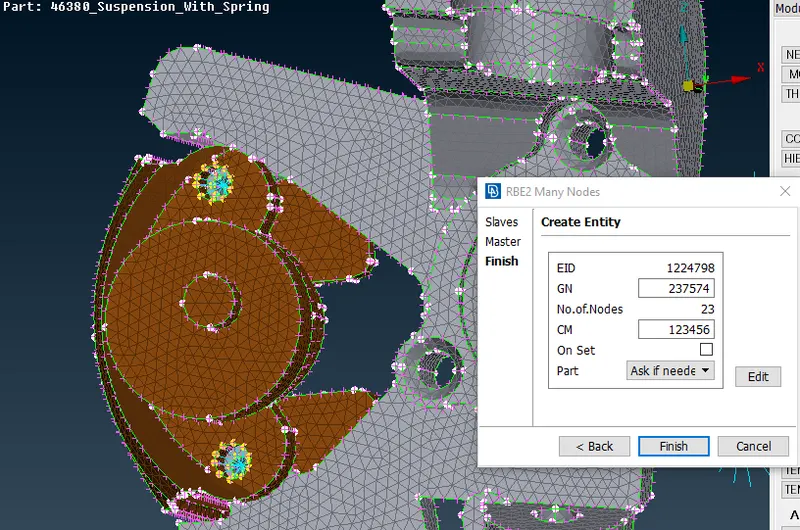
- Similarly, the knuckle and the brake caliper were connected using the many node RBE2 elements as seen in the image below.
- For connecting the knuckle and the strut, two separate clusters of RBE2 elements were created and they were joined by another RBE2 element by using the 'two node' option. This RBE2 connection represents the stem or the body of the bolt.
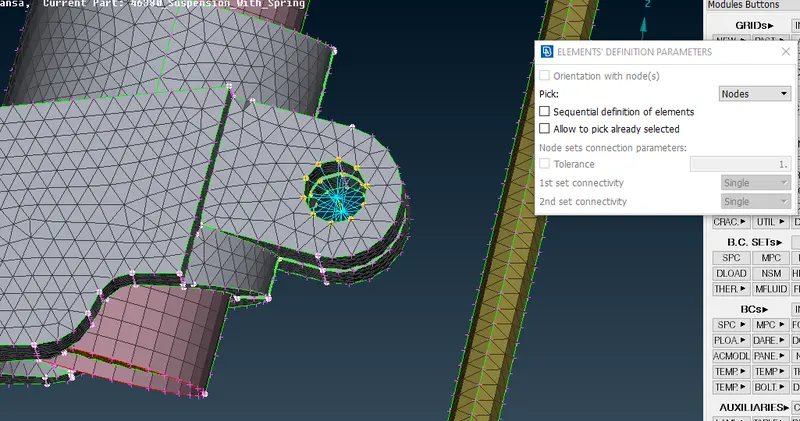
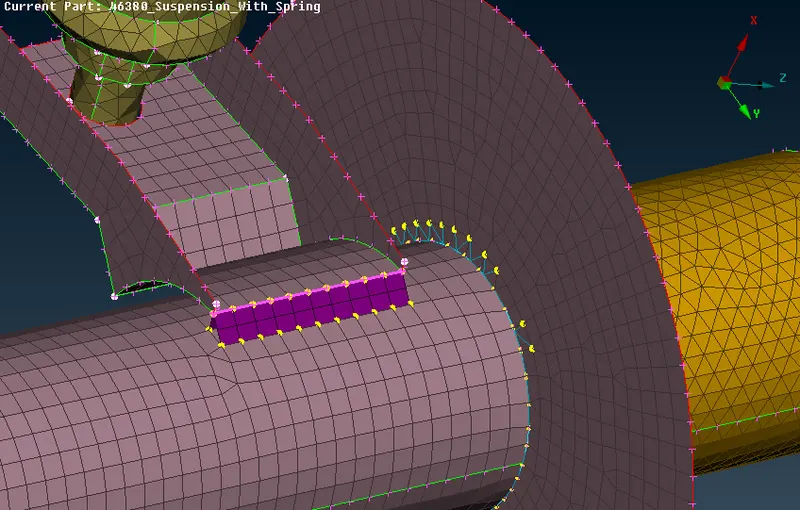
- Similarly, these RBE2 connections were deployed at all the necessary instances. To connect the Strut element, seam weld was used, as generally it is welded to the body of the strut. For this, a curve was extracted from the 'CON2curves' option from the 'curves' tab in the topo mode. This curve was converted into 'seam line' and from the 'connectors' option, the 'Seam weld' option was defined to the curve by selecting the strut as two parts as P1 and P2.
- The image below shows the spring component.
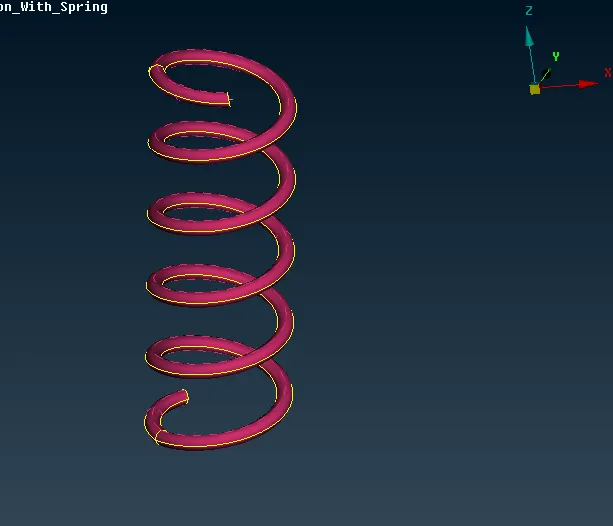
- It is a accepted industrial practice to model the coil spring in 1D and then assigning it as CBAR element. This reduces the computational time and cost. Therefore, the middle curve of the spring was extracted using the 'curve>middle'. A 3D point was created at the COG of the spring curve from the topo mode using the 'on COG' option under the 'points' tab. From the Nastran deck, the 'CBAR' connection was selected, with the 'orientation with nodes' option checked. The 3D point was selected as the orientation node, element length of 4mm was defined, and a new PBAR property was created for the spring with the cross-sectional area defined with the help of the radius of the spring. The image below shows spring as curve with the 3D point in between and the process of the property creation.
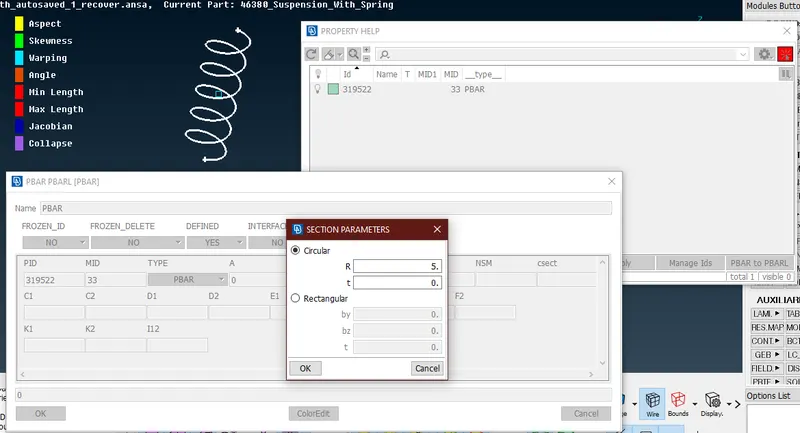
- This created 1D CBAR elements along the length of the spring with the element length of 4mm.
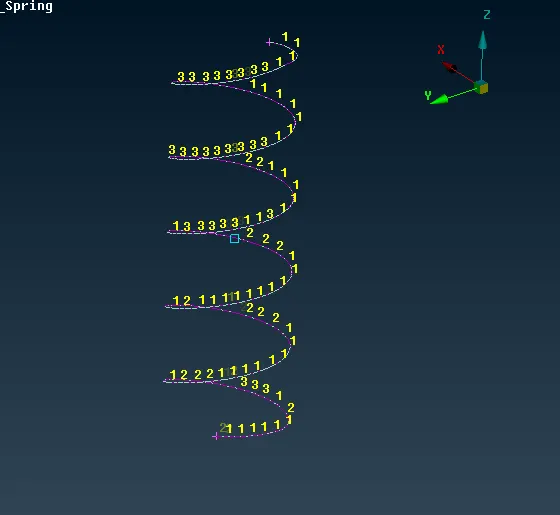
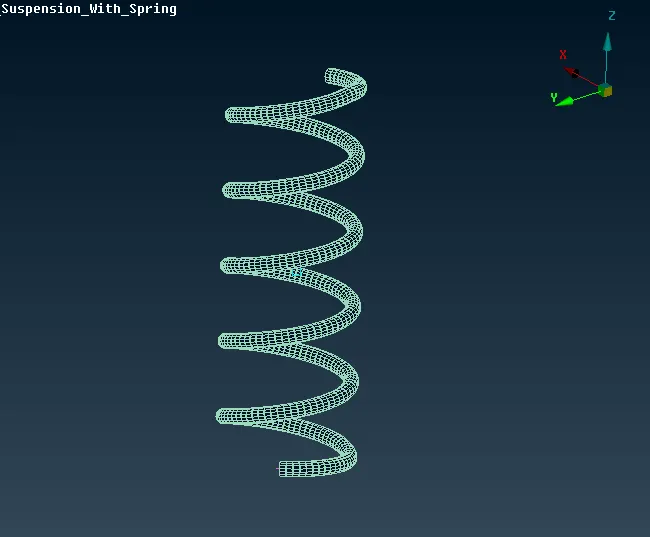
- From the 'Presentation Parameters', the 'Line elements cross-section' option was checked, which represented the 1D spring elements with the cross-section and 3D elements.
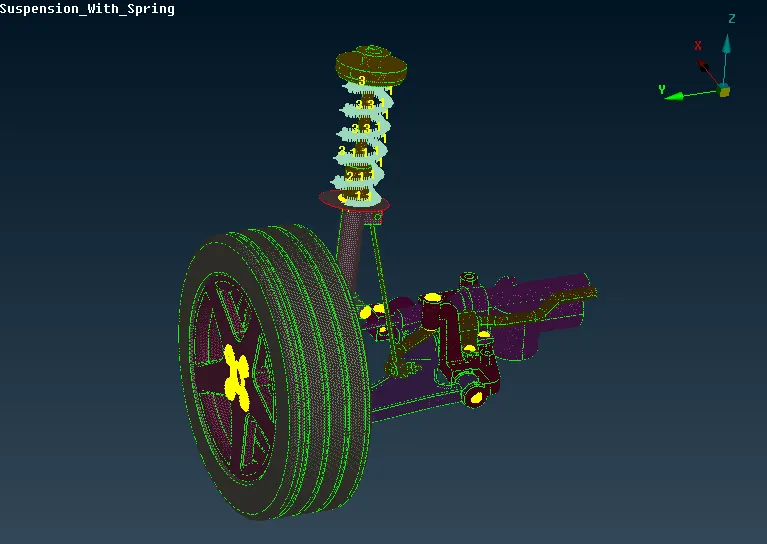
- Later, the two ends of the spring were connected to the strut body by creating a 'two node RBE2' element between the end nodes and the node on th strut body. After making sure that the elements were pertaining to the quality criteria and proper connections were deployed at their respective locations, the model was finalized. The image below shows the mesh and the connections.
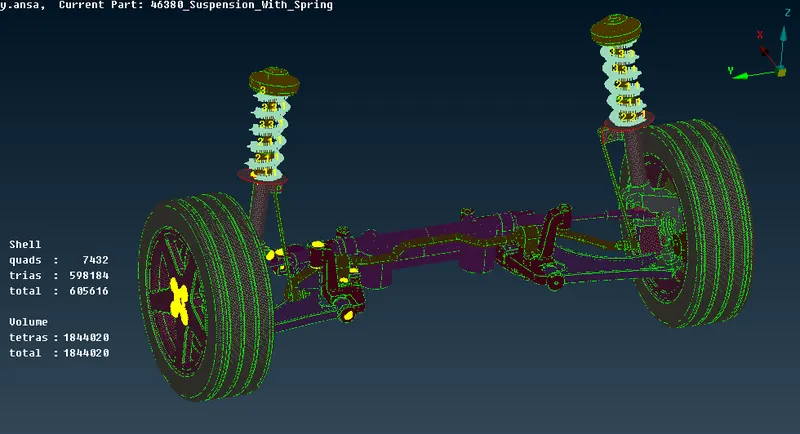
- Using the 'transform' option from the 'utilities' tab, all the entities of the model were mirrored to the other side, in order to make it a complete suspension system. The 'symmetry' option was selected from 'transform>copy' after selecting all the entities, and using the 'mirror 3 points plane' 3 nodes were selected in order to define the mirroring axis. Using this axis, all the entities were mirrored to the other side as seen below.
Conclusion:
- In this project, the Rear Suspension and Wheel Assembly were meshed successfully pertaining to the given quality criteria and mesh parameters. Along with this, several connections were deployed at their respective locations.
- Most of the components in the model had a non-uniform thickness, and thus they had to be meshed by volume meshing, as it is not recommended to create a shell mesh the components having thicknesses more than 5 or 6mm. Tetra mesh was deployed for all such components. For this, first, they were shell meshed by tria elements, and later this shell mesh was converted to the 3D mesh by defining the components as volume.
- For the tria meshing (shell meshing) of those components, the batch meshing method of automatic meshing was used. This is a time-saving technique that gives a rapid mesh pertaining to the quality parameters. Though there were some failing elements present after batch meshing, they were easily cleared manually by splitting and reconstructing. For batch meshing, first, the component has to be defined as a 'model' from the 'model browser', the 'model' has to be defined in the meshing scenario.
- Apart from the trial elements, the strut component of the suspension system was 2D shell meshed as it was having a uniform thickness of 3mm. For this, the midsurface of the strut was extracted manually, and mesh with 'mixed' elements was deployed on it.
- After the meshing, the next task was to give proper connections to all the components. The connections are of both 1D and 2D type. They reduce the analysis time on a large scale, as 1D elements can be computed quickly than their 3D counterparts. Here in this project, since they had to be applied just as a practice, only RBE2 elements were used.
- The Strut was connected by using the 'seam weld' option. A seam weld of width 4mm which is the target element length, was deployed at the strut to connect the strut-to-link element to the strut body.
- The main focus in the connections part was the spring. The spring was modeled as a 1D CBAR element by extracting the middle curve. This reduces the time and cost of analysis, but with the downside of slightly inaccurate results. Thus in this project, all the components were meshed and connections were practiced.
Additional GDrive link for the model: Meshing and Connections of Suspension and Wheel Assembly