Project 2

THE ABOVE FIGURE SHOWS THAT HOW THE WIRING HARNESS BUNDLE CONNECTED TO CONNECTOR INSIDE THE BACK DOOR .
1.INTERCONNECTION CONNECTOR
2.FIR TREE CLIP
3.MAIN CONNECTOR
Mainly these connectors are used in backdoor for creating bundle between connectors.
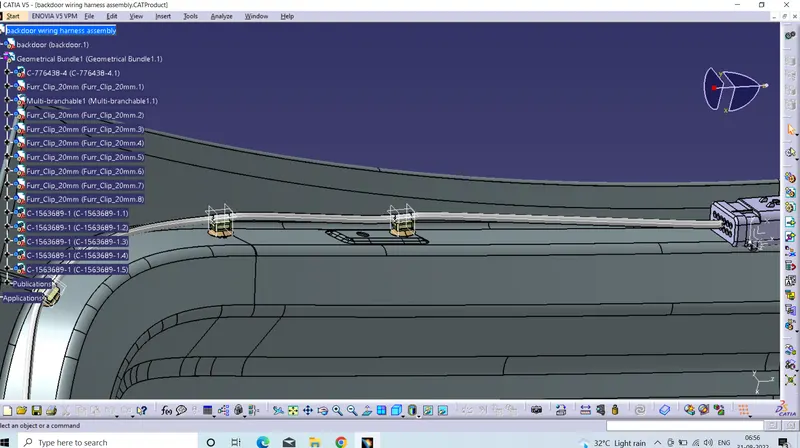
The above pic shows that the creating bundle between firtree clips , and interconnector ,here the fir tree clip can play major role in routing process.
before using fir tree clip we have to electrically defined , then it can be work as to create straight bundle , by using snap tool or smart move tool can be used to arrnage the fir tree clips properly.
HOW TO CREATE HARNESS ROUTING BUNDLES IN BACKDOOR ?
Intially copy backdoor file and paste it in product file and then right click on the product tree and select the component tool and click on the new product and give the name to the product as wiring harness geometrical bundle .
insert all the component inside the wiring harness geometrical bundle ,by using smart move , snap tool arrnage the component properly and now change the wiring harness assembly design select the geometrical equipment and select the geometrical bundle in the tree ,and now the geometrical bundle can be converted in to electrically defined
click on multiple branches tool select the connector and fir tree clip then easily create bundle between the connector and fir tree clip, for creating the other bundle branch defintion, this bundles undergo multiple branch.
HOW TO CREATE BRANCHES IN THE BUNDLE ?
in the bundle add branch point to bundle and now click on branch defintion and select connector or fir tree clip .
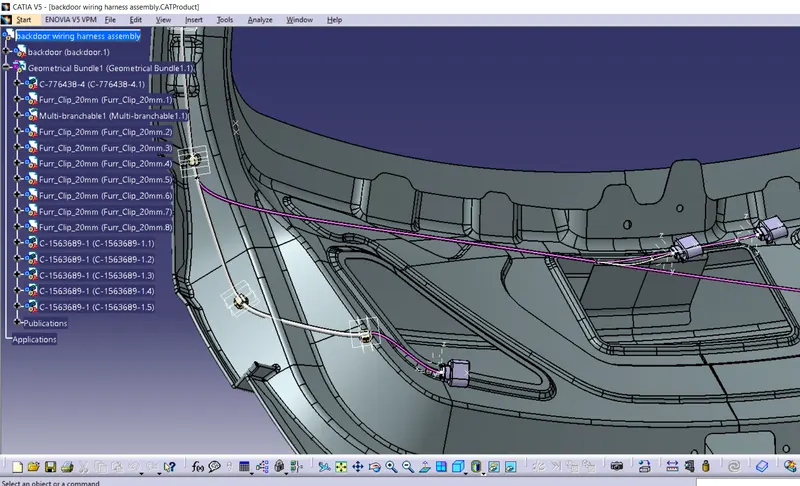
above figure shows that the i added different branches to the connectors, the figure shows that the different branches and different connector and different fir tree clips