Project 2 - 2D meshing on the instrumental Panel
PROCEDURE :
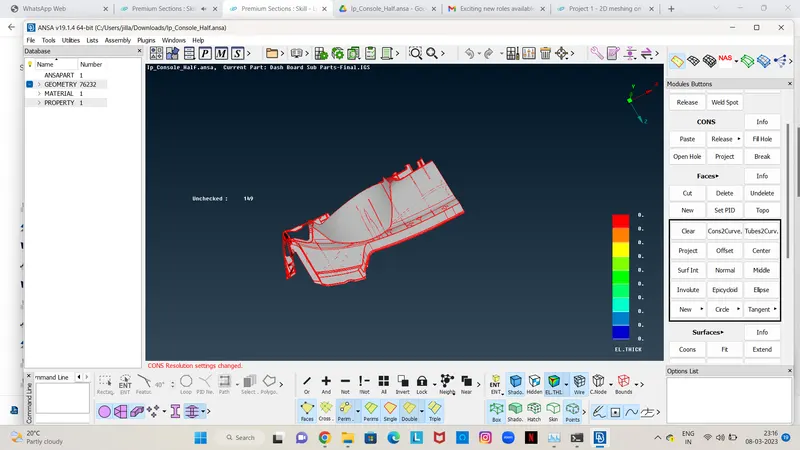
- SWITCH PANEL: The IP substrate model is loaded into the ANSA GUI using the “File > Open” command then the models is observed in different views using the functions keys.
-
1.Topology & Orientation -
- The topology is performed for broken faces using “Faces > Topo” command in the topology module.
- And also, we have to give a proper Orientation to the Parent Component, using “Faces > Orient”.
- The resolution of the CONS is improved using Auxiliaries > fine from topo module or perimeters >length from mesh module.
-
2.Geometry Clean-up -
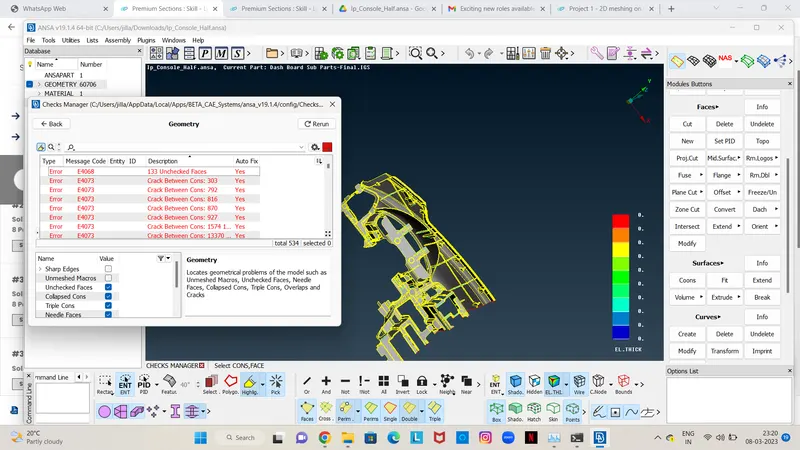
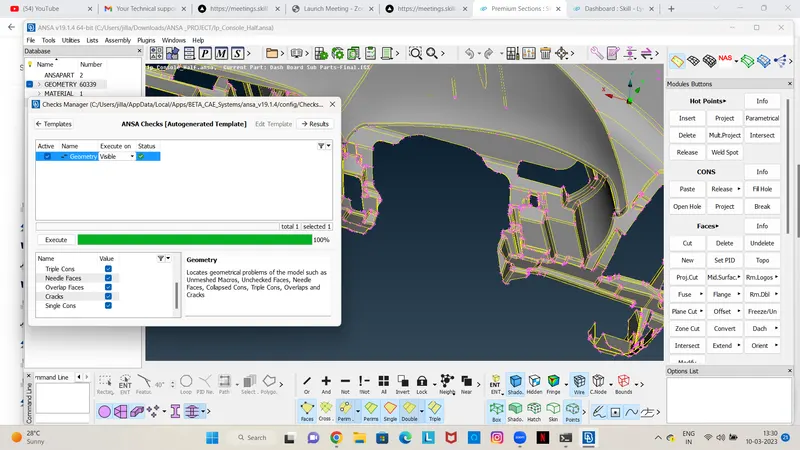
- The model is checked for geometry errors using “Check’s Manager > Geometry” command, in case of geometry errors such as missing cons can be corrected using “Hot Points > Insert/delete” , ”Faces > Elements > delete” for erase disturbed surfaces and then create a new one using “Faces > New” ,and also use Cons > Release > Topo command in TOPO module.
- some errors fix by auto-fix option but for others we have to do it by manually
-
Casting _ Mid-surface / FE-
3.Mesh Length -
- Before beginning the meshing process the model is checked for the length between the two hot points since the require target length is 4mm so using “Classic-Mesh> Length>Perimeters/Macros” command it is set to 4mm. for the entire model.
4.Quality Criteria -
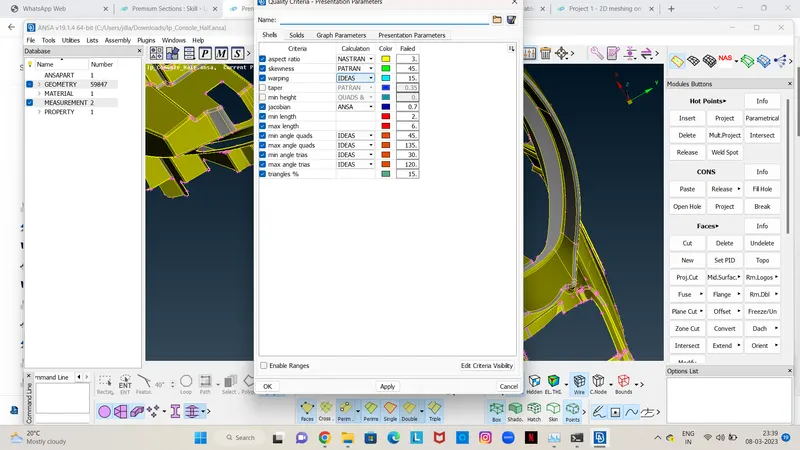
- We can say that result quality is directly proportional to the element quality. The parameters like skew, included angle, Jacobian, warpage, etc. are the measure of how far a given element deviates from the ideal shape.
-
5.Mesh Parameters -
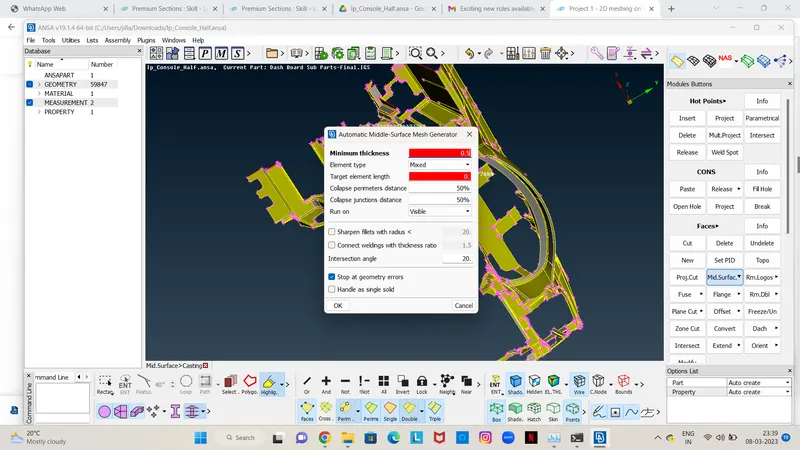
- set the meshing parameters before proceeding to Casting.
-
6. Casting -
- Since this is a complex model so, Casting option taken for taking Mid-surface / FE automatically. And after Align elements by Align Manager
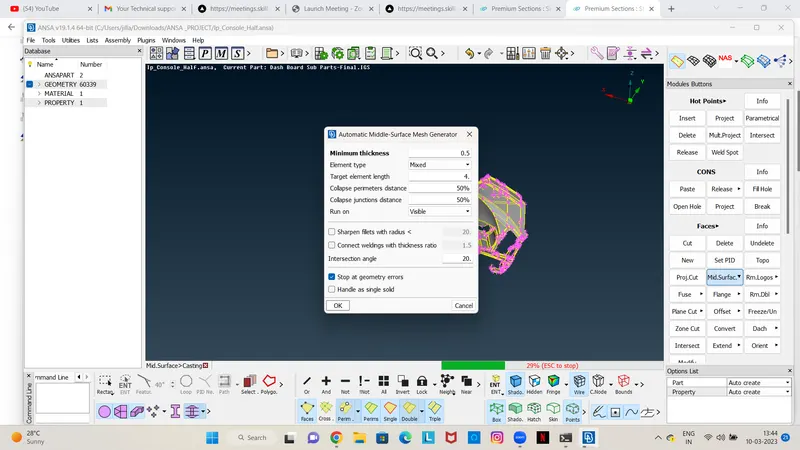
- After Casting we can observe that some features are not have proper shape according to the parent component so, we have to check it and fix it Manually. First we have to set the base elements proper then go for features.
-
7.Dog house -
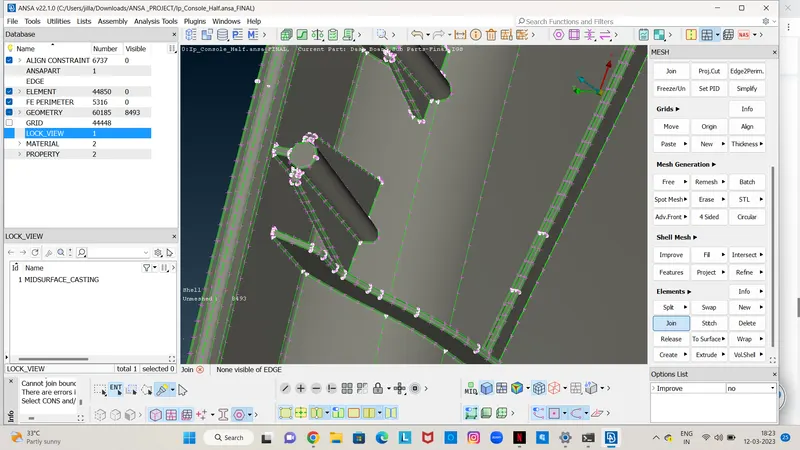
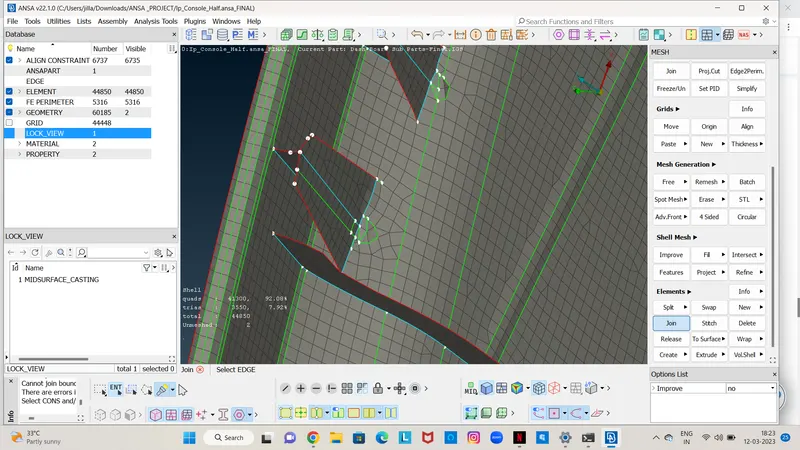
- Dog houses are critical area in the component. So, we have to recreate it reference form parent model and work manually, using join, delete disturbs elements, create-curve, curve-middle, feat2curve, cons2curve, and then create new elements using Mesh > elements > new or Shell mesh > Fill, and after by using the align manager we correcting the auto generated FE.
8.Align manager -
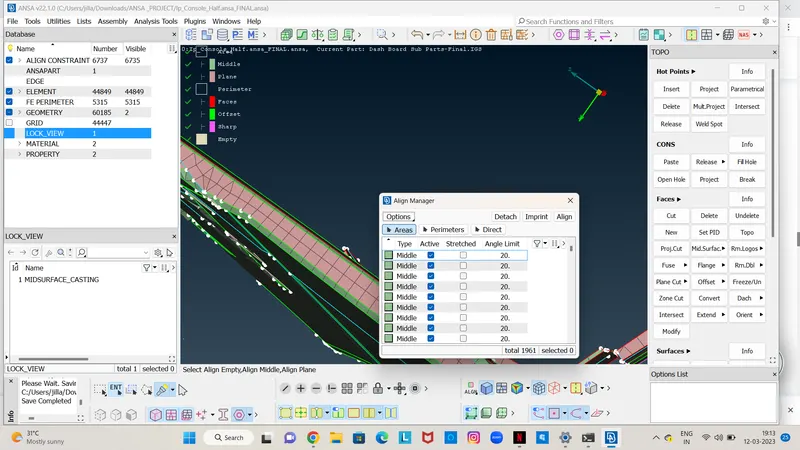
- Align manager is used to ensure the automated generated mesh is align to middle of surface. by using the align manager we correcting the disturbed FE if any.
- Also we can delete elements and recreate it by Shell Mesh > Fill option, & after that newly created elements are add to the Align Manager by right click on it > new > choose the option accordingly with Middle / Plane / Offset / Cylinder. After adding in Align Manager the elements faces/perimeters get position accordingly to the parent component positions
-
9.Improve the mesh flow and quality of mesh -
- smoothing the mesh: (mesh module > shell mesh > smooth).
- reconstruct the mesh: (mesh module > shell mesh > improve[reconstruct/reshape/smooth/fix]).
- improve the quality of mesh: (mesh module > elements > split/swap/join/stich).
- insert or delete hot points: (mesh module > hot points > insert/delete).
- to Paste : To paste nodes helps in moving elements backwards: (Mesh > Girds > Paste).
- to increase or decrease elements number: (mesh module > perimeters > NUM+/-).
- to cut or join the face: (mesh module > macro > cut/join).
10.Assigning the Thickness ->
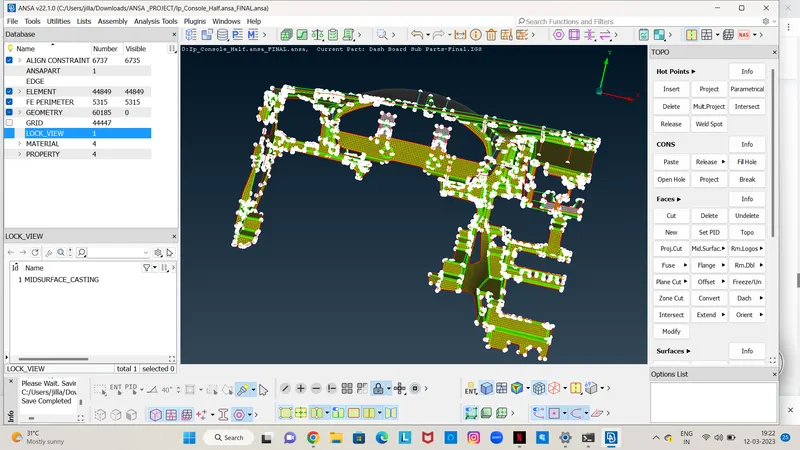
- Assign the proper thickness automatically by using Classic-Mesh > Grids > Thickness > Convert (then select the FE).
- The elements which fail for quality can be viewed by using the Draw mode toolbar > hidden option and corrections are done for the elements which fail for quality.
-
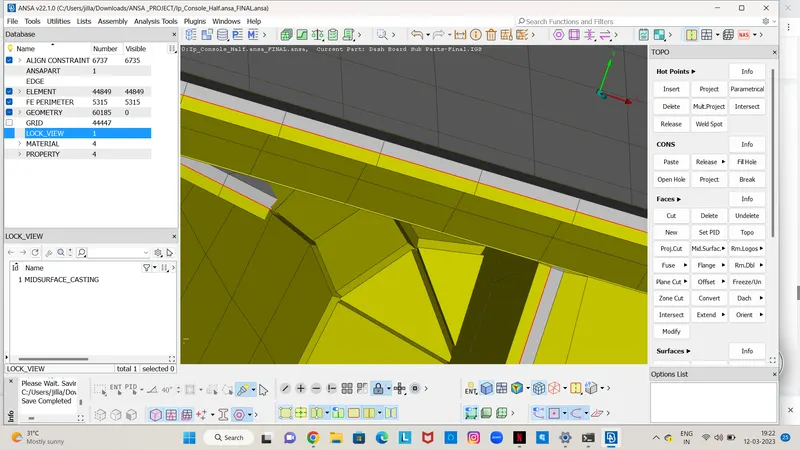
shell as solid-
- The thickness assigned to the model can be viewed using utilities > quality criteria > presentation parameters > Draw shell as solid
-
Learning Outcomes:
- Effectively extract Casting Mid-surface /FE.
- Assigning PID’s automatically in Casting Method.
- Rearranging construction lines.
- Geometry Check.
- Mesh refining.
- Align Manager uses.
- Assign Thickness to PIDs.
CONCLUSION:
Although Casting process take approx. a hour time but in this process we don't go for Mid-surface, geometry clean-up, Mesh accordingly. Here we get the FE directly and fix the disturb features and using Align Manager align faces and perimeters accordingly with the parent model, the processes take alternatively & simultaneously when work in the FE.
In complicate models. Casting mid surface /FE & Align Manger effective used and element failure between triple cons having narrow regions cannot be eliminated.