Project 2 - 2D meshing on the instrumental Panel
Aim:
To Check for the Geometry clean-up for dash board(if required) and to Take the mid surface and Mesh it with the below 2D element with given Quality criteria.
Objective:
The is to perform a comprehensive analysis of the given dash board model using ANSA software, focusing on the mid surface extraction, geometrical error checking, and meshing processes. The main goal is to ensure accurate and high-quality mid surface meshes for all the components, adhering to the specified element quality criteria. By achieving this objective, we aim to facilitate further analysis and simulations on the floor panel, enabling reliable and efficient engineering evaluations.
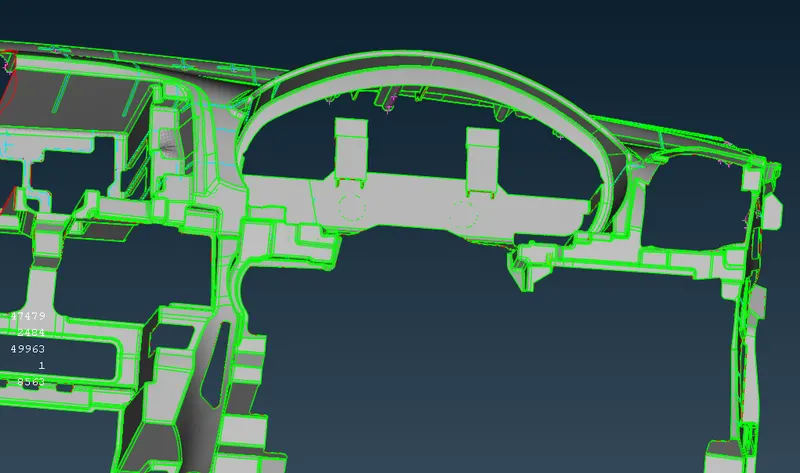
Steps to be followed
- Import Geometry
- Geometry Clean up
- Mid surface generation
- Create Meshing Parameters
- Mesh Generation
- Mesh Quality Check
- Mesh Editing and Refinement
- Save and Export
Import Geometry
Start by importing the CAD geometry into ANSA. File then open the CAD file
Geometry Clean up
Performed necessary geometry cleanup operations to fix any imperfections, such as gaps, overlaps, or missing faces. ANSA provides tools to repair and modify the geometry
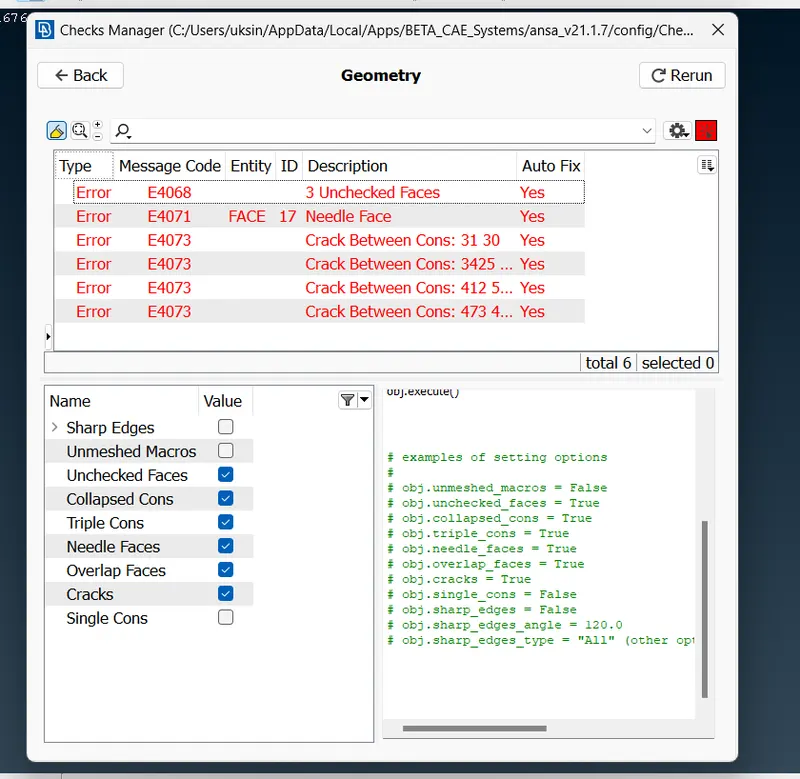
Cleaned similar geometry problems using the module buttons. fixed triple cons, added missing faces etc.
And also corrected by using Tools – checks – Geometry
If you want to see the location of the error that was shown in the geometry check up, you can select pick and select the con to see where it is present and see a preview of the error (a single con) in the model by clicking on it. If you want to see the location of the error that was shown in the geometry check up
We will be able to see the single disadvantages thanks to the visibility tools, and we will have to eliminate the single disadvantages wherever they appear by using AUTO FIX by clicking right button.
Mid surface generation
Faces -middle -ok (for this method it should be a closed volume)
Used ANSA's mid-surface generation tools to automatically create mid-surfaces for the identified regions. ANSA provides various methods for mid-surface extraction, including automatic algorithms and manual selection. Review and refine the generated mid-surfaces as necessary. Modified the mid-surface geometry to accurately represent the desired thin-walled section. ANSA offers tools for adjusting the mid-surfaces, such as scaling, offsetting, and trimming.
Midface is generated part by part
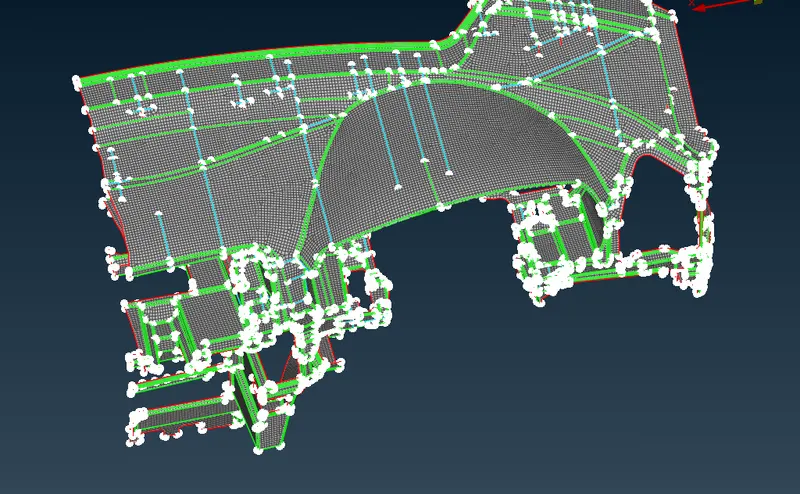
Create Meshing Parameters
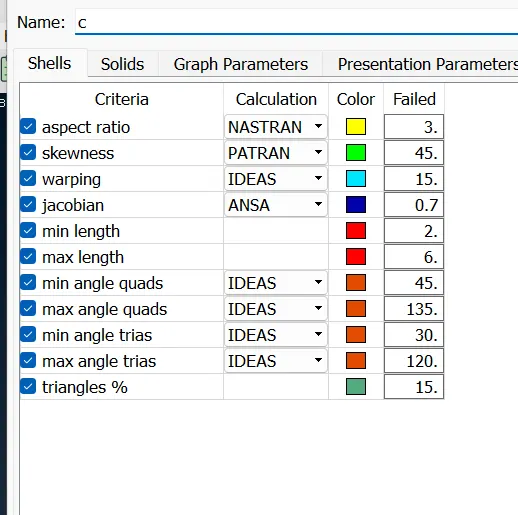
Defined the meshing parameters, such as element size, element type (hexahedral, tetrahedral, etc.), and element quality criteria.
Utilities – mesh parameters
Mesh type = general
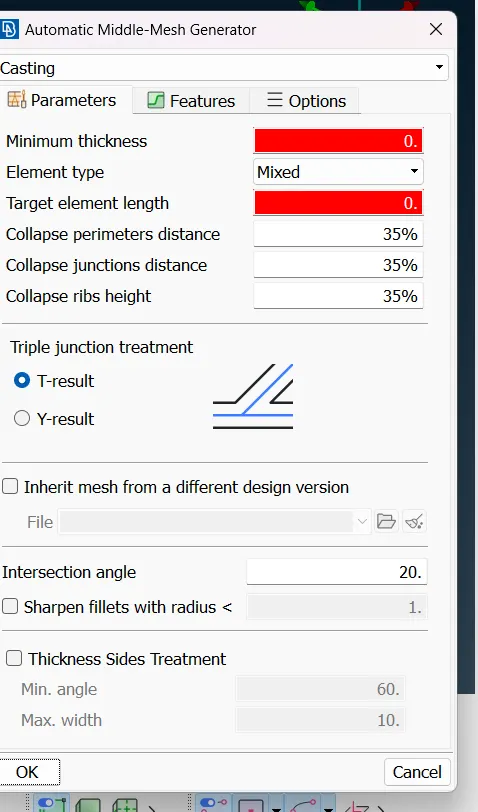
Element type =mixed
Element order = 1st order
Target length = 4
Minimum length =2
Maximum length = 6
Mesh Generation
Used ANSA's meshing tools to generate the mesh. ANSA provides various meshing methods, including automatic, manual, and hybrid approaches
middle mesh tool mid surface in which the tool will itself autogenerate the middle surface and the mesh is generated according to the ansa software.
Mesh Quality Check
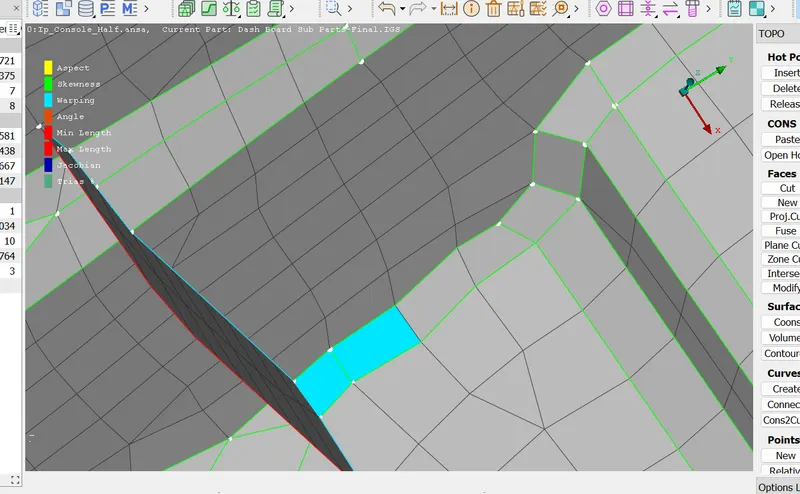
Perform a mesh quality check to ensure that the generated mesh meets the desired quality criteria. ANSA offers tools to evaluate element quality, aspect ratios, skewness, and other metrics. Identified and resolved any mesh issues founded.
Mesh Editing and Refinement
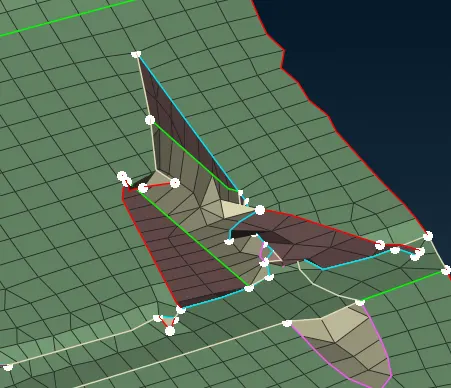
Mesh Editing and Refinement performed mesh editing operations to modify and refined the mesh., node/element editing, and mesh smoothing. Use these tools to improve the mesh quality or capture specific details accurately.
Before
After
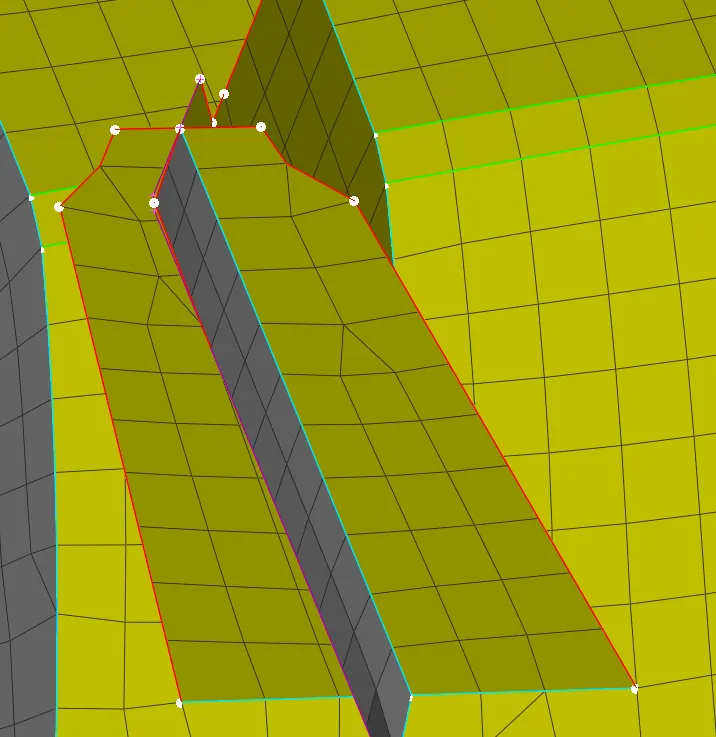
Actions performed – reconstruct, reshape, smooth, swap ,split and also by joining the missing part by creating new parts by using shell mesh and fill tool and select perimeters and edges .continues all these actions until catching all the elements.
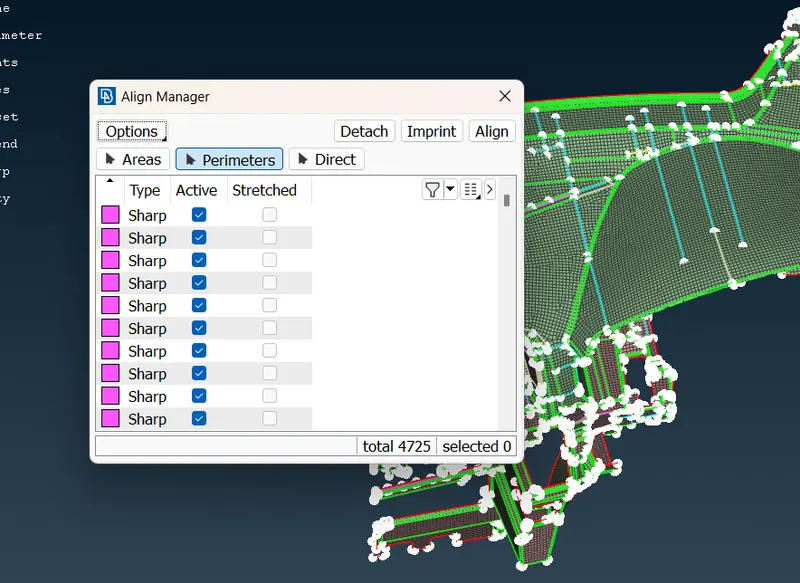
Midsurface-Align manager - select perimeters or area and align to needed faces or points to get a good orientation
Specify alignment criteria: Depending on your specific requirements, you may need to define alignment criteria such as coincident points, parallel or perpendicular edges, equal lengths, etc. ANSA offers different methods to specify such criteria, such as defining constraints or using measurement tools.
Execute the alignment: Once you have selected the components and set the alignment criteria, apply the transformation operations to align the components as desired.
Verify the alignment: Check the results of the alignment visually and use appropriate measurement or inspection tools to ensure that the alignment meets your requirements
Conclusion
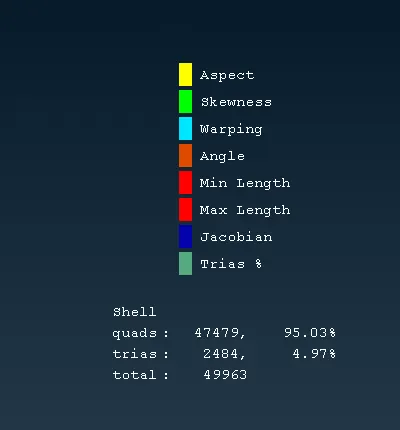
After the completion of the mesh, the number of tria elements has been determined to be 2484, and the number of OFF elements has been determined to be 0. And quads 47340 hence the model qualify all the mentioned quality criterias.