Project 1 - Meshing of Floor Panel
Aim:
To Check for the Geometry clean-up for floor panel (if required) and to Take the mid surface and Mesh it with the below 2D element with given Quality criteria.
Objective:
The is to perform a comprehensive analysis of the given floor panel model using ANSA software, focusing on the mid surface extraction, geometrical error checking, and meshing processes. The main goal is to ensure accurate and high-quality mid surface meshes for all the components, adhering to the specified element quality criteria. By achieving this objective, we aim to facilitate further analysis and simulations on the floor panel, enabling reliable and efficient engineering evaluations.
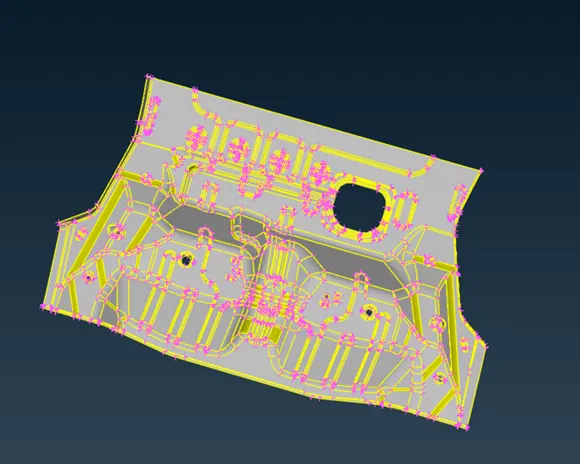
Steps to be followed
- Import Geometry
- Geometry Clean up
- Mid surface generation
- Create Meshing Parameters
- Mesh Generation
- Mesh Quality Check
- Mesh Editing and Refinement
- Save and Export
Import Geometry
Start by importing the CAD geometry into ANSA. File then open the CAD file
Geometry Clean up
Performed necessary geometry cleanup operations to fix any imperfections, such as gaps, overlaps, or missing faces. ANSA provides tools to repair and modify the geometry
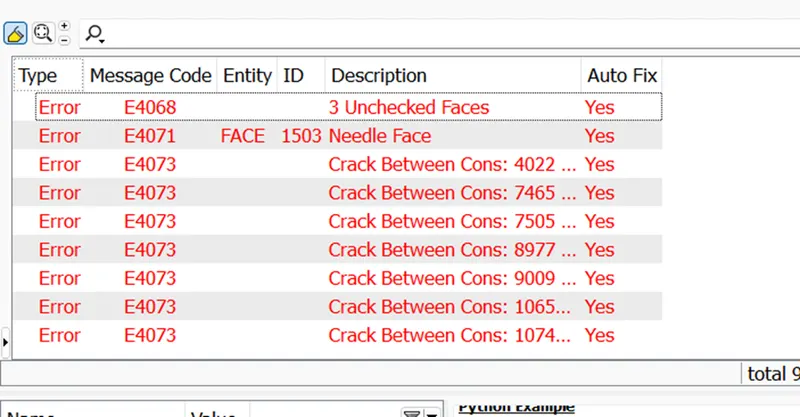
Cleaned similar geometry problems using the module buttons. fixed triple cons, added missing faces etc.
And also corrected by using Tools – checks – Geometry
If you want to see the location of the error that was shown in the geometry check up, you can select pick and select the con to see where it is present and see a preview of the error (a single con) in the model by clicking on it. If you want to see the location of the error that was shown in the geometry check up

We will be able to see the single disadvantages thanks to the visibility tools, and we will have to eliminate the single disadvantages wherever they appear by using AUTO FIX by clicking right button.
Mid surface generation
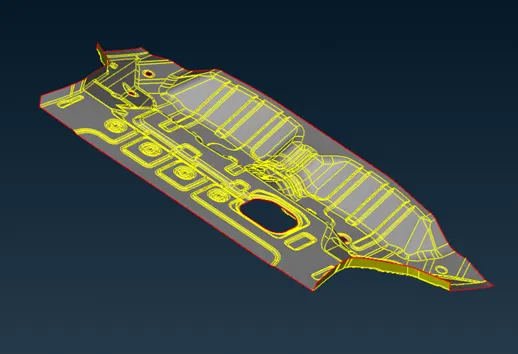
Faces -middle surface-skin-ok (for this method it should be a closed volume)
Used ANSA's mid-surface generation tools to automatically create mid-surfaces for the identified regions. ANSA provides various methods for mid-surface extraction, including automatic algorithms and manual selection. Review and refine the generated mid-surfaces as necessary. Modified the mid-surface geometry to accurately represent the desired thin-walled section. ANSA offers tools for adjusting the mid-surfaces, such as scaling, offsetting, and trimming.
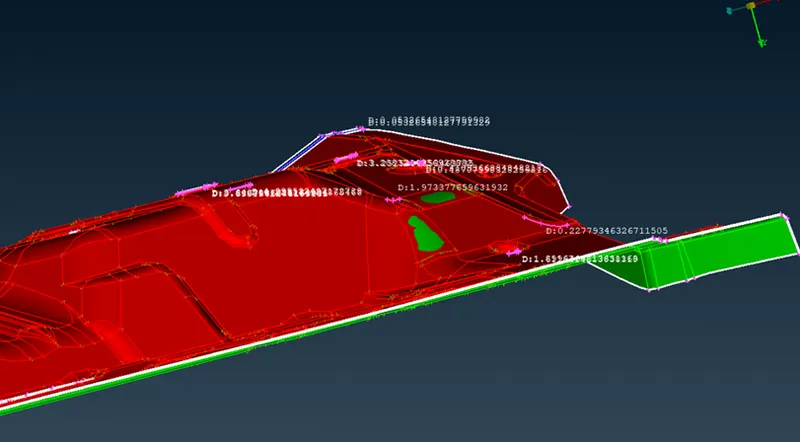
Thickness = 1
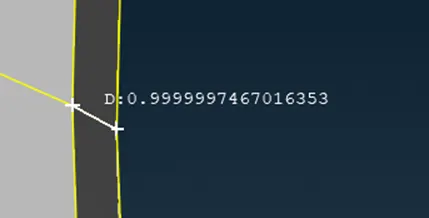
Midface is generated part by part
Create Meshing Parameters
Defined the meshing parameters, such as element size, element type (hexahedral, tetrahedral, etc.), and element quality criteria.
Utilities – mesh parameters
Mesh type = general
Element type =mixed
Element order = 1st order
Target length = 5
Minimum length =3
Maximum length = 8
Mesh Generation
Used ANSA's meshing tools to generate the mesh. ANSA provides various meshing methods, including automatic, manual, and hybrid approaches.
Mesh generation – best mesh -ok
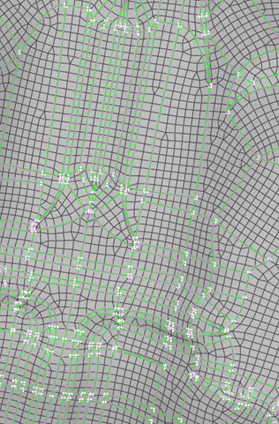
Mesh Quality Check
Perform a mesh quality check to ensure that the generated mesh meets the desired quality criteria. ANSA offers tools to evaluate element quality, aspect ratios, skewness, and other metrics. Identified and resolved any mesh issues founded.
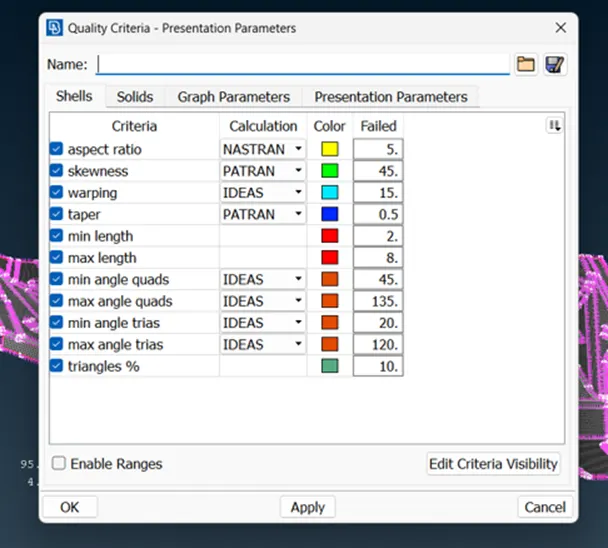
Mesh Editing and Refinement
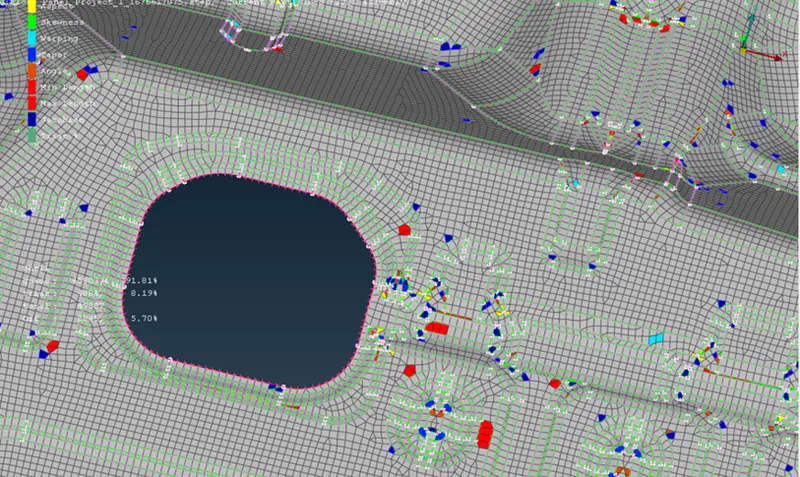
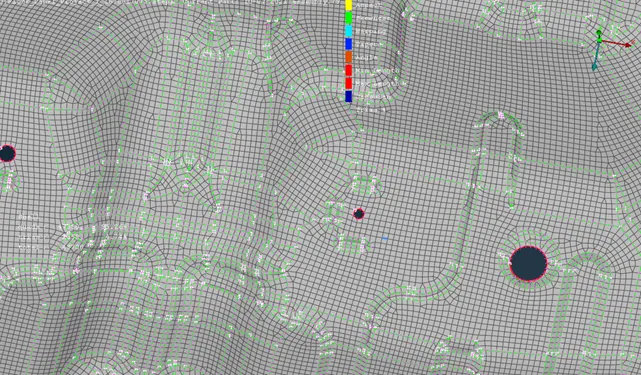
Mesh Editing and Refinement performed mesh editing operations to modify and refined the mesh., node/element editing, and mesh smoothing. Use these tools to improve the mesh quality or capture specific details accurately.
Before
After
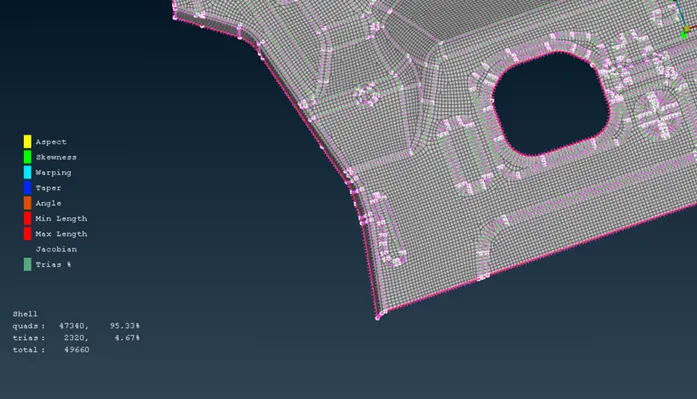
Actions performed – reconstruct, reshape, smooth, swap ,split etc
Conclusion
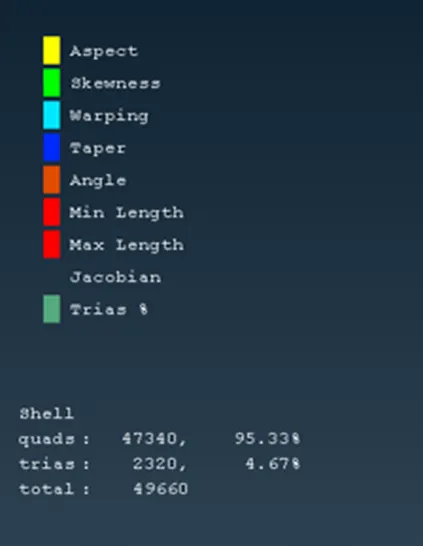
The resulting mesh consisted of 2320 triangular elements, with zero OFF elements detected. Additionally, the mesh contained 47,340 quadrilateral elements. These numbers demonstrate the accuracy and efficiency of the meshing procedure, ensuring reliable and precise simulations for further analysis.