Project 2 - 2D meshing on the instrumental Panel
PROJECT 2 – 2D Meshing on the Instrumental Panel
Objective: For the given model we have to create the mid surface & generate mesh elements on the mid-surface. While generating meshing we have to reduce the no of Trias & make sure that off elements are less.
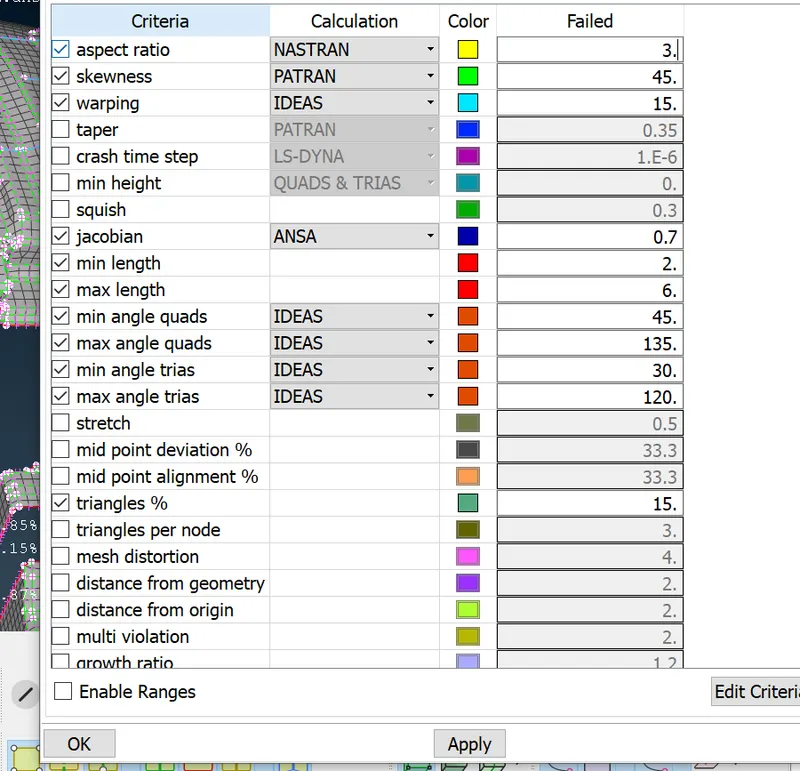
Quality Criteria are as follows:
|
S.No |
Quality Criteria |
Value |
|
1 |
Target/Average length |
4 |
|
2 |
Minimum Length |
2 |
|
3 |
Maximum Length |
6 |
|
4 |
Aspect |
3 |
|
5 |
Warpage |
15 |
|
6 |
Skewness |
45 |
|
7 |
Jacobian |
0.7 |
|
8 |
Minimum Quad Angle |
45 |
|
9 |
Maximum Quad Angle |
135 |
|
10 |
Minimum Tria Angle |
30 |
|
11 |
Maximum Tria Angle |
120 |
|
10 |
Tria Percentage |
15 |
Steps to followed are:
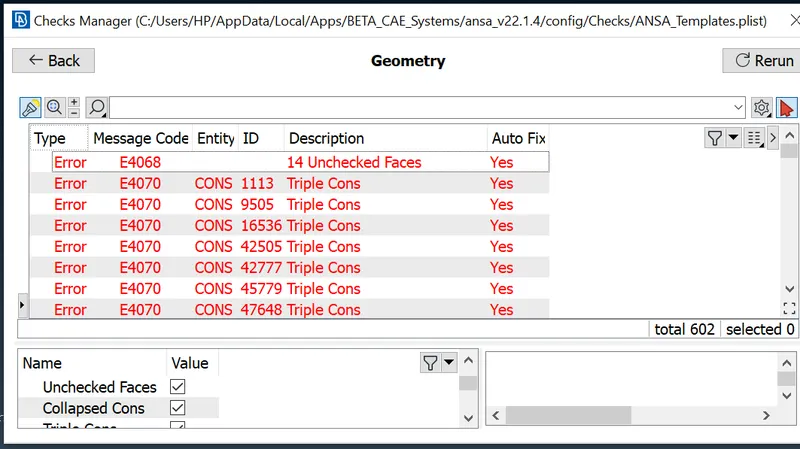
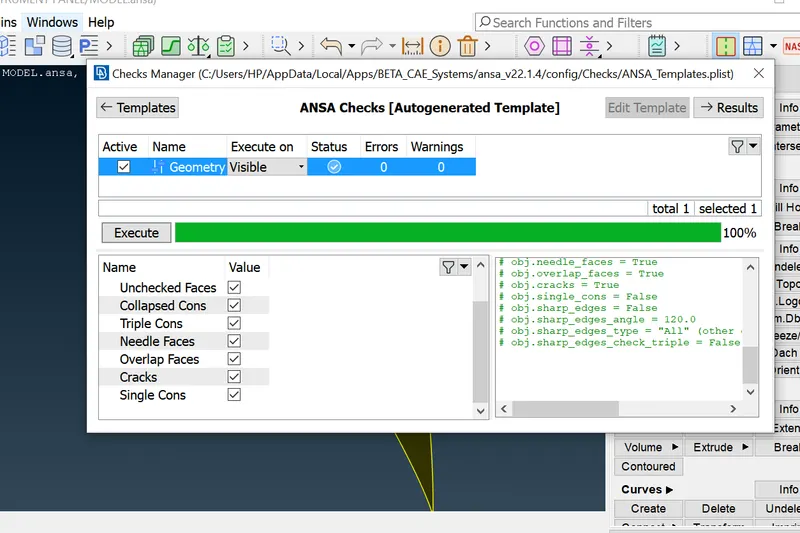
- Download the model & first step is to check for all the geometry error. For the same click on check geometry. Below is the snap of the error found. We need to resolve all of them either by Auto fix & some by manually.
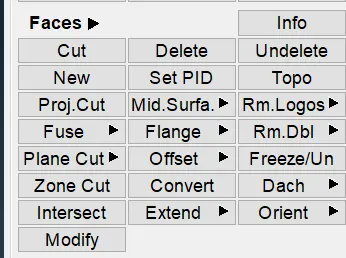
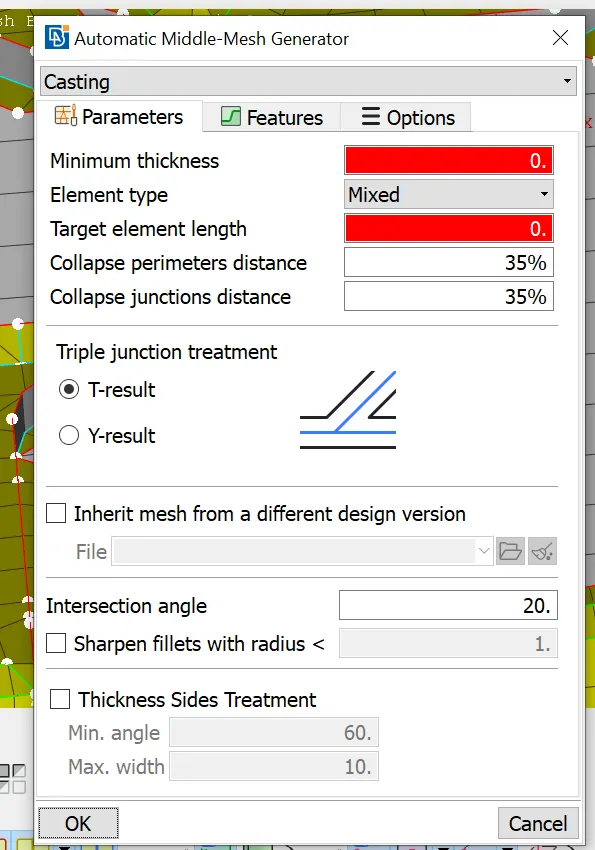
 2.Next once the geometry cleanup is done, we can now move forward for generating midsurface of the model. If we observe there are various methods that can be used for midsurface which are Offset method, midsurface, Casting option. Below are snap of the same. Now we tried all the methods, initially we tried Middle option in which we have to individually select the two surface & then it will create the midsurface automatically. As the model is complex then individually selecting all the surfaces is hectic work & consumes lot of time. Next, we moved to Casting method in which we have to provide all the input parameters such as quality, mesh size & other as given for challenge. Also one more thing to consider is that the model should be a closed volume or else we cannot perform the Casting. Once we do so the midurface for all the parts will be auto generated along with the mesh. Here the drawback is that for the Dog house,the mid surface generated is not correct & rectifying the same will consume a lot of time. In order to go with the midsurface we now choose the third option that is offset method. In order to start with the same, we need to measure all the thickness for various surface & provide PID to each part. So, in the similar manner we have to select all the surface and provide manual values to generate midsurface.
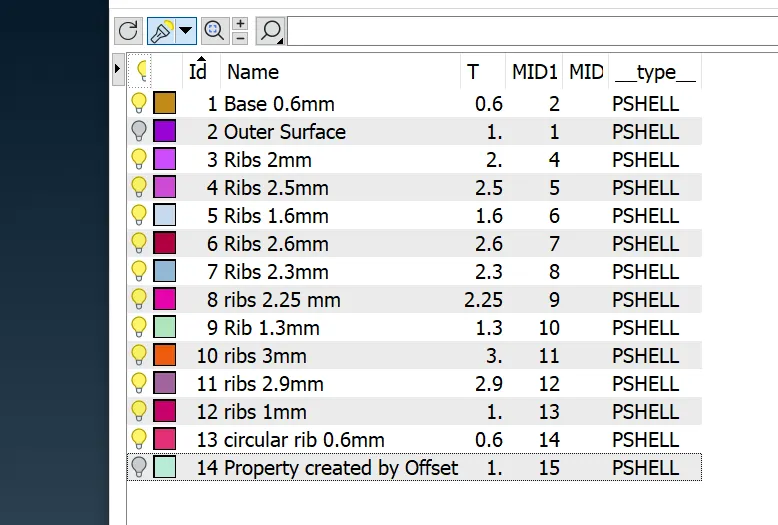
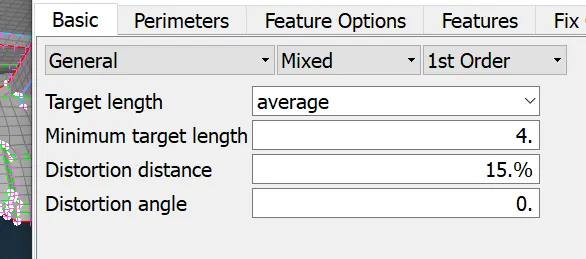
3. After generation of midsurface we need to work on Dog house to obtain the same as per provided in Challenge. Next now we have to input the mesh parameters & Quality parameter. So that while meshing the midsurface we can check the for the off elements & other tria which are exceeding the given limit.
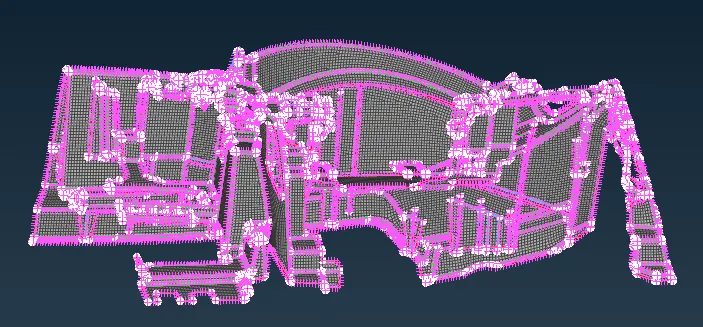
4. Now after meshing we can rectify the off elements using various options such as Reconstruct & Smooth option. We tried reduce the number of OFF elements. But for the corner surfaces some off elements will be present & cannot be changed. So we have kept the same. The image is attached below for your reference.
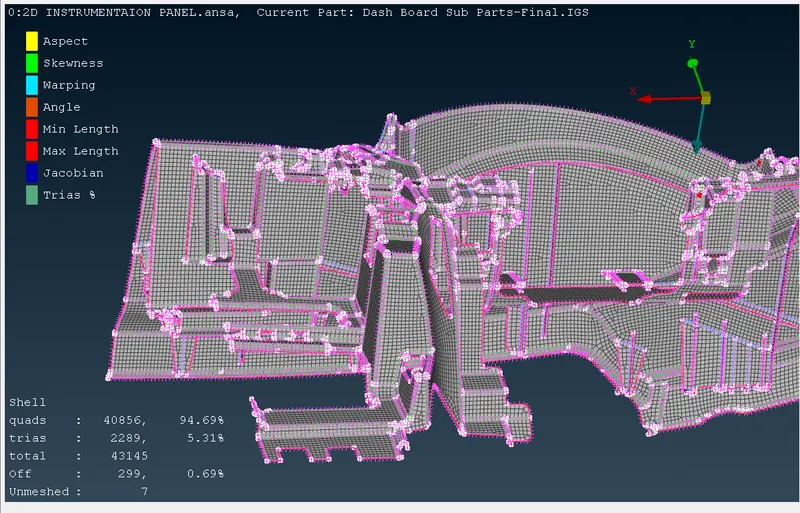
Conclusion : In the above challenge we learned how various method is suitable for various model & conditions . For the current model Offset method is the most suitable compared to other. Also how to reduce Trias & Off elements in meshing.Also we learnt how can we save more time by choosing the right appropriate method.
Link for the Model : https://we.tl/t-AJqPGxT1BT