Project 2 - 2D meshing on the instrumental Panel
Aim:- For the given component, check for the geometrical errors and mesh with the given element Quality criteria. After meshing the component the thickness has to be assigned.
Objective:- To take check the geometrical quality of the given model. Extracting midsurface of the given model with proper thickness and Generating a mesh . Checking if there is any errors and correcting that errors to generate proper and mesh with minimum tria percentage.
Quality Criteria:-
|
S.No |
Quality Criteria |
Value |
|
1 |
Target/Average length |
4 |
|
2 |
Minimum Length |
2 |
|
3 |
Maximum Length |
6 |
|
4 |
Aspect |
3 |
|
5 |
Warpage |
15 |
|
6 |
Skewness |
45 |
|
7 |
Jacobian |
0.7 |
|
8 |
Minimum Quad Angle |
45 |
|
9 |
Maximum Quad Angle |
135 |
|
10 |
Minimum Tria Angle |
30 |
|
11 |
Maximum Tria Angle |
120 |
|
10 |
Tria Percentage |
15 |
Procedure:-
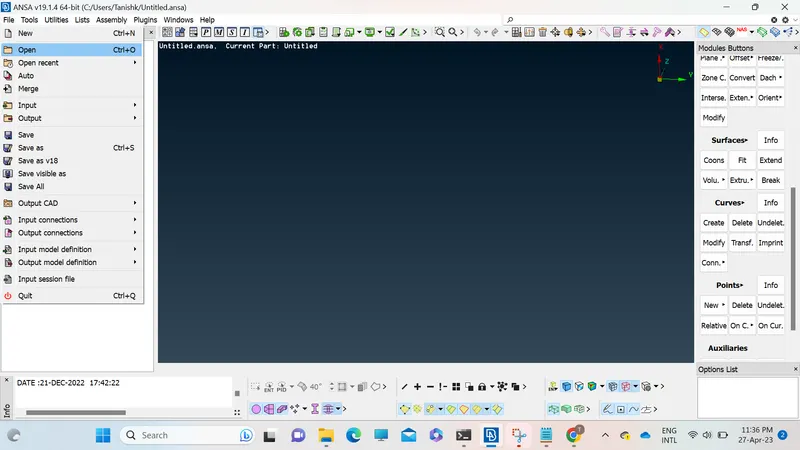
1. Open the giving model in Ansa software using open tab in file menu.
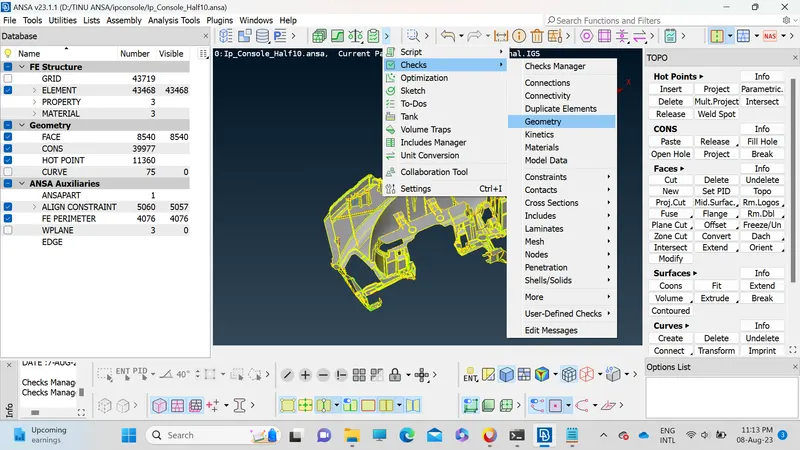
2. Do the check geometry on the given model using checks tab for checking if there is any geometrical issues in the model.
3. After checking the geometry fix the issues if any otherwise move on to the next step.
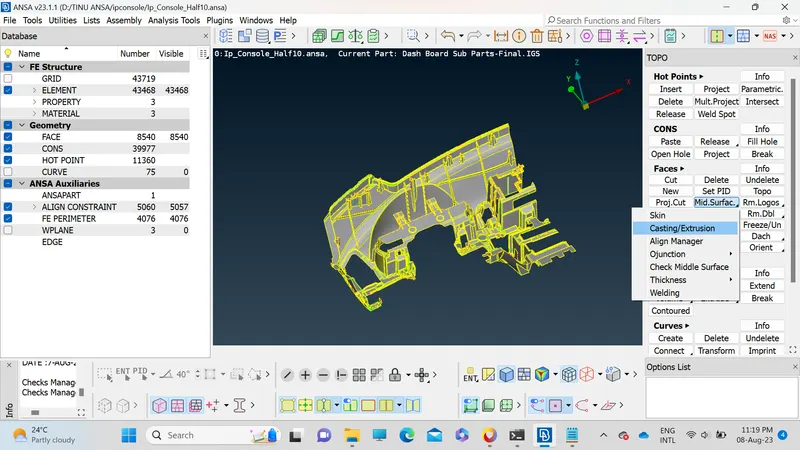
4. After checking the geometry of the model the next step is to extract the midsurface from the model. For extracting the midsurface there are several methods that we can use first is offset in the faces button second is Midsurface from faces buttons and Middle button in faces option.
In the offset method we have to manually give the thickness at which we need to extract the midsurface. In the given model the thickness of the model varies so we have to put half of the models actual thickness with proper direction.
The second method is automatic midsurface in that the saftware autodetects the thickness of the model and create midsuface acording to the model and its thickness. In automatic midsurfacing we do not have to provide thickness of the model.
The another method is Middle in that we have to select front and back side of the face and ansa will extract the middle of that face without giving the thickness or direction.
In this challenge we are going to use casting method. In this ansa automatically generates mesh for the given model.
After checking every component and resolving every error we can move on with the Quality Criteria. Quality Criteria for meshing is as follows:
|
S.No |
Quality Criteria |
Value |
|
1 |
Target/Average length |
4 |
|
2 |
Minimum Length |
2 |
|
3 |
Maximum Length |
6 |
|
4 |
Aspect |
3 |
|
5 |
Warpage |
15 |
|
6 |
Skewness |
45 |
|
7 |
Jacobian |
0.7 |
|
8 |
Minimum Quad Angle |
45 |
|
9 |
Maximum Quad Angle |
135 |
|
10 |
Minimum Tria Angle |
30 |
|
11 |
Maximum Tria Angle |
120 |
|
10 |
Tria Percentage |
15 |
We have to put the above quality criteria and apply them to the given model.
Press fn+ f11 to open the Quality parameter tab
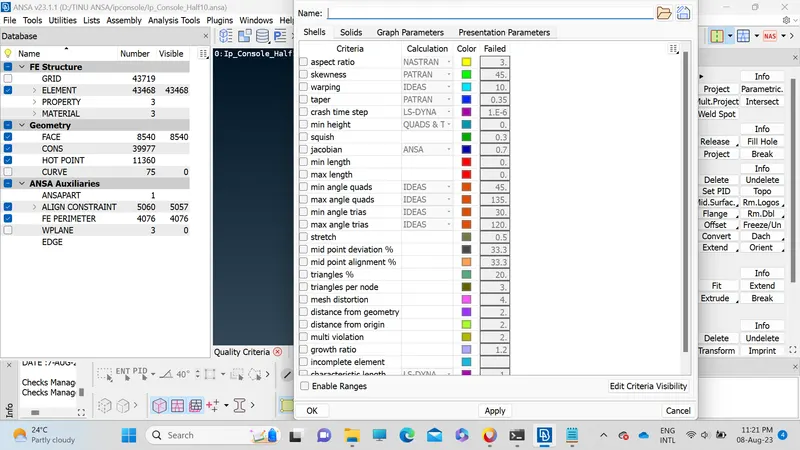
Now open the presentation parameters tab in quality criteria, turn on Elements% in graphics. Also set details on demand effect to all details and hit apply button.
Conclusion:
We have successfully completed midsurfacing and meshing of the given model.