Project
PROJECT :- SCIENTIFIC CALCULATOR
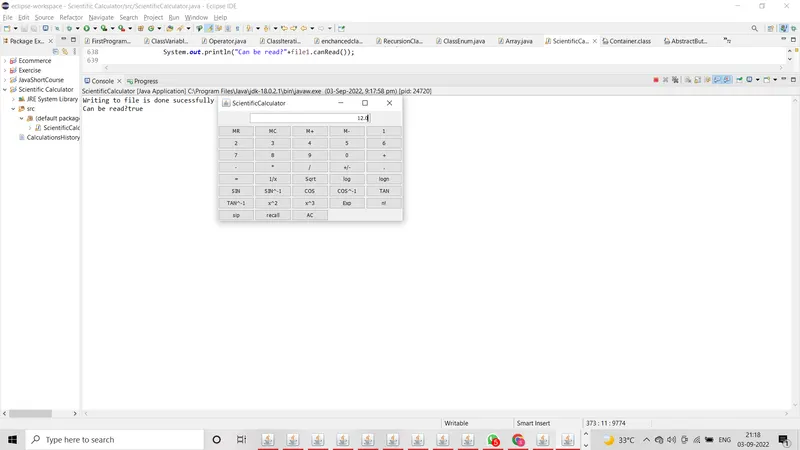
Scientific Calculator:
It is one type of calculator ..... in which we can do some operations with numbers ,
In my project i created program to perform all type of operation like addition ,subtraction and so on.
Folder:- Scientific Calculator
In folder Scientific Calculator there are two files one is Class file i.e ScientificCalculator. and another file is text file i.e CalculationsHistory.txt
Program:
import java.io.BufferedWriter;
import java.io.File;
import java.io.FileWriter;
import java.io.IOException;
import java.lang.Math;
import java.awt.*;
import javax.swing.*;
import java.awt.event.*;
import javax.swing.event.*;
//Class ScientifiCalculator extends to JFrame and implements to ActionListener
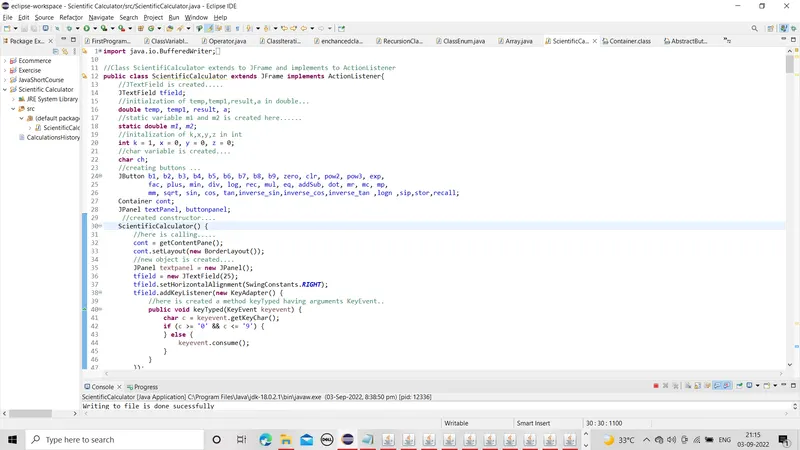
public class ScientificCalculator extends JFrame implements ActionListener{
//JTextField is created.....
JTextField tfield;
//initialzation of temp,temp1,result,a in double...
double temp, temp1, result, a;
//static variable m1 and m2 is created here......
static double m1, m2;
//initalization of k,x,y,z in int
int k = 1, x = 0, y = 0, z = 0;
//char variable is created....
char ch;
//creating buttons ...
JButton b1, b2, b3, b4, b5, b6, b7, b8, b9, zero, clr, pow2, pow3, exp,
fac, plus, min, div, log, rec, mul, eq, addSub, dot, mr, mc, mp,
mm, sqrt, sin, cos, tan,inverse_sin,inverse_cos,inverse_tan ,logn ,sip,stor,recall;
Container cont;
JPanel textPanel, buttonpanel;
//created constructor....
ScientificCalculator() {
//calling ContentPane()
cont = getContentPane();
cont.setLayout(new BorderLayout());
//new object is created....
JPanel textpanel = new JPanel();
tfield = new JTextField(25);
tfield.setHorizontalAlignment(SwingConstants.RIGHT);
tfield.addKeyListener(new KeyAdapter() {
//here is created a method keyTyped having arguments KeyEvent..
public void keyTyped(KeyEvent keyevent) {
char c = keyevent.getKeyChar();
if (c >= '0' && c <= '9') {
} else {
keyevent.consume();
}
}
});
textpanel.add(tfield);
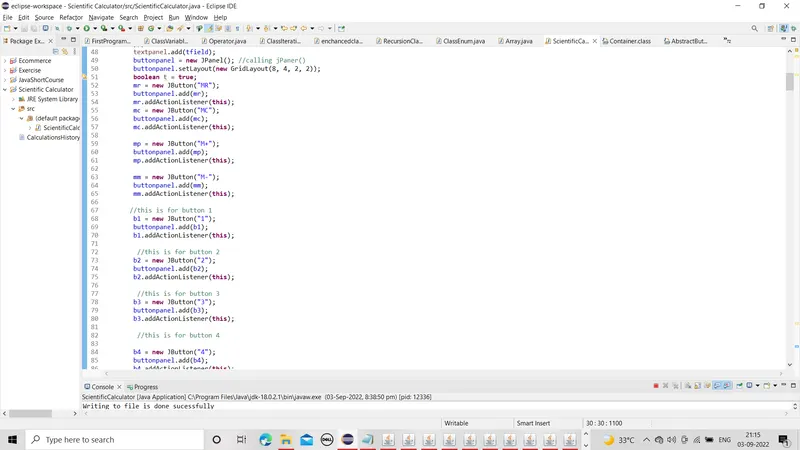
buttonpanel = new JPanel(); //calling jPaner()
buttonpanel.setLayout(new GridLayout(8, 4, 2, 2));
boolean t = true;
mr = new JButton("MR");
buttonpanel.add(mr);
mr.addActionListener(this);
mc = new JButton("MC");
buttonpanel.add(mc);
mc.addActionListener(this);
mp = new JButton("M+");
buttonpanel.add(mp);
mp.addActionListener(this);
mm = new JButton("M-");
buttonpanel.add(mm);
mm.addActionListener(this);
//this is for button 1
b1 = new JButton("1");
buttonpanel.add(b1);
b1.addActionListener(this);
//this is for button 2
b2 = new JButton("2");
buttonpanel.add(b2);
b2.addActionListener(this);
//this is for button 3
b3 = new JButton("3");
buttonpanel.add(b3);
b3.addActionListener(this);
//this is for button 4
b4 = new JButton("4");
buttonpanel.add(b4);
b4.addActionListener(this);
//this is for button 5
b5 = new JButton("5");
buttonpanel.add(b5);
b5.addActionListener(this);
//this is for button 6
b6 = new JButton("6");
buttonpanel.add(b6);
b6.addActionListener(this);
//this is for button 7
b7 = new JButton("7");
buttonpanel.add(b7);
b7.addActionListener(this);
//this is for button 8
b8 = new JButton("8");
buttonpanel.add(b8);
b8.addActionListener(this);
//this is for button 9
b9 = new JButton("9");
buttonpanel.add(b9);
b9.addActionListener(this);
//this is for button 0
zero = new JButton("0");
buttonpanel.add(zero);
zero.addActionListener(this);
//this button is used for find addition
plus = new JButton("+");
buttonpanel.add(plus);
plus.addActionListener(this);
//this button is used for find subtraction
min = new JButton("-");
buttonpanel.add(min);
min.addActionListener(this);
//this button is used for find multiplication
mul = new JButton("*");
buttonpanel.add(mul);
mul.addActionListener(this);
//this button is used for find division
div = new JButton("/");
div.addActionListener(this);
buttonpanel.add(div);
addSub = new JButton("+/-");
buttonpanel.add(addSub);
addSub.addActionListener(this);
//this button is used for dot
dot = new JButton(".");
buttonpanel.add(dot);
dot.addActionListener(this);
//this is equal button
eq = new JButton("=");
buttonpanel.add(eq);
eq.addActionListener(this);
//this button is used for find 1/x
rec = new JButton("1/x");
buttonpanel.add(rec);
rec.addActionListener(this);
// //this button is used for find square root
sqrt = new JButton("Sqrt");
buttonpanel.add(sqrt);
sqrt.addActionListener(this);
//this button is used for find log
log = new JButton("log");
buttonpanel.add(log);
log.addActionListener(this);
//this button is used for find Natural log
logn = new JButton("logn");
buttonpanel.add(logn);
logn.addActionListener(this);
//this button is used for find sin
sin = new JButton("SIN");
buttonpanel.add(sin);
sin.addActionListener(this);
//this button is used for find sin_inverse
inverse_sin = new JButton("SIN^-1");
buttonpanel.add(inverse_sin);
inverse_sin.addActionListener(this);
//this button is used for find cos
cos = new JButton("COS");
buttonpanel.add(cos);
cos.addActionListener(this);
//this button is used for find cos_inverse
inverse_cos=new JButton("COS^-1");
buttonpanel.add(inverse_cos);
inverse_cos.addActionListener(this);
//this button is used for find tan
tan = new JButton("TAN");
buttonpanel.add(tan);
tan.addActionListener(this);
//this button is used for find tan_inverse
inverse_tan = new JButton("TAN^-1");
buttonpanel.add(inverse_tan);
inverse_tan.addActionListener(this);
//this button is used for find the raised to the power.....
pow2 = new JButton("x^2");
buttonpanel.add(pow2);
pow2.addActionListener(this);
//this button is used for find the raised to the power.....
pow3 = new JButton("x^3");
buttonpanel.add(pow3);
pow3.addActionListener(this);
//this button is used for find the exponent....
exp = new JButton("Exp");
exp.addActionListener(this);
buttonpanel.add(exp);
//this button is used for find the factorial of a number...
fac = new JButton("n!");
fac.addActionListener(this);
buttonpanel.add(fac);
//used to find simple interest...
sip=new JButton("sip");
sip.addActionListener(this);
buttonpanel.add(sip);
//used to recover the number.....
recall=new JButton("recall");
recall.addActionListener(this);
buttonpanel.add(recall);
//this button is used to clear the content...
clr = new JButton("AC");
buttonpanel.add(clr);
clr.addActionListener(this);
cont.add("Center", buttonpanel);
cont.add("North", textpanel);
setDefaultCloseOperation(JFrame.EXIT_ON_CLOSE);
}
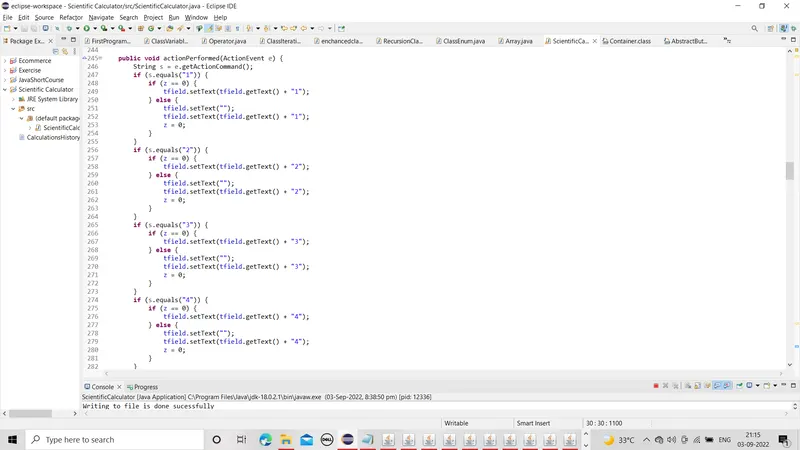
public void actionPerformed(ActionEvent e) {
String s = e.getActionCommand();
if (s.equals("1")) {
if (z == 0) {
tfield.setText(tfield.getText() + "1");
} else {
tfield.setText("");
tfield.setText(tfield.getText() + "1");
z = 0;
}
}
if (s.equals("2")) {
if (z == 0) {
tfield.setText(tfield.getText() + "2");
} else {
tfield.setText("");
tfield.setText(tfield.getText() + "2");
z = 0;
}
}
if (s.equals("3")) {
if (z == 0) {
tfield.setText(tfield.getText() + "3");
} else {
tfield.setText("");
tfield.setText(tfield.getText() + "3");
z = 0;
}
}
if (s.equals("4")) {
if (z == 0) {
tfield.setText(tfield.getText() + "4");
} else {
tfield.setText("");
tfield.setText(tfield.getText() + "4");
z = 0;
}
}
if (s.equals("5")) {
if (z == 0) {
tfield.setText(tfield.getText() + "5");
} else {
tfield.setText("");
tfield.setText(tfield.getText() + "5");
z = 0;
}
}
if (s.equals("6")) {
if (z == 0) {
tfield.setText(tfield.getText() + "6");
} else {
tfield.setText("");
tfield.setText(tfield.getText() + "6");
z = 0;
}
}
if (s.equals("7")) {
if (z == 0) {
tfield.setText(tfield.getText() + "7");
} else {
tfield.setText("");
tfield.setText(tfield.getText() + "7");
z = 0;
}
}
if (s.equals("8")) {
if (z == 0) {
tfield.setText(tfield.getText() + "8");
} else {
tfield.setText("");
tfield.setText(tfield.getText() + "8");
z = 0;
}
}
if (s.equals("9")) {
if (z == 0) {
tfield.setText(tfield.getText() + "9");
} else {
tfield.setText("");
tfield.setText(tfield.getText() + "9");
z = 0;
}
}
if (s.equals("0")) {
if (z == 0) {
tfield.setText(tfield.getText() + "0");
} else {
tfield.setText("");
tfield.setText(tfield.getText() + "0");
z = 0;
}
}
if (s.equals("AC")) {
tfield.setText("");
x = 0;
y = 0;
z = 0;
}
if (s.equals("log")) {
if (tfield.getText().equals("")) {
tfield.setText("");
} else {
a = Math.log(Double.parseDouble(tfield.getText()));
tfield.setText("");
tfield.setText(tfield.getText() + a);
}
}
if (s.equals("1/x")) {
if (tfield.getText().equals("")) {
tfield.setText("");
} else {
a = 1 / Double.parseDouble(tfield.getText());
tfield.setText("");
tfield.setText(tfield.getText() + a);
}
}
if (s.equals("Exp")) {
if (tfield.getText().equals("")) {
tfield.setText("");
} else {
a = Math.exp(Double.parseDouble(tfield.getText()));
tfield.setText("");
tfield.setText(tfield.getText() + a);
}
}
if (s.equals("x^2")) {
if (tfield.getText().equals("")) {
tfield.setText("");
} else {
a = Math.pow(Double.parseDouble(tfield.getText()), 2);
tfield.setText("");
tfield.setText(tfield.getText() + a);
}
}
if (s.equals("x^3")) {
if (tfield.getText().equals("")) {
tfield.setText("");
} else {
a = Math.pow(Double.parseDouble(tfield.getText()), 3);
tfield.setText("");
tfield.setText(tfield.getText() + a);
}
}
if (s.equals("+/-")) {
if (x == 0) {
tfield.setText("-" + tfield.getText());
x = 1;
} else {
tfield.setText(tfield.getText());
}
}
if (s.equals(".")) {
if (y == 0) {
tfield.setText(tfield.getText() + ".");
y = 1;
} else {
tfield.setText(tfield.getText());
}
}
if (s.equals("+")) {
if (tfield.getText().equals("")) {
tfield.setText("");
temp = 0;
ch = '+';
} else {
temp = Double.parseDouble(tfield.getText());
tfield.setText("");
ch = '+';
y = 0;
x = 0;
}
tfield.requestFocus();
}
if (s.equals("-")) {
if (tfield.getText().equals("")) {
tfield.setText("");
temp = 0;
ch = '-';
} else {
x = 0;
y = 0;
temp = Double.parseDouble(tfield.getText());
tfield.setText("");
ch = '-';
}
tfield.requestFocus();
}
if (s.equals("/")) {
if (tfield.getText().equals("")) {
tfield.setText("");
temp = 1;
ch = '/';
} else {
x = 0;
y = 0;
temp = Double.parseDouble(tfield.getText());
ch = '/';
tfield.setText("");
}
tfield.requestFocus();
}
if (s.equals("*")) {
if (tfield.getText().equals("")) {
tfield.setText("");
temp = 1;
ch = '*';
} else {
x = 0;
y = 0;
temp = Double.parseDouble(tfield.getText());
ch = '*';
tfield.setText("");
}
tfield.requestFocus();
}
if (s.equals("MC")) {
m1 = 0;
tfield.setText("");
}
if (s.equals("MR")) {
tfield.setText("");
tfield.setText(tfield.getText() + m1);
}
if (s.equals("M+")) {
if (k == 1) {
m1 = Double.parseDouble(tfield.getText());
k++;
} else {
m1 += Double.parseDouble(tfield.getText());
tfield.setText("" + m1);
}
}
if (s.equals("M-")) {
if (k == 1) {
m1 = Double.parseDouble(tfield.getText());
k++;
} else {
m1 -= Double.parseDouble(tfield.getText());
tfield.setText("" + m1);
}
}
if (s.equals("Sqrt")) {
if (tfield.getText().equals("")) {
tfield.setText("");
} else {
a = Math.sqrt(Double.parseDouble(tfield.getText()));
tfield.setText("");
tfield.setText(tfield.getText() + a);
}
}
if (s.equals("SIN")) {
if (tfield.getText().equals("")) {
tfield.setText("");
} else {
a = Math.sin(Double.parseDouble(tfield.getText()));
tfield.setText("");
tfield.setText(tfield.getText() + a);
}
}
if (s.equals("SIN^-1")) {
if (tfield.getText().equals("")) {
tfield.setText("");
} else {
a = Math.asin(Double.parseDouble(tfield.getText()));
tfield.setText("");
tfield.setText(tfield.getText() + a);
}
}
if (s.equals("COS")) {
if (tfield.getText().equals("")) {
tfield.setText("");
} else {
a = Math.cos(Double.parseDouble(tfield.getText()));
tfield.setText("");
tfield.setText(tfield.getText() + a);
}
}
if (s.equals("COS^-1")) {
if (tfield.getText().equals("")) {
tfield.setText("");
} else {
a = Math.acos(Double.parseDouble(tfield.getText()));
tfield.setText("");
tfield.setText(tfield.getText() + a);
}
}
if (s.equals("TAN")) {
if (tfield.getText().equals("")) {
tfield.setText("");
} else {
a = Math.tan(Double.parseDouble(tfield.getText()));
tfield.setText("");
tfield.setText(tfield.getText() + a);
}
}
if (s.equals("TAN^-1")) {
if (tfield.getText().equals("")) {
tfield.setText("");
} else {
a = Math.atan(Double.parseDouble(tfield.getText()));
tfield.setText("");
tfield.setText(tfield.getText() + a);
}
}
if (s.equals("=")) {
if (tfield.getText().equals("")) {
tfield.setText("");
} else {
temp1 = Double.parseDouble(tfield.getText());
switch (ch) {
case '+':
result = temp + temp1;
break;
case '-':
result = temp - temp1;
break;
case '/':
result = temp / temp1;
break;
case '*':
result = temp * temp1;
break;
}
tfield.setText("");
tfield.setText(tfield.getText() + result);
z = 1;
}
}
if (s.equals("n!")) {
if (tfield.getText().equals("")) {
tfield.setText("");
} else {
a = fact(Double.parseDouble(tfield.getText()));
tfield.setText("");
tfield.setText(tfield.getText() + a);
}
}
tfield.requestFocus();
}
double fact(double x) {
int er = 0;
if (x < 0) {
er = 20;
return 0;
}
double i, s = 1;
for (i = 2; i <= x; i += 1.0)
s *= i;
return s;
}
//main starts from here..........
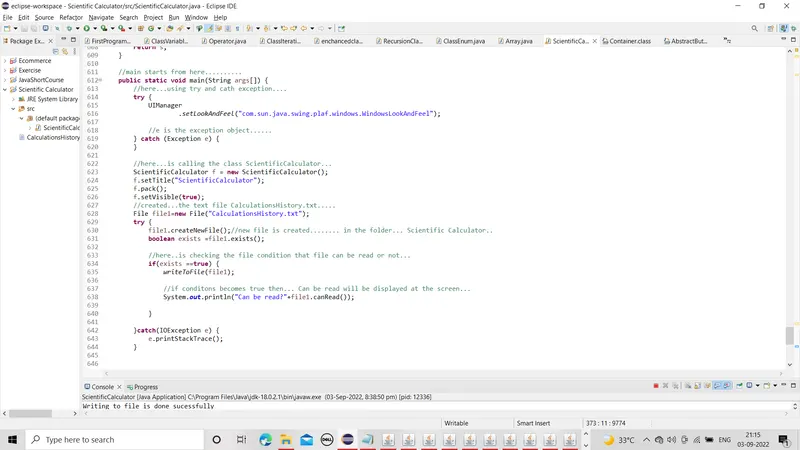
public static void main(String args[]) {
//here...using try and cath exception....
try {
UIManager
.setLookAndFeel("com.sun.java.swing.plaf.windows.WindowsLookAndFeel");
//e is the exception object......
} catch (Exception e) {
}
//here...is calling the class ScientificCalculator...
ScientificCalculator f = new ScientificCalculator();
f.setTitle("ScientificCalculator");
f.pack();
f.setVisible(true);
//created...the text file CalculationsHistory.txt.....
File file1=new File("CalculationsHistory.txt");
try {
file1.createNewFile();//new file is created........ in the folder... Scientific Calculator..
boolean exists =file1.exists();
//here..is checking the file condition that file can be read or not...
if(exists ==true) {
writeToFile(file1);
//if conditons becomes true then... Can be read will be displayed at the screen...
System.out.println("Can be read?"+file1.canRead());
}
}catch(IOException e) {
e.printStackTrace();
}
}
//method writeToFile is created..........
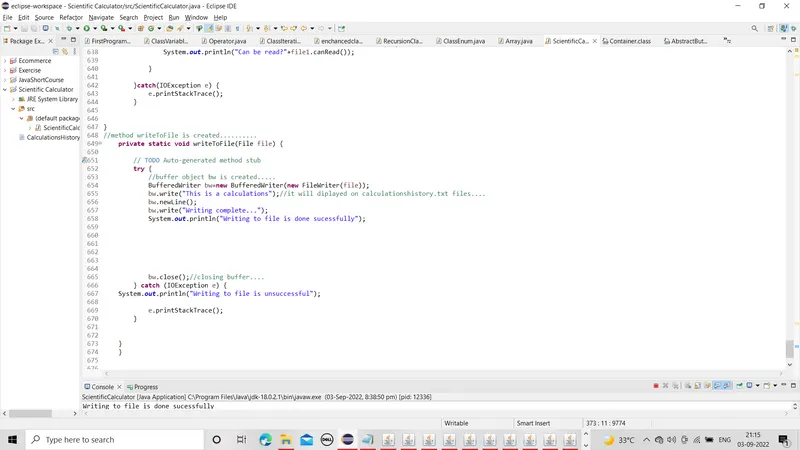
private static void writeToFile(File file) {
// TODO Auto-generated method stub
try {
//buffer object bw is created.....
BufferedWriter bw=new BufferedWriter(new FileWriter(file));
bw.write("This is a calculations");//it will diplayed on calculationshistory.txt files....
bw.newLine();
bw.write("Writing complete...");
System.out.println("Writing to file is done sucessfully");
bw.close();//closing buffer....
} catch (IOException e) {
System.out.println("Writing to file is unsuccessful");
e.printStackTrace();
}
}
}
OUTPUT: