Project 1 - Wiper control system and Vehicle speed calculation for ABS using Wheel Speed sensor
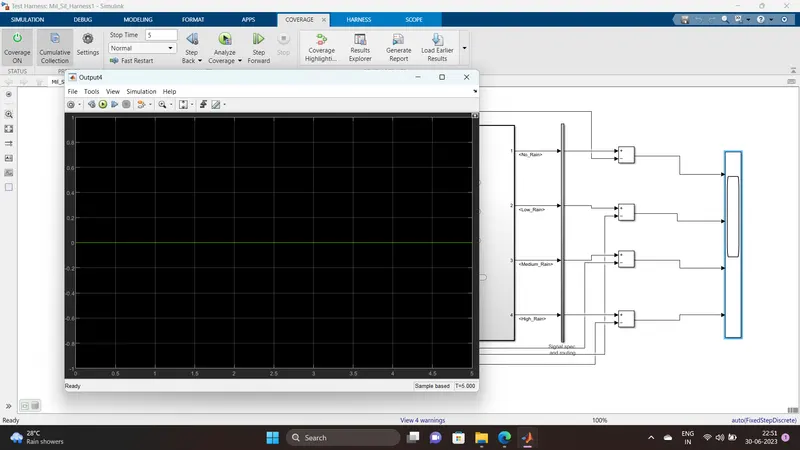
1Q. Wiper control system
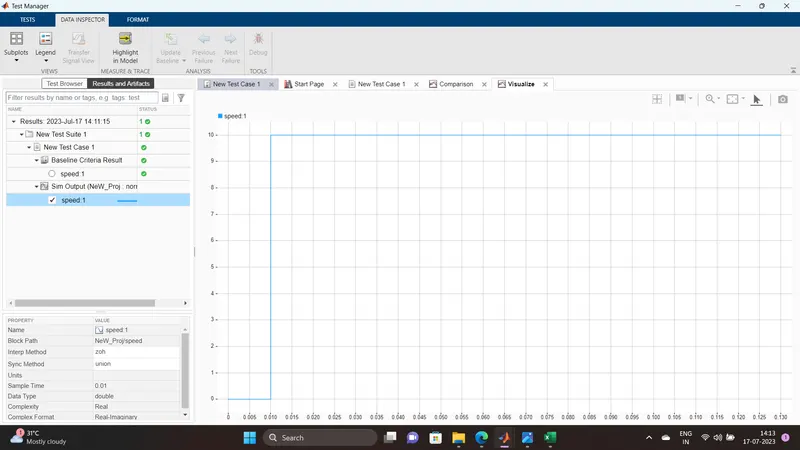
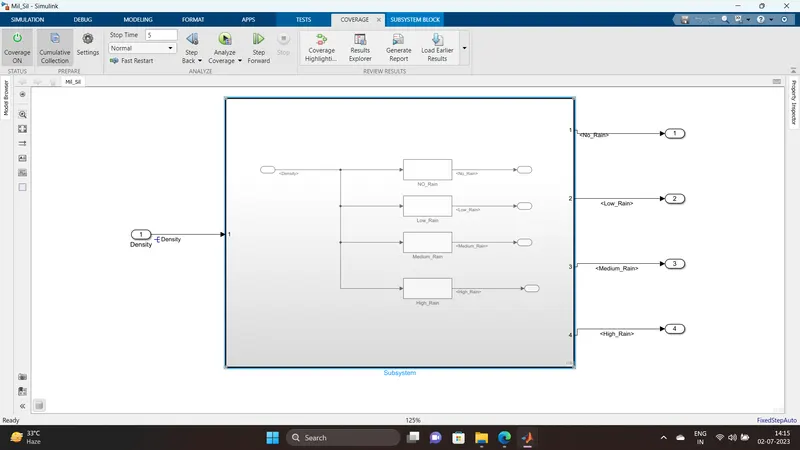
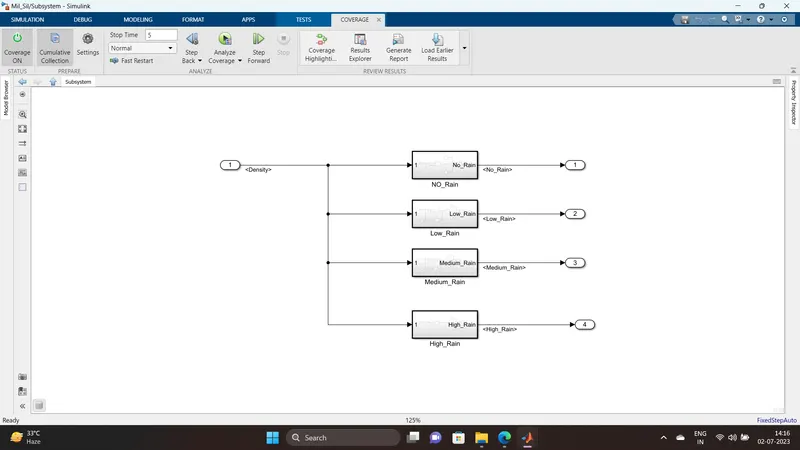
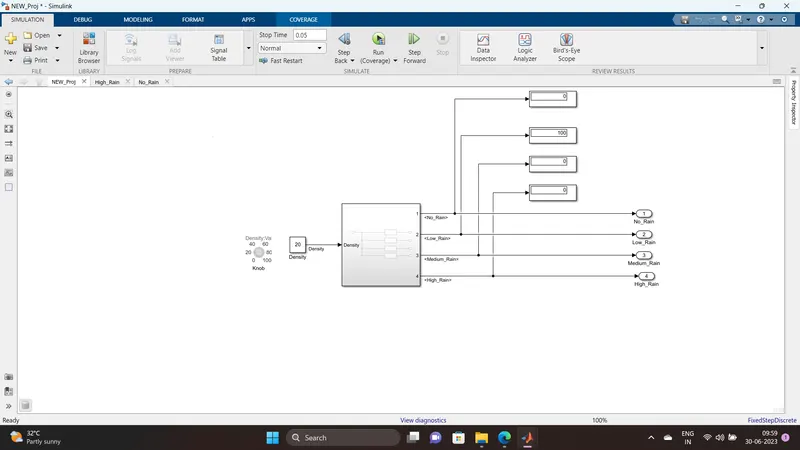
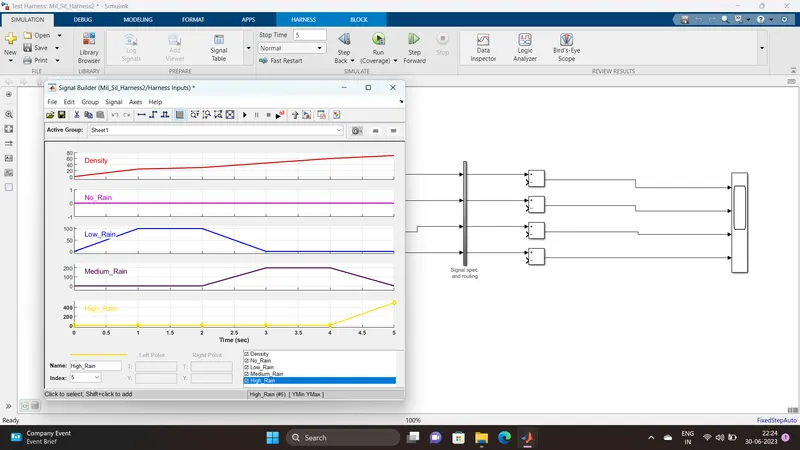
Develop Simulink/state flow model for wiper control system based on the given conditions.
Description of Challenge:
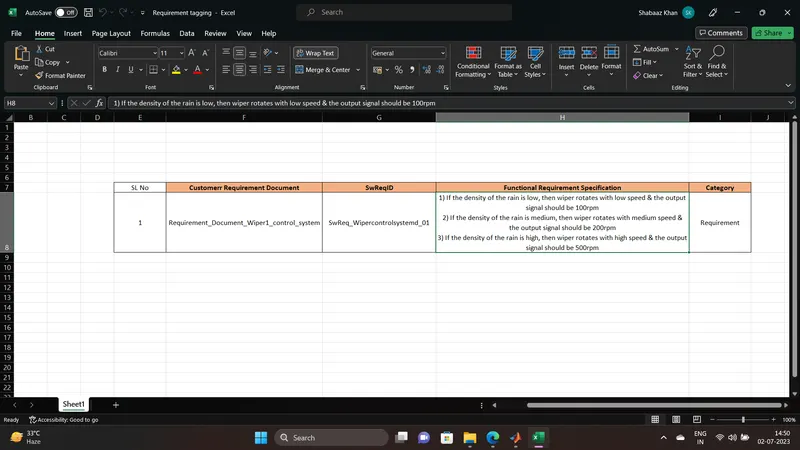
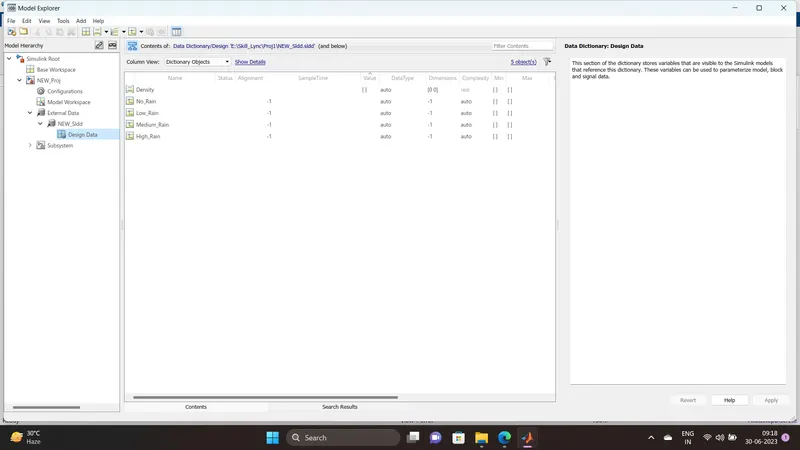
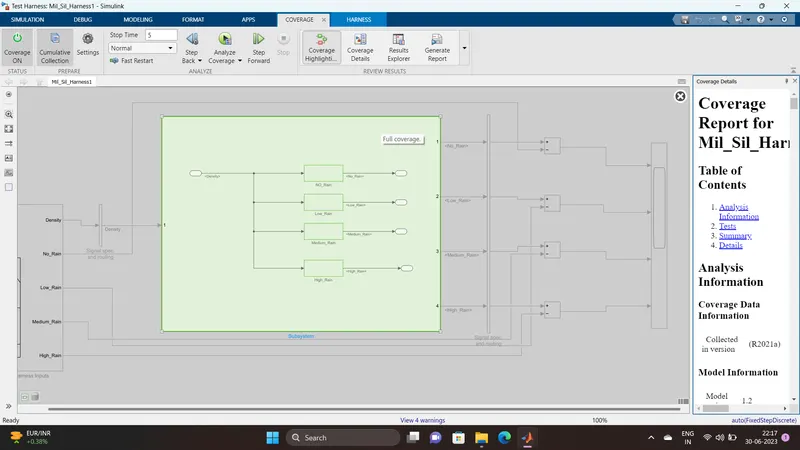
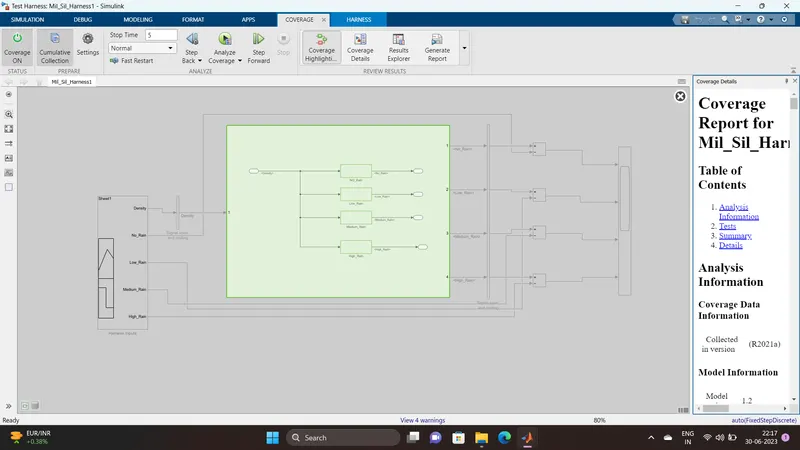
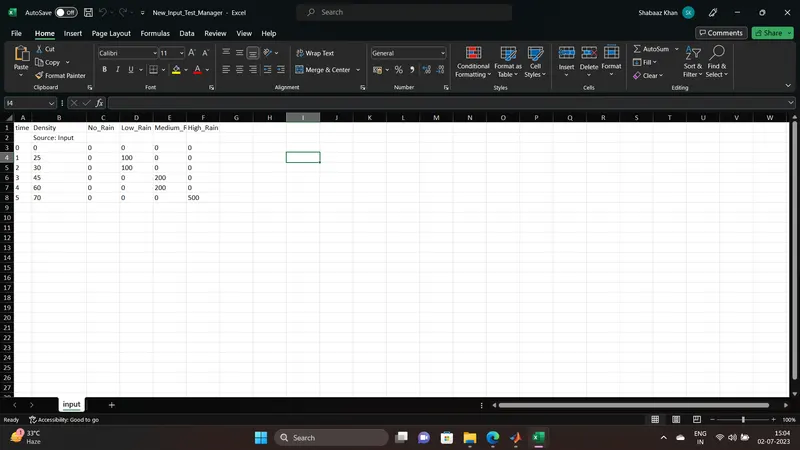
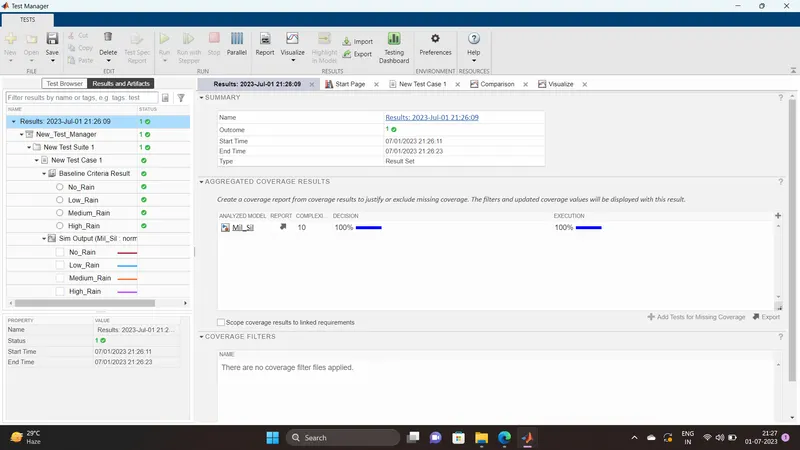
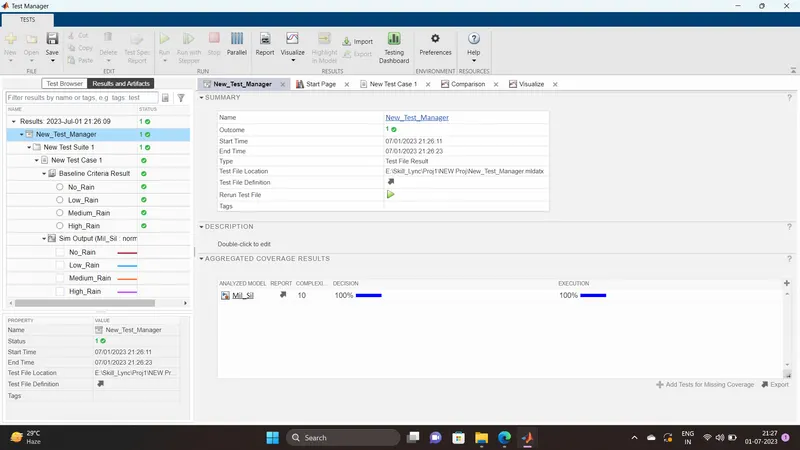
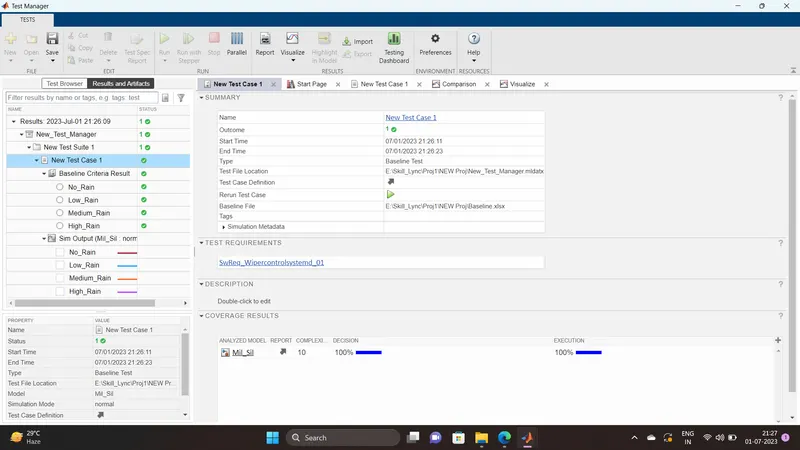
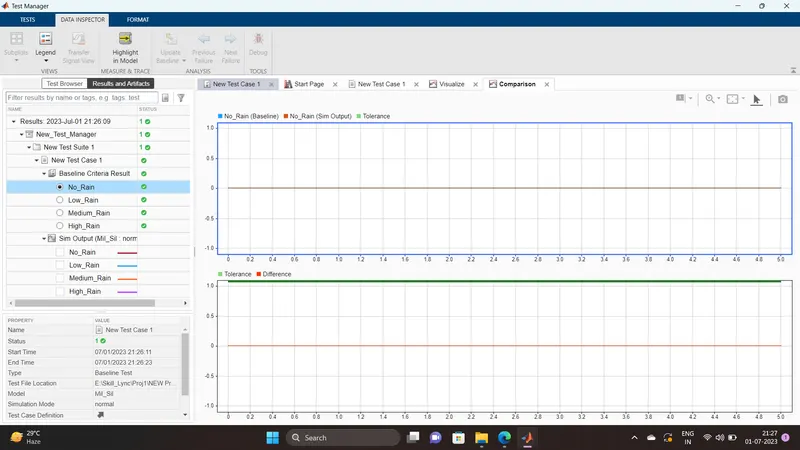
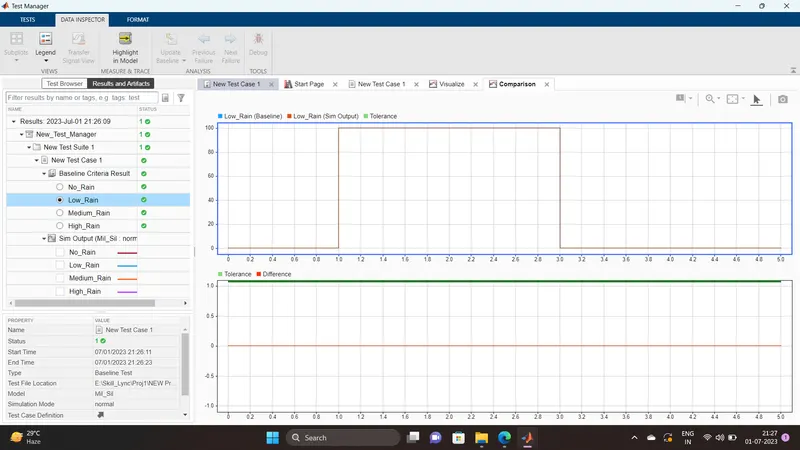
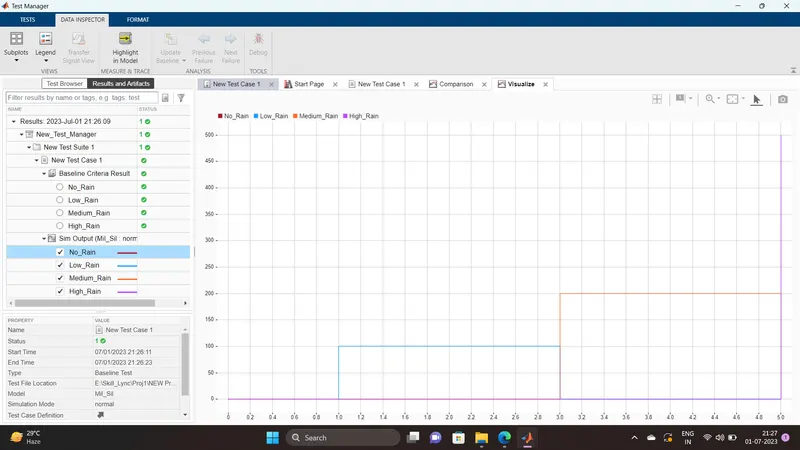
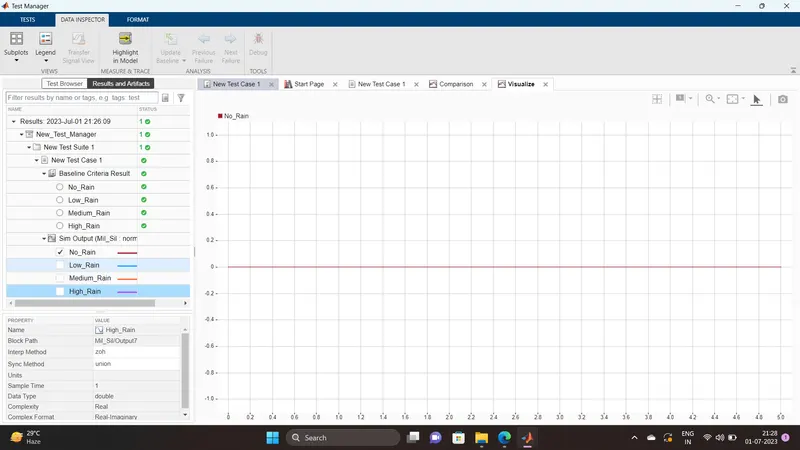
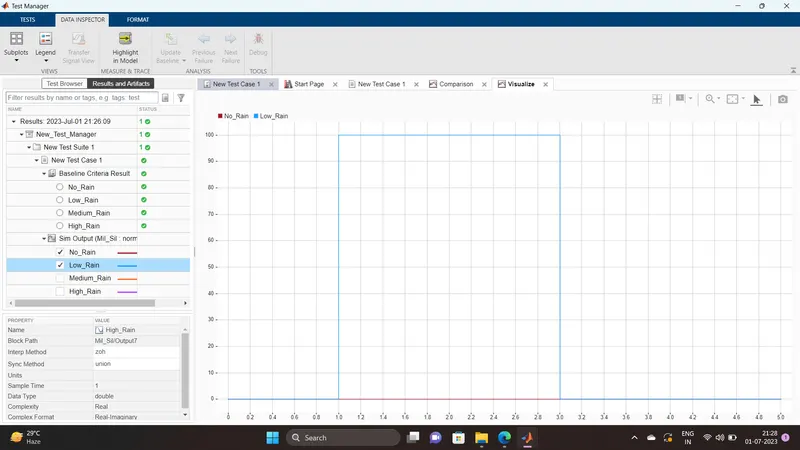
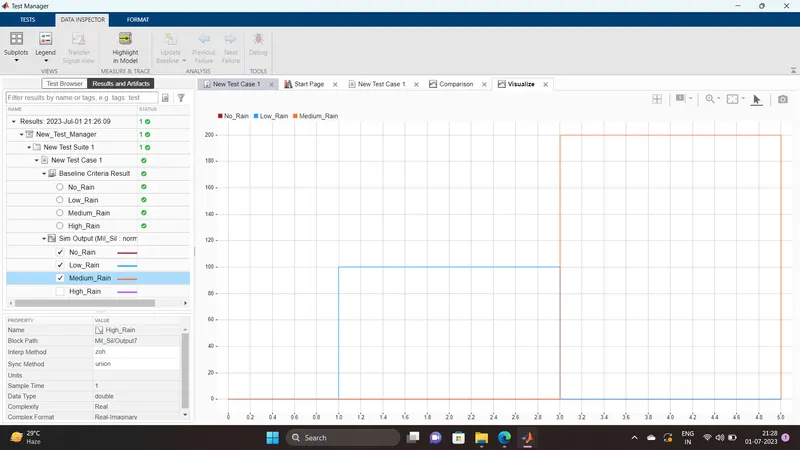
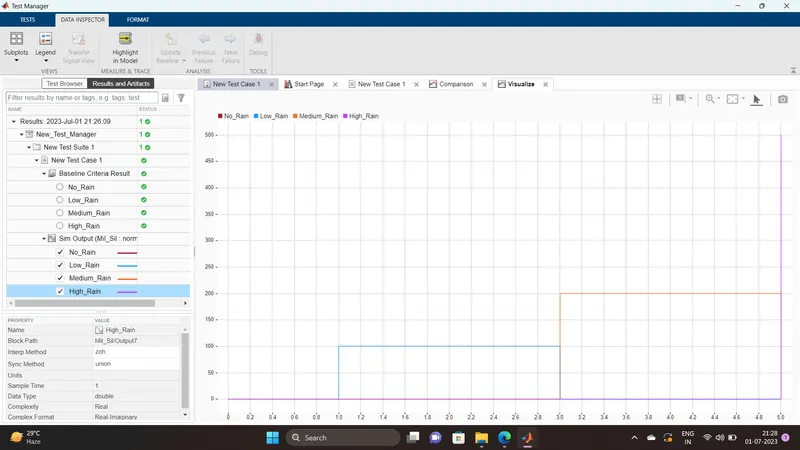
- If the density of the rain is low, then wiper rotates with low speed & the output signal should be 100rpm
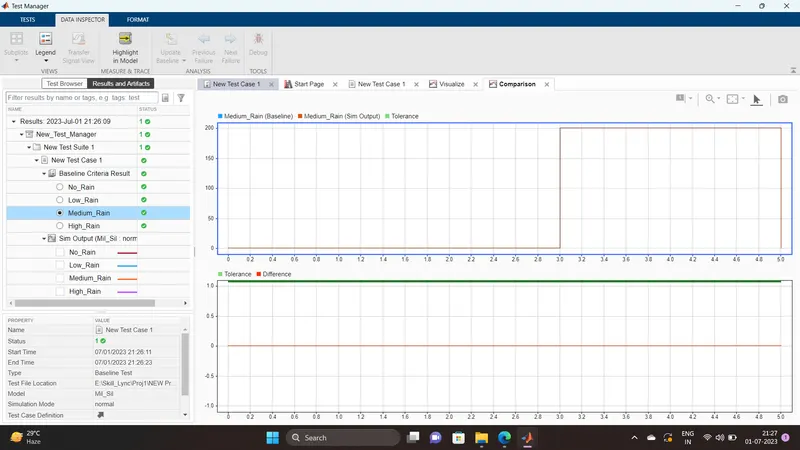
- If the density of the rain is medium, then wiper rotates with medium speed & the output signal should be 200rpm
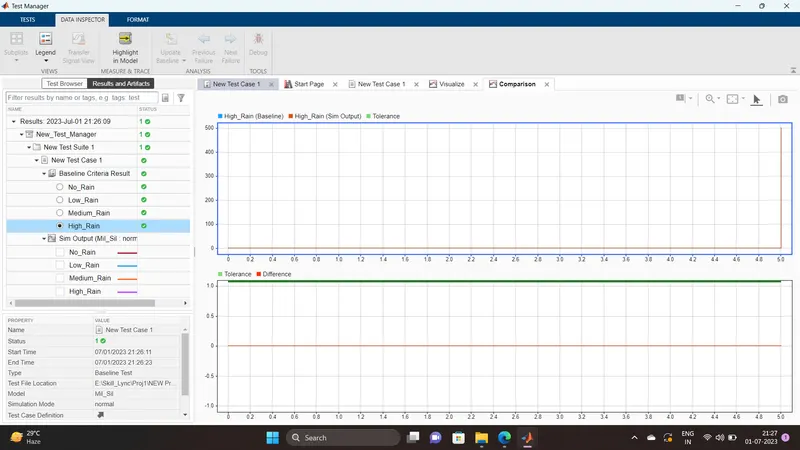
- If the density of the rain is high, then wiper rotates with high speed & the output signal should be 500rpm
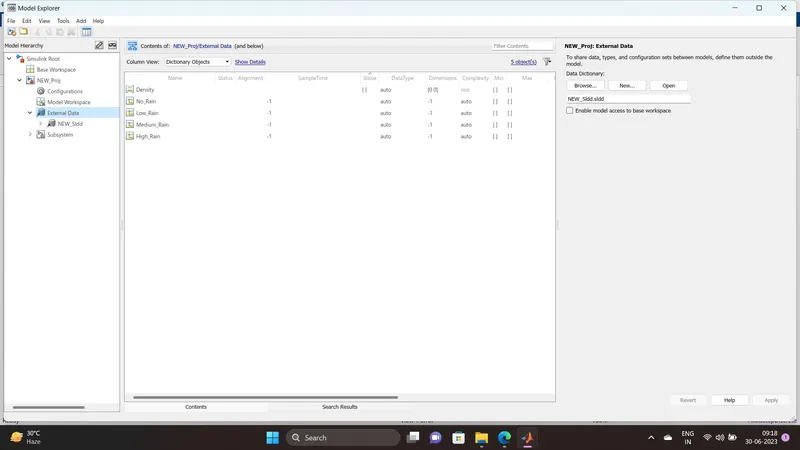
Note: Rain density input comes from the external sensor, for the simulation purpose constant block with knob can be taken.
Answer:
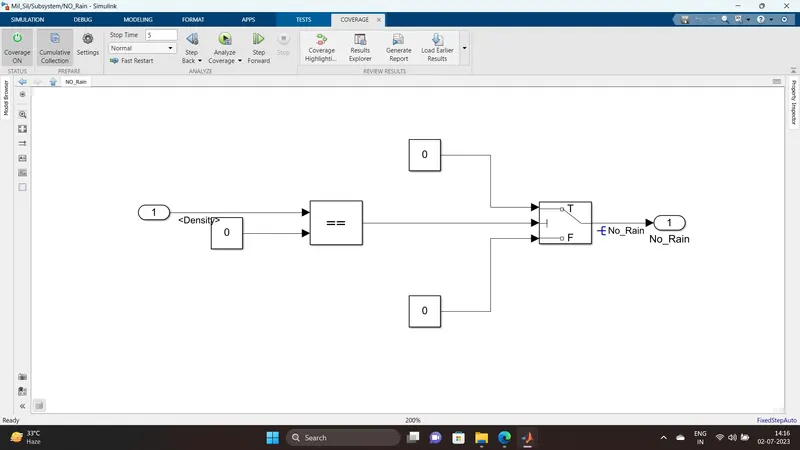
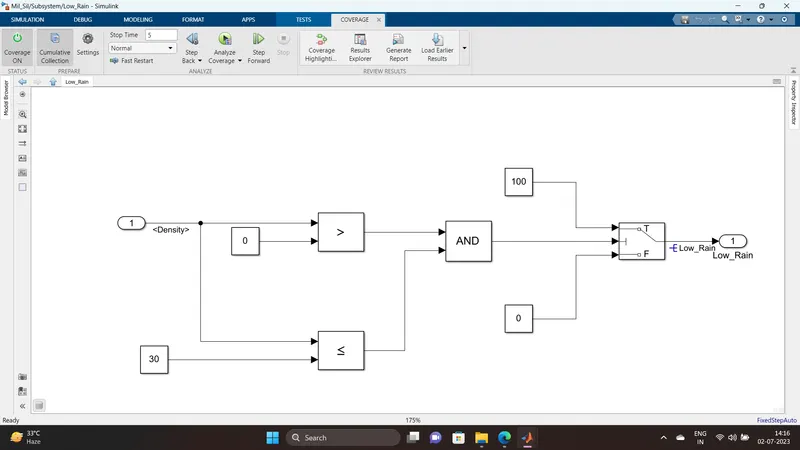
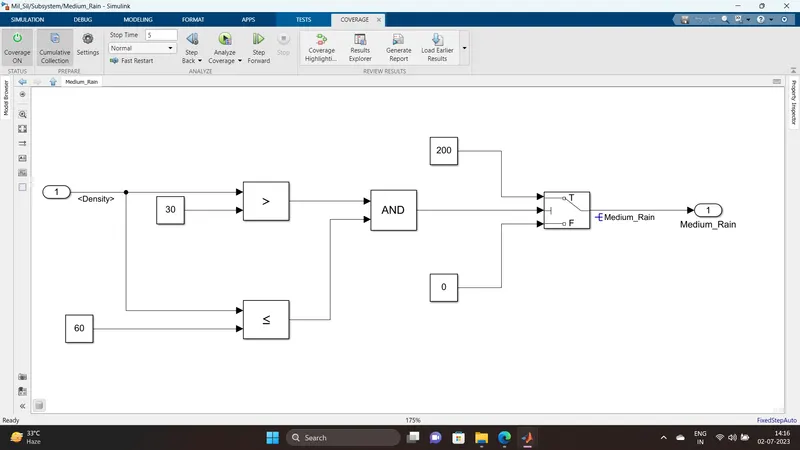
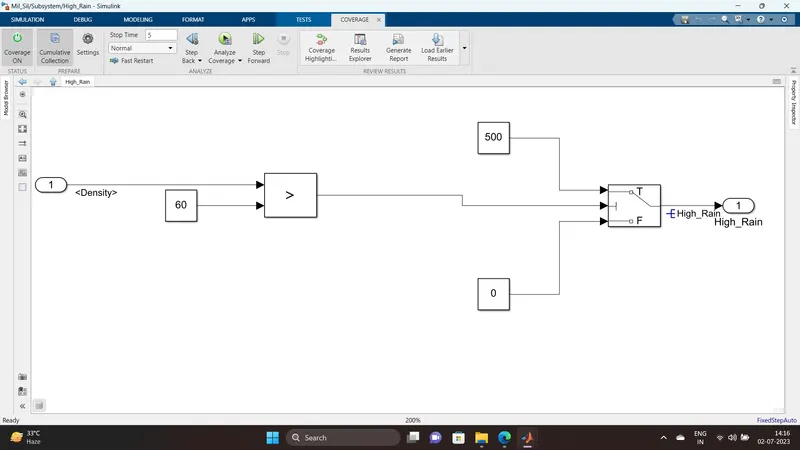
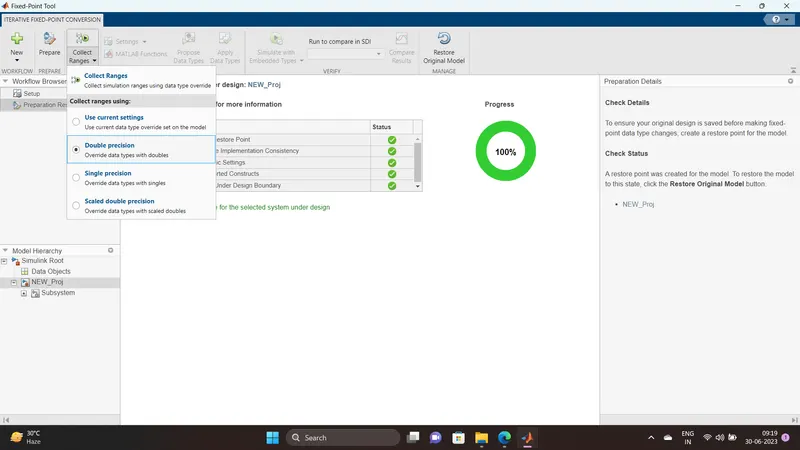
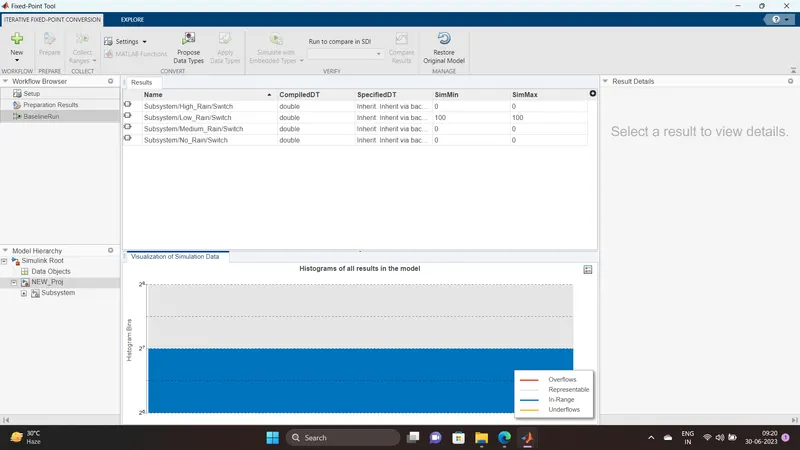
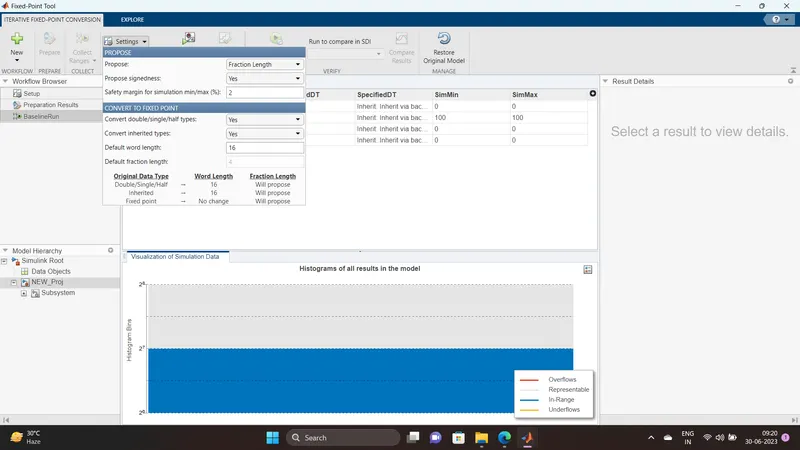
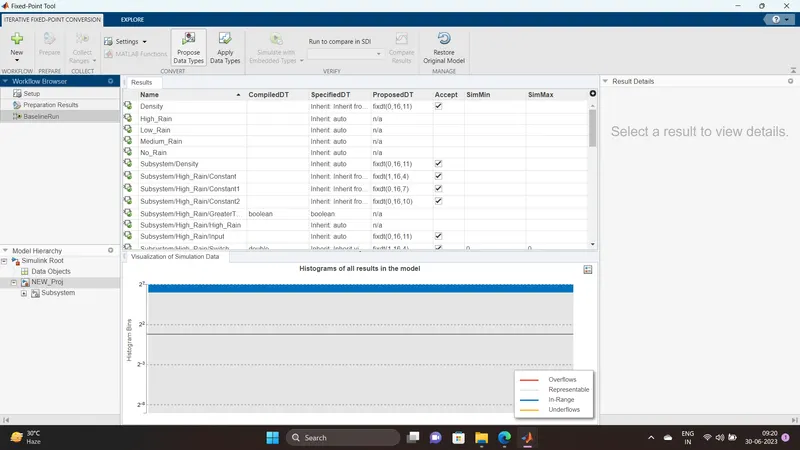
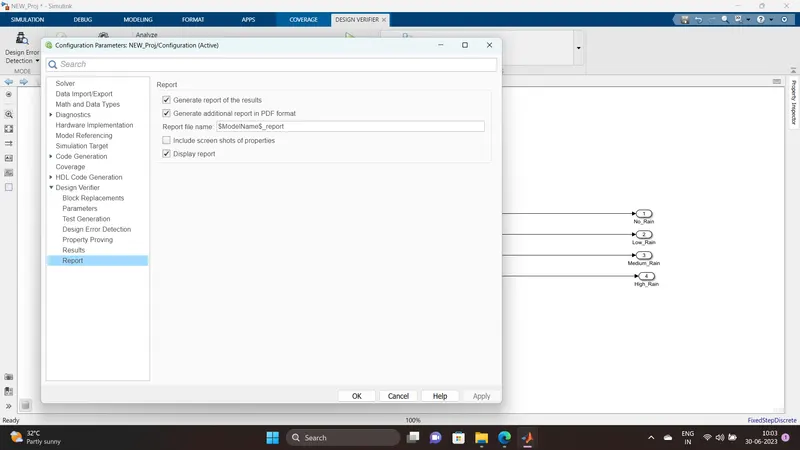
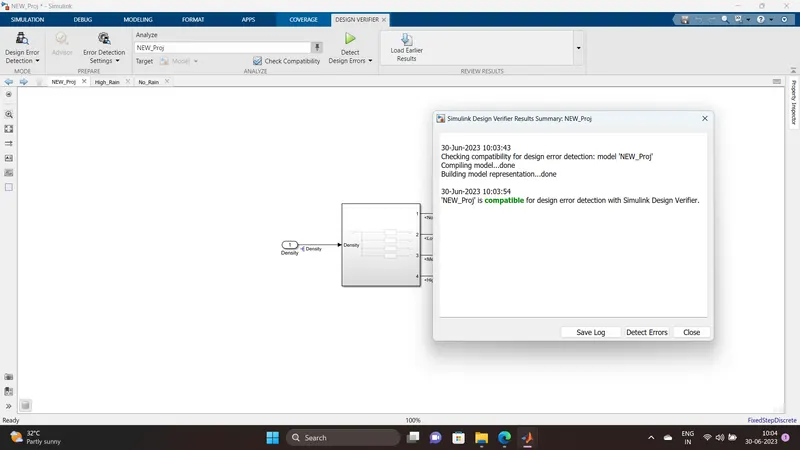
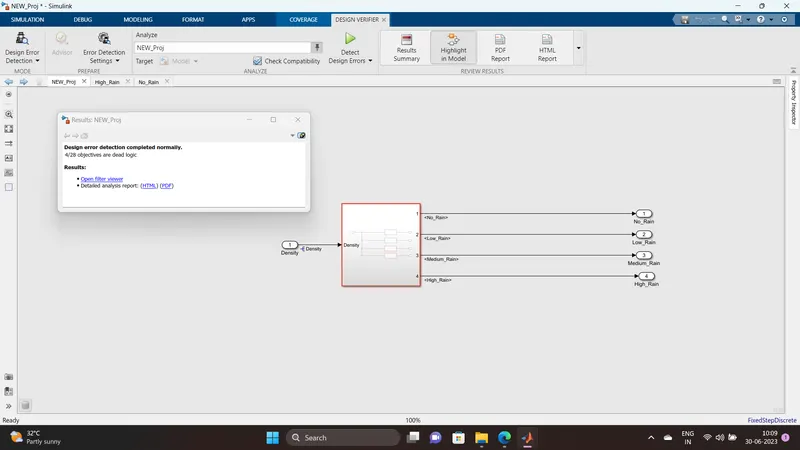
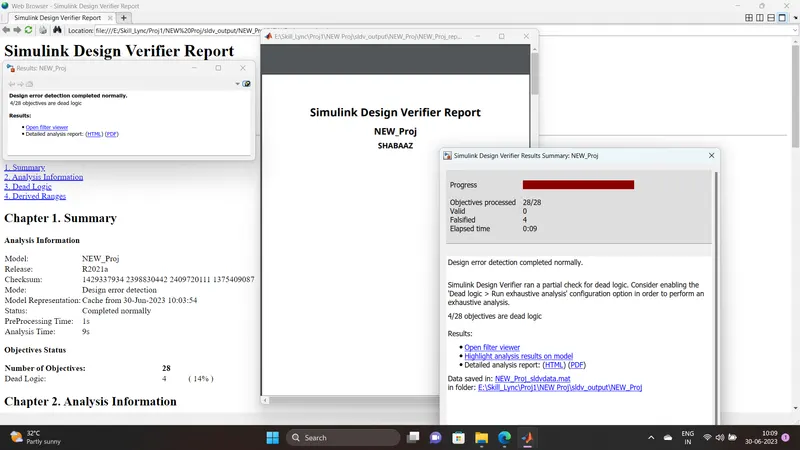
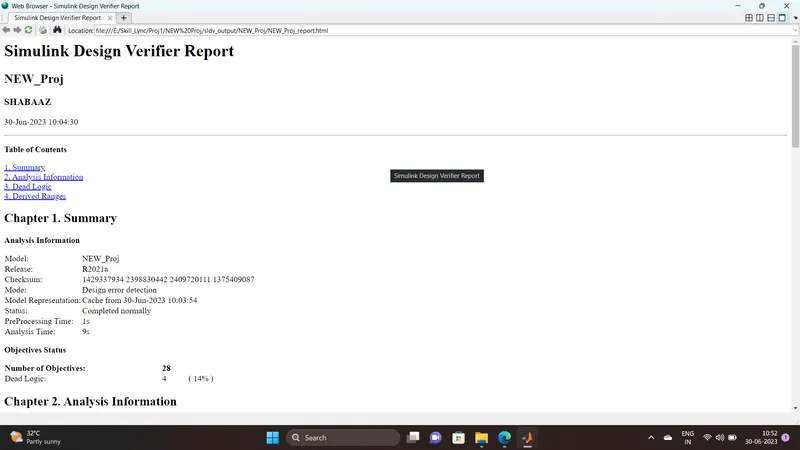
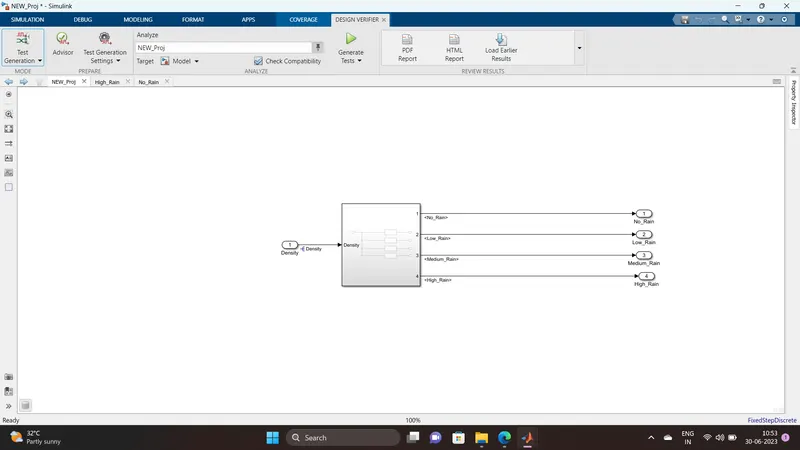
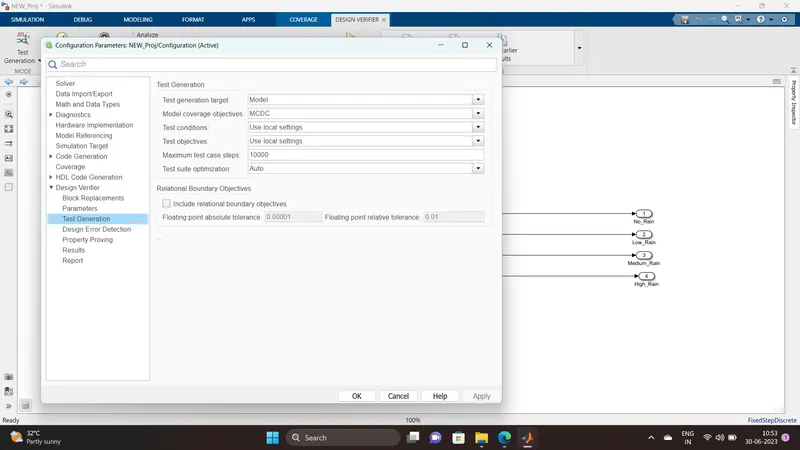
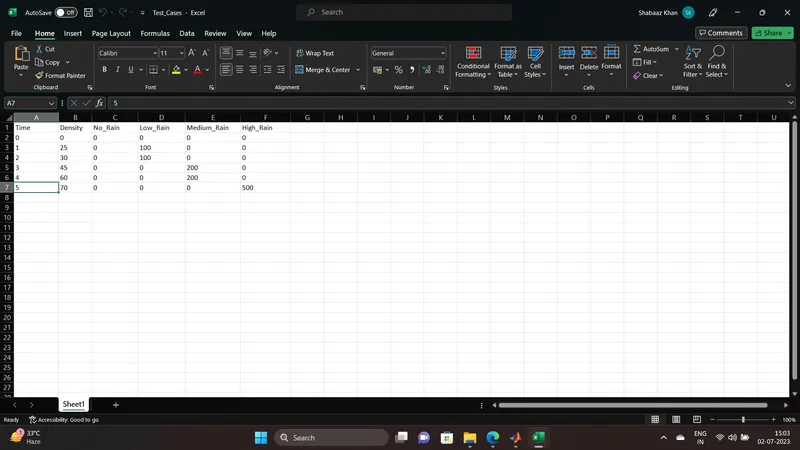
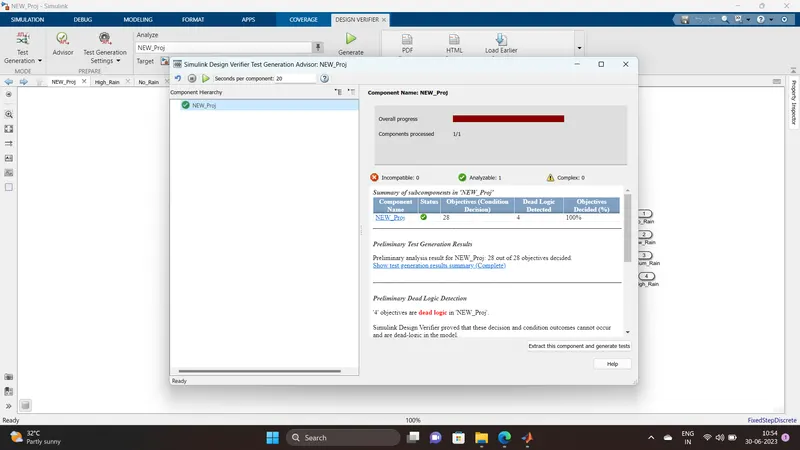
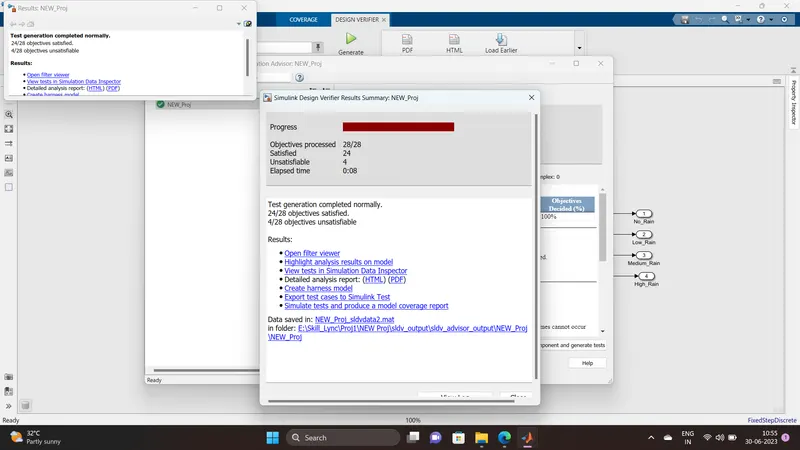
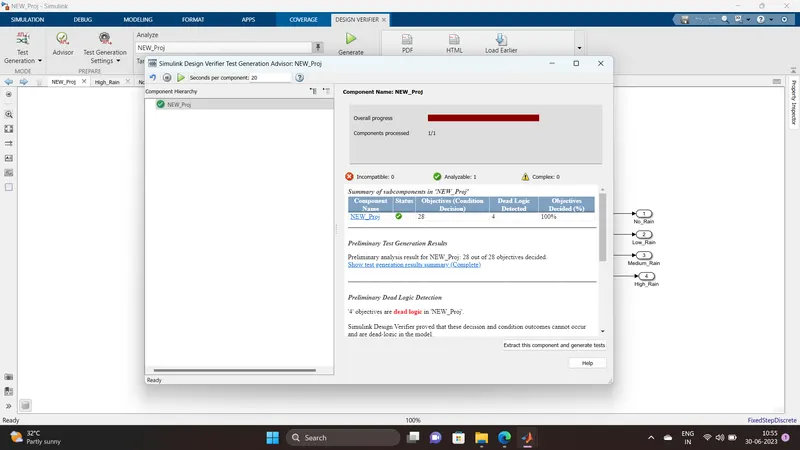
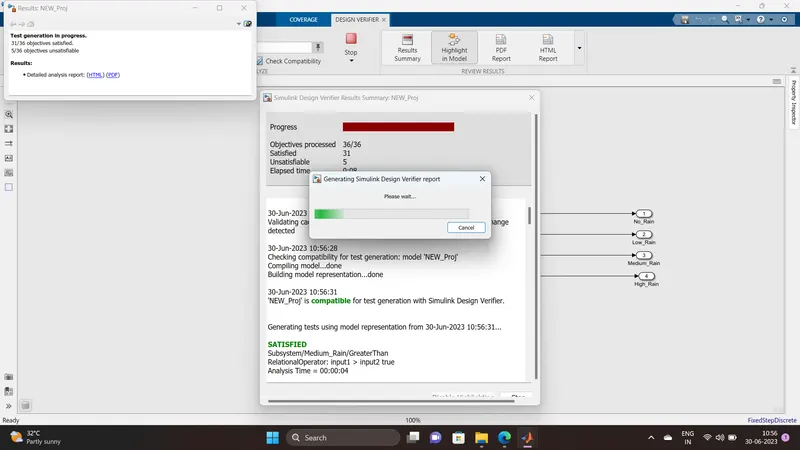
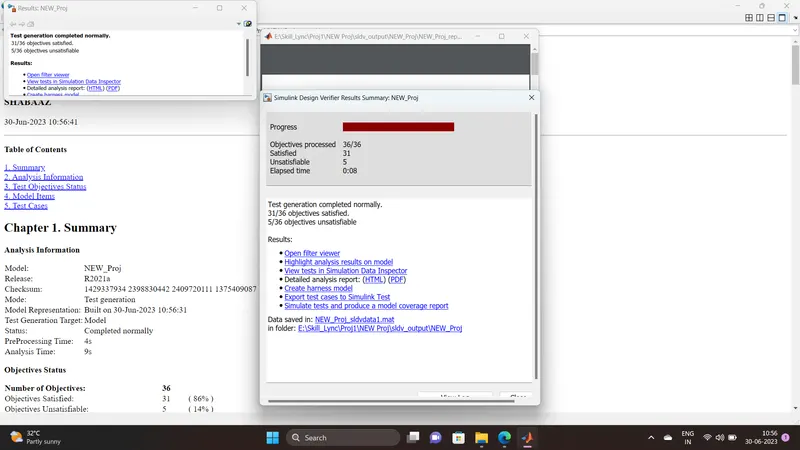
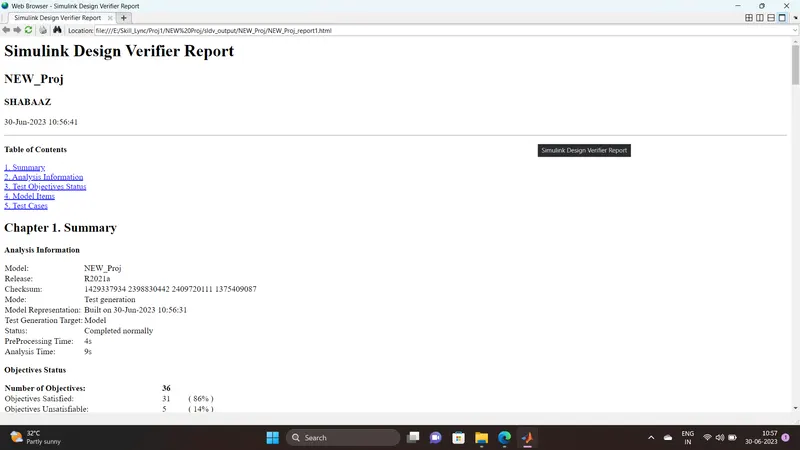
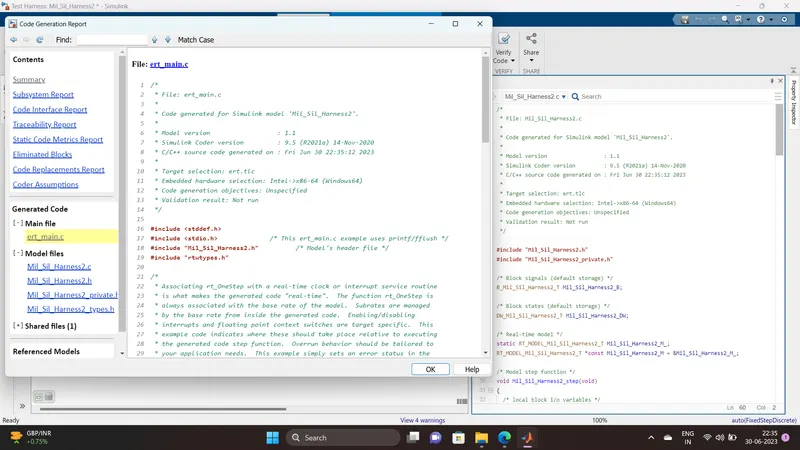
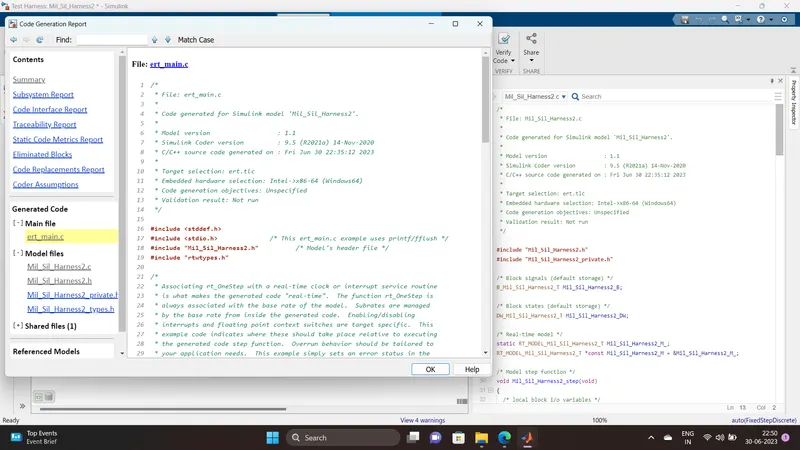
File: ert_main.c
1	/*
2	 * File: ert_main.c
3	 *
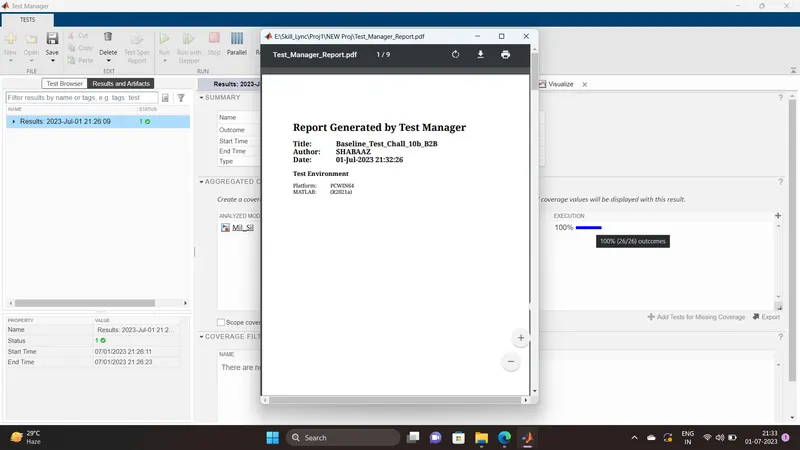
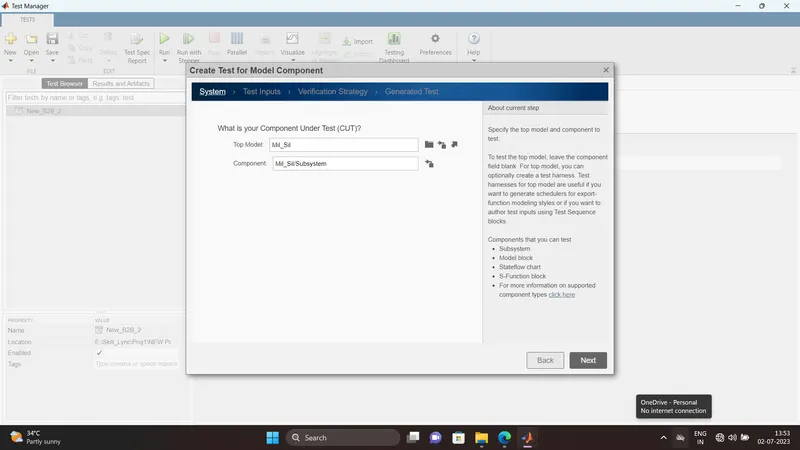
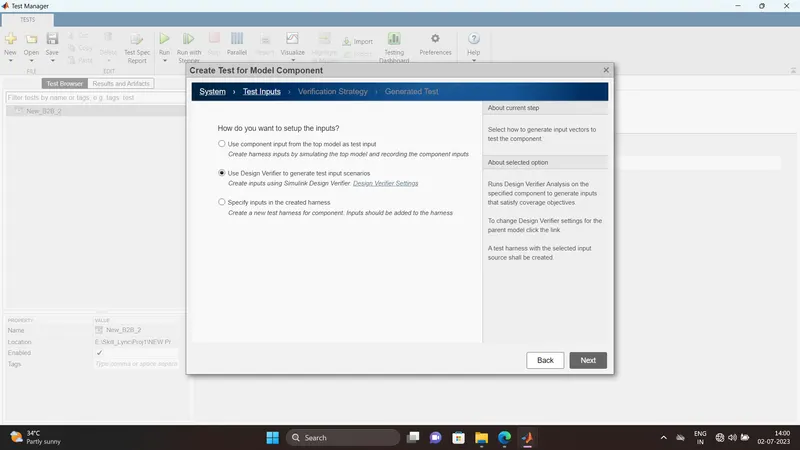
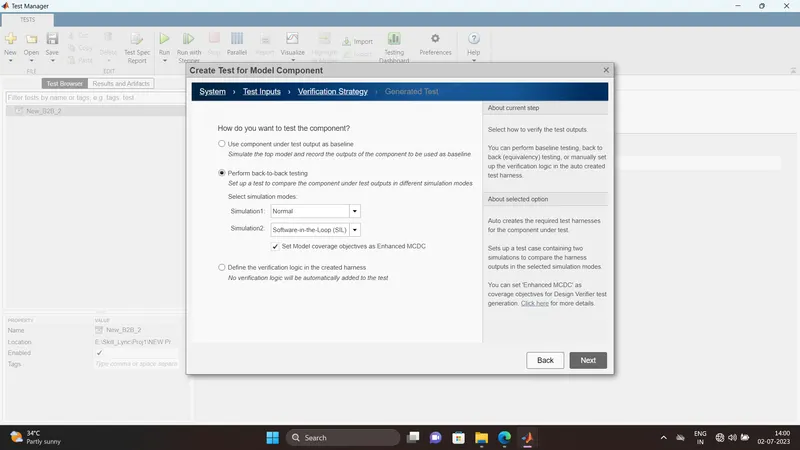
4	 * Code generated for Simulink model 'Mil_Sil_Harness2'.
5	 *
6	 * Model version                  : 1.1
7	 * Simulink Coder version         : 9.5 (R2021a) 14-Nov-2020
8	 * C/C++ source code generated on : Fri Jun 30 22:35:12 2023
9	 *
10	 * Target selection: ert.tlc
11	 * Embedded hardware selection: Intel->x86-64 (Windows64)
12	 * Code generation objectives: Unspecified
13	 * Validation result: Not run
14	 */
15
16	#include
17	#include               /* This ert_main.c example uses printf/fflush */
18	#include "Mil_Sil_Harness2.h"          /* Model's header file */
19	#include "rtwtypes.h"
20
21	/*
22	 * Associating rt_OneStep with a real-time clock or interrupt service routine
23	 * is what makes the generated code "real-time".  The function rt_OneStep is
24	 * always associated with the base rate of the model.  Subrates are managed
25	 * by the base rate from inside the generated code.  Enabling/disabling
26	 * interrupts and floating point context switches are target specific.  This
27	 * example code indicates where these should take place relative to executing
28	 * the generated code step function.  Overrun behavior should be tailored to
29	 * your application needs.  This example simply sets an error status in the
30	 * real-time model and returns from rt_OneStep.
31	 */
32	void rt_OneStep(void);
33	void rt_OneStep(void)
34	{
35	  static boolean_T OverrunFlag = false;
36
37	  /* Disable interrupts here */
38
39	  /* Check for overrun */
40	  if (OverrunFlag) {
41	    rtmSetErrorStatus(Mil_Sil_Harness2_M, "Overrun");
42	    return;
43	  }
44
45	  OverrunFlag = true;
46
47	  /* Save FPU context here (if necessary) */
48	  /* Re-enable timer or interrupt here */
49	  /* Set model inputs here */
50
51	  /* Step the model for base rate */
52	  Mil_Sil_Harness2_step();
53
54	  /* Get model outputs here */
55
56	  /* Indicate task complete */
57	  OverrunFlag = false;
58
59	  /* Disable interrupts here */
60	  /* Restore FPU context here (if necessary) */
61	  /* Enable interrupts here */
62	}
63
64	/*
65	 * The example "main" function illustrates what is required by your
66	 * application code to initialize, execute, and terminate the generated code.
67	 * Attaching rt_OneStep to a real-time clock is target specific.  This example
68	 * illustrates how you do this relative to initializing the model.
69	 */
70	int_T main(int_T argc, const char *argv[])
71	{
72	  /* Unused arguments */
73	  (void)(argc);
74	  (void)(argv);
75
76	  /* Initialize model */
77	  Mil_Sil_Harness2_initialize();
78
79	  /* Attach rt_OneStep to a timer or interrupt service routine with
80	   * period 1.0 seconds (the model's base sample time) here.  The
81	   * call syntax for rt_OneStep is
82	   *
83	   *  rt_OneStep();
84	   */
85	  printf("Warning: The simulation will run forever. "
86	         "Generated ERT main won't simulate model step behavior. "
87	         "To change this behavior select the 'MAT-file logging' option.\n");
88	  fflush((NULL));
89	  while (rtmGetErrorStatus(Mil_Sil_Harness2_M) == (NULL)) {
90	    /*  Perform other application tasks here */
91	  }
92
93	  /* Disable rt_OneStep() here */
94
95	  /* Terminate model */
96	  Mil_Sil_Harness2_terminate();
97	  return 0;
98	}
99
100	/*
101	 * File trailer for generated code.
102	 *
103	 * [EOF]
104	 */
105
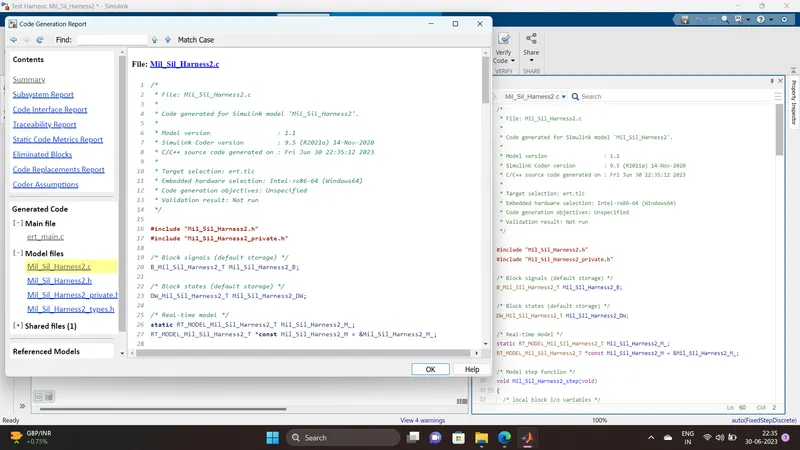
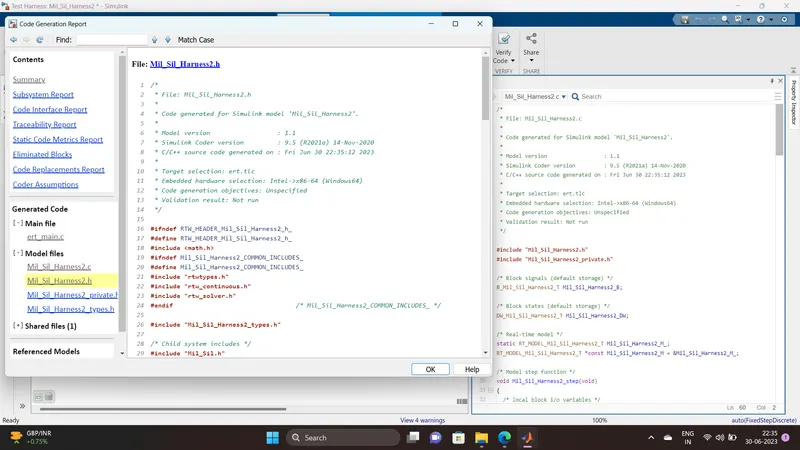
File: Mil_Sil_Harness2.c
1 /*
2 * File: Mil_Sil_Harness2.c
3 *
4 * Code generated for Simulink model 'Mil_Sil_Harness2'.
5 *
6 * Model version : 1.1
7 * Simulink Coder version : 9.5 (R2021a) 14-Nov-2020
8 * C/C++ source code generated on : Fri Jun 30 22:35:12 2023
9 *
10 * Target selection: ert.tlc
11 * Embedded hardware selection: Intel->x86-64 (Windows64)
12 * Code generation objectives: Unspecified
13 * Validation result: Not run
14 */
15
16 #include "Mil_Sil_Harness2.h"
17 #include "Mil_Sil_Harness2_private.h"
18
19 /* Block signals (default storage) */
20 B_Mil_Sil_Harness2_T Mil_Sil_Harness2_B;
21
22 /* Block states (default storage) */
23 DW_Mil_Sil_Harness2_T Mil_Sil_Harness2_DW;
24
25 /* Real-time model */
26 static RT_MODEL_Mil_Sil_Harness2_T Mil_Sil_Harness2_M_;
27 RT_MODEL_Mil_Sil_Harness2_T *const Mil_Sil_Harness2_M = &Mil_Sil_Harness2_M_;
28
29 /* Model step function */
30 void Mil_Sil_Harness2_step(void)
31 {
32 /* local block i/o variables */
33 real_T rtb_No_Rain;
34 real_T rtb_Low_Rain;
35 real_T rtb_Medium_Rain;
36 real_T rtb_High_Rain;
37
38 /* FromWorkspace: '/FromWs' */
39 {
40 real_T *pDataValues = (real_T *) Mil_Sil_Harness2_DW.FromWs_PWORK.DataPtr;
41 real_T *pTimeValues = (real_T *) Mil_Sil_Harness2_DW.FromWs_PWORK.TimePtr;
42 int_T currTimeIndex = Mil_Sil_Harness2_DW.FromWs_IWORK.PrevIndex;
43 real_T t = Mil_Sil_Harness2_M->Timing.t[0];
44
45 /* Get index */
46 if (t <= pTimeValues[0]) {
47 currTimeIndex = 0;
48 } else if (t >= pTimeValues[9]) {
49 currTimeIndex = 8;
50 } else {
51 if (t < pTimeValues[currTimeIndex]) {
52 while (t < pTimeValues[currTimeIndex]) {
53 currTimeIndex--;
54 }
55 } else {
56 while (t >= pTimeValues[currTimeIndex + 1]) {
57 currTimeIndex++;
58 }
59 }
60 }
61
62 Mil_Sil_Harness2_DW.FromWs_IWORK.PrevIndex = currTimeIndex;
63
64 /* Post output */
65 {
66 real_T t1 = pTimeValues[currTimeIndex];
67 real_T t2 = pTimeValues[currTimeIndex + 1];
68 if (t1 == t2) {
69 if (t < t1) {
70 {
71 int_T elIdx;
72 for (elIdx = 0; elIdx < 5; ++elIdx) {
73 (&Mil_Sil_Harness2_B.FromWs[0])[elIdx] = pDataValues[currTimeIndex];
74 pDataValues += 10;
75 }
76 }
77 } else {
78 {
79 int_T elIdx;
80 for (elIdx = 0; elIdx < 5; ++elIdx) {
81 (&Mil_Sil_Harness2_B.FromWs[0])[elIdx] = pDataValues[currTimeIndex
82 + 1];
83 pDataValues += 10;
84 }
85 }
86 }
87 } else {
88 real_T f1 = (t2 - t) / (t2 - t1);
89 real_T f2 = 1.0 - f1;
90 real_T d1;
91 real_T d2;
92 int_T TimeIndex = currTimeIndex;
93
94 {
95 int_T elIdx;
96 for (elIdx = 0; elIdx < 5; ++elIdx) {
97 d1 = pDataValues[TimeIndex];
98 d2 = pDataValues[TimeIndex + 1];
99 (&Mil_Sil_Harness2_B.FromWs[0])[elIdx] = (real_T) rtInterpolate(d1,
100 d2, f1, f2);
101 pDataValues += 10;
102 }
103 }
104 }
105 }
106 }
107
108 /* ModelReference: '/Mil_Sil' */
109 Mil_Sil(&Mil_Sil_Harness2_B.FromWs[0], &rtb_No_Rain, &rtb_Low_Rain,
110 &rtb_Medium_Rain, &rtb_High_Rain);
111
112 /* Update absolute time for base rate */
113 /* The "clockTick0" counts the number of times the code of this task has
114 * been executed. The absolute time is the multiplication of "clockTick0"
115 * and "Timing.stepSize0". Size of "clockTick0" ensures timer will not
116 * overflow during the application lifespan selected.
117 */
118 Mil_Sil_Harness2_M->Timing.t[0] =
119 ((time_T)(++Mil_Sil_Harness2_M->Timing.clockTick0)) *
120 Mil_Sil_Harness2_M->Timing.stepSize0;
121
122 {
123 /* Update absolute timer for sample time: [1.0s, 0.0s] */
124 /* The "clockTick1" counts the number of times the code of this task has
125 * been executed. The resolution of this integer timer is 1.0, which is the step size
126 * of the task. Size of "clockTick1" ensures timer will not overflow during the
127 * application lifespan selected.
128 */
129 Mil_Sil_Harness2_M->Timing.clockTick1++;
130 }
131 }
132
133 /* Model initialize function */
134 void Mil_Sil_Harness2_initialize(void)
135 {
136 /* Registration code */
137 {
138 /* Setup solver object */
139 rtsiSetSimTimeStepPtr(&Mil_Sil_Harness2_M->solverInfo,
140 &Mil_Sil_Harness2_M->Timing.simTimeStep);
141 rtsiSetTPtr(&Mil_Sil_Harness2_M->solverInfo, &rtmGetTPtr(Mil_Sil_Harness2_M));
142 rtsiSetStepSizePtr(&Mil_Sil_Harness2_M->solverInfo,
143 &Mil_Sil_Harness2_M->Timing.stepSize0);
144 rtsiSetErrorStatusPtr(&Mil_Sil_Harness2_M->solverInfo, (&rtmGetErrorStatus
145 (Mil_Sil_Harness2_M)));
146 rtsiSetRTModelPtr(&Mil_Sil_Harness2_M->solverInfo, Mil_Sil_Harness2_M);
147 }
148
149 rtsiSetSimTimeStep(&Mil_Sil_Harness2_M->solverInfo, MAJOR_TIME_STEP);
150 rtsiSetSolverName(&Mil_Sil_Harness2_M->solverInfo,"FixedStepDiscrete");
151 rtmSetTPtr(Mil_Sil_Harness2_M, &Mil_Sil_Harness2_M->Timing.tArray[0]);
152 Mil_Sil_Harness2_M->Timing.stepSize0 = 1.0;
153
154 /* Model Initialize function for ModelReference Block: '/Mil_Sil' */
155 Mil_Sil_initialize(rtmGetErrorStatusPointer(Mil_Sil_Harness2_M),
156 &(Mil_Sil_Harness2_DW.Mil_Sil_InstanceData.rtm));
157
158 /* Start for FromWorkspace: '/FromWs' */
159 {
160 static real_T pTimeValues0[] = { 0.0, 1.0, 1.0, 2.0, 2.0, 3.0, 3.0, 4.0, 4.0,
161 5.0 } ;
162
163 static real_T pDataValues0[] = { 0.0, 25.0, 25.0, 30.0, 30.0, 45.0, 45.0,
164 60.0, 60.0, 70.0, 0.0, 0.0, 0.0, 0.0, 0.0, 0.0, 0.0, 0.0, 0.0, 0.0, 0.0,
165 100.0, 100.0, 100.0, 100.0, 0.0, 0.0, 0.0, 0.0, 0.0, 0.0, 0.0, 0.0, 0.0,
166 0.0, 200.0, 200.0, 200.0, 200.0, 0.0, 0.0, 0.0, 0.0, 0.0, 0.0, 0.0, 0.0,
167 0.0, 0.0, 500.0 } ;
168
169 Mil_Sil_Harness2_DW.FromWs_PWORK.TimePtr = (void *) pTimeValues0;
170 Mil_Sil_Harness2_DW.FromWs_PWORK.DataPtr = (void *) pDataValues0;
171 Mil_Sil_Harness2_DW.FromWs_IWORK.PrevIndex = 0;
172 }
173 }
174
175 /* Model terminate function */
176 void Mil_Sil_Harness2_terminate(void)
177 {
178 /* (no terminate code required) */
179 }
180
181 /*
182 * File trailer for generated code.
183 *
184 * [EOF]
185 */
186 
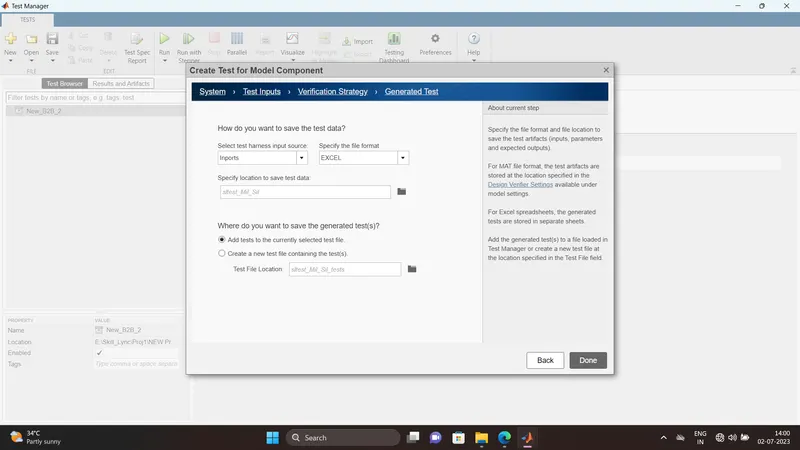
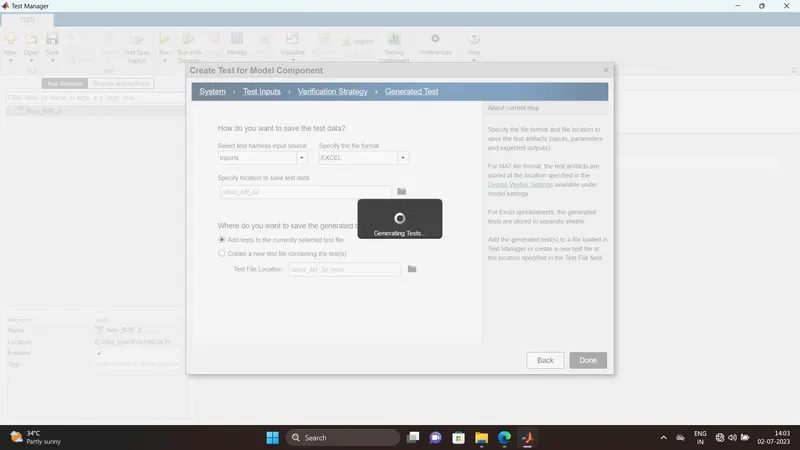
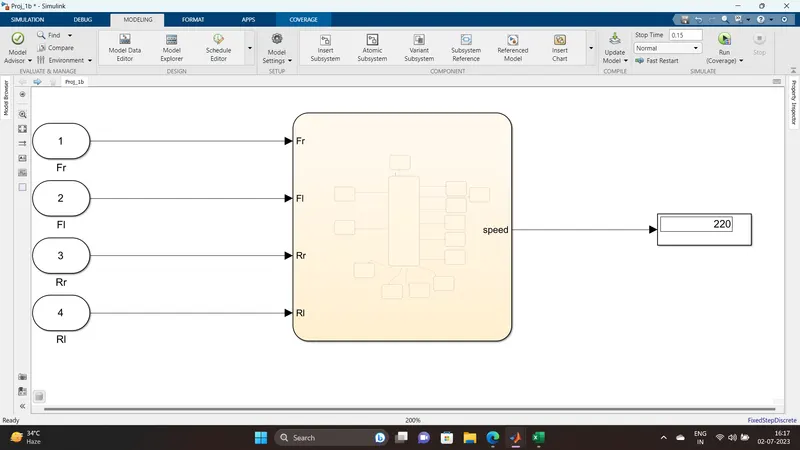
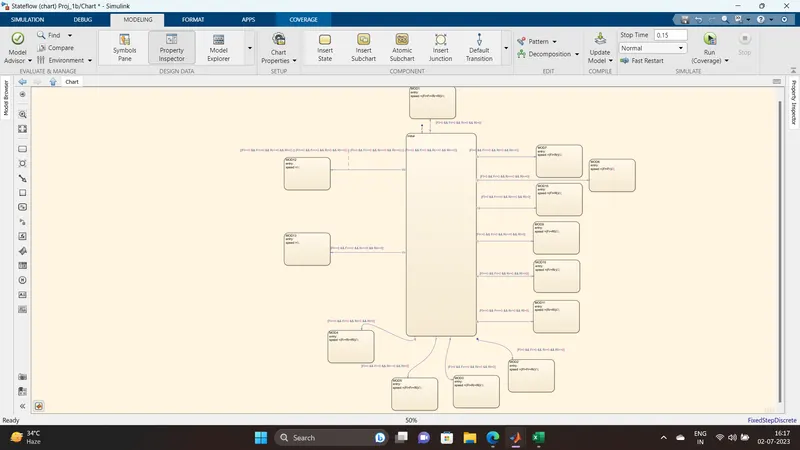
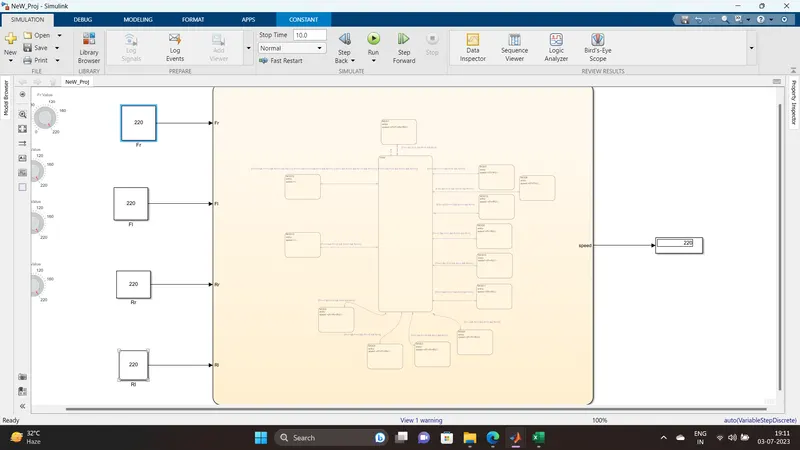
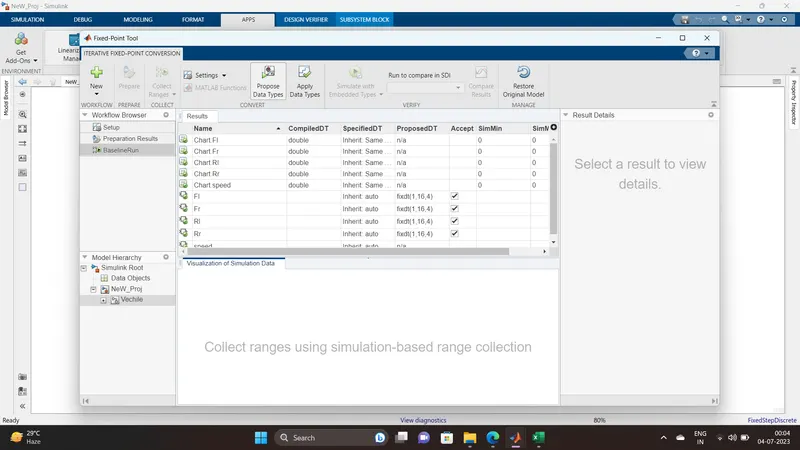
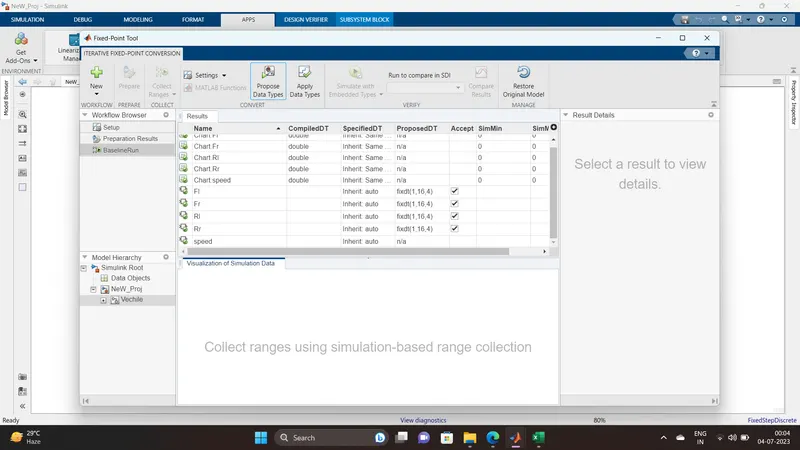
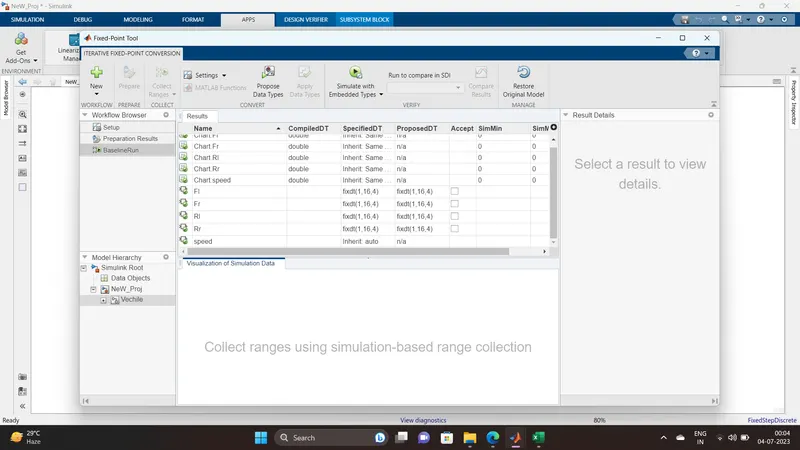
2Q.Vehicle speed calculation for ABS using Wheel Speed sensor
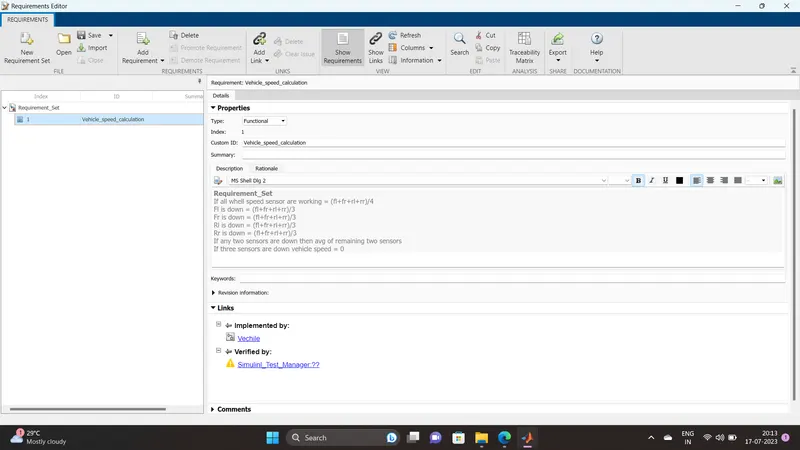
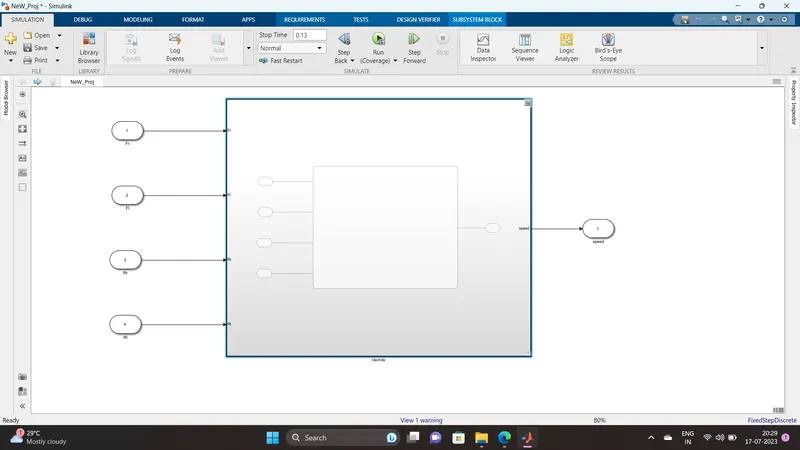
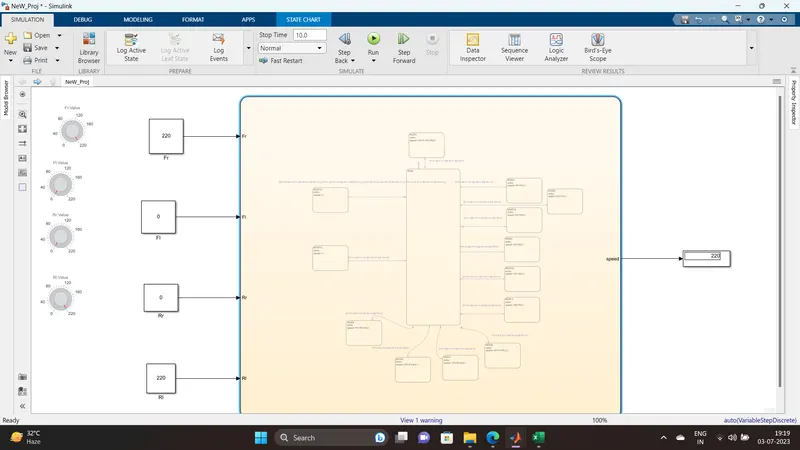
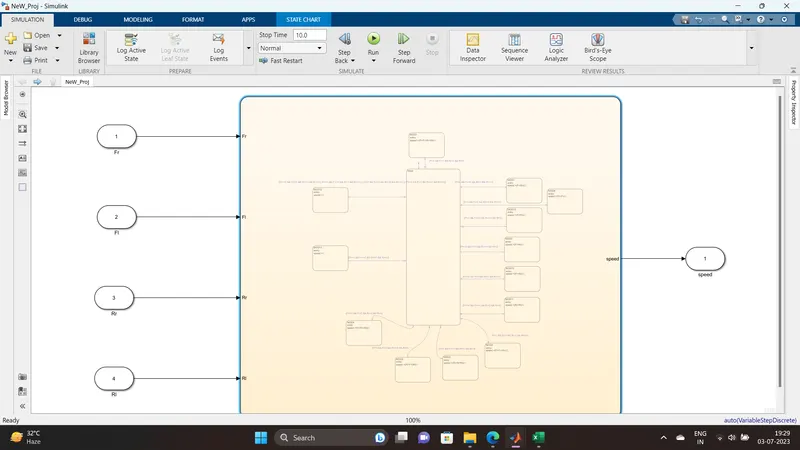
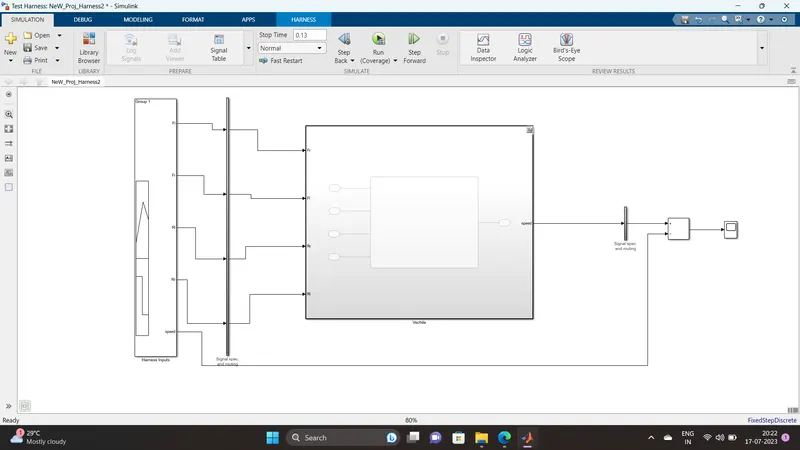
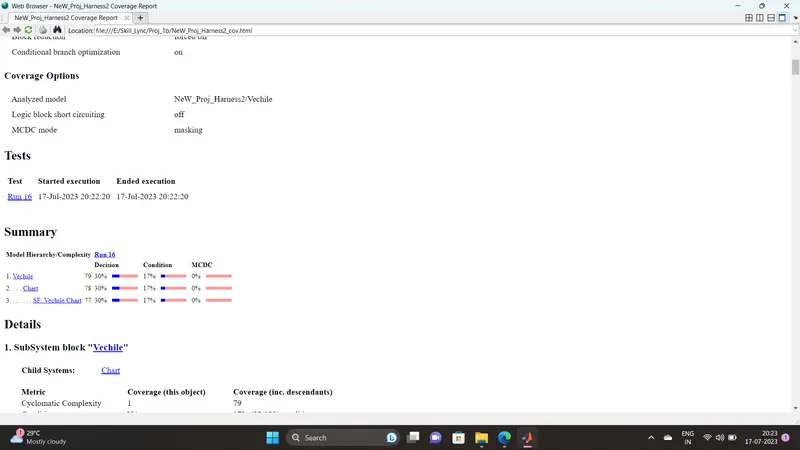
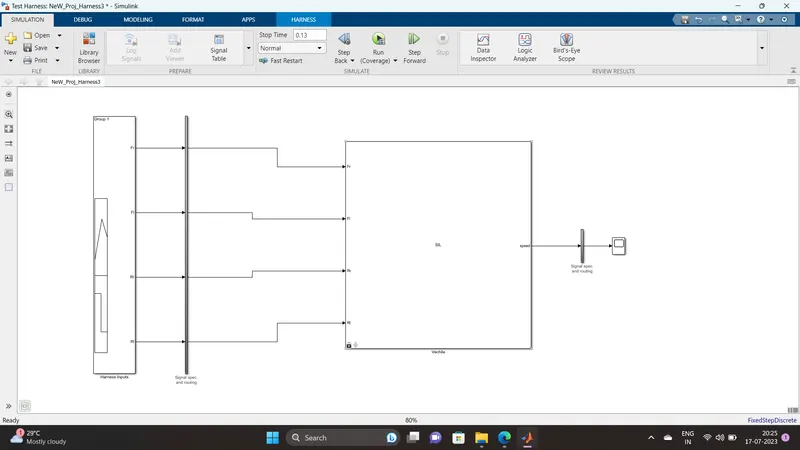
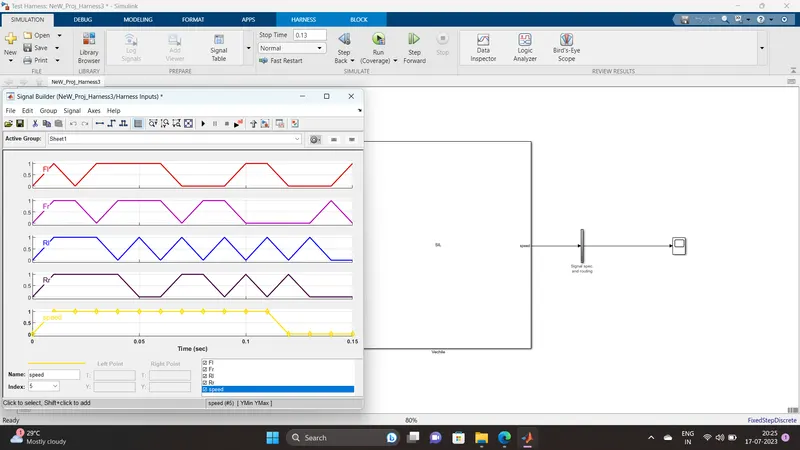
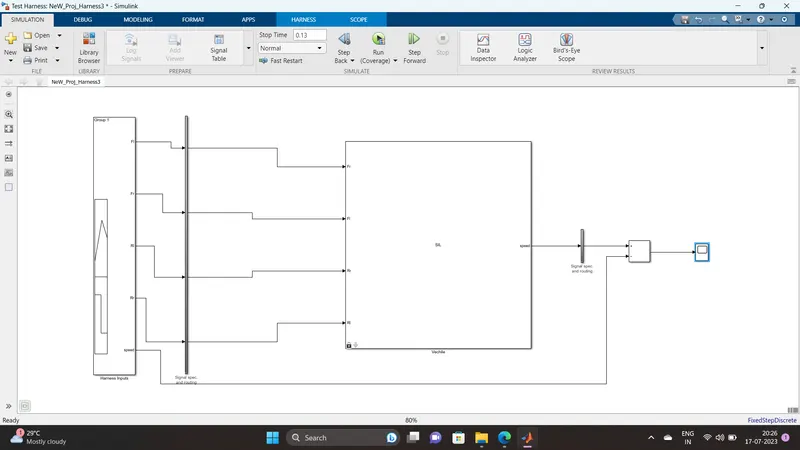
Develop Simulink/state flow model for the vehicle speed calculation unit inside the ABS system for the below conditions.
Description of Challenge:
fl, fr, rl and rr are the wheel speeds of front left, front right, rear left and rear right respectively.
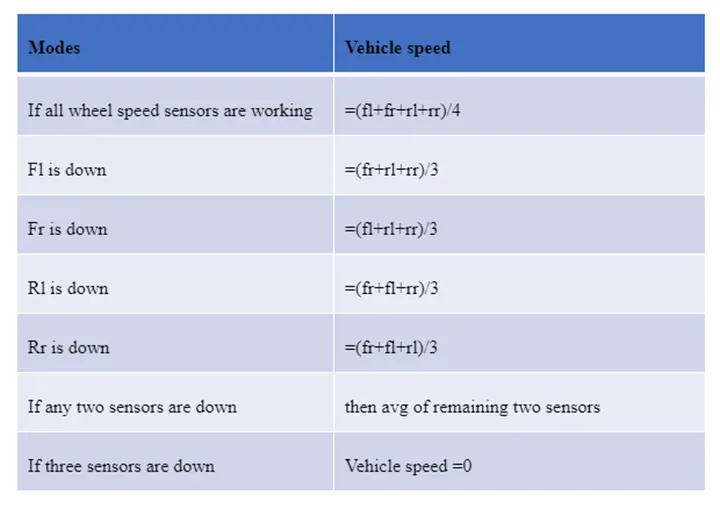
Answer:
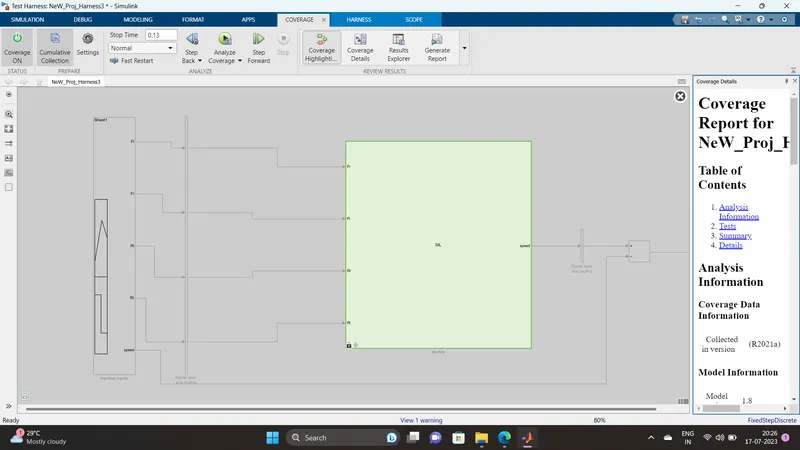
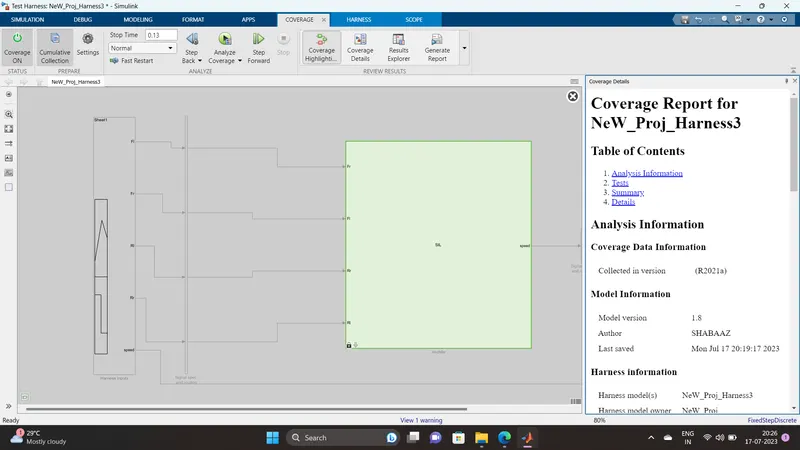
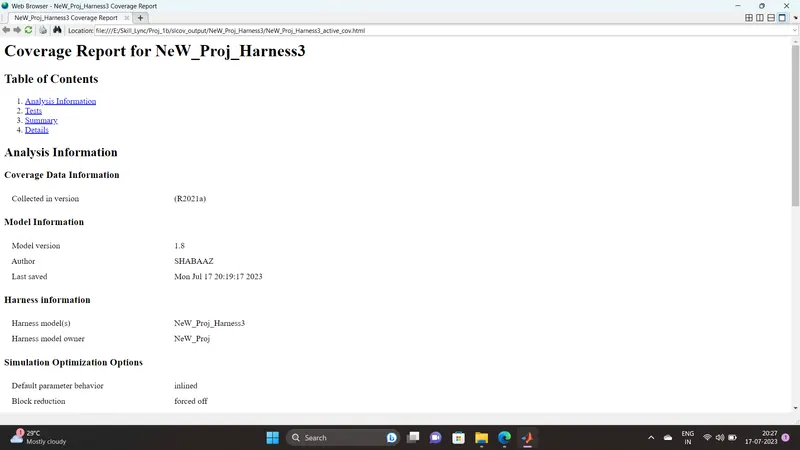
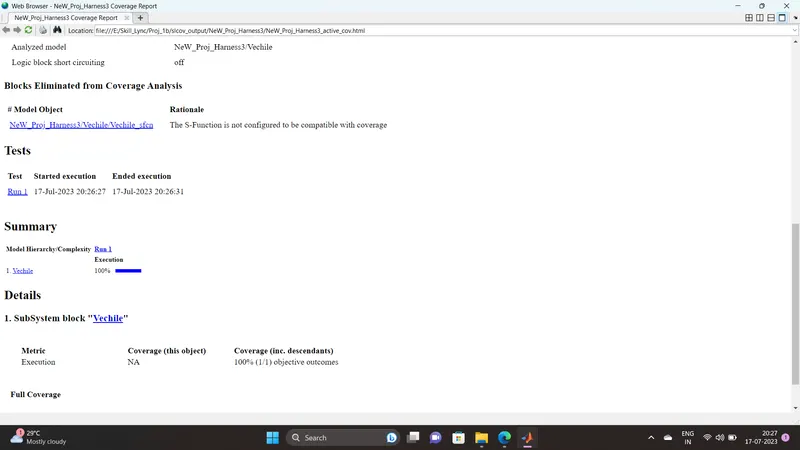
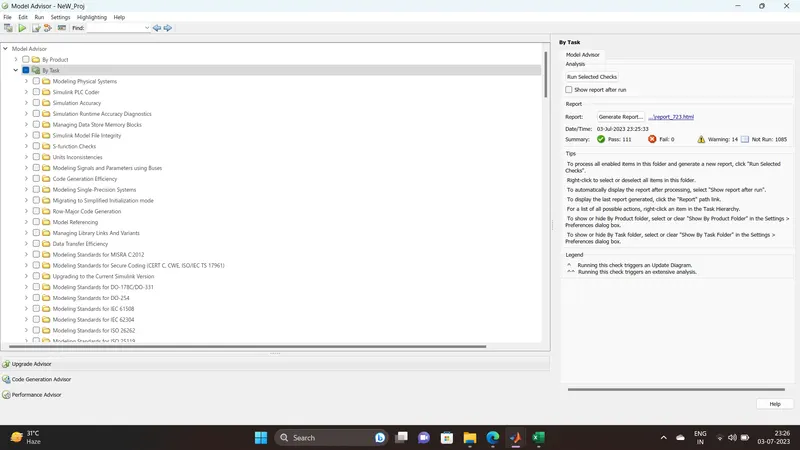
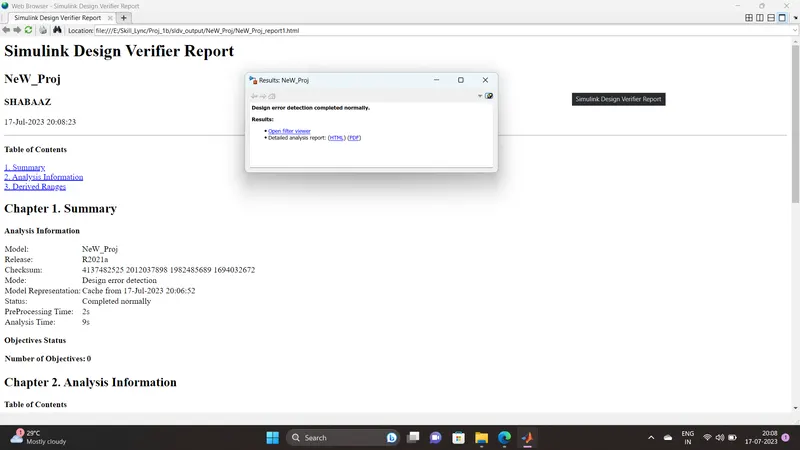
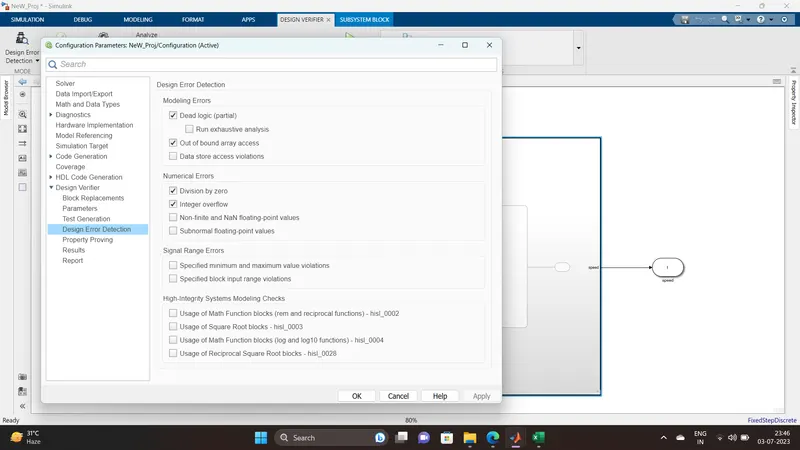
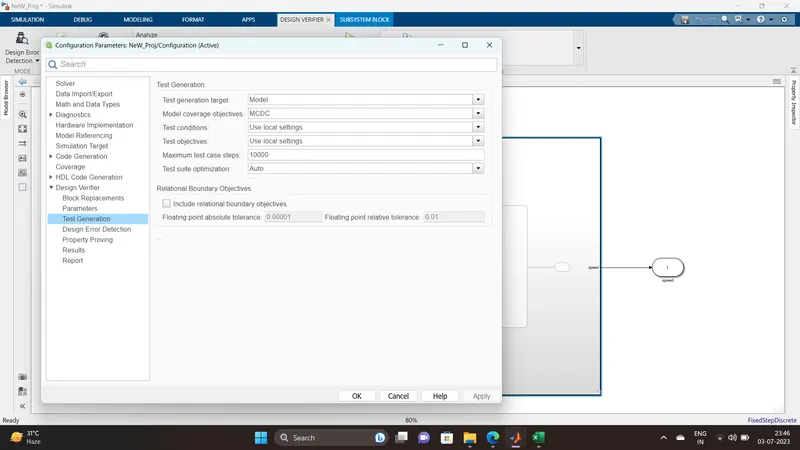
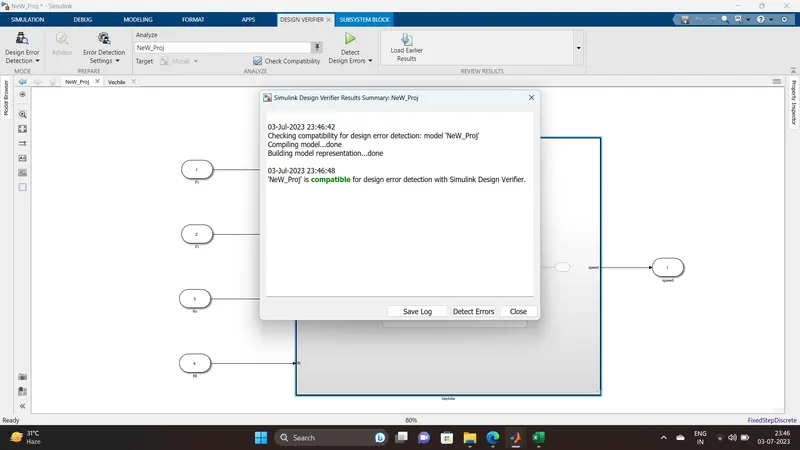
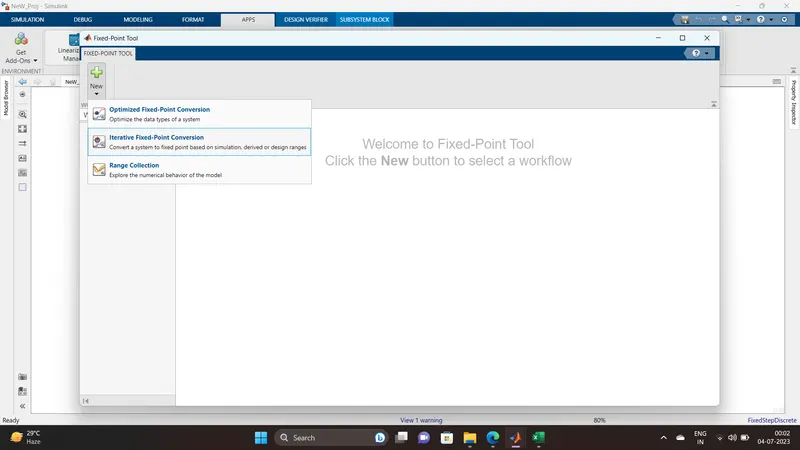
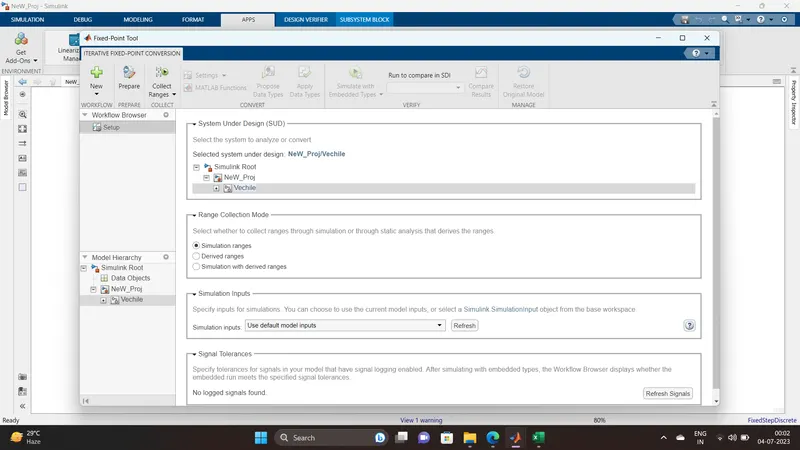
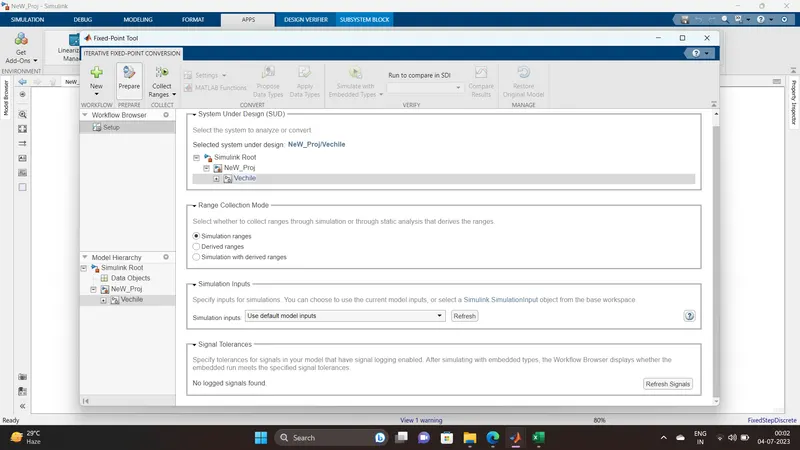
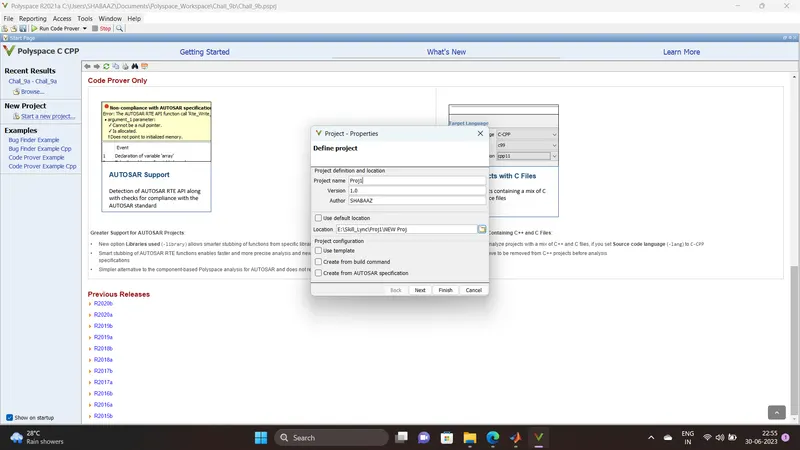
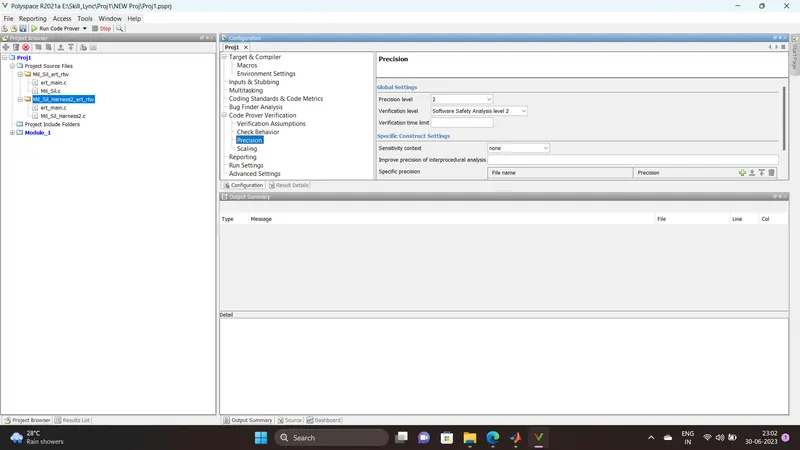
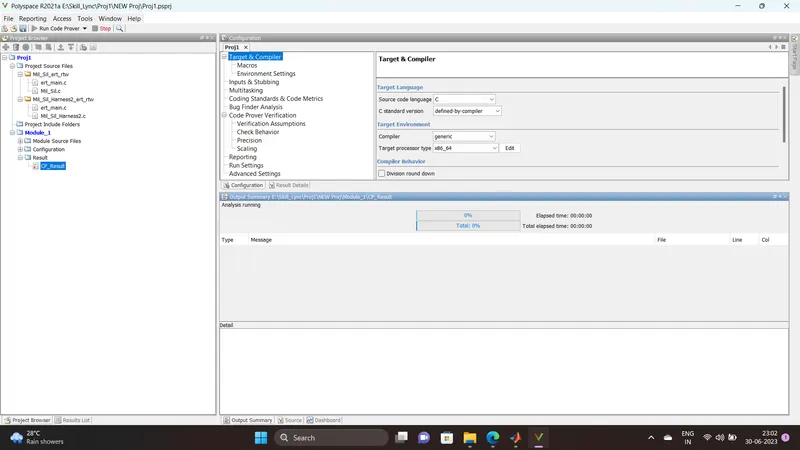
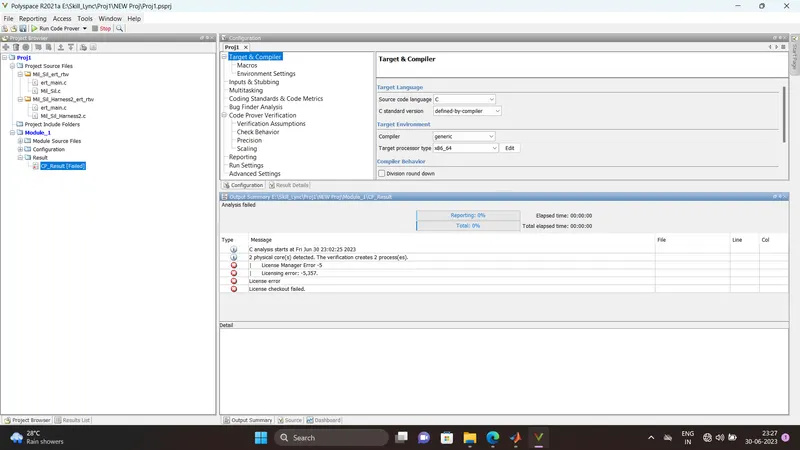
Steps to create a Polyspace Report:
- Initially, open the Polyspace in that new project click on start new project.
- The Project Properties dialogue box will open in that give the project name as we saved in the MATLAB,then select the location where it we need to save after that click Next or use the default location.
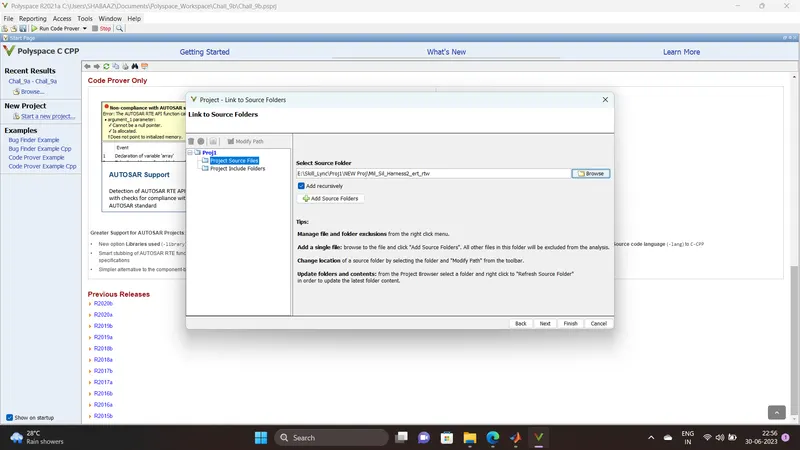
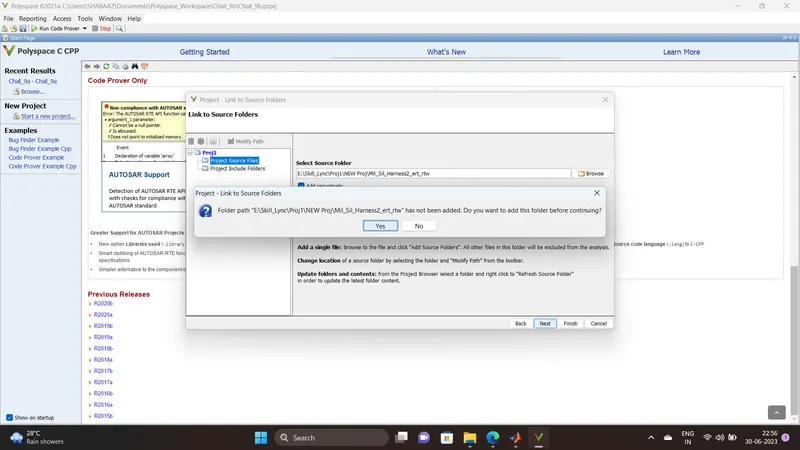
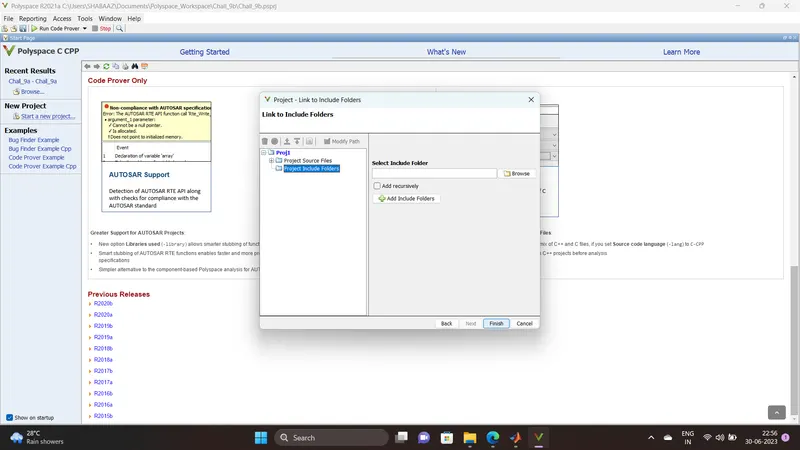
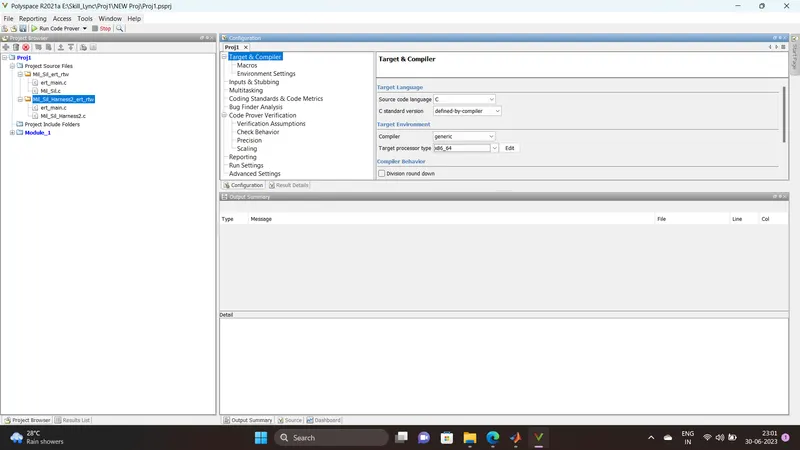
- Then ,it asks for the Projrct source,click on browserand select the folder where th .c file are generated then optionally we can add the include folder then clock on finish,the polyspace environment will open.
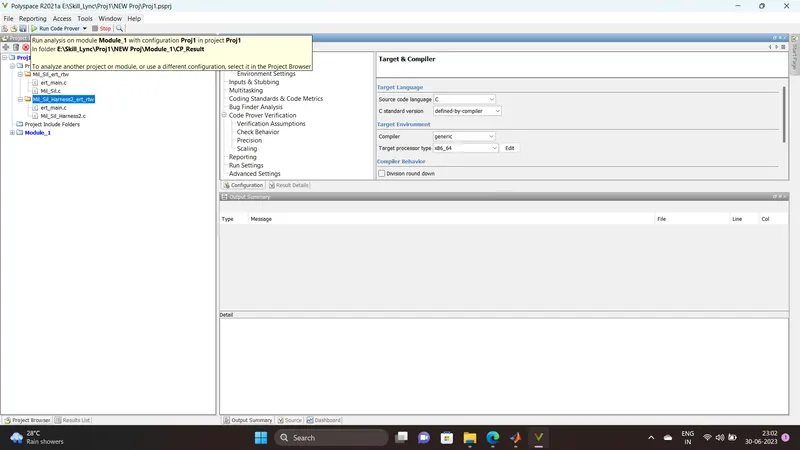
- In the configuraton settings option called Target & compiler select the source code language as c,change the target processor as X86_64.
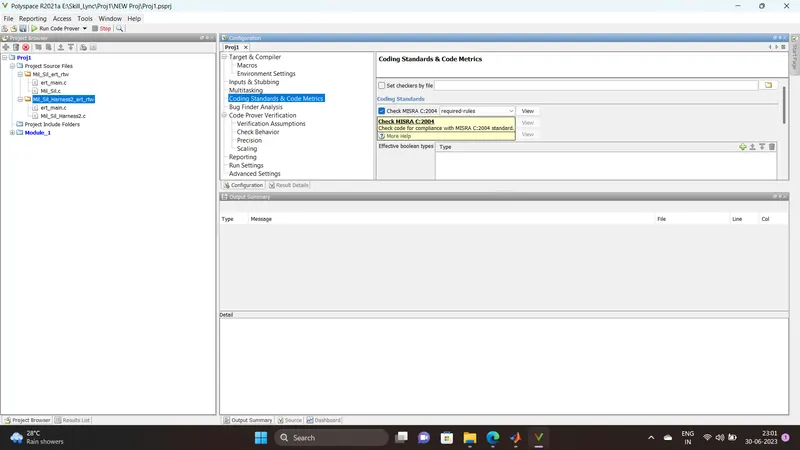
- In the coding standards & code Metrics in that enable the check MISRA C:2004 also select the calculate the code metrics option
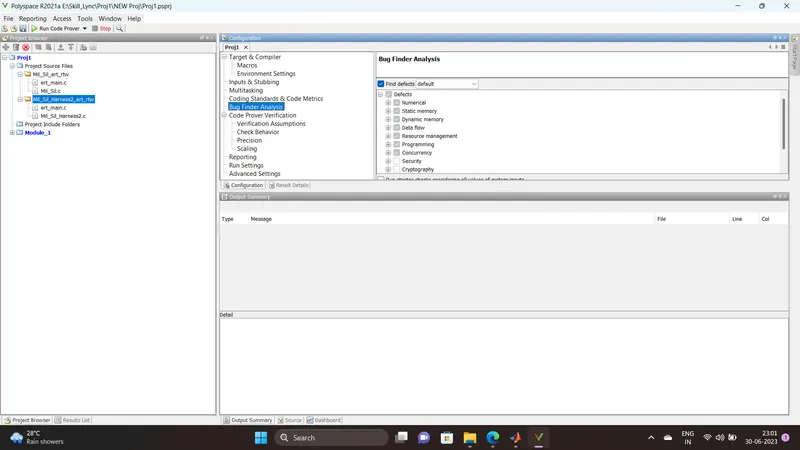
- After that go to bug finder analysis under that select the default one.
- Go to reporting enable the generate report option and ouput formet as PDF or any file we need
- Finally save the polyspace and run the Bug Finder.