Question
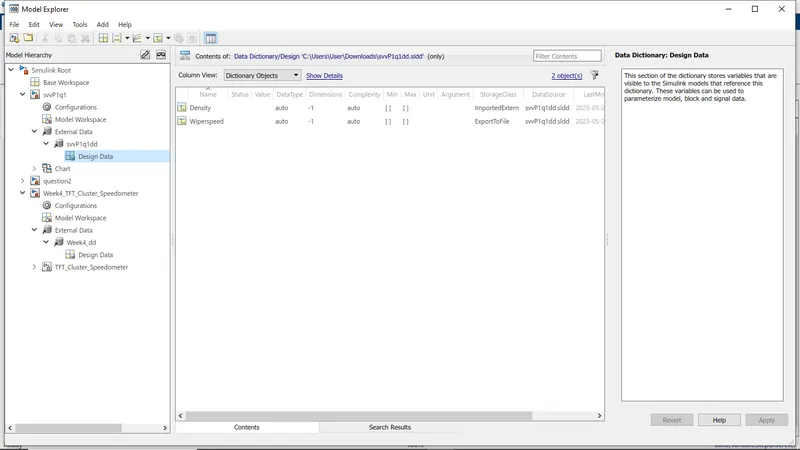
Develop the Simulink model based on the given descriptions for the below challenges and also create SLDD file and link the same to the model. Perform the complete V and V workflow for the obtained models.
- Wiper control system
Develop Simulink/state flow model for wiper control system based on the given conditions.
Description of Challenge:
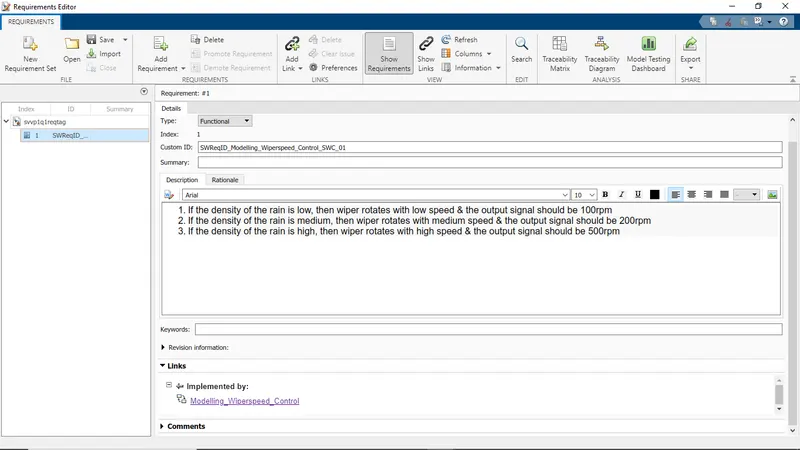
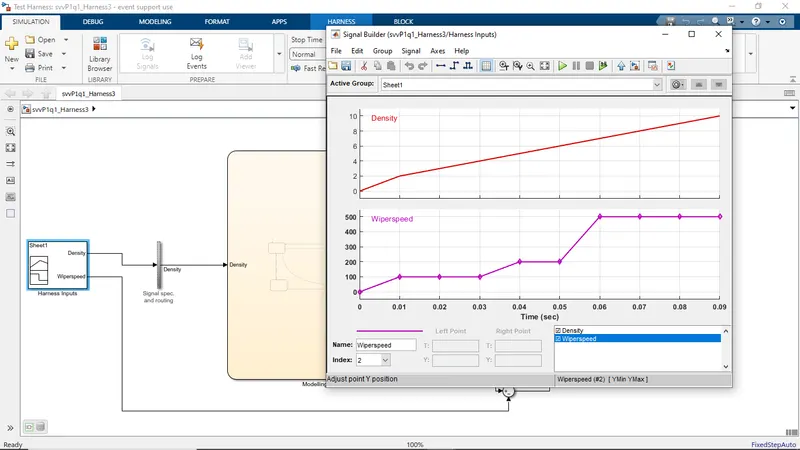
- If the density of the rain is low, then wiper rotates with low speed & the output signal should be 100rpm
- If the density of the rain is medium, then wiper rotates with medium speed & the output signal should be 200rpm
- If the density of the rain is high, then wiper rotates with high speed & the output signal should be 500rpm
Note: Rain density input comes from the external sensor, for the simulation purpose constant block with knob can be taken.
2.Vehicle speed calculation for ABS using Wheel Speed sensor
Develop Simulink/state flow model for the vehicle speed calculation unit inside the ABS system for the below conditions.
Description of Challenge:
fl, fr, rl and rr are the wheel speeds of front left, front right, rear left and rear right respectively.
Note: Based on the conditions, requirements can be framed up.
Your Answers
Question1:
Develop the Simulink model based on the given descriptions for the below challenges and also create SLDD file and link the same to the model. Perform the complete V and V workflow for the obtained models.
- Wiper control system
Develop Simulink/state flow model for wiper control system based on the given conditions.
Description of Challenge:
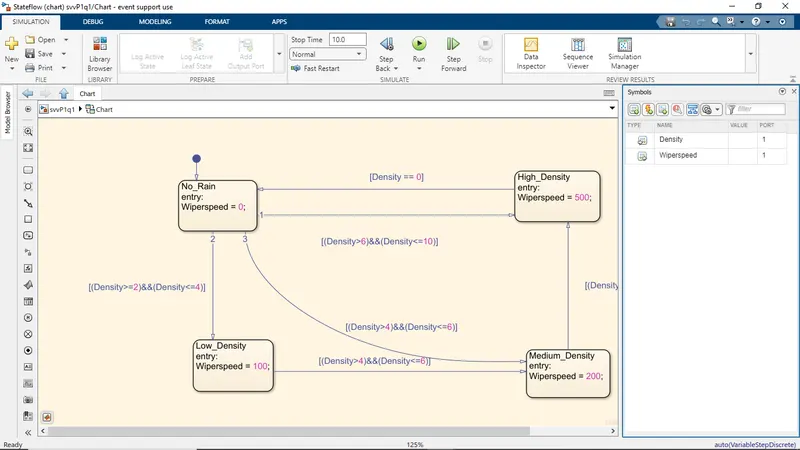
- If the density of the rain is low, then wiper rotates with low speed & the output signal should be 100rpm
- If the density of the rain is medium, then wiper rotates with medium speed & the output signal should be 200rpm
- If the density of the rain is high, then wiper rotates with high speed & the output signal should be 500rpm
Note: Rain density input comes from the external sensor, for the simulation purpose constant block with knob can be taken.
Solution:
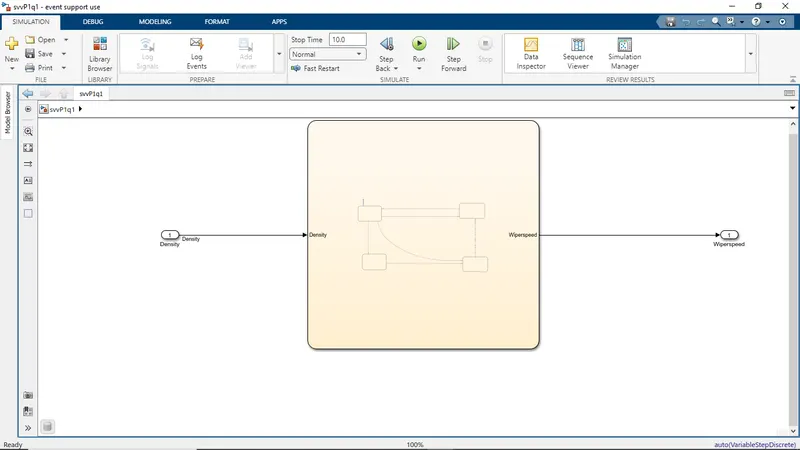
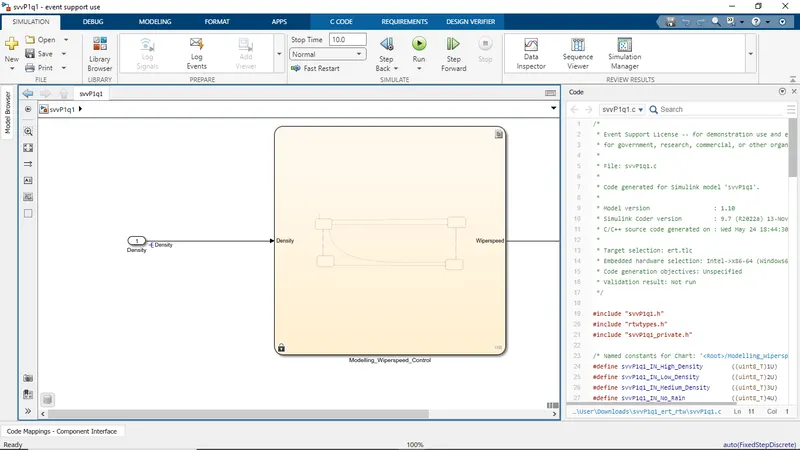
Wiper Speed Control System:
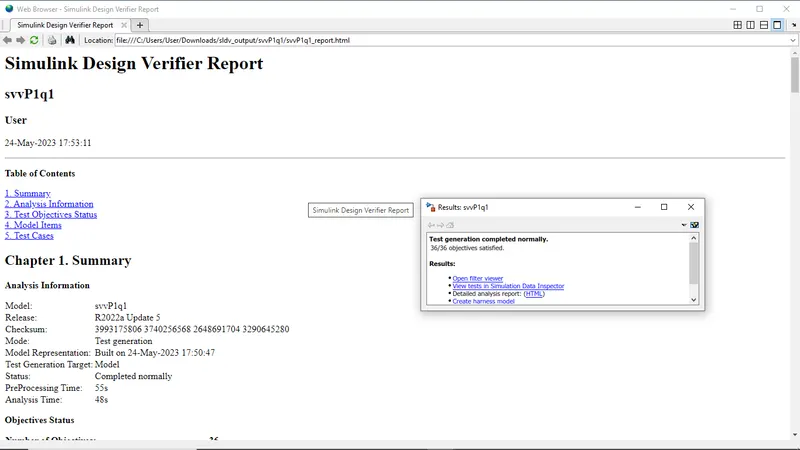
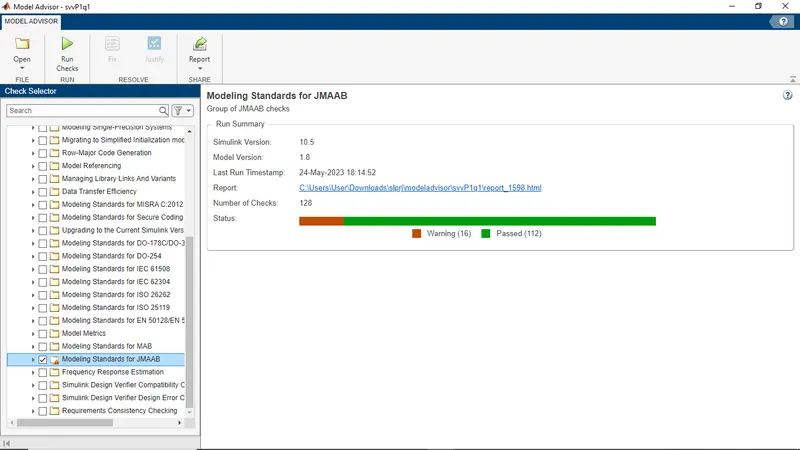
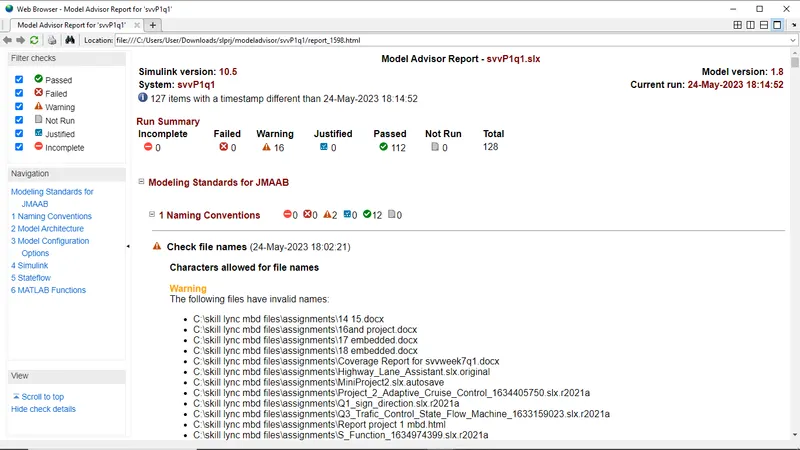
A wiper speed control system for an automotive wiper controls the operational speed of a wiper in accordance with rain conditions. The control system includes a rain sensor (30) detecting rain conditions to produce . an analog signal having an amplitude depending upon the detected rain conditions. The analog sensor signal is converted into a digital pulse signal by a converter (12) for application to a digital circuit system. A control signal is produced by digitally processing the pulse signal. The control signal is applied to a wiper driver circuit to adjust the operational speed or timing in accordance with the control signal.
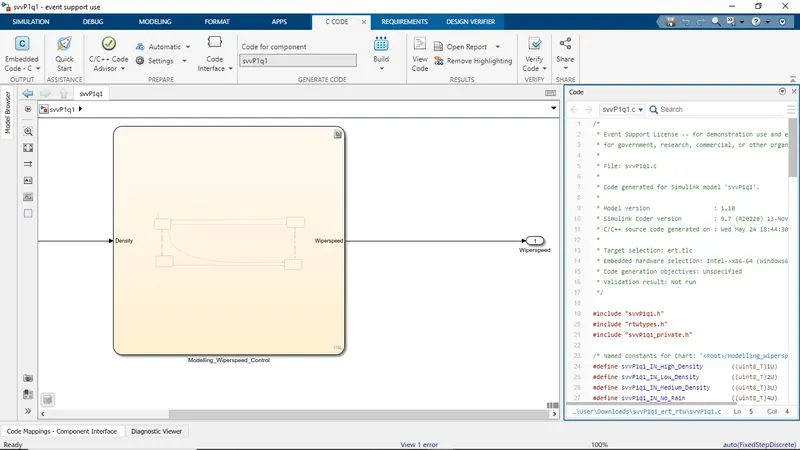
Simulink
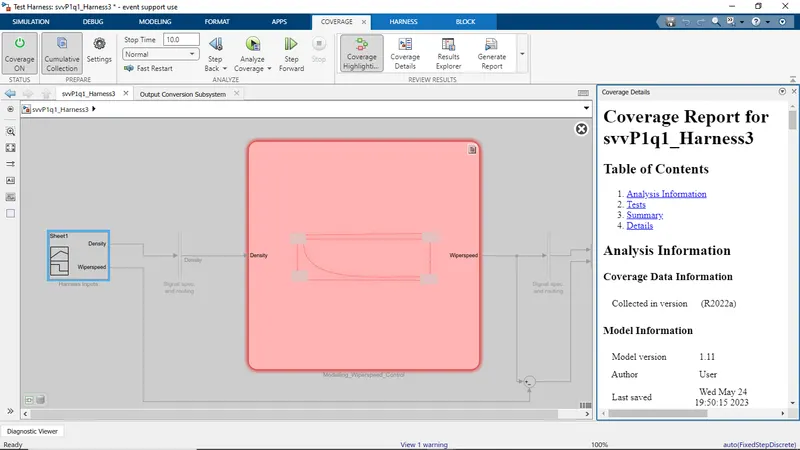
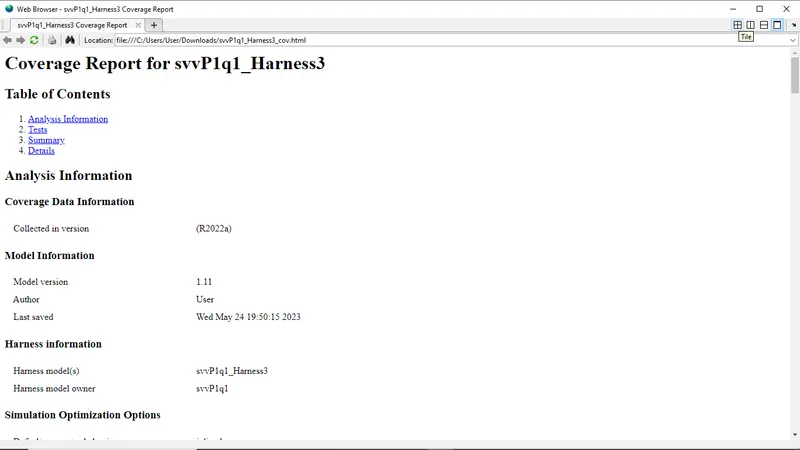
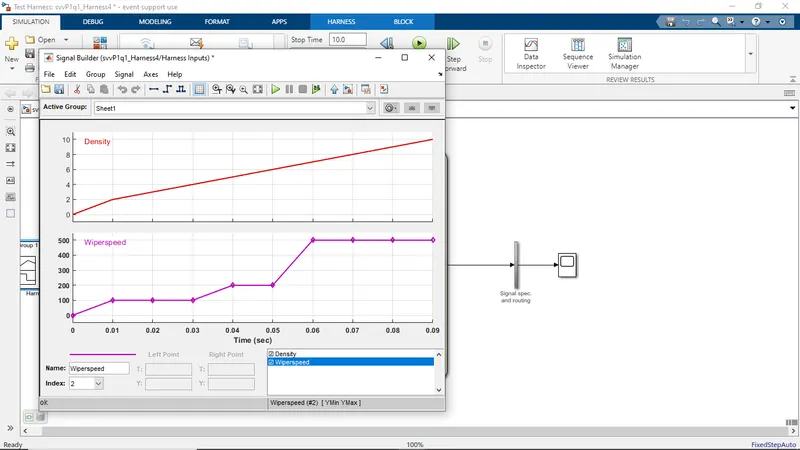
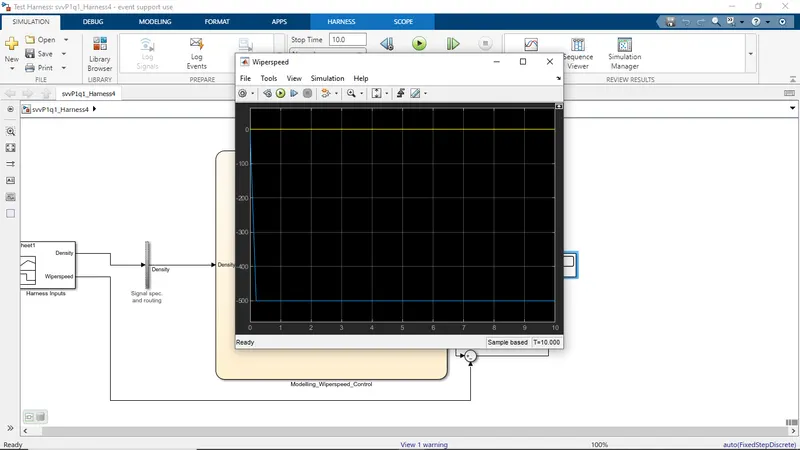
* Event Support License -- for demonstration use and event support. Not
* for government, research, commercial, or other organizational use.
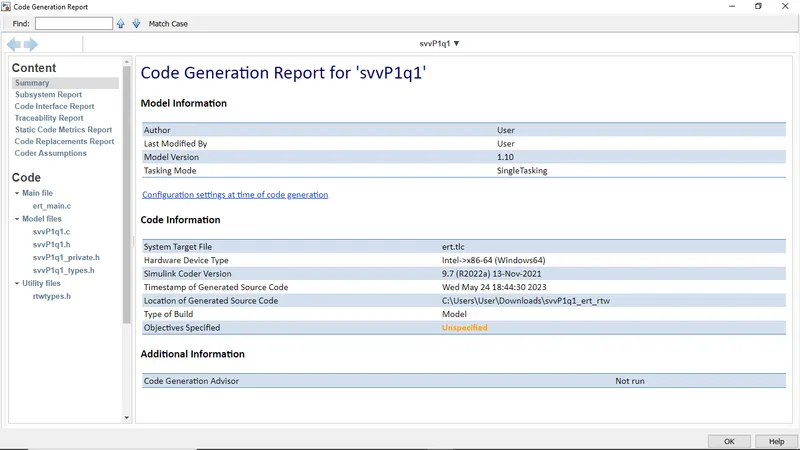
* Code generated for Simulink model 'svvP1q1'.
* Simulink Coder version : 9.7 (R2022a) 13-Nov-2021
* C/C++ source code generated on : Wed May 24 18:44:30 2023
* Target selection: ert.tlc
* Embedded hardware selection: Intel->x86-64 (Windows64)
* Code generation objectives: Unspecified
* Validation result: Not run
#include "svvP1q1_private.h"
/* Named constants for Chart: '/Modelling_Wiperspeed_Control' */
#define svvP1q1_IN_High_Density ((uint8_T)1U)
#define svvP1q1_IN_Low_Density ((uint8_T)2U)
#define svvP1q1_IN_Medium_Density ((uint8_T)3U)
#define svvP1q1_IN_No_Rain ((uint8_T)4U)
/* Block states (default storage) */
/* External outputs (root outports fed by signals with default storage) */
ExtY_svvP1q1_T svvP1q1_Y;
static RT_MODEL_svvP1q1_T svvP1q1_M_;
RT_MODEL_svvP1q1_T *const svvP1q1_M = &svvP1q1_M_;
/* Model step function */
/* Chart: '/Modelling_Wiperspeed_Control' incorporates:
if (svvP1q1_DW.is_active_c1_svvP1q1 == 0U) {
svvP1q1_DW.is_active_c1_svvP1q1 = 1U;
svvP1q1_DW.is_c1_svvP1q1 = svvP1q1_IN_No_Rain;
/* Outport: '/Wiperspeed' */
svvP1q1_Y.Wiperspeed = 0.0;
switch (svvP1q1_DW.is_c1_svvP1q1) {
case svvP1q1_IN_High_Density:
/* Outport: '/Wiperspeed' */
svvP1q1_Y.Wiperspeed = 500.0;
svvP1q1_DW.is_c1_svvP1q1 = svvP1q1_IN_No_Rain;
/* Outport: '/Wiperspeed' */
svvP1q1_Y.Wiperspeed = 0.0;
case svvP1q1_IN_Low_Density:
/* Outport: '/Wiperspeed' */
svvP1q1_Y.Wiperspeed = 100.0;
if ((Density > 4.0) && (Density <= 6.0)) {
svvP1q1_DW.is_c1_svvP1q1 = svvP1q1_IN_Medium_Density;
/* Outport: '/Wiperspeed' */
svvP1q1_Y.Wiperspeed = 200.0;
case svvP1q1_IN_Medium_Density:
/* Outport: '/Wiperspeed' */
svvP1q1_Y.Wiperspeed = 200.0;
if ((Density > 6.0) && (Density <= 10.0)) {
svvP1q1_DW.is_c1_svvP1q1 = svvP1q1_IN_High_Density;
/* Outport: '/Wiperspeed' */
svvP1q1_Y.Wiperspeed = 500.0;
/* Outport: '/Wiperspeed' */
svvP1q1_Y.Wiperspeed = 0.0;
if ((Density > 6.0) && (Density <= 10.0)) {
svvP1q1_DW.is_c1_svvP1q1 = svvP1q1_IN_High_Density;
/* Outport: '/Wiperspeed' */
svvP1q1_Y.Wiperspeed = 500.0;
} else if ((Density >= 2.0) && (Density <= 4.0)) {
svvP1q1_DW.is_c1_svvP1q1 = svvP1q1_IN_Low_Density;
/* Outport: '/Wiperspeed' */
svvP1q1_Y.Wiperspeed = 100.0;
} else if ((Density > 4.0) && (Density <= 6.0)) {
svvP1q1_DW.is_c1_svvP1q1 = svvP1q1_IN_Medium_Density;
/* Outport: '/Wiperspeed' */
svvP1q1_Y.Wiperspeed = 200.0;
/* End of Chart: '/Modelling_Wiperspeed_Control' */
/* Model initialize function */
void svvP1q1_initialize(void)
/* (no initialization code required) */
/* Model terminate function */
void svvP1q1_terminate(void)
/* (no terminate code required) */
* File trailer for generated code.
C:\Users\User\Downloads\svvP1q1_ert_rtw\svvP1q1.c
Ln126Col25
- Polyspace Analysis Report:
Steps to create a Polyspace Report:
- Initially, open the Polyspace in that new project click on start new project.
- The Project Properties dialogue box will open in that give the project name as we saved in the MATLAB,then select the location where it we need to save after that click Next or use the default location.
- Then ,it asks for the Projrct source,click on browserand select the folder where th .c file are generated then optionally we can add the include folder then clock on finish,the polyspace environment will open.
- In the configuraton settings option called Target & compiler select the source code language as c,change the target processor as X86_64.
- In the coding standards & code Metrics in that enable the check MISRA C:2004 also select the calculate the code metrics option
- After that go to bug finder analysis under that select the default one.
- Go to reporting enable the generate report option and ouput formet as PDF or any file we need
- Finally save the polyspace and run the Bug Finder.
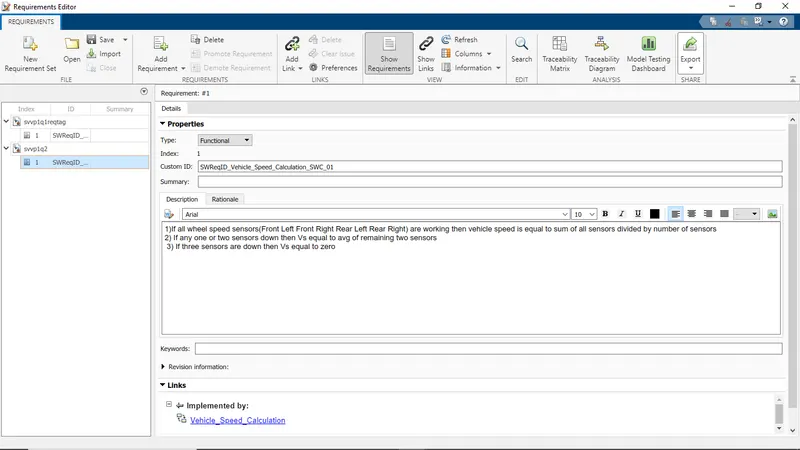
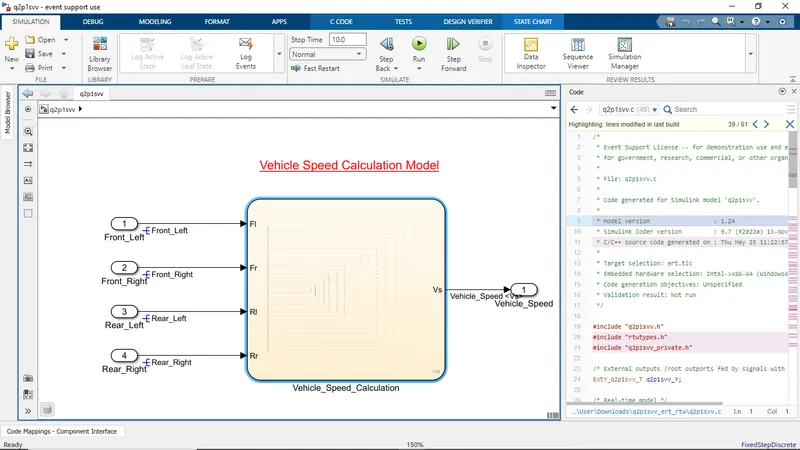
2.Vehicle speed calculation for ABS using Wheel Speed sensor
Develop Simulink/state flow model for the vehicle speed calculation unit inside the ABS system for the below conditions.
Description of Challenge:
fl, fr, rl and rr are the wheel speeds of front left, front right, rear left and rear right respectively.
Solution:
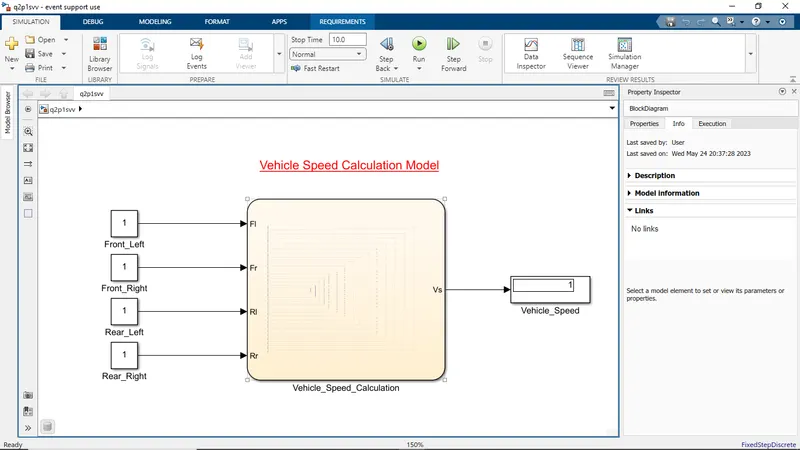
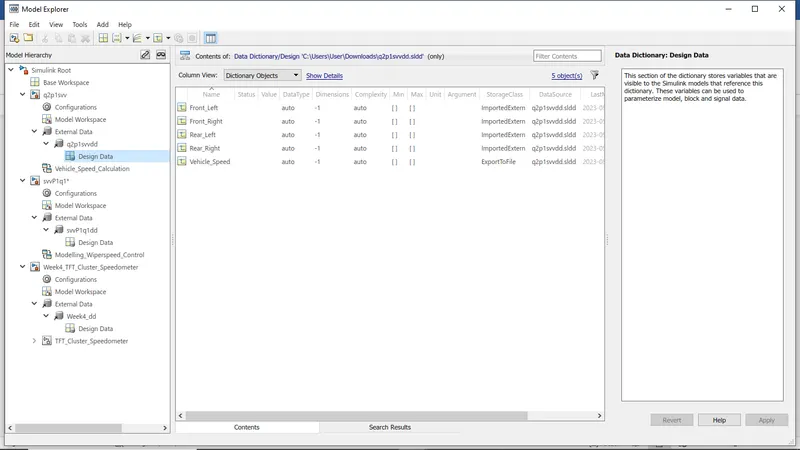
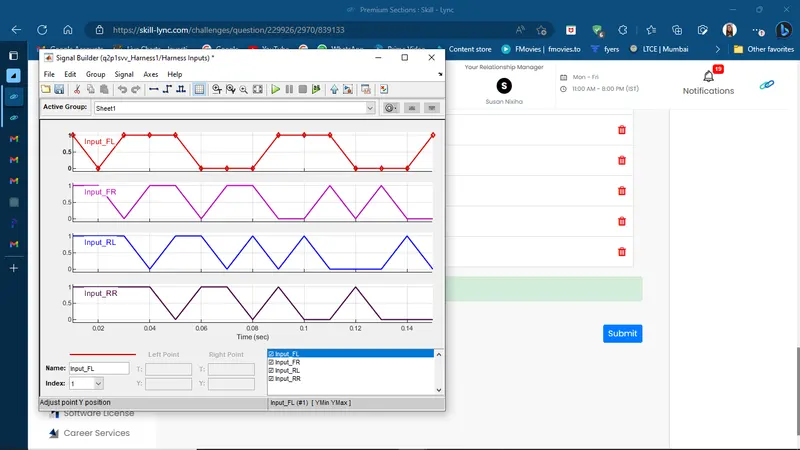
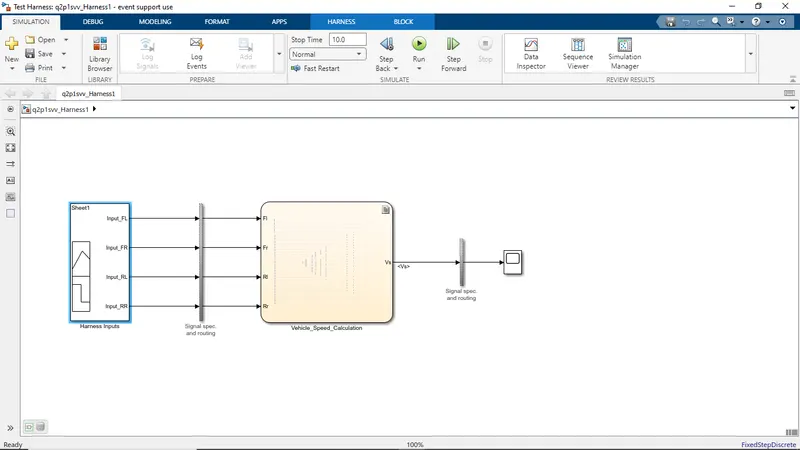
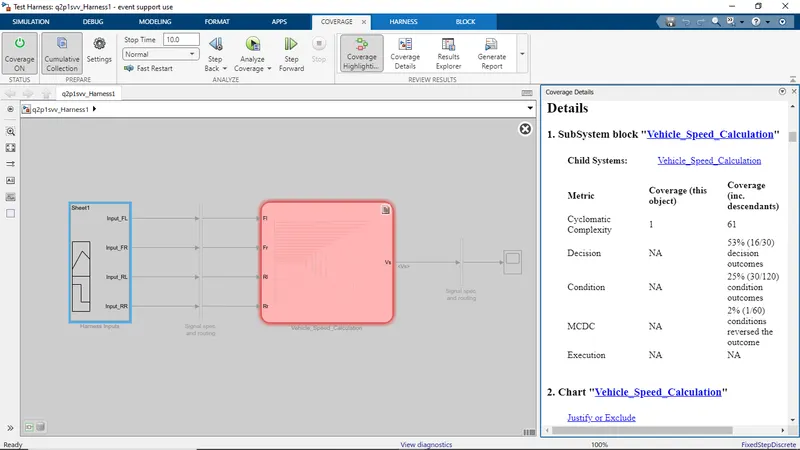
sil
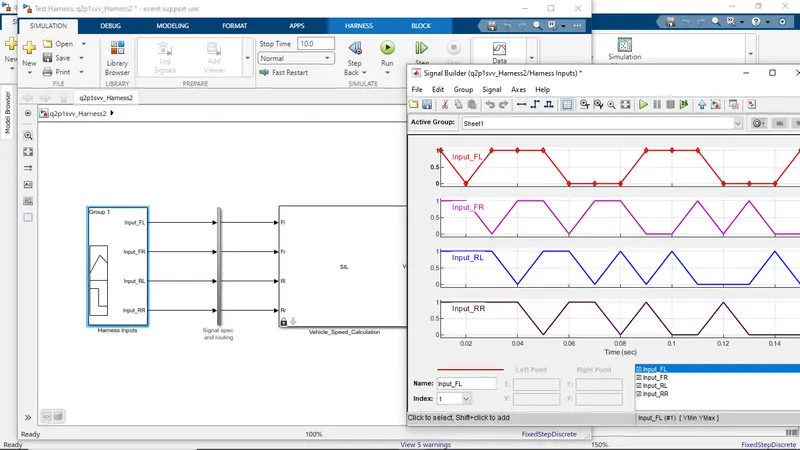 ..
..
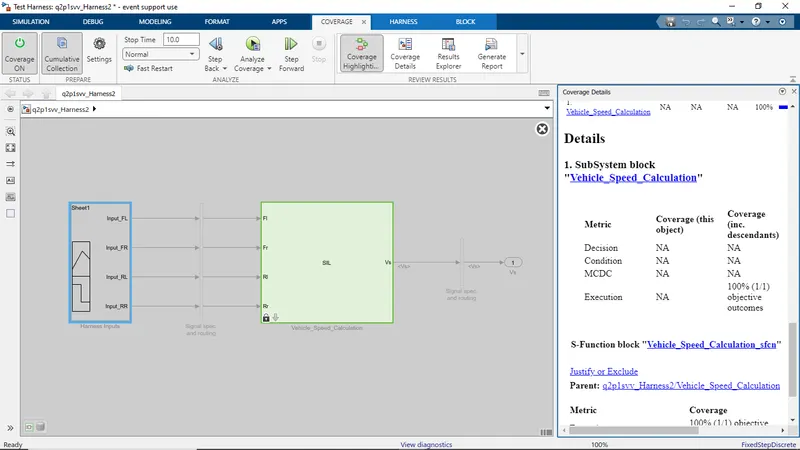
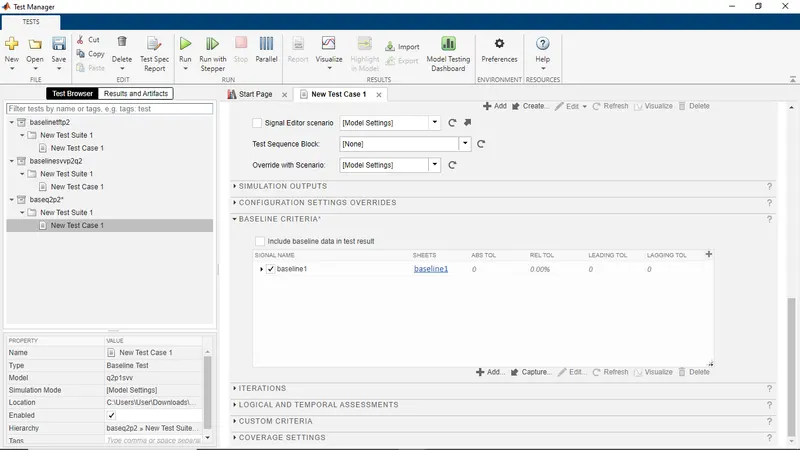
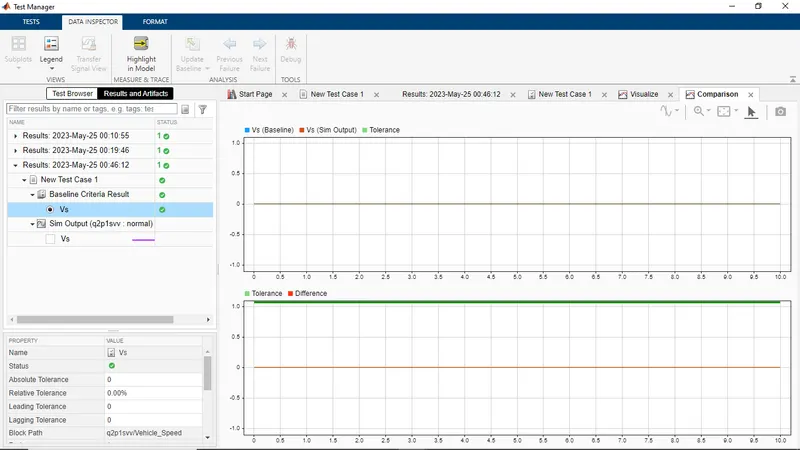
baseline test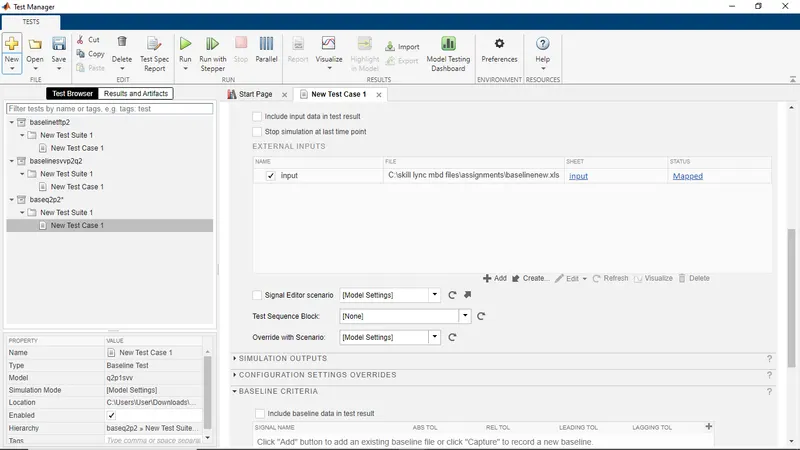
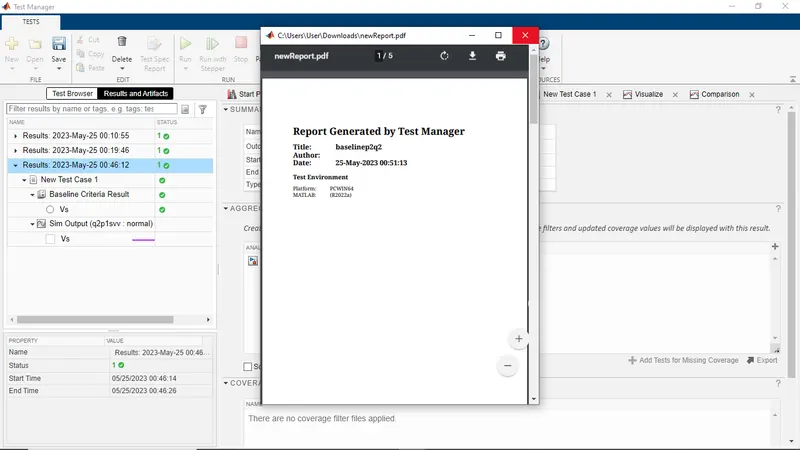
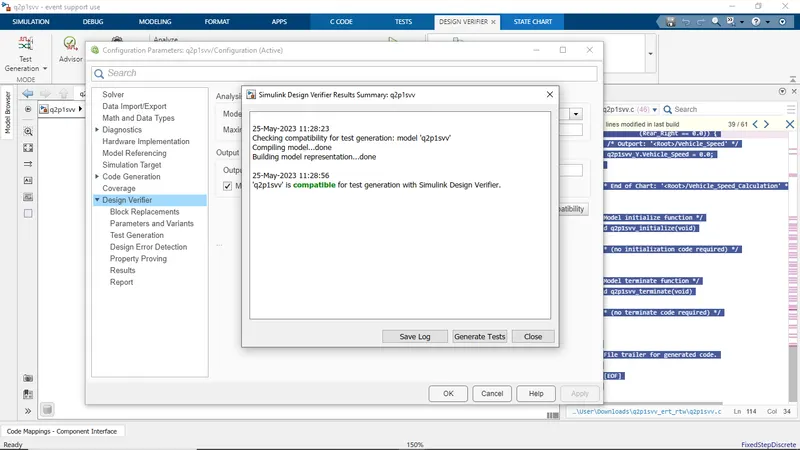
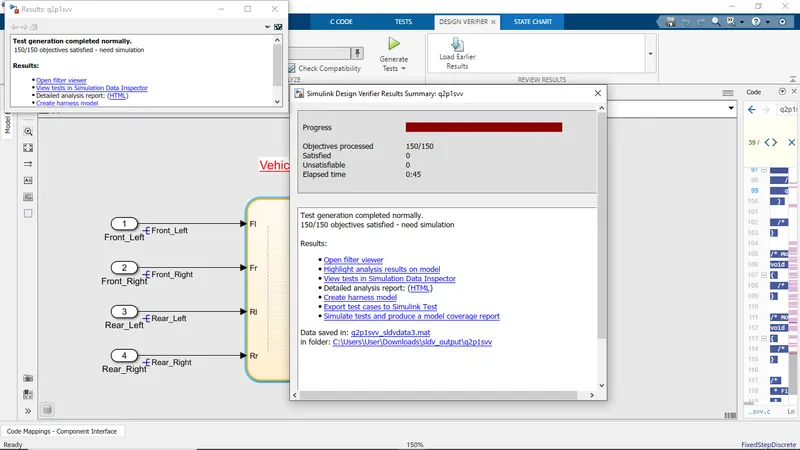
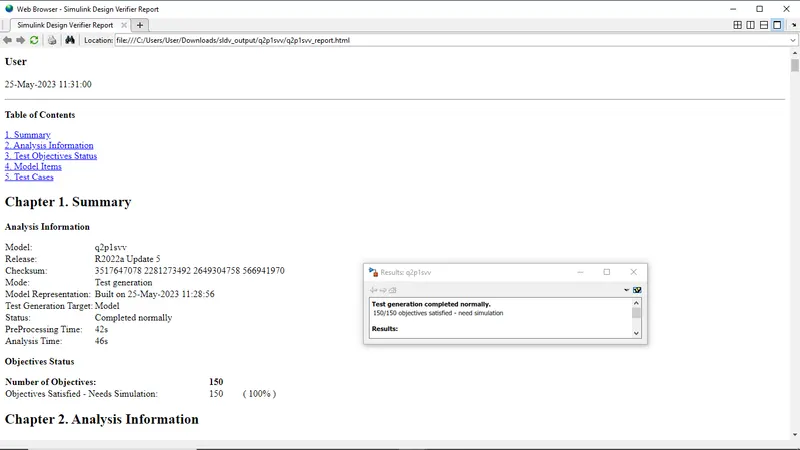
* Event Support License -- for demonstration use and event support. Not
* for government, research, commercial, or other organizational use.
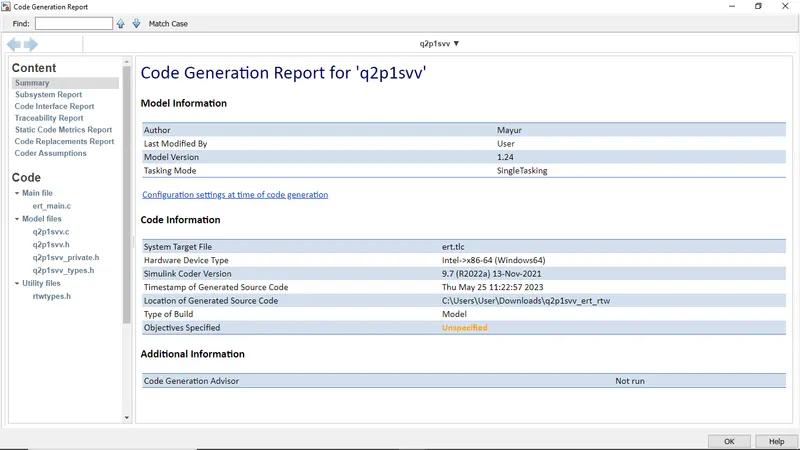
* Code generated for Simulink model 'q2p1svv'.
* Simulink Coder version : 9.7 (R2022a) 13-Nov-2021
* C/C++ source code generated on : Thu May 25 11:22:57 2023
* Target selection: ert.tlc
* Embedded hardware selection: Intel->x86-64 (Windows64)
* Code generation objectives: Unspecified
* Validation result: Not run
#include "q2p1svv_private.h"
/* External outputs (root outports fed by signals with default storage) */
ExtY_q2p1svv_T q2p1svv_Y;
static RT_MODEL_q2p1svv_T q2p1svv_M_;
RT_MODEL_q2p1svv_T *const q2p1svv_M = &q2p1svv_M_;
/* Model step function */
/* Chart: '<Root>/Vehicle_Speed_Calculation' incorporates:
* Inport: '<Root>/Front_Left'
* Inport: '<Root>/Front_Right'
* Inport: '<Root>/Rear_Left'
* Inport: '<Root>/Rear_Right'
if ((Front_Left > 0.0) && (Front_Right > 0.0) && (Rear_Left > 0.0) &&
/* Outport: '<Root>/Vehicle_Speed' */
q2p1svv_Y.Vehicle_Speed = (((Front_Left + Front_Right) + Rear_Left) +
} else if ((Front_Left == 0.0) && (Front_Right > 0.0) && (Rear_Left > 0.0) &&
/* Outport: '<Root>/Vehicle_Speed' */
q2p1svv_Y.Vehicle_Speed = ((Front_Right + Rear_Left) + Rear_Right) / 3.0;
} else if ((Front_Left > 0.0) && (Front_Right == 0.0) && (Rear_Left > 0.0) &&
/* Outport: '<Root>/Vehicle_Speed' */
q2p1svv_Y.Vehicle_Speed = ((Front_Left + Rear_Left) + Rear_Right) / 3.0;
} else if ((Front_Left > 0.0) && (Front_Right > 0.0) && (Rear_Left == 0.0) &&
/* Outport: '<Root>/Vehicle_Speed' */
q2p1svv_Y.Vehicle_Speed = ((Front_Left + Front_Right) + Rear_Right) / 3.0;
} else if ((Front_Left > 0.0) && (Front_Right > 0.0) && (Rear_Left > 0.0) &&
/* Outport: '<Root>/Vehicle_Speed' */
q2p1svv_Y.Vehicle_Speed = ((Front_Left + Front_Right) + Rear_Left) / 3.0;
} else if ((Front_Left == 0.0) && (Front_Right == 0.0) && (Rear_Left > 0.0) &&
/* Outport: '<Root>/Vehicle_Speed' */
q2p1svv_Y.Vehicle_Speed = (Rear_Left + Rear_Right) / 2.0;
} else if ((Front_Left == 0.0) && (Front_Right > 0.0) && (Rear_Left == 0.0) &&
/* Outport: '<Root>/Vehicle_Speed' */
q2p1svv_Y.Vehicle_Speed = (Front_Right + Rear_Right) / 2.0;
} else if ((Front_Left == 0.0) && (Front_Right > 0.0) && (Rear_Left > 0.0) &&
/* Outport: '<Root>/Vehicle_Speed' */
q2p1svv_Y.Vehicle_Speed = (Front_Right + Rear_Left) / 2.0;
} else if ((Front_Left > 0.0) && (Front_Right == 0.0) && (Rear_Left == 0.0) &&
/* Outport: '<Root>/Vehicle_Speed' */
q2p1svv_Y.Vehicle_Speed = (Front_Left + Rear_Right) / 2.0;
} else if ((Front_Left > 0.0) && (Front_Right == 0.0) && (Rear_Left > 0.0) &&
/* Outport: '<Root>/Vehicle_Speed' */
q2p1svv_Y.Vehicle_Speed = (Front_Left + Rear_Left) / 2.0;
} else if ((Front_Left > 0.0) && (Front_Right > 0.0) && (Rear_Left == 0.0) &&
/* Outport: '<Root>/Vehicle_Speed' */
q2p1svv_Y.Vehicle_Speed = (Front_Left + Front_Right) / 2.0;
} else if ((Front_Left == 0.0) && (Front_Right == 0.0) && (Rear_Left == 0.0) &&
/* Outport: '<Root>/Vehicle_Speed' */
q2p1svv_Y.Vehicle_Speed = 0.0;
} else if ((Front_Left == 0.0) && (Front_Right > 0.0) && (Rear_Left == 0.0) &&
/* Outport: '<Root>/Vehicle_Speed' */
q2p1svv_Y.Vehicle_Speed = 0.0;
} else if ((Front_Left == 0.0) && (Front_Right == 0.0) && (Rear_Left > 0.0) &&
/* Outport: '<Root>/Vehicle_Speed' */
q2p1svv_Y.Vehicle_Speed = 0.0;
} else if ((Front_Left > 0.0) && (Front_Right == 0.0) && (Rear_Left == 0.0) &&
/* Outport: '<Root>/Vehicle_Speed' */
q2p1svv_Y.Vehicle_Speed = 0.0;
/* End of Chart: '<Root>/Vehicle_Speed_Calculation' */
/* Model initialize function */
void q2p1svv_initialize(void)
/* (no initialization code required) */
/* Model terminate function */
void q2p1svv_terminate(void)
/* (no terminate code required) */
* File trailer for generated code.