Project 1- Traffic Jam Assistant Feature
Hi,
I have attached my answers. Output images are attached as a document below.
Thank you,
Step 1:
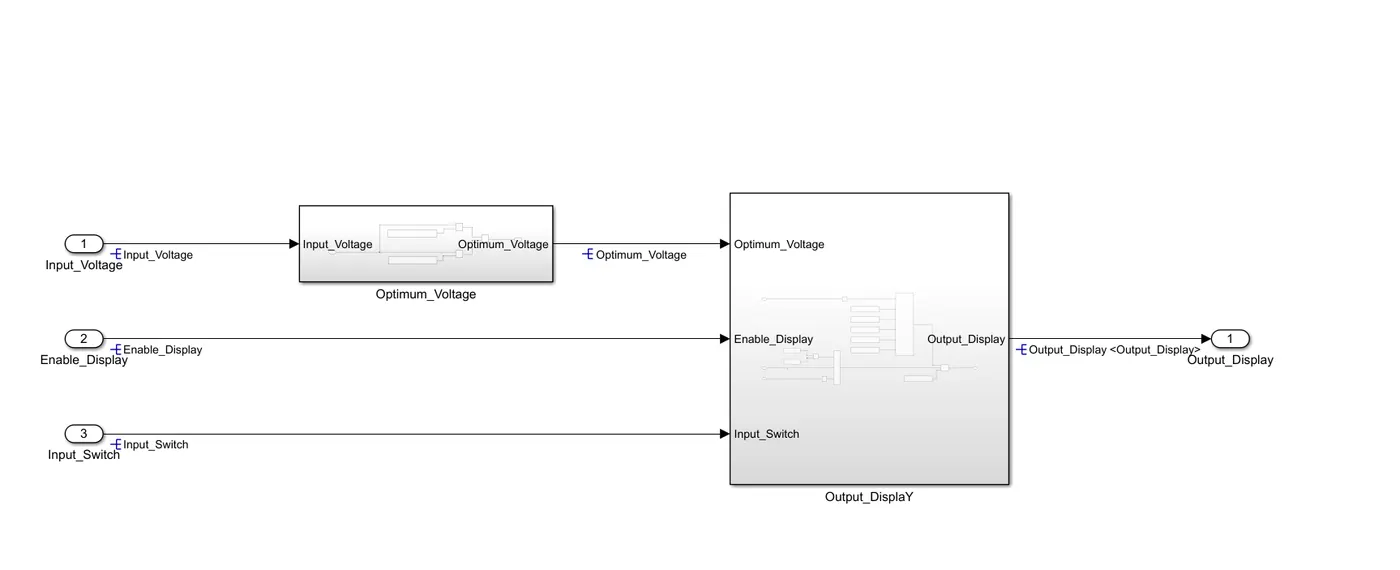
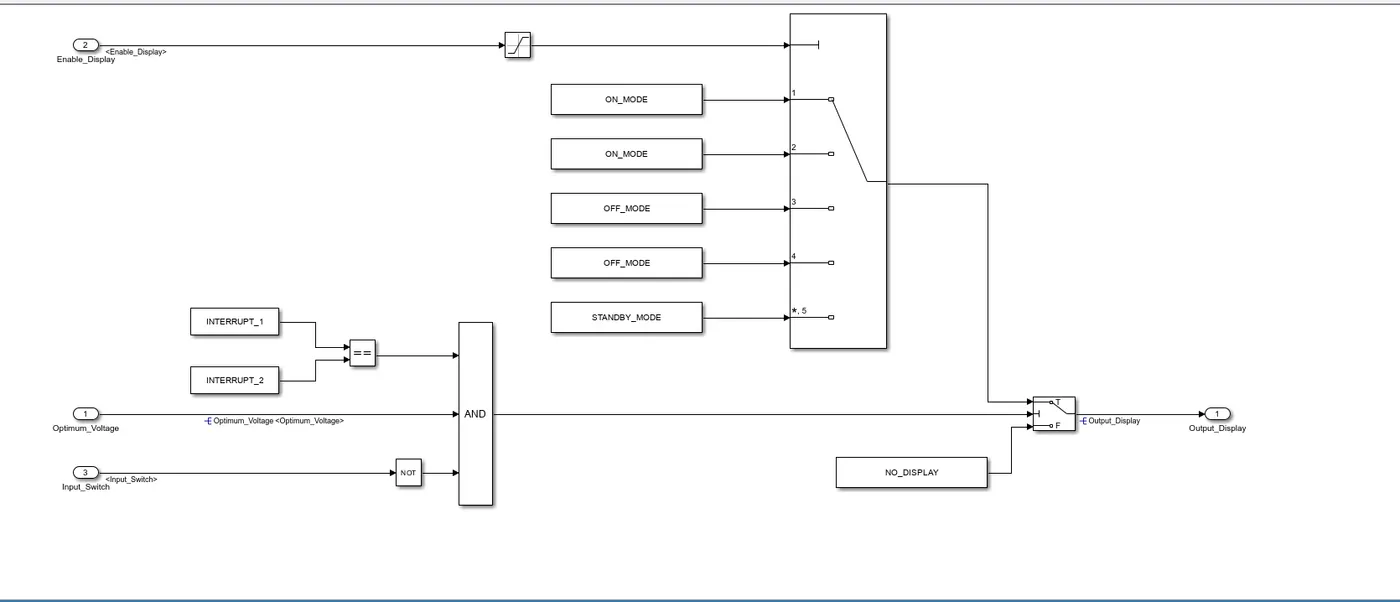
Design the model as per the requirements.
step 2:
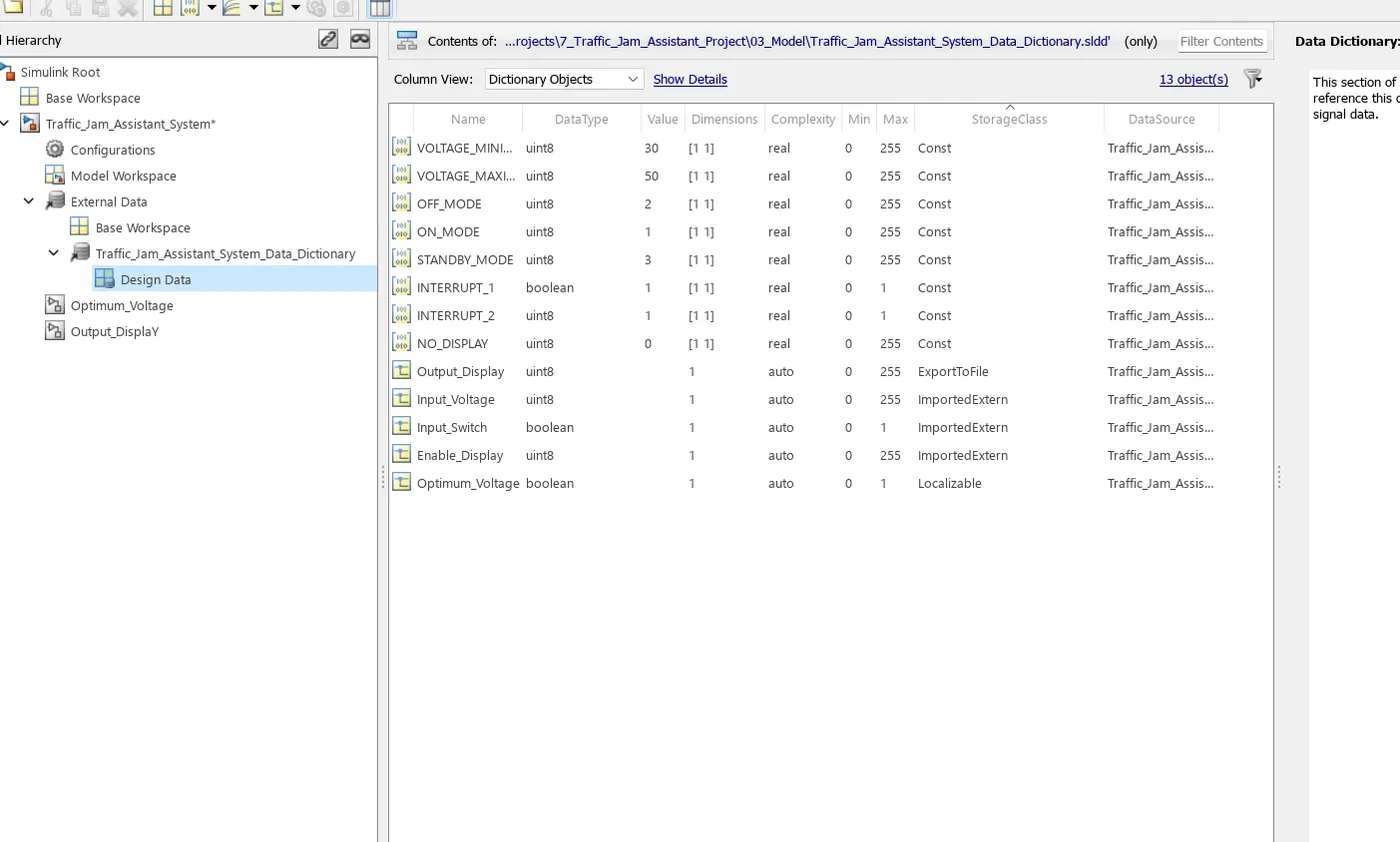
Create a data dictionary to this model with the given input , calibration and output signals.
step 3:
Go to the model advisor and run the model advisor.
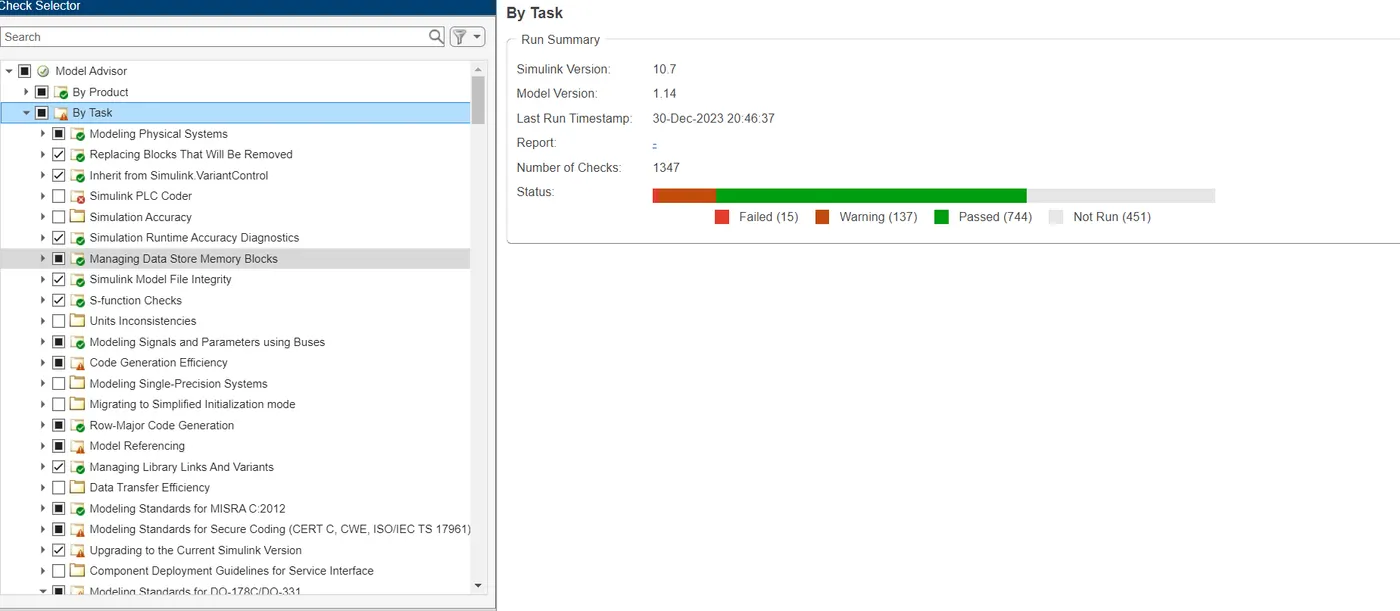
Due to some issues failed condtions are coming, do not consider the failed conditions.
In this case 137 condition under warning.
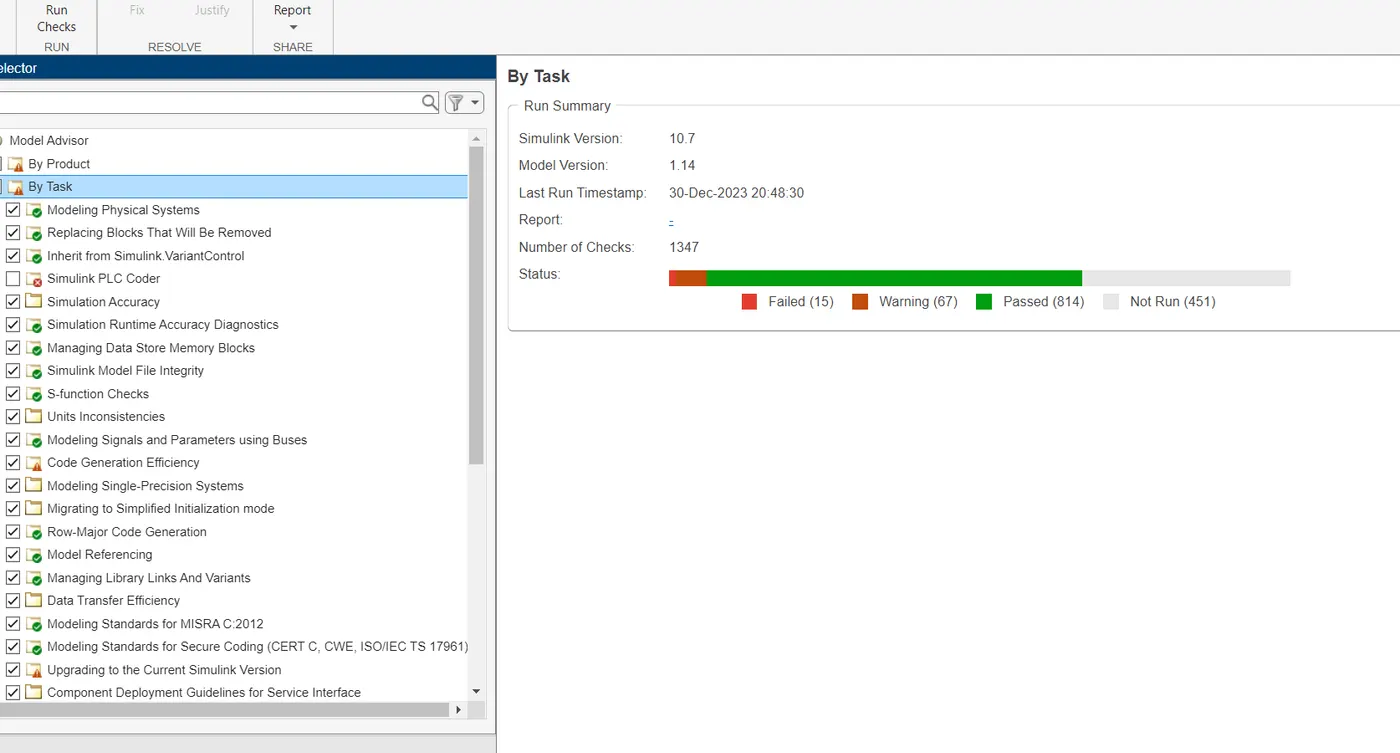
After resolving the warnings, they were reduced to 67 warnings only.
Then again run the model advisor and parellely model advisor report will be generated.
step 4:
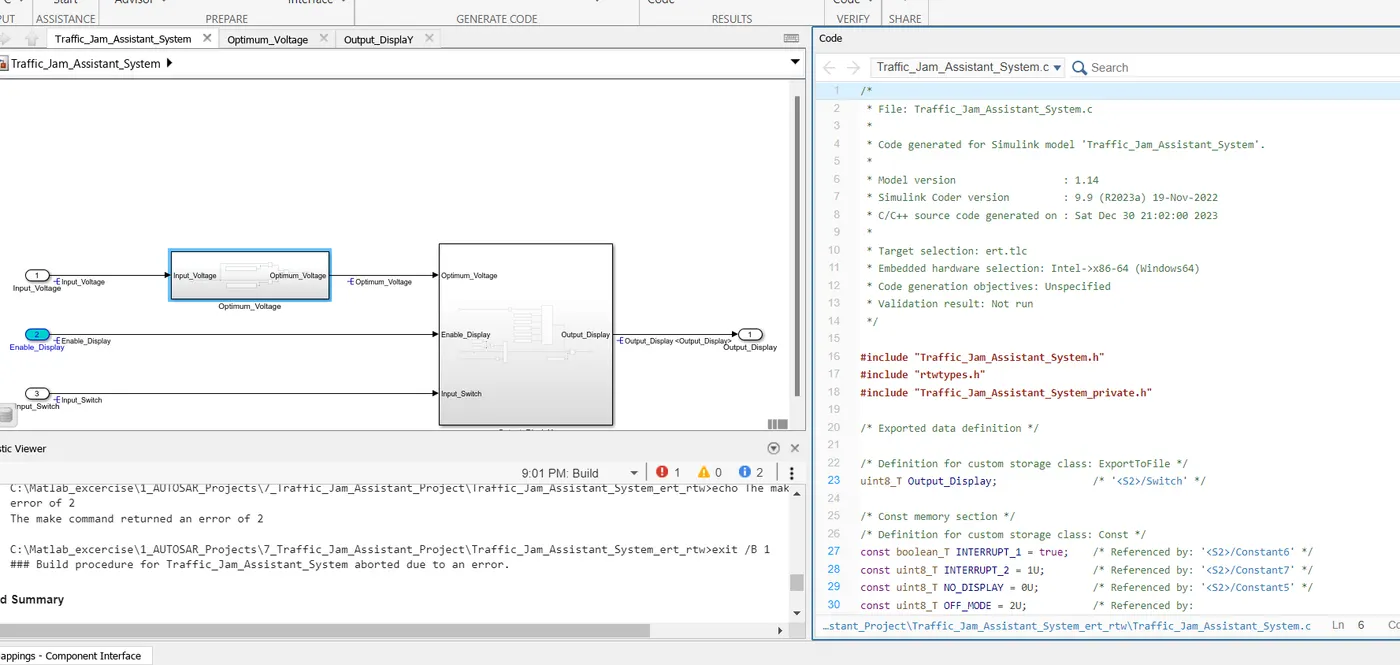
Go to model setting, under code generation choose the target file as ert.tlc(Embedded Coder). And go to apps, go to the embedded coder and built it. After builting the code will be generated like the image which is given in below.