Project 1 (Mini Project on Vehicle Direction Detection
Overview:
Detecting the direction of the vehicle is one of the important features in Advanced cars.
The feature of identifying the direction of vehicle is basically identifying the direction the vehicle based on the camera input.
In this feature camera detects the road signs & stores into its memory with unique values for left turn, right turn & straight drive.
And based on the camera input and Yaw rate input from steering of car, final indication is given to the driver as an indication if he is driving in the recommended direction or not.
Objective:
1. To devlope Simulink model as per given requirements.
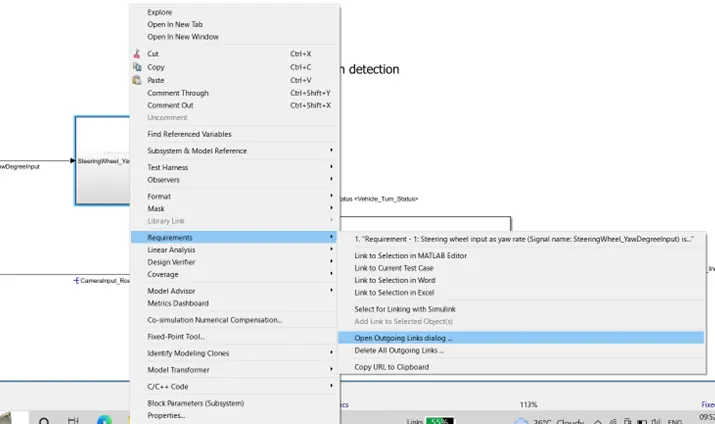
2. Tagging given requirements in model.
3. Creation of SLDD file.
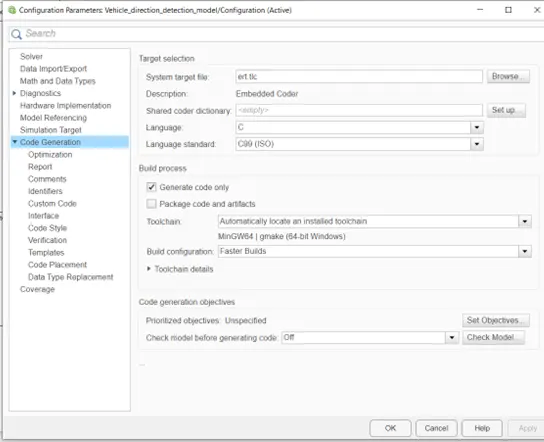
4. To do changes in configuration parameters.
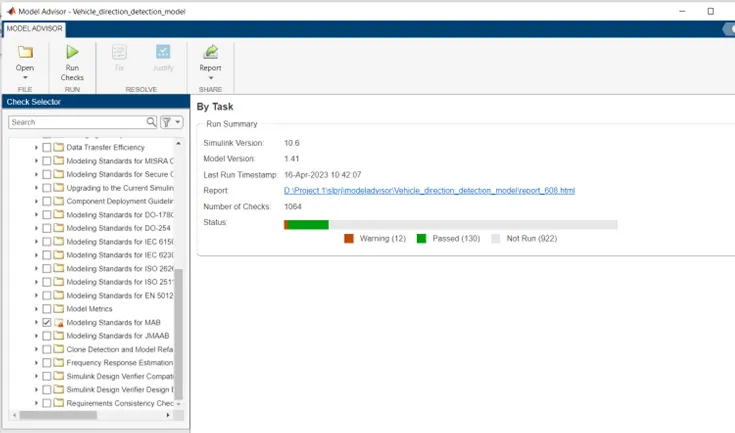
5. Create model advisory report.
6. Code Generation.
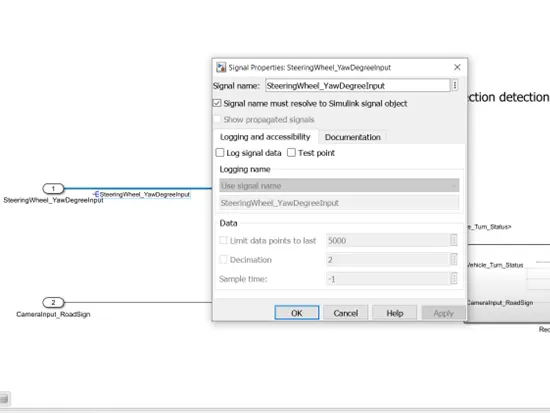
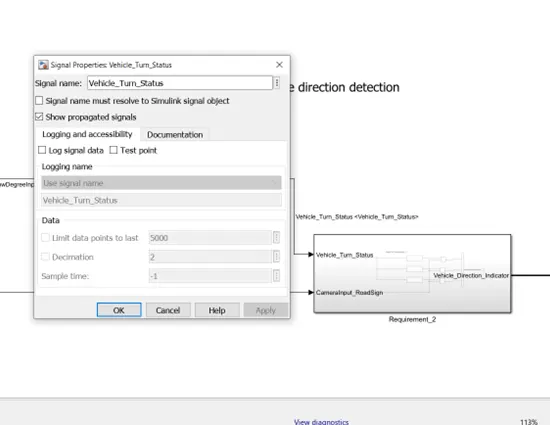
7. Signal resolution and propagation.
8. Creation of two subsystem for Requirement_1 and Requirement_2 in a model.
Simulink Model for Requirement_1
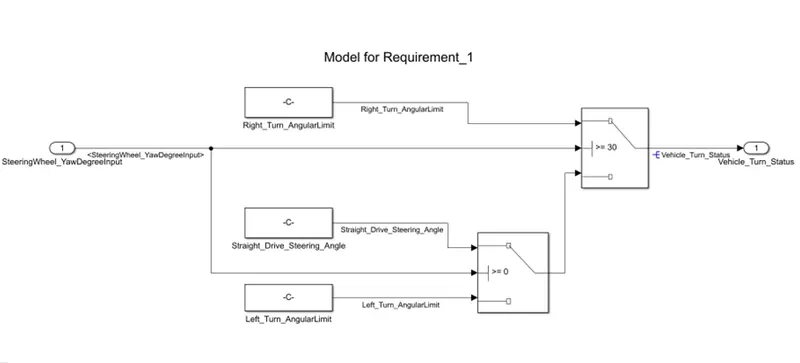
Input is given from SteeringWheel_YawDegreeInput, Constant blocks Right_turn_AngularLimit, Straight_Drive_Streering_Angle, Left_Turn_AngularLimit is used and connected to switch blocks.
If the input signal is greater than 30 then vehicle status will be from right turn costant block.
If the input is greater than or equal to 0 and less than 30 the vehicle status will be straight.
If input is less than 0 that is -120 then vehicle status will be let turn.
Output of this subsystem will be input for second subsystem.
Simulink Model for Requirement_2:
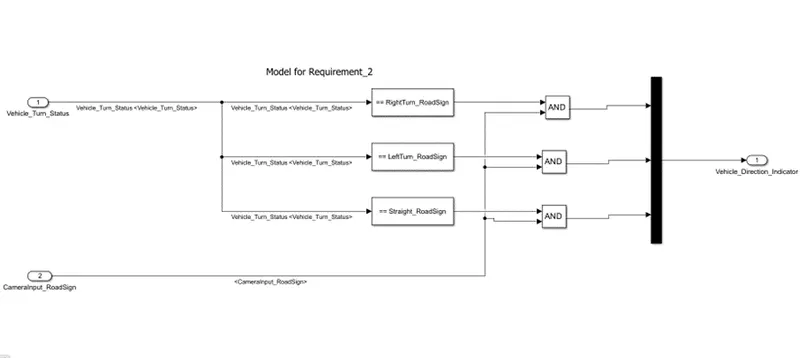
Input from first subsystem is compared with RightTurn_RoadSign, LeftTurn_RoadSign and Straight_RoadSign by using compare to constant block.
This further is used with AND blocks and another input for AND will be camera input.
Output of AND blocks is connected to MUX.
Final Simulink Model:
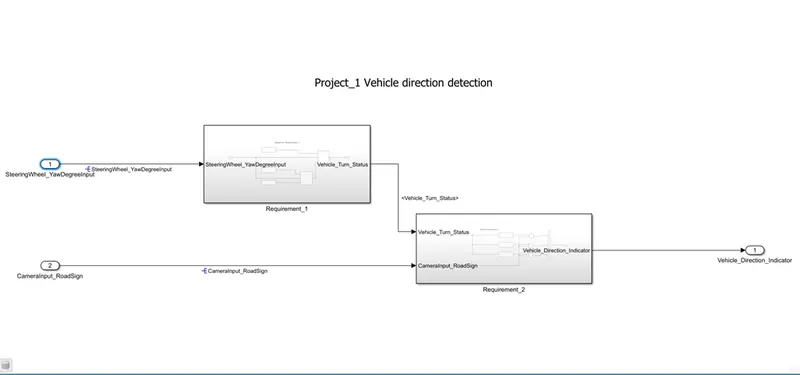
Creation Of SLDD File:
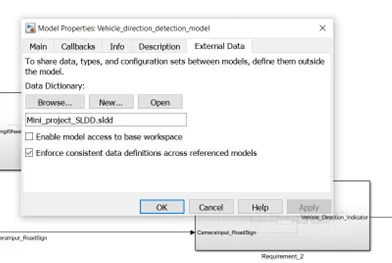
From model properties, select external data, select New, Give name to file, Apply, OK.
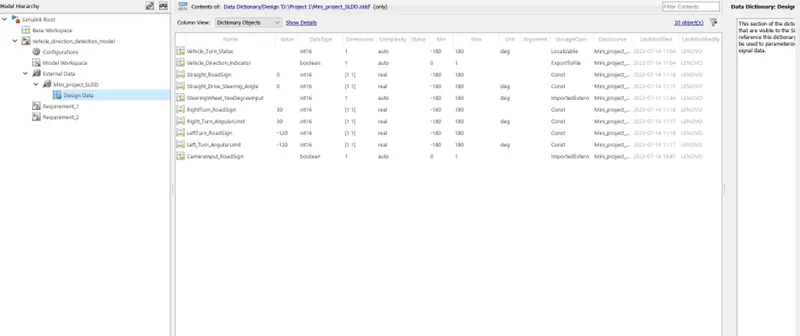
Then add signals and parameters in SLDD and save changes.
Configuration parameter setting:
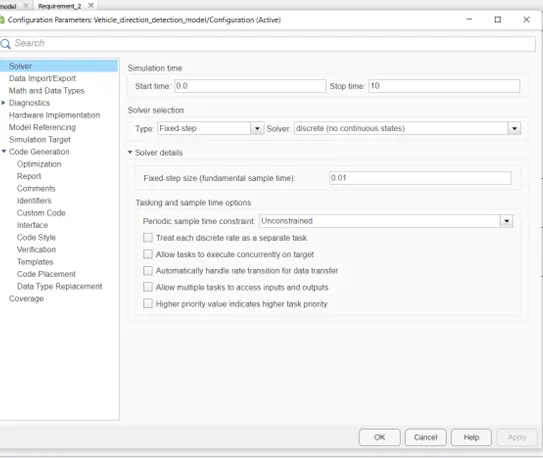
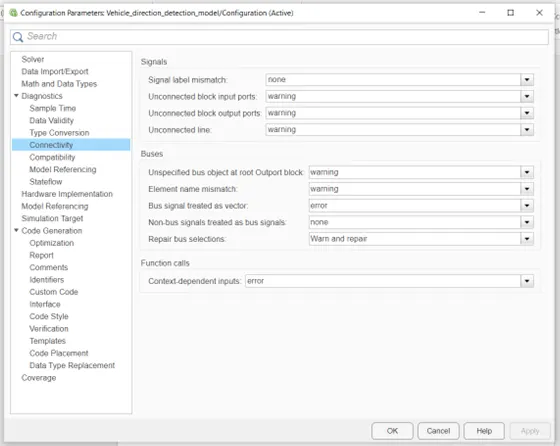
Requirement Tagging & Tracing:
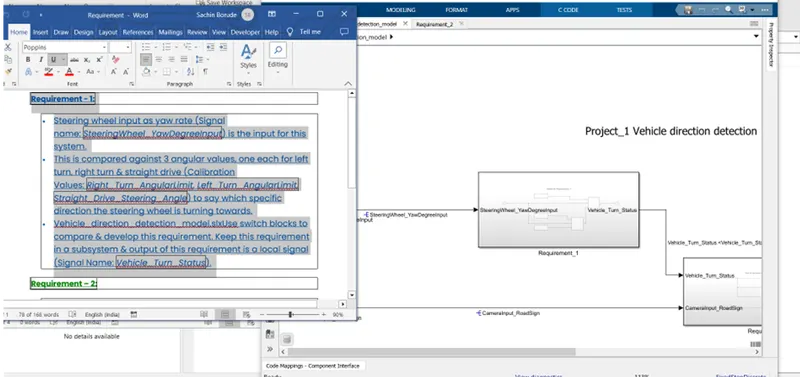
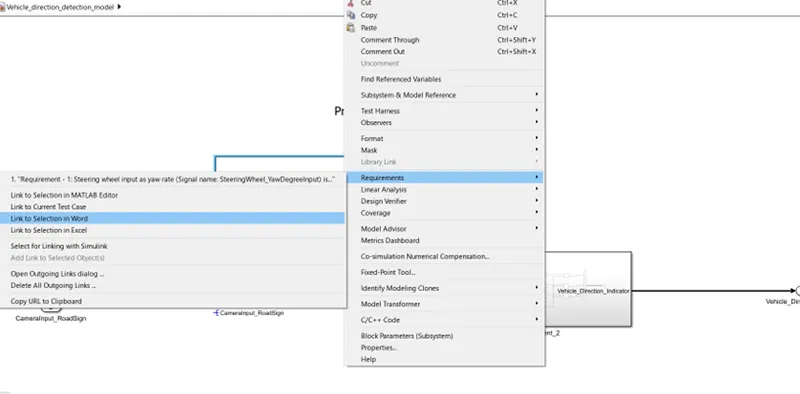
Signal Resolve and Propagate:
Model Advisory Report:
From Modeling, selected Model Advisor, then selected Modeling standards for MAB and RUN check is done.
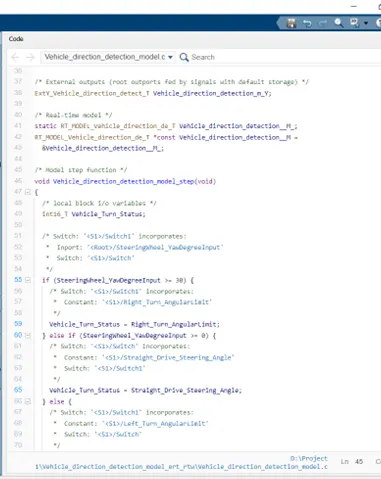
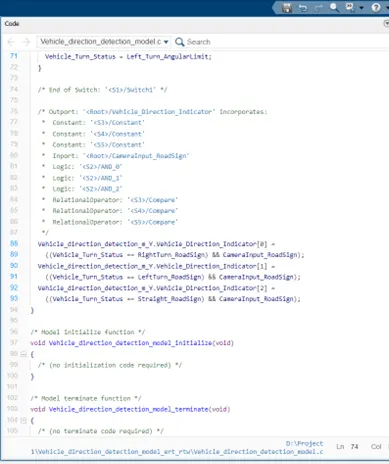
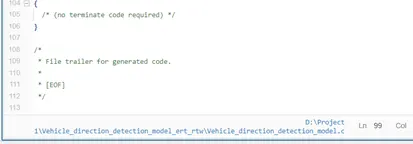
Code Generation:
First selected ert.tlc file that is system target file.
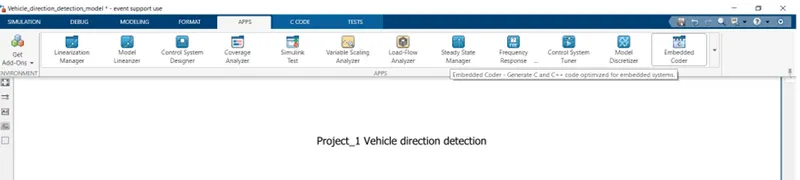
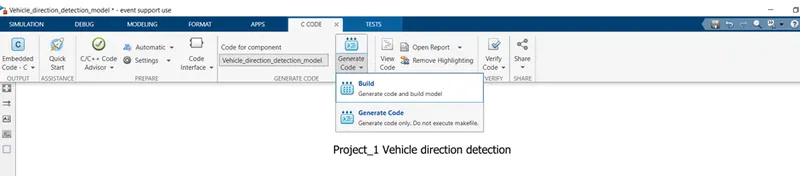
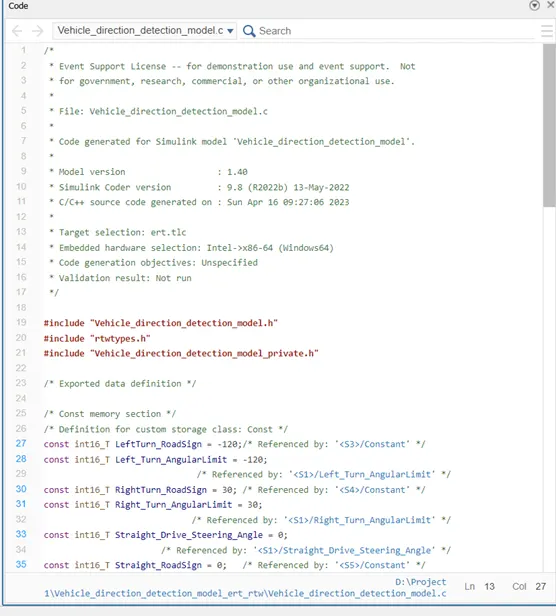
then from Embedded coder app code generation is done.