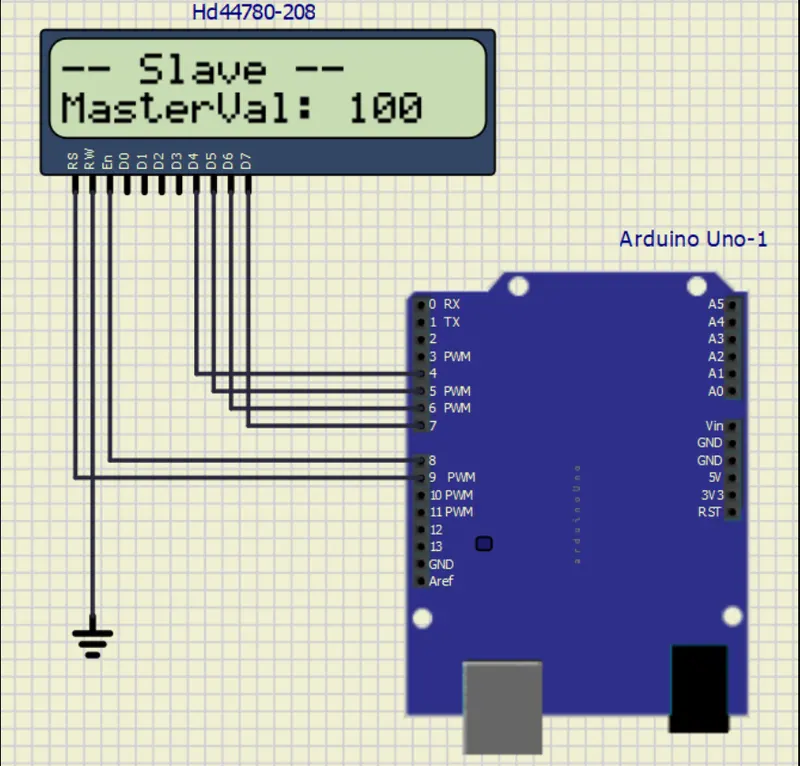
Project 1 - Interfacing a 16*2 LCD with Arduino using I2C protocol
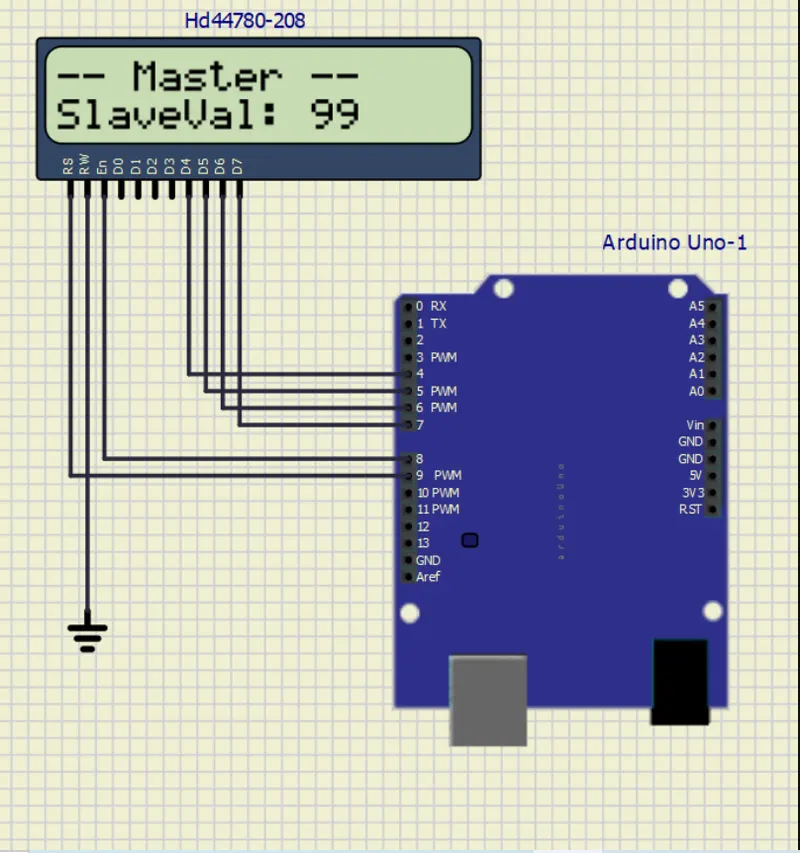
Master mode:
#include<LiquidCrystal.h> //Library for LCD display function
LiquidCrystal lcd(9, 8, 4, 5, 6, 7); //Define LCD Module Pins (RS,EN,D4,D5,D6,D7)
int val1=A4;
int val2=A5;
void setup()
{
lcd.begin(16,2);
}
void loop()
{
lcd.setCursor(0,0); //Sets Cursor at line one of LCD
lcd.print("-- Master --"); //Prints >> Master << at LCD
lcd.setCursor(0,1); //Sets Cursor at line two of LCD
lcd.print("SlaveVal: 99"); //Prints SlaveVal: in LCD
delay(1000);
}
Slave mode:
#include <LiquidCrystal.h> //Library for LCD Display Function
LiquidCrystal lcd(9, 8, 4, 5, 6, 7); //Define LCD
int val1=A4;
int val2=A5;
void setup()
{
lcd.begin(16,2);
}
void loop()
{
lcd.setCursor(0,0); //Sets Cursor at line one of LCD
lcd.print("-- Slave --"); //Prints >> Slave << at LCD
lcd.setCursor(0,1); // Sets Cursor ar line two of LCD
lcd.print("MasterVal: 100"); //Prints MasterVal: in LCD
delay(1000);
}