Project 1 - Interfacing a 16*2 LCD with Arduino using I2C protocol
Program working:
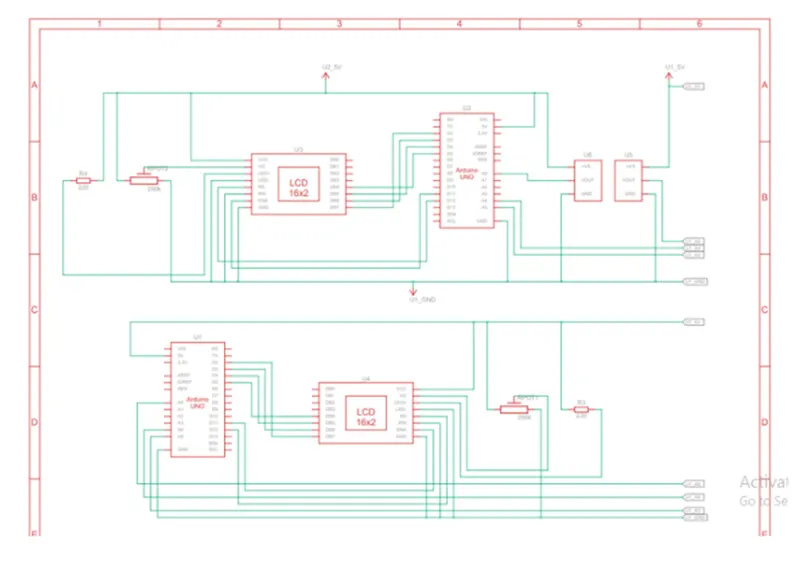
In the program communication between two Arduino is established using I2C protocol. Both arduino taking analog valve from separate temperature sensor. This analog valve then converted into digital. After conversion the converted valve is printed on serial monitor and sent to another ardunio. (From Master to slave and from Slave to Master). Received value is than printed on 16*2 LCD display by both arduino (both arduino are connnected with separate LCD). Program has some animation code for LCD display also. Included libraries are:
(1)
(2)
Code:
//Master Arduino
#include
#include
LiquidCrystal lcd_1(12, 11, 5, 4, 3, 2);//define LCD module pins(RS, RN, D4)
void setup()
{
lcd_1.begin(16, 2);//initialize LCD display
lcd_1.setCursor(0, 0);//set cursor at first line of display
lcd_1.print("project on I2C communication");
for (int i=0; i<14; i++)//for loop for repeating 14 times
{
lcd_1.scrollDisplayLeft();//scrolling whole screen
delay(150);//delay for animation
}
delay(2000);
lcd_1.clear();//clears lcd screen
serial.begin(9600);//serial communication start with baud rate '9600'
wire.begin();//I2C communication start at pin (A4, A5)
pinMode(A0, INPUT);//initialize A0 as input to read data
}
void loop()
{
wire.requestFrom(1, 1);//request 1 byte from slave (1)
byte MasterReceive=wire.read();//'MasterReceive' receive data coming
float volt=analogRead(A0);//reading analog value
volt=volt*4.99;//conversion
float temperature=volt/10;
byte MasterSend=(temperature);
wire.beginTransmission(1);//Transmission start with slave arduino(1)
wire.write(MasterSend);//sending converted data
wire.endTransmission();//transmission end
lcd_1.setCursor(0, 0);//setting cursor again for animation
lcd_1.print(">>Master LCD<<");
lcd_1.setCursor(0, 1);
lcd_1.print(MasterReceive);//printing valve coming from slave arduino
lcd_1.print("slave val");
serial.println("Master sending data to slave:");//printing on serial monitor
serial.println(MasterSend);//master valve printing on serial monitor
}
//Slave Arduino
#include
#include
LiquidCrystal lcd_1(12, 11, 5, 4, 3, 2);
byte SlaveReceived=0;//global variables(byte data type)
void setup()
{
lcd_1.begin(16, 2);
lcd_1.setCursor(0, 0);
lcd_1.print("project on I2C communication");
for (int i=0; i<14; i++)
{
lcd_1.scrollDisplayLeft();
delay(150);
}
delay(2000);
lcd_1.clear();
serial.begin(9600);
wire.begin91);//wire communication start with address as 1
wire.onReceived9receivedEvent);//calling function
wire.onRequest(requestEvent);//calling function
pinMode(A0, INPUT);
}
void loop(void)
{
lcd_1.setCursor(0, 0);//set cursor
lcd_1.print(">>Slave LCD<<");animation
lcd_1.setCursor(0, 1);
lcd_1.print(SlaveReceive);//printing data coming from master arduino
lcd_1.print("Master val");
}
void receiveEvent 9int howMany)//this function is helping in read data
{
slaveReceived=wire.read();//store data in 'slaveReceived'
}
void requestEvent()
{
float volt=analogRead(A0);//reading analog value
volt=volt*4.99;//conversion
float temperature=volt/10;
byte SlaveSend=(temperature);//converted value
wire.write(MasterSend);//sending converted data
serial.println("Slave sending data to Master:");//printing on serial monitor
serial.println(SlaveSend);//master valve printing on serial monitor
}
OUTPUT:
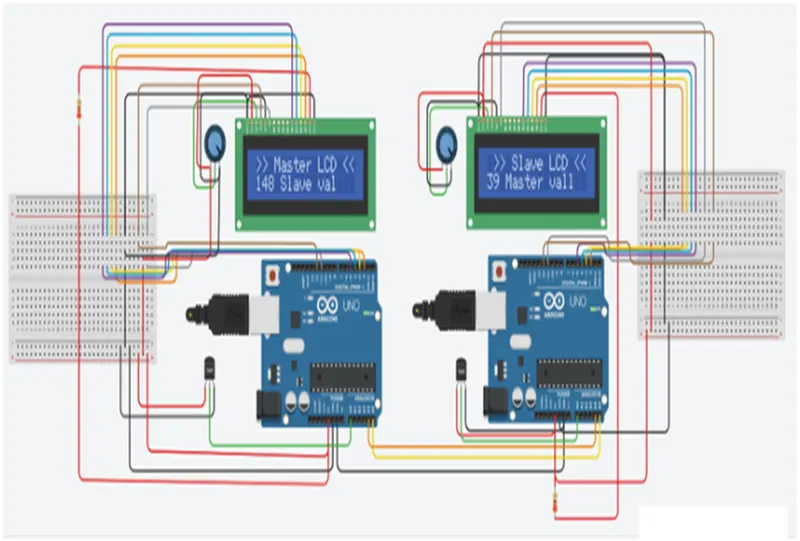
Schematic view: