Project 1 _Creating an Architectural plan for the provided plot size and develop relevant basic structural drawings
AIM:
DRAWING THE GIVEN PLAN USING AUTOCAD SOFTWARE.
DETAILS OF PROJECT:
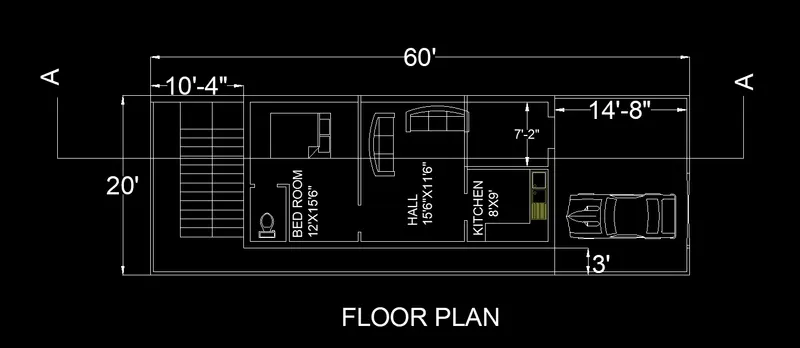
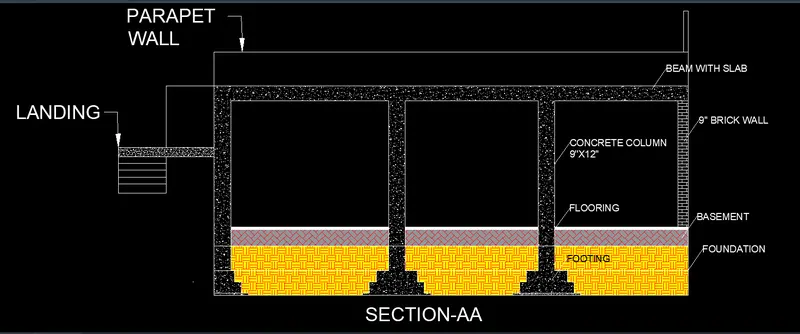
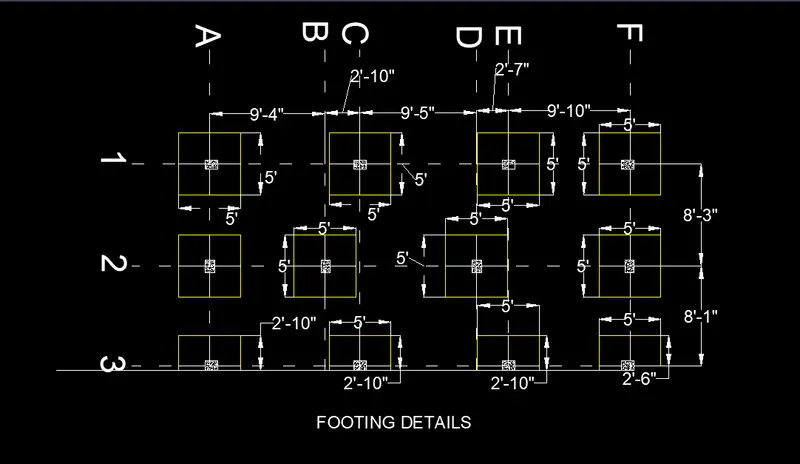
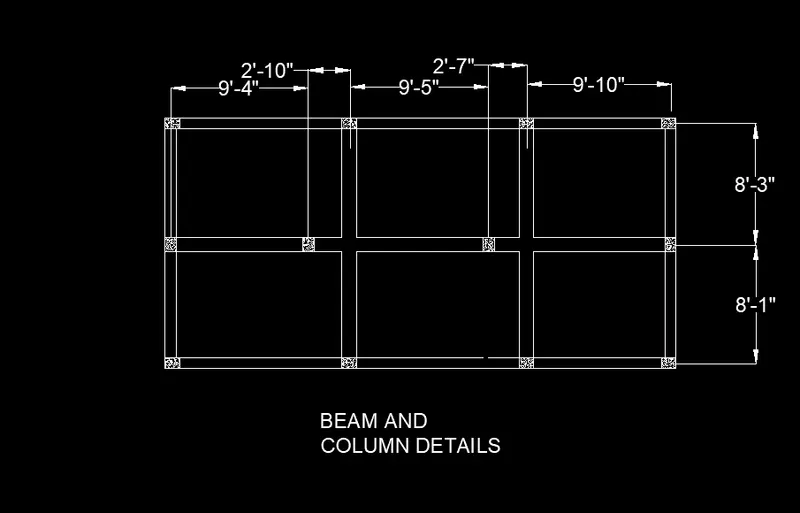
THE GIVEN PLAN CONSIST OF A FLOOR PLAN OF A BUILDING ,FOUNDATIONS DETAILS,AND ELEVATION DETAILS,SECTION SHOWING BEAMS,COLUMS,FOOTING AND BRICK WORK AND THE STEP BY STEP PROCESS IS GIVEN BELOW.
GIVEN PLOT SIZE IS 60'X20'
EAST FACING
STEPS ARE LOCATED AT BACK SIDE OF THE BUILDING.
FROT PORTION IS MENT FOR PARKING.
ALL THE INNER WALLS ARE 4" THICK AND THE OUTER WALLS ARE 9" THICK,BEAMS ARE OF DEPTH 12" AND COLUMN SIZE IS 9"X12" ,SLAB IS 4" THICK
FOOTING DEPTH IS 5' AND THE DIMENTIONS ARE 5'X5' REPEAT FOR ALL THE COLUMNS.
PROCDURE:
For the given drawings the units are set according to the requirements.
The limits of the page are set to 1000,1000 in x y directions respectively.
Dimention style commond is used to set the height of the text,arrow size an the primary units.units are set to engineering.
Line commont(direct line system ) is used more frequently to draw the given lines as per the dimentions.
Circle with radius,circle with 2p method is used to draw the circles where it is required.
Tangent to with the point are used to draw the tangent for the figures.
Tream option is used to tream the excess patrt of the figures some times erase.
Dim tool is used to determine the dimentions of the lnes that are to be mentioned.
HATCH tol is used to fill the patterns.
Mtext is used to write the text on the sheet to specify the details of the drawings.
Fillet is used to fill the corners where there are not joined corectely or disconnected.
Chamfer used to fill the corners with curved edges where they are to be joined with curved part.
F8 option is used for ortho,F9 is for snap
Hatch commond is used to fill the blocks with pattens and with colours to hilightg the things.