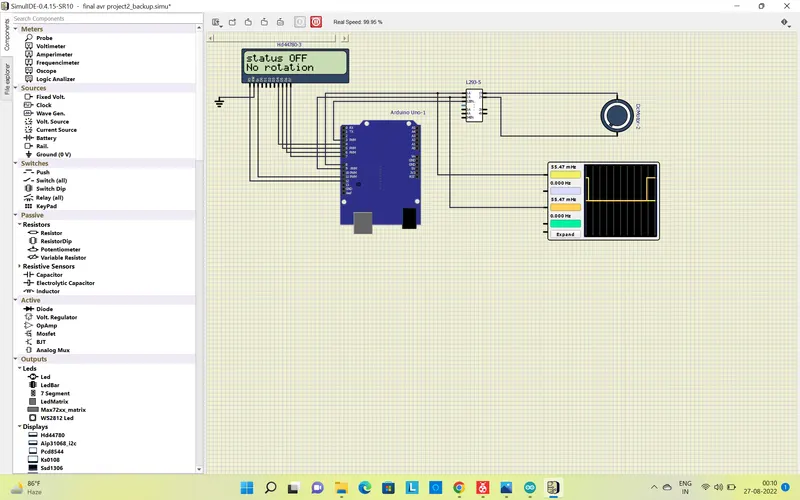
Project 1 - Controlling a DC motor using PWM and monitoring its Running status
Controlling a DC motor using PWM and monitoring its Running status
In this project we have to configure the microcontoller and than display in LCD the status of motor wheather it is in clockwise, anticlockwise or off state.
We are using L293D IC motor driver, which help the motor to rotate in clock or anti clockwise direction.
For clockwise direction we have to give the input as low & high and for anti-clcokwise we have to give the input as high & low.
Code
#include <LiquidCrystal.h> //header file for using LCD function
// configuring pin
int M11 = 8;
int M22 = 9;
int en = 3; // for enabling the L293IC
const int rs=12,en1=11,d4=4,d5=5,d6=6,d7=7; // connect pin from LCD to arduino board
LiquidCrystal lcd(rs,en1,d4,d5,d6,d7);
void setup()
{
pinMode(M11, OUTPUT);
pinMode(M22, OUTPUT);
pinMode(en,OUTPUT);
lcd.begin(16,2);
lcd.print("Motor status");
}
void loop()
{
//function has been defined for different status of motor
delay(5000);
clockwise();
delay(5000); // delay of 5 sec
anticlockwise();
delay(5000);
off();
}
void clockwise()
{
digitalWrite(M11, LOW); // configuring the pin as low
digitalWrite(M22, HIGH); // configuring pin as high
digitalWrite(en, 250); // enabling PWM and 250 is for speed
lcd.clear();
lcd.setCursor(0,0);
lcd.print("status ON");
lcd.setCursor(0,1);
lcd.print("Clockwise");
}
void anticlockwise()
{
digitalWrite(M11, HIGH);
digitalWrite(M22, LOW);
digitalWrite(en, 90);
lcd.clear();
lcd.setCursor(0,0);
lcd.print("status ON");
lcd.setCursor(0,1);
lcd.print("Anti-Clockwise");
}
void off()
{
digitalWrite(M11, LOW);
digitalWrite(M22, LOW);
delay(3000);
lcd.clear();
lcd.setCursor(0,0);
lcd.print("status OFF");
lcd.setCursor(0,1);
lcd.print("No rotation");
}
Circuit with Motor status:-
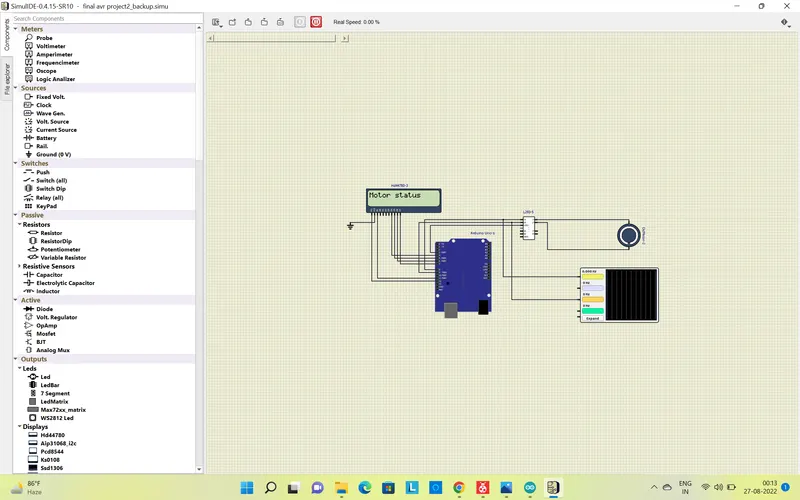
Clockwise Direction
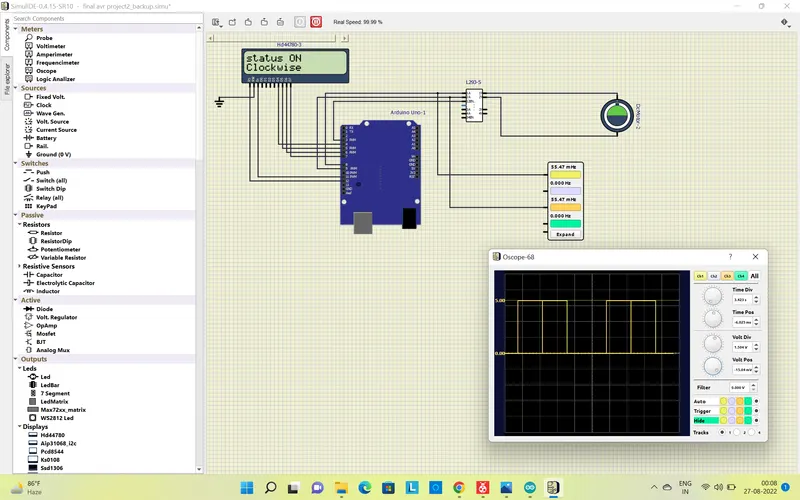
Anticlockwise Direction
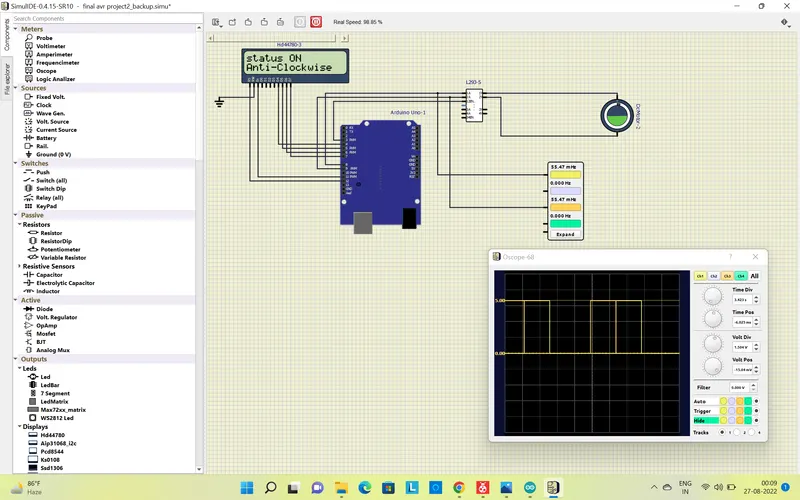
Off State-No Rotation