Project 1 : CFD Meshing for Tesla Cyber Truck
CFD Meshing for Tesla Cyber Truck
Aim:
For the given model of tesla's Cyber truck, check and solve all geometrical errors and Assign appropriate PIDs. Perform meshing with the suitable Target length and element Quality criteria and also create a wind tunnel and perform volumetric mesh.
Objective:
Target lengths for the different parts of a model can be decided by your own. Finer mesh will give good results and will compromise with the longest processing time Meshing Wind tunnel volume with tetra elements may take upto 2 days of time. So that is not compulsory to perform. As this is a major project, It is advisable to mesh that completely by taking some days of time. Write a detailed report for the same.
Procedure:
Topo/geometry clean-up:
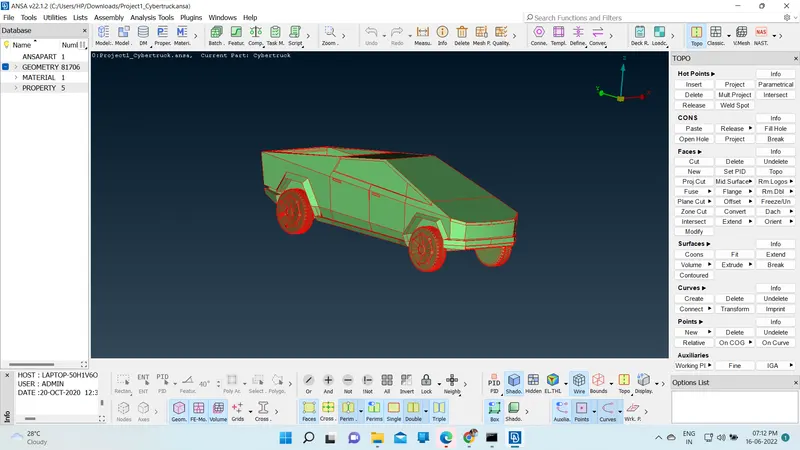
Upload the ANSA file onto the screen to perform topo/clean and meshing in the later stages.
Go to mesh and choose the length and enter 1 mm under perimeters to smoothen the sharp curves of the car and give it a fine look.
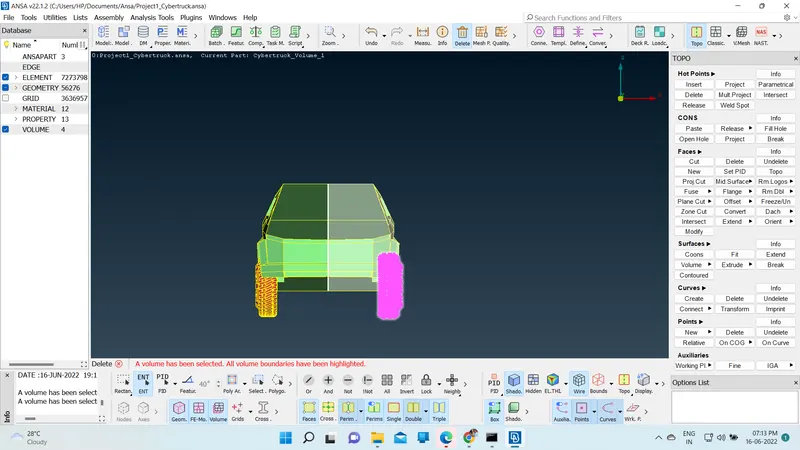
Since the car is symmetric from the middle to any end, we can delete one side of the car and perform the necessary operations on the car and use the symmetry option to produce the complete car
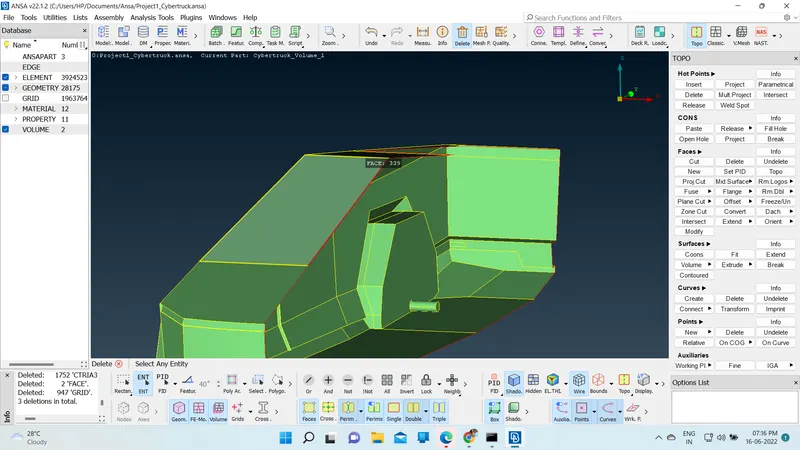
After checking and performing topo-clean up for the entire half car model. We need to perform geometry checks to find small
cracks are unchecked faces extra which is not good for the geometry, therefore we need to perform checks and clean the geometry accordingly.
Once the geometry is checked and has no errors, we can now assign names to different components using PID.
Surface meshing:
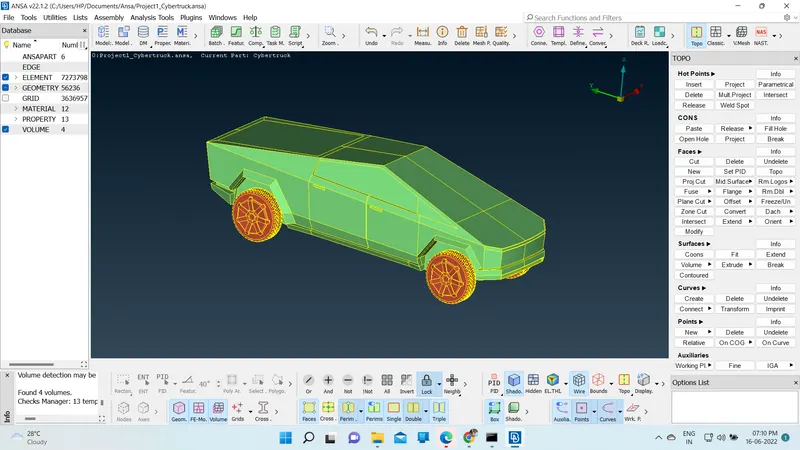
We need to mesh the components individually since the given mesh targets are different for each PID region.
Assign the mesh parameters and quality parameters for each PID accordingly, assigning the correct min and max length will reduce mesh failure and off elements.
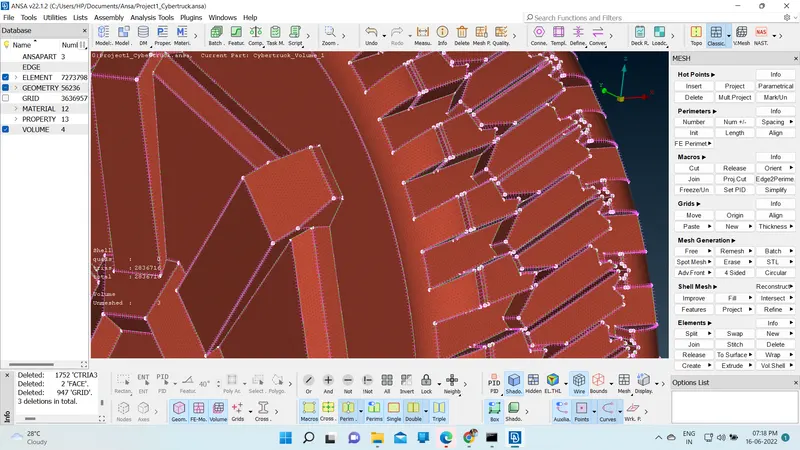
Performing symmetry on the car model:
Perform symmetry under the transform option to create the exact same opposite body of the car to create a full-body car.
After choosing the model, middle-click mouse, we get a window, choose symmetry and choose mirror 3 points plane and choose 3 points on the edge to be performed symmetry.
After choosing 3 points, the middle clicks twice and the symmetry is performed, click the middle click again to confirm the geometry and complete the process.
There will be a few single cons present near the middle section, use paste or other tools to solve the problem.
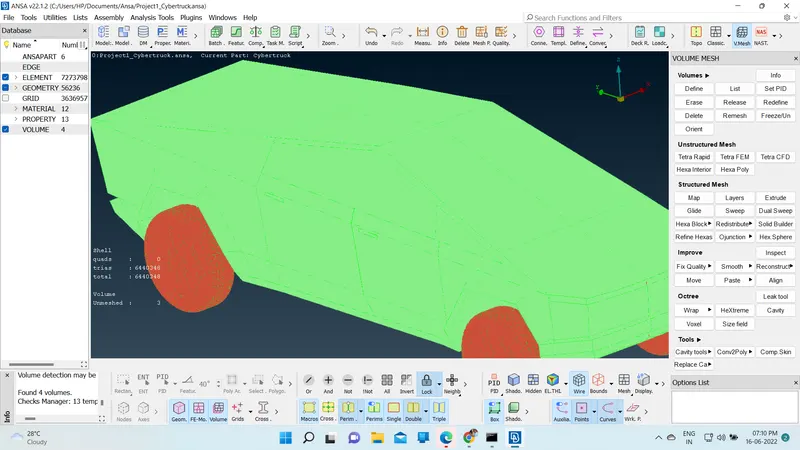
Creating wind tunnel:
First, we need to create reference points to create wind tunnel surfaces.
Select relative under points in topo mode, create a point below the car take one reference point and enter the correct values
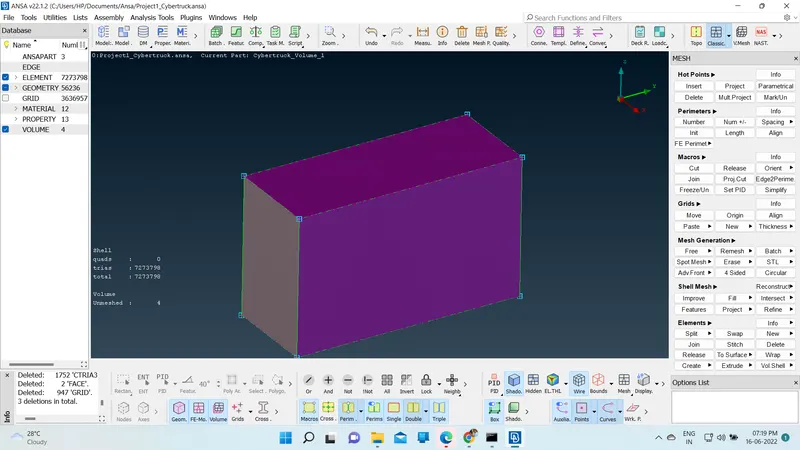
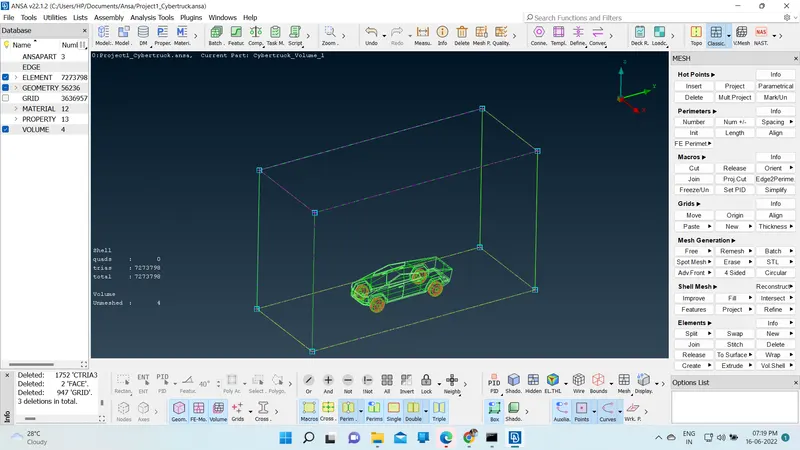
And calculating the wind tunnel dimensions appropriately, we can create the wind tunnel accurately.
https://drive.google.com/file/d/1p6RSOFZzEl4XwL72TebRhcSPNeBWHDXB/view?usp=sharing
https://drive.google.com/file/d/1p6RSOFZzEl4XwL72TebRhcSPNeBWHDXB/view?usp=sharing
conclusion:
Cybertruck car model is topo-cleaned and surface meshed appropriately.
The wind tunnel is created and the surface meshed with reference to the car model size. Different volumes of the car model is created since the tires are not connected to the car body.
Single volume is created of the car body so that it can be avoided at one go when creating a volumetric mesh.
Required physics tests can be performed on the wind tunnel volume model after volumetric meshing successfully.