Preprocessing of Dashboard IP in ANSA
NOTE: THE ANSA FILE OF THE MODEL HAS SOME ISSUES WHILE UPLOADING, HENCE A SEPERATE GDRIVE LINK OF THE MODEL HAS BEEN INSERTED AT THE END OF THE REPORT
Objective:
To check for the geometrical errors, extract the midsurface of the component, and mesh with the given element quality criteria, and to assign the appropriate thickness to the component.
|
S.No |
Quality Criteria |
Value |
|
1 |
Target/Average length |
4 |
|
2 |
Minimum Length |
2 |
|
3 |
Maximum Length |
6 |
|
4 |
Aspect |
3 |
|
5 |
Warpage |
15 |
|
6 |
Skewness |
45 |
|
7 |
Jacobian |
0.7 |
|
8 |
Minimum Quad Angle |
45 |
|
9 |
Maximum Quad Angle |
135 |
|
10 |
Minimum Tria Angle |
30 |
|
11 |
Maximum Tria Angle |
120 |
|
10 |
Tria Percentage |
15 |
Introduction:
- In this challenge, the component had to be meshed after creating its midsurface, according to the quality criteria as mentioned above.
- There are 4 different ways to extract the midsurface of any component, manually using ‘offset’ and ‘middle’, and auto-midsurfacing using ‘skin’ and ‘casting’.
- While working on any component, it is very important to always check the model for geometrical errors as some abrupt undesired surfaces or CONs may get generated during midsurfacing. These errors can be ‘auto fixed’ in the ‘checks manager’ itself or can be eliminated manually.
- After extracting the mids of all the surfaces, they have to be connected to each other properly by extending and creating new surfaces in between them. Along with this, all the surfaces have to be assigned with proper thicknesses according to their parent surfaces.
- Meshing all these surfaces is itself a crucial task as the mesh flow and the mesh quality determines the performance and accuracy of the model during the analysis phase. The mesh always should conform to the quality criteria and the mesh flow that is required for any specific analysis. Although there may be some instances where the elements are not following the quality criteria as the feature capturing in that area is preferred over the element quality.
- For crash applications as in this case, the number of trias should be low and the mesh flow should be proper. Along with this, all the necessary features of the model should be captured properly.
Procedure:
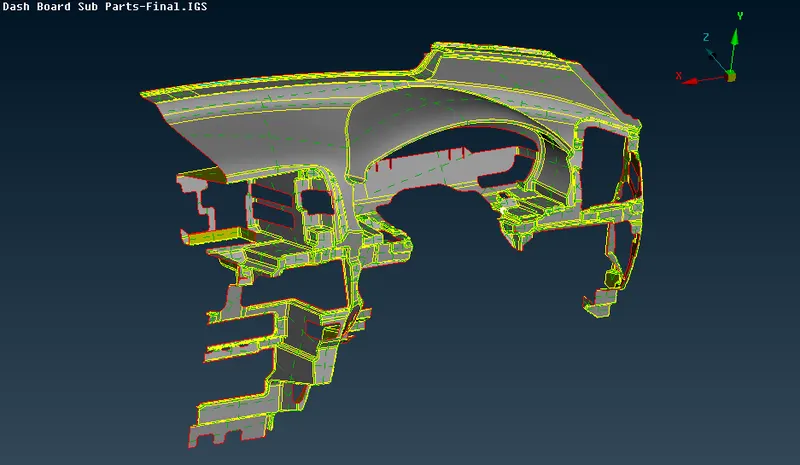
- The model of the dashboard ip was provided in the .igs file format which was imported into “ANSA” directly. The image below shows the model in the raw condition as it was provided.
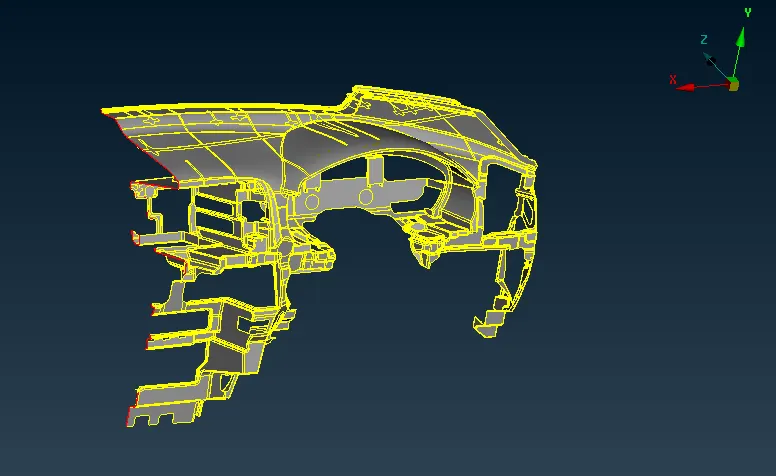
- The component once imported was observed and it was clear that had a lot of intricate features having small lengths which would not satisfy the quality criteria mentioned above. Along with this, since the geometry of the component was complicated, having a varying thickness, the midsurface extraction using the auto mid methods was very hard to achieve.
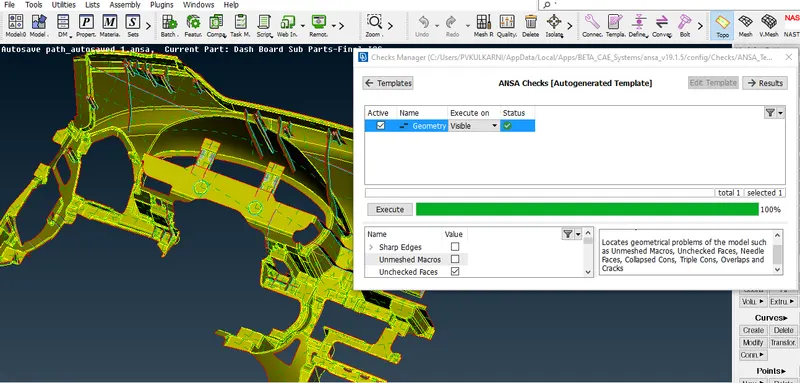
- But before starting the midsurfacing operation, the ‘geometry check’ of the component was done using the ‘checks manager> geometry’. A lot of needle faces, unchecked faces, and triple CONs were found in the component.
- All these errors were selected and the ‘auto-fix’ command was used to clear them. From the auto-fix command, most of the errors were cleared but there were still some errors in the component which had to be cleared manually.
- After clearing all the errors the geometry check was re-run and it was made sure that all the visible entities were free of any error.
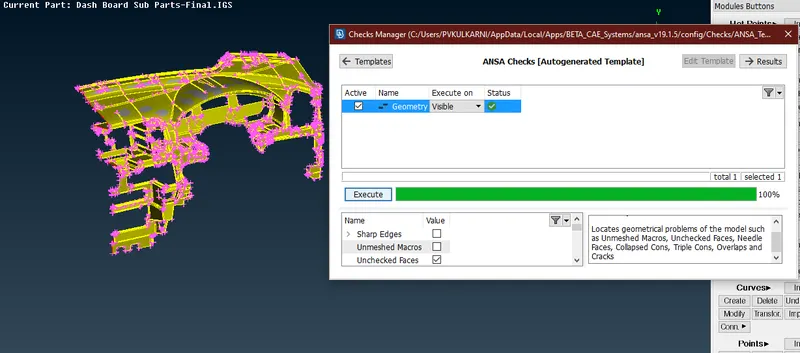
- After all the errors were cleared, measurements were taken at some random areas to get an idea about the thickness of the component. This would be useful while assigning the thickness to the model after the midsurfacing operation. Along with this, the ‘orient’ command was also applied to the component in order to set a uniform orientation direction to all the visible entities.
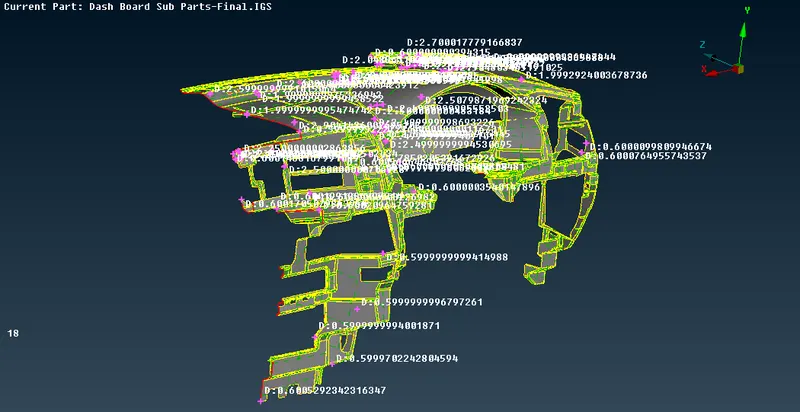
- As seen in the image above, it was found that the approximate thickness of the main dashboard was around 0.6mm. After measuring the thickness, the automid options of ‘skin’ and ‘casting’ were tried. But since the geometry of the component was complicated, the midsurface generated was not proper.
- Therefore, the midsurfacing was done manually using the ‘offset’ option. While selecting the surfaces, the ‘features’ option from the ‘feature selection’ tab was turned on. Using this, One side of the whole dashboard was selected, and an offset of 0.3mm was applied on the surface as seen in the image below.
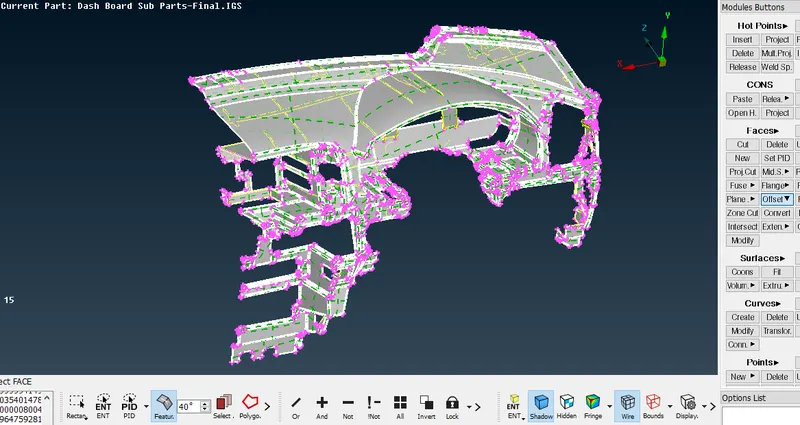
- The value was entered as -0.3mm due to the orientation. This generated the midsurface of only the dashboard, right in the middle of both the parent surfaces as seen in the image below.
- After extracting the midsurface for the dashboard, the ribs and doghouses were remaining. All the entities except these were isolated. All the ribs had different thicknesses and fillets on their ends. Therefore here in this case, it was easier to extract the midsurface manually using the ‘middle’ option from the ‘faces’ tab as seen in the image below.
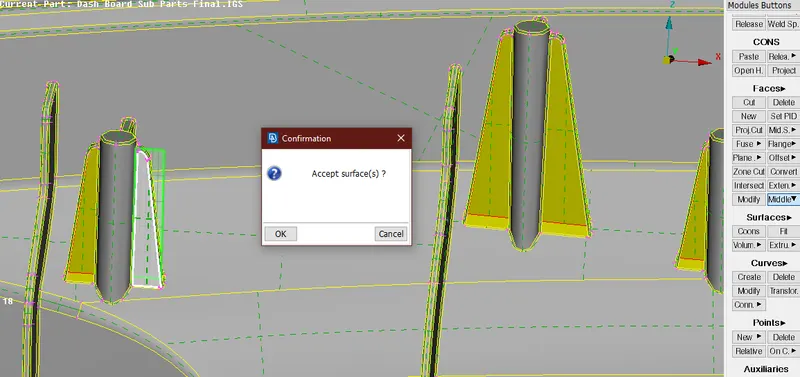
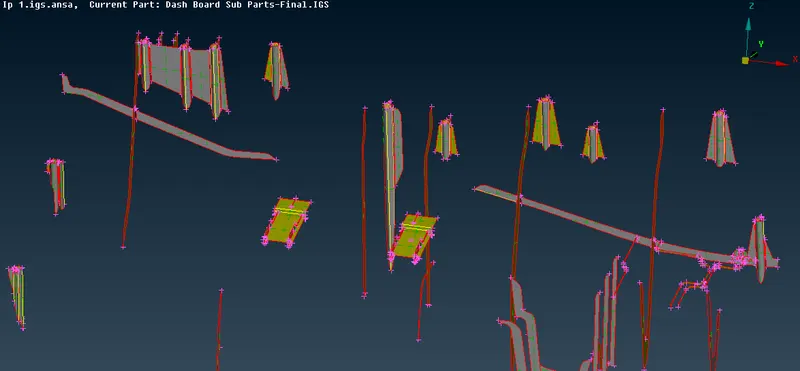
- The dog houses were also midsurfaced manually but using the ‘offset’ command with an offset of 0.5mm. Doghouses are the cylindrical entities seen in the image above. They securely hold the dashboard into the holes provided in the vehicle body and its connecting parts. The image below shows the mids extracted for the ribs and the doghouses.
- All the midsurfaces which were generated had to be connected to each other irrespective of their thickness and properties, as it affects the results during the analysis. The shockwaves, stresses, etc. cannot pass through if the surfaces are not attached properly.
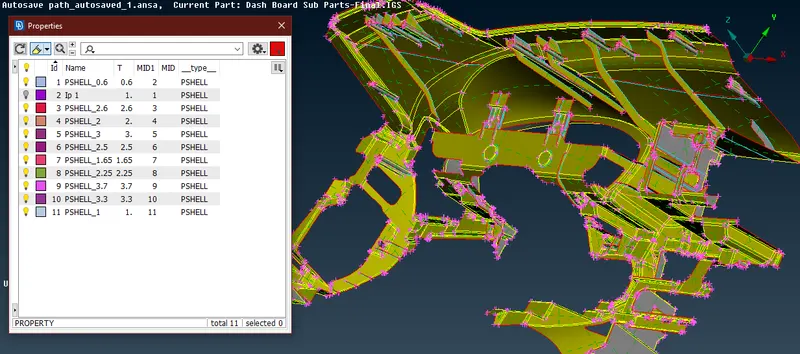
- This was done using options like ‘extend’, ‘intersect’, etc. In some areas where it was not possible to extend the surfaces, new surfaces were created to join the two. After making sure that the surfaces are connected properly, the thickness was assigned to all the surfaces individually according to their parent surfaces, by creating new properties for different thicknesses. The image below shows the midsurface extracted for the whole dashboard along with the thickness properties.
- Again before proceeding to the meshing operations, the geometry of the midsurface was checked. There were a couple of needle faces that were cleared, and it was made sure that the geometry is free of any errors.
- There are two ways to mesh any component, manual meshing and automatic meshing. The manual meshing consists of commands like ‘spot mesh’, ‘best mesh’, ‘remesh’, etc. While the automeshing can be done by ‘casting’ or ‘batch meshing’.
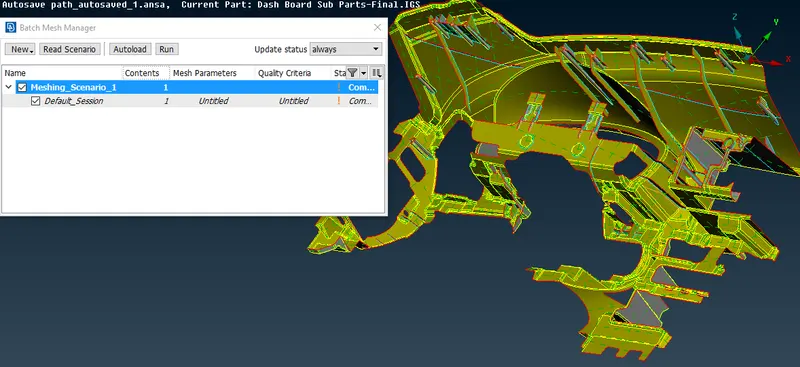
- Here, the automatic meshing using the ‘batch mesh’ was tried. But before meshing the ‘length’ of the perimeters and macros was set according to the target length, from the ‘perimeters’ tab. For this, the midsurface of the component was defined as a separate ‘model’ from the ‘model browser’ option. In the ‘batch mesh’ option from the ‘tools’ tab, a new meshing scenario was created and the newly created model of the midsurface was selected. The quality criteria and the mesh parameters were defined and the model was batch meshed.
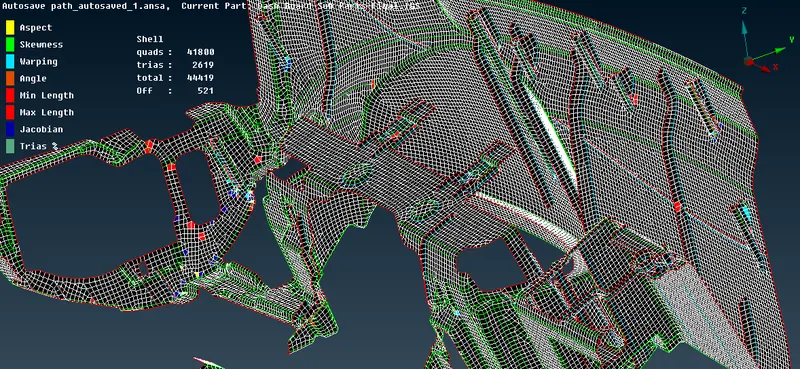
- After examining the elements and the mesh flow, it was found that a large number of elements were failing for the quality criteria. Also, the mesh flow was not proper. The tria percentage in the mesh was also high. The image below shows the mesh generated from batch meshing.
- It would have been a tedious job to improve the quality and the flow of the mesh. Therefore, it was decided to opt for the manual meshing. But again, while meshing manually, the elements would fail in the intricate feature areas, which would not happen in the case of batch meshing as in batch meshing the construction lines of the model are toggled and recreated according to the requirements of the mesh automatically via set algorithms.
- Therefore manual meshing was done on a major portion of the dashboard where there were less complicated features. This would help to achieve a comparatively good mesh flow and less number of tria elements. The manual meshing was done by ‘spot meshing’, and using the ‘reconstruct’ option to clear the failing elements and improve the flow.
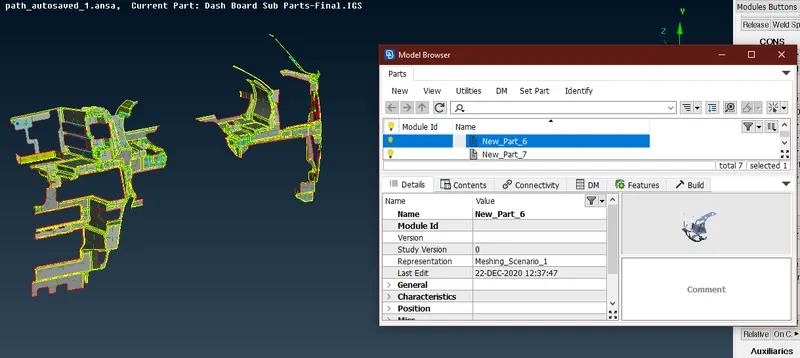
- Now for the unmeshed macros having complicated features, a separate ‘model’ was created for the ‘batch meshing’ scenario and all the meshed entities were hidden. The image below shows the new model creation for the unmeshed entities. Two separate models were created for two sets of surfaces.
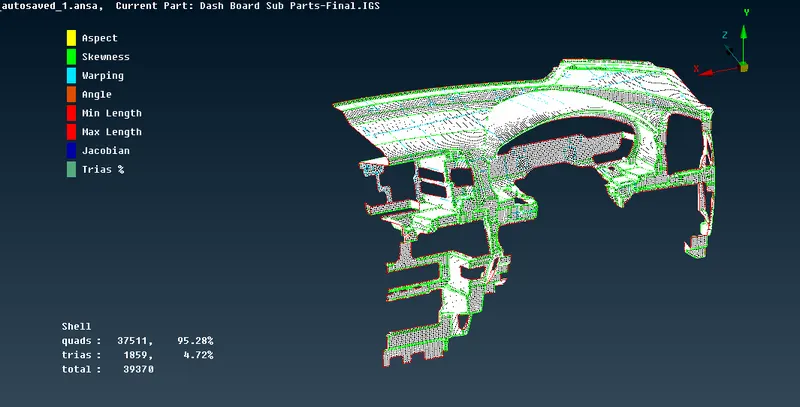
- The mesh generated from the batch meshing was better than the previous scenario and also had less number of failing elements, and tria elements. The mesh flow was made proper by smoothing the elements, and the failing elements were cleared manually. The image below shows the mesh for the dashboard alone.
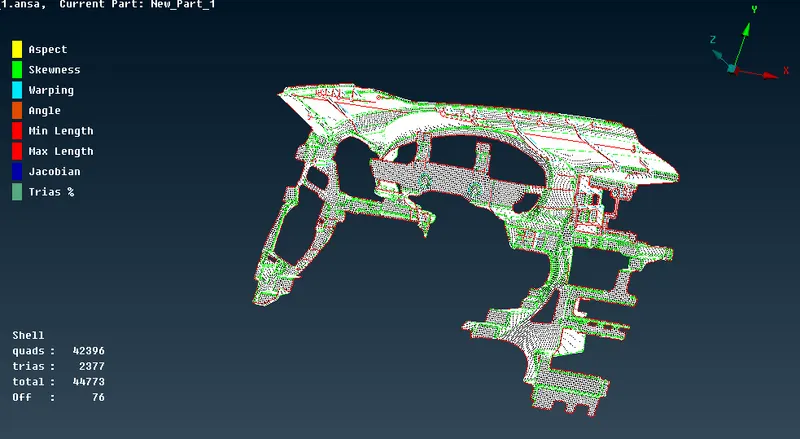
- All the remaining surfaces like the doghouses and the ribs were meshed manually using the spot mesh and the failing elements were cleared by reconstructing the mesh. But still, there were some failing elements in areas where the feature capturing had more priority. The image below shows the final mesh with some amount of failing elements.
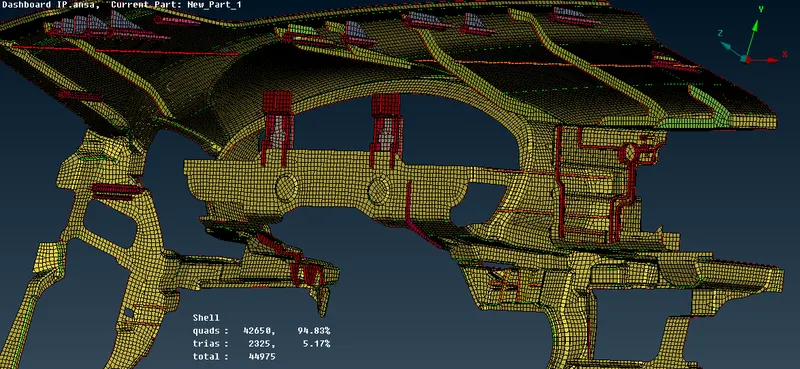
- In order to visualize the thickness which was assigned earlier to all the surfaces, the ‘draw shells as solids’ option were turned on from the ‘presentation parameters’ tab. The image below shows the mesh with the assigned thickness.
Conclusion:
- In this project, the Dashboard IP component was midsurfaced and meshed successfully according to the quality criteria which were provided based on the industry standards of crash applications.
- On this dashboard IP, different instrument clusters like the ODO meter, AC vents, multimedia devices, etc. are fitted. This dashboard component was midsurfaced manually using the ‘offset’ and ‘middle’ commands and was meshed both by using manual mesh and batch mesh.
- After the finalization of the mesh, there were still 76 elements that were not conforming to the quality criteria. This is because the features in those areas were intricate and therefore they were prioritized over the mesh quality.
- The overall flow of the mesh was made as good as possible, and the number of tria was also kept within the limit of 10% i.e. the industry standards.
- This project gave an insight into the actual industrial applications of “FEA” “CAE”, and along with the meshing quality and the parameters which are preferred in the automotive world.
GDrive Link of the model: DASHBOARD IP MODEL