Project 1
QUESTION :- Project 1
ANSWER :-
Project 1 deals with the development of a forward energy-based fuel consumption model of a
conventional vehicle.
The main goal of this project is to get familiar with the modeling process, writing scripts in Matlab,
modeling in Simulink, analyzing data and generating plots.
In this project, a typical midsize car with a 1.9L engine and a 4-speed automatic transmission is
considered. Data is taken from ADVISOR data base developed by NREL, USA. Transmission shift map and
controller is taken from Matlab/Simulink example database.
The model developed has the capability to simulate the vehicle on different drive cycles like UDDS,
HWFET, FTP, NEDC, etc.
“Project1_InitFile.m” is a Matlab script used to load all the variables required for running the Simulink
model and for post-processing. The drive cycle selection is also done here. Before running the Simulink
vehicle model, run this initialization script.
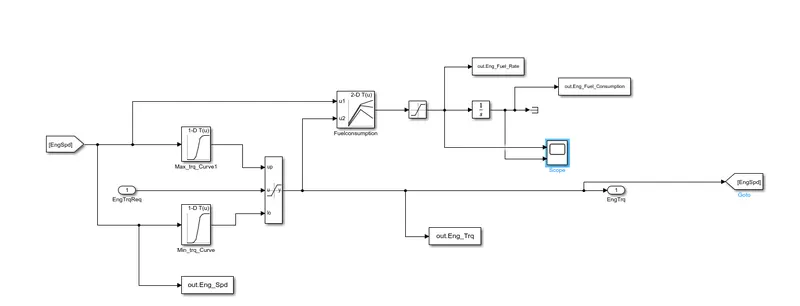
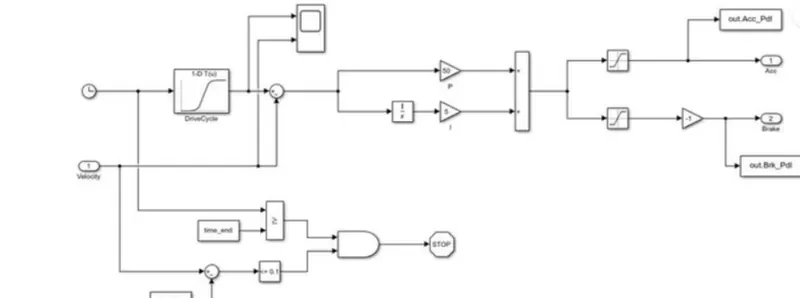
“Project1_VehicleModel.slx” is the Simulink model of the vehicle. It is modeled using a ‘Driver’ block,
which is a basic PI controller that generates accelerator and brake pedal outputs to match the desired
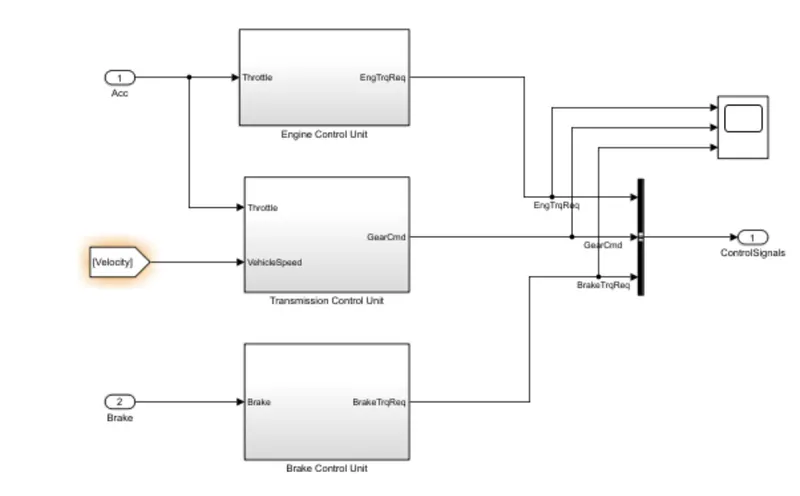
and actual vehicle speeds. The ‘Controller’ block is the brains of the vehicle, representing the electronic
controls units. Based on the driver inputs, it generates desired engine torque, desired transmission gear
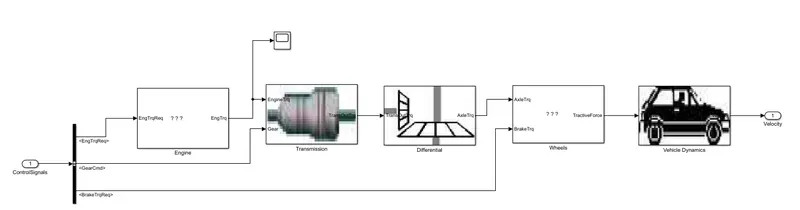
and desired brake torque. These inputs are fed to the ‘Powertrain’ block which represents the drivetrain
of the vehicle. It consists of an ‘Engine’ connected to the ‘Automatic Transmission’ through a ‘Torque
Converter’. The output of the transmission is connected to the ’Differential’, which powers the ‘Wheels’,
that provides the tractive force for vehicle acceleration. The longitudinal dynamics of the vehicle along
with the road load is represented in the ‘Vehicle Dynamics’ block. The solver selected is ode3 with a
fixed step size of 0.01 sec.
After running this Simulink model, data from the model will be loaded in the Matlab workspace.
“Project1_ProcessingFile.m” is the Matlab script used to analyze this data and to generate plots. This
script needs to be executed after the Simulink model data has been loaded into the workspace. Here we
rename the variables loaded from the model (if desired), do some basic post-process calculations and
generate results and plots.
// Driver :-
// Controler :-
// Powertrain :-
// Engine :-