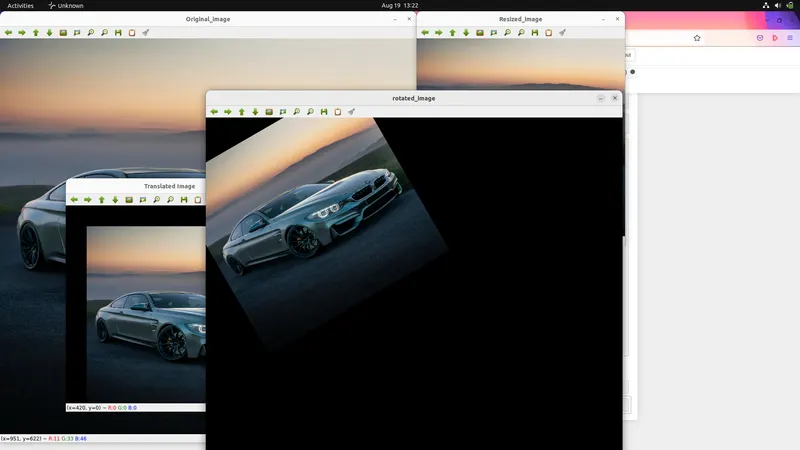
Project 1
I have writed the Python functions for Image Manipulation of Scaling, Rotating and Cropping the image.
import cv2
import numpy as np

def read_image(image_path):
    image = cv2.imread(image_path)
    return image

def resize_image(image, dimensions, method_number):
    methods = (cv2.INTER_AREA, cv2.INTER_LINEAR, cv2.INTER_NEAREST, cv2.INTER_CUBIC, cv2.INTER_LANCZOS4)
    resize_method = methods[method_number]
    resized_image = cv2.resize(image, dimensions, interpolation=method_number)
    return resized_image

def crop_image(image, dimensions):
    img_dims = image.shape
    h_s, h_e, w_s, w_e = dimensions
    height_dims = [h_s, h_e]
    width_dims = [w_s, w_e]
    np.clip(height_dims, a_min=0, a_max=img_dims[0])
    np.clip(width_dims, a_min=0, a_max=img_dims[1])
    crop_image = resized_image[height_dims[0]:height_dims[1], width_dims[0]:width_dims[1]]
    return crop_image

def image_translation(resized_image, dimensions):
    height_translation, width_translation = dimensions
    translation_matrix = np.float32([[1,0,width_translation],[0,1,height_translation]])
    translated_image = cv2.warpAffine(resized_image, translation_matrix, (resized_image.shape[1], resized_image.shape[0]))
    return translated_image

def image_rotation(resized_image, dimensions, angle, scale):
    height_translation, width_translation = dimensions
    rotation_matrix = cv2.getRotationMatrix2D((height_translation/2, width_translation/2), angle, scale)
    rotated_image = cv2.warpAffine(resized_image, rotation_matrix, (1000,1000))
    return rotated_image

def display_image(window_name, resized_image):
    cv2.imshow(window_name, resized_image)
    cv2.waitKey(0)

def save_image(image_name_with_path, resized_image):
    cv2.imwrite(image_name_with_path, resized_image)

#read_image
image = read_image("/home/dreamer/Programming/Skill Lynk/BMW M4.jpg")
display_image("Original_image", image)
print(image.shape)

#resize or scaling_image
method_number = 0
dimensions = (500,475)
resized_image = resize_image(image, dimensions, method_number)
display_image("Resized_image", resized_image)
print(resized_image.shape)
save_image("/home/dreamer/Programming/Skill Lynk/R-BMW M4.jpg", resized_image)

#crop_image
crop_dims = (100,400,10,990)
cropped_image = crop_image(image, crop_dims)
display_image("Cropped_image", cropped_image)
save_image("/home/dreamer/Programming/Skill Lynk/Cropped-BMW M4.jpg", cropped_image)

#image_translation
translation_dimensions = (50,50)
translated_image = image_translation(resized_image, translation_dimensions)
display_image("Translated Image", translated_image)

#image_rotation
dims_angle = 30
dims_scale = 1
rotated_image = image_rotation(resized_image, dimensions, dims_angle, dims_scale)
display_image("rotated_image", rotated_image)
print(resized_image.shape)
cv2.destroyAllWindows()
1. Resizing/Scaling
Scaling is very usefull for image resizing. Resizing means Increase or decrease the image size. I have resized the image to 475mm height and 500mm width. I have using the INTERPOLATION_AREA method for resizing. And used cv2.resize function for image resizing.
my code output :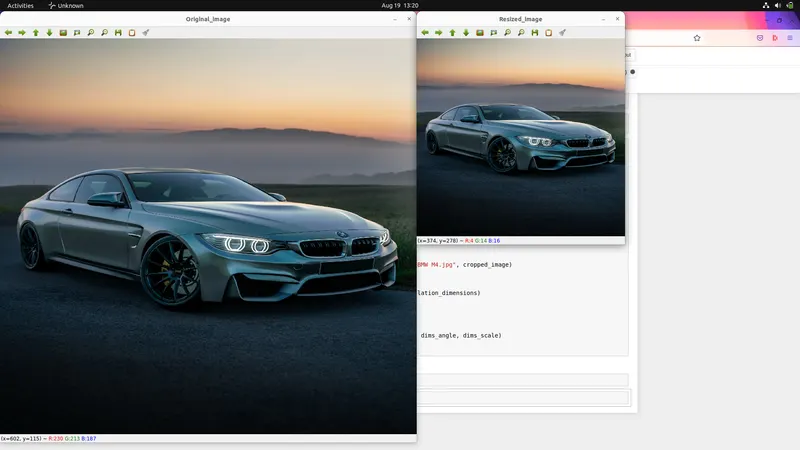
2. Cropping
It's Used to highlight only objects, people or vehicles in an image, or to remove everything else around that object. i have used to np.clip functin for croping the image.
My OutPut : 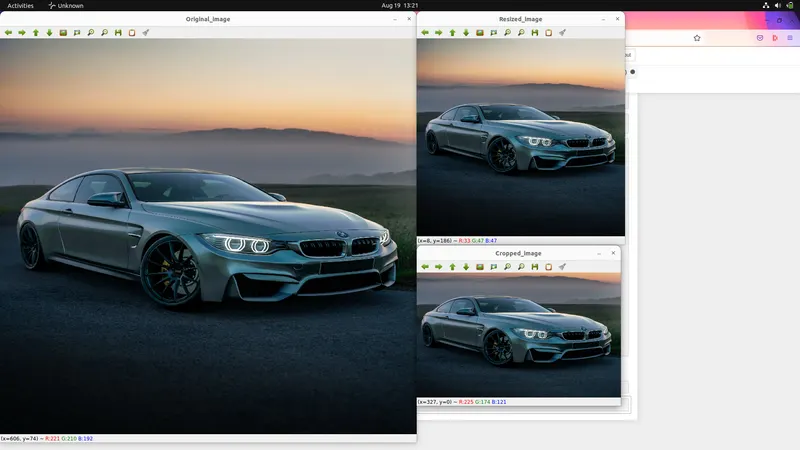
3. Image Translation
Translation is used to move the image for some distance. i have used the np.float32 function and v2.warpAffine function for image translation. np.float32 is a matrix function. this function is calculates the matrix of image for moving the image. And cv2.warpAffine function is assign the width and height of image using image matrix for moving.
My OutPut : 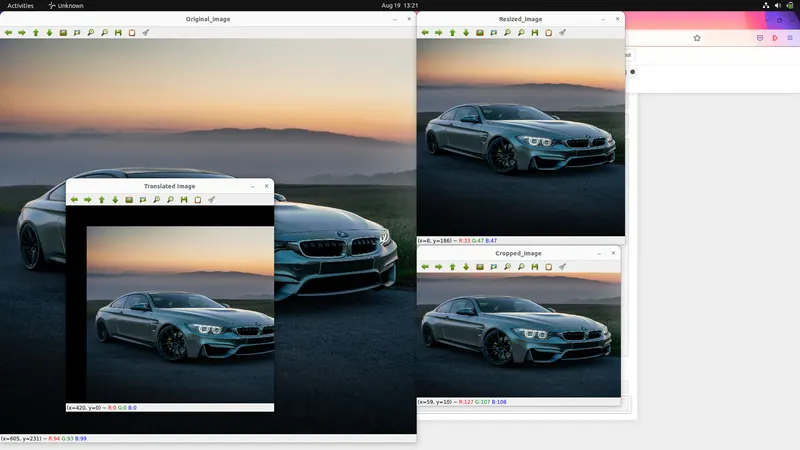
4. Image Rotation
this function is used to rotate the image. i have used to the cv2.getRotationMatrix2D function and cv2.warpAffine function. cv2.getRotationMatrix2D function is the assign the center point, angle and scale for image rotation. cv2.warpAffine is assign the image width and height.
My OutPut :