Project 1
MESHING OF AN AUTOMOTIVE IP SUBSTRATE BY USING ANSA
The instrument panel is one of the most complex system in automotive interior, both from functionality and appearance viewpoints. A plastic Ip-substrate typically houses the structure underneath, climate comfort ductwork, modules such as radio, airbags etc. The CAE tools were used to evaluate their sunload, NVH and crash requirements when used in an automotive. Ip-substrate material's gloss level, scratch resistance and paint adhesion properties were successfully tested according to the OEM specifications.
OBJECTIVE: -
- Perform geometry checkup for the Automotive Ip-substrate.
- Extract the midsurface using appropriate techniques.
- Mesh the mid surface with provided quality criteria.
- Improve the quality of the mesh by removing failed elements.
PROCEDURE: -
- Open the dashboard sub part file using File>Open>Ip-substrate.igs command.
- We need to check the geometry first in order to extract a proper mid surface. Activate the Tools>Checks>Geometry option to find the errors. Check manager will show errors such as collapsed cons, triple cons and cracks between cons.
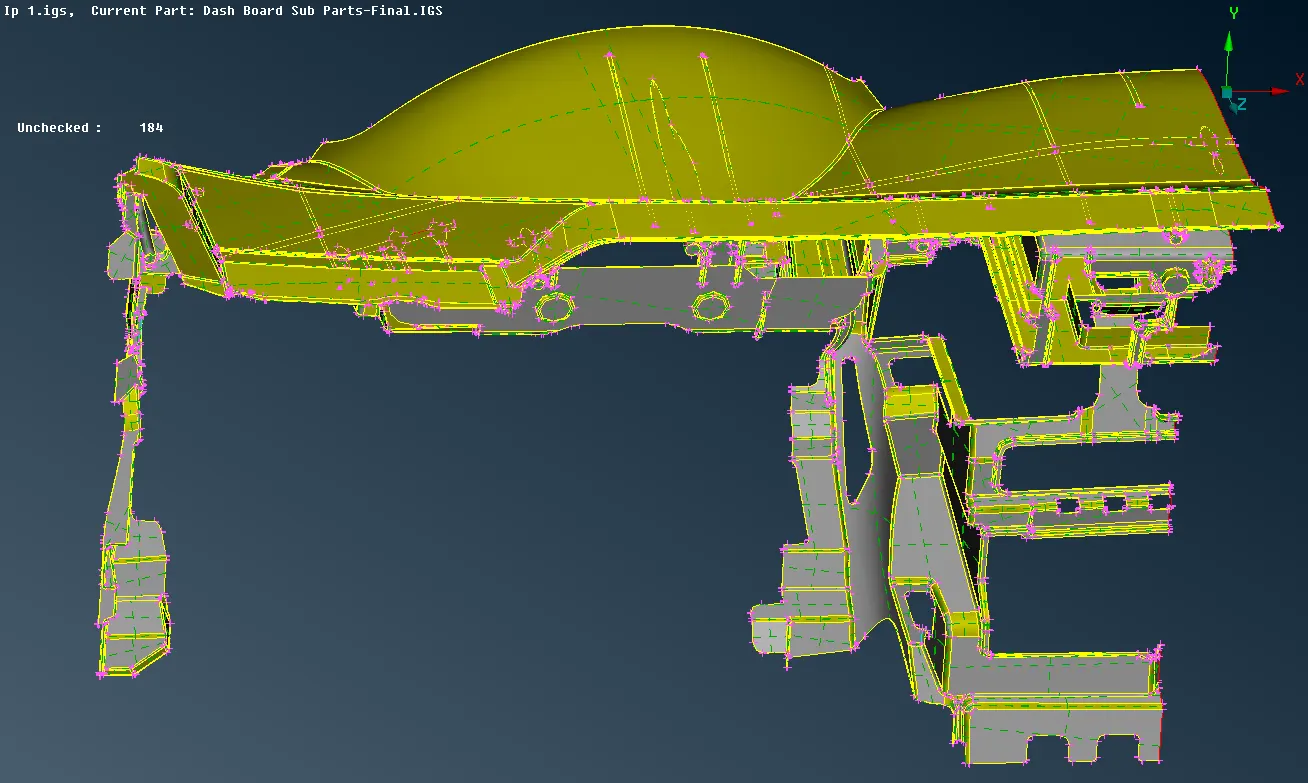
- These types of errors can be easily solved. Triple cons can be resolved by releasing the con and do topo again. Go to Faces>Topo and select the cons to remove the cracks between cons.
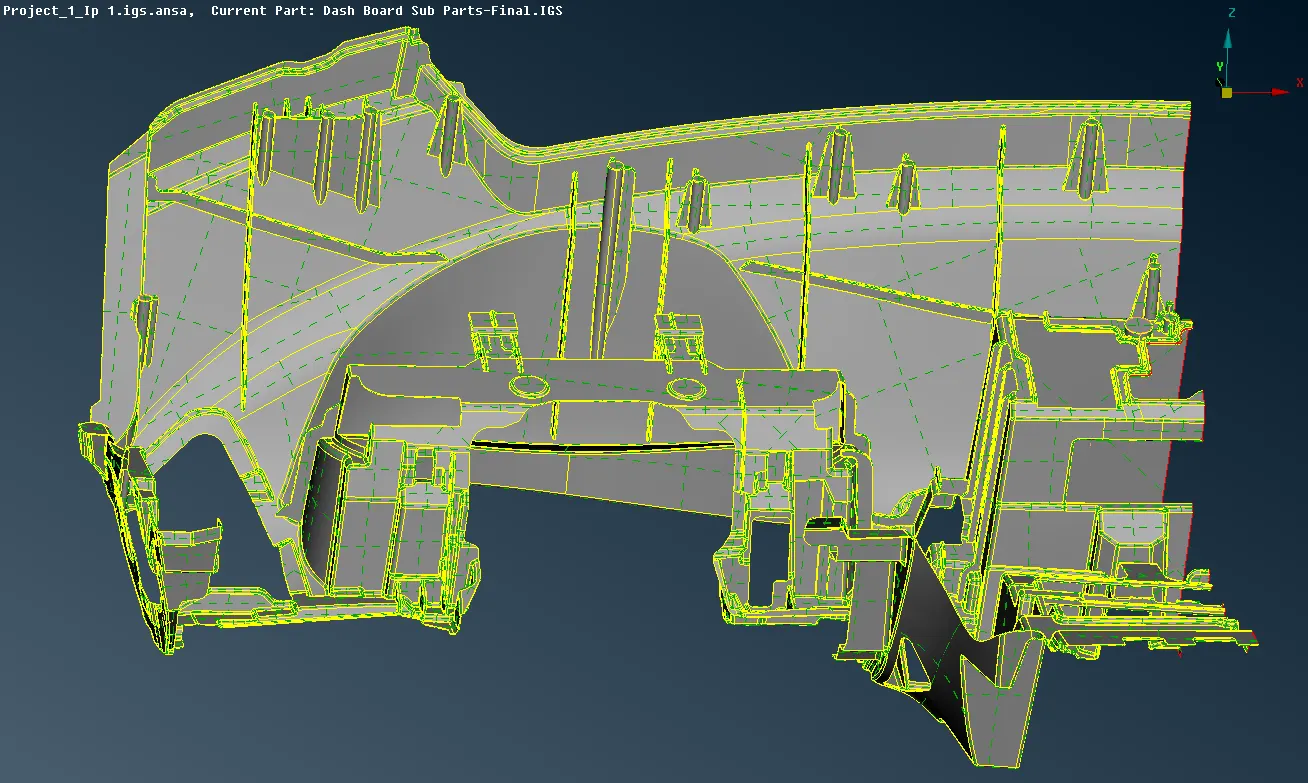
- The thickness of the Ip-substrate is varying along the cross section, so the skin command won't give us the exact mid surface. Activate the Faces>Offset tool and select the macros to offset at a distance of 0.3. We can select the macros attached with one another at once using feature selection option. Use the feature area option and set the angle to 40 dergees and select the macros.
- The mid surface for the ribs can be generated using the Topo>Faces>Middle option. Thereafter we need to extend the surfaces to the base.
- We will follow the same steps to offset the doghouses at a distance of 0.5.
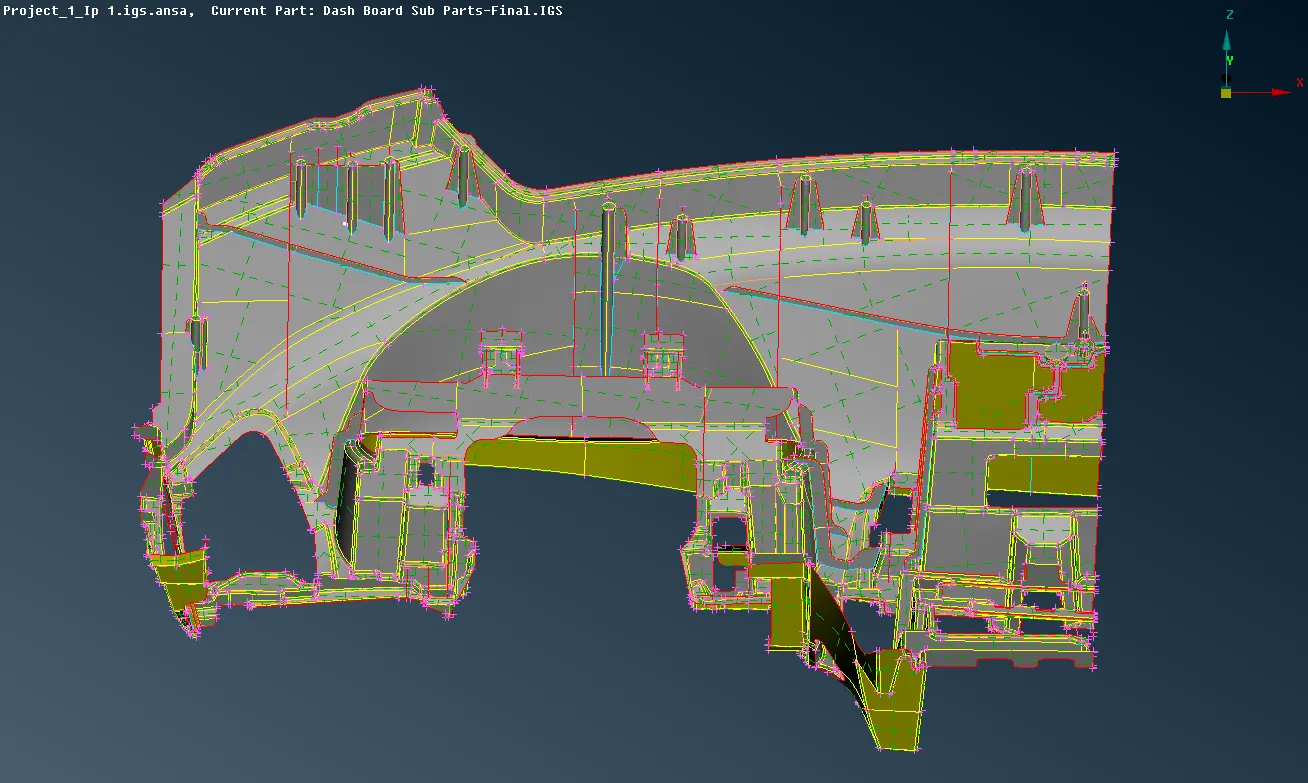
- Make proper cuts to the surfaces so that the mesh flow not gets affected and provided quality criteria can be achieved.
- Assign different PID to the macros having different thickness throughout the cross section.
- Activate Mesh>Perimeters>Length command and set the length and perimeter to average element length i.e 4units.
- Go to Utilities>Mesh parameters and choose element type as mixed, minimum element length as 2units and maximum element length as 6units. Quality parameters can be assigned with Utilities>Quality parameters tool. Check the dialogue box for element percentage and drag the bar to all details under presentation parameters tab.
- Activate Mesh>Mesh generation>Best command to mesh the macros. This function automatically meshes macro areas using all alternative meshing algorithms and keeps only the mesh of highest quality according to QCHECK.
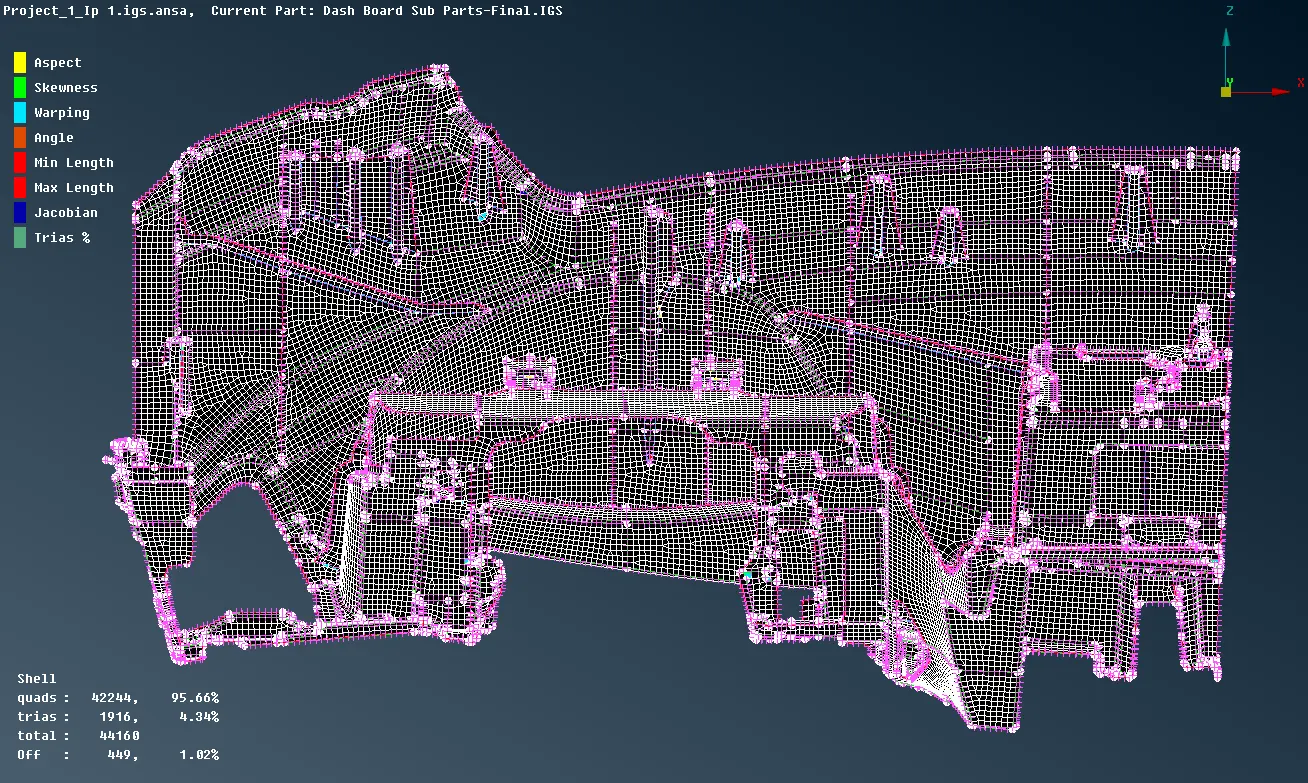
- Reconstruction will reconstruct the mesh on macro areas to give us a mesh of improved quality.
- To fix the elements failing for quality criteria use split command. It splits elements into trias or smaller ones by selecting their edges and nodes. Use smooth option after split command to make the mesh more organised.
- Since the geometry consists of doghouses, ribs and sharp corners, it is unavoidale to have failed elements in certain areas. Elements likely to fail for warpages and mnimum element length.
- Save the file using File>Save as command.
CONCLUSION: -
- A good quality mesh is created on the automotive Ip-substrate keeping the trias concentration minimum.
- Efforts are made to reduce the count of failing elements as many macros consist of critical circumstances.
LEARNING OUTCOME: -
- Extracting mid surface can be tricky, so appropriate techniques must be adopted for a proper mid surface.
- Meshing large and complex geometry is quite a cumbersome task, so making proper cuts is the key here. Reducing trias concentration, Fixing off elements for the doghouses should be carried out extensively.