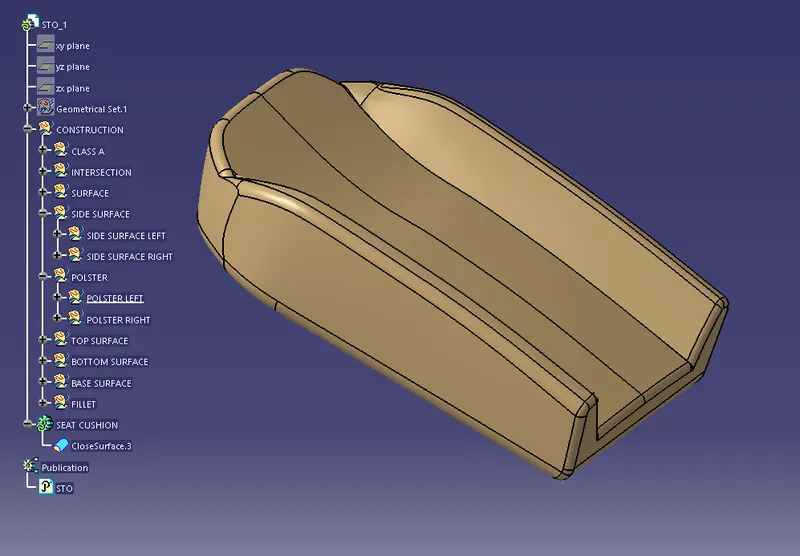
Project 1
SEAT UPPER PART
-Open the seat upper part file in the Generative shape design workbench.
-Extract the seat by selecting the mutiple extract in the operation toolbar and the select the propogation type as Tangent continuity.
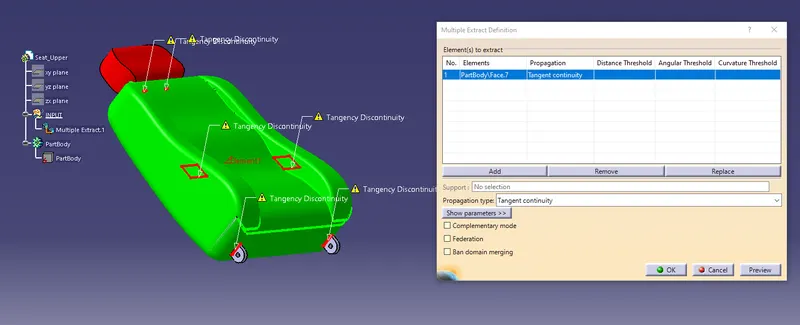
-Isolate the multiple extract from the feature tree to cut the link between the STO and part.
-Delete the part.
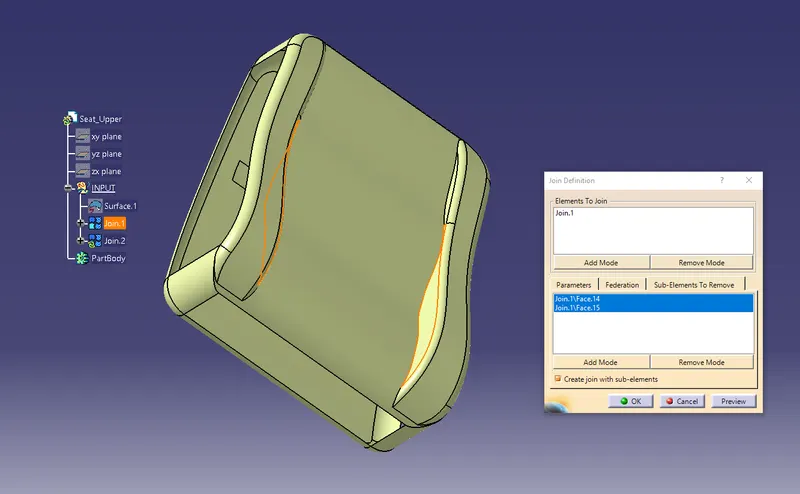
-Remove the side surface having the gap by using the join in the operation toolbar.
-Select sub-elements to remove and select the element you want to remove.
-Use extract in operation toolbar to seperate the side surface.
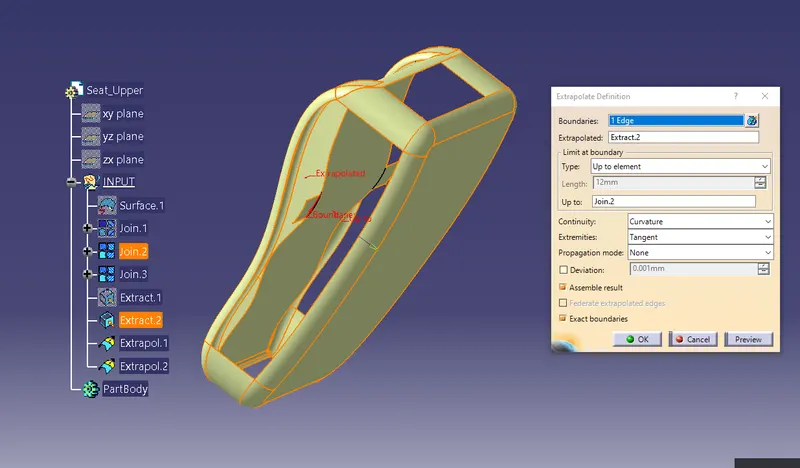
-Use Extrapolate to extent the surface upto surface.
-Select the trim from the operation toolbar and select the surface you don't want to remove.
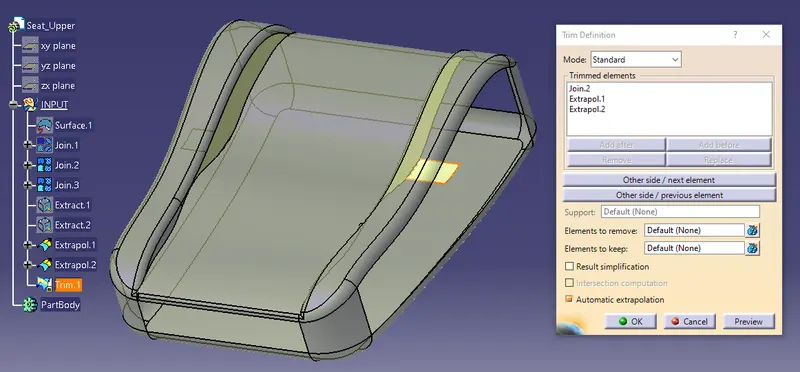
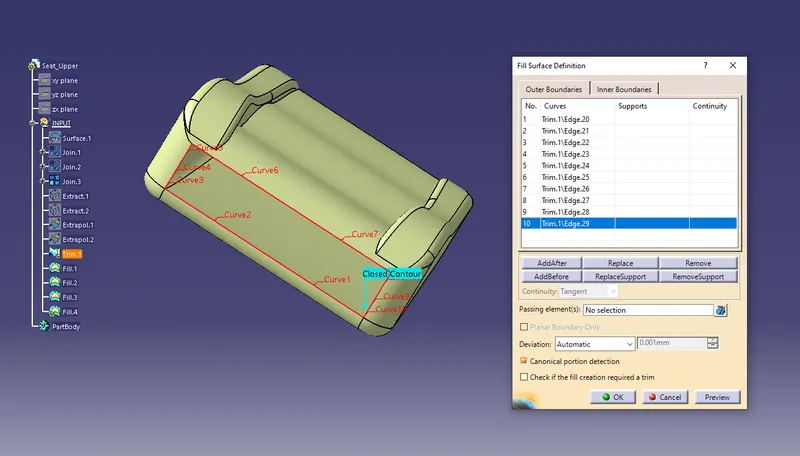
-Close the side surface by using the Fill Surface from surface toolbar.Select the curves untill it becomes a closed contour.
-Similarly do for all side.
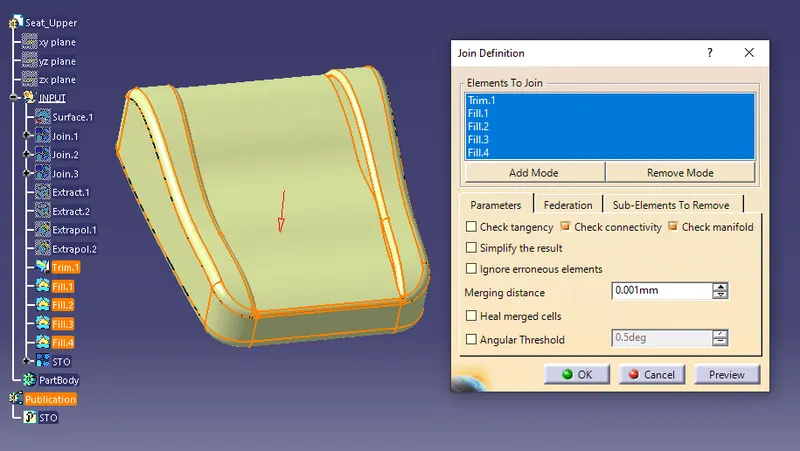
-Join the element make it as single element and joining as STO.
-Tools>Publication- select the STO join.
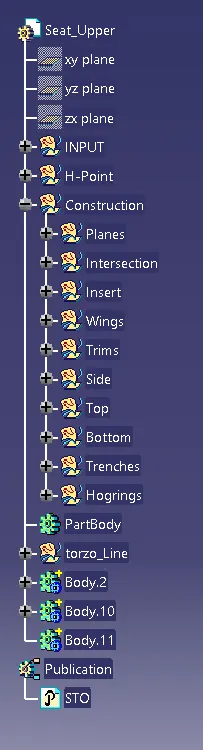
-Create geometrical set and name it as H-Point
-Create another geometrical set and name it as Construction.
-Create a sub geometrical set of Construction and name it as Planes.
-Create a point in middle of bottom part of the seat and create a plane with reference to point and yz plane.
-Create a point on the surface with distance 0mm and isolate the point and change the point type as coordinate under H-pointy geometrical set.
-Change position of point to Y: 20mm from surface and 40mm in z direction reference plane.
-Create positioned sketch on the reference plane with orgin type as projection point.
-Draw a line from the point with an angle of 5 deg and length 600mm ,make sure sketch is fully defined.
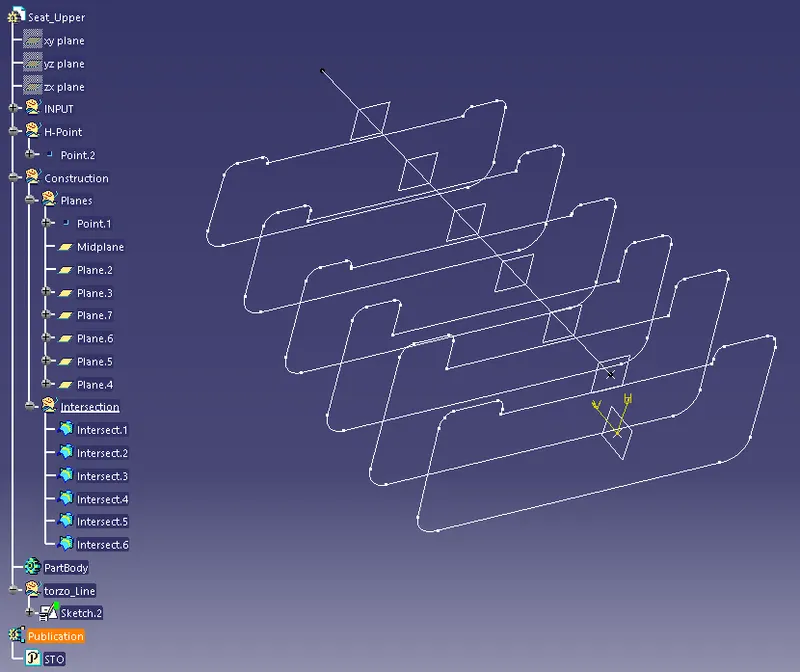
-Create a plane perpendicular to the line and offset the plane by 100mm check in the box -Repeat the object after ok and enter the number as 4 .
-Select the last 4 plane and change the geometric set to plane .
-Intersect all the plane with the STO from the wireframe toolbar.
-Create geometric set and name it as Insert.
-Create a sketch on the first intersect and project the line
-Isolate the line break and make line as construction geometry
-Fix the end point of the line and make sure it is fully defined.
-Offset the line by a distance of 5mm below the construction line.
-Similarly do for all the intersection.
-Create a sketch on the midplane and draw a spline constrain with the line.
-Fully define the sketch.
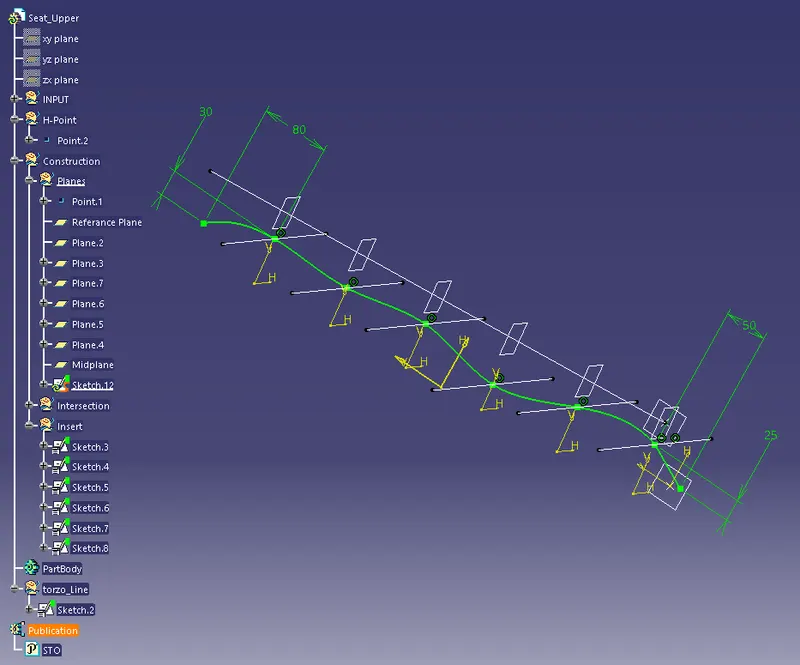
-Using multisection surface to create the surface by selecting lines and spline.
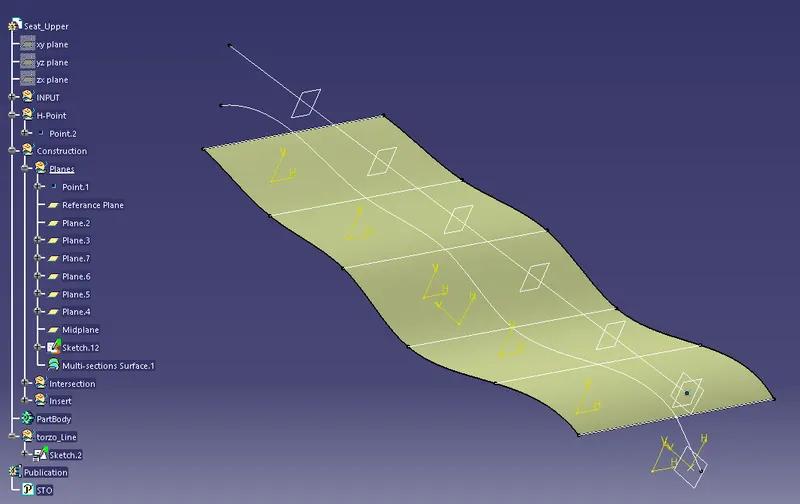
-Create a geometric set and name its as Wings.
-Create a sketch on the first intersect and project the wings.
-Isolate the wing and make lines as construction geometry
-Fix and make sure it is fully defined.
-Offset the line by a distance of 2 mm above the construction line.
-Similarly do for all the intersection.
-Create splines by selecting one of the cornor radius point of each intersection.
-Using multisection surface to create the surface by selecting lines and spline.
-Mirror the feature to other side.
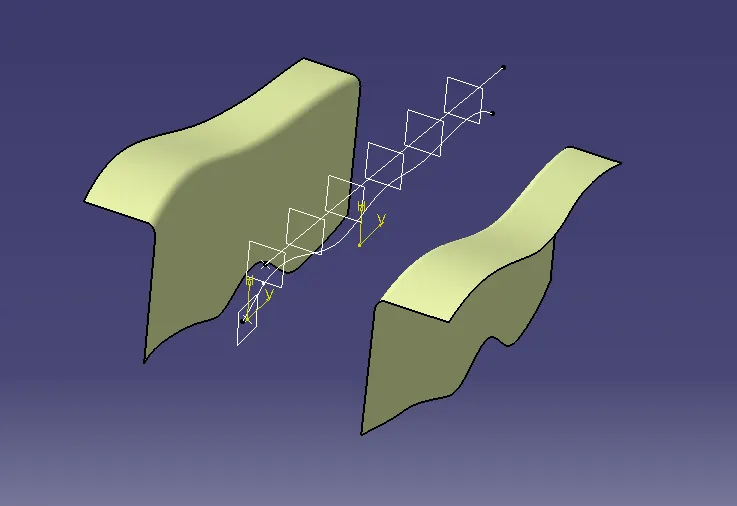
-By similar process create the side,top and bottom surface.
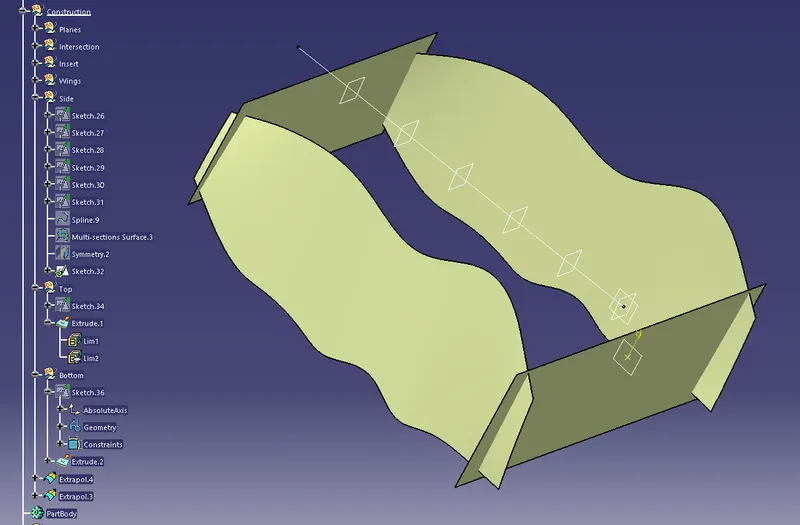
-Create the bottom sruface.
-Using the trim operation create the required surface.
-Make sure the surface is closed.
-Add fillet to the sharp edge.
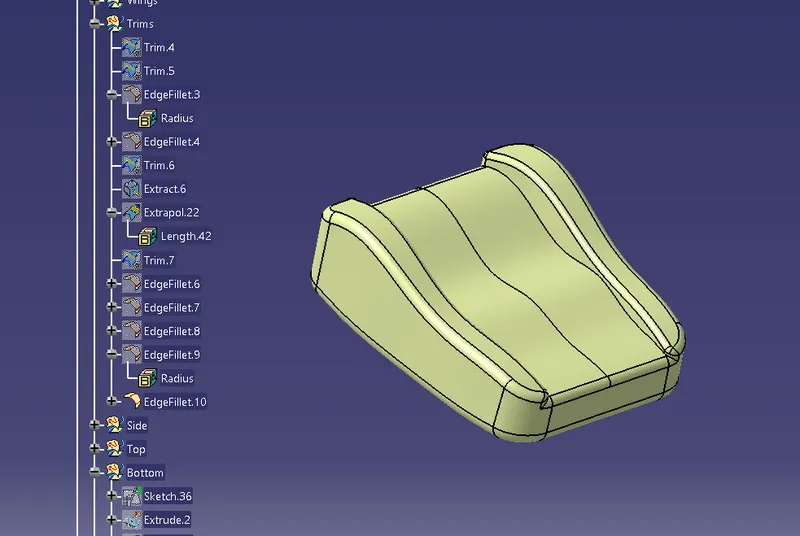
-Move to part design workbench and create a body.
-Use close surface command to make surface as a solid.
-Create a new geometrical set and name it as tranches.
-Create a trench surface vertically and horizontally.
-Convert the trench surface into a body by using the close surface operation.
-Add draft with and angle of 3 deg to the trench operation.
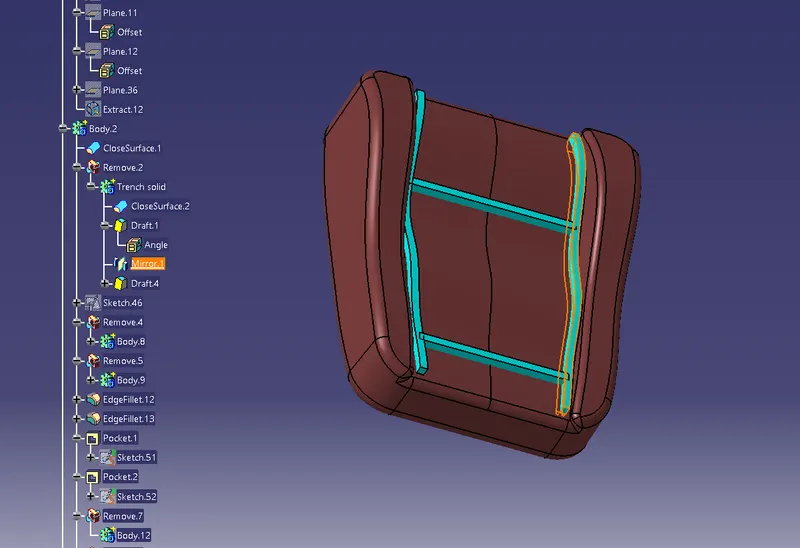
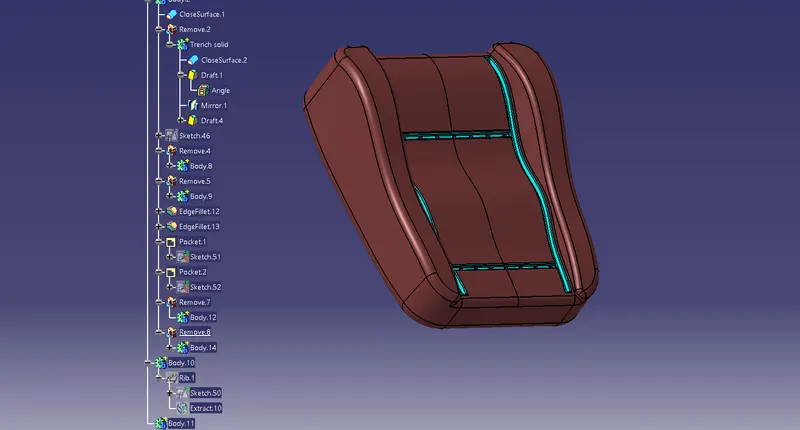
-Using the boolean operation remove the tranch from the body
-Similarly create body of hogring on the base of tranch and remove from the body.
LOWER SEAT
-Since the given sto part is not closed surface and gap between the surface.
-create a STO under the geometrical set Class A.
-Publish the STO.
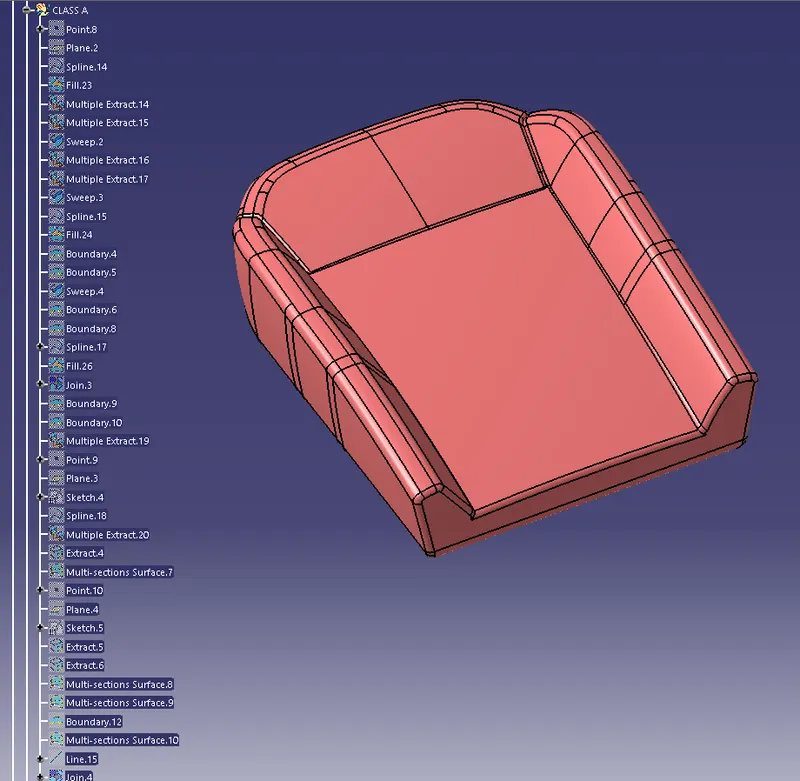
-Create a geometrical set and name it as interssection.
-Create the torzo line and create the plane with offset of 100mm
-Intersect the STO with the each surface.
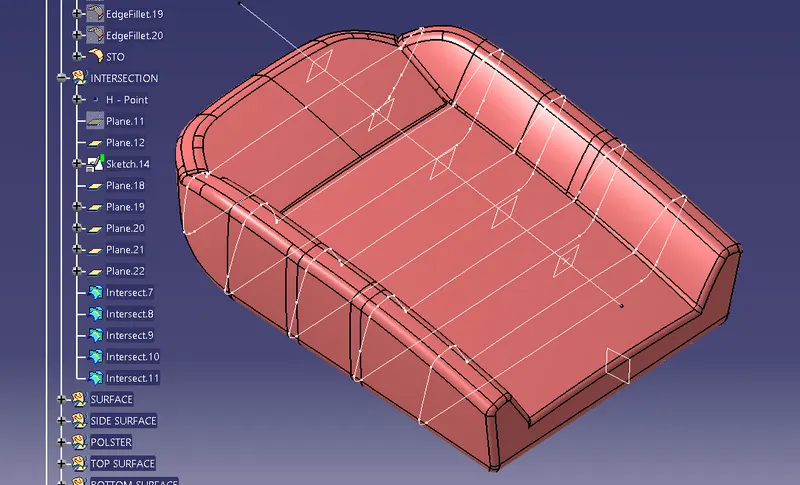
-Create the sketch by intersection and use multisection for the creation of surface.
-Extrapolate the surface as required.
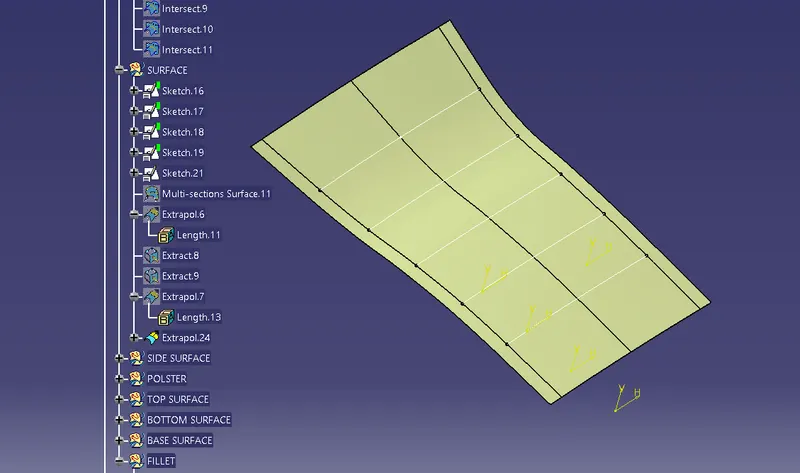
-similarly the side surface.
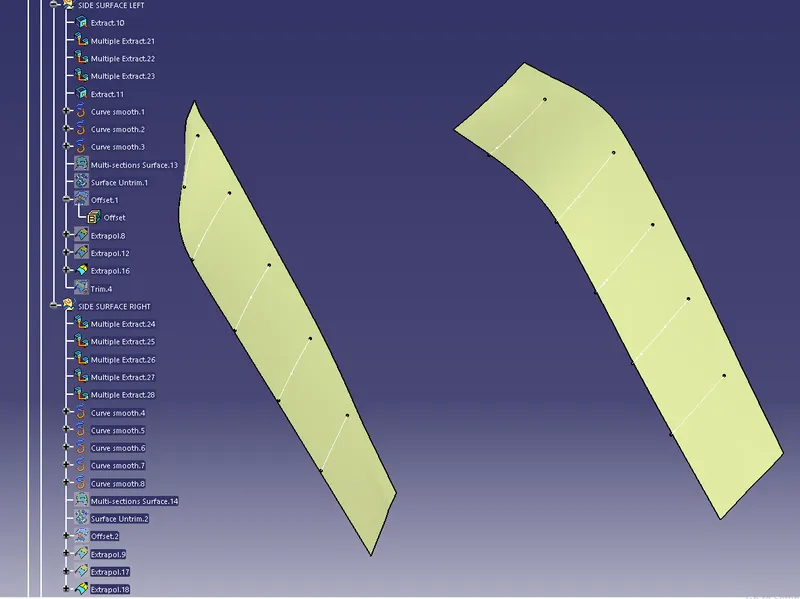
-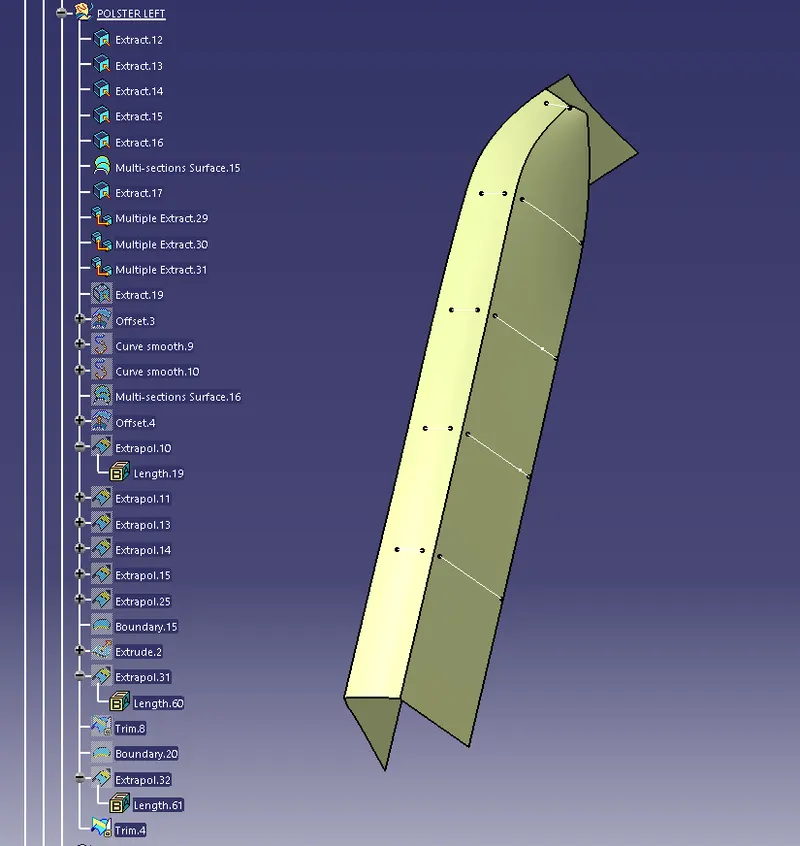
-Similarly the right polster surface.
-When all the surface are created use the trim operation to remove the unwanted surface.
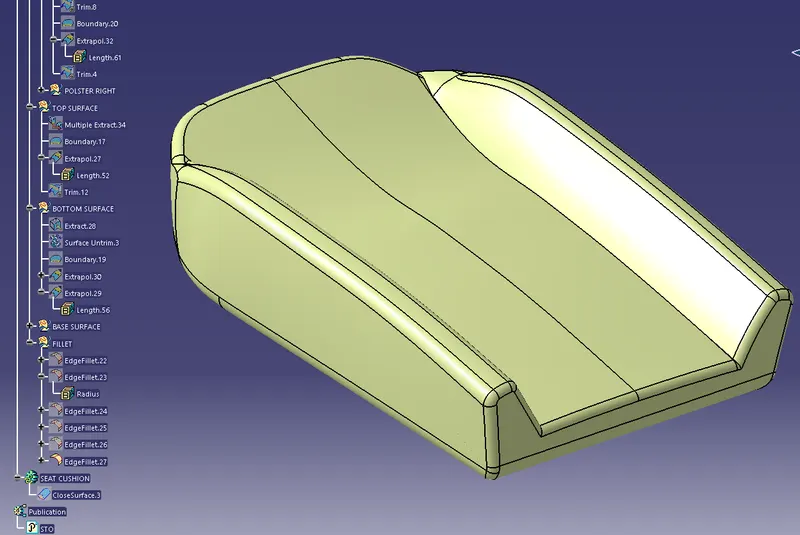
-Add edge filled the sharp corner and convert the surface into solid.