Project 1 - 2D meshing on the instrumental Panel
Aim:- To extract the midsurface and perform geometry cleanup for the given instrumental Panel model and mesh the same with given element quality criteria and assign a proper thickness to it.
Objective:-
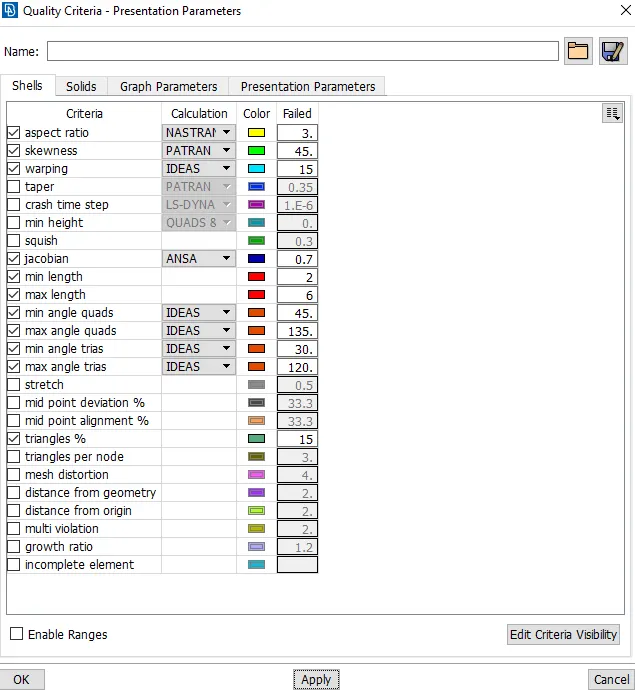
* All the 2D elements should clear the given quality criteria except near to Triple CONS or at smaller regions.
S.No Quality Criteria Value
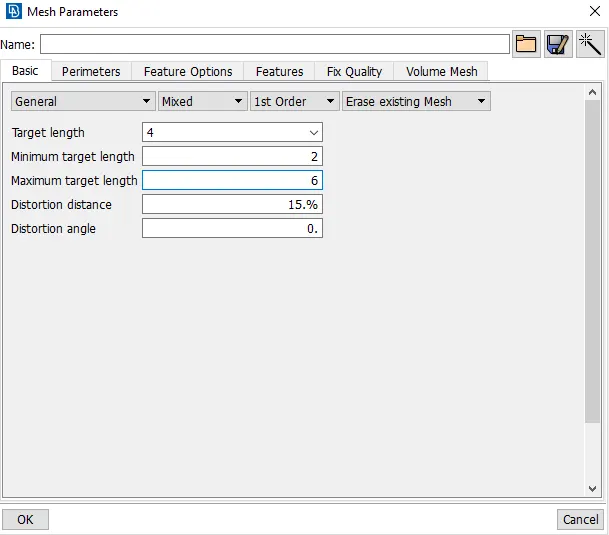
1 Target/Average length 4
2 Minimum Length 2
3 Maximum Length 6
4 Aspect 3
5 Warpage 15
6 Skewness 45
7 Jacobian 0.7
8 Minimum Quad Angle 45
9 Maximum Quad Angle 135
10 Minimum Tria Angle 30
11 Maximum Tria Angle 120
12 Tria Percentage 15
* Extract the mid surface of given model accurately.
* Featured are captured properly with good mesh flow in model.
Procedure:-
1) Import the given model :
* First we import the model in ANSA ( file - open - select file - ok )
* Do topo operation for connect all the cons. ( topo - faces - topo )
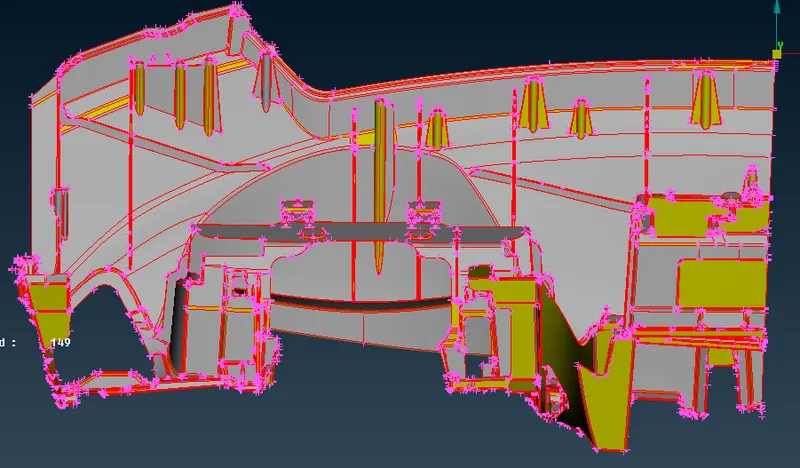
2) Check the Geometry :
* For check the geometry we use check manager.( tools - checks - geometry )
* If erros are shown in check manager we have to fix it.
* Some errors are clear by ansa and some which can not clear by ansa that errors are cleared manually.
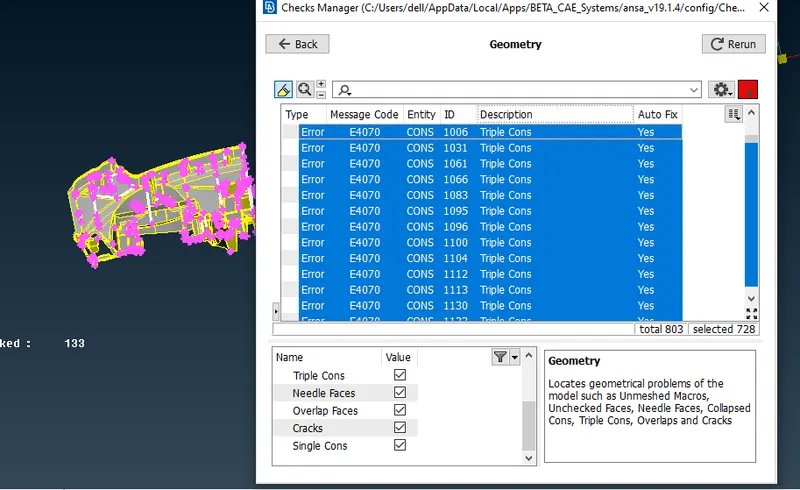
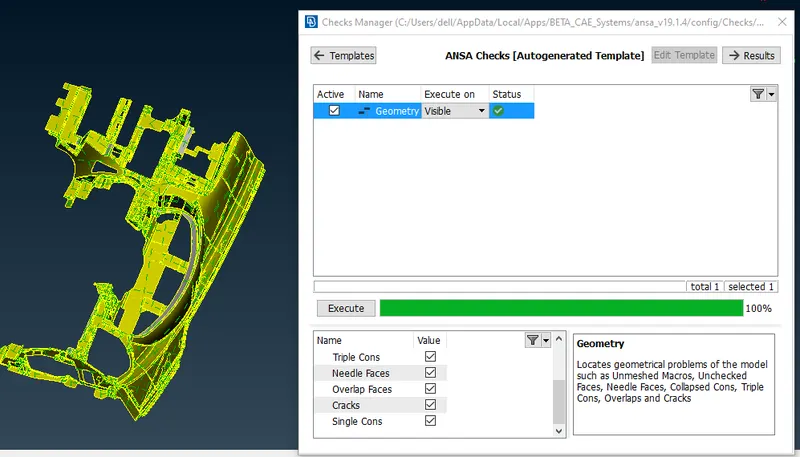
* In this way first we check the geometry and fix the errors automatic or manual.
3) Set Quality Criteria and Mesh parameters:
4) Extraction of Mid surface and Meshing of component:
* For this model we use Casting Method for extracting mid surface and meshing of the component.
* We use casting method because the given component is very complex model so we use casting method, which give us direct mesh in the component along with midsurface data which can be used for corrections and other necessoary tasks.
* This is a completely automatic tool that generates the midmesh in a single shot without extracting a midsurface first. Therefore, in the final result, we only get a FE model of midmesh and not the geometry (surfaces).
* The reason of using Casting method is that this is very fast method for generating mesh in the component as compared to other method. In casting our task is only check the surface capture and elements quality criteria. Other reason is that this is new tool in ANSA for meshing and also majorly used in industry so we have to learn it properly.
* Activate the Casting tool by going to Topo>Faces>Mid Surface>Casting
* Select all the faces that compose the model.
* The Automatic Middle-Surface Mesh Generator window pops up with the following parameters,
* Minimum Thickness: Give the minimum thickness of the solid
* Element Type: Choose the element type for the FE mesh.
* Target element length: Define the Target element length.
* Collapse perimeters distance: Choose the distance under which perimeters will collapse. It can be given as an absolute value or as a percentage of the target length.
* Collapse junctions distance: Choose the distance under which triple bounds will collapse. It can be given as an absolute value or as a percentage of the target length.
* Triple junction treatment: Chose the t-result option for better mesh folw.
* Then leave rest of setting and click on ok.
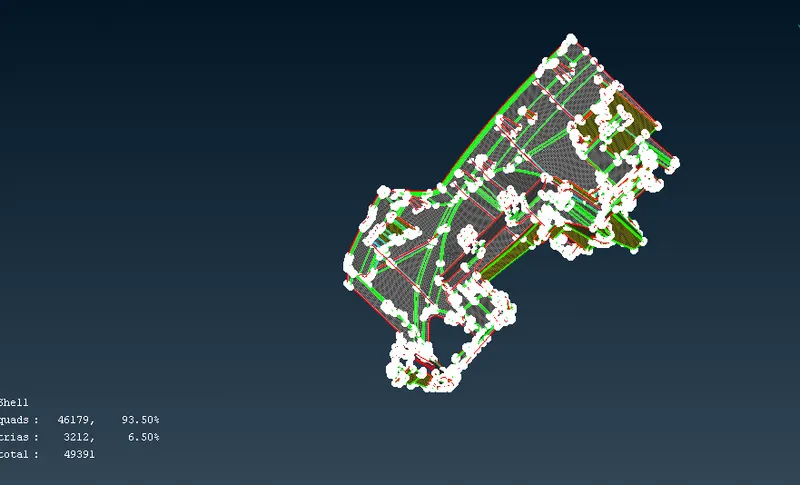
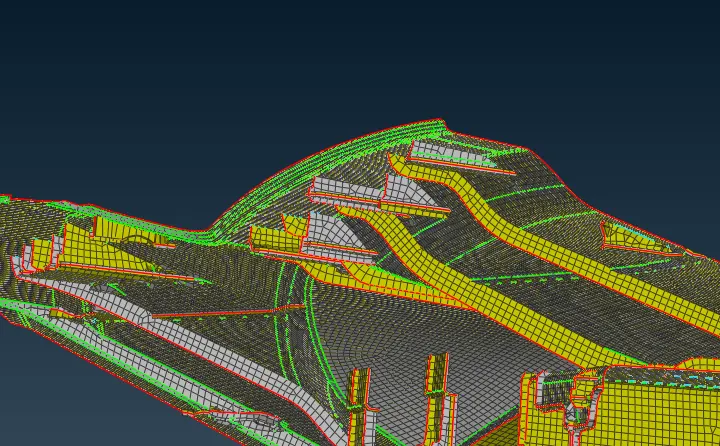
* In above image we can see that the casting method result. we observed that the meshing is done in whole component in one shot but the number of failed elements is very high ( 2924 elements ). So after casting we have to fix the quality of elements manually by using Aling Manager tool and with some other tools such as Reconstruct , smooth , curve create , project , shell fill , align etc.
5) Capture distorted surfaces ( Dog Houses and ribs ):
* Sometimes the casting fails to capture complicated regions such as dog houses and ribs.
* We have to capture this regions manually with help of parent geometry.
* For this we use create curve tool and create a curve in such regions with help of parent geometry and after curve creation we use shell fill tool for getting mesh and after this we use project edge perimeter tool for intersecting the element of cross surfaces and connecting the elements to each other.
* After this we use Align Manager for adding this newly ceated shell elements to our mesh which is generated by casting , this is why because we want to control mesh mdoel by align manager and for storing all elements in same orientation and same algorithm.
* After casting we have to clear all the empty areas and perimeters.
* Then we enable shadow mode and see failed elements and solve them by using different tools such as Reconstruct , smooth , curve create , project , shell fill , align etc.
* We use reconstruct tool to clear trias and get better mesh flow.
* we use split element tool to get rid from tria elemetns and opposite trias.
* In this way we captured all the complicated surfaces such as dog houses and ribs.
6) Improve The Mesh And Solve Quality Criteria:
* we use smooth option for better arrangements of elements.
* We use Move tool for clear the element quality.
* We use paste tool for remove the tria elements.
* This above process is used for clearing the quality criteria of elements.
* We also take care of orient of elements for accurate simulation result.
7) Assign Thickness:
* For assigning thickness to the components we use autometic method.
* Only In casting method we can calculate thickness automatically by using thickness calculated tool.
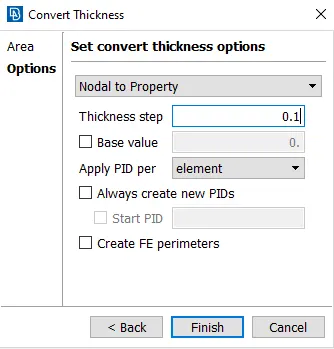
* For this we go to classic mesh deck - grid - thickness - convert - select all shell elements and give step value and click ok.
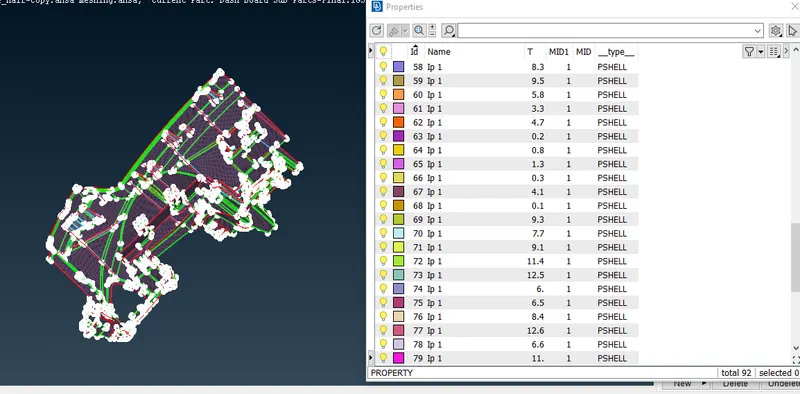
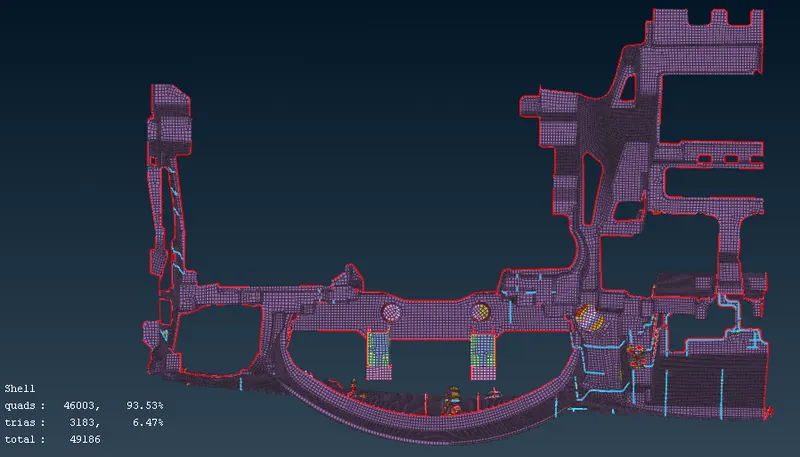
* In above image we can see that we assign thickness to the mode.
* Final meshed model:
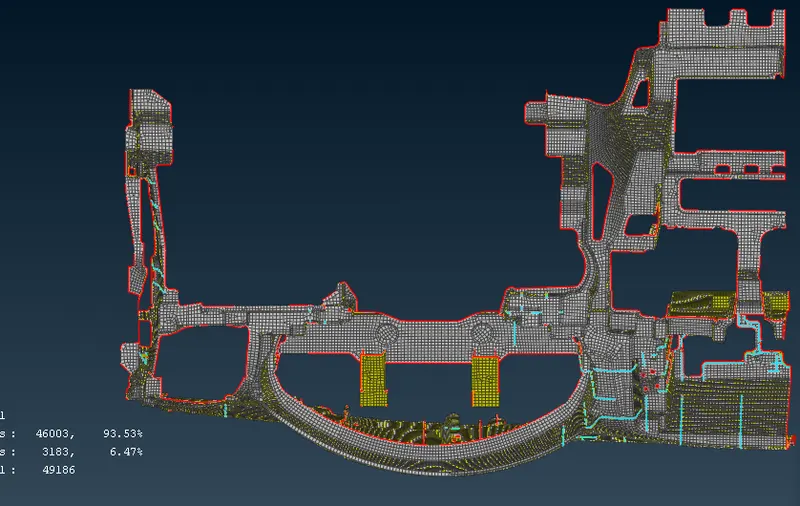
* NOTE: In this model some elements are failed due to triple cons and complicated regions.
Learning Outcomes:
* Learned how to do geometry cleanup.
* Understood the casting method and their use.
* Understood how to capture complicated regions such as dog houses and ribs.
* Understood the function of Align Manager and their use with casting method.
* Learned different tools for clearing the quality criteria of elements.
* Learned automatic thickness assigning.
Conclusion:
The given instrumental Panel model was meshed as per required quality criteria , and all necessary step to be done in model such as assining thickness and geometry cleanup.