Project 1 - 2D meshing on the instrumental Panel
Aim - For the given component,check for the geometrical error and mesh with the given element quality
Procedure -
1.after downloading the component check for the geo error and rectify them
2.The given model then has to be casted
topo - midsurface -casting option
3.Later then give the value for the minimum thickness- 0.6 and target element length-4
4.later then wait for the casting to finish which will take some time
5.After the casting goto the align manager in topo-mid surface - align manager
6.In the align manager the main categories are Areas and primeters
7.make the proper alignments when comparing with the parent geo accordingly and also
check the area uniformity if anything is distorted ill make sure it is restored
8.ill make sure all the empty areas and perimeters are assigned properly
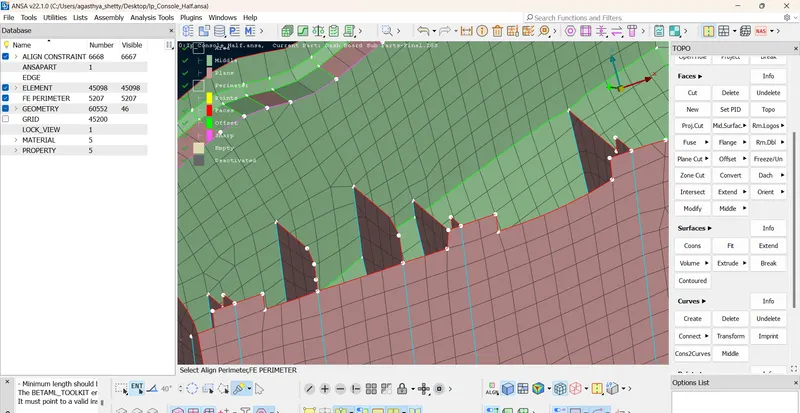
9. Later on i refered the question in how to corectly capture the dog houses and captured it proprly using
align manager
quality correcion
1.I made sure after the casting the quality error is in the minimum but uf there is a error
2.I would use the shell mesh reconstruct option and the element split option to reconstruct
ive corrected most of the quality errors in the given model
conclusion -the given model has been properly alligned using align manager .With this project i understood the
importance of align manager which saves a lot of time if going through old manual approach
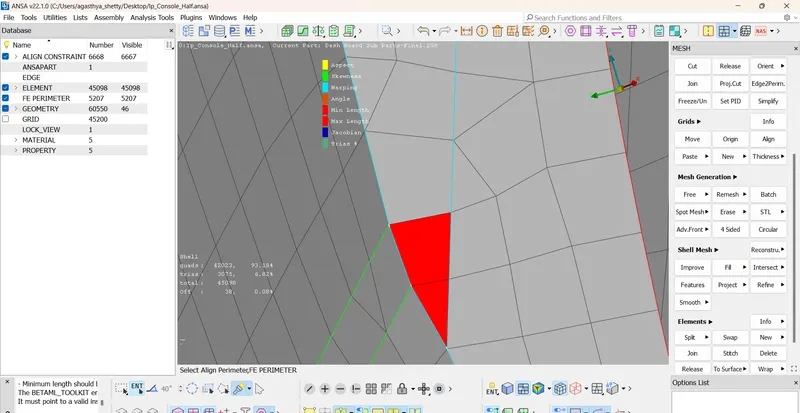
some of the quality i couldnt correct such has the min criteria error
dog house capturing
the min qualty error which i could not fix
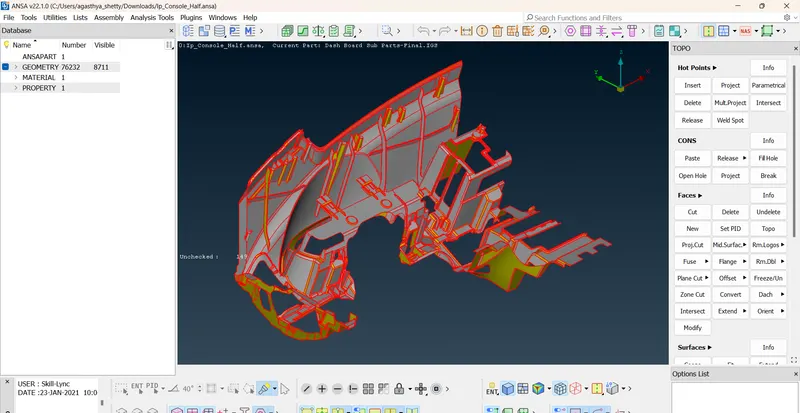
before topo and with geo error