Project 1
Project 1:
Independent Research Project
FEA ANALYSIS USING SOLIDWORKS
FEA is among the most powerful and commonly used features in CAD design. It is integral to CAD for analyzing an object through the use of finite elements that include small rectangular and triangular shapes.
SOLIDWORKS Simulation is a Finite Element Analysis (FEA) program built into the familiar SOLIDWORKS CAD interface. Simulation provides designers and engineers the tools they need to quickly test their designs and intelligently iterate on them. Utilizing NAFEMS validated FEA solvers, SOLIDWORKS Simulation can provide accurate, reliable results for a wide range of study types from basic linear static analysis to more complex nonlinear and dynamic analysis. Speed up the iteration and prototyping phase of your design process with SOLIDWORKS Simulation.
The concepts of FEA were created in the early 1940s, but when it was implemented on computers in the 1980s and 1990s, the method became more popular. Today, FEA is a strong tool utilized by designers in a variety of industries. It’s employed to virtually solve structural, vibrational, and thermal concerns before they become a genuine problem.
FEA is a way of testing how a product design reacts to physical effects such as bending, heat, vibration, fluid flow, and other impacts using virtual simulation technologies. You can review designs early in the design cycle with FEA simulation tools, determine what would cause premature failures, quickly explore design changes to save cost and weight, and calculate the product’s factor of safety.
Engineers can use Finite Element Analysis (FEA) techniques to uncover answers earlier in the design cycle, saving time and money while also providing insights into how to enhance quality before actual prototype. The number of physical prototypes decreases dramatically, and in certain situations, they are eliminated.
Reasons to Run Finite Element Analysis with SOLIDWORKS Simulation
We can rapidly and efficiently analyze our models with SOLIDWORKS FEA Simulation packages to help us make educated design decisions and drive the manufacturing process. The following are some of the reasons why you should reconsider using FEA in your design process if you haven’t already:
1. SOLIDWORKS FEA Simulation works with Non-Native Files
SOLIDWORKS FEA Simulation works the same way whether you use imported files from vendors or other sources. To execute FEA on SOLIDWORKS files, you don’t need them to be native. SW Simulation is also included within the SOLIDWORKS program. You don’t have to leave the familiar modeling environment to perform a geometry analysis!
2. Automation
One of the most appealing aspects of FEA is the ability to harness the power of computer systems automation and have them generate results while you focus on something else. When the study begins, the software takes control and gives you the findings immediately when it is completed. Working smarter, not harder, is the way to go.
3. Cost & Time Efficient
Prototypes are both costly and time-consuming to create. In terms of how quickly physical prototypes are made, as well as how expensive they may be to make, the typical iterative design process is clogged. By virtual prototyping and reducing the number of physical prototypes generated, SOLIDWORKS FEA Simulation reduces the bottleneck.
4. Visualization
It’s a lot easier to experiment with potential changes to the part or assembly file when you have direct access to the CAD geometry. Changing a dimension here or a mate there takes minutes, and the study may be re-run to explore the impacts, rather than having to wait for another actual prototype to be manufactured. The ability to adjust the shape and loading conditions of the simulation on the fly opens up a world of possibilities before the first physical item is manufactured.
SolidWorks Simulation offers a comprehensive suite of Finite Element Analysis (FEA) tools for engineers and designers to virtually test and optimize their designs before physical prototyping. Here's a breakdown of the complete details:
Types of FEA Analysis:
- Static Analysis: Predicts the behavior of a model under constant loads, assessing stress, strain, and deflection. This includes:
- Linear Static Analysis: Assumes constant material properties and small deformations, suitable for simple loading conditions.
- Nonlinear Static Analysis: Considers complex material behavior and large deformations, ideal for contact interactions, buckling, and material yielding.
- Dynamic Analysis: Studies the response of a model to time-varying loads, including:
- Modal Analysis: Determines the natural frequencies and vibration modes of a model, crucial for avoiding resonance and fatigue.
- Harmonic Analysis: Investigates the response to sinusoidal loads, useful for analyzing dynamic machinery or components.
- Explicit Dynamics Analysis: Simulates high-speed impacts and complex collisions, like crash simulations.
- Thermal Analysis: Predicts heat transfer and temperature distribution within a model, aiding in thermal management and design optimization.
- Optimization Analysis: Automates the process of finding the optimal design configuration based on user-defined goals and constraints.
Key Features of SolidWorks Simulation:
- Integrated with SolidWorks CAD: Seamless workflow between design and analysis within the same environment.
- Intuitive User Interface: Easy-to-use interface for defining materials, applying loads and constraints, and visualizing results.
- Variety of Meshing Tools: Automatic and manual meshing options for accurate discretization of complex geometries.
- Material Library: Extensive library of material properties for various materials and alloys.
- Solver Options: Multiple solver options from COSMOSWorks for different analysis types and complexity levels.
- Post-Processing Tools: Powerful tools for visualizing results, including stress, strain, displacement, and temperature plots, animations, and factor of safety calculations.
- Advanced Capabilities: Additional modules offer even more features, like fatigue analysis, contact optimization, and fluid flow simulation.
Benefits of Using SolidWorks FEA:
- Reduce Physical Prototyping: Identify and address potential design flaws virtually, minimizing physical prototypes and associated costs.
- Optimize Design Performance: Improve strength, stiffness, thermal performance, and other design aspects before manufacturing.
- Predict Real-World Behavior: Gain insights into how your design will respond to various loading conditions and environments.
- Make Informed Design Decisions: Validate design choices with data-driven analysis, leading to better products and faster innovation.
Car frame FEA analysis, or Finite Element Analysis, is a powerful tool used by engineers to virtually test and optimize the design of car frames before physical prototypes are built. It helps ensure the frame's strength, stiffness, and safety under various loading conditions, ultimately contributing to a safer and more efficient vehicle.
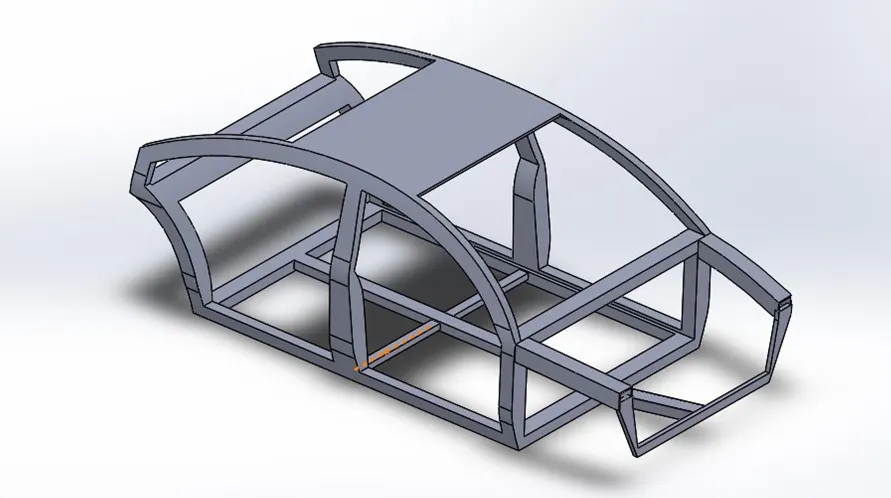
Here's a breakdown of the key details involved in car frame FEA analysis:
Types of FEA Analysis used in Car Frames:
- Static Analysis:
- Linear Static Analysis: Assesses stress, strain, and deflection under constant loads, suitable for simple loading conditions like the weight of the vehicle.
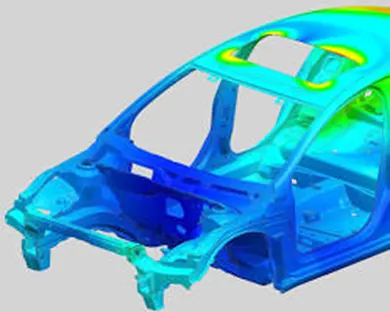
Car frame linear static FEA analysis
- Nonlinear Static Analysis: Considers complex material behavior and large deformations, ideal for situations like contact interactions, buckling, and material yielding during a crash.
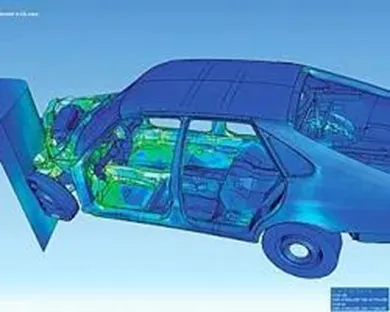
Car frame nonlinear static FEA analysis
- Dynamic Analysis:
- Modal Analysis: Determines the natural frequencies and vibration modes of the frame, crucial for avoiding resonance and fatigue due to road imperfections or engine vibrations.
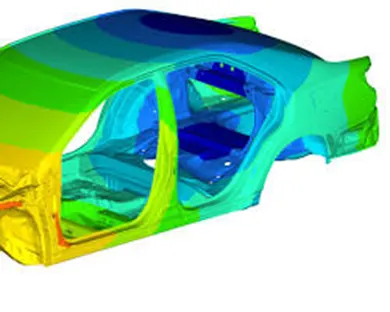
Car frame modal FEA analysis
- Crash Analysis: Simulates various impact scenarios like frontal, side, and rear-end collisions to assess the frame's ability to protect occupants and comply with safety regulations.
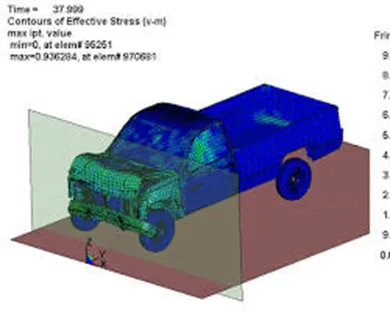
Car frame crash FEA analysis
- Fatigue Analysis: Predicts the frame's durability under repeated loading conditions like driving on rough roads, helping to optimize the design for longevity and prevent fatigue cracks.
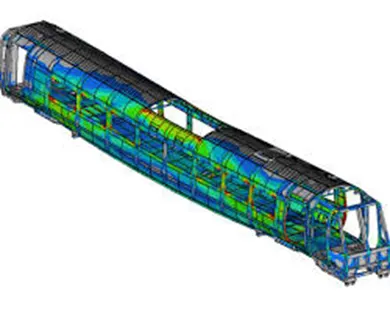
Car frame fatigue FEA analysis
Key Aspects of Car Frame FEA Analysis:
- Meshing: The car frame geometry is discretized into small elements (mesh) to facilitate analysis. The mesh size and type significantly impact the accuracy and computational cost of the analysis.
- Material Properties: Defining the accurate material properties of the frame and its components (steel, aluminum, etc.) is crucial for realistic simulations.
- Loads and Constraints: Applying realistic loads (weight, engine forces, crash impact) and constraints (fixed points, connections) accurately represent the real-world behavior of the frame.
- Post-Processing and Interpretation: Analyzing the results (stress, strain, displacement) helps engineers identify critical areas, optimize the design, and ensure the frame meets performance and safety requirements.
Benefits of Using Car Frame FEA Analysis:
- Reduced Physical Prototyping: Virtual testing saves time and costs associated with building and testing multiple physical prototypes.
- Improved Design Optimization: Identifying and addressing potential weaknesses early in the design process leads to better performance and lighter weight frames.
- Enhanced Safety: Crash simulations help optimize the frame for occupant protection and compliance with safety regulations.
- Data-Driven Design Decisions: Engineers can make informed decisions based on quantitative data from the analysis, leading to more reliable and efficient car frames.
Monocoque Frame Details
A monocoque frame, also known as a unibody structure, is a type of vehicle frame where the outer shell of the vehicle acts as the main structural support. This differs from traditional body-on-frame construction, where the body is mounted on a separate, rigid frame.
Here are some key details about monocoque frames:
Structure:
- Shell Construction: The monocoque frame is created by welding or bonding together stamped metal panels to form a rigid shell. This shell encompasses the passenger compartment, floorpan, pillars, and roof.

Monocoque frame structure showing shell components
- Load Distribution: The shell structure distributes the forces of impacts, crashes, and weight across the entire frame, making it more efficient and lighter than body-on-frame designs.
- Safety Benefits: The crumple zones integrated into the monocoque frame absorb energy during collisions, improving occupant safety.
Advantages:
- Weight Reduction: Monocoque frames are typically lighter than body-on-frame designs, leading to improved fuel efficiency and performance.
- Increased Rigidity: The integrated structure provides greater torsional rigidity, resulting in better handling and driving dynamics.
- Improved Safety: The crumple zones and overall strength of the monocoque frame enhance occupant protection in crashes.
- Streamlined Design: The unibody design allows for smoother and more aerodynamic vehicle shapes.
Disadvantages:
- Repair Complexity: Damage to the monocoque frame can be more difficult and expensive to repair compared to body-on-frame vehicles.
- Increased Noise and Vibration: The lack of a separate frame can result in increased noise and vibration transmission into the passenger compartment.
- Limited Customization: The integrated nature of the monocoque frame limits the possibilities for aftermarket modifications.
Applications:
Monocoque frames are widely used in modern cars, trucks, and SUVs. They are particularly popular in vehicles where weight reduction, fuel efficiency, and safety are key priorities.
Examples of Monocoque Vehicles:
- Toyota Corolla
- Honda Civic
- Ford Focus
- Volkswagen Golf
- Tesla Model 3
Front end scratch test
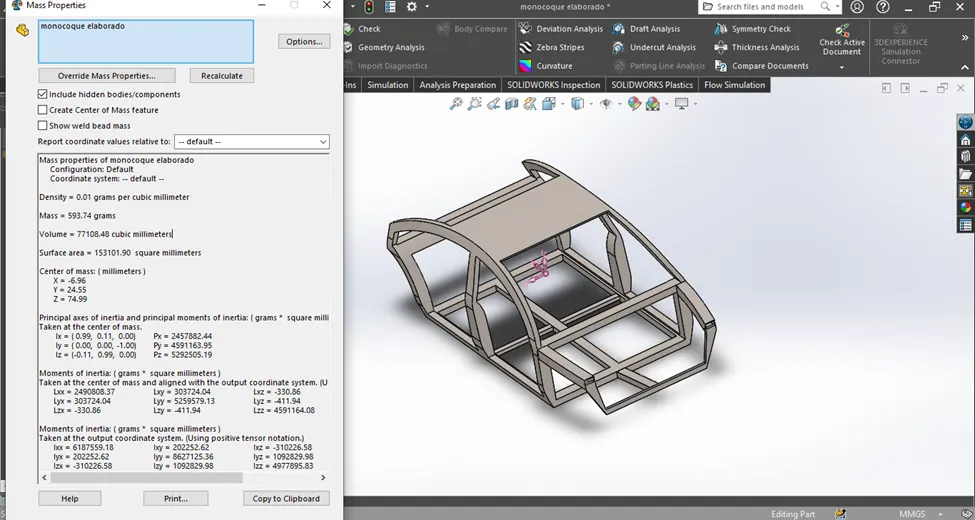
Monocoque frame
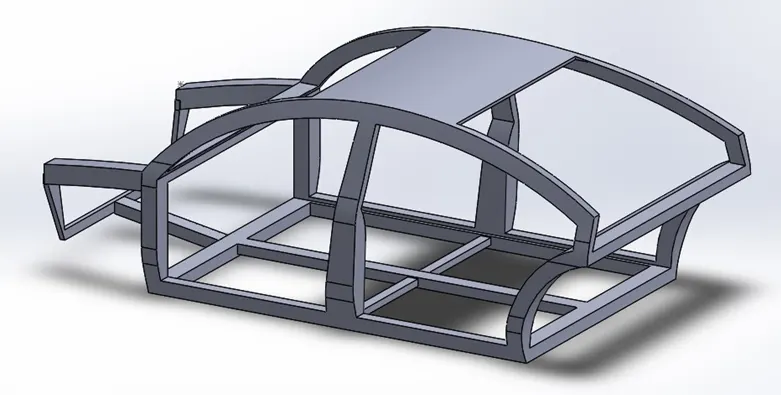
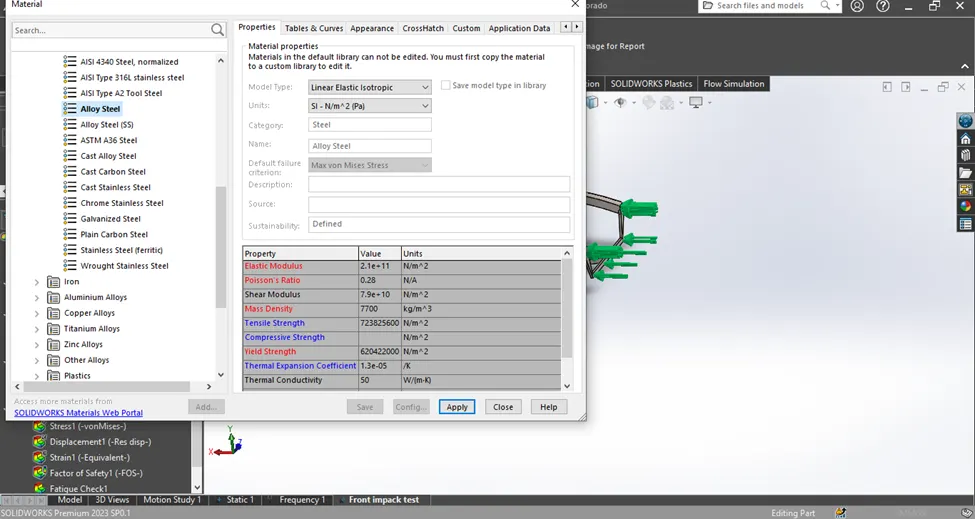
Apply Material:
- Strength and Stiffness: The enhanced strength and stiffness of alloy steel allow car frames to absorb impact energy more effectively and resist deformation in crashes, improving occupant safety.
- Weight Reduction: Compared to traditional carbon steel, alloy steel offers the same strength at a lighter weight. This weight reduction translates to improved fuel efficiency and performance.
- Corrosion Resistance: Alloy steel's enhanced corrosion resistance reduces the risk of rust and other forms of deterioration, extending the lifespan of the car frame.
- Formability: While being strong, alloy steel is still formable enough to be stamped and welded into the complex shapes of car frames.
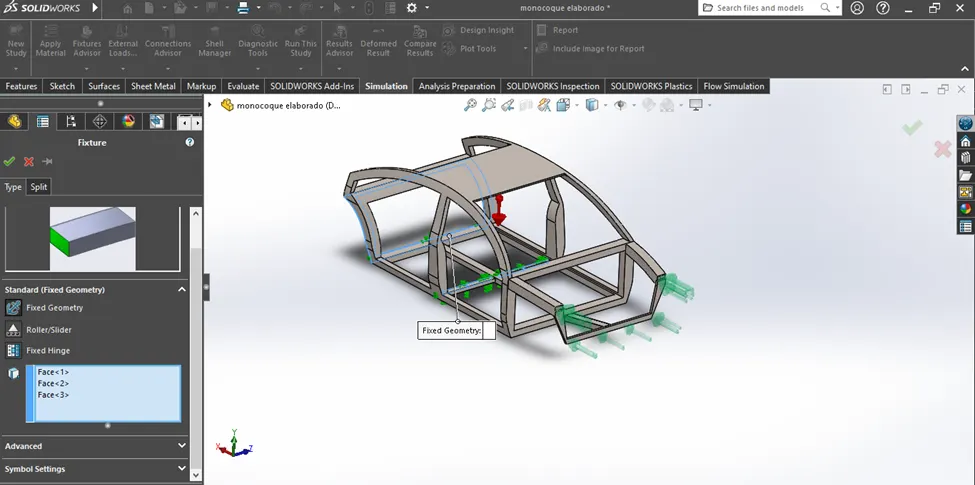
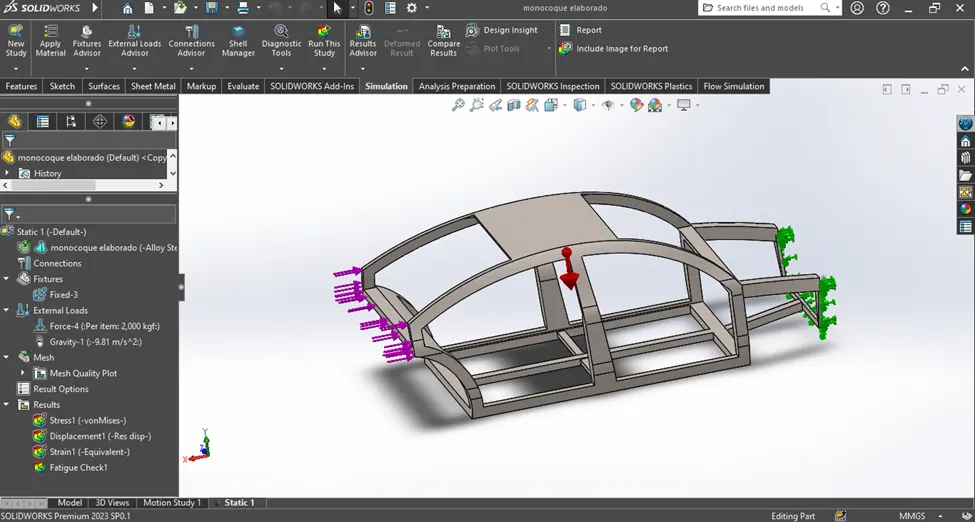
Fixture:
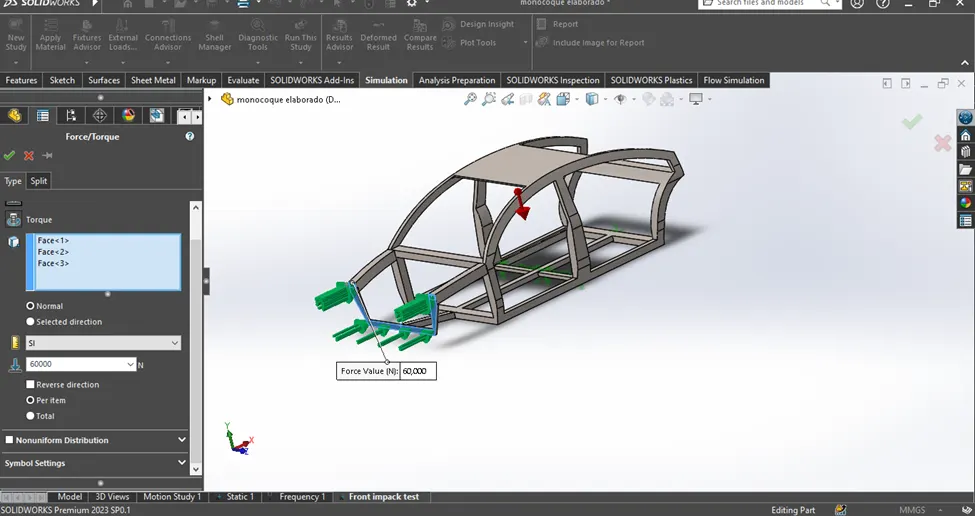
External load:
Force:
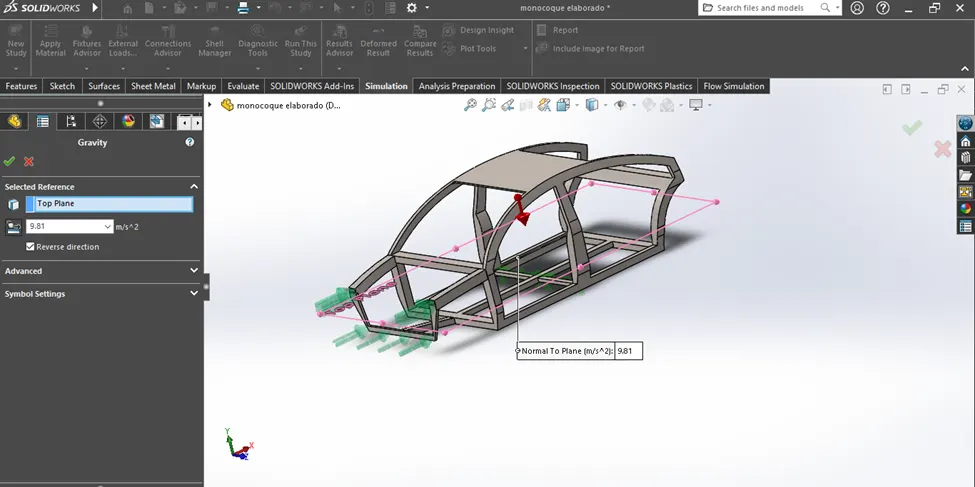
Centre of Gravity
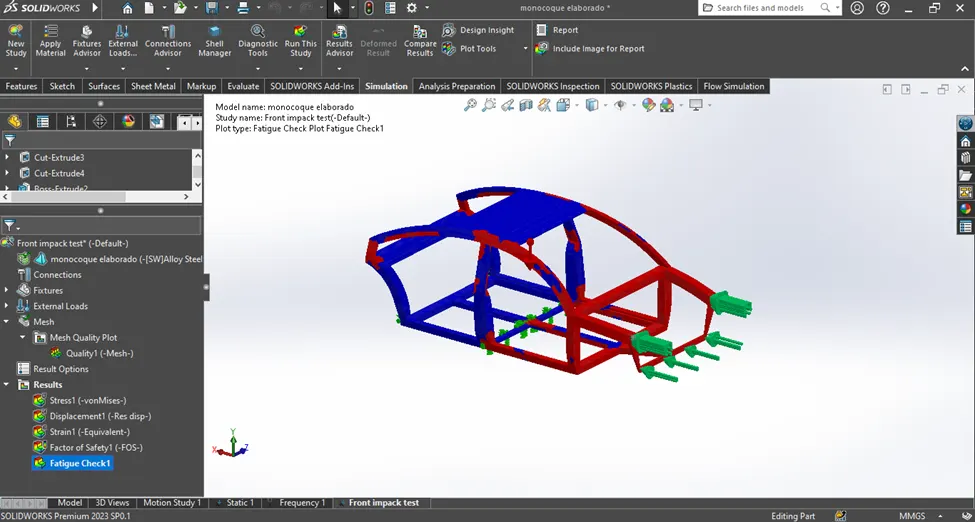
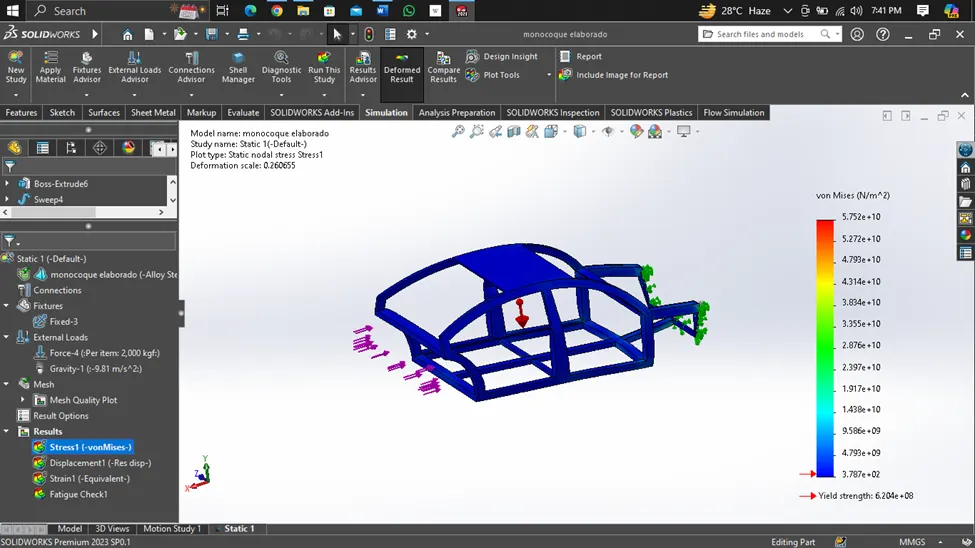
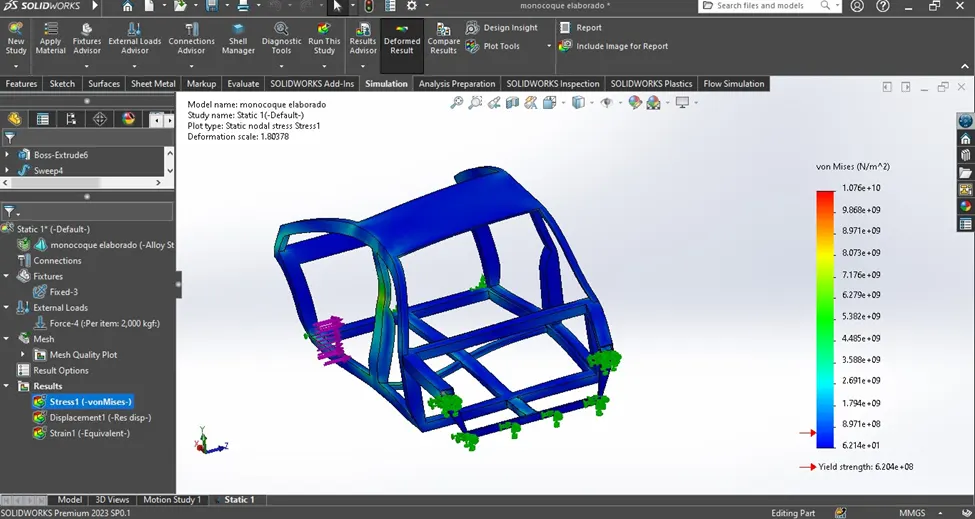
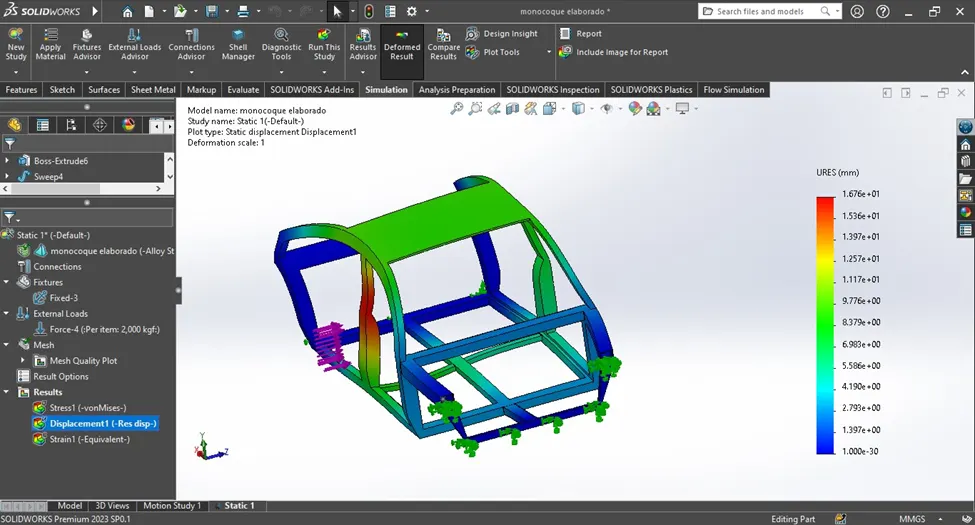
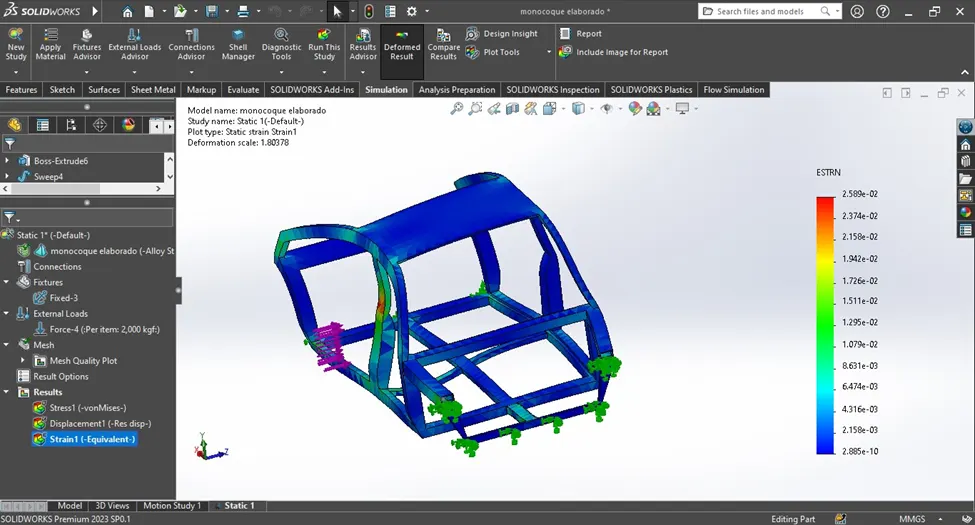
Result:
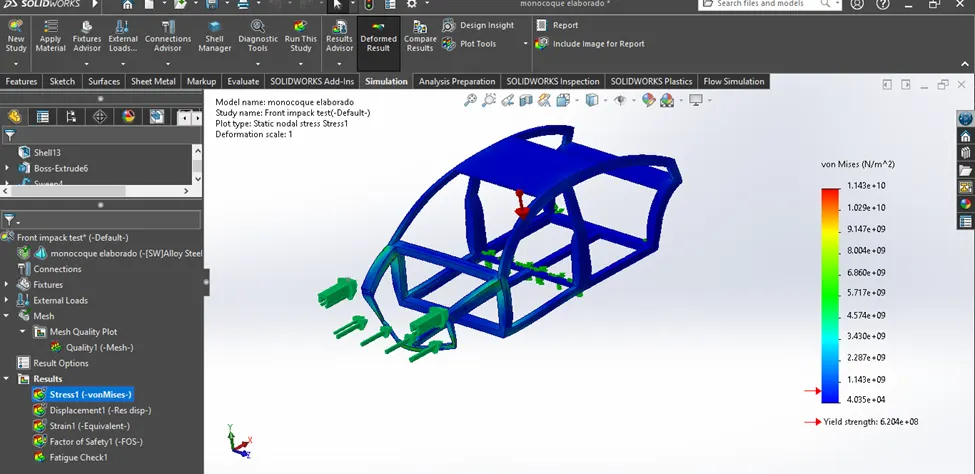
Stress
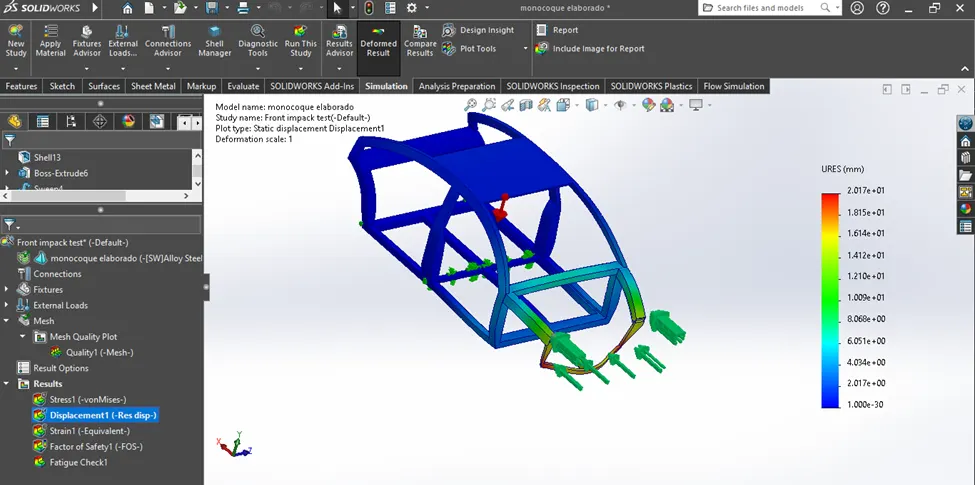
Displacement:
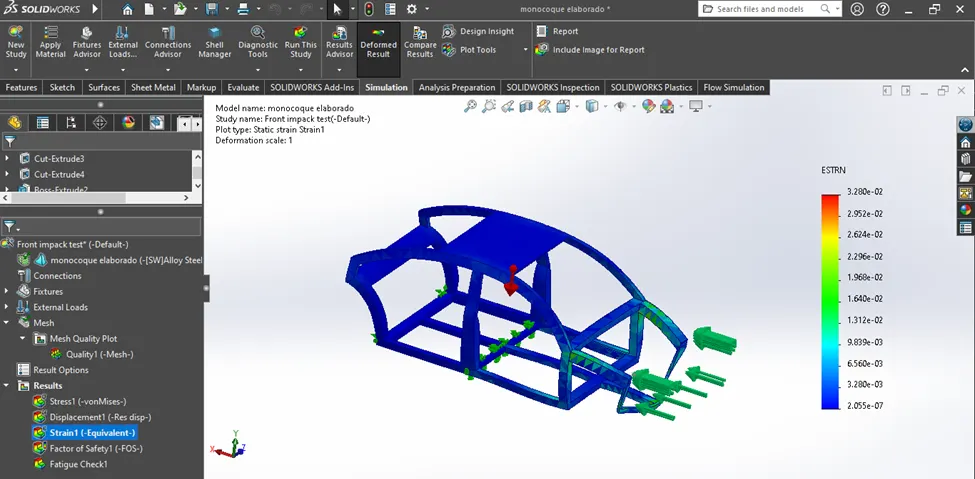
Strain:
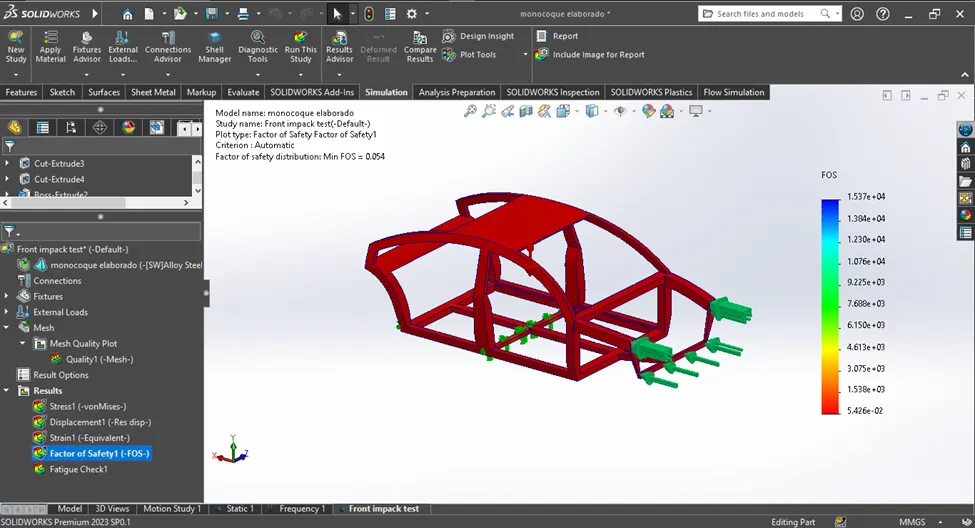
Factor of safety:
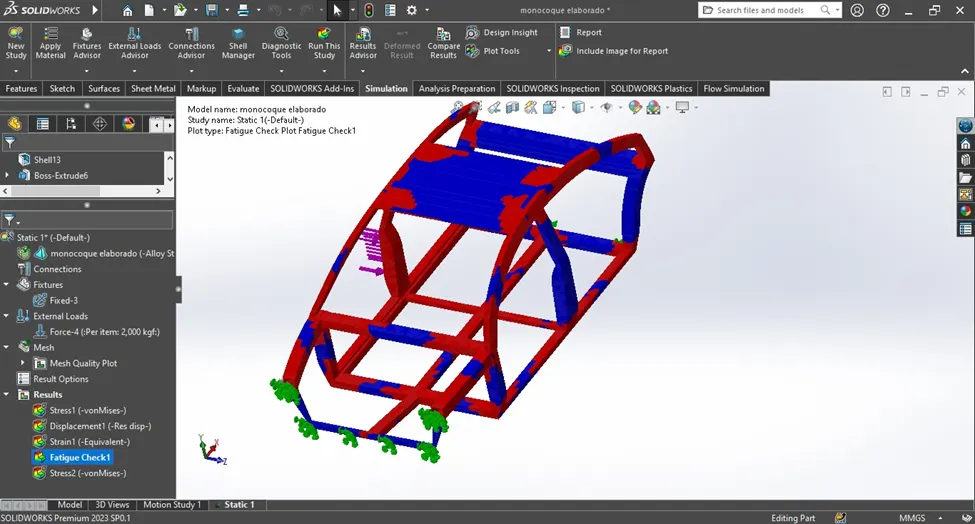
Fatique check:
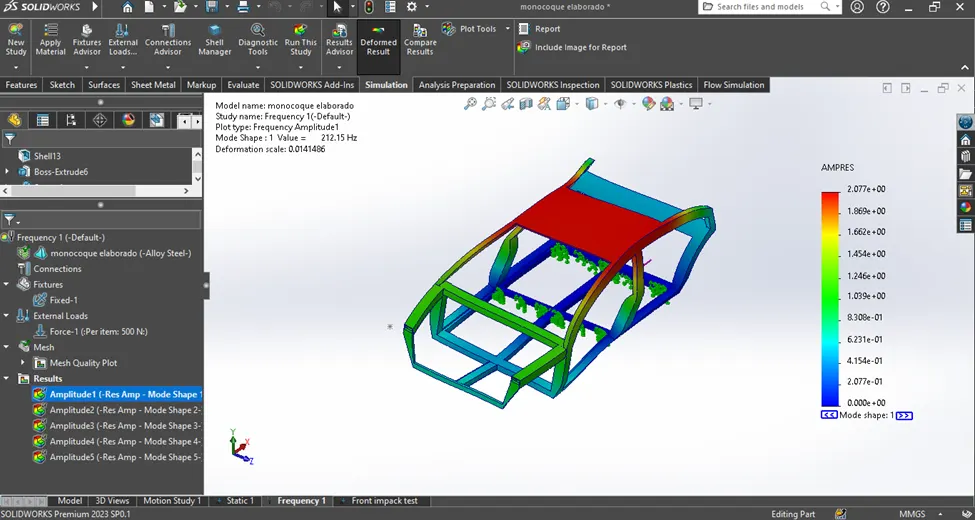
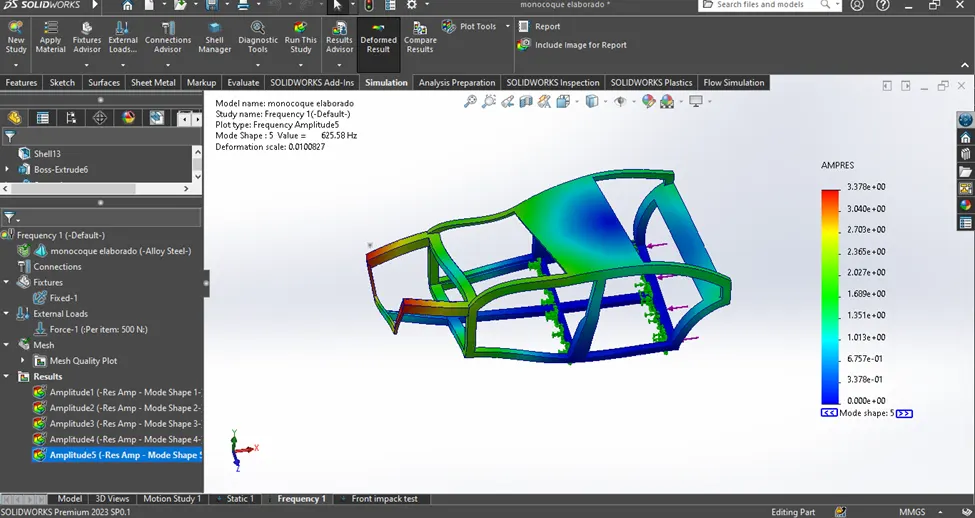
What is Frequency Analysis?
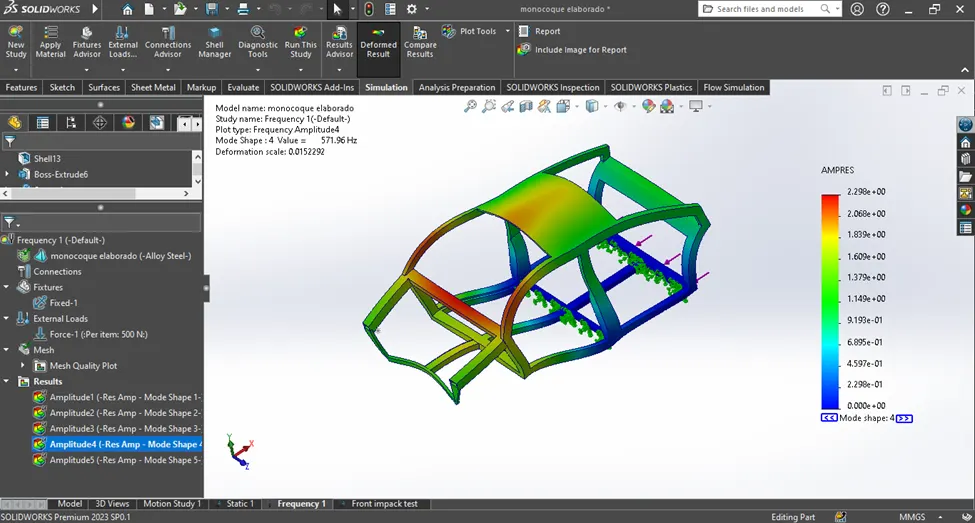
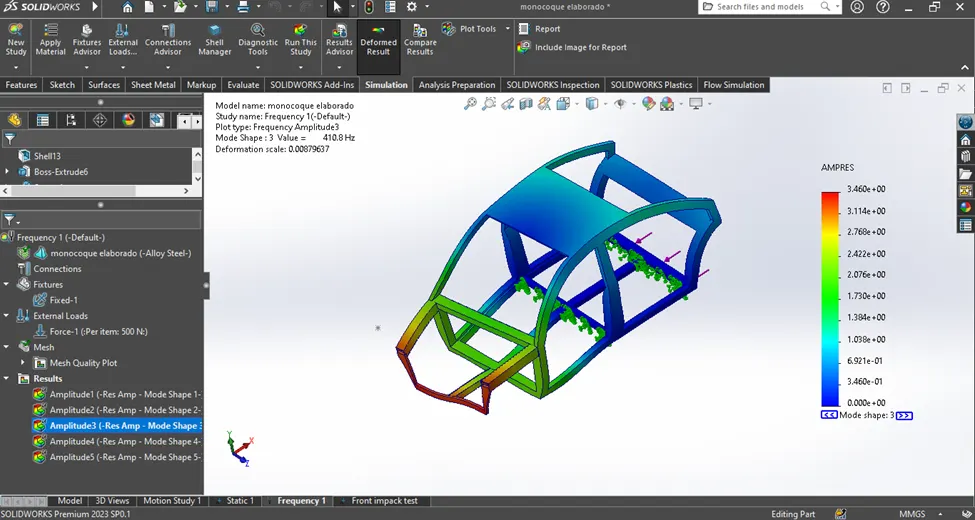
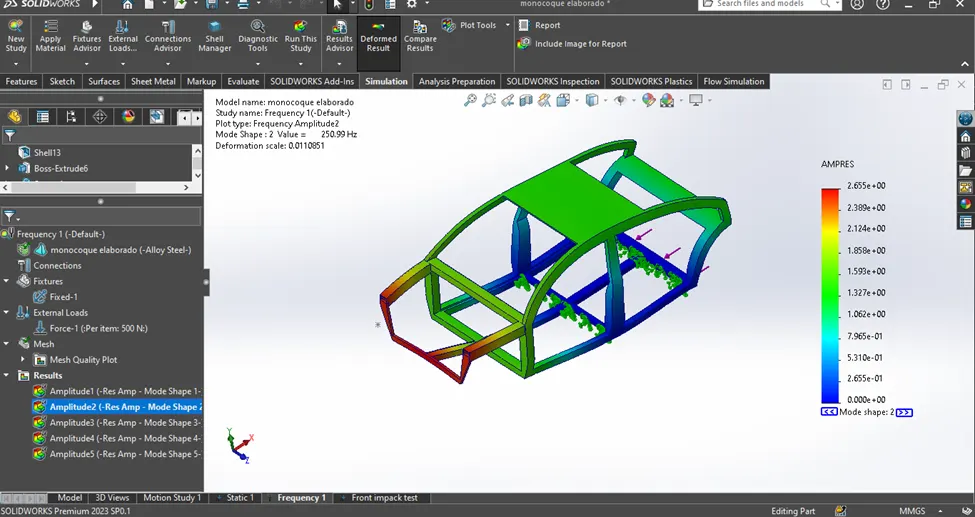
Frequency analysis predicts the natural frequencies and associated mode shapes of a structure. These frequencies represent specific vibration patterns the structure naturally tends to adopt when excited by external forces.
Why is Frequency Analysis Important?
- Avoid Resonance: Knowing a structure's natural frequencies helps you avoid situations where an external force coincides with one of those frequencies, leading to "resonance." This can cause excessive vibrations, noise, and even structural failure.
- Optimize Design: Frequency analysis provides insights into vibration hotspots and weak points, allowing you to optimize your design for strength and stiffness.
- Dynamic Response Prediction: Understanding how a structure vibrates at different frequencies is crucial for predicting its response to dynamic loads, such as wind gusts or engine vibrations.
Frequency analysis:
Result:
Backend scratch test:
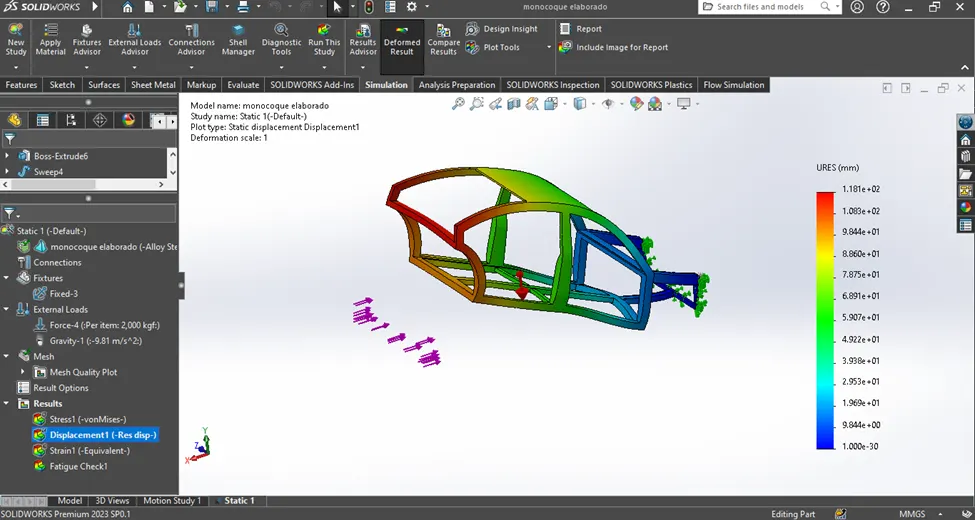
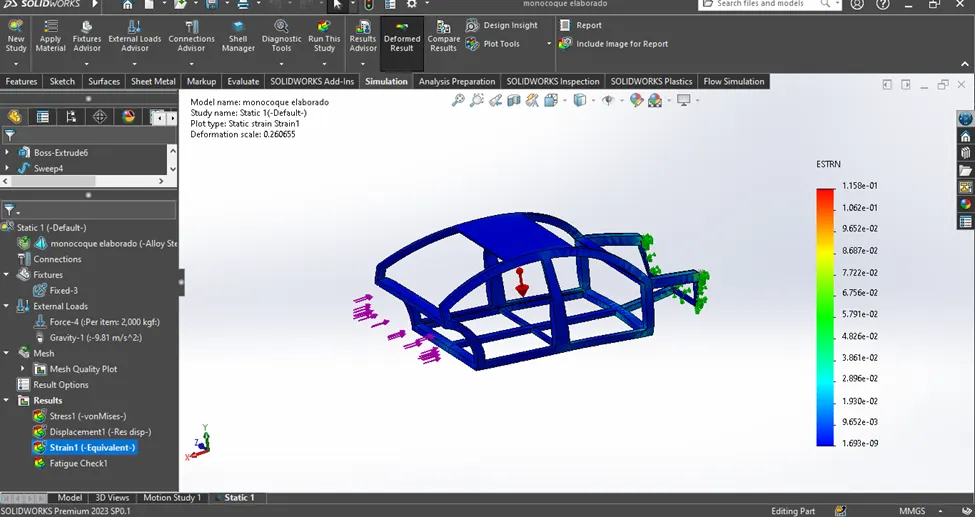
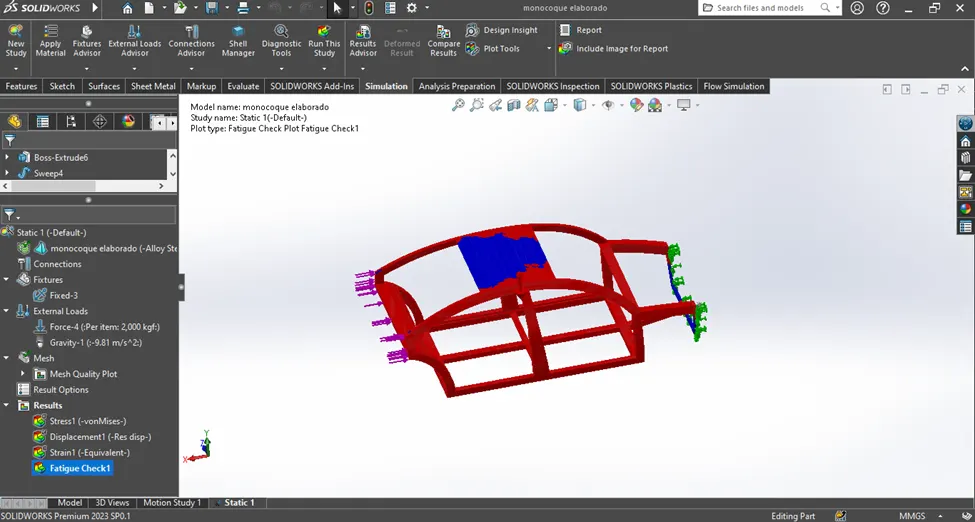
Side impact test:
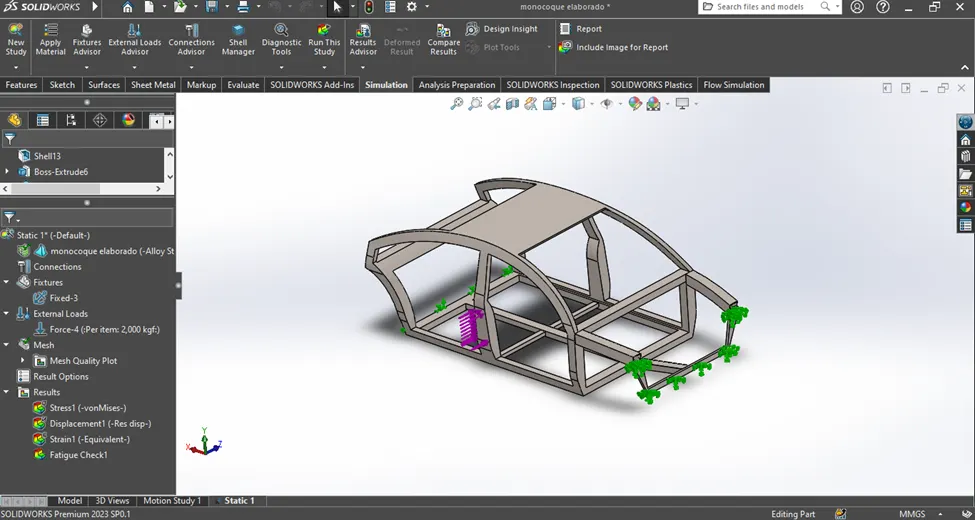
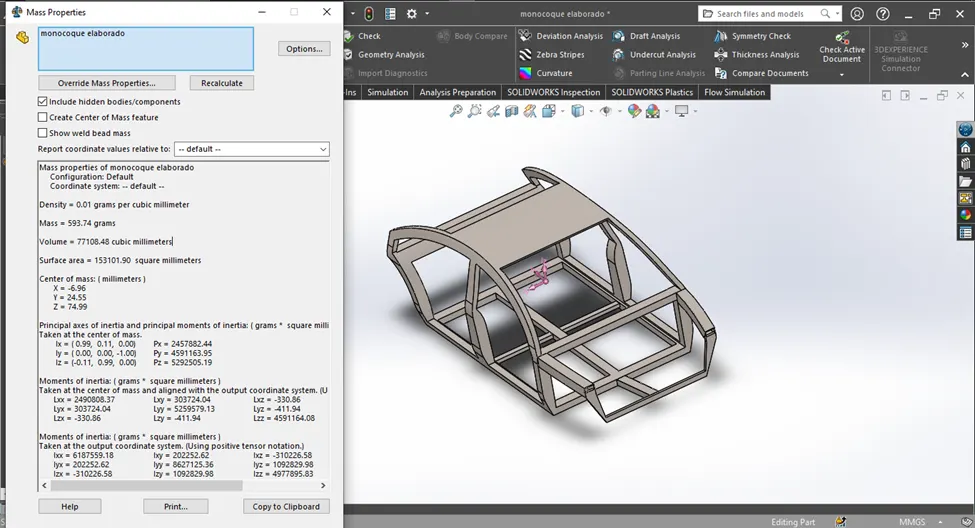
Total weight of frame apply material after:
CONCLUSION
Car monocoque frame different methods to solve or analysis the front and back and side impact test and frequency analysis also complete for this project used values are only for my assumption only