Project 1
import cv2 #importing cv2 module
image = cv2.imread('Challenge1_1638957930.png') #reading the image
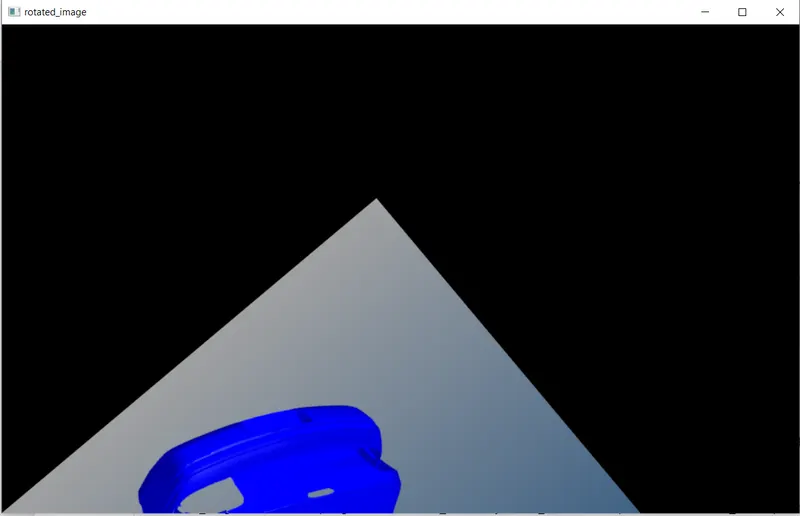
1. Script a function to perform image rotation by deriving the rotation matrix for a 140 degree rotation angle.
def rotate_image(image,angle):
height,width = image.shape[:2] #getting the height and width of the image
c1,c2 = height//2,width//2 #getting the center of the image (rotation is about the center of the image)
rotation_matrix = cv2.getRotationMatrix2D((c1,c2),-angle,1) #creating rotation matrix (-angle is given since angle parameter is always anticlockwise, 1 is the scale)
rotated_image = cv2.warpAffine(image,rotation_matrix,(width,height)) #applying affine transgormation to the image for rotation
return rotated_image
cv2.imshow('rotated_image',rotate_image(image,140)) #displaying the image
cv2.waitKey(0)
cv2.destroyAllWindows()
explanation: Here we are creating a rotation matrix using cv2.getRotationMatrix2D function and we are multiplying this rotation matrix with the image matrix.
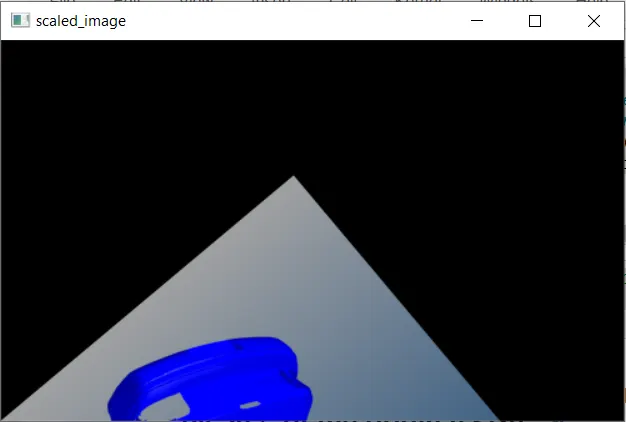
2. Now on the rotated image perform a scaling operation which reduces the size of the image by 50% of the original size
def scale_image(image,scale_factor):
scaled_image = cv2.resize(image,None,fx=scale_factor,fy=scale_factor,interpolation=cv2.INTER_LINEAR) #resizing the image using INTER_LINEAR method
return scaled_image
cv2.imshow('scaled_image',scale_image(rotate_image(image,140),0.5)) #displaying the image #0.5 means 50%
cv2.waitKey(0)
cv2.destroyAllWindows()
explanation: here were are resizing the rotated image using cv2.INTER_LINEAR method
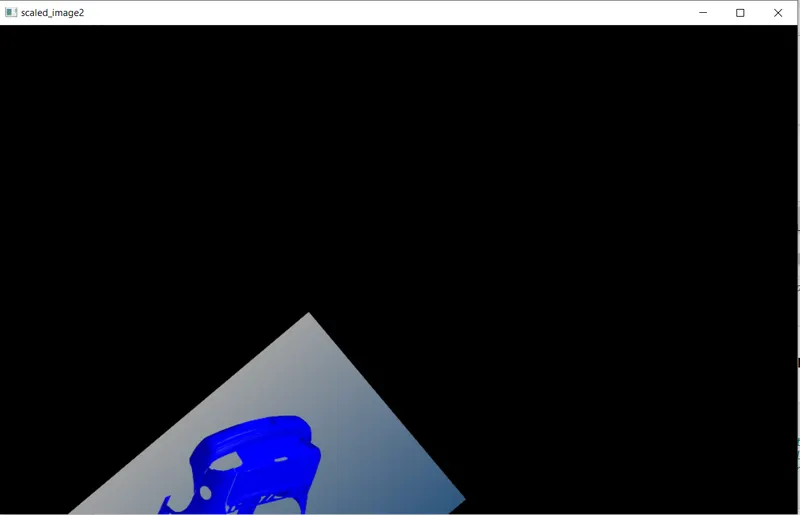
2.1 We can also scale only the rotated image by giving a scaling factor in the cv2.getRotationMatrix2D function
def rotate_image(image,angle):
height,width = image.shape[:2] #getting the height and width of the image
c1,c2 = height//2,width//2 #getting the center of the image (rotation is about the center of the image)
rotation_matrix = cv2.getRotationMatrix2D((c1,c2),-angle,0.5) #creating rotation matrix (-angle is given since angle parameter is always anticlockwise, 0.5 is the scale)
rotated_image = cv2.warpAffine(image,rotation_matrix,(width,height)) #applying affine transgormation to the image for rotation
return rotated_image
cv2.imshow('scaled_image2',rotate_image(image,140)) #displaying the image
cv2.waitKey(0)
cv2.destroyAllWindows()
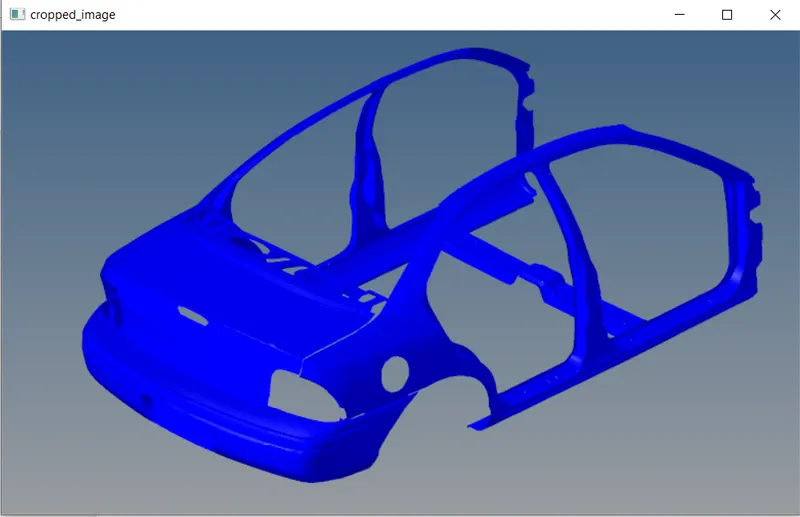
3. Take the original image and perform cropping operation manually which focuses on the subject of the input image.
def crop_image(image,dimensions):
h_s, h_e, w_s, w_e = dimensions
width_dims = [w_s,w_e]
height_dims = [h_s,h_e]
crop_image = image[height_dims[0]:height_dims[1],width_dims[0]:width_dims[1]] #numpy array slicing method
return crop_image
cv2.imshow('cropped_image',crop_image(image,(94,567,103,883))) #got the dimensions from MS paint
cv2.waitKey(0)
cv2.destroyAllWindows()