Multi-body Dynamics: Internal Geneva Mechanism
OBJECTIVE
- Use the following 2D CAD drawings to create the 3D model of the internal Geneva mechanism.
Tasks
- Create 3D models for driver and driven wheels.
- Perform motion analysis by rotating the driver wheel at 10rpm.
- Obtain the following plots
- Contact force (between driving and the driven wheel) as a function of time.
- Angular Displacement of the driven wheel.
- Compare the contact forces with and without "Precise contact"
- Show image for precise contact selection
- Export the results that you get to Excel and make the plots over there
- To navigate to the "Precise Contact" follow the steps given below
- Use 60 Frames per second for 10 rpm and then 120 Frames per second for 20 Rpm
- Once you have completed the previous study, change the rpm to 20
- Make a plot of the driver wheel's angular velocity and discuss the results
SOLUTIONS
- Create 3D models for driver and driven wheels.
Fig-1.0: Driver Wheel of the Geneva Mechanism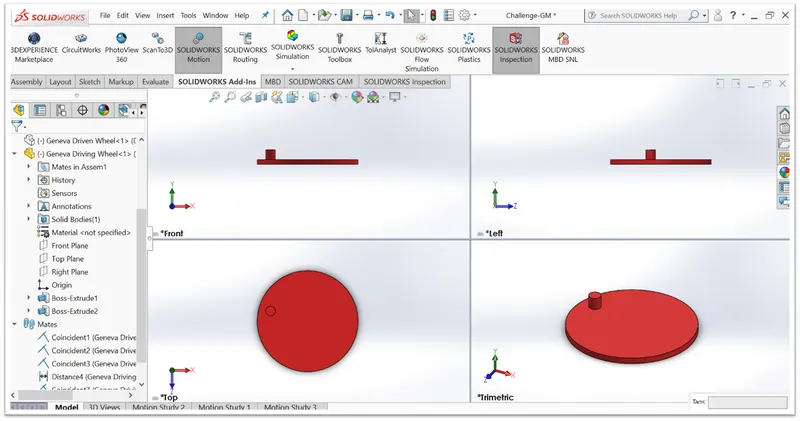
Fig-1.1: Driven Wheel of the Geneva Mechanism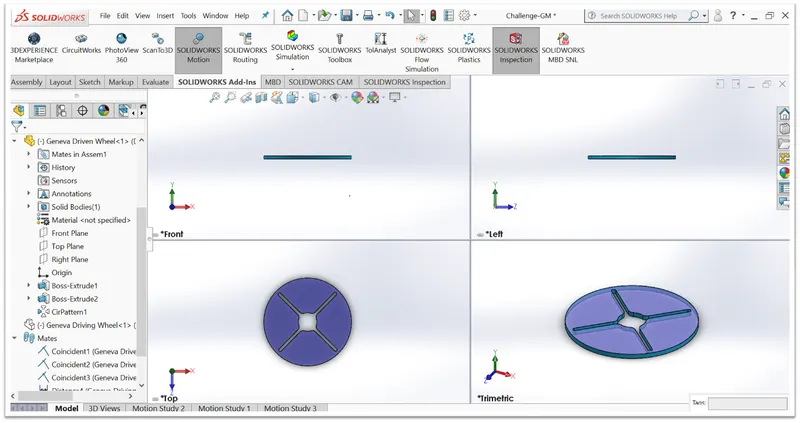
Fig-1.2: Assembly of the Geneva Mechanism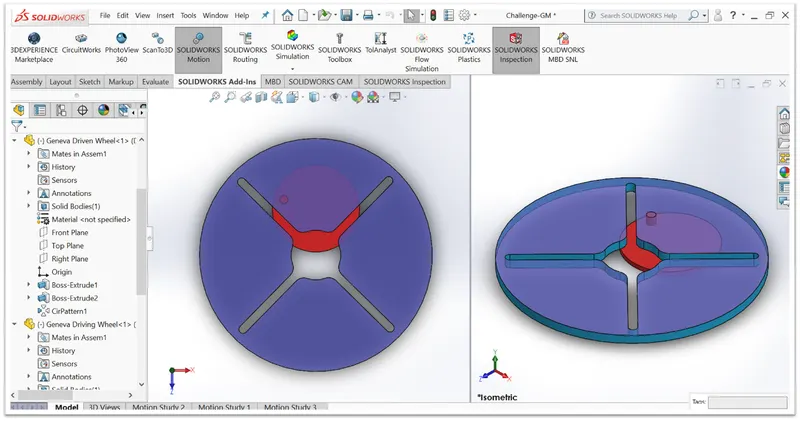
Vid-1.0: Animation file- Geneva Mechanism - Perform motion analysis by rotating the driver wheel at 10rpm.Obtain the following plots :
- Contact force (between driving and the driven wheel) as a function of time:
Fig-1.0: Without precise-contact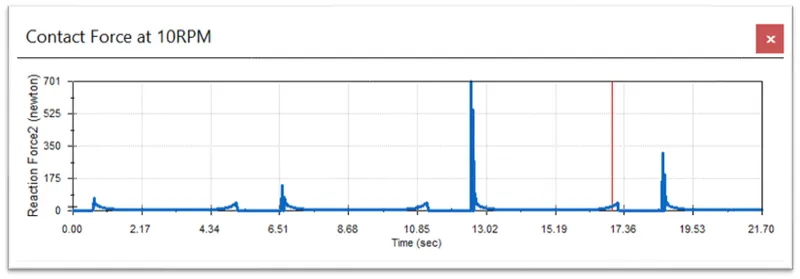
Fig-1.1: With precise-contact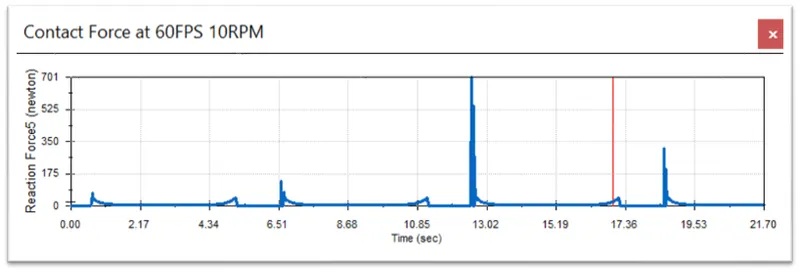
Fig-1.2: Without precise-contact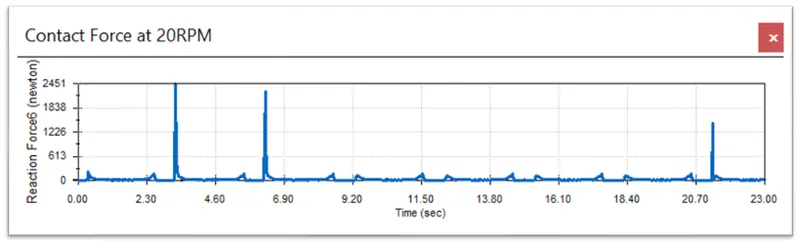
Fig-1.3: With precise-contact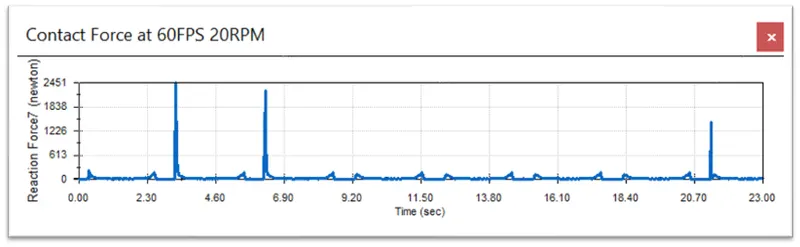
- Angular Displacement of the driven wheel.
Fig-2.0: Without precise-contact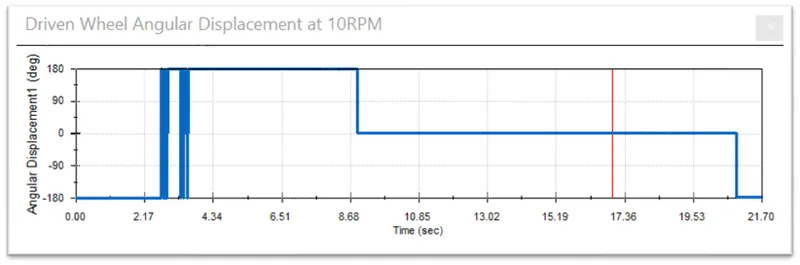
Fig-2.1: With precise-contact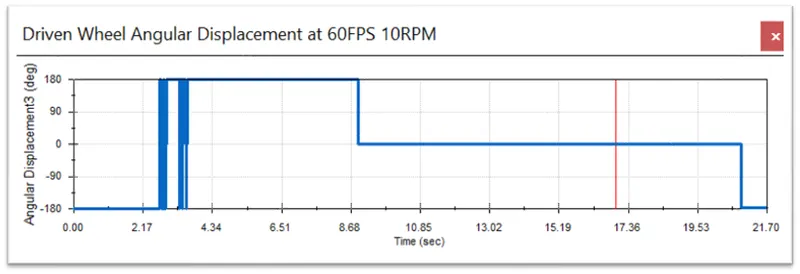
Fig-2.2: Without precise-contact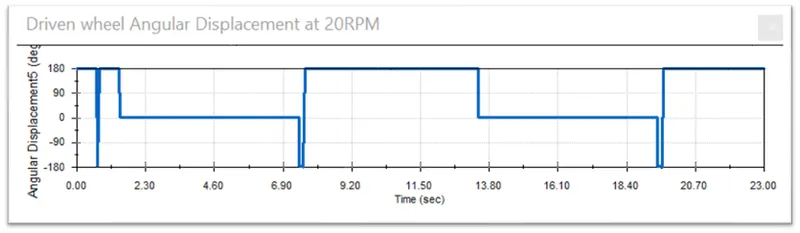
Fig-2.3: With precise-contact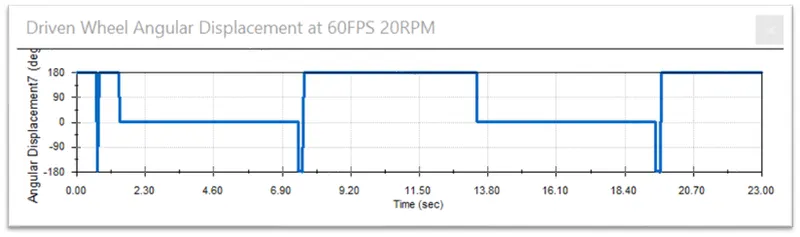
- Contact force (between driving and the driven wheel) as a function of time:
- Compare the contact forces with and without "Precise contact": Compared in Figure-1 (Above)
- Use 60 Frames per second for 10 rpm and then 120 Frames per second for 20 Rpm. Once you have completed the previous study, change the rpm to 20
- Show image for precise contact selection:
Fig-3.0: For 10RPM 60 FPS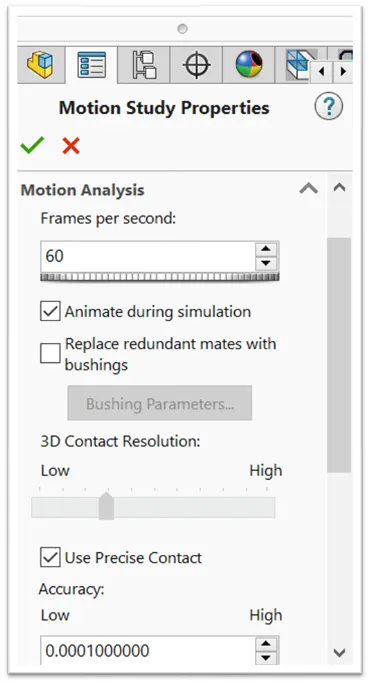
Fig-3.1: For 20RPM 120 FPS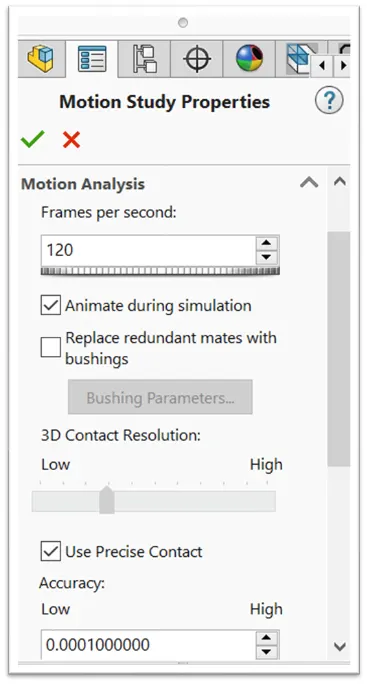
- Show image for precise contact selection:
- Make a plot of the driver wheel's angular velocity and discuss the results:
Fig-4.0: Without precise-contact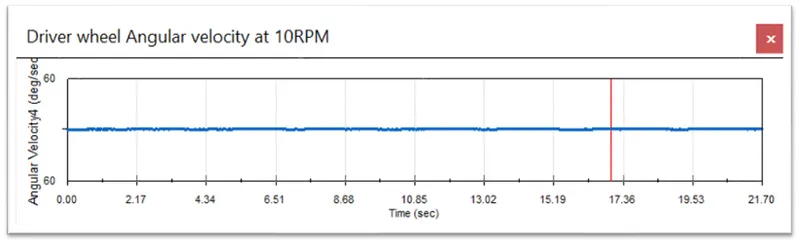
Fig-4.1: With precise-contact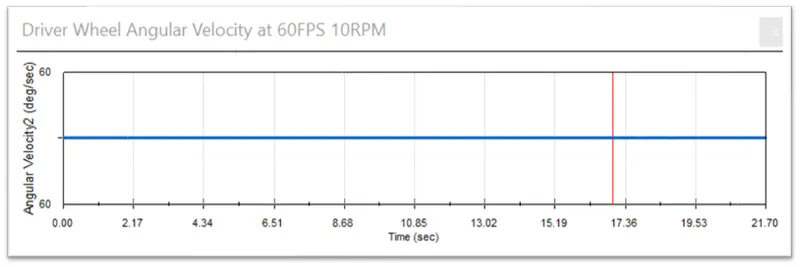
Fig-4.2: Without precise-contact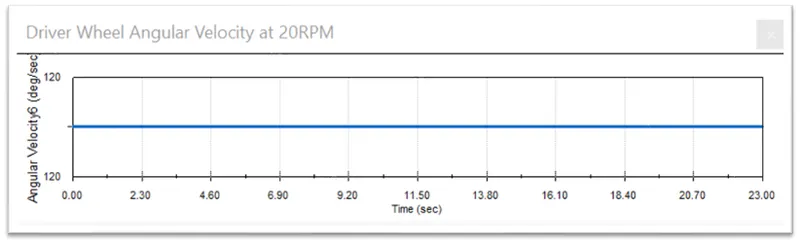
Fig-4.3: Without precise-contact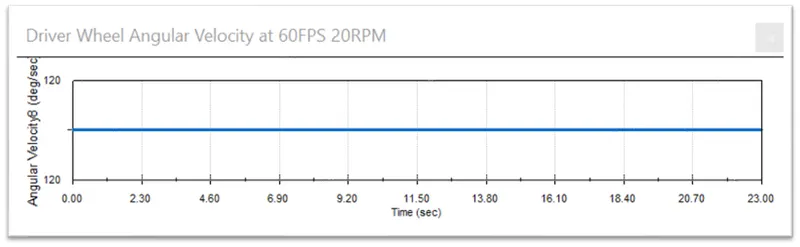
Result: - The Precise Contact feature gives a more accurate result as we can see that the curves in the plots with precise contact turns out to be less fluctuating and more smooth. Moreover, the values obtained from these precise contact plot are more flexible, accurate and true.
- When the driver tries to enter into the slot of the driven wheel, it faces a jerk during it’s entry reason being, it is not smooth. Therefore, we can see also observe from the plot that at the entry to the slot gives rise to a sudden increase in the contact force which decreases as the driver enters into the slot.
- We can also see from the contact force plots of the 2 RPM's that as we increase the rotation of the driver the jerk force/contact force at the entry also increases and then it gradually decreases.
- The angular velocity plot says that at first, there is a jerk felt by the driven wheel and we see peak in the angular velocity plot and then when it enters the slot there is an acceleration in the driven wheel but as the motion progresses there is reduction in the velocity and hence retardation takes place. The maximum velocity is at the point where the pin of the driver reaches the bottom point of the driven wheel.
- The angular velocity of the driven wheel also increases if we increase the rotation of the driver which is seen from the plot.
- The angular displacement plot shows that the displacement occurs between -180 to 180 degree and the pattern keeps repeating itself in each revolution starting from 0.
PS: I have hereby attached my CAD FILE with 3D Model, Assembly and Motion Analysis.
LINK: INTERNAL GENEVA MECHANISM