Hood design-Week 2
REPORT DATA
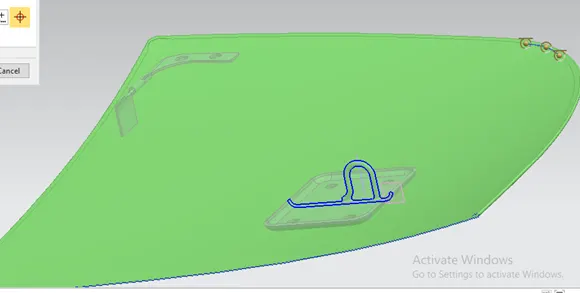
Hood design I follow the master sketch as mention .first I do make a tooling axis as mentioned below
I follow the master sketch of the inner panel as mentioned above.
FLANGE CREATION
1st flange
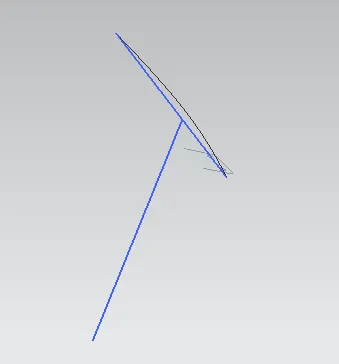
First I do offset the 1.7 mm from the outer panel towards inside then I have do the offset curve 20mm of the offset plane and then trim sheet option to cut the offset sheet then we get the outer 1st flange of 20mm.
2nd flange
similarly I have to do offset 4mm from outer panel downward direction . after I have to do offset curve 22mm and 35 mm then I have to do trim sheet option to keep the center face which is consider a 2nd flange . apply the through curve option to create a surface between flange 1 and 2.after that we have to apply edge blend option with 6mm radius.
3RD Flange
I have to do offset 25mm from the outer panel towards downward direction . with the help of offset curve option 50mm . after that we have to do trim sheet to make to keep the center flange . apply the through curve option to create a surface between flange 2 and 3 after that we have to apply edge blend option with 6mm radius.
EMBOSS CREATION
1st Emboss :
We have to select the 3d flange as a base and create a sketch then we need to do the offset 10mm and create a sketch the over the offset surface and click the emboss command with have to give the length 8.5 mm and draft angle 10degree for mastic clearance which is 5mm .
Similar process has to follow the remaining 2nd & 3rd emboss creation with 8.5mm length and 10 degree draft angle .
After creation of emboss then we have to do mirror option and do saw and check is there any gap clearance in between the two surface.
HINGE ASSEMBLY
In flange assembly I have to create as surface with law extension with 12mm length downward direction of inner panel then we have to give assembly constraint to flange with touch command and align command . then applies the mirror command .
STRIKER ASSEMBLY CREATION
STRIKER TRAJECTORY
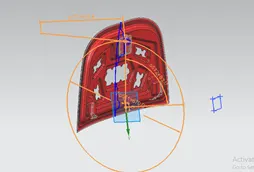
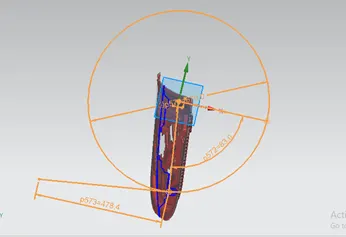
I have create a center point with wave propogation command in a hinge assembly and create a center line after that I have to select the face and create a circle with reference with point and make tanjent line
Outer panel hemming
In outer panel first we need to cut half the section .and offset the surface 2.65mm downward direction then apply the offset curve surface upto 7mm and do the trim sheet can be done to keep the outer surface.
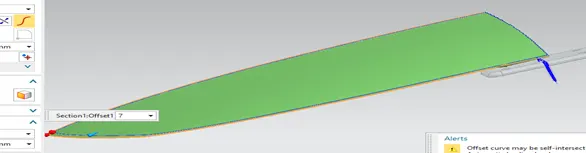
After that we have to do offset curve surface with 1mm in offset surface then law extension has to be apply to do 3 face blend operation to do hemming process .
After that we have to do make a cut in offset face as shown below.