FORWARD KINEMATICS OF A 2-R ROBOTIC ARM
FORWARD KINEMATICS OF A 2R ROBOTIC ARM:
OBJECTIVE:
To write a program in Matlab to simulate the forward kinematics of a 2R Robotic Arm.
THEORY:
A robotic arm is a type of mechanical arm, usually programmable, with similar functions to a human arm. The arm may be the sum total of the mechanism or maybe a part of a more complex robot. The links of such a manipulator are connected by joints allowing either rotational or translational displacement. The links of the manipulator can be considered to form a kinematic chain. usually, these robots have a various complex industrial application such as welding, assembly operations, spray paintings, material handling etc.
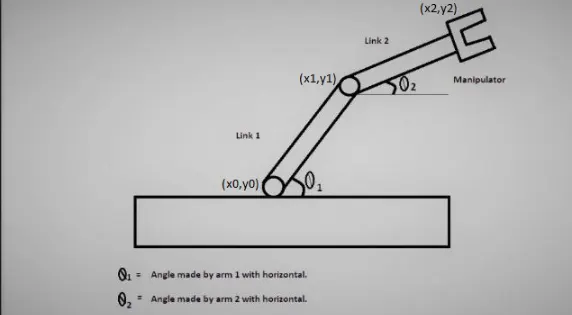
It consists of two arms, a Base and two rotational joints. The links will have motion while programming. This can be modified according to the application it is going to be used for.
In this program, we will calculate the final position of the manipulator if theta 1 and theta 2 values are given.
MATLAB PROGRAM:
clear all
close all
clc

%inputs
l1=1;
l2=0.5;

theta1=linspace(0,90,20);
theta2=linspace(0,90,20);
ct=1;

for i=1:length(theta1)
    THETA1=theta1(i);
    for j=1:length(theta2)
        THETA2=theta2(j);
        x0=0;
        y0=0;
        x1=l1*cosd(THETA1);
        y1=l1*sind(THETA1);

        x2=x1+l2*cosd(THETA2);
        y2=y1+l2*sind(THETA2);

        plot([x0 x1],[y0 y1],[x1 x2],[y1 y2],'linewidth',3)
        axis([-0.1 1.5 0 1.5])
        pause(0.03)
        M(ct)=getframe(gcf);
        ct=ct+1;

    end
end

movie(M)
videofile=VideoWriter('ForwardKinematics.avi','Uncompressed Avi');
open(videofile)
writeVideo(videofile,M)
close(videofile)
PROGRAM EXPLANATIONS:
- In the first step the command window, workspace window and plot are cleared by using command clear all, close all, clc.
- Initially, the length of the links l1 and l2 are assigned.
- Theta 1 and Theta 2 are assigned using linspace command. The uses of this command are if we define a range(say for ex:0,90..which is used in the above program) and no of values we need(in the above program it is set as 20), it automatically defines the value.
- The counter (ct) is initially set as 1 and For loop is defined because here for every value of theta 1 and theta 2 the program need to repeat.
- The output value of theta 1(i) is saved in the THETA1.
- Sub for loop is assigned by using j because for every value of THETA1, the program needs to repeat for every different value of j.the value of theta 2(j) is assigned to THETA2.
- The coordinates of x0 and y0 are assigned.
- The formula used to calculate x1,y1,x2 and y2 are:
x1=l1*cosd(THETA1);
y1=l2*sind(THETA1);
x2=x1+l2*cosd(THETA2);
y2=y1+l2*sind(THETA2);
- In the next step, the points to the plot are defined. In Matlab initially, we need to define x points in array form and then the y points are defined in array form and it is separated by a comma.
- In the next step, the axis is defined.
- Pause command is used in order to hold some seconds from plotting another point in the animation.
- The figure obtained for every value theta1 is stored in M(ct).
- In the next step, the counter (ct) is incremented and the program repeats for every value of theta 1.
- The following commands are used to create a movie. Initially, the pictures for every plot assigned in an array called M, we need to store it in the movie command.
- Then the video writer is defined with the name of the video file and type of it.
- Then we need to open the file which we created which is done by using the command open.
- After opening the file we need to write. To write, we use the command writevideo and then type of it and the contents need to write it are defined.
- Then after writing the video file, we use the close command to close the file.
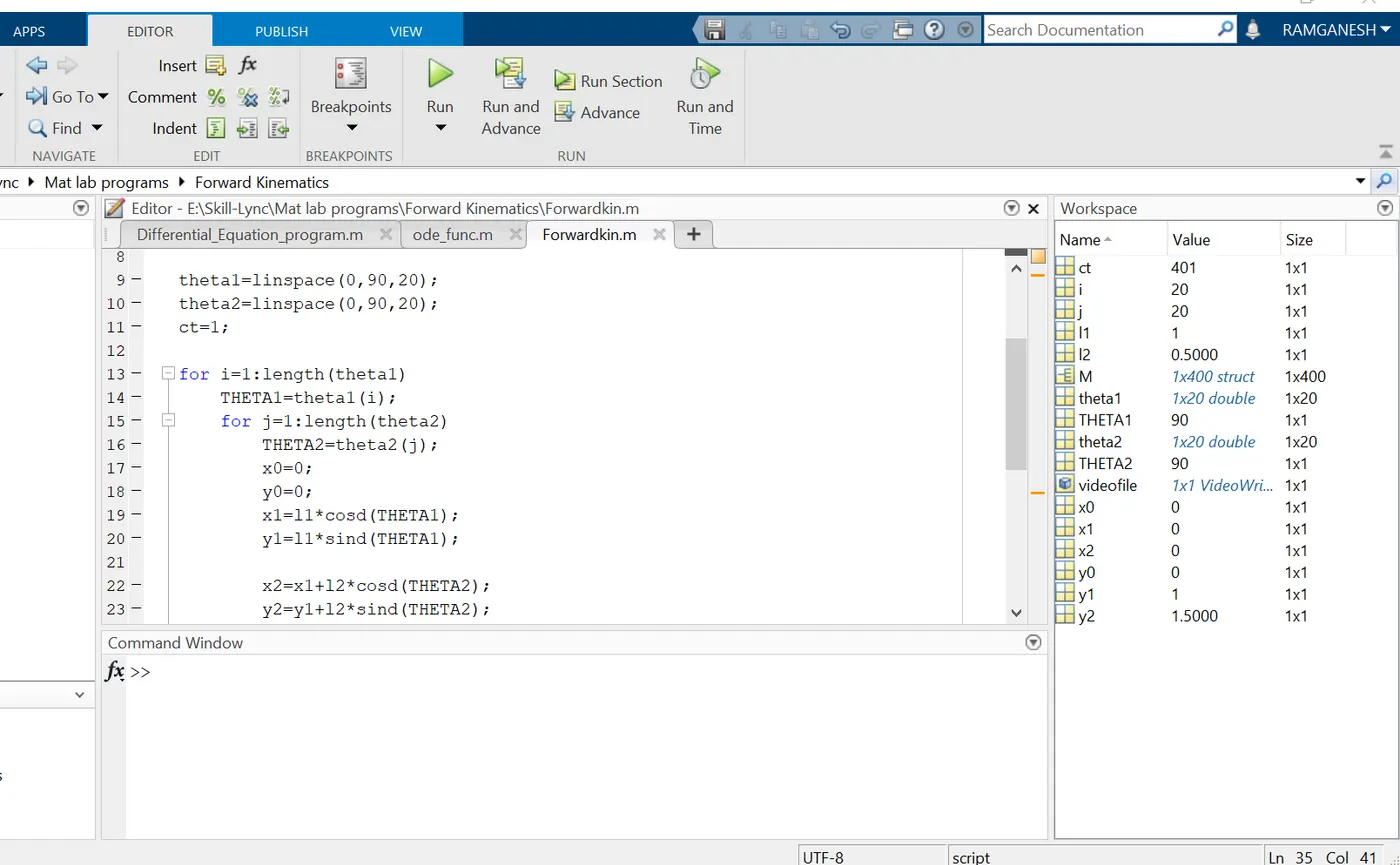
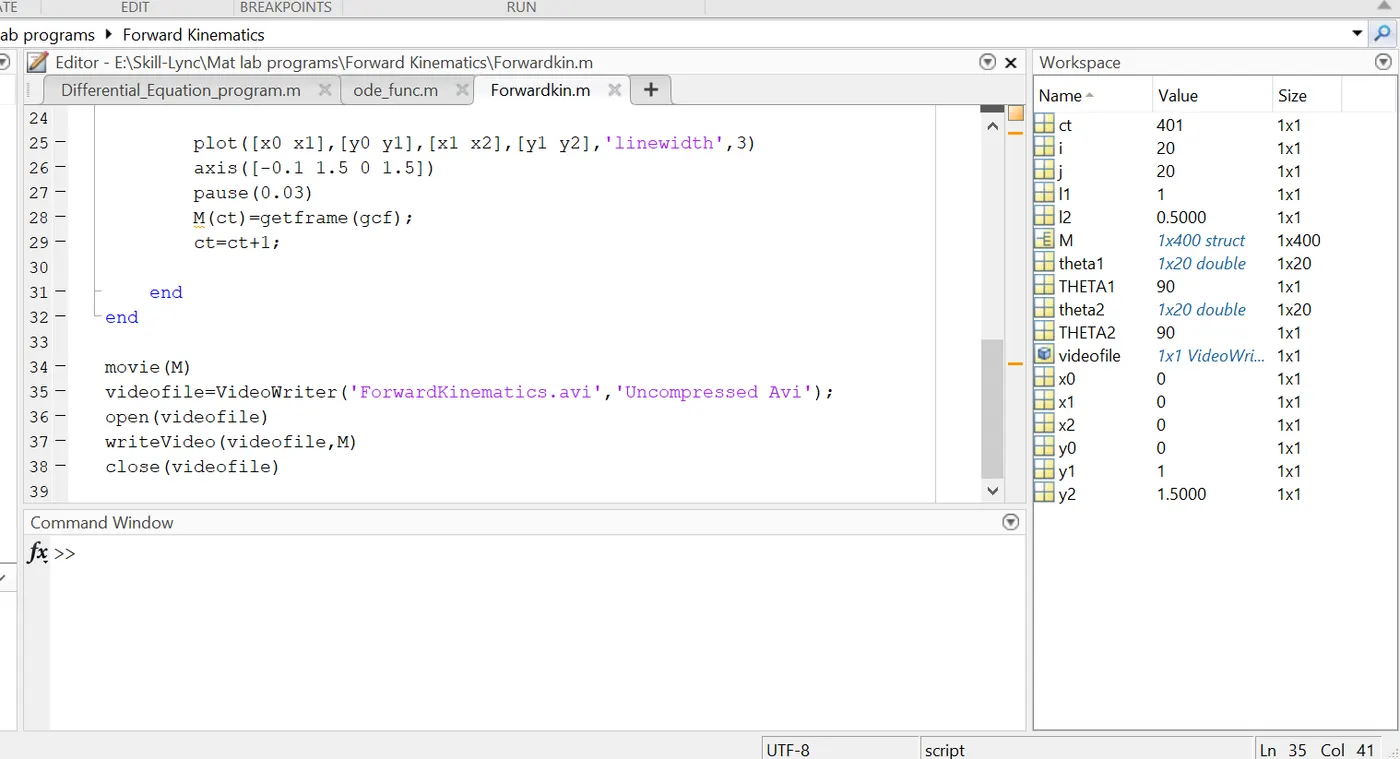
ERRORS FACED WHILE PROGRAMMING:
The following are the images of the errors while programming:
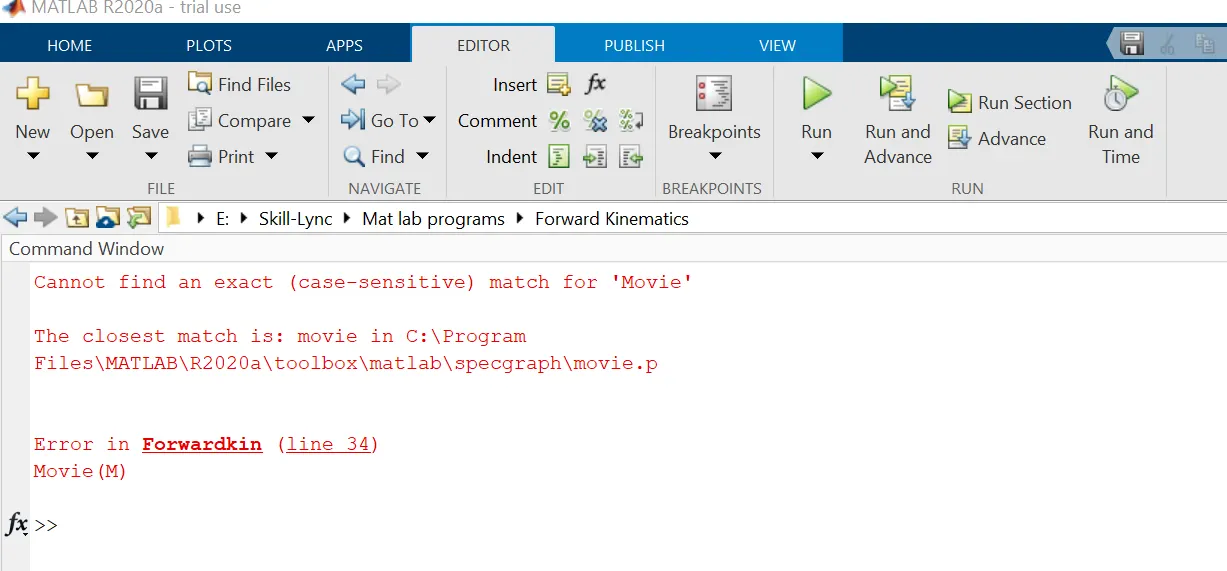
- The above is rectified by changing the capital letter of M to its Lowercase. Since it is a predefined function in Matlab we need to type it as same.
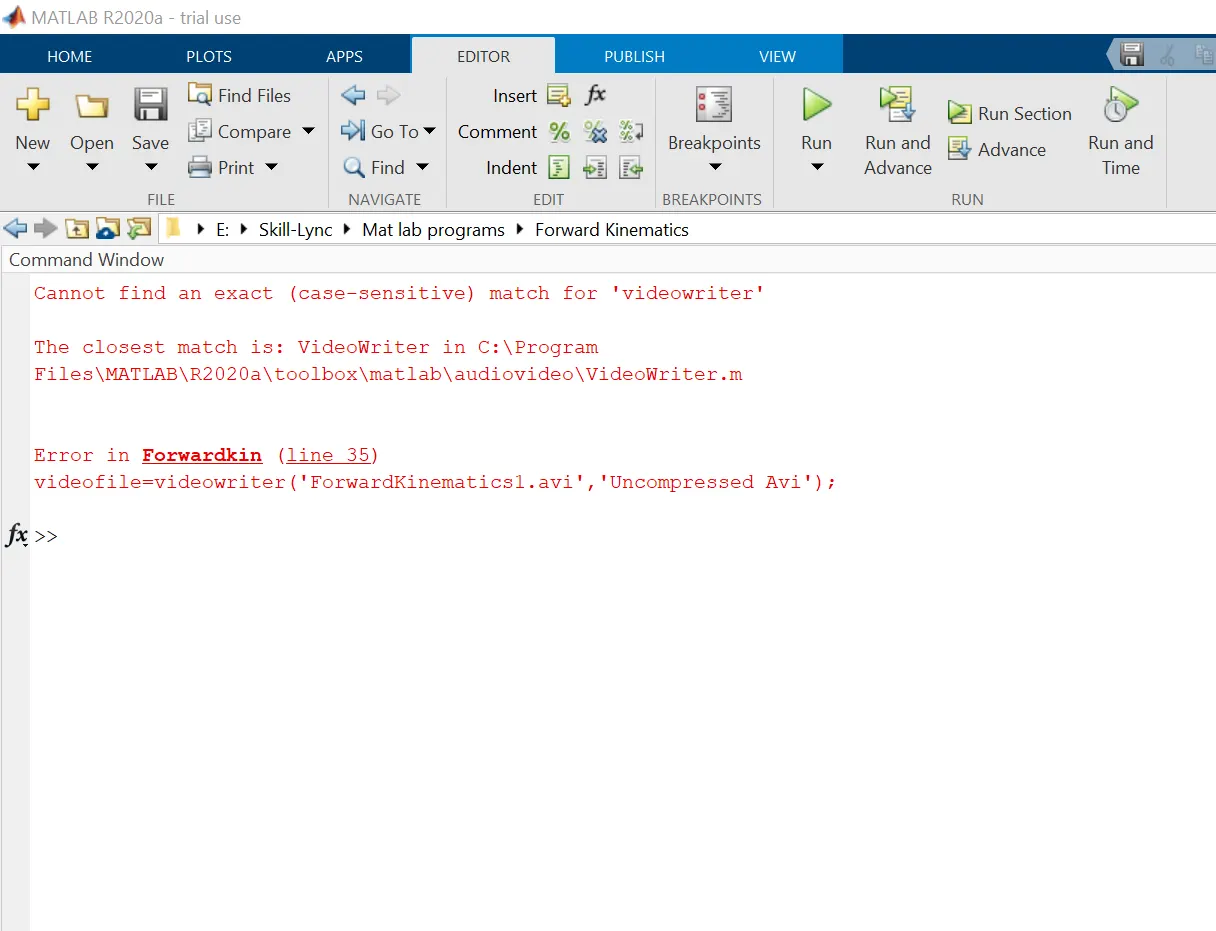
- The above error is rectified by changing the lower case letter of v and w in videowriter command as VideoWriter.it is also a predefined function so we need to type it as same.
LEARNING OUTCOMES:
- Understand how to write a program for working of the 2-R Robotic arm.
- Understand how to create a movie based on the working of the robotic arm.
- Understand how to save an avi file.
Youtube Animation Link: