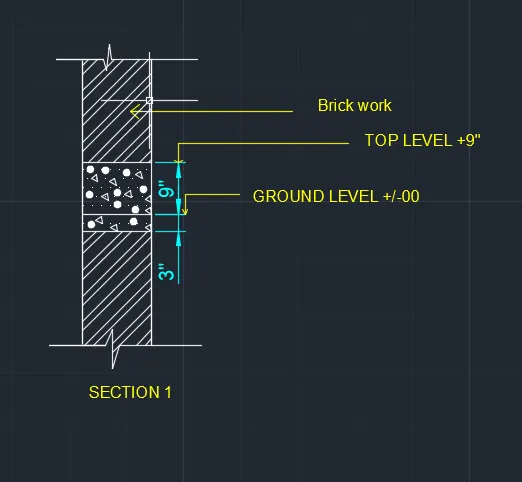
Creation of Column Schedule and Drawing Template using AutoCad
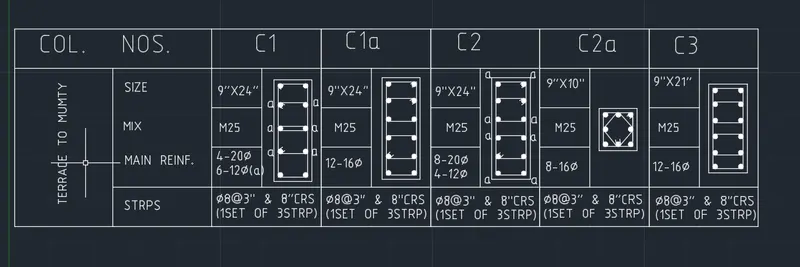
AIM: To create a column schedule
Commands: Line, Text
Procedure:
Draw a line and prepare a table
Draw a bar bending schedule as of dimensions given in questions 9”x 24” and dia od bars 12mm and 20mm mentioned in diagram
Type ST > romans.shx ( font name) >8”( height) > left
Type text to text the given text in the drawing
Type MTEXT > symbols > to get diameter symbol
RESULT:
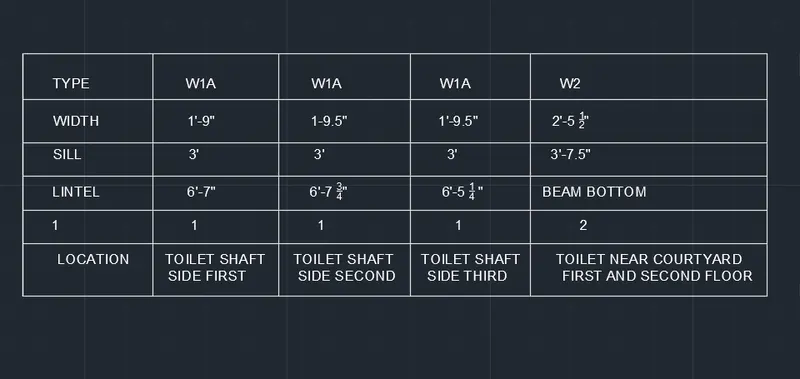
AIM: To create a window schedule
COMMANDS: line, Text
Procedure:
Create a table line
Type ST > roman.shx ( font name) >8”( Height) > center
Type text to text the given text in the drawing
RESULT:
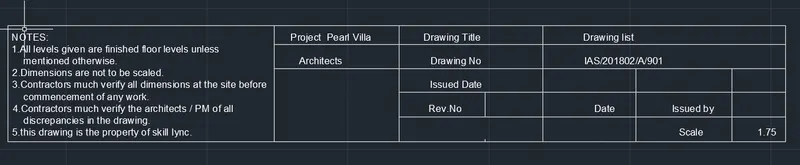
AIM: Create a table line
Commands : line, text
PROCEDURE:
Type ST > romans.shx ( font name) > 8”( height ) > center ( height )
Type text to text the given text in the drawing
RESULT:
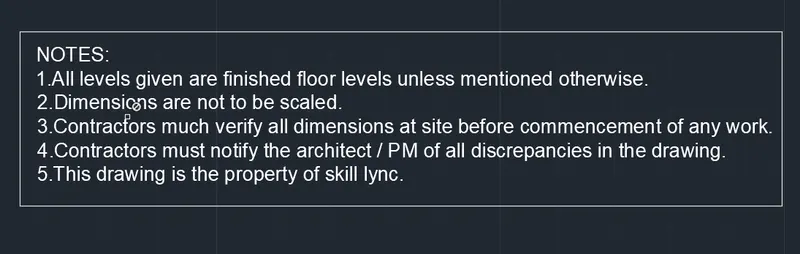
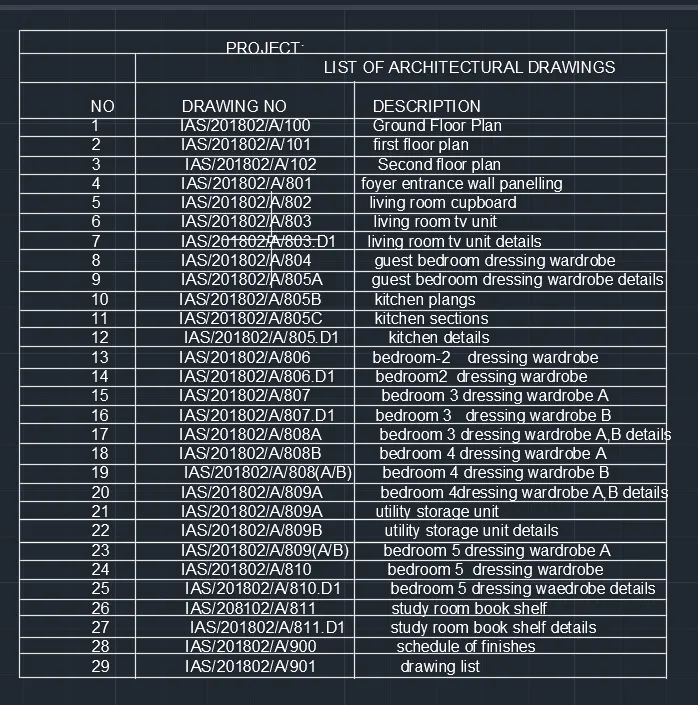
AIM: Create the list of drawing schedule
Commands : line, text
PROCEDURE:
Type ST > romans.shx ( font name) > 8”( height ) > center ( height )
Type text to text the given text in the drawing
RESULT:
AIM: Create a beam detail
Commands : line, text. Hatch
PROCEDURE:
In the command type UNITS > engineering > inches.
In the command prompt type line ( to create the column )
Type text to text the given drawings
In the command type HATCH to hatch the given drawings
RESULT: