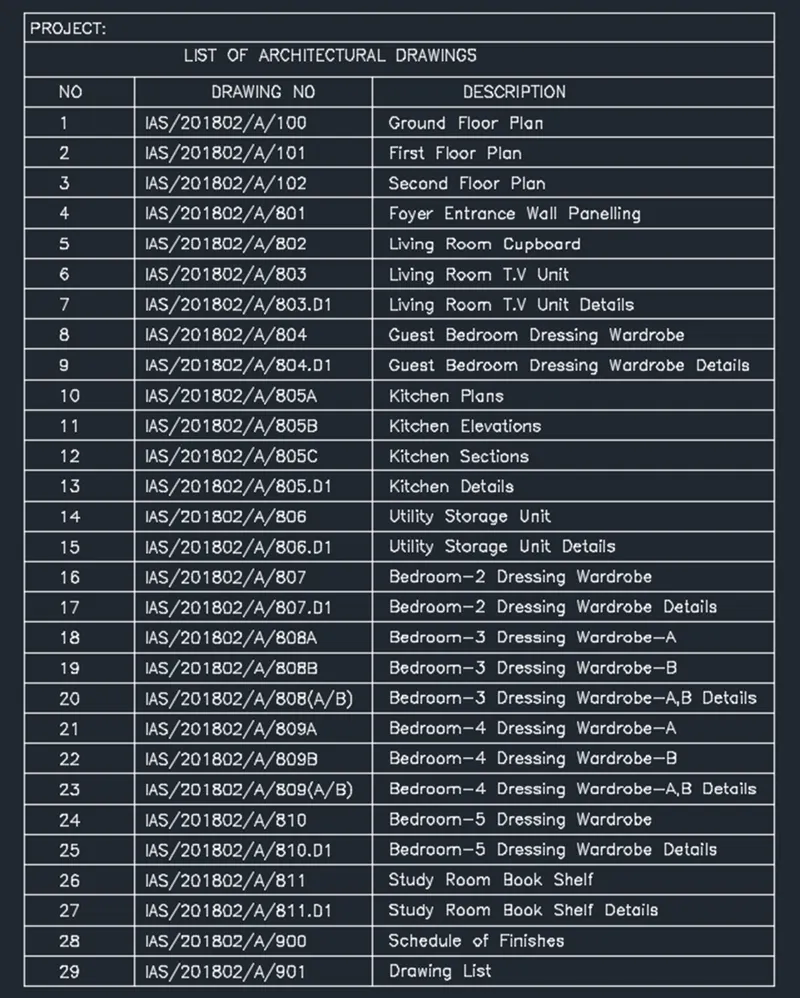
Creation of Column Schedule and Drawing Template using AutoCad
1.
AIM: TO DRAW THE GIVEN DIAGRAM IN PROCEDURE
PROCEDURE:
- Select the line command and draw the line for the table
- Select the text comment MTEXT and specify the details given in drawing
- Select the rectangle command and draw as per geometry
- Use the circle command to provide the reinforcement detail.
- Use the underline command to underline the text.
RESULT
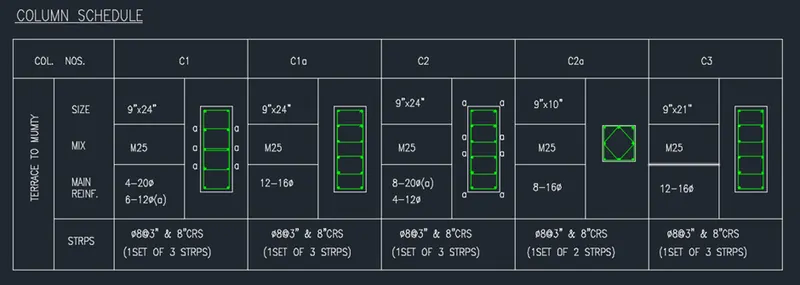
2.
AIM: TO DRAW THE GIVEN DIAGRAM IN PROCEDURE
PROCEDURE:
- Select the line command and draw the line for the table
- Select the text comment MTEXT and specify the details given in drawing
- Select the rectangle command and draw a rectangle.
- Use the underline command to underline the text.
RESULT
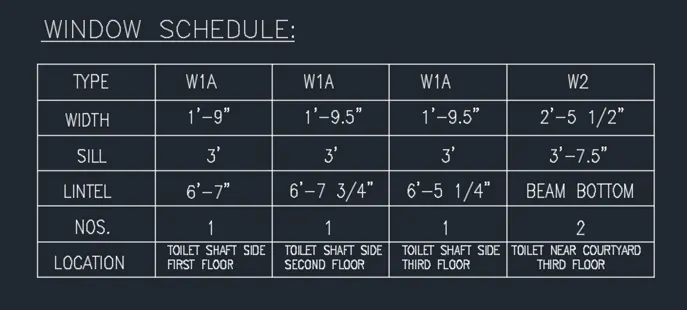
3.
AIM: TO DRAW THE GIVEN DIAGRAM IN PROCEDURE
PROCEDURE:
- Select the line command and draw the line for the table
- Select the text comment MTEXT and specify the details given in drawing
- Select the rectangle command and draw a rectangle.
- Use the underline command to underline the text.
RESULT

4.
AIM: TO DRAW THE GIVEN DIAGRAM IN PROCEDURE
PROCEDURE:
- Select the line command and draw the line for the table
- Select the text comment MTEXT and specify the details given in drawing
- Select the rectangle command and draw a rectangle.
- Use the underline command to underline the text.
- Use the hatch command to highlight the selected area
RESULT:
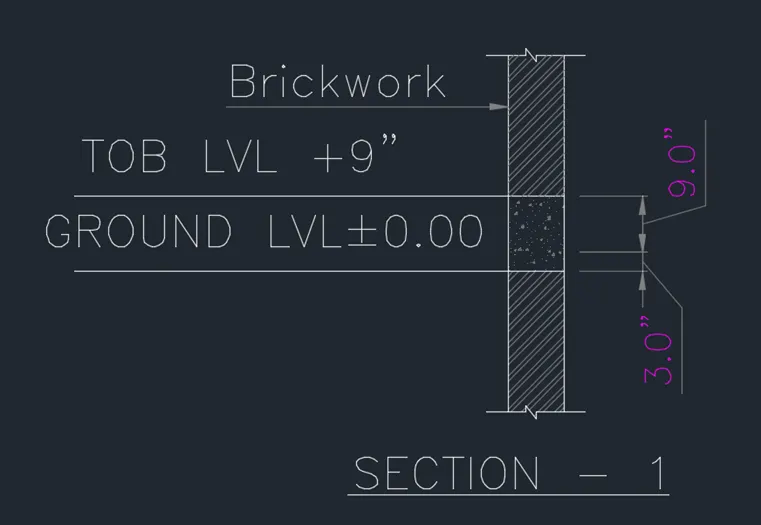
5.
AIM: TO DRAW THE GIVEN DIAGRAM IN PROCEDURE
PROCEDURE:
- Select the line command and draw the line for the table
- Select the text comment MTEXT and specify the details given in drawing
- Select the rectangle command and draw a rectangle.
- Use the underline command to underline the text.
RESULT