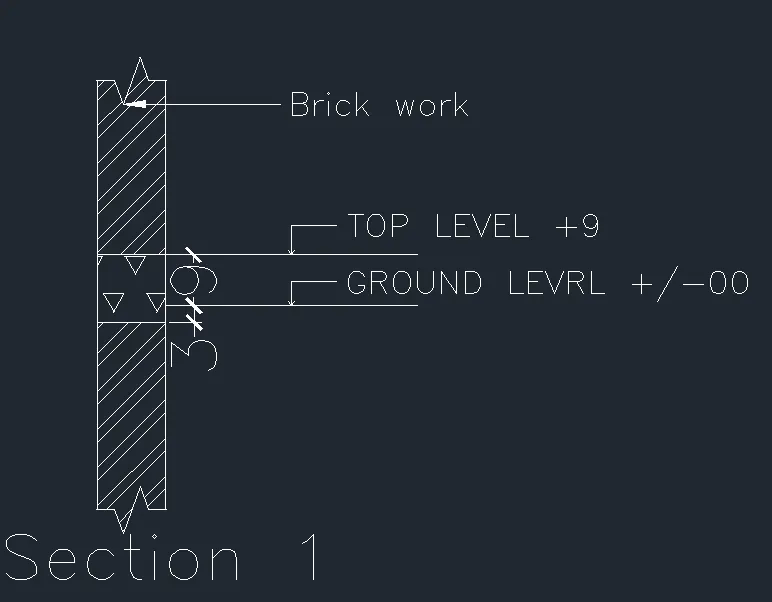
Creation of Column Schedule and Drawing Template using AutoCad
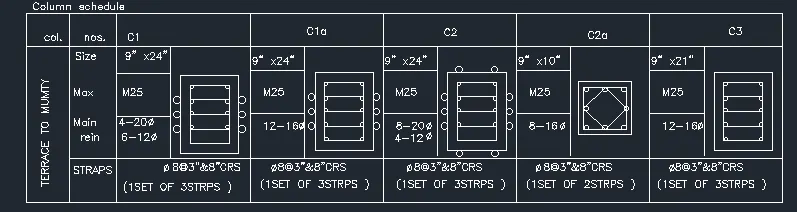
1.Aim
To creatin the column schedule as show in figure
Procedure
In the command promt tyle line to creat tables
In the command prompt type st (text style) roman.shx (font name)>8"(height)>left(justify)
In the command promt type text to text the given text in the drawing
In the command prompt type MTEXT (multiline text)> symbol>to get diameter symbol
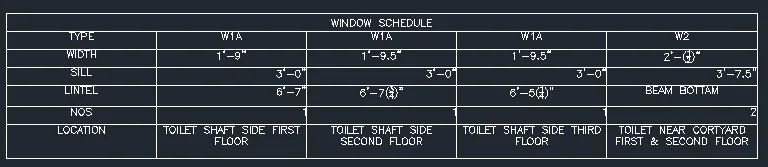
2.AIM
To creat a window schedule as shown in the figure
procrdure
In the command promt tyle line to creat tables
In the command prompt type st (text style) roman.shx (font name)>8"(height)>left(justify)
In the command promt type text to text the given text in the drawing
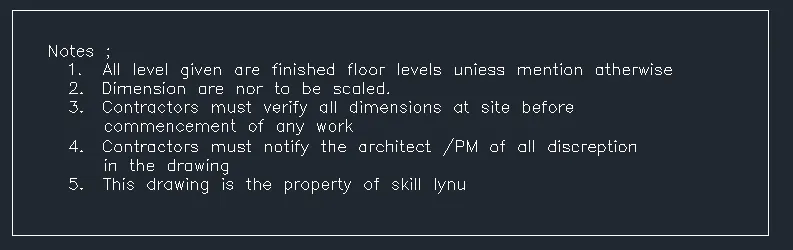
3.AIM
To creat the drawing template az shown in figure
procudere
In the command promt tyle line to creat tables
In the command prompt type st (text style) roman.shx (font name)>8"(height)>left(justify)
In the command promt type text to text the given text in the drawing
4.AIM
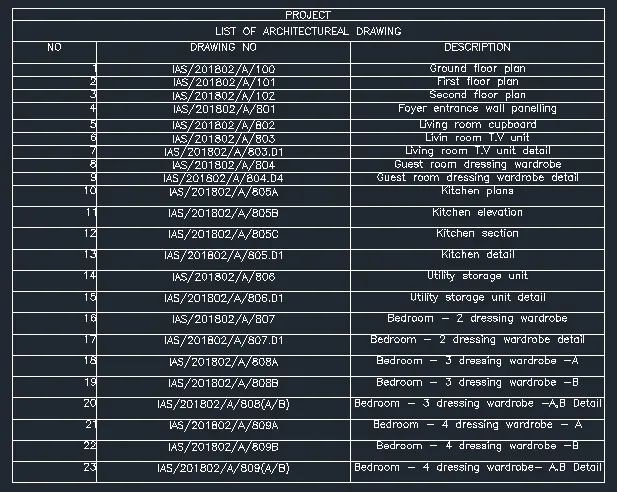
To create the list of drawing schrdule as shown in the figure
procedure
In the command promt tyle line to creat tables
In the command prompt type st (text style) roman.shx (font name)>8"(height)>left(justify)
In the command promt type text to text the given text in the drawing
5.AIM
To creat the beam detailas shown in the figure
procedure
In the command prompt type UNITS> engineering >inches
In the command prompt type line (to creat the column)
In the command prompt type Text to text the given drawing
In the command prompt type HATCH to hatch the given drawing