CREATING OF SIMPLE BRACKET, MESHING AND EXTRACTING OF FE MODELS
CREATING OF SIMPLE BRACKET, MESHING AND EXTRACTING OF FE MODELS
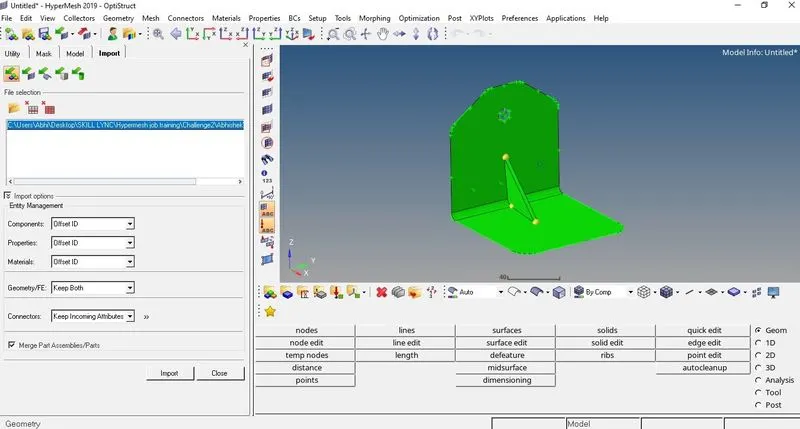
Objective: To perform meshing of Rear Truss, creating of Simple Bracket and extract FE model from CAD.
Creating of Simple Bracket
Method:-
- First the four nodes of the base of the bracket is created from the option on main tool bar as per the given dimension then lines and the surface of the base. The fillets are created on the base surface.
- Similar process is done on the other surface.
- A circle is created from the option on main tool bar.
- The surface is trimmed and circle is selected as the line for trimming. The circle surface is then deleted.
- The nodes for ribs are created according to given dimension and from main tool bar and then the ribs are created.
Meshing of Rear Truss
Model:-
Method:-
- The geometry is first imported in the Hypermesh. All the surface fillets of the geometry are cleaned up before meshing is started.
- The washer split is created for all three holes. The offset value for bigger hole is set to 6 and for smaller hole it is set to 3.
- The automesh option is selected and big hole and surface around it is given meshing of 4 mm. The smaller holes and surface around it is given mesh element size of 3 mm and remaining of the surfaces is given element size of 2 mm.
Extract of FE from CAD model
Model:-
From Main tool bar, From FE is selected and the whole model is selected and extracted.
Conclusion:-
The given project was successfully completed.