Creating Kitchen layout, Hatching of Architectural elements and sectional view of an Industrial Building in AutoCad
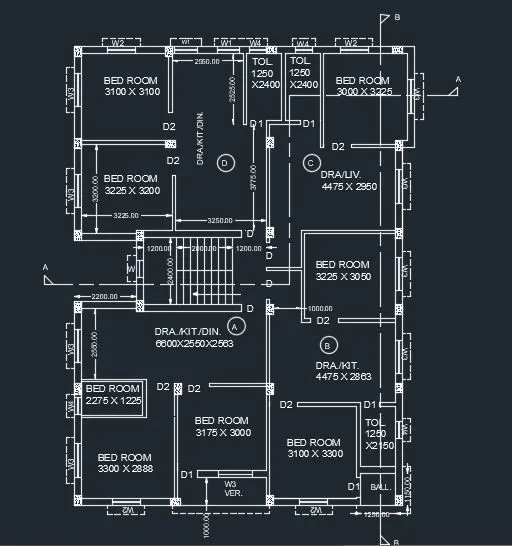
1.Create the layouts of the Kitchen and provide hatches pattern as shown. Also, use blocks wherever required. Provide appropriate dimensions in the plan. Assume the size of doors, appliances and othersas per the standards.
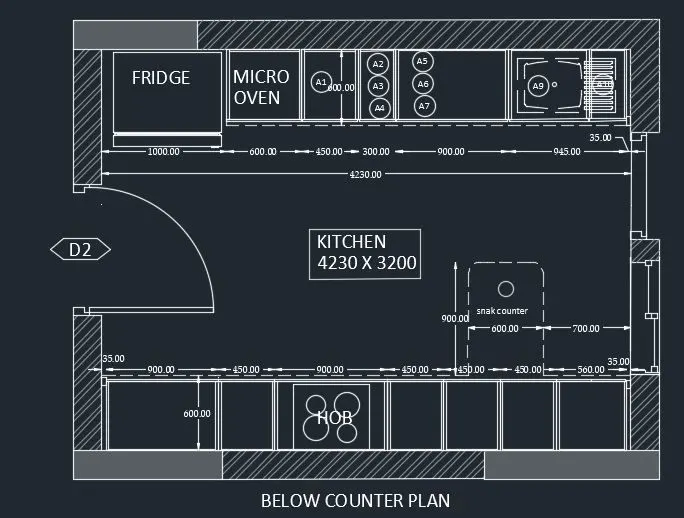
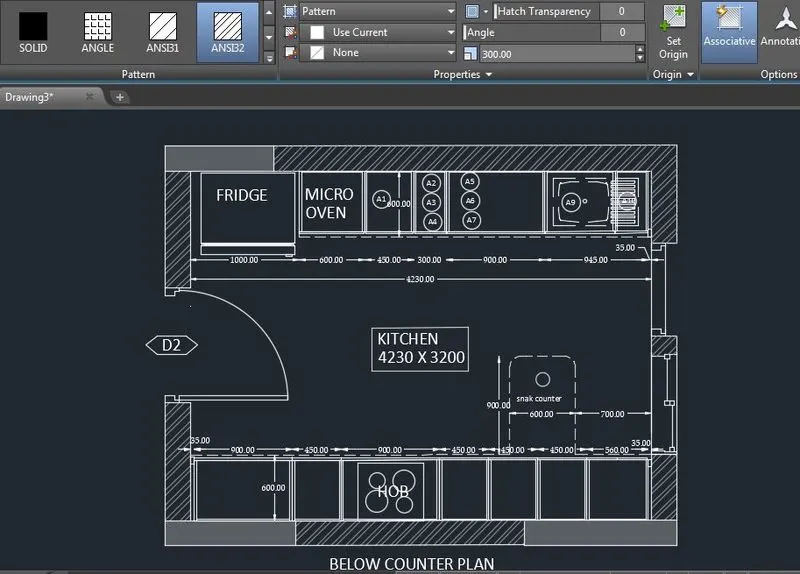
- open autocad and open new file
- unit command and set decimal and precision 0.00
- d(dimension style manager) command and set precision decimal and 0.00
- assume door size 1052.53 x 2100 mm
- using line command, circle command, multiline text command ,dimension command , trim command, copy command we draw the diagram as shown in image.
- Hatch command and use ANSI32 and solid with specified color and hatch as per required shown in image.
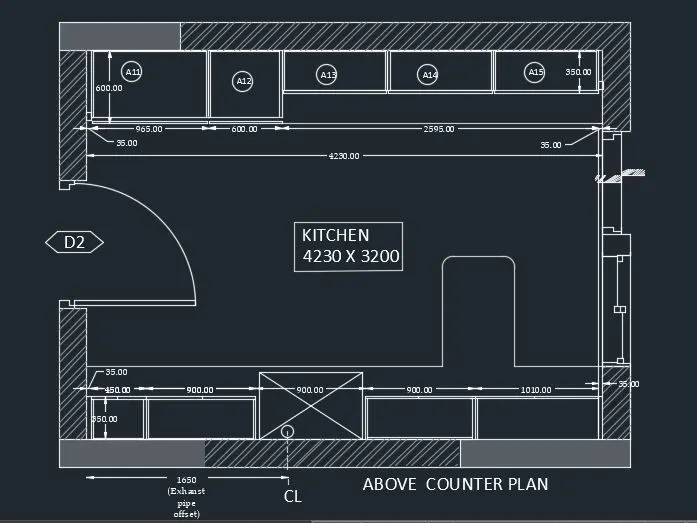
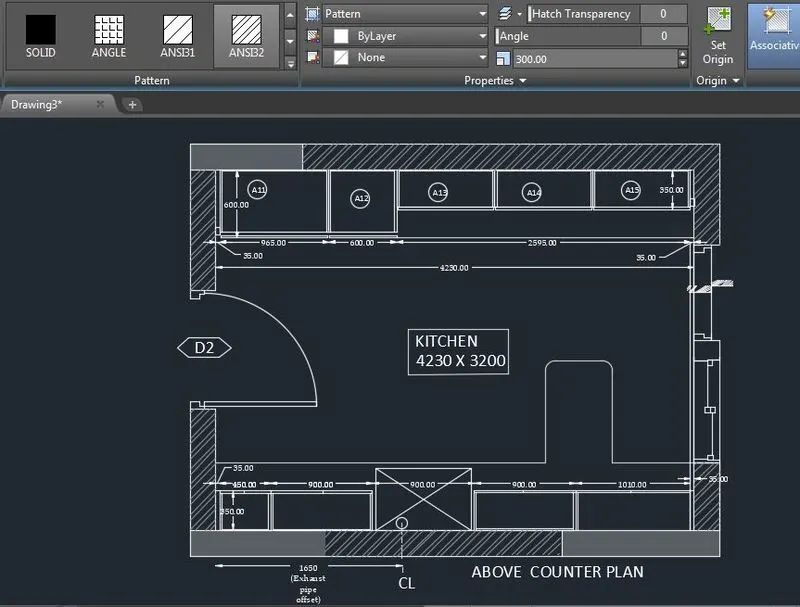
- open autocad and open new file
- unit command and set decimal and precision 0.00
- d(dimension style manager) command and set precision decimal and 0.00
- assume door size 1048.48 x 2100 mm
- using line command, circle command, multiline text command ,dimension command , trim command, copy command we drw the diagram as shown in image.
- Hatch command and use ANSI32 and solid with specified color and hatch as per required shown in image.
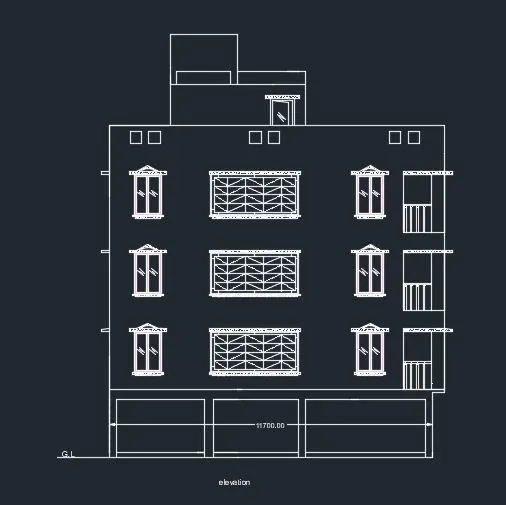
2.2. Create the elevation of the plan created in the Challenges 7 and apply proper hatch in the walls, doors, windows, and other architectural
elements. Refer to the dimensions in Plans and sections in Challenges 7.
consider w2 window = 1000 x 1500 mm
ver. = 3175 x 1500 mm
and rest as per drawings
- open autocad and open new file
- unit command and set decimal and precision 0.00
- (dimension style manager) command and set precision decimal and 0.00
- using line command,dashed line, multiline text command ,dimension command , trim command, copy command we draw windoe, elevation etc as shown in image.
- Hatch command and use AR-CONC and solid with specified BLACK color and hatch as per required shown in image.
- for ver. use dashed line.
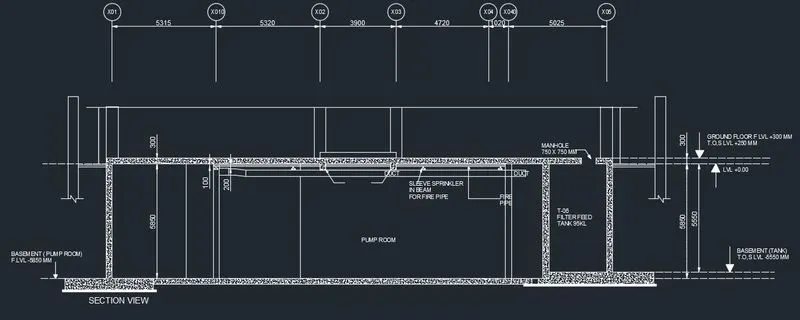
3.Create the section view of an industrial building as shown in Figure. Provide appropriate hatches and
dimensions wherever required. Also, provide annotations to the drawing.
- open autocad and open new file
- unit command and set decimal and precision 0.00
- (dimension style manager) command and set precision decimal and 0.00
- using line command, circle command and attribute command we draw vertical grid at given dimension
- using line command, offset command, dimension command, trim command, hatch command , mirror command, multiline text command we draw section view as shown in image.