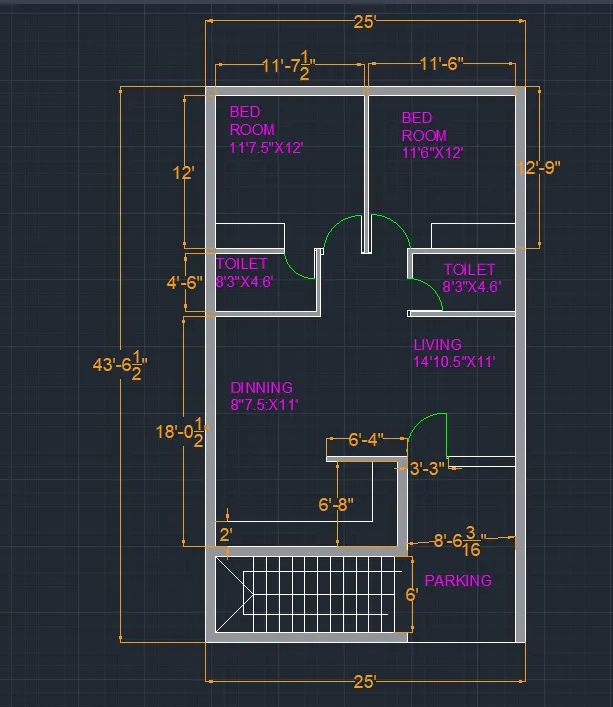
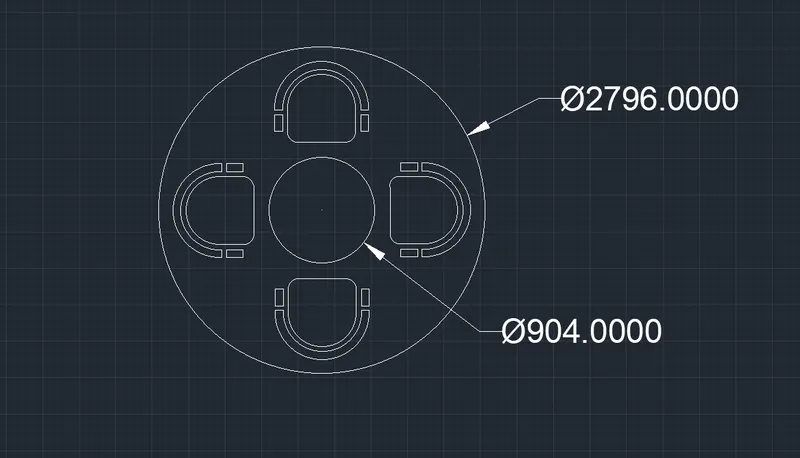
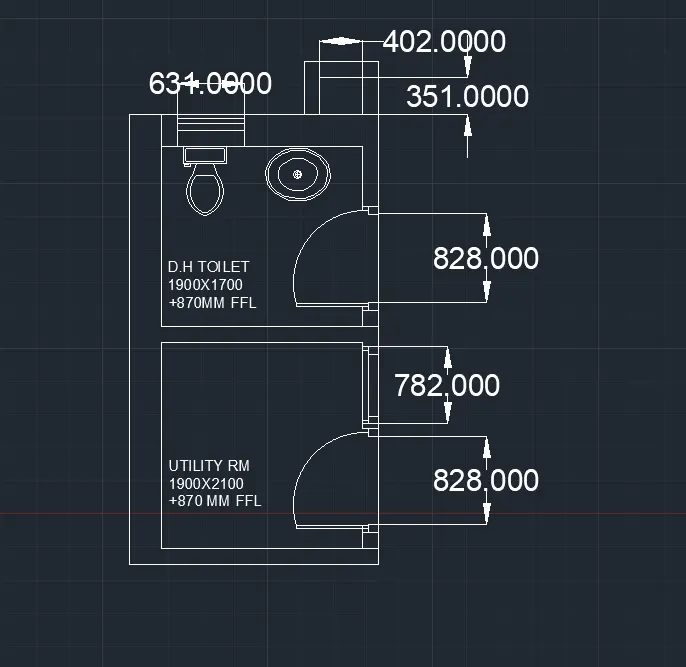
Creating a Residence Layout, Seating plan, Toilet and Utility room plan using AutoCad
AIM:
DRAWING THE GIVEN RESIDNC LAYOUT ,SEATING PLAN AND TIOLET PLAN USING AUTOCAD SOFTWARE.
PROCDURE:
For the given drawings the units are set according to the requirements.
The limits of the page are set to 1000,1000 in x y directions respectively.
Dimention style commond is used to set the height of the text,arrow size an the primary units.
Line commont(direct line system ) is used more frequently to draw the given lines as per the dimentions.
Tangent to with the point are used to draw the tangent for the figures.
Tream option is used to tream the excess patrt of the figures some times erase.
Dim tool is used to determine the dimentions of the lnes that are to be mentioned.
Mtext is used to write the text on the sheet to specify the details of the drawings.
Fillet is used to fill the corners where there are not joined corectely or disconnected.
F8 option is used for ortho,F9 is for snap
Hatch commond is used to fill the blocks with pattens and with colours to hilightg the things.
Using ADCENTER the shink and the western closet are taken.
The required dimentions are assumed as per the requirements....
RESULT:
The resulted drawings are pinned below.