BASICS OF MORPHING AND CREATING MACRO USING HYPERMESH
WEEK 11
BASICS OF MORPHING AND CREATING MACRO USING HYPERMESH
OBJECTIVE:
- Morph the given side body component to the desired shape
- Create a macro file which is TCL/TK file for that morphing operation
INTRODUCTION:
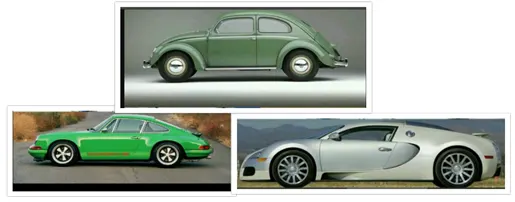
Morphing is basically undergoing different transformations i.e., changing the shape of the body without changing the numerical values. Morphing structures, defined as body panels that are capable of a drastic autonomous shape transformation, have gained importance in the aerospace, automotive, and soft robotics industries since they address the need to switch between shapes for optimal performance over the range of operation. With consumer interest constantly shifting from one thing to another, retailers are looking to stay one step ahead by offering designs that can easily adapt and change. Therefore, morphing will play a major role in the designing of components. I’ll include some pictures of cars which are designed through morphing.
PROCEDURE:
- Import Geometry: Go to File >> Import >> Model/Geometry
- Grey colour geometry is imported
- We need to morph that geometry into Green colour geometry
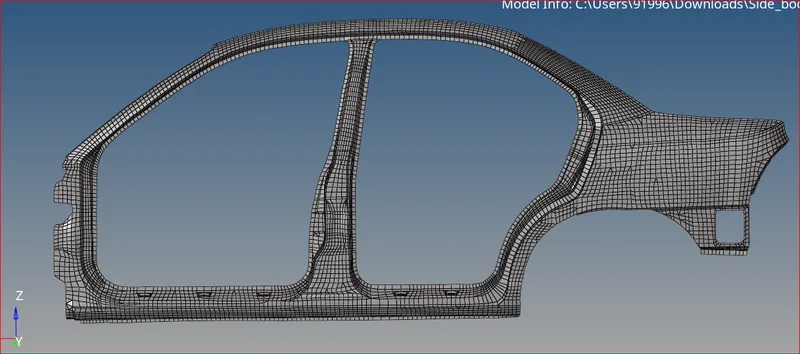
Imported Geometry
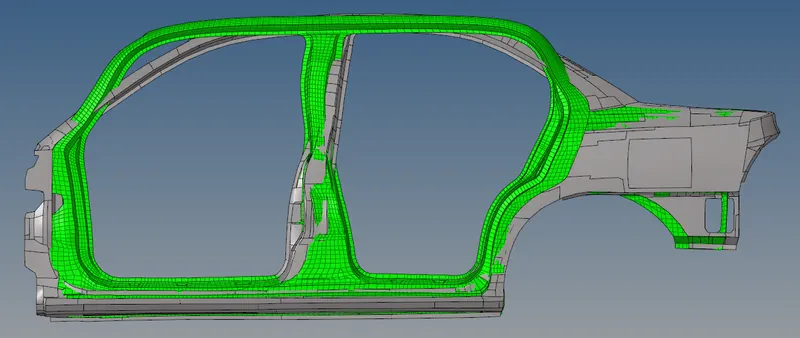
Comparison between imported and morphed geometries
Creating Domains and Handles:
- If you observe the model thoroughly, there are only 2D elements
- Therefore, we need to create 2D domains
- Go to >> tools >> hypermorph >> domain >> Create
- You can see HYPERMESH automatically created 529 domains and 348 handles
- These handles and domains are responsible for better transition of mesh while morphing
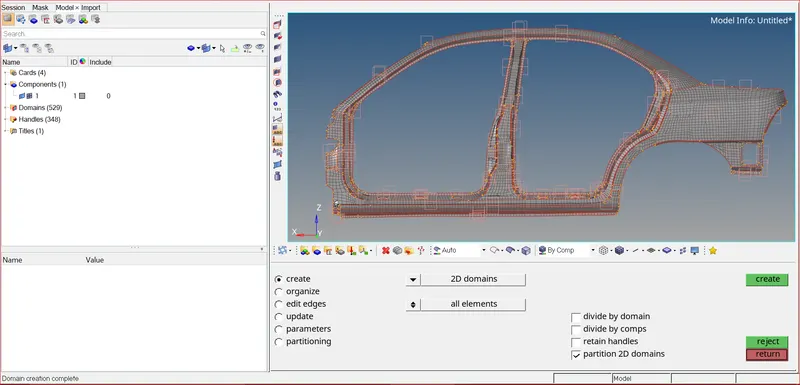
Domains and Handles Created
Creating Enclosed Volume Around Geometry:
- Go to >> tools >> hypermorph >> morph volumes >> select all elements and required options as shown below
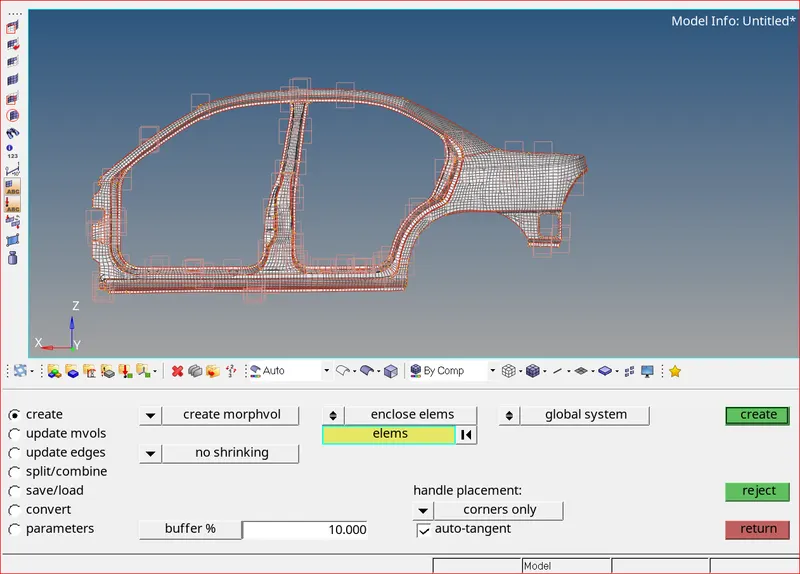
Selecting elements for creating volume
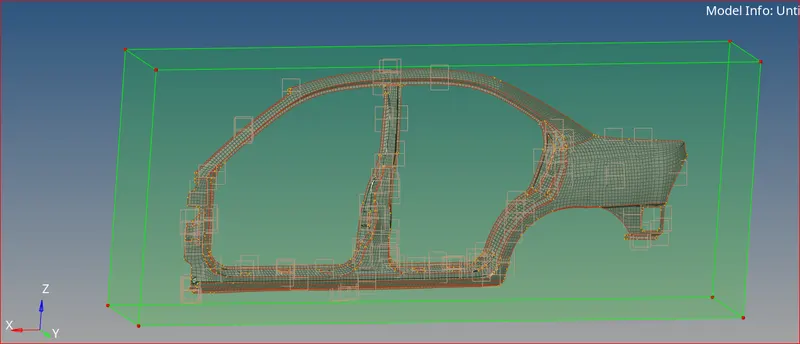
Enclosed Volume Created
Dividing Volume:
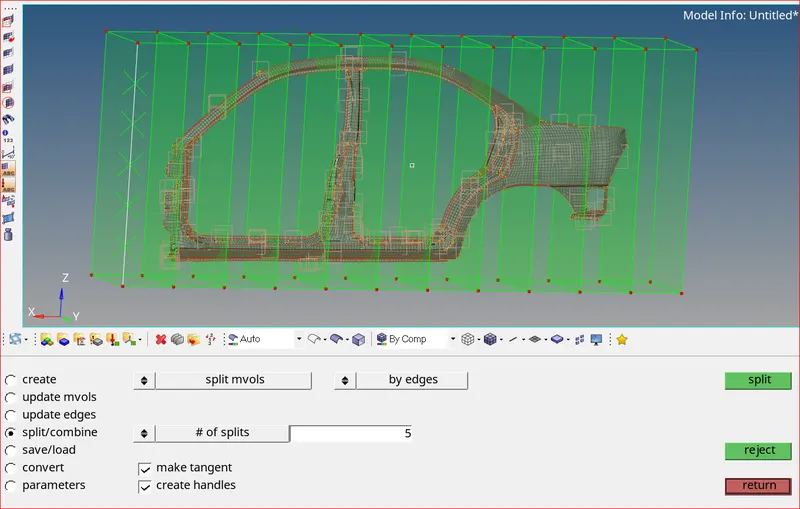
- I have divided the volume vertically into 10 different volumes
- Similarly divide volume horizontally into 5 different volumes
- By dividing the volume, we can alter the shape of different volumes easily
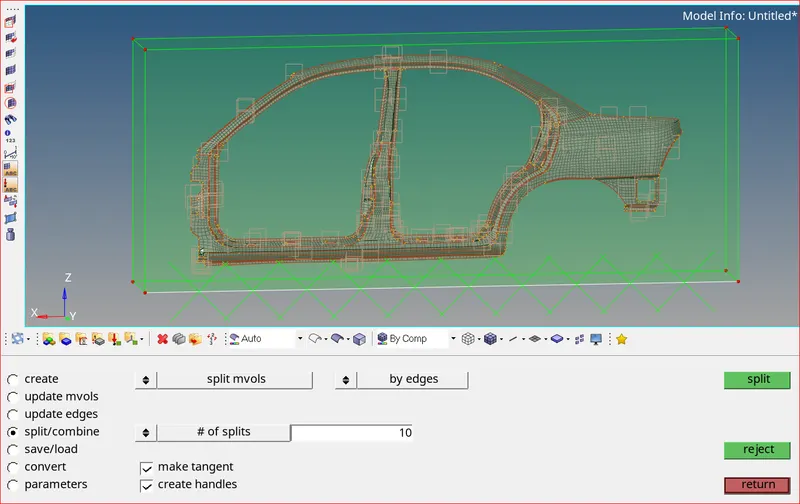
Splitting Volume Vertically
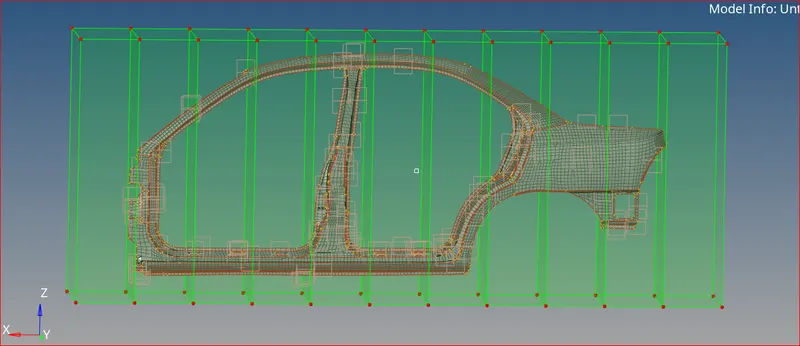
Splitting Done
Splitting Volume Horizontally
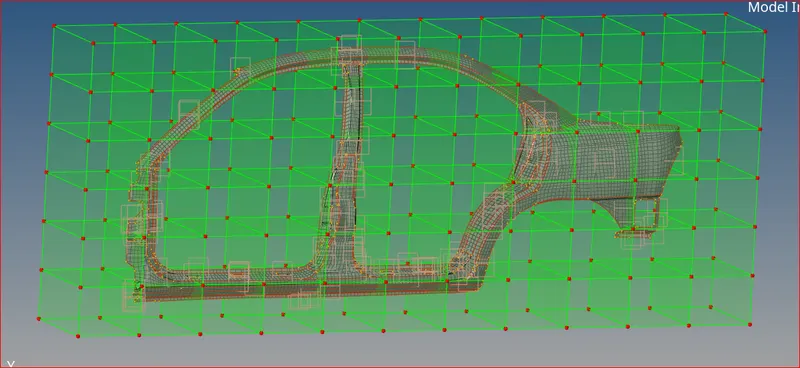
Splitting Done
Moving Handles:
- Now, we can move handles in any desired direction and angle. This is called free hand method
- We can also select which nodes to move and which nodes to stay in their place.
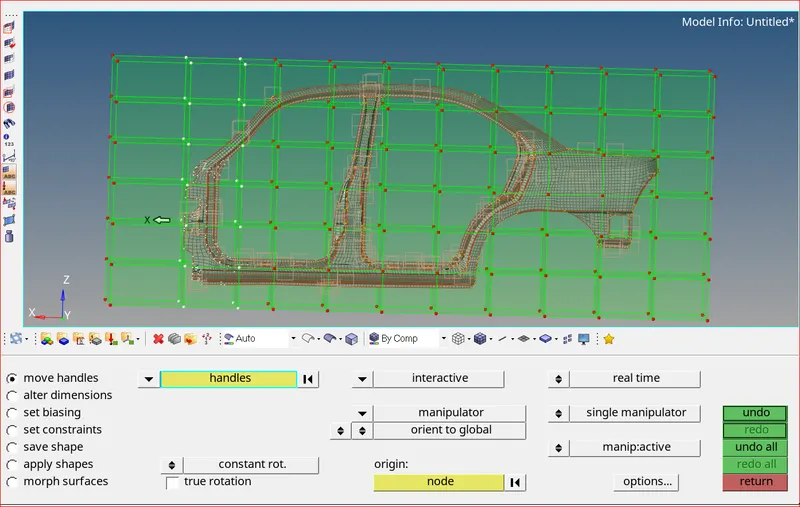
Selecting handles for morphing
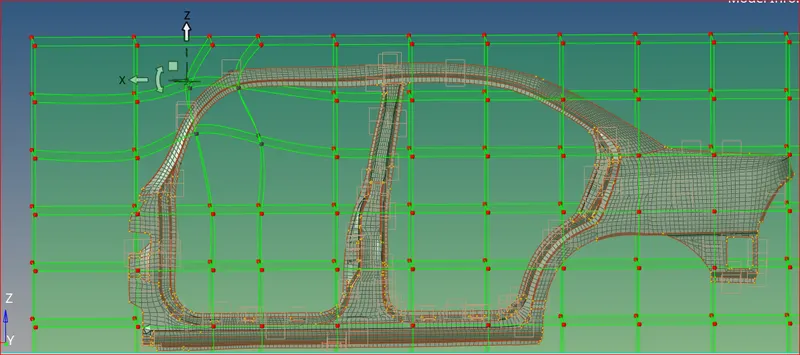
Moving handles in-order to get desired shape
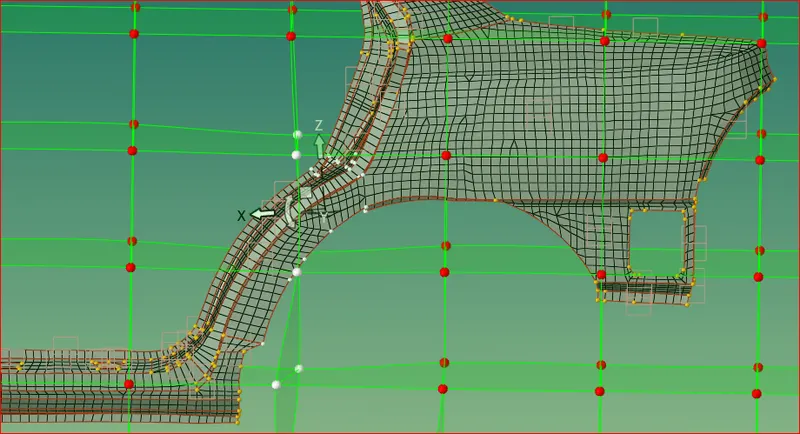
Moving handles in-order to get desired shape
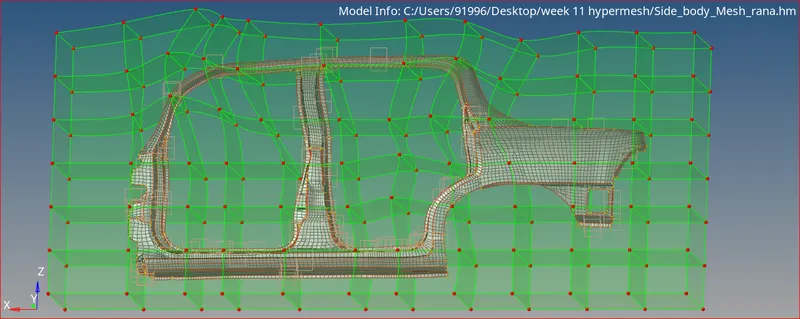
Morphed Geometry
Creating TCL File or Macro:
- After saving the model. Go to documents, a TCL file is automatically created.
- I have created a detailed video on how to save and run a TCL file in HYPERMESH
OUTCOME:
Imported Model
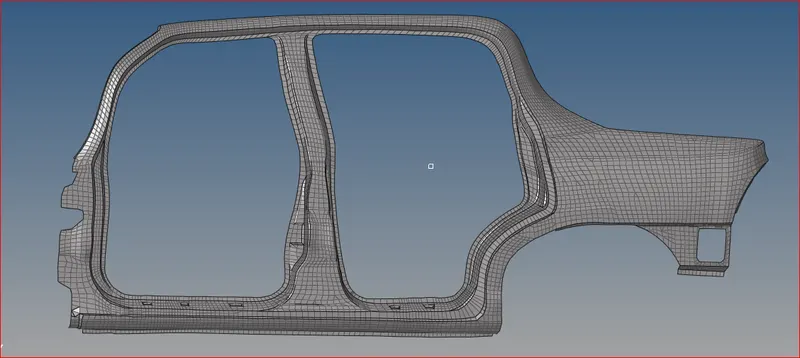
Morphed Model
Conclusion:
Morphing is done according to the required shape. TCL file is created and run successfully.