Assignment 5-RADIOSS Interfaces & Study of Effect of Notches Challenge
ASSIGNMENT-5
comparing the base setups simulation results and differant kinematic condition simulation results.
objective:
The main objective of this Assignment is to create a 2D meshing on the Bumper .
The another main objective of this assignment is to create different types of Interfaces, and assigning recommended values to the interfaces, and comparing the base setup simulation results and different kinematic condition simulation results. And also to remove and add the notches to the given model based upon the respected challenges.
following are the cases,
1. To Create the mesh for bumper assembly, and mesh size should be 6mm.
2. To Run the crash tube model as it is.
3. To Change the Inacti=6 and run.
4. To Create the type 11 contact and run.
5. To Remove both notches and to remove boundary condition on rigid body node then run.
6. To Create a new notch in the middle ,select the whole section and run.
7. To Create a new notch with nodes only from opposing 2 faces and run.
case1:
meshing the BUMPER
cad images:
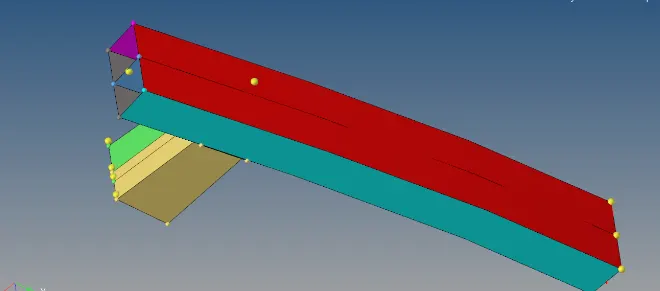
after meshing and connection image
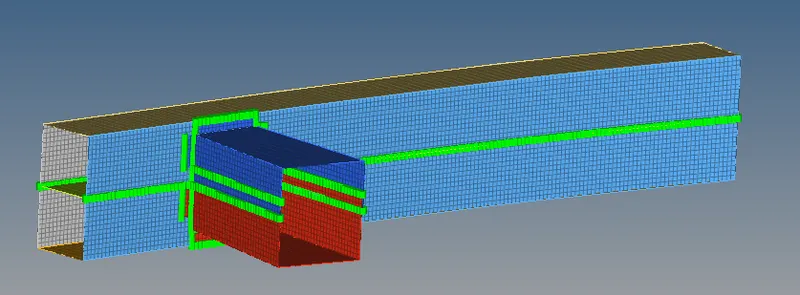
following pic shows the meshing of bumper and connection hv been made using seam weld as shon in the images.
step-1:
Importing the model.
Open hyperworks and select inport solver deck and import the model.
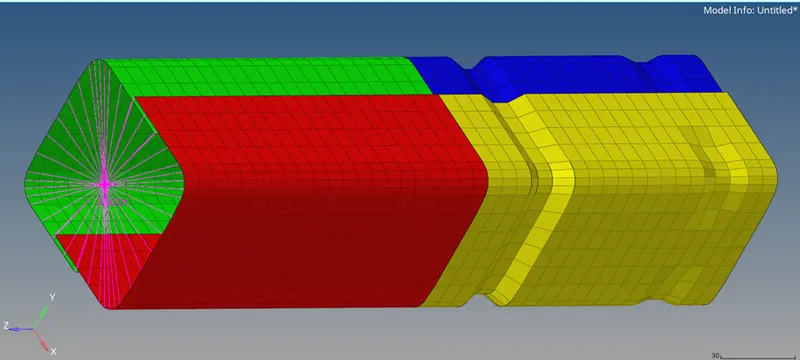
step-3:
Now run the model as it is without changing any values in the interface card.
After running the file open the Crush_tube_0001 and check for the energy error and mass error.
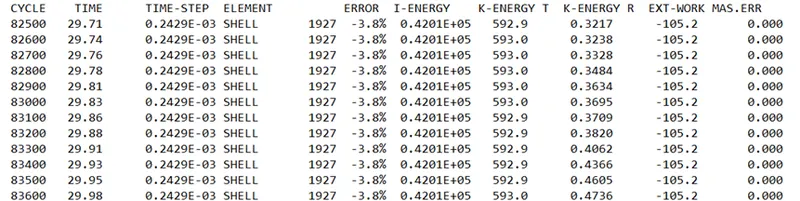
ENERGY ERROR: Basically energy error must be negative and decreasing.The Error must be less than 15% at the end of computation, as per the condition. If the error is below 15% than the results could be acceptable.
So from the above figure, at the end of computation the energy error is -3.8% and mass error is 0.000 As per the condition the energy error is -3.8% which is below the 15% and the results could be acceptable for further simulation and ploting of graphs.
- To Change the Inacti=6 and run.
In this case also same type7 contact is used only the change here is in interface card Inacti (Action to take if initial penetrations exist.) is changed to 6.
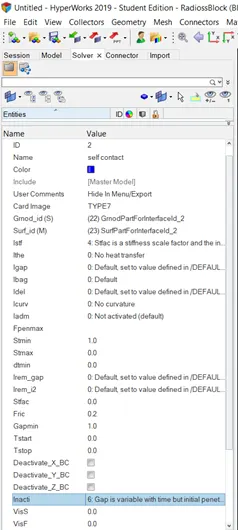
AFTER RUNNING
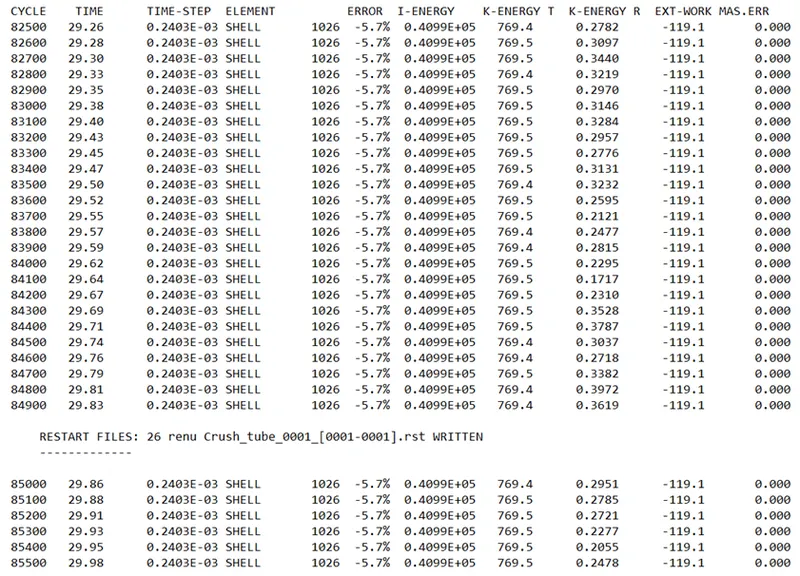
So from the above figure, at the end of computation the energy error is -5.7% and mass error is 0.000 As per the condition the energy error is -5.7% which is below the 15% and the results could be acceptable for further simulation and ploting of graphs.
- To Create the type 11 contact and run.
This interface simulates impact between edge to Edge or lines. A line can be a beam or truss element or a shell edge or spring elements. Defined by identifying master and slave lines (edges). Impacts occur between a master and a slave line. A slave line can impact on one or more master lines. A line can belong to the master and the slave side. This allows self-impact.
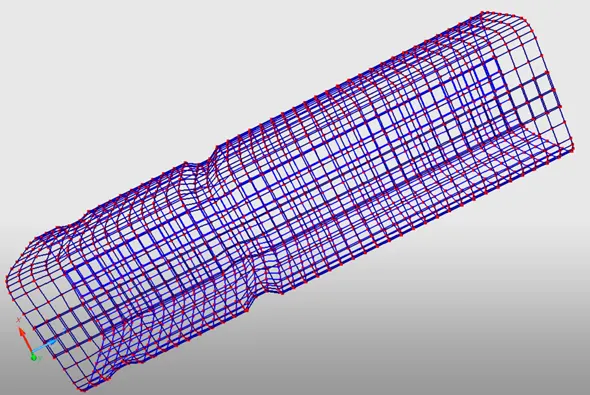
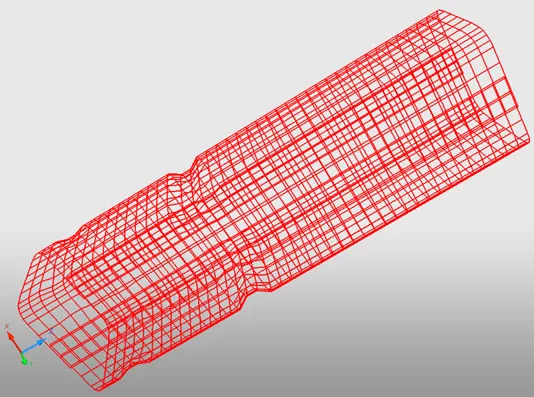
FIG: TYPE 11 CONTACT
For creating type 11 contact either we can use hypermesh or hypercrash. hypermesh is generalised preprocessor, where as hypercrash is a specialised preprocessor.
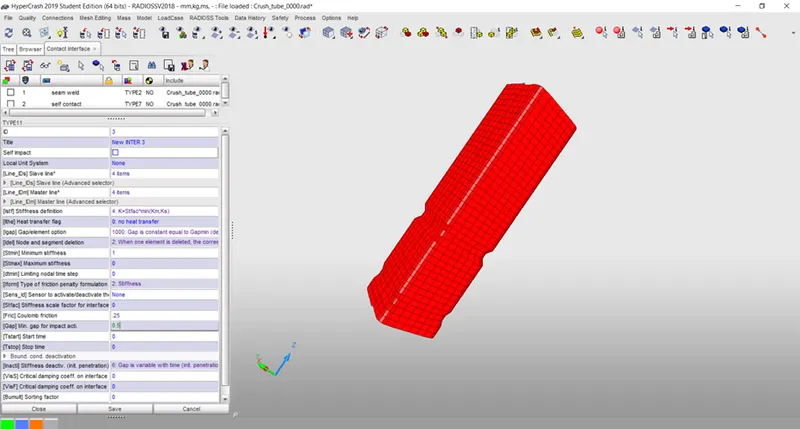
After adding recommended values we have to open the model in hypermesh by using input solver deck, and we have to simulate by using radioss.

So from the above figure, at the end of computation the energy error is -4.0% and mass error is 0.000 As per the condition the energy error is -4.0% which is below the 15% and the results could be acceptable for further simulation and ploting of graphs.
- To Remove both notches and to remove boundary condition on rigid body node then run.
In this case we have remove the notches and aslo to remove the boundary condition on rigid body node. So the notches are removed by using translate option or align option. and the boundary condition is removed by clicking on load collectors - rbody and off the translations and rotations.
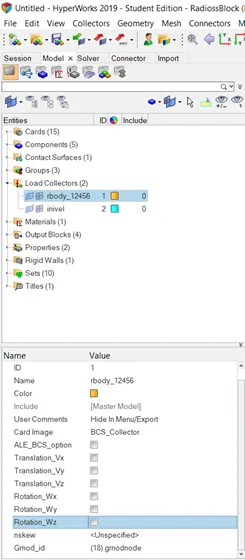
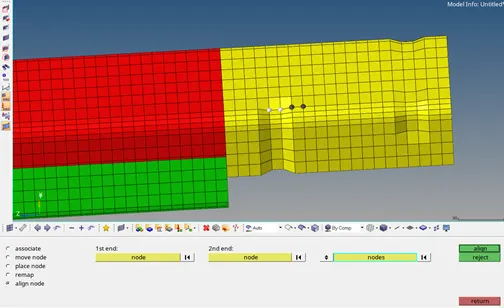
After running the file open the Crush_tube_0001 and check for the energy error and mass error

So from the above figure, at the end of computation the energy error is -2.6% and mass error is 0.000 As per the condition the energy error is -2.6% which is below the 15% and the results could be acceptable for further simulation and ploting of graphs.
- To Create a new notch in the middle ,select the whole section and run.
In this case we have to create a new notch at middle by using translate option or align option.
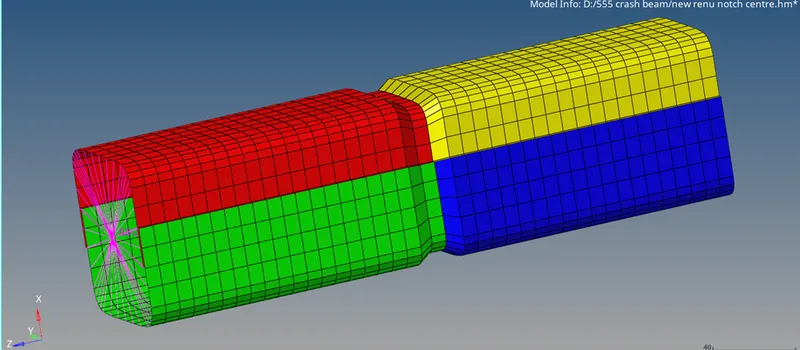
After running the file open the Crush_tube_0001 and check for the energy error and mass error
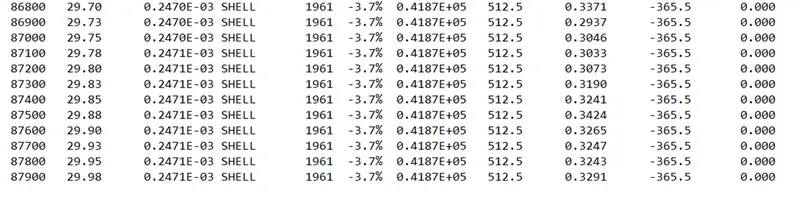
So from the above figure, at the end of computation the energy error is -3.7% and mass error is 0.000 As per the condition the energy error is -3.7% which is below the 15% and the results could be acceptable for further simulation and ploting of graphs.
- To Create a new notch with nodes only from opposing 2 faces and run.
In this case we are creating a notch with opposite faces by using nodes only in the align option, or by using translate option
After running the file open the Crush_tube_0001 and check for the energy error and mass error.
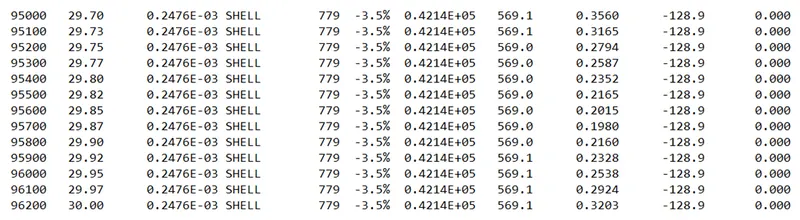
So from the above figure, at the end of computation the energy error is -3.5% and mass error is 0.000 As per the condition the energy error is -3.5% which is below the 15% and the results could be acceptable for further simulation and ploting of graphs.
ploting of graphs
- To Run the crash tube model as it is.
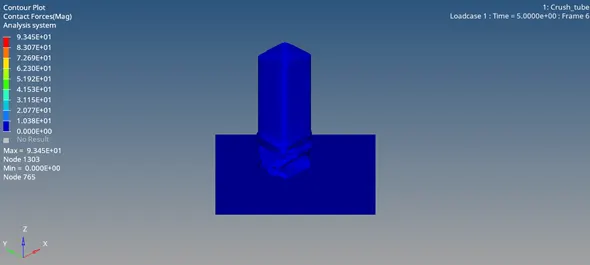
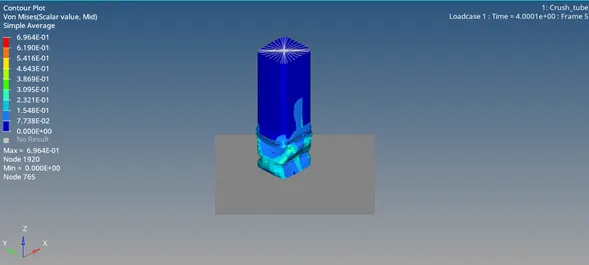
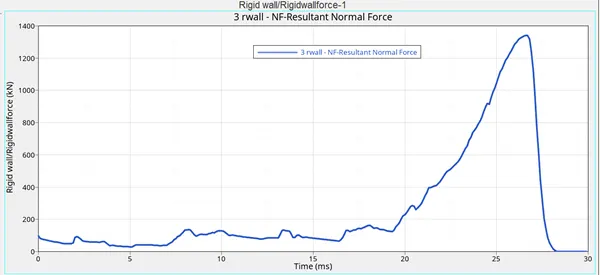
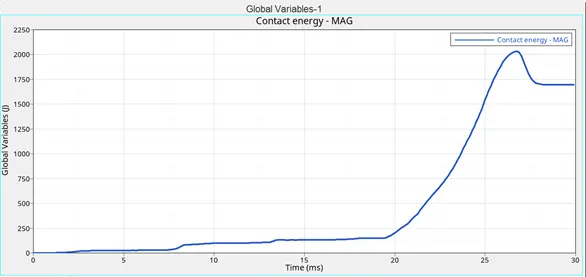
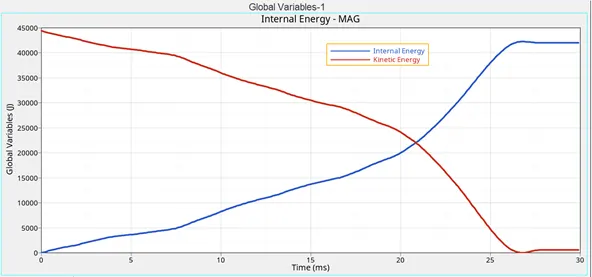
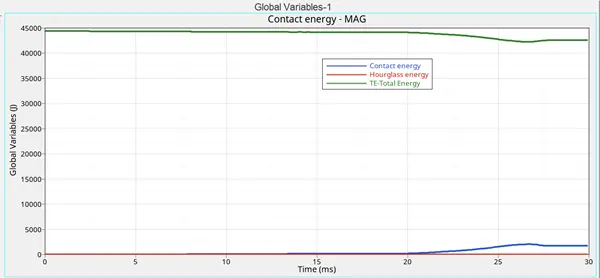
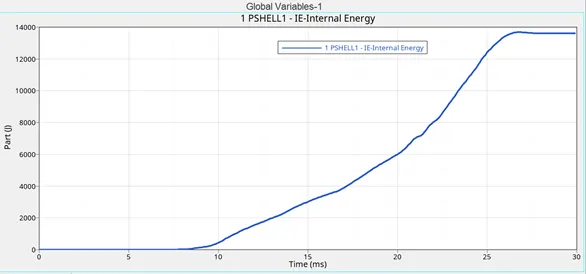
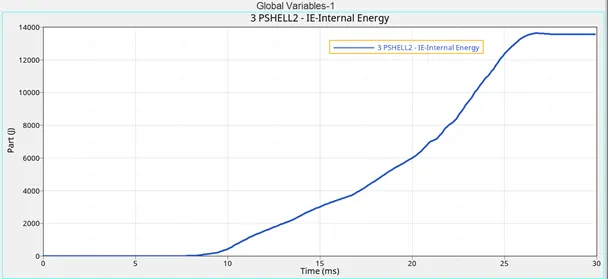
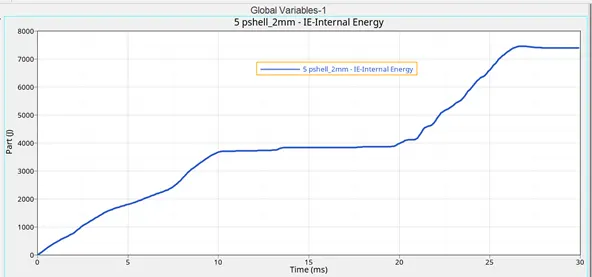
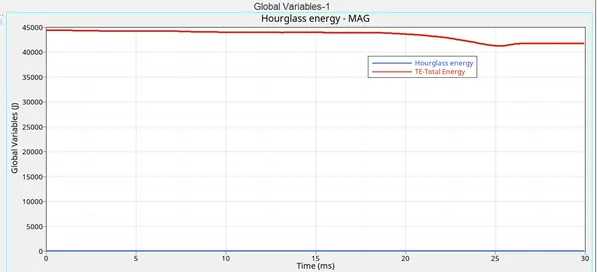
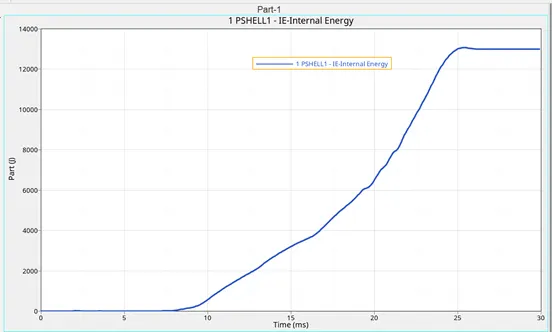
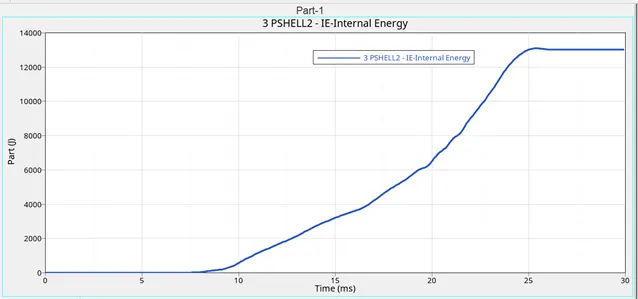
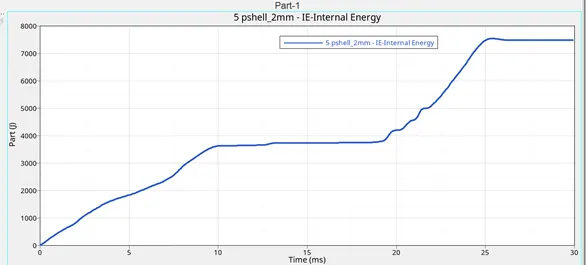
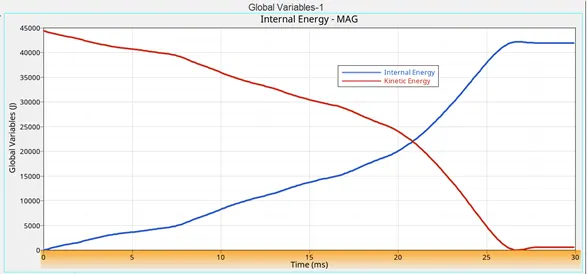
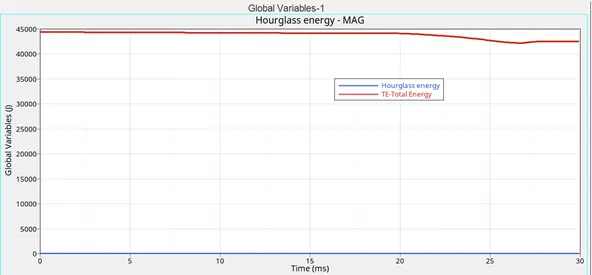
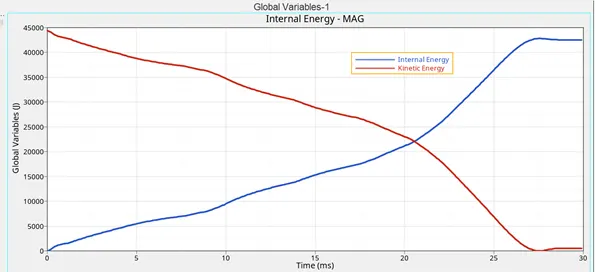
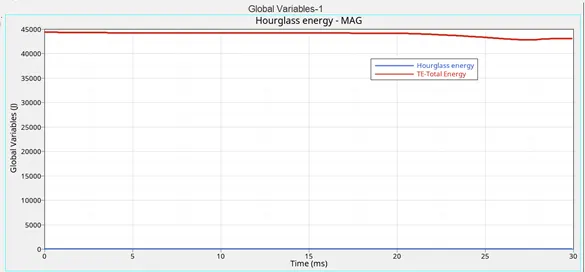
In this challenge we did not changed any parameters. we just runned the crash tube as it is and various graphs are plotted and as shown below. Intially as the model is with type 7 contact, here the impact is taken between a set of nodes (slave) and the master surface. AS THE SLAVE NODES BELONGED TO MASTER SURFACE, THE INTERFACE CAN SIMULATE AUTO IMPACT ON THE MODEL WHICH WILL LEADS TO BUCKLING
ENERGY PLOTS:
- To Change the Inacti=6 and run.
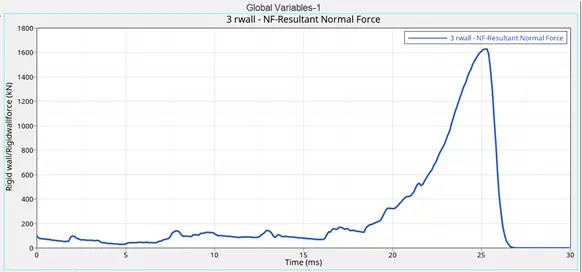
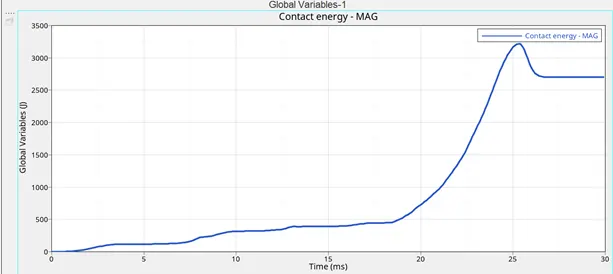
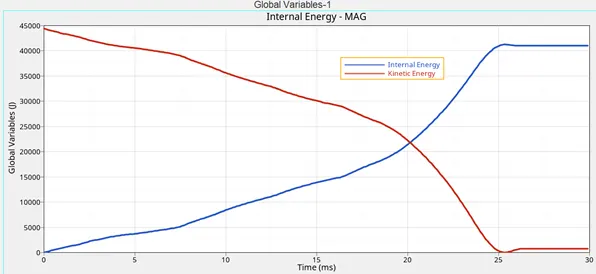
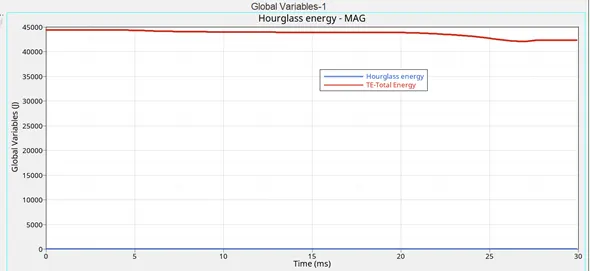
In this case we are changing tne Inacti=6 (Action to take if initial penetrations exist ) the number 6 indicates that the gap is variable with time (initial penetrations is computed).Intially as the model is with type 7 contact, here the impact is taken between a set of nodes (slave) and the master surface. AS THE SLAVE NODES BELONGED TO MASTER SURFACE, THE INTERFACE CAN SIMULATE AUTO IMPACT ON THE MODEL WHICH WILL LEADS TO BUCKLING.
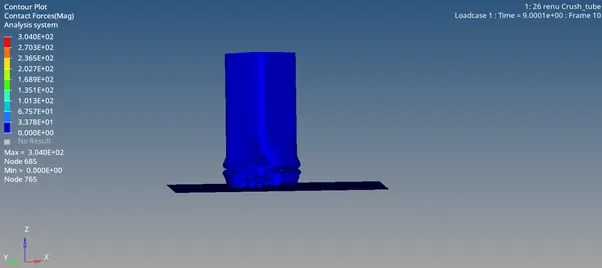
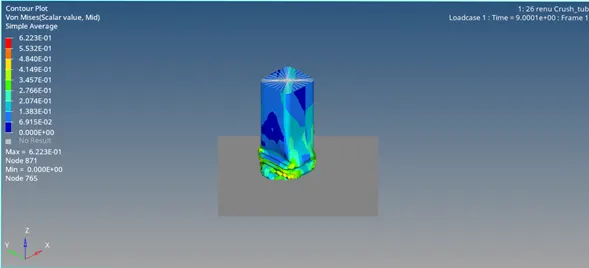
ENERGY PLOTS:
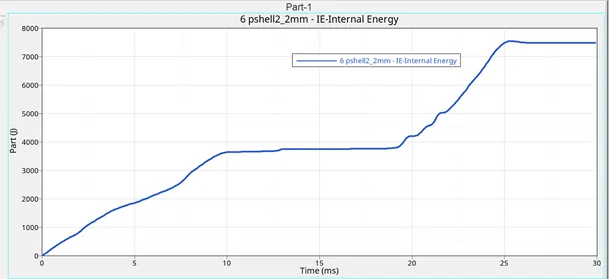
- To Create the type 11 contact and run.
In this challenge we have created a type11 contact and the Impacts occur between a master and a slave line. A slave line can impact on one or more master lines. A line can belong to the master and the slave side. This allows self-impact.
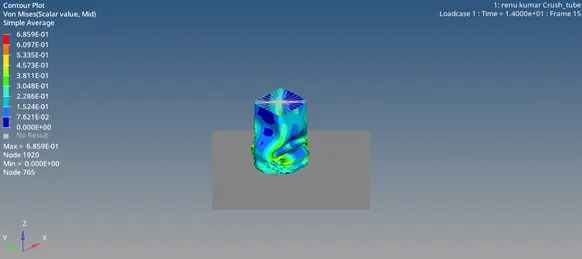
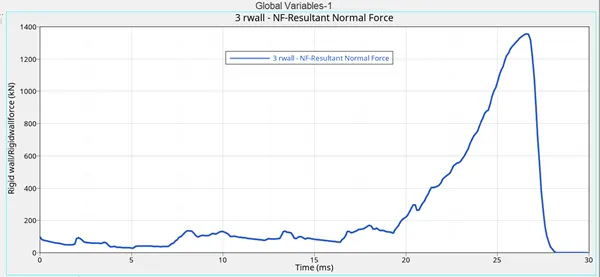
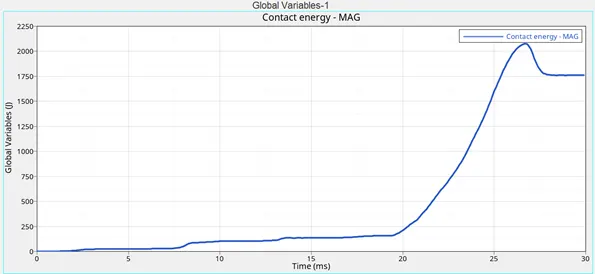
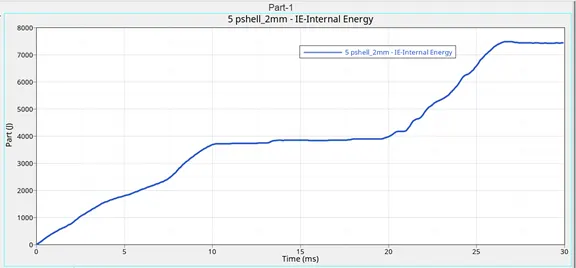
- To Remove both notches and to remove boundary condition on rigid body node then run.
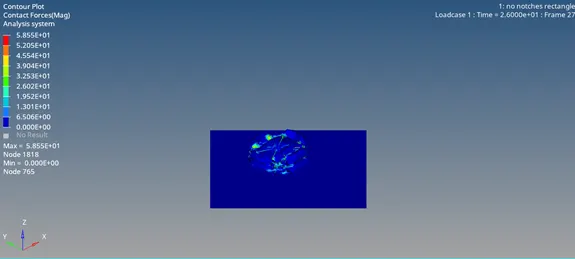
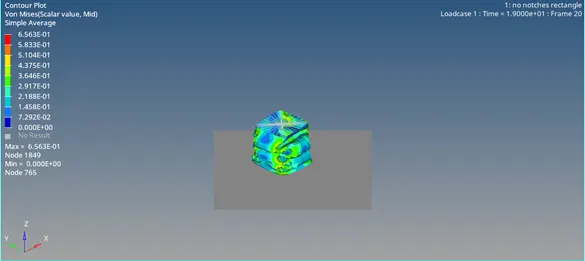
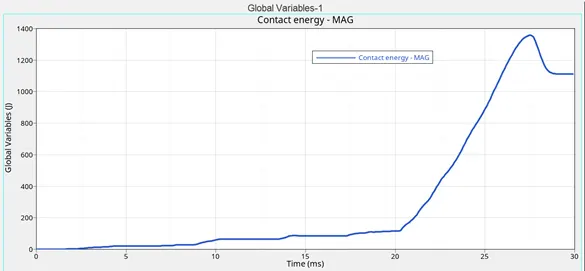
In this case we are removing all the notches and boundary condition, and various results are plotted.
CONCLUSION:
In this assignment what we have learnt is, how to create a connectors between the two components and also learnt how to create a interface to a component as well as how to create a notches in a component.
In this asssignment we have learnt about two types of interfaces. type 7 interface is a node to surface contact which will simulate due to auto impact and it gives good accuracy.
where as type 11 interface is a edge to edge contact which allows self impact.
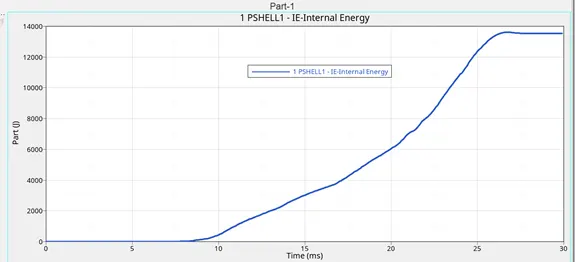
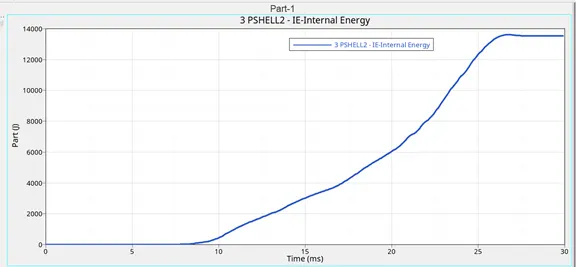
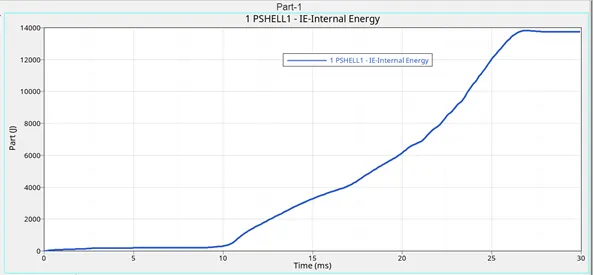
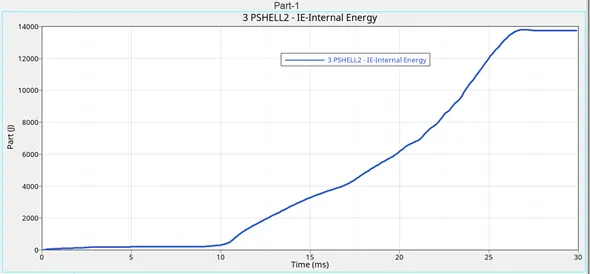
There is a change in the internal energy and it is due to different types of interfaces, their recommended parameters and as well as due to notch position on the component.
THE NOTCH EFFECTS THE RIGID WALL FORCES . IN THE ABOVE CASES WE CAN SEE THAT THE RIGID WALL FORCES WILL BE SOME WHAT HIGH AND WHEN THERE IS NO NOTCHES IN THAT CASE THE FORCE WILL BE MINIMUM WHEN COMPARED TO OTHER CASES. AS WELL AS IN THE LAST CASE ALSO THE FORCE WILL BE LESS.
FINALLY WHAT WE CONCLUDE IS THE THAT THE SHELLS WHICH ARE NEARER TO THE RIGID WALL WE HAVE LESS INTERNAL ENERGY WHERE AS THE SHELLS WHICH ARE AWAY FROM THE RIGID WALL WE HAVE MORE INTERNAL ENERGY.